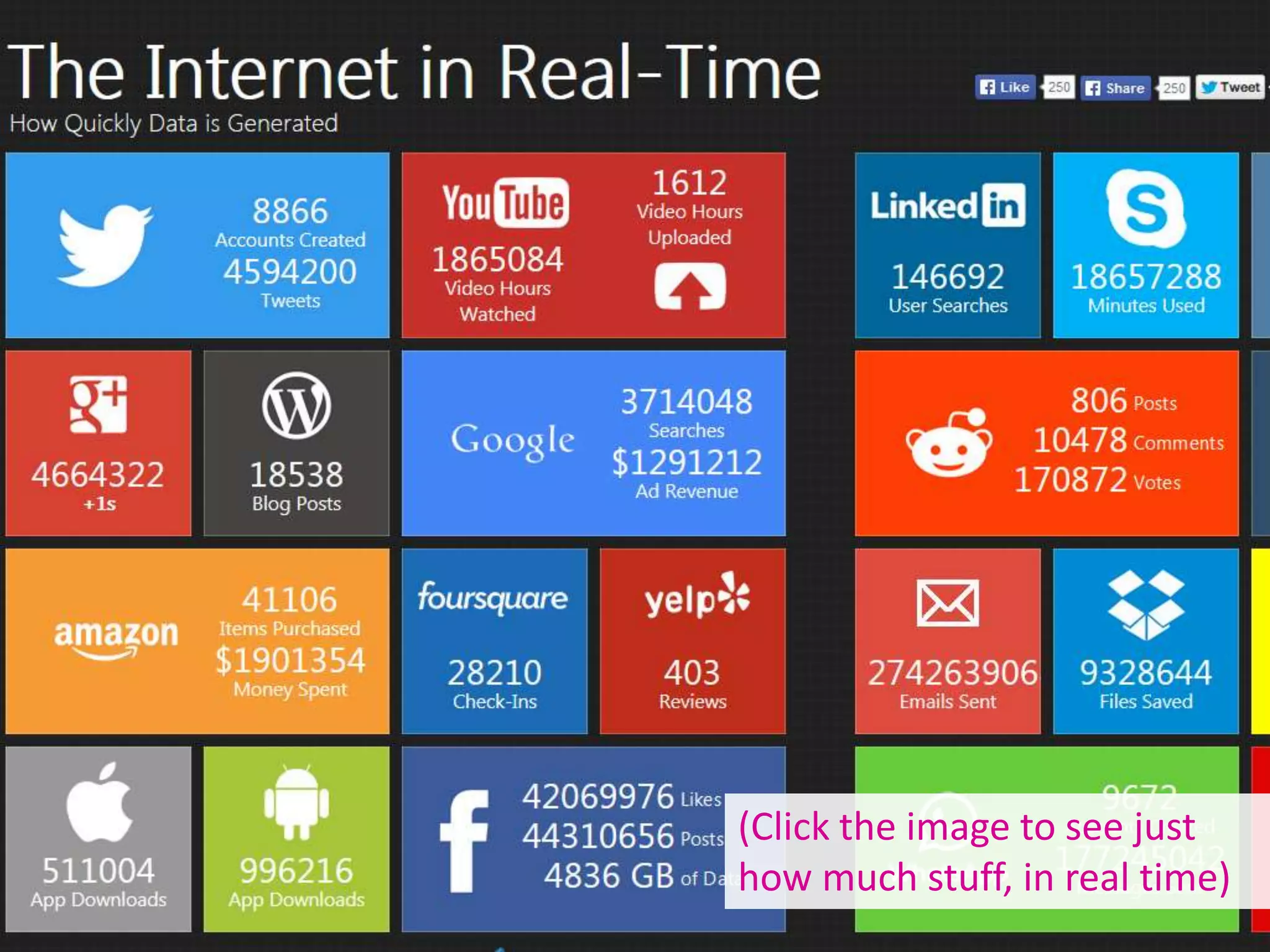








(Click the image to see just
how much stuff, in real time)
Blogs & Blogging
An Introduction for Researchers
Ned Potter
Aim of today: explore what blogs are,
why are they are relevant to the HE
context, and how they might be useful
to you.
We’ll be setting up a blog – but this can
be deleted after the session!
What are we talking about today:
Blogging is part of social media, which
is part of Web 2.0 – the interactive and
participatory side of the internet.
It’s basically people exchanging stuff
(most often opinions).
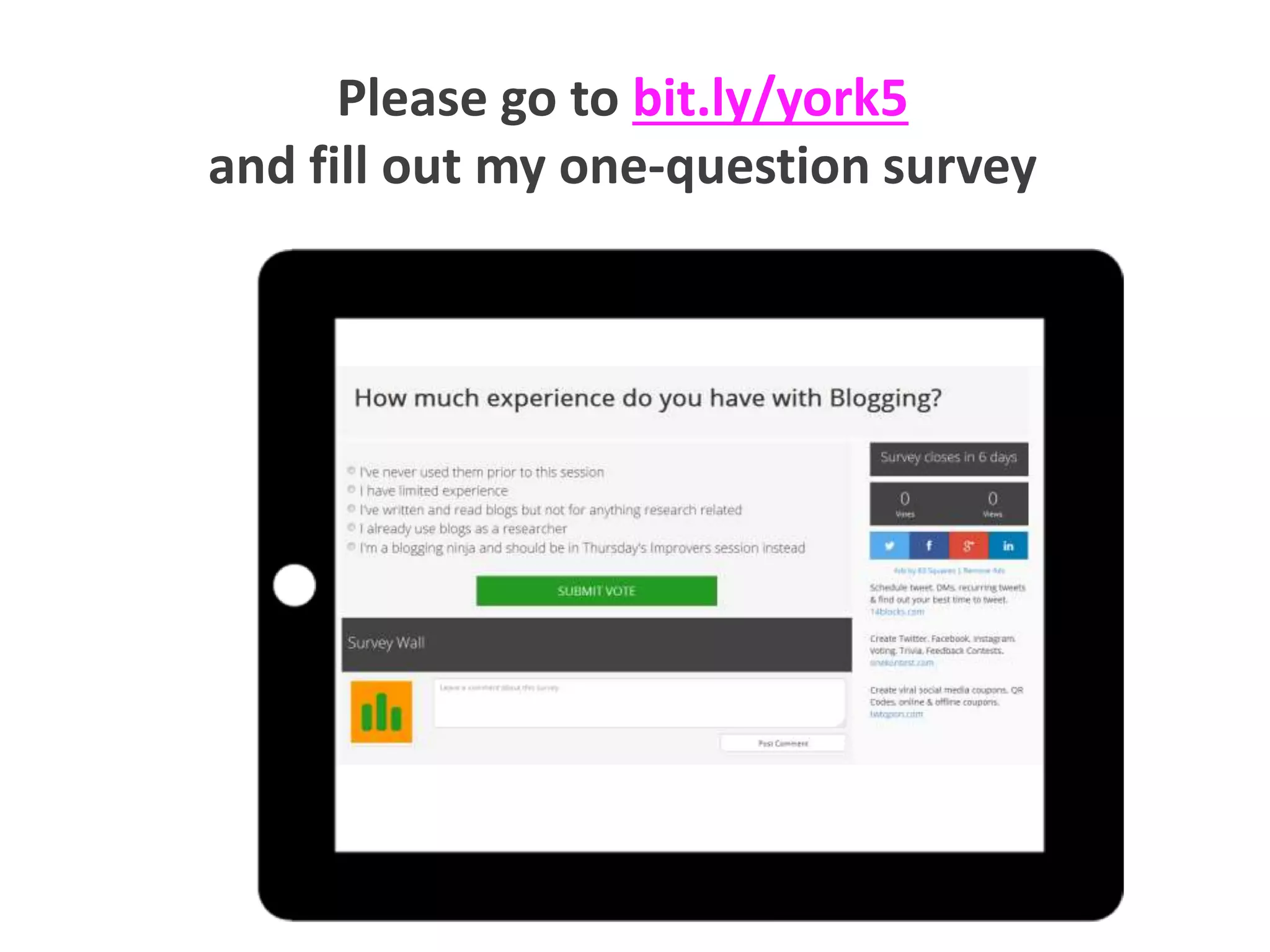
Please go to bit.ly/york5
and fill out my one-question survey
are blogs?
What
Blogs are regularly updated webpages,
consisting of posts (articles) on one or many
themes.
They can exist on their own or as part of a
larger (static) site.
Blogs are classed as social media - in other
words they're interactive and participatory.
Readers can (usually) comment on the posts,
engage in dialogue with the author, and easily
share links to the blog via Twitter and other
networks.
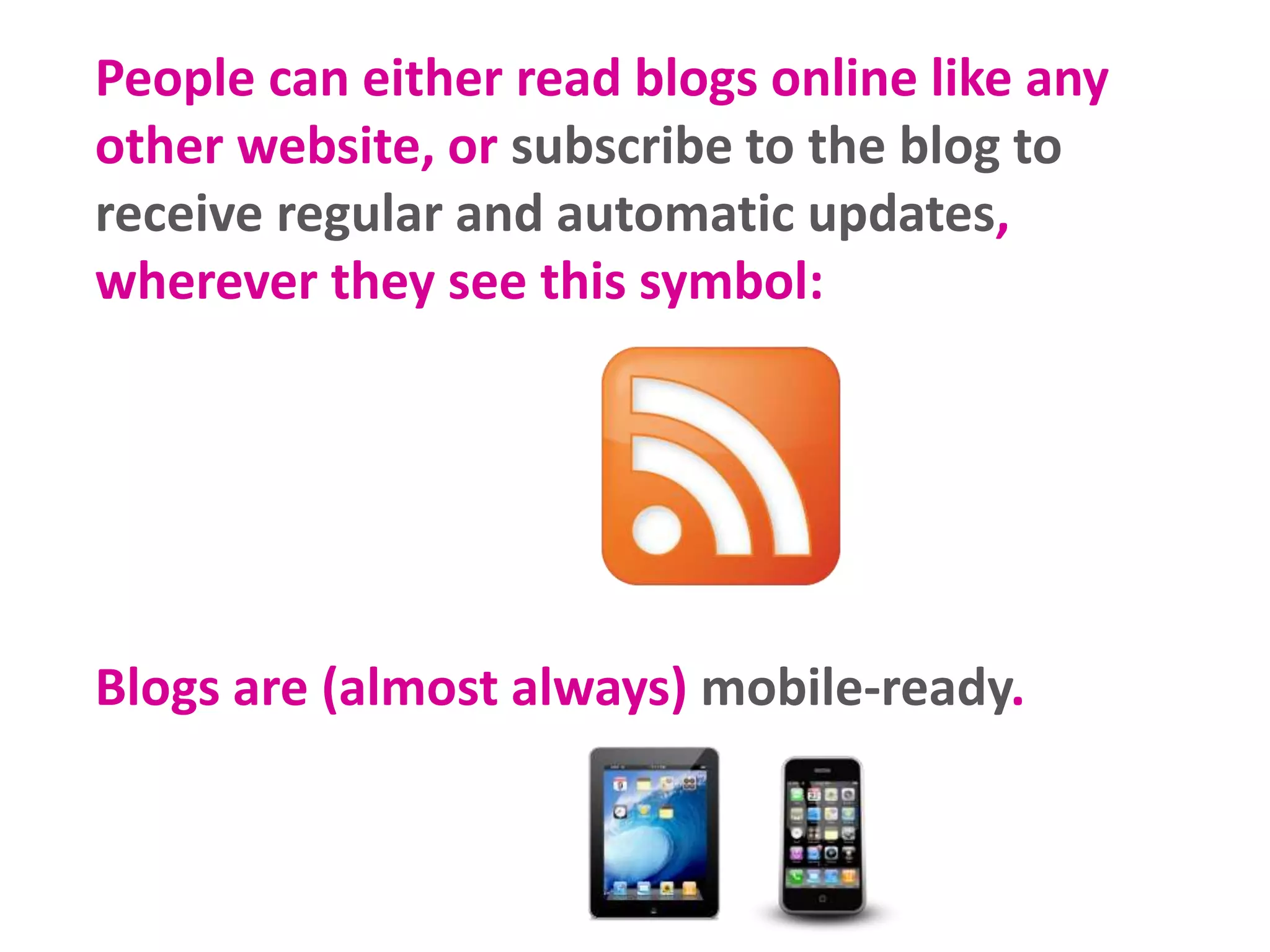
People can either read blogs online like any
other website, or subscribe to the blog to
receive regular and automatic updates,
wherever they see this symbol:
Blogs are (almost always) mobile-ready.
There can be individual blogs, group blogs,
departmental blogs, project blogs.
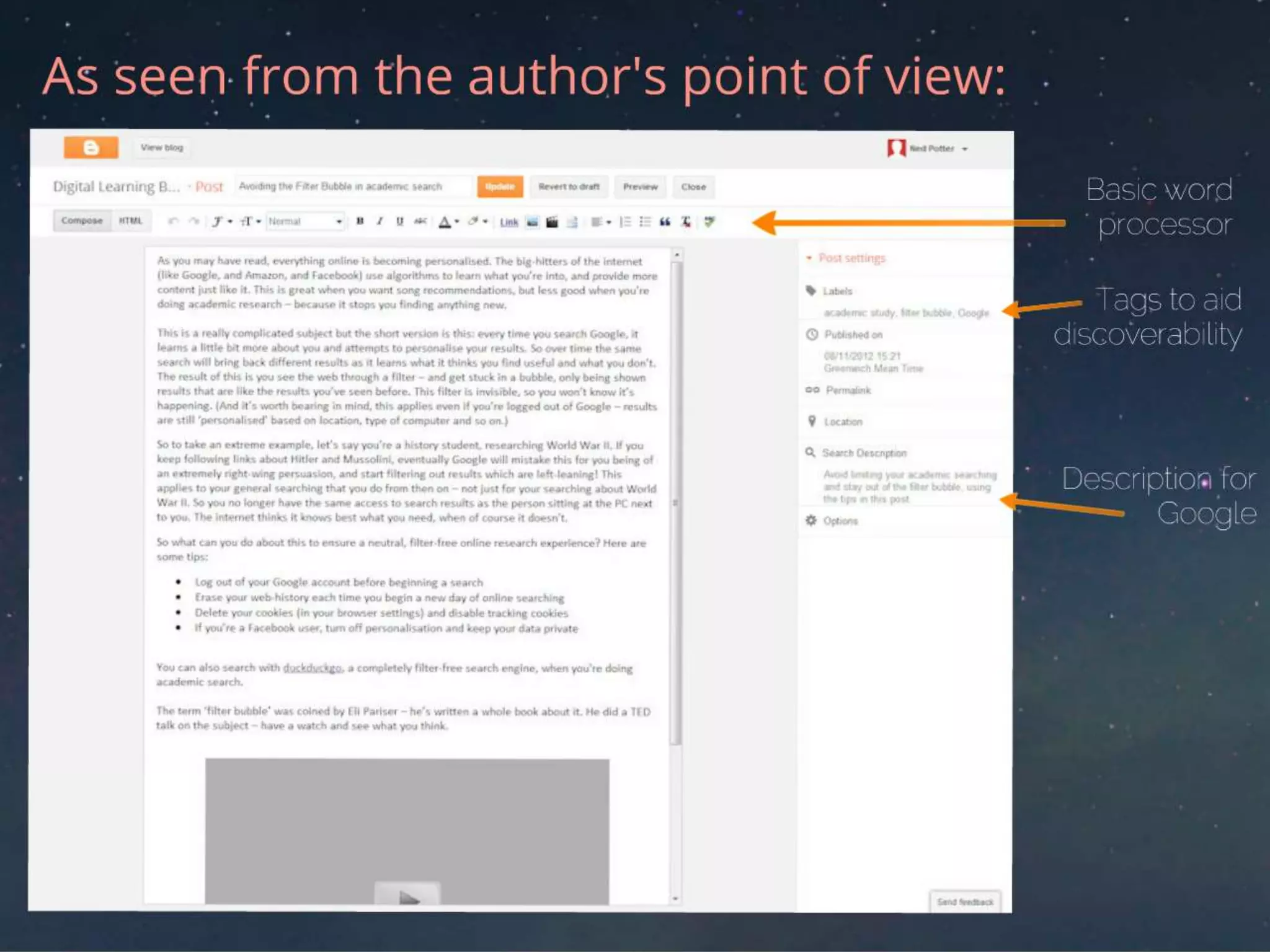
They're written using online software, the
most popular of which are:
WhyBlog?
WhyBlog?
WhyBlog?
WhyBlog?
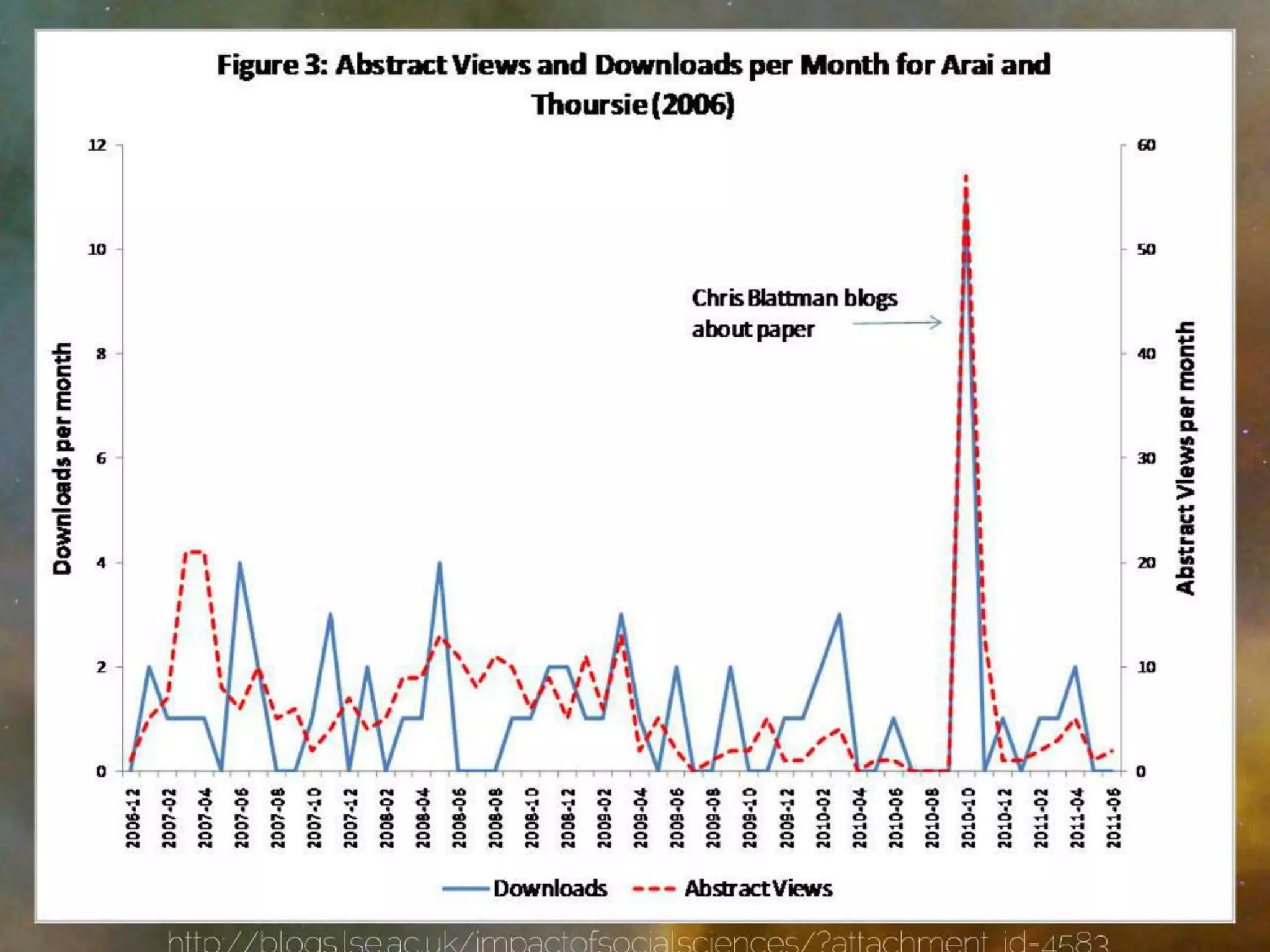
It is likely that a larger (and possibly more
varied) audience will see your research if you
or others blog about it.
"...the content of a blog becomes available far faster than
that of a journal article, and is accessible to a wider
audience."
Jenny Davis, Texas A&M University
"Academic blogs are proven to increase dissemination of
economic research and improve impact."
World Bank Senior Economists, David McKenzie
and Berk Özler
http://blogs.lse.ac.uk/impactofsocialsciences/2013/05/08/the-place-of-blogs-in-academic-writing/
http://blogs.lse.ac.uk/impactofsocialsciences/2011/11/15/world-bank-dissemination/
IMPACT
Adrian Miles, a senior lecturer in media and
communications at RMIT… has 1,000 readers
a week for his VLOG 4.0 blog and although he
describes it as “a very small blog”, he
contrasts it with being published in a major
international journal where he says “maybe
100 people would read my article”.
http://blogs.lse.ac.uk/impactofsocialsciences/2011/06/20/academics-blogging-vital-tool-for-academic-communication-impact/
2. Communication
Blogging allows you to
greet the Googlers with
your professional ideas,
views and outputs.
2. Communication
Blogging allows you to
instigate collaboration,
stimulate discussion, share
information with your
peers, engage a non-
academic community
2. Communication
Blogging allows you to
disseminate information in an
informal way, and get
immediate feedback on
potential ideas.
2. Communication
“Blogging forces me to write accessible
content on a regular basis. From a writing
point of view, blogging is like working out a
few times a week. I also just plain like
collecting my thoughts, presenting them
well, and trying to see if I can persuade
people to think differently after reading my
posts than they were thinking before. I
suppose that’s the teacher/scholar in me
coming through.”
Peter Enns, Harvard
3. Teaching
Ways to use blogs in teaching?
Provide further assignments for students to work on
Have students work in small groups to write and
post summaries of content covered in class to build
a compendium for content covered over a semester
Use blogs for peer learning. Encourage students to
post comments on each others postings
Use blogs for projects where students need to
include videos, clips, audio, text and images
http://www.educatorstechnology.com/2012/06/ultimate-guide-to-use-of-blogs-in.html
Keyconcepts
defined
Post / article: means the same thing – one
update on the blog.
Multimedia: a good thing to include in
blog posts – especially pictures and video
Subscribers: people who regular get
updates from your blog via email or an
online service
Comments: responses to the article,
which the author mediates
Time to get started.
Follow the instructions in
the hand-out.
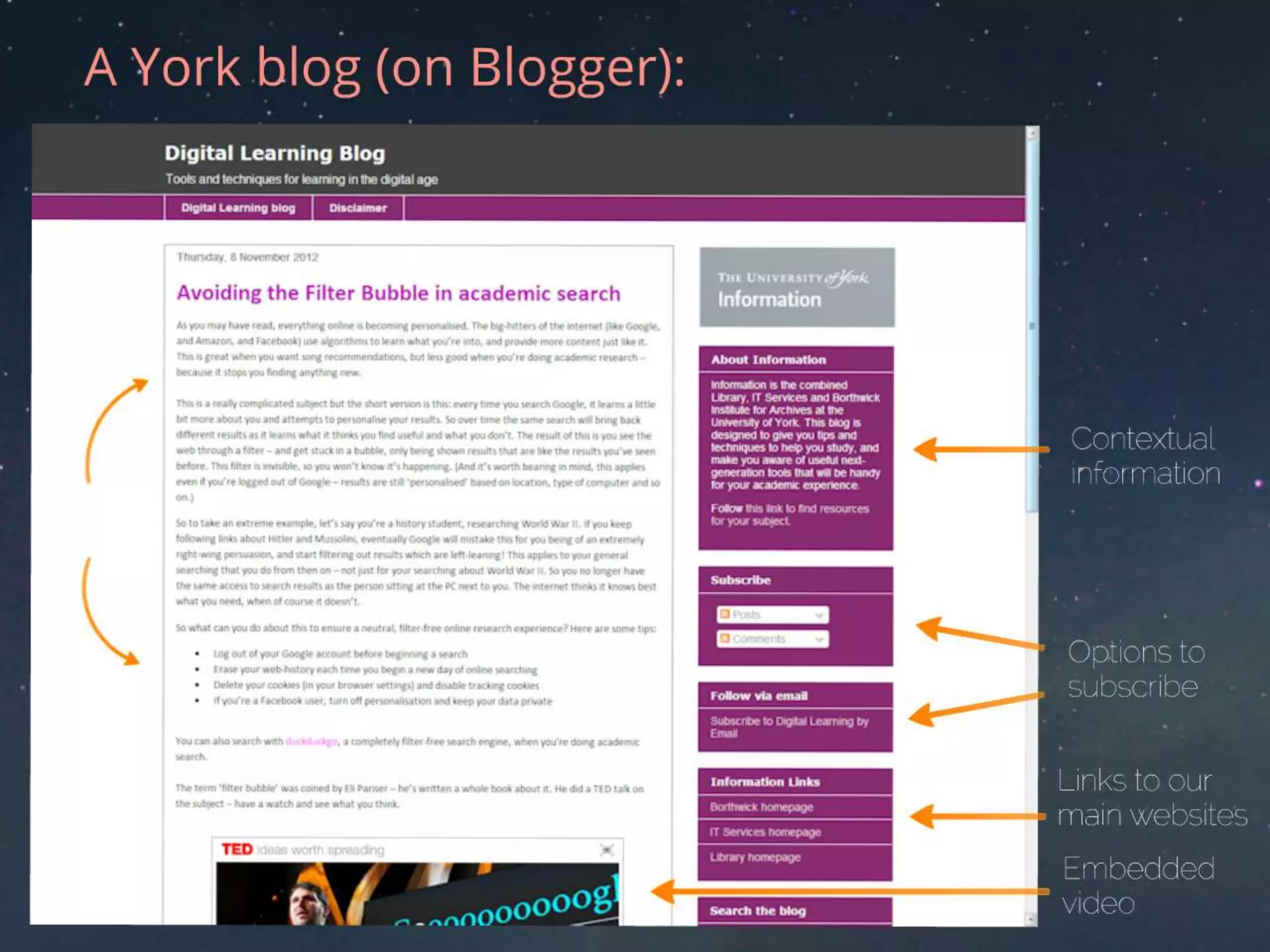
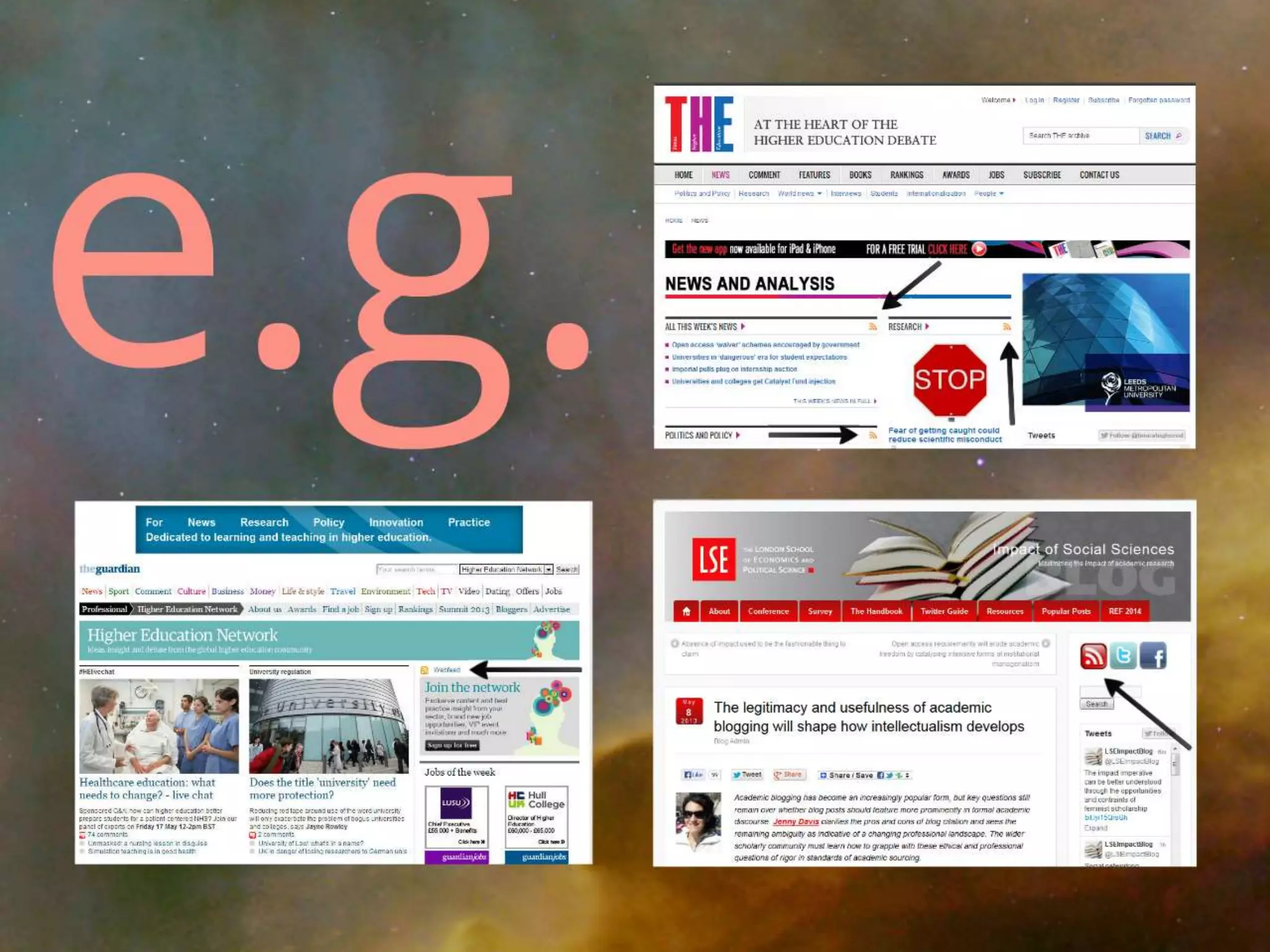
Examples
Blogging is most effective when you're part of an
online scholarly community, so it's important to
consume as well as create. For which you need RSS
>> It stands for: Really Simple
Syndication. Although the proper
explanation is really anything
but...
Relevant definition: A way to
keep up to date by making the
content come to you: blogs, news
feeds, anything regularly updated
online.
Why use RSS?
Subscribing to feeds via RSS funnels all
the things you're interested in (but
might otherwise miss) into one place.
You can sub-divide them into folders
(Must-reads, BL blogs, Technology,
special collections, social media advice
or whatever).
Even once useful articles have
disappeared off the front page of the
sites you value, they're still waiting for
you in your feed-reader.
You can also set up alerts
for ego-searches, e.g.
mentions of your name,
your major projects /
articles, or links to your
blog / website.
(via https://www.google.com/alerts)
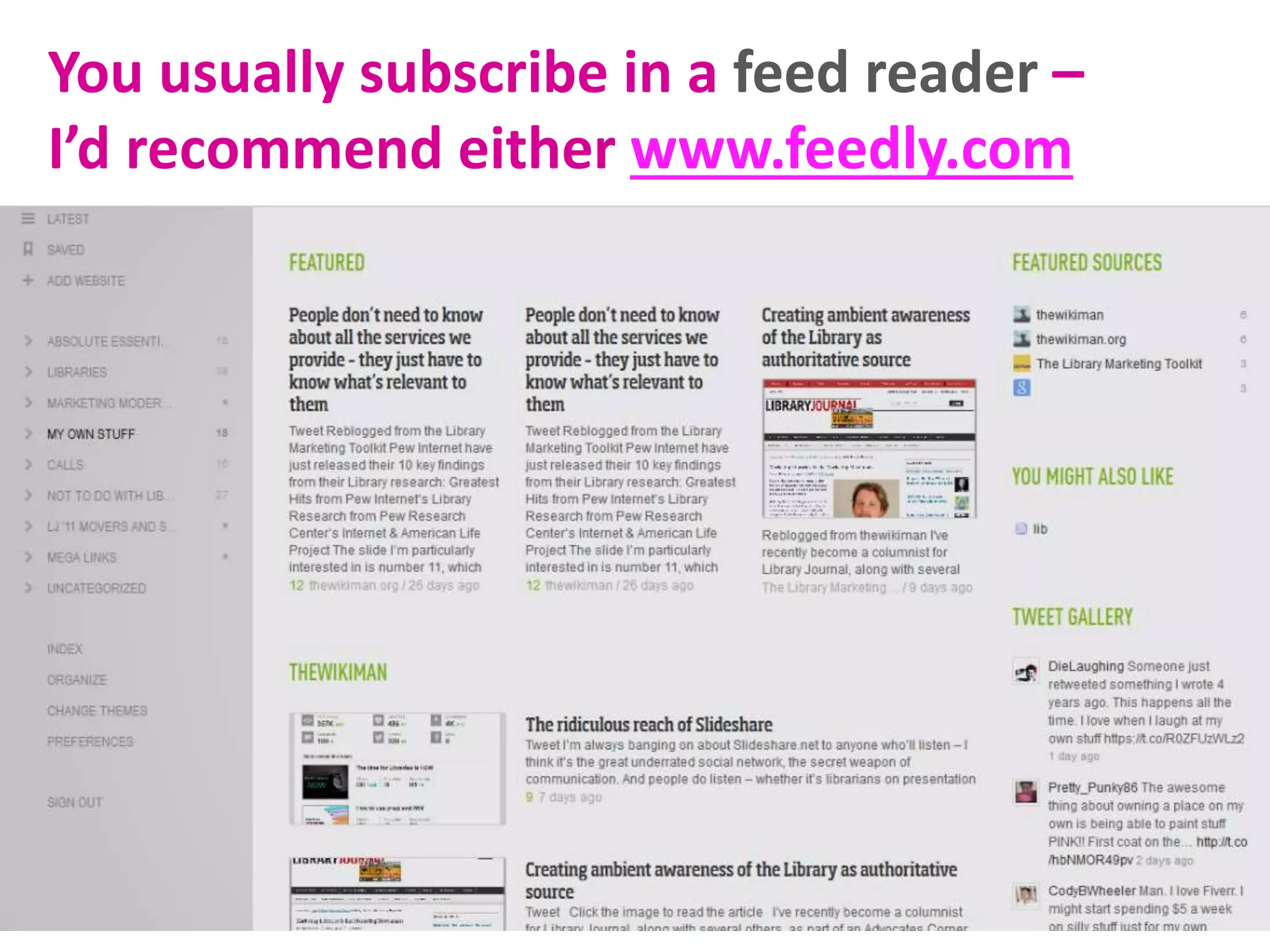
You usually subscribe in a feed reader –
I’d recommend either www.feedly.com
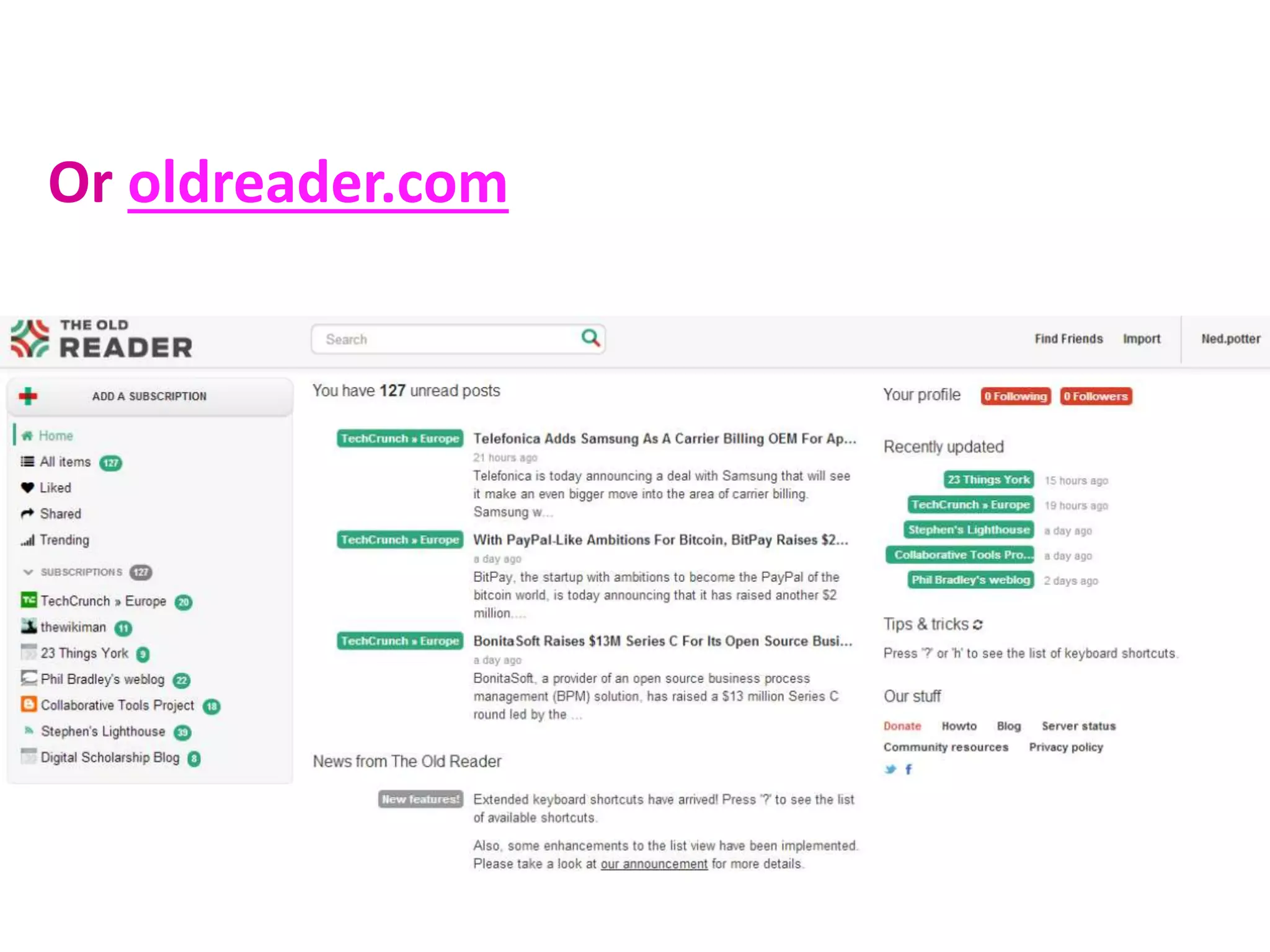
Or oldreader.com
Try out RSS
Activity B in the hand-
out.
well
Blogging
well
Blogging
(the style question)
Write for the web
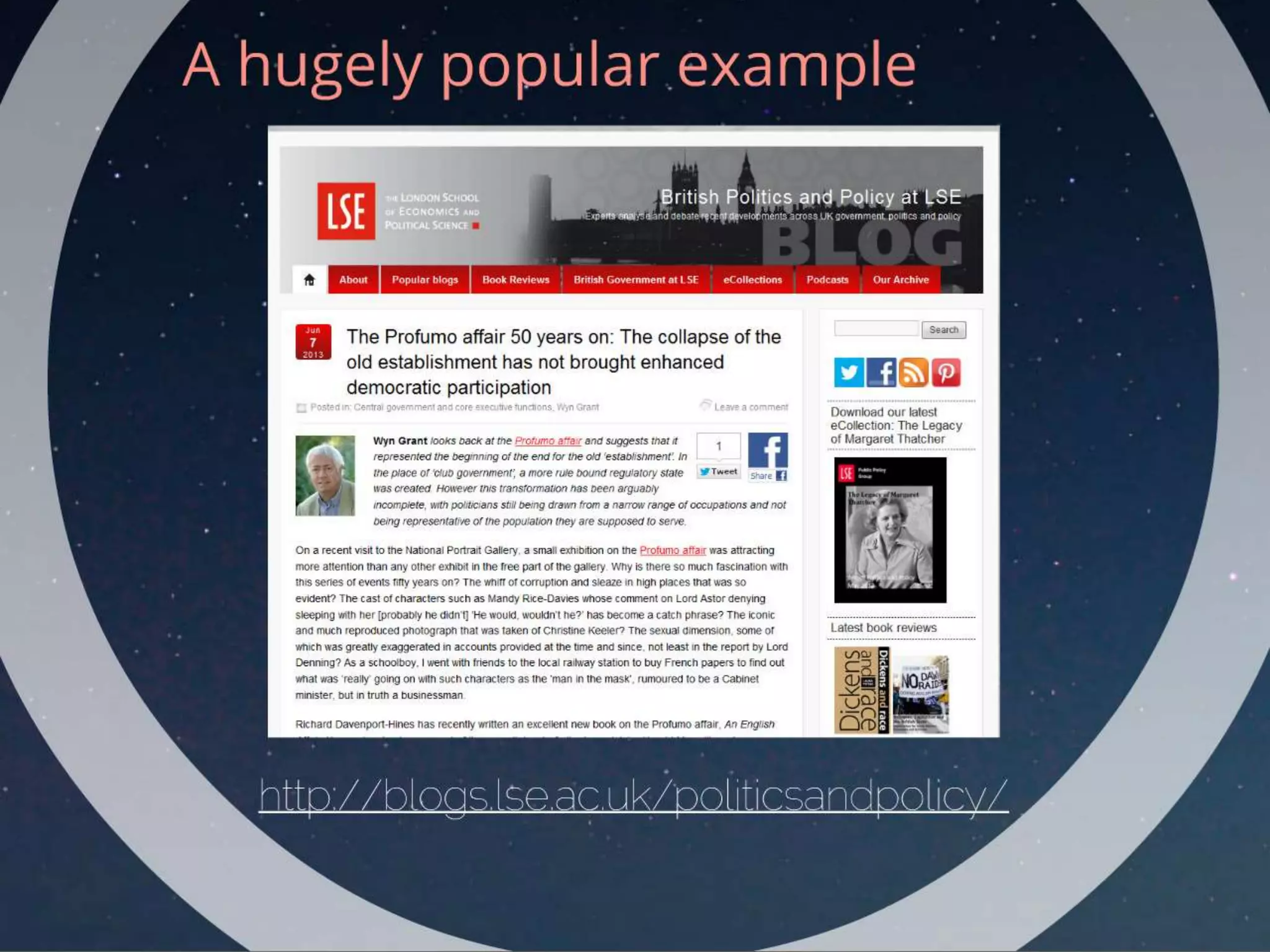
From the authors of the successful British Politics and Policy blog:
Academics normally like to build up their arguments
slowly, and then only tell you their findings with a
final flourish at the end. Don’t do this ‘Dance of the
Seven Veils’ in which layers of irrelevance are
progressively stripped aside for the final kernel of
value-added knowledge to be revealed. Instead, make
sure that all the information readers need to
understand what you’re saying is up front – you’ll
make a much stronger impression that way.
Keep in mind:
Multi-author blogs are more sustainable, and
have a higher post-rate. The more posts you
have, the more Google searches you show up in,
and so the more views you get..
*Useful* blogs (or blogs with a useful element)
tend to get more interest - I smuggle in
thoughtful posts among the useful posts, to a
bigger audience...
Blogging works best when you write about what
you care about
Finding inspiration
Useful posts, inspiring posts
Revealing posts
3rd party content posts
Question posts
Seasonal posts
Updates
Encourage interaction
Avoid text-only posts
Encourage interaction
Avoid text-only posts
(It’s NOT dumbing down!)
Use titles which reveal the
content, rather than obscure it.
Linking to other blogs is the new
referencing...
Use titles which reveal the
content, rather than obscure it.
Linking to other blogs is the new
referencing...
(It’s NOT dumbing down!)
You need to actually tell people
you’re blogging.
You need to actually tell people
you’re blogging.
Blog name and URL on your
business cards
on your PowerPoint
presentations
in your email signature
Tweet about it, feed it into
your LinkedIn profile
Comment on
other blog posts.
Write guest posts
for other blogs.
Above all:
Make it as easy as
possible for people
to share posts and
subscribe to your
blog.
Any questions?
Thanks for coming!
Every picture via www.iconfinder.com
These slides are on
www.slideshare.net/UniofYorkLibrary
My blog is at www.ned-potter.com/blog
(although it’s by no means exemplary!)

Blogs and Blogging: Becoming a Networked Researcher

  • 1.
    (Click the imageto see just how much stuff, in real time)
  • 2.
    Blogs & Blogging AnIntroduction for Researchers Ned Potter
  • 3.
    Aim of today:explore what blogs are, why are they are relevant to the HE context, and how they might be useful to you. We’ll be setting up a blog – but this can be deleted after the session!
  • 4.
    What are wetalking about today: Blogging is part of social media, which is part of Web 2.0 – the interactive and participatory side of the internet. It’s basically people exchanging stuff (most often opinions).
  • 5.
    Please go tobit.ly/york5 and fill out my one-question survey
  • 6.
  • 7.
    Blogs are regularlyupdated webpages, consisting of posts (articles) on one or many themes. They can exist on their own or as part of a larger (static) site.
  • 8.
    Blogs are classedas social media - in other words they're interactive and participatory. Readers can (usually) comment on the posts, engage in dialogue with the author, and easily share links to the blog via Twitter and other networks.
  • 9.
    People can eitherread blogs online like any other website, or subscribe to the blog to receive regular and automatic updates, wherever they see this symbol: Blogs are (almost always) mobile-ready.
  • 10.
    There can beindividual blogs, group blogs, departmental blogs, project blogs. They're written using online software, the most popular of which are:
  • 11.
  • 12.
  • 13.
  • 14.
  • 15.
    It is likelythat a larger (and possibly more varied) audience will see your research if you or others blog about it. "...the content of a blog becomes available far faster than that of a journal article, and is accessible to a wider audience." Jenny Davis, Texas A&M University "Academic blogs are proven to increase dissemination of economic research and improve impact." World Bank Senior Economists, David McKenzie and Berk Özler http://blogs.lse.ac.uk/impactofsocialsciences/2013/05/08/the-place-of-blogs-in-academic-writing/ http://blogs.lse.ac.uk/impactofsocialsciences/2011/11/15/world-bank-dissemination/ IMPACT
  • 17.
    Adrian Miles, asenior lecturer in media and communications at RMIT… has 1,000 readers a week for his VLOG 4.0 blog and although he describes it as “a very small blog”, he contrasts it with being published in a major international journal where he says “maybe 100 people would read my article”. http://blogs.lse.ac.uk/impactofsocialsciences/2011/06/20/academics-blogging-vital-tool-for-academic-communication-impact/
  • 18.
    2. Communication Blogging allowsyou to greet the Googlers with your professional ideas, views and outputs.
  • 19.
    2. Communication Blogging allowsyou to instigate collaboration, stimulate discussion, share information with your peers, engage a non- academic community
  • 20.
    2. Communication Blogging allowsyou to disseminate information in an informal way, and get immediate feedback on potential ideas.
  • 21.
    2. Communication “Blogging forcesme to write accessible content on a regular basis. From a writing point of view, blogging is like working out a few times a week. I also just plain like collecting my thoughts, presenting them well, and trying to see if I can persuade people to think differently after reading my posts than they were thinking before. I suppose that’s the teacher/scholar in me coming through.” Peter Enns, Harvard
  • 22.
  • 23.
    Ways to useblogs in teaching? Provide further assignments for students to work on Have students work in small groups to write and post summaries of content covered in class to build a compendium for content covered over a semester Use blogs for peer learning. Encourage students to post comments on each others postings Use blogs for projects where students need to include videos, clips, audio, text and images http://www.educatorstechnology.com/2012/06/ultimate-guide-to-use-of-blogs-in.html
  • 24.
  • 25.
    Post / article:means the same thing – one update on the blog. Multimedia: a good thing to include in blog posts – especially pictures and video Subscribers: people who regular get updates from your blog via email or an online service Comments: responses to the article, which the author mediates
  • 28.
    Time to getstarted. Follow the instructions in the hand-out.
  • 29.
  • 35.
    Blogging is mosteffective when you're part of an online scholarly community, so it's important to consume as well as create. For which you need RSS >> It stands for: Really Simple Syndication. Although the proper explanation is really anything but... Relevant definition: A way to keep up to date by making the content come to you: blogs, news feeds, anything regularly updated online.
  • 37.
    Why use RSS? Subscribingto feeds via RSS funnels all the things you're interested in (but might otherwise miss) into one place. You can sub-divide them into folders (Must-reads, BL blogs, Technology, special collections, social media advice or whatever). Even once useful articles have disappeared off the front page of the sites you value, they're still waiting for you in your feed-reader.
  • 38.
    You can alsoset up alerts for ego-searches, e.g. mentions of your name, your major projects / articles, or links to your blog / website. (via https://www.google.com/alerts)
  • 39.
    You usually subscribein a feed reader – I’d recommend either www.feedly.com
  • 40.
  • 41.
    Try out RSS ActivityB in the hand- out.
  • 42.
  • 43.
  • 44.
    Write for theweb From the authors of the successful British Politics and Policy blog: Academics normally like to build up their arguments slowly, and then only tell you their findings with a final flourish at the end. Don’t do this ‘Dance of the Seven Veils’ in which layers of irrelevance are progressively stripped aside for the final kernel of value-added knowledge to be revealed. Instead, make sure that all the information readers need to understand what you’re saying is up front – you’ll make a much stronger impression that way.
  • 45.
    Keep in mind: Multi-authorblogs are more sustainable, and have a higher post-rate. The more posts you have, the more Google searches you show up in, and so the more views you get.. *Useful* blogs (or blogs with a useful element) tend to get more interest - I smuggle in thoughtful posts among the useful posts, to a bigger audience... Blogging works best when you write about what you care about
  • 46.
    Finding inspiration Useful posts,inspiring posts Revealing posts 3rd party content posts Question posts Seasonal posts Updates
  • 47.
  • 48.
    Encourage interaction Avoid text-onlyposts (It’s NOT dumbing down!)
  • 49.
    Use titles whichreveal the content, rather than obscure it. Linking to other blogs is the new referencing...
  • 50.
    Use titles whichreveal the content, rather than obscure it. Linking to other blogs is the new referencing... (It’s NOT dumbing down!)
  • 51.
    You need toactually tell people you’re blogging.
  • 52.
    You need toactually tell people you’re blogging. Blog name and URL on your business cards on your PowerPoint presentations in your email signature Tweet about it, feed it into your LinkedIn profile
  • 53.
    Comment on other blogposts. Write guest posts for other blogs.
  • 54.
    Above all: Make itas easy as possible for people to share posts and subscribe to your blog.
  • 55.
  • 56.
    Thanks for coming! Everypicture via www.iconfinder.com These slides are on www.slideshare.net/UniofYorkLibrary My blog is at www.ned-potter.com/blog (although it’s by no means exemplary!)