Animation Basics
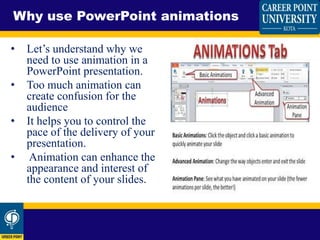
• Let’s understand why we
need to use animation in a
PowerPoint presentation.
• Too much animation can
create confusion for the
audience
• It helps you to control the
pace of the delivery of your
presentation.
• Animation can enhance the
appearance and interest of
the content of your slides.
Why use PowerPoint animations
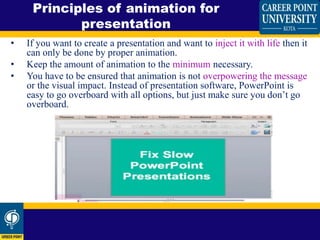
• If you want to create a presentation and want to inject it with life then it
can only be done by proper animation.
• Keep the amount of animation to the minimum necessary.
• You have to be ensured that animation is not overpowering the message
or the visual impact. Instead of presentation software, PowerPoint is
easy to go overboard with all options, but just make sure you don’t go
overboard.
Principles of animation for
presentation
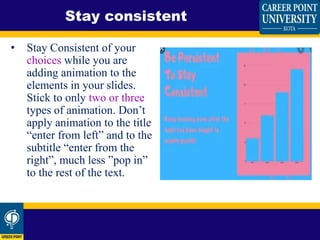
• Stay Consistent of your
choices while you are
adding animation to the
elements in your slides.
Stick to only two or three
types of animation. Don’t
apply animation to the title
“enter from left” and to the
subtitle “enter from the
right”, much less ”pop in”
to the rest of the text.
Stay consistent
• Use animation effects to
follow a direction for
your content. To call
attention to the most
important point in each
slide, choose a top to
bottom, side to another
side or any other pattern
of effect.
Follow a direction
• When designing the slides and adding animation, think yourself
an audience to scans information. Imagine yourself as an
audience who is looking at your presentation and then add
animation effects accordingly. You can easily add animation to
the parts which you think the most vital area of attention and less
to the larger filling content. Remember, don’t animate too much
in the right direction, your audience will thank you for it.
Visualize an eye flow
• As most people know, it is also a great way to make your
presentation come alive, whether you’re using PowerPoint or
Flash. Adding movement to text, graphics, and images creates a
dynamic, engaging experience for your audience. Animated
presentations with motion effects can help you pace the delivery
of information, illustrate processes, reinforce key concepts, focus
the audience, and enhance visual interest and impact.
Animate your presentations with
caution!
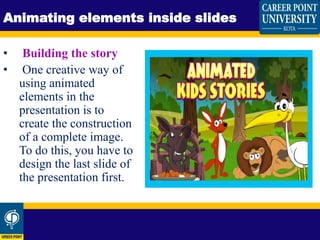
• Building the story
• One creative way of
using animated
elements in the
presentation is to
create the construction
of a complete image.
To do this, you have to
design the last slide of
the presentation first.
Animating elements inside slides
Animation basics for presentation 1

Animation basics for presentation 1

  • 2.
  • 3.
    • Let’s understandwhy we need to use animation in a PowerPoint presentation. • Too much animation can create confusion for the audience • It helps you to control the pace of the delivery of your presentation. • Animation can enhance the appearance and interest of the content of your slides. Why use PowerPoint animations
  • 4.
    • If youwant to create a presentation and want to inject it with life then it can only be done by proper animation. • Keep the amount of animation to the minimum necessary. • You have to be ensured that animation is not overpowering the message or the visual impact. Instead of presentation software, PowerPoint is easy to go overboard with all options, but just make sure you don’t go overboard. Principles of animation for presentation
  • 5.
    • Stay Consistentof your choices while you are adding animation to the elements in your slides. Stick to only two or three types of animation. Don’t apply animation to the title “enter from left” and to the subtitle “enter from the right”, much less ”pop in” to the rest of the text. Stay consistent
  • 6.
    • Use animationeffects to follow a direction for your content. To call attention to the most important point in each slide, choose a top to bottom, side to another side or any other pattern of effect. Follow a direction
  • 7.
    • When designingthe slides and adding animation, think yourself an audience to scans information. Imagine yourself as an audience who is looking at your presentation and then add animation effects accordingly. You can easily add animation to the parts which you think the most vital area of attention and less to the larger filling content. Remember, don’t animate too much in the right direction, your audience will thank you for it. Visualize an eye flow
  • 8.
    • As mostpeople know, it is also a great way to make your presentation come alive, whether you’re using PowerPoint or Flash. Adding movement to text, graphics, and images creates a dynamic, engaging experience for your audience. Animated presentations with motion effects can help you pace the delivery of information, illustrate processes, reinforce key concepts, focus the audience, and enhance visual interest and impact. Animate your presentations with caution!
  • 9.
    • Building thestory • One creative way of using animated elements in the presentation is to create the construction of a complete image. To do this, you have to design the last slide of the presentation first. Animating elements inside slides