Secure-Net Technologies
Chandigarh
Secure-Net Technologies is located in the beautiful
city Chandigarh known as the best training
institute in Chandigarh. We are authorized from
Microsoft, Pearson, Oracle, Castle, VM Ware and
many more big brands.
College Of Engineering Chengannur 2
3
OVERVIEW
1.Open Handset Alliance
2.Introduction To Android
3.Introduction To The Platform
4.Android Architecture
5.Anatomy Of An Android Application
6.Android Building Blocks
7.Development Tools
8.Life Cycle Of An Android Application
9.Conclusion
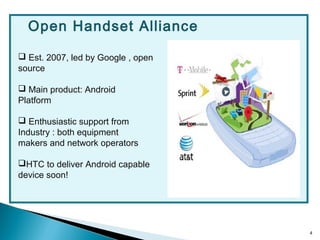
 Est. 2007, led by Google , open
source
 Main product: Android
Platform
 Enthusiastic support from
Industry : both equipment
makers and network operators
HTC to deliver Android capable
device soon!
Open Handset Alliance
4
5
INTRODUCTION
TO
ANDROID
 A complete & modern embedded operating system
 A cutting-edge mobile user experience
 A world-class software stack for building applications
 An open platform for developers, users & industry
6
Why Android Was Created?
 Full phone software stack including applications
 Designed as a platform for software development
 Android is open
 Android is free
 Community support
 100% Java Phone
7
 July 2005 : Google acquired Android Inc
 5 Nov 2007: Open Handset Alliance formed - Google,
HTC, Intel, Motorola, Qualcomm ,T-Mobile
 Android is the OHA first product
 12 Nov 2007: OHA released a preview of the Android
OHA
8
INTRODUCTION
TO
THE PLATFORM : ANDROID
9
10
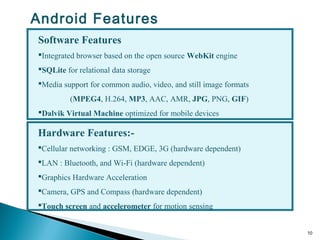
Hardware Features:-
Cellular networking : GSM, EDGE, 3G (hardware dependent)
LAN : Bluetooth, and Wi-Fi (hardware dependent)
Graphics Hardware Acceleration
Camera, GPS and Compass (hardware dependent)
Touch screen and accelerometer for motion sensing
Software Features
Integrated browser based on the open source WebKit engine
SQLite for relational data storage
Media support for common audio, video, and still image formats
(MPEG4, H.264, MP3, AAC, AMR, JPG, PNG, GIF)
Dalvik Virtual Machine optimized for mobile devices
Android Features
11
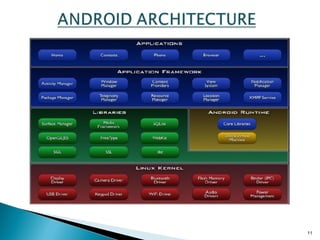
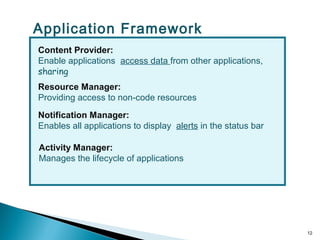
Content Provider:
Enable applications access data from other applications,
sharing
Resource Manager:
Providing access to non-code resources
Notification Manager:
Enables all applications to display alerts in the status bar
Activity Manager:
Manages the lifecycle of applications
12
Application Framework
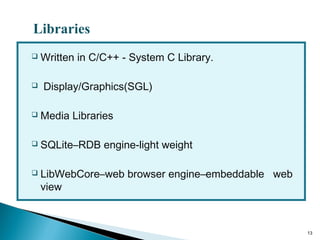
 Written in C/C++ - System C Library.
 Display/Graphics(SGL)
 Media Libraries
 SQLite–RDB engine-light weight
 LibWebCore–web browser engine–embeddable web
view
13
Libraries
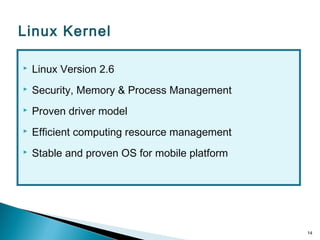
 Linux Version 2.6
 Security, Memory & Process Management
 Proven driver model
 Efficient computing resource management
 Stable and proven OS for mobile platform
14
Linux Kernel
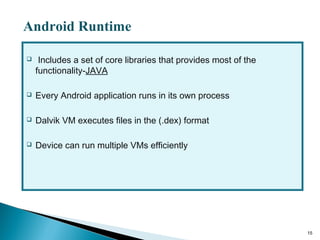
 Includes a set of core libraries that provides most of the
functionality-JAVA
 Every Android application runs in its own process
 Dalvik VM executes files in the (.dex) format
 Device can run multiple VMs efficiently
15
Android Runtime
16
Anatomy of an Android Application
There are four building blocks for an Android application:
Activity
-a single screen
Intent Receiver
-to execute in reaction to an external event(Phone Ring)
Service
-code that is long-lived and runs without a UI(Media
Player)
Content Provider
-an application's data to be shared with other
applications
17
Android Building Blocks
These are the most important parts of the Android APIs:
Android Manifest
-the control file-tells the system what to do with the top-level components
Activities
-an object that has a life cycle-is a chunk of code that does some work
Views
-an object that knows how to draw itself to the screen
Intents
-a simple message object that represents an "intention" to do something
Services
-is a body of code that runs in the background
18
Development Tools
The Android SDK includes a variety of custom tools that help you develop
mobile applications on the Android platform.Three of the most significant
tools are:
1.Android Emulator -A virtual mobile device that runs on our computer
-use to design, debug, and test our applications in an actual Android run-time
environment
2.Android Development Tools
3.Plugin -for the Eclipse IDE - adds powerful extensions to the Eclipse
integrated environment
4.Dalvik Debug Monitor Service(DDMS) -Integrated with Dalvik -this tool let
us manage processes on an emulator and assists in debugging
19
Life Cycle of an Android Application
An unusual and fundamental feature - process's lifetime is not directly
controlled by the application itself
Deciding factors:
how important
overall memory available
To determine which processes should be killed when low on memory:
"importance hierarchy“
20
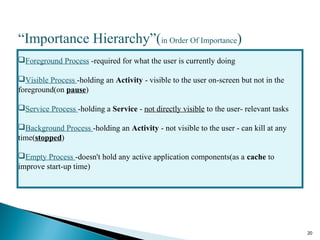
“Importance Hierarchy”(in Order Of Importance)
Foreground Process -required for what the user is currently doing
Visible Process -holding an Activity - visible to the user on-screen but not in the
foreground(on pause)
Service Process -holding a Service - not directly visible to the user- relevant tasks
Background Process -holding an Activity - not visible to the user - can kill at any
time(stopped)
Empty Process -doesn't hold any active application components(as a cache to
improve start-up time)
21
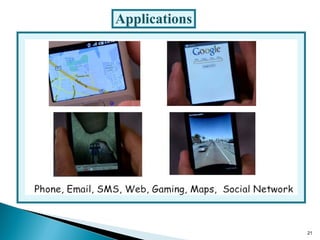
Applications
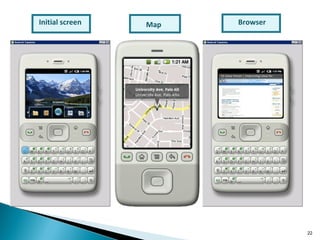
Initial screen BrowserMap
22
 Android is open to all: industry, developers and users
 Participating in many of the successful open source projects
 Aims to be as easy to build for as the web.
 Google Android is stepping into the next level of Mobile
Internet
23
THANK YOU

Android - Workshop By Secure-Net Technologies

  • 1.
  • 2.
    Secure-Net Technologies islocated in the beautiful city Chandigarh known as the best training institute in Chandigarh. We are authorized from Microsoft, Pearson, Oracle, Castle, VM Ware and many more big brands. College Of Engineering Chengannur 2
  • 3.
    3 OVERVIEW 1.Open Handset Alliance 2.IntroductionTo Android 3.Introduction To The Platform 4.Android Architecture 5.Anatomy Of An Android Application 6.Android Building Blocks 7.Development Tools 8.Life Cycle Of An Android Application 9.Conclusion
  • 4.
     Est. 2007,led by Google , open source  Main product: Android Platform  Enthusiastic support from Industry : both equipment makers and network operators HTC to deliver Android capable device soon! Open Handset Alliance 4
  • 5.
  • 6.
     A complete& modern embedded operating system  A cutting-edge mobile user experience  A world-class software stack for building applications  An open platform for developers, users & industry 6
  • 7.
    Why Android WasCreated?  Full phone software stack including applications  Designed as a platform for software development  Android is open  Android is free  Community support  100% Java Phone 7
  • 8.
     July 2005: Google acquired Android Inc  5 Nov 2007: Open Handset Alliance formed - Google, HTC, Intel, Motorola, Qualcomm ,T-Mobile  Android is the OHA first product  12 Nov 2007: OHA released a preview of the Android OHA 8
  • 9.
  • 10.
    10 Hardware Features:- Cellular networking: GSM, EDGE, 3G (hardware dependent) LAN : Bluetooth, and Wi-Fi (hardware dependent) Graphics Hardware Acceleration Camera, GPS and Compass (hardware dependent) Touch screen and accelerometer for motion sensing Software Features Integrated browser based on the open source WebKit engine SQLite for relational data storage Media support for common audio, video, and still image formats (MPEG4, H.264, MP3, AAC, AMR, JPG, PNG, GIF) Dalvik Virtual Machine optimized for mobile devices Android Features
  • 11.
  • 12.
    Content Provider: Enable applicationsaccess data from other applications, sharing Resource Manager: Providing access to non-code resources Notification Manager: Enables all applications to display alerts in the status bar Activity Manager: Manages the lifecycle of applications 12 Application Framework
  • 13.
     Written inC/C++ - System C Library.  Display/Graphics(SGL)  Media Libraries  SQLite–RDB engine-light weight  LibWebCore–web browser engine–embeddable web view 13 Libraries
  • 14.
     Linux Version2.6  Security, Memory & Process Management  Proven driver model  Efficient computing resource management  Stable and proven OS for mobile platform 14 Linux Kernel
  • 15.
     Includes aset of core libraries that provides most of the functionality-JAVA  Every Android application runs in its own process  Dalvik VM executes files in the (.dex) format  Device can run multiple VMs efficiently 15 Android Runtime
  • 16.
    16 Anatomy of anAndroid Application There are four building blocks for an Android application: Activity -a single screen Intent Receiver -to execute in reaction to an external event(Phone Ring) Service -code that is long-lived and runs without a UI(Media Player) Content Provider -an application's data to be shared with other applications
  • 17.
    17 Android Building Blocks Theseare the most important parts of the Android APIs: Android Manifest -the control file-tells the system what to do with the top-level components Activities -an object that has a life cycle-is a chunk of code that does some work Views -an object that knows how to draw itself to the screen Intents -a simple message object that represents an "intention" to do something Services -is a body of code that runs in the background
  • 18.
    18 Development Tools The AndroidSDK includes a variety of custom tools that help you develop mobile applications on the Android platform.Three of the most significant tools are: 1.Android Emulator -A virtual mobile device that runs on our computer -use to design, debug, and test our applications in an actual Android run-time environment 2.Android Development Tools 3.Plugin -for the Eclipse IDE - adds powerful extensions to the Eclipse integrated environment 4.Dalvik Debug Monitor Service(DDMS) -Integrated with Dalvik -this tool let us manage processes on an emulator and assists in debugging
  • 19.
    19 Life Cycle ofan Android Application An unusual and fundamental feature - process's lifetime is not directly controlled by the application itself Deciding factors: how important overall memory available To determine which processes should be killed when low on memory: "importance hierarchy“
  • 20.
    20 “Importance Hierarchy”(in OrderOf Importance) Foreground Process -required for what the user is currently doing Visible Process -holding an Activity - visible to the user on-screen but not in the foreground(on pause) Service Process -holding a Service - not directly visible to the user- relevant tasks Background Process -holding an Activity - not visible to the user - can kill at any time(stopped) Empty Process -doesn't hold any active application components(as a cache to improve start-up time)
  • 21.
  • 22.
  • 23.
     Android isopen to all: industry, developers and users  Participating in many of the successful open source projects  Aims to be as easy to build for as the web.  Google Android is stepping into the next level of Mobile Internet 23
  • 24.