ANDROID TECHNOLOGY
YOUR NAME, ID NUMBER
B.Tech X Year, BRANCH
1) What is Android?
2) History of Android
3) Android Versions
4) Features of Android
5) Android Architecture
6) Components of an Android Application
7) Benefits of Android Architecture
8) Android vs Competitors
9) How to develop an Android App?
10) Popular Android Apps
INDEX
What is
Android?
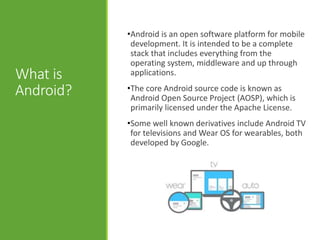
•Android is an open software platform for mobile
development. It is intended to be a complete
stack that includes everything from the
operating system, middleware and up through
applications.
•The core Android source code is known as
Android Open Source Project (AOSP), which is
primarily licensed under the Apache License.
•Some well known derivatives include Android TV
for televisions and Wear OS for wearables, both
developed by Google.
History of
Android
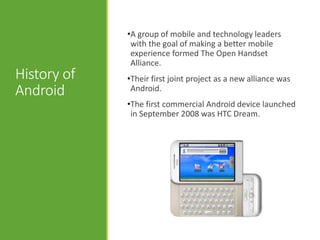
•A group of mobile and technology leaders
with the goal of making a better mobile
experience formed The Open Handset
Alliance.
•Their first joint project as a new alliance was
Android.
•The first commercial Android device launched
in September 2008 was HTC Dream.
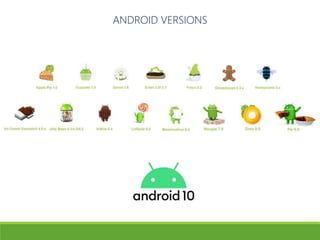
ANDROID VERSIONS
Features of
Android
•It is built to be truly open allowing developers
to create richer and more cohesive
experiences for users.
•Furthermore, it utilizes a custom virtual
machine that has been designed to optimize
memory and hardware resources in a mobile
environment.
•Android will be open source; it can be liberally
extended to incorporate new cutting edge
technologies as they emerge.
OPENESS
Features of
Android
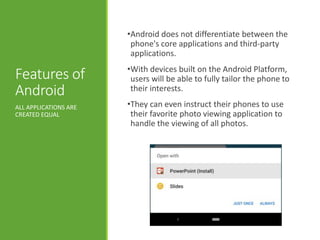
•Android does not differentiate between the
phone's core applications and third-party
applications.
•With devices built on the Android Platform,
users will be able to fully tailor the phone to
their interests.
•They can even instruct their phones to use
their favorite photo viewing application to
handle the viewing of all photos.
ALL APPLICATIONS ARE
CREATED EQUAL
Features of
Android
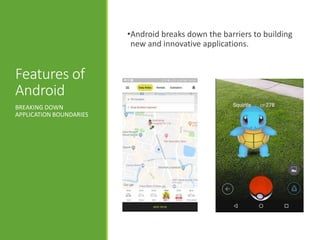
•Android breaks down the barriers to building
new and innovative applications.
BREAKING DOWN
APPLICATION BOUNDARIES
Features of
Android
•Android provides access to a wide range of
useful libraries and tools that can be used to
build rich applications.
•In addition, Android includes a full set of tools
that have been built from the ground up
alongside the platform providing developers
with high productivity and deep insight into
their applications.FAST & EASY DEVELOPMENT
Android
Architecture
LAYER DIAGRAM
Android
Architecture
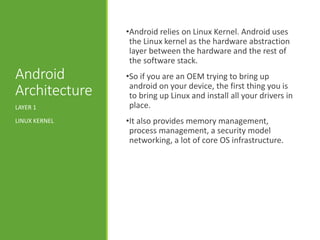
•Android relies on Linux Kernel. Android uses
the Linux kernel as the hardware abstraction
layer between the hardware and the rest of
the software stack.
•So if you are an OEM trying to bring up
android on your device, the first thing you is
to bring up Linux and install all your drivers in
place.
•It also provides memory management,
process management, a security model
networking, a lot of core OS infrastructure.
LAYER 1
LINUX KERNEL
Android
Architecture
It is at this level where a lot of the core power of
the android platform comes from.
1) Surface Manager – is responsible for
composing different drawing surfaces on to
the screen.
2) Bellow that, we have two boxes, OpenGL ES
and SGL. These two make up the core of our
graphics libraries.
LAYER 2
NATIVE LIBRARIES
Android
Architecture
3. Moving over, we have the Media
Framework which was provided by Packet
Video.
4. We use Free Type to render our fonts.
5. We have an implementation of SQLite. We
use that as the core of most of the data
storage.
6. We have Web Kit as the open source
browser engine. It’s the same browser that
is powering Google’s chrome and apple’s
Safari.
LAYER 2
NATIVE LIBRARIES
Android
Architecture
•The main component of the android runtime
is the Dalvik VM.
•The Android run time was designed
specifically for mobile needs, where you have
limited battery, limited memory, limited CPU.
•They use very less memory, the data
structures are designed to do memory sharing
efficiently across processes.
LAYER 3
RUNTIME LIBRARIES
Android
Architecture
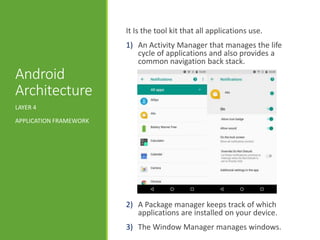
It Is the tool kit that all applications use.
1) An Activity Manager that manages the life
cycle of applications and also provides a
common navigation back stack.
2) A Package manager keeps track of which
applications are installed on your device.
3) The Window Manager manages windows.
LAYER 4
APPLICATION FRAMEWORK
Android
Architecture
4) The Telephony Manager contains the APIs
that we use to build the phone application
that’s central to the phone experience.
5) The Content Providers are unique pease of
the android platform. that the frame work
that enable applications to access data
6) A Resource Manager is what we use to
store localized strings, bitmaps, and layout
file, all of the external parts of an
application that aren’t coded.
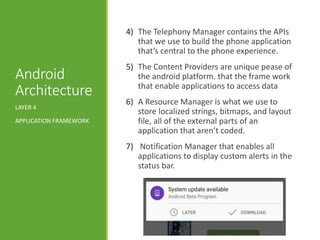
7) Notification Manager that enables all
applications to display custom alerts in the
status bar.
LAYER 4
APPLICATION FRAMEWORK
Android
Architecture
•The final layer on top is the applications. This
is where all the applications get written.
•Everything at this layer is using the same
application framework that is provided by the
layers below.
LAYER 5
APPLICATIONS
Components
of an
Android
Application
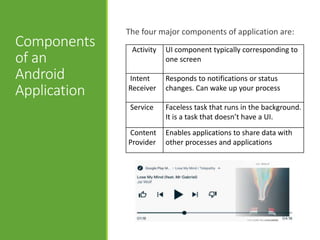
The four major components of application are:
Activity UI component typically corresponding to
one screen
Intent
Receiver
Responds to notifications or status
changes. Can wake up your process
Service Faceless task that runs in the background.
It is a task that doesn’t have a UI.
Content
Provider
Enables applications to share data with
other processes and applications
Benefits of
Android
Architecture
•Android was designed to promote reusing and
replacing components.
•Now if you are writing a new application, you
don’t have to worry about the photo picking
up of photo application it will use, what ever
the user have configured for picking up a
photo.
REUSABILITY & REPLACING
OF COMPONENTS
Benefits of
Android
Architecture
•Now in android, every application runs on its
own process.
•It gives you security protected memory, it
means that if the application is running
something CPU intensive, it wont block other
activities like answering a phone.
•And the android system itself is responsible
for starting a process or shutting them down
as necessary to reclaim resources.
APPLICATION & PROCESS
Android vs
Competitors
GLOBAL MOBILE OS
MARKET SHARE
How to
Develop an
Android
App?
•Java & Kotlin are the official languages
required for Android App Development.
However you may also require knowledge in
XML, SQL to implement additional features.
•Android part encompasses learning XML for
the app design, understanding concepts of
Android and using said concepts
programmatically with Java or Kotlin.
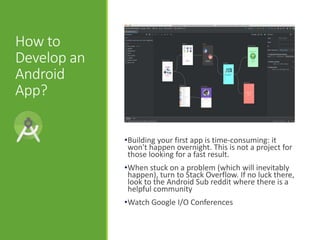
•Beginners should probably use an IDE
(Android Studio Eclipse).
How to
Develop an
Android
App?
•Building your first app is time-consuming: it
won't happen overnight. This is not a project for
those looking for a fast result.
•When stuck on a problem (which will inevitably
happen), turn to Stack Overflow. If no luck there,
look to the Android Sub reddit where there is a
helpful community
•Watch Google I/O Conferences
Popular
Android
Apps
FACEBOOK
4.119 BILLION DOWNLOADS
INSTAGRAM
1.853 BILLION DOWNLOADS
SKYPE
1.039 BILLION DOWNLOADS
TWITTER
833.858 MILLION DOWNLOADS
WHATSAPP
2.979 BILLION DOWNLOADS
References
•Android Developers Website
•Google Developers Website
•Tuts Plus
•Business Insider
•Wikipedia
THANK YOU

Android Technology

  • 1.
    ANDROID TECHNOLOGY YOUR NAME,ID NUMBER B.Tech X Year, BRANCH
  • 2.
    1) What isAndroid? 2) History of Android 3) Android Versions 4) Features of Android 5) Android Architecture 6) Components of an Android Application 7) Benefits of Android Architecture 8) Android vs Competitors 9) How to develop an Android App? 10) Popular Android Apps INDEX
  • 3.
    What is Android? •Android isan open software platform for mobile development. It is intended to be a complete stack that includes everything from the operating system, middleware and up through applications. •The core Android source code is known as Android Open Source Project (AOSP), which is primarily licensed under the Apache License. •Some well known derivatives include Android TV for televisions and Wear OS for wearables, both developed by Google.
  • 4.
    History of Android •A groupof mobile and technology leaders with the goal of making a better mobile experience formed The Open Handset Alliance. •Their first joint project as a new alliance was Android. •The first commercial Android device launched in September 2008 was HTC Dream.
  • 5.
  • 6.
    Features of Android •It isbuilt to be truly open allowing developers to create richer and more cohesive experiences for users. •Furthermore, it utilizes a custom virtual machine that has been designed to optimize memory and hardware resources in a mobile environment. •Android will be open source; it can be liberally extended to incorporate new cutting edge technologies as they emerge. OPENESS
  • 7.
    Features of Android •Android doesnot differentiate between the phone's core applications and third-party applications. •With devices built on the Android Platform, users will be able to fully tailor the phone to their interests. •They can even instruct their phones to use their favorite photo viewing application to handle the viewing of all photos. ALL APPLICATIONS ARE CREATED EQUAL
  • 8.
    Features of Android •Android breaksdown the barriers to building new and innovative applications. BREAKING DOWN APPLICATION BOUNDARIES
  • 9.
    Features of Android •Android providesaccess to a wide range of useful libraries and tools that can be used to build rich applications. •In addition, Android includes a full set of tools that have been built from the ground up alongside the platform providing developers with high productivity and deep insight into their applications.FAST & EASY DEVELOPMENT
  • 10.
  • 11.
    Android Architecture •Android relies onLinux Kernel. Android uses the Linux kernel as the hardware abstraction layer between the hardware and the rest of the software stack. •So if you are an OEM trying to bring up android on your device, the first thing you is to bring up Linux and install all your drivers in place. •It also provides memory management, process management, a security model networking, a lot of core OS infrastructure. LAYER 1 LINUX KERNEL
  • 12.
    Android Architecture It is atthis level where a lot of the core power of the android platform comes from. 1) Surface Manager – is responsible for composing different drawing surfaces on to the screen. 2) Bellow that, we have two boxes, OpenGL ES and SGL. These two make up the core of our graphics libraries. LAYER 2 NATIVE LIBRARIES
  • 13.
    Android Architecture 3. Moving over,we have the Media Framework which was provided by Packet Video. 4. We use Free Type to render our fonts. 5. We have an implementation of SQLite. We use that as the core of most of the data storage. 6. We have Web Kit as the open source browser engine. It’s the same browser that is powering Google’s chrome and apple’s Safari. LAYER 2 NATIVE LIBRARIES
  • 14.
    Android Architecture •The main componentof the android runtime is the Dalvik VM. •The Android run time was designed specifically for mobile needs, where you have limited battery, limited memory, limited CPU. •They use very less memory, the data structures are designed to do memory sharing efficiently across processes. LAYER 3 RUNTIME LIBRARIES
  • 15.
    Android Architecture It Is thetool kit that all applications use. 1) An Activity Manager that manages the life cycle of applications and also provides a common navigation back stack. 2) A Package manager keeps track of which applications are installed on your device. 3) The Window Manager manages windows. LAYER 4 APPLICATION FRAMEWORK
  • 16.
    Android Architecture 4) The TelephonyManager contains the APIs that we use to build the phone application that’s central to the phone experience. 5) The Content Providers are unique pease of the android platform. that the frame work that enable applications to access data 6) A Resource Manager is what we use to store localized strings, bitmaps, and layout file, all of the external parts of an application that aren’t coded. 7) Notification Manager that enables all applications to display custom alerts in the status bar. LAYER 4 APPLICATION FRAMEWORK
  • 17.
    Android Architecture •The final layeron top is the applications. This is where all the applications get written. •Everything at this layer is using the same application framework that is provided by the layers below. LAYER 5 APPLICATIONS
  • 18.
    Components of an Android Application The fourmajor components of application are: Activity UI component typically corresponding to one screen Intent Receiver Responds to notifications or status changes. Can wake up your process Service Faceless task that runs in the background. It is a task that doesn’t have a UI. Content Provider Enables applications to share data with other processes and applications
  • 19.
    Benefits of Android Architecture •Android wasdesigned to promote reusing and replacing components. •Now if you are writing a new application, you don’t have to worry about the photo picking up of photo application it will use, what ever the user have configured for picking up a photo. REUSABILITY & REPLACING OF COMPONENTS
  • 20.
    Benefits of Android Architecture •Now inandroid, every application runs on its own process. •It gives you security protected memory, it means that if the application is running something CPU intensive, it wont block other activities like answering a phone. •And the android system itself is responsible for starting a process or shutting them down as necessary to reclaim resources. APPLICATION & PROCESS
  • 21.
  • 22.
    How to Develop an Android App? •Java& Kotlin are the official languages required for Android App Development. However you may also require knowledge in XML, SQL to implement additional features. •Android part encompasses learning XML for the app design, understanding concepts of Android and using said concepts programmatically with Java or Kotlin. •Beginners should probably use an IDE (Android Studio Eclipse).
  • 23.
    How to Develop an Android App? •Buildingyour first app is time-consuming: it won't happen overnight. This is not a project for those looking for a fast result. •When stuck on a problem (which will inevitably happen), turn to Stack Overflow. If no luck there, look to the Android Sub reddit where there is a helpful community •Watch Google I/O Conferences
  • 24.
    Popular Android Apps FACEBOOK 4.119 BILLION DOWNLOADS INSTAGRAM 1.853BILLION DOWNLOADS SKYPE 1.039 BILLION DOWNLOADS TWITTER 833.858 MILLION DOWNLOADS WHATSAPP 2.979 BILLION DOWNLOADS
  • 25.
    References •Android Developers Website •GoogleDevelopers Website •Tuts Plus •Business Insider •Wikipedia
  • 26.