Divya K.S
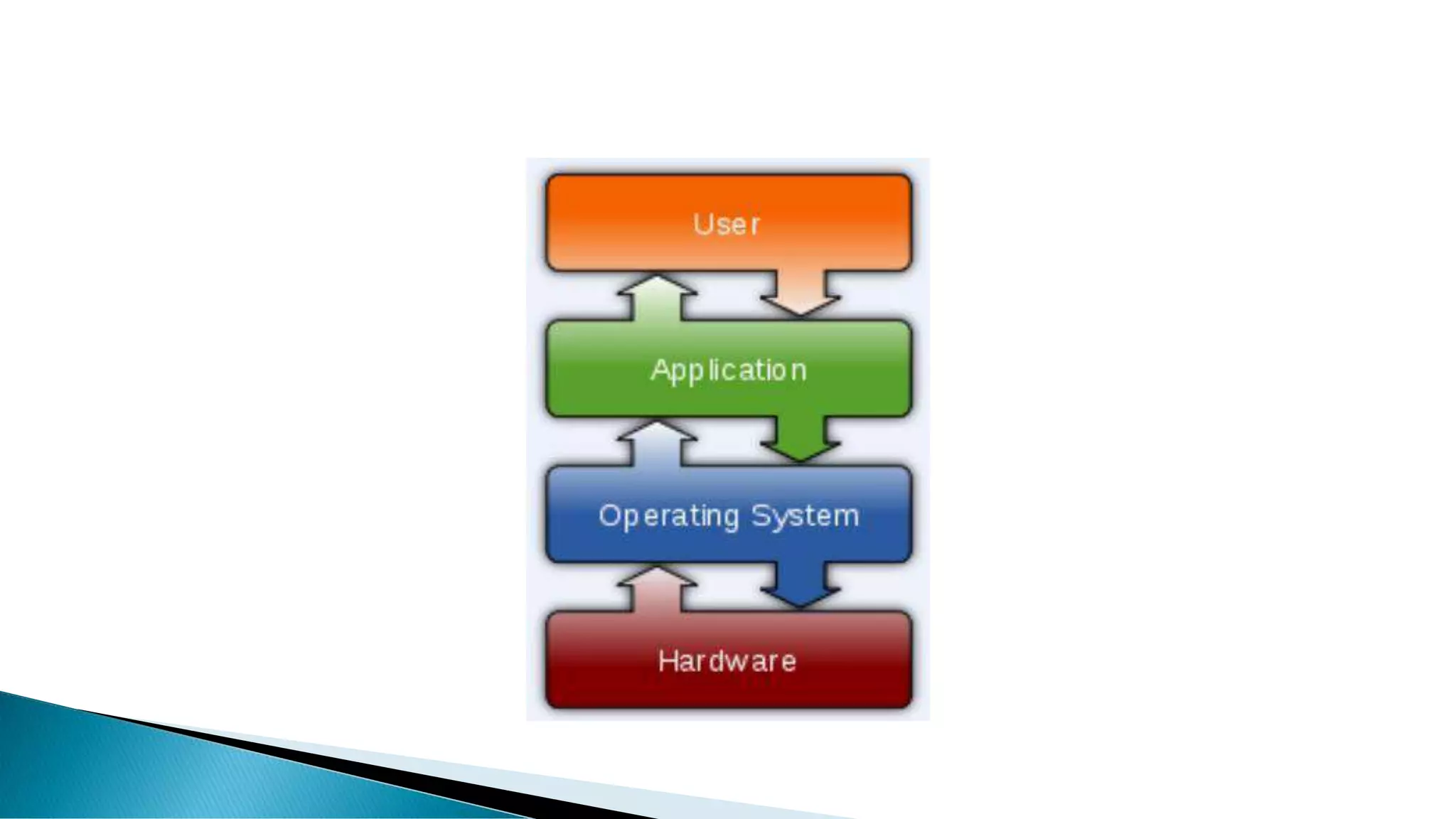
 An operating system (OS) is an interface between hardware and user. It
manages hardware and software resources of the system.
 An operating system which controls mobile devices is called Mobile OS.
They are simple and deal with the wireless versions of broadband and local
connectivity.
 It is specifically designed to run on mobile devices such as mobile
phones, smartphones, PDAs, tablet computers and other handheld devices.
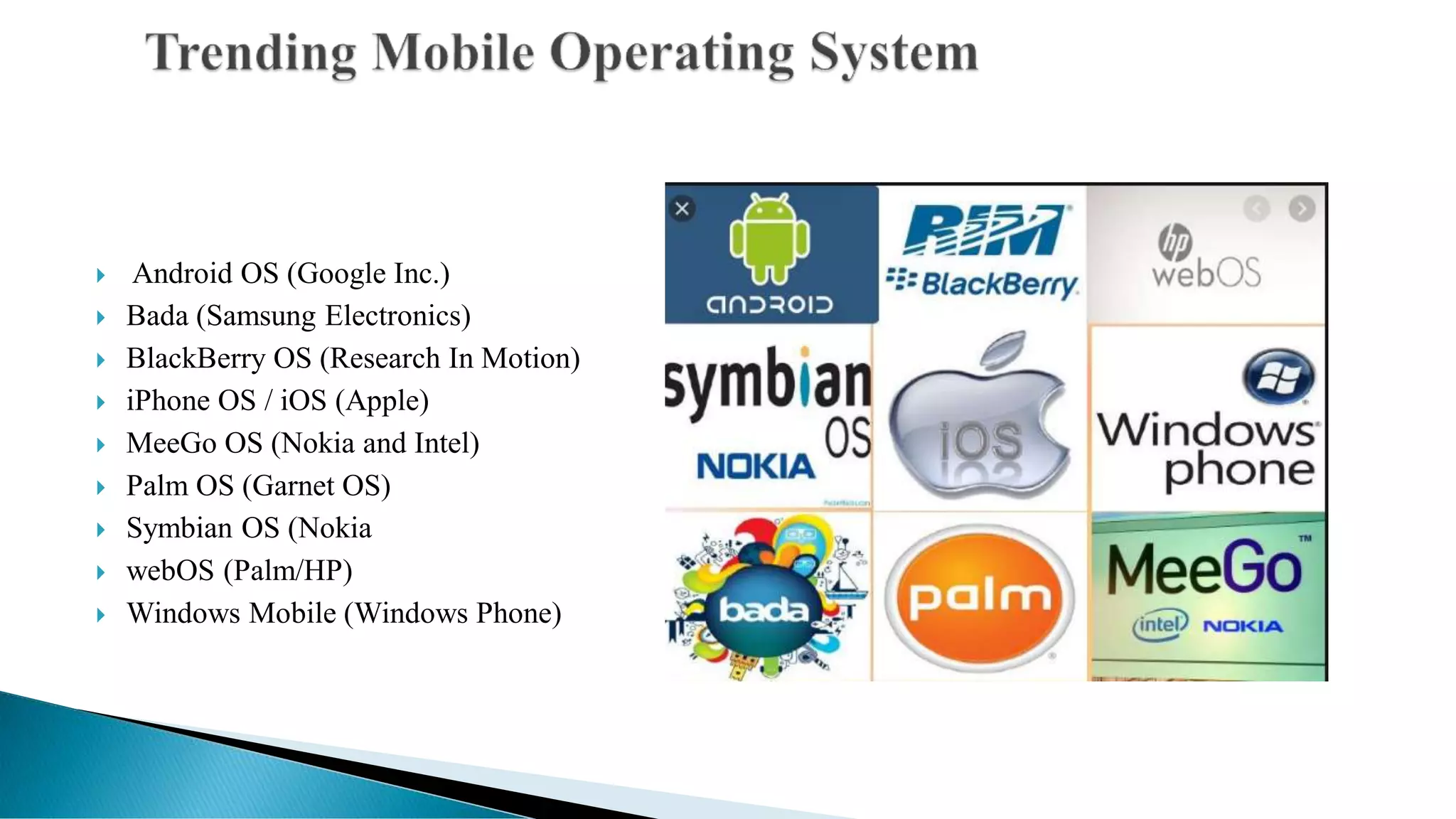
 Android OS (Google Inc.)
 Bada (Samsung Electronics)
 BlackBerry OS (Research In Motion)
 iPhone OS / iOS (Apple)
 MeeGo OS (Nokia and Intel)
 Palm OS (Garnet OS)
 Symbian OS (Nokia
 webOS (Palm/HP)
 Windows Mobile (Windows Phone)
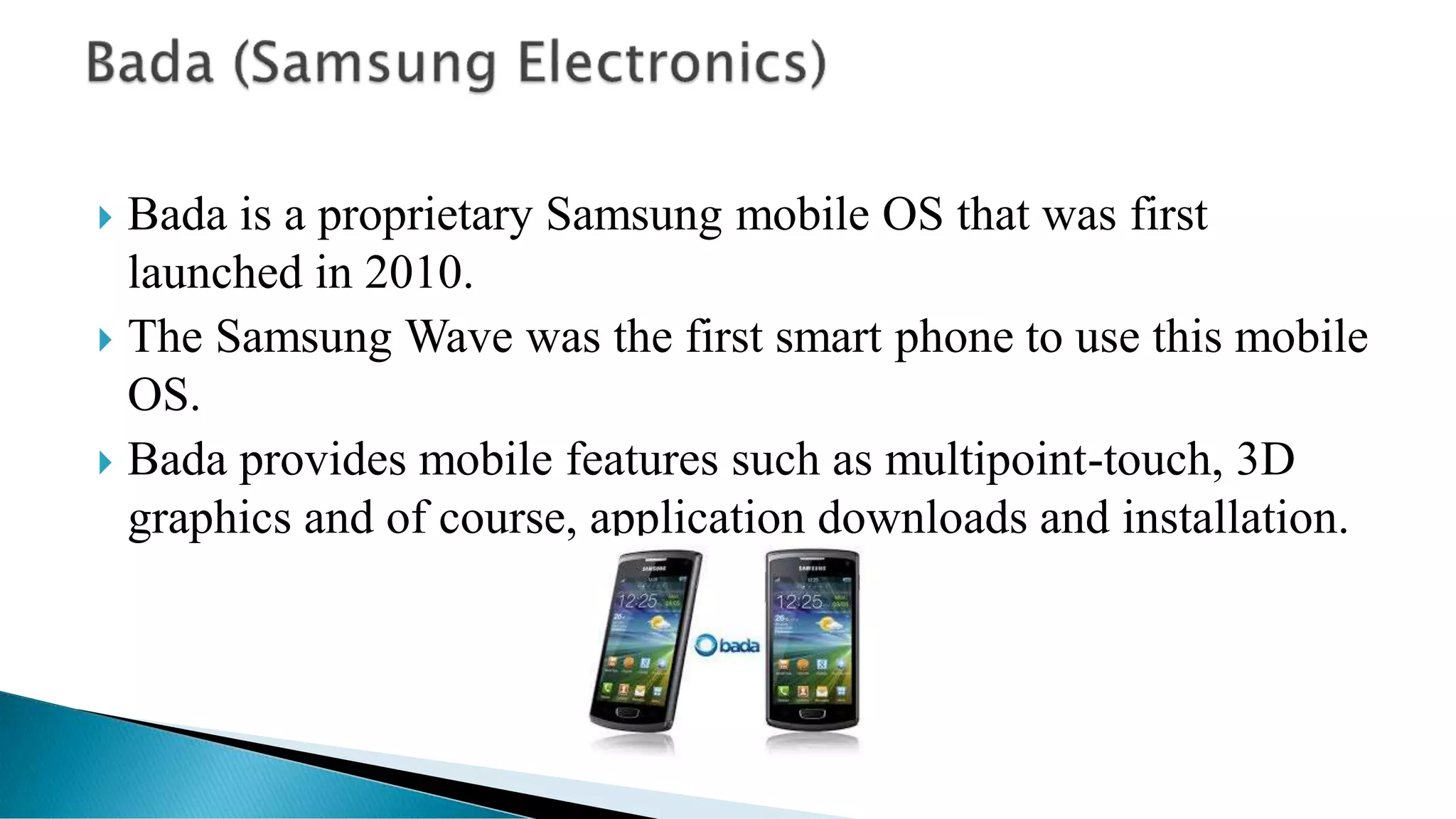
 Bada is a proprietary Samsung mobile OS that was first
launched in 2010.
 The Samsung Wave was the first smart phone to use this mobile
OS.
 Bada provides mobile features such as multipoint-touch, 3D
graphics and of course, application downloads and installation.
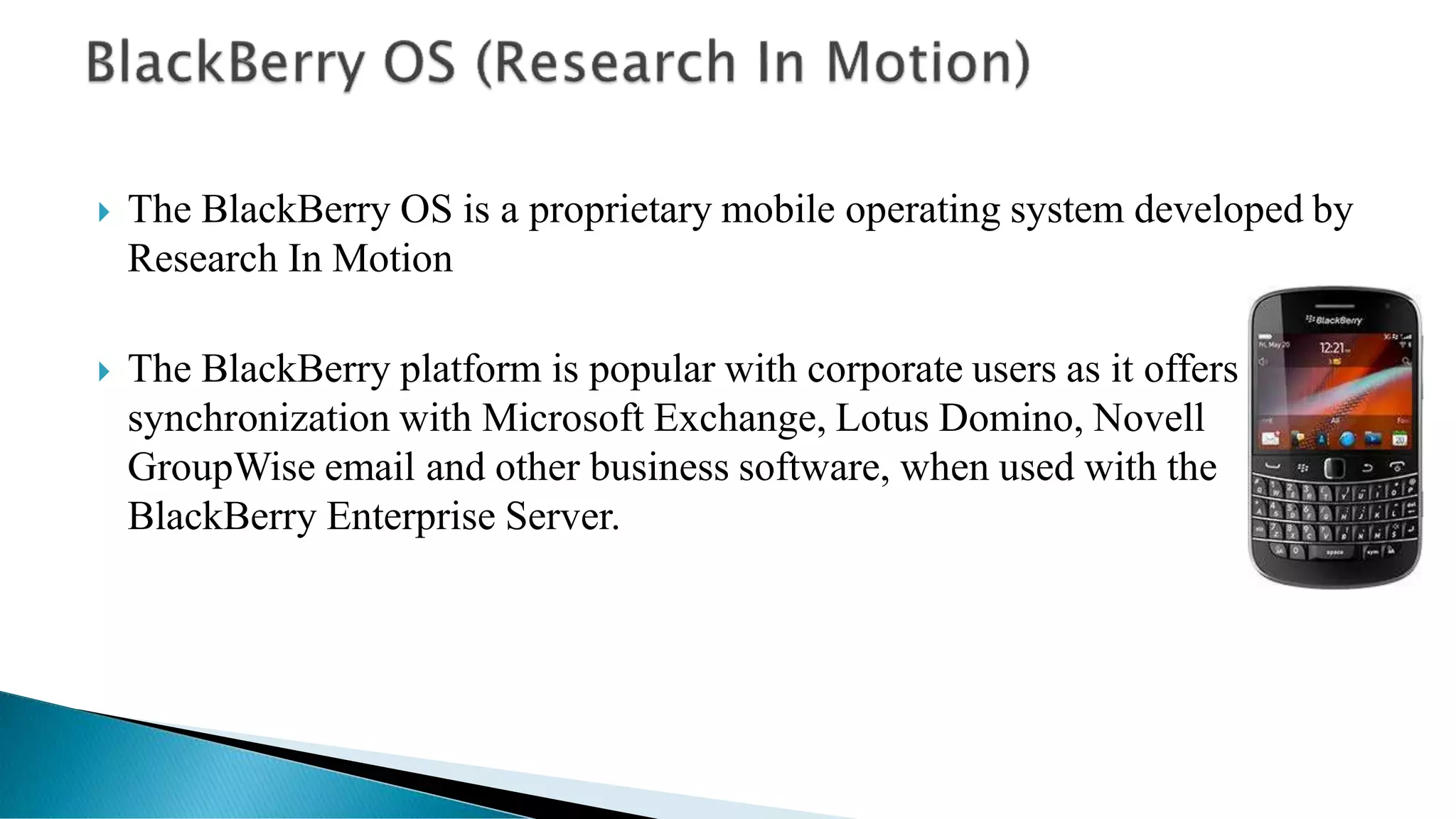
 The BlackBerry OS is a proprietary mobile operating system developed by
Research In Motion
 The BlackBerry platform is popular with corporate users as it offers
synchronization with Microsoft Exchange, Lotus Domino, Novell
GroupWise email and other business software, when used with the
BlackBerry Enterprise Server.
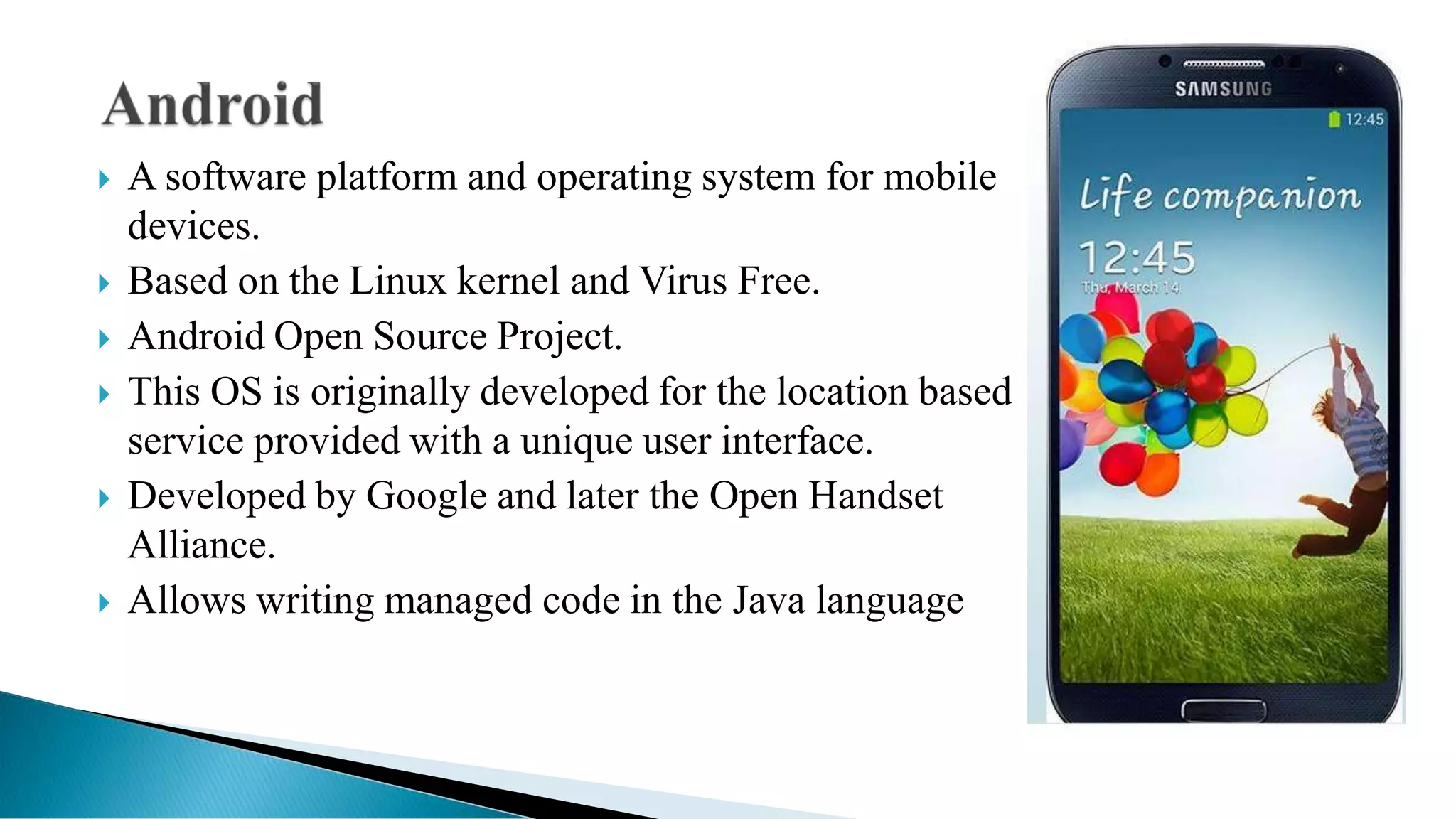
 A software platform and operating system for mobile
devices.
 Based on the Linux kernel and Virus Free.
 Android Open Source Project.
 This OS is originally developed for the location based
service provided with a unique user interface.
 Developed by Google and later the Open Handset
Alliance.
 Allows writing managed code in the Java language
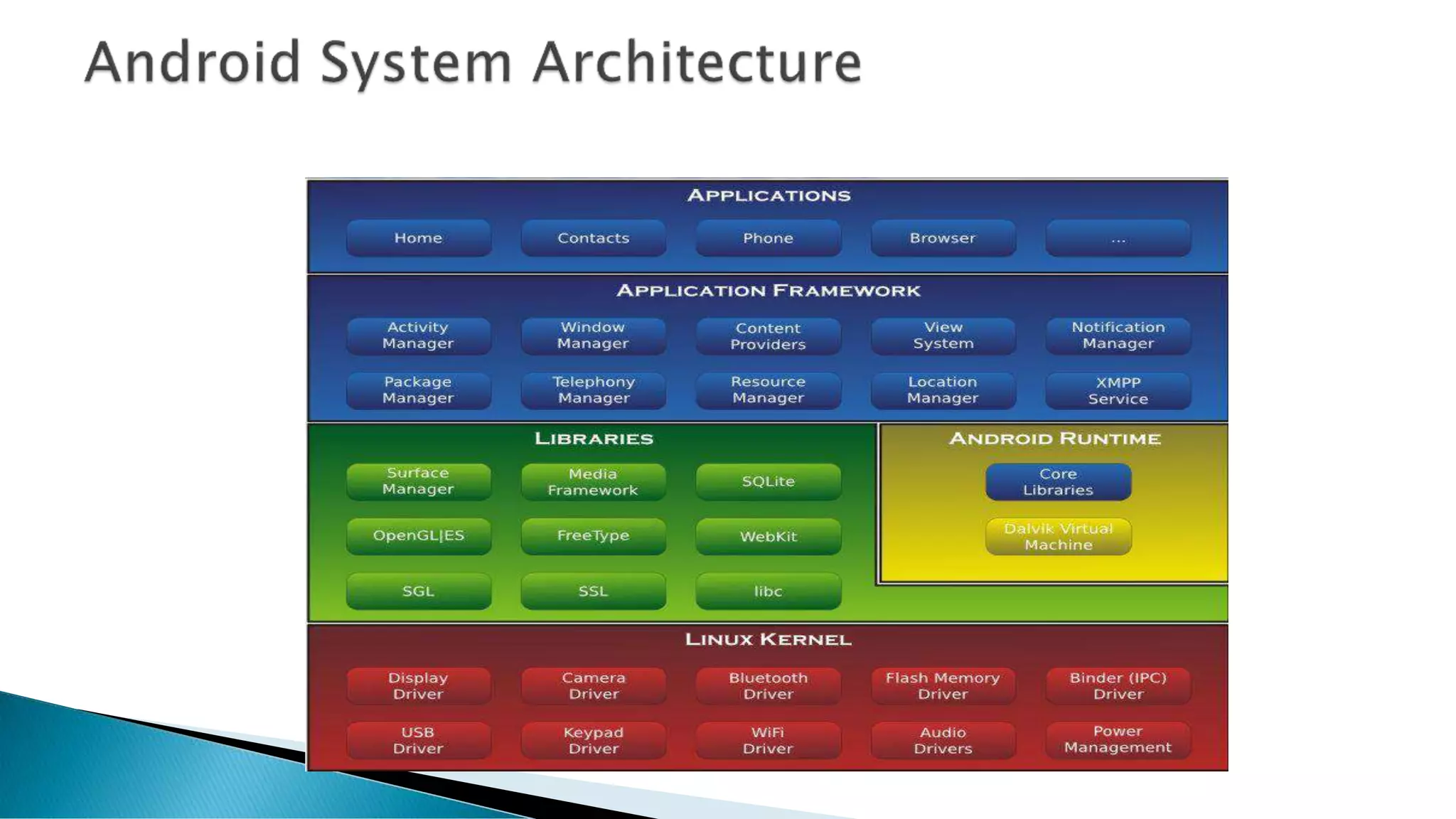
• Android uses Linux for its device drivers, memory management, process
management, and networking.
• They are all written in C/C++ internally, but you’ll be calling them through
Java interfaces.
• In this layer you can find the Surface Manager, 2D and 3D graphics, Media
codes, the SQL database (SQLite), and a native web browser engine
(SafariWebKit).
• DVM
DVM(Dalvik Virtual Machine)
 Android OS Run on the ARM based chipset devices.
 Dalvik runs dex files, which are converted at compile time from standard
class and jar files.
 As Android devices use java for core programming process, it is to have
JRE(Java Run Time Environment).
 But Instead of using JRE android use A specialized virtual machine called
Dalvik.
 This virtual Machine is optimized to run java code and Make a link
between hardware and core of android system.
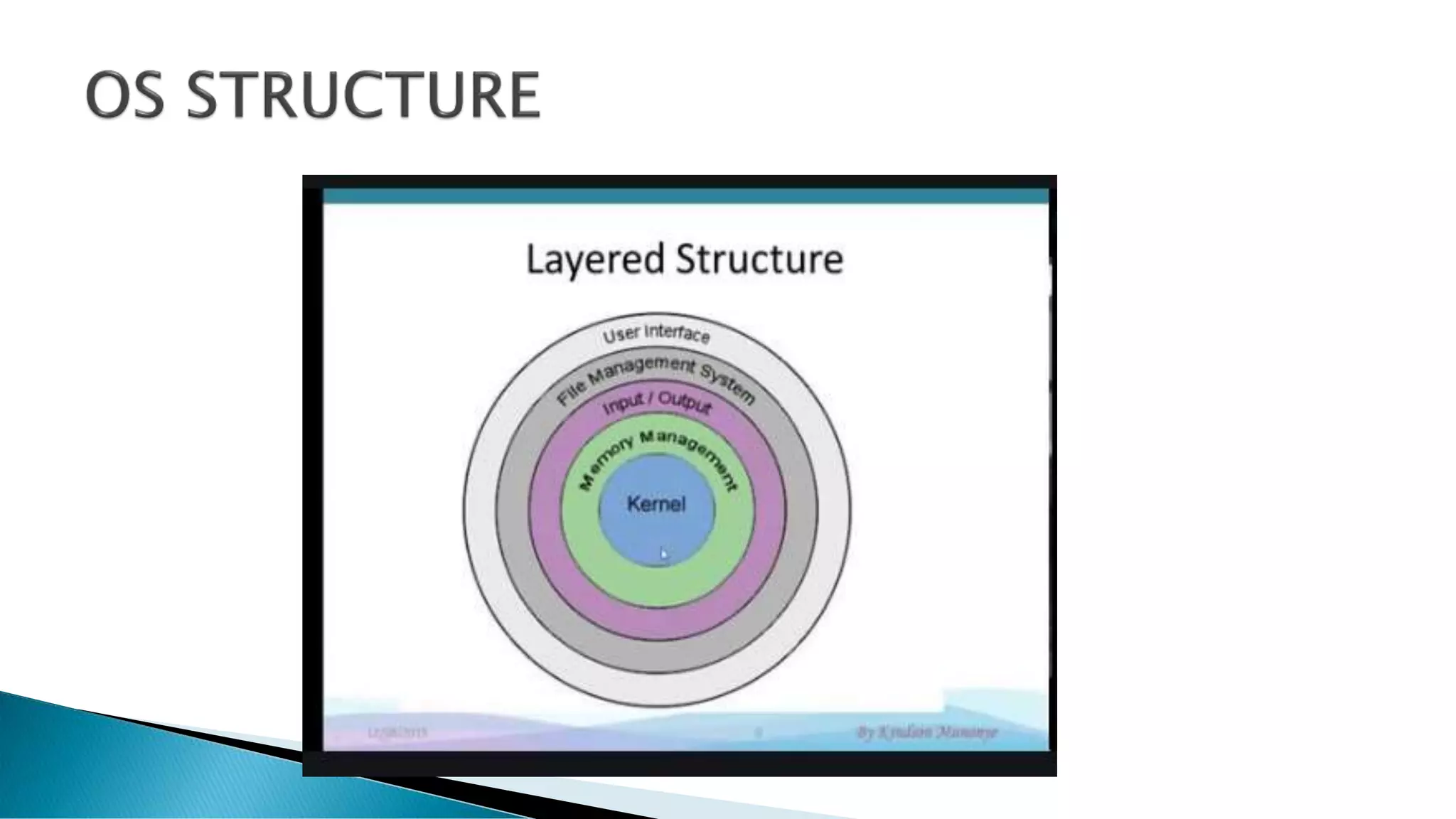
Kernel (Brain of OS)
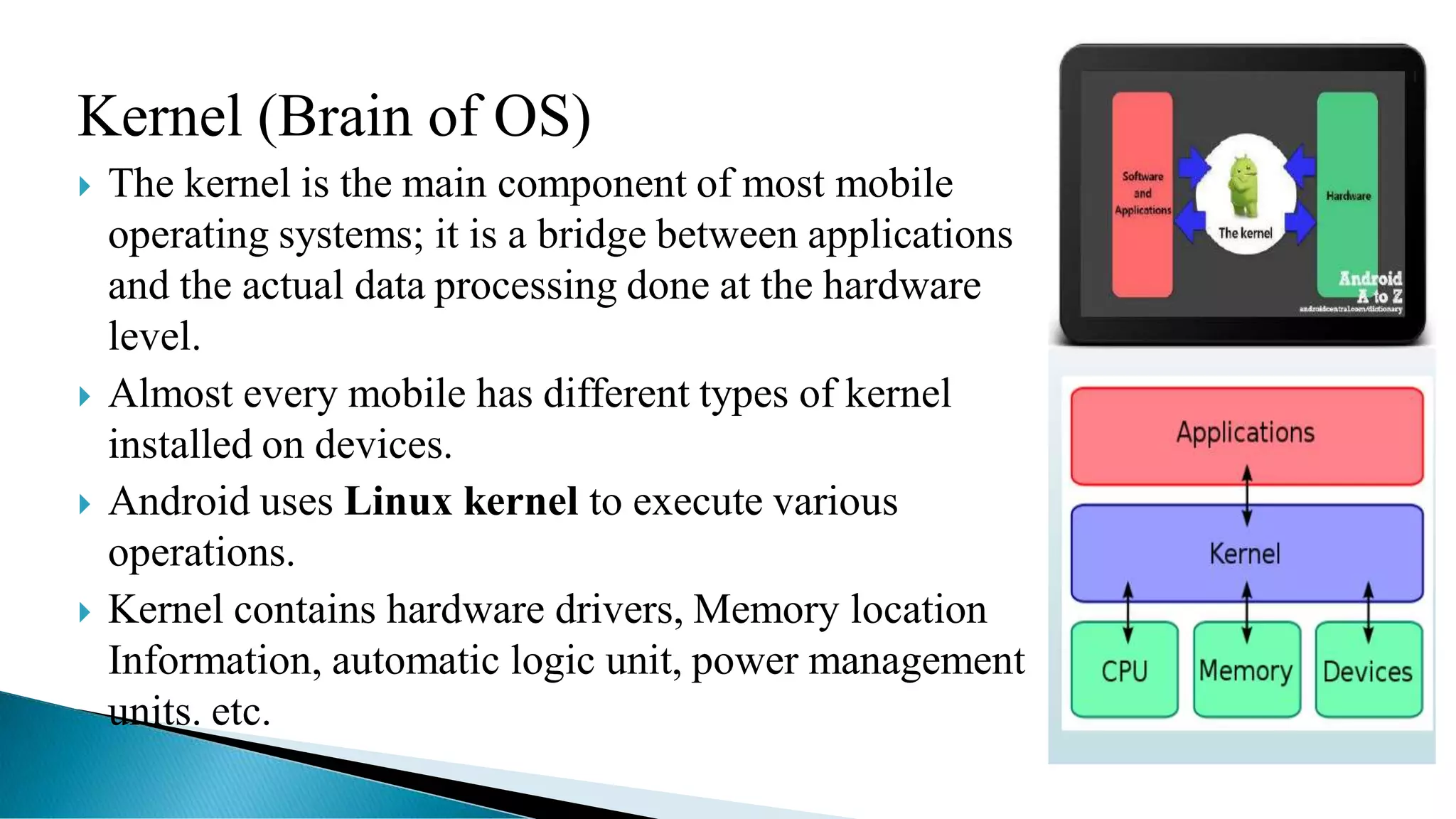
 The kernel is the main component of most mobile
operating systems; it is a bridge between applications
and the actual data processing done at the hardware
level.
 Almost every mobile has different types of kernel
installed on devices.
 Android uses Linux kernel to execute various
operations.
 Kernel contains hardware drivers, Memory location
Information, automatic logic unit, power management
units. etc.
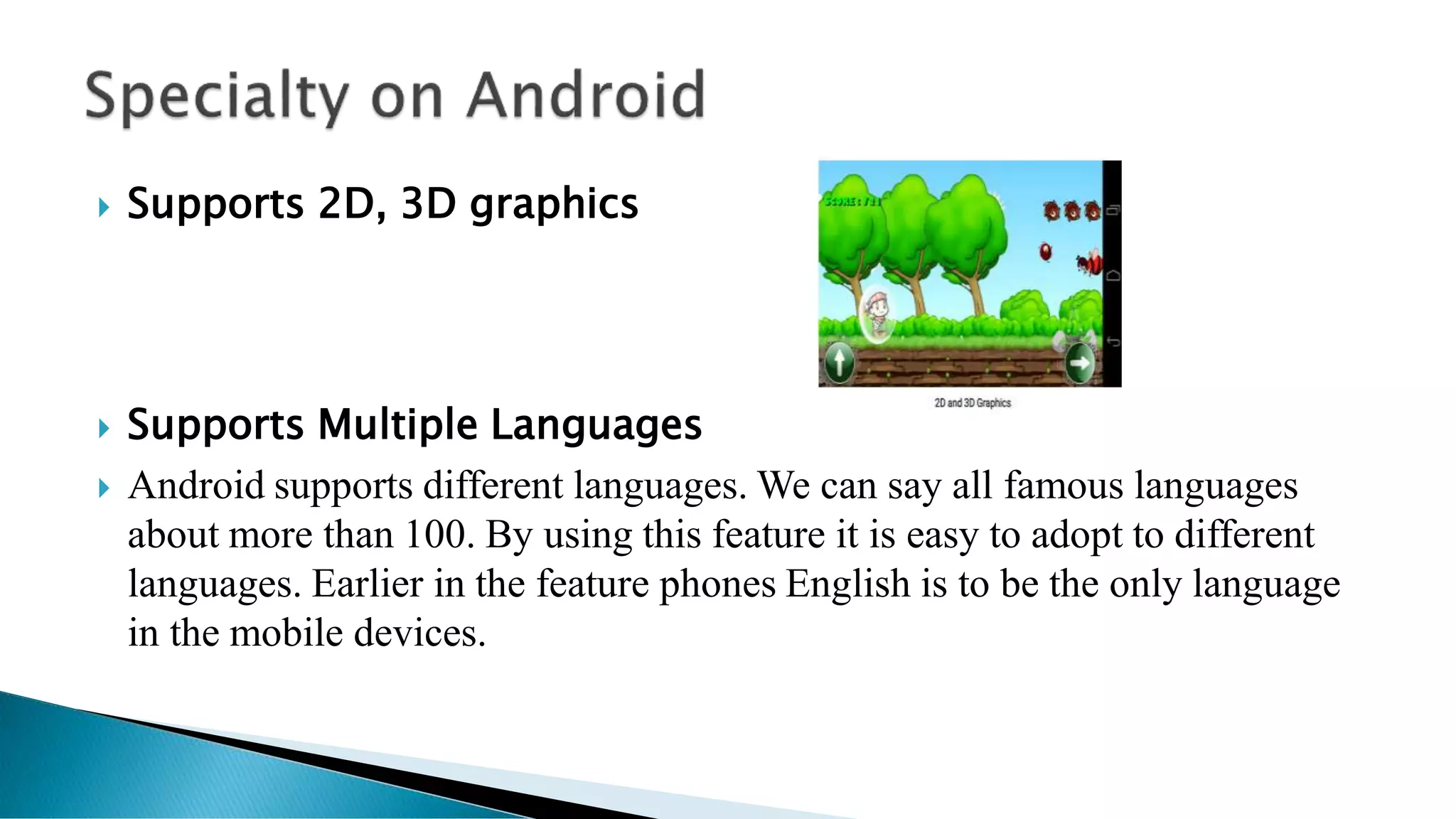
 Supports 2D, 3D graphics
 Supports Multiple Languages
 Android supports different languages. We can say all famous languages
about more than 100. By using this feature it is easy to adopt to different
languages. Earlier in the feature phones English is to be the only language
in the mobile devices.
 Java Support
The Java supporting feature enables developers to enhance more features. As it
supports Java, operating can be developed.
 Faster Web Browser
As it enabled with web browser we surf web easily without complexity just like in a
computer. It easily loads multimedia so that it makes web browsing faster.
 It Supports MP4, 3GP, MPEG4, MIDI
It supports different types of formats. There is no need to convert from one format
to another, as it enabled with different formats of audio and video styles.
 Additional Hardware Support
Any hardware can be easily connected with the Android based devices easily. We can
make a device to connect internally to get more features.
 Video Calling
Faster data connection enables to do video call. We can take advantage of bandwidth
and new generation networks using Android.
 Open Source Framework
 It makes users to make their own applications and to make changes
required for themselves. Enthusiasts can make Android more powerful
and useful by developing themselves. As it is an open source operating
system, we can use it easily and without cost in the equipments.
 Uses of Tools are Very Simple
 It makes use of a single button to do more than assigned work. For
example volume control button can be made to click a photo by
changing simple algorithm in the android.
 Availability of Apps
 Anyone can make use lot of free apps in the app store and from other android stores.
It gives freedom to install from third party users.
 Great Social Networking Integration
 Integration can be made to different social networking sites, so you can enhance
features.
 Better Notification System
 It makes users to check important notifications directly from the dashboard.
It makes work easy. Earlier we used to go for every application refresh to
check updates.
 Updated User Interface Design
 Interfacing that means human to machine integration made to update in
android. Touch screen made very useful change in the mobile use.ex
Zooming
 Low Chance of Crashing
 The Android OS is very smooth and easy to operate and less chances of crashing
down
 Stability
 Stability and security is better than other mobiles OS as it is based on Linux
Kernel
 Improved Power Management and Application Control
 Audio,Graphical and Input Enhancements for Game Developers
 Redesigned Multi Touch Software Keyboard.
 System Wide Copy and Paste Functionalities
• GSM Mobile-Phone Technology
• 3G/HSDPA(high speed download packet access)
• BlueTooth 3.0
• EDGE/GPRS (Enhanced Data for Global Evolution)
• 802.11 Wi-Fi networks
* Hardware varies in Different Device
• The Smartphone operating system Symbian OS is produced by the
software development and licensing company Symbian Ltd.
• Symbian Ltd was established in June 1998 and is headquartered in
Southwark in the UK, and the current CEO is Nigel Clifford.
• The native language of the Symbian OS is C++, there for, our research
will passes through the programming languages that can be used on
Symbian.
 Symbian OS 6.0 and 6.1 (also called ER6 )
 Symbian OS 7.0 and 7.0s
 Symbian OS 8.0
 Symbian OS 9.1
 Symbian OS 9.3
 Symbian OS 9.5
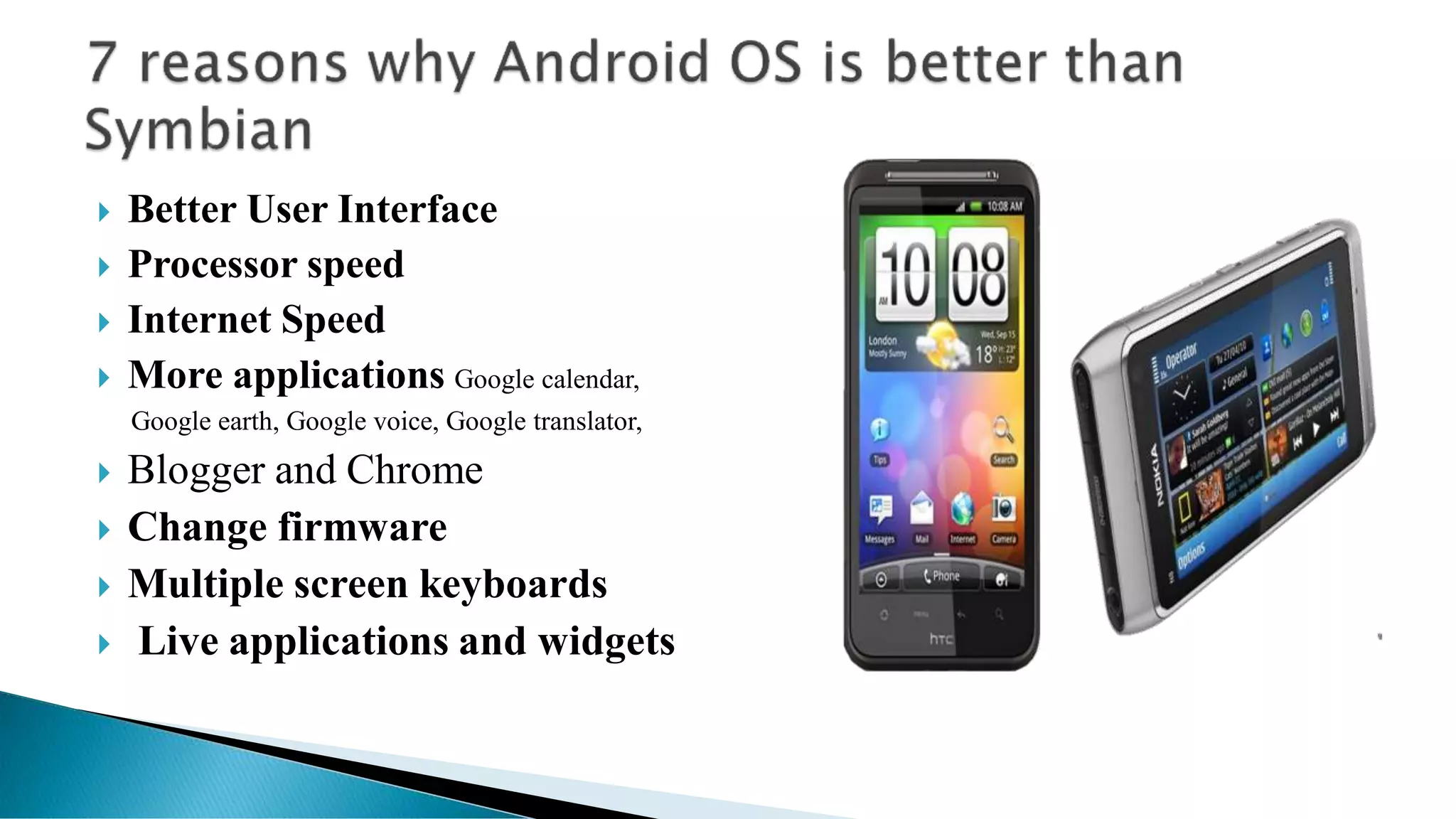
 Better User Interface
 Processor speed
 Internet Speed
 More applications Google calendar,
Google earth, Google voice, Google translator,
 Blogger and Chrome
 Change firmware
 Multiple screen keyboards
 Live applications and widgets
 Android built with JAVA and Symbian Build with C++.
 Andorid Development Kit (SDK) is much stable than Symbian(Qt).
 Android has enrich API support where Siymbian doesn’t support.
 Developers can easily intregrate Google Service in Android App where
Siymbian has some restrictions.
 Android Play Store is More Popular than Symbian (Nokia Store).
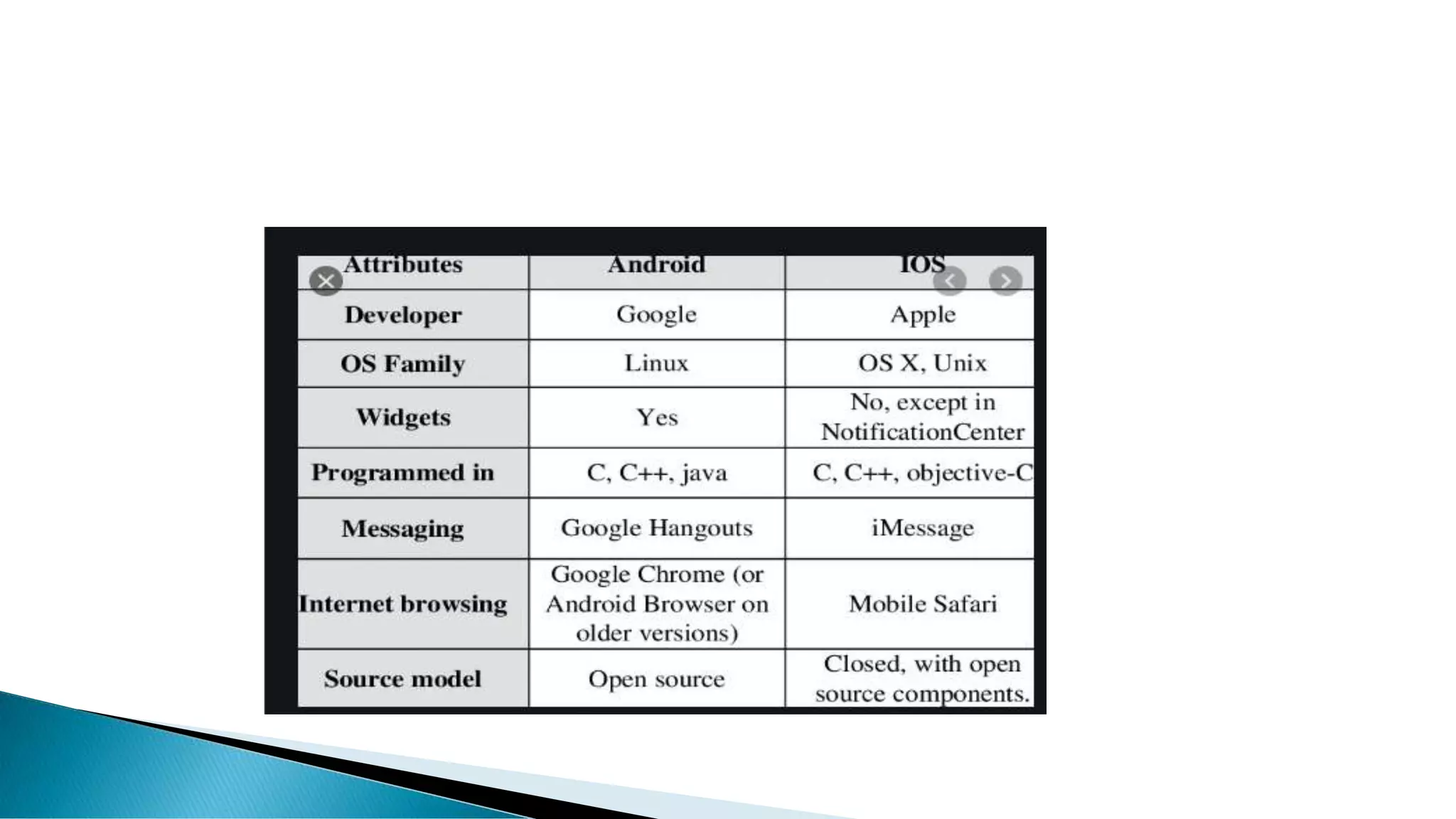
iOS ANDROID
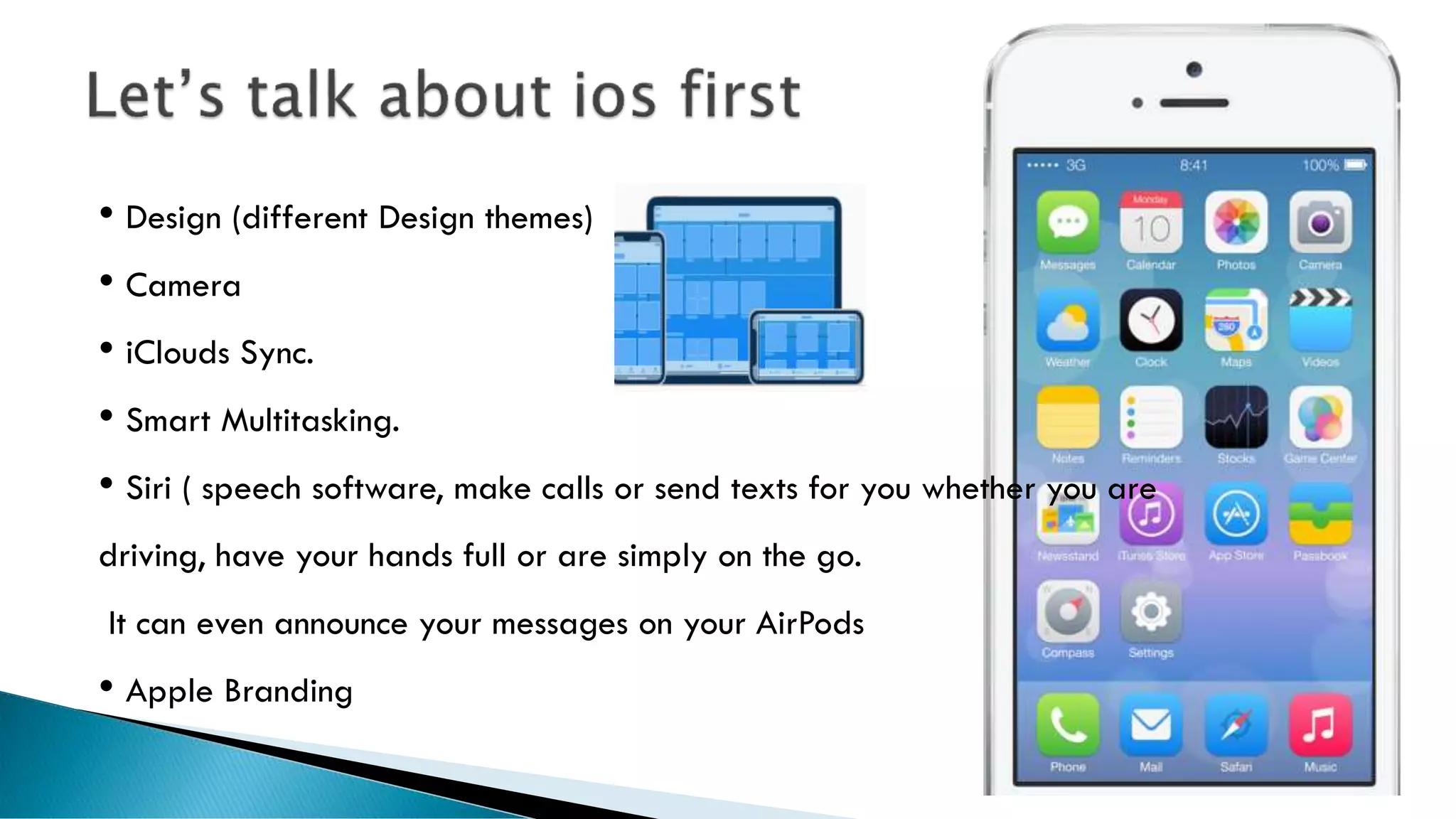
• Design (different Design themes)
• Camera
• iClouds Sync.
• Smart Multitasking.
• Siri ( speech software, make calls or send texts for you whether you are
driving, have your hands full or are simply on the go.
It can even announce your messages on your AirPods
• Apple Branding
 Dark mode
 New iMessage, Mail and Notes features(iMessage will now allow
a profile picture (including emoji and Memoji) and display name.
Memoji have some new make-up and accessory personalization
options)
 Huge updates to the Health app.
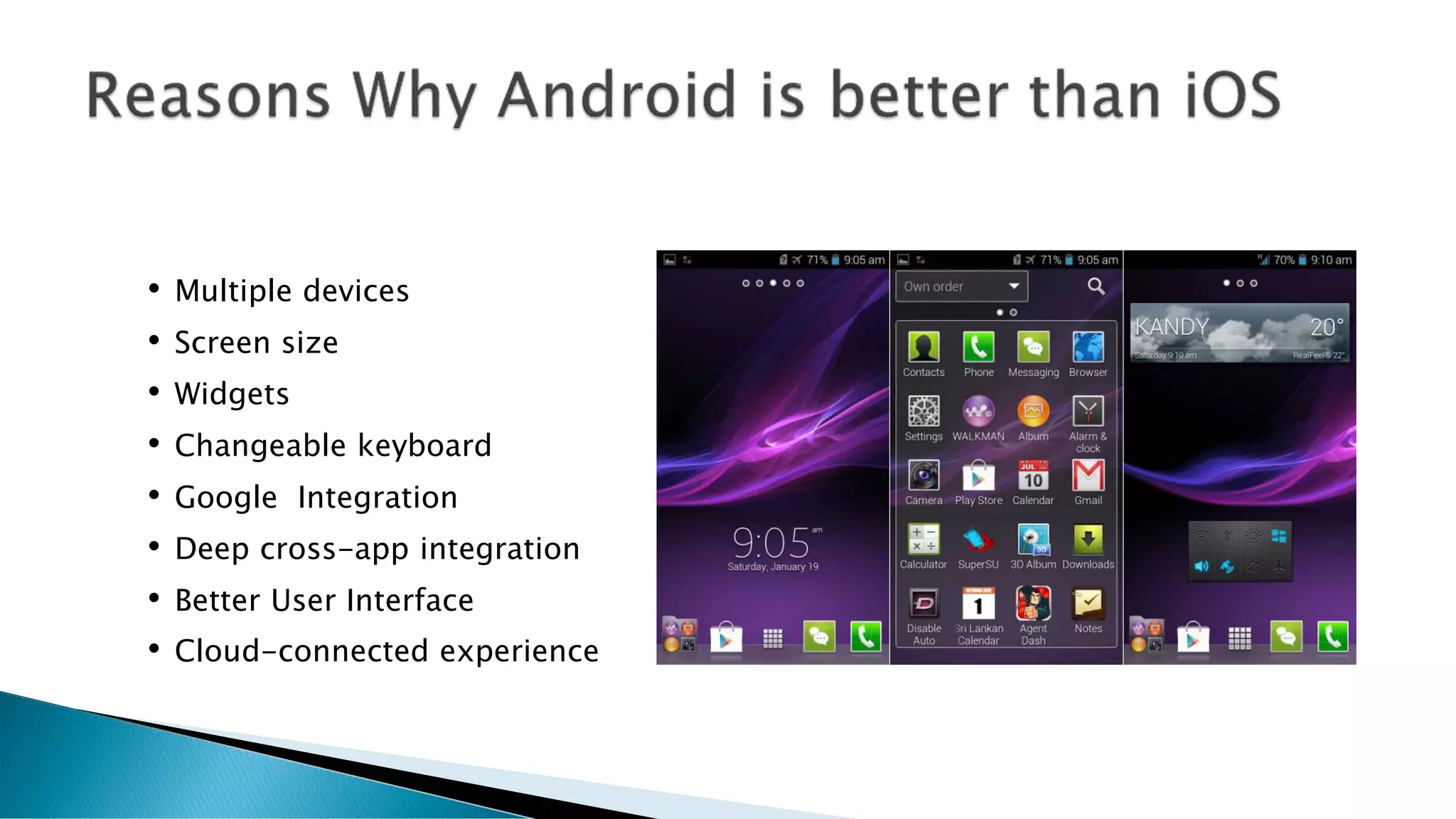
• Multiple devices
• Screen size
• Widgets
• Changeable keyboard
• Google Integration
• Deep cross-app integration
• Better User Interface
• Cloud-connected experience
 Price points
 Customization (One of the strong points of Android has always been
the level of customization it allows. While Apple wants to keep
control of default apps in order to maintain a homogenous software
and hardware experience, Android lets you pick your own level of
customization).
 Custom ROMs(Another reason why Android is better than iPhone is you
can actually replace the software that came with your device with a custom
ROM, if you want to. This is essentially installing a new operating system,
and many Android users do it because their carrier or manufacturer is slow
to upgrade to the latest version of the Android platform).
 Widget (Android’s widgets have long been a feather in its cap compared to
the static rows of icons you find in iOS. Even Microsoft saw the advantage,
developing the Live Tiles system for Windows Phone. Widgets are still a
major advantage for Android over iOS. Simply put, you can see all of the
information you want at a glance on your home screen without having to
fire up an app.)
 Live wallpapers
 Custom launchers
 Custom ROMs
 Speed of improvement
 Windows Mobile is a mobile operating system developed by Microsoft that
was used in smartphones and mobile devices,
 But is being currently phased out to specialized markets. It is superseded
by Windows Phone 7
 The current and last version is "Windows Mobile 6.5".
 It is based on the Windows CE 5.2 kernel
 Windows Phone has many unique features such as Cortana, Live Tiles,
Offline Maps & Bangla Keyboard.
 Cortana is the personal assistant that has been added to Windows Phone
8.1, So, It is easy for you to make your daily actions.
 Windows Phone comes with quality camera, Lumia 720, 820, 920, 925,
1520, etc are good quality camera phone
 No system-wide file manager
 Limited third-party apps availability
 No Bluetooth file transfers
 No USB mass storage mode.
 No multitasking.
 No copy/paste.
 Too dependent on Zune software for computer file management and
syncing .
 No Flash or Silverlight support in the web browser
 No sign of free Bing maps Navigation so far
 No DivX/XviD video support
 No internet tethering support
 New ringtones available only through the Marketplace
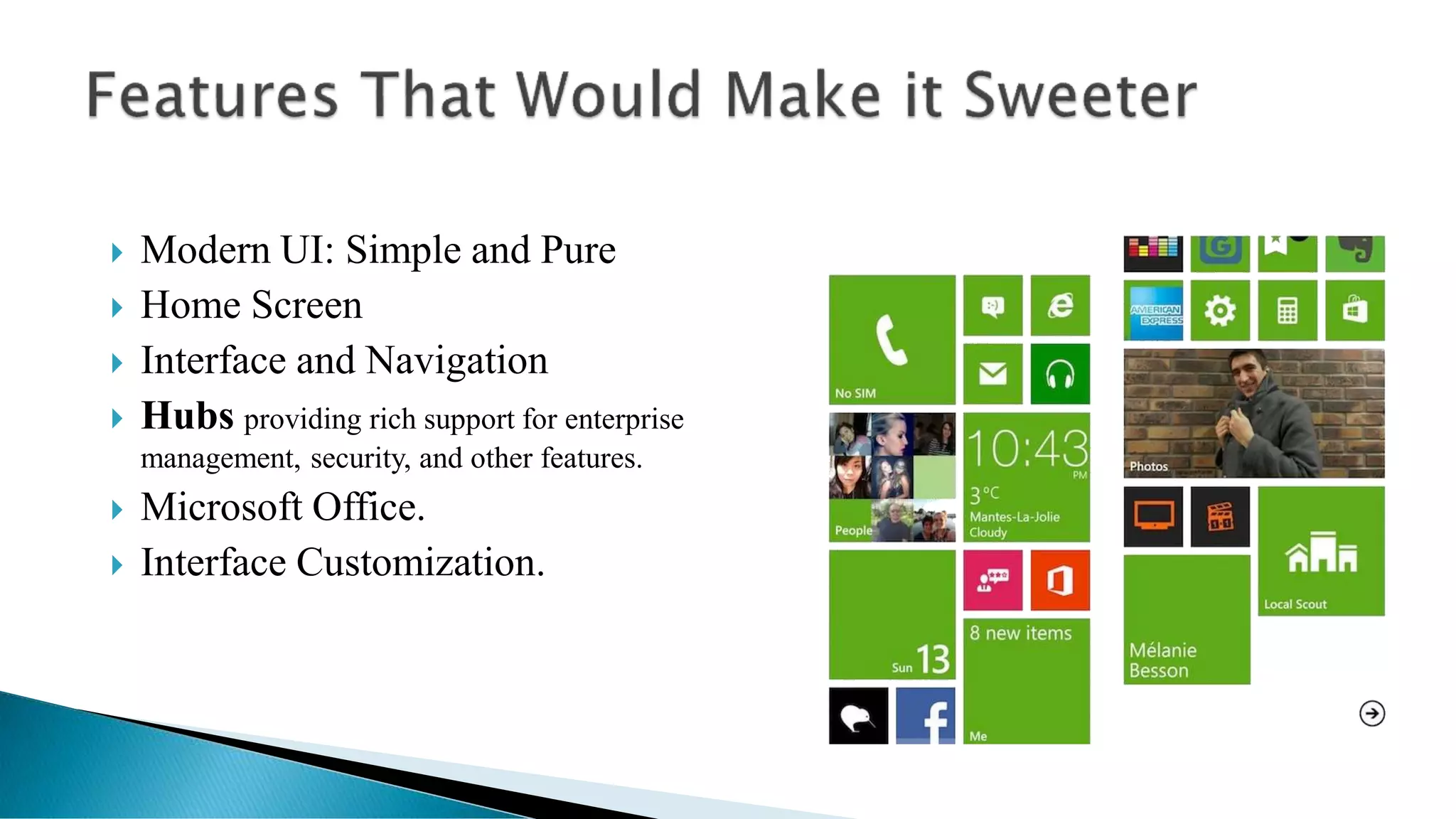
 Modern UI: Simple and Pure
 Home Screen
 Interface and Navigation
 Hubs providing rich support for enterprise
management, security, and other features.
 Microsoft Office.
 Interface Customization.
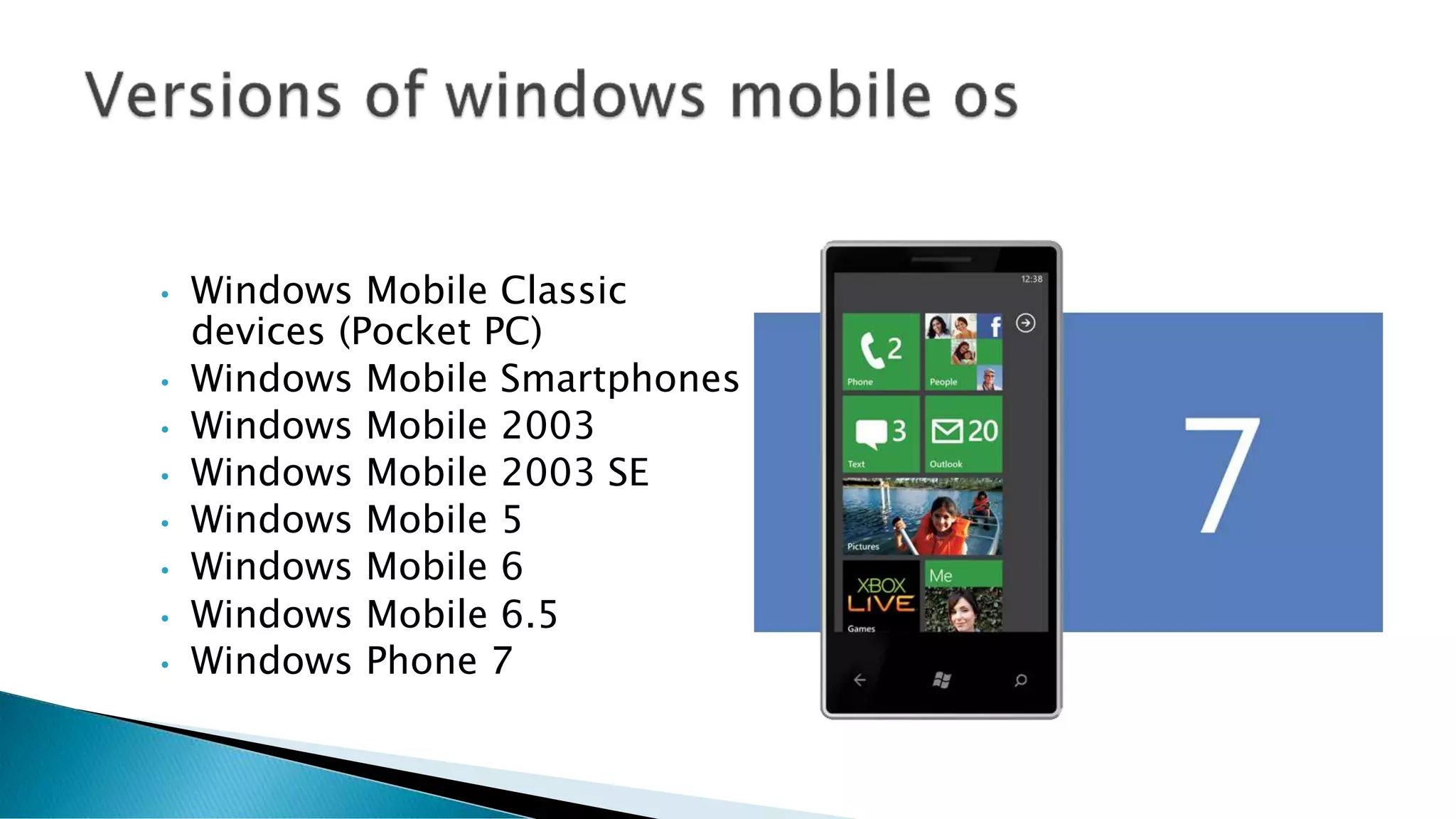
• Windows Mobile Classic
devices (Pocket PC)
• Windows Mobile Smartphones
• Windows Mobile 2003
• Windows Mobile 2003 SE
• Windows Mobile 5
• Windows Mobile 6
• Windows Mobile 6.5
• Windows Phone 7
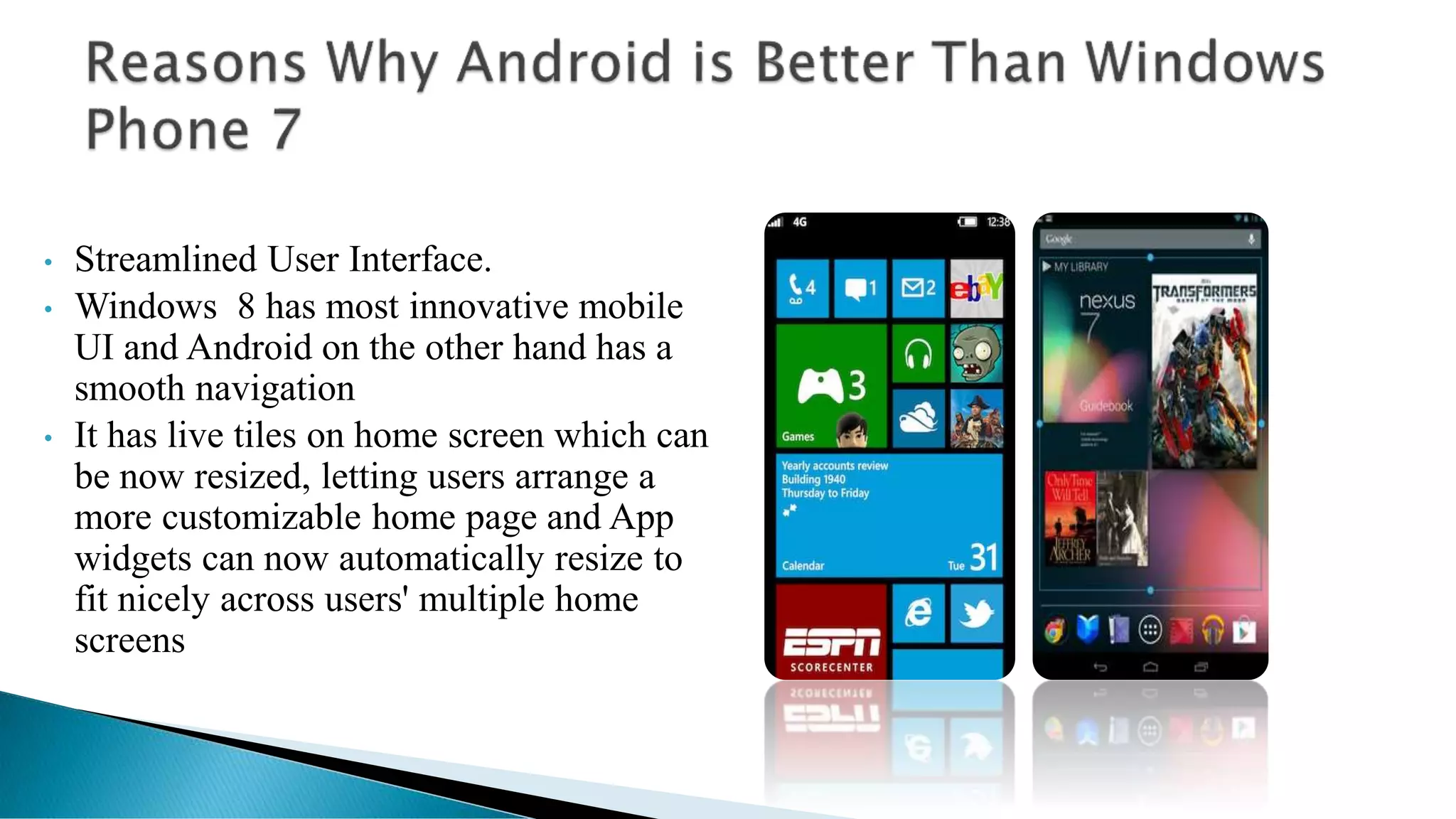
• Streamlined User Interface.
• Windows 8 has most innovative mobile
UI and Android on the other hand has a
smooth navigation
• It has live tiles on home screen which can
be now resized, letting users arrange a
more customizable home page and App
widgets can now automatically resize to
fit nicely across users' multiple home
screens
• Android Popularity
• Smart Notification Center
• Better Multi-tasking
• Security and Privacy
• Network Connectivity
• Memory Management System
• Open Source Community
• Licensing
• Reception
• Application privacy
 Disadvantages of Android OS
Slow response
 compared to ‘ios’ of apple,windows 8 of Microsoft.when we open same app
in the ios and windoes8. We observe the slow response of the android when
we open apps in the different platforms.
 Heat
 Compared to other operating systems android makes use of processes very
efficient. This makes processor to get heat. Some hardware companies take
care to reduce heat,but it went in vain when we operate it a long time and at
low battery.
 Advertisement
 When we use an android app we encounter several adds in between
application use, because anyone can make add by inserting some logic in
the app program and can interfere in into the phones information.
 We can only hope that the next versions of Android have overcome the
actual limitations and that the future possibilities became a reality

Android os(comparison all other mobile os)

  • 1.
  • 2.
     An operatingsystem (OS) is an interface between hardware and user. It manages hardware and software resources of the system.  An operating system which controls mobile devices is called Mobile OS. They are simple and deal with the wireless versions of broadband and local connectivity.  It is specifically designed to run on mobile devices such as mobile phones, smartphones, PDAs, tablet computers and other handheld devices.
  • 4.
     Android OS(Google Inc.)  Bada (Samsung Electronics)  BlackBerry OS (Research In Motion)  iPhone OS / iOS (Apple)  MeeGo OS (Nokia and Intel)  Palm OS (Garnet OS)  Symbian OS (Nokia  webOS (Palm/HP)  Windows Mobile (Windows Phone)
  • 5.
     Bada isa proprietary Samsung mobile OS that was first launched in 2010.  The Samsung Wave was the first smart phone to use this mobile OS.  Bada provides mobile features such as multipoint-touch, 3D graphics and of course, application downloads and installation.
  • 6.
     The BlackBerryOS is a proprietary mobile operating system developed by Research In Motion  The BlackBerry platform is popular with corporate users as it offers synchronization with Microsoft Exchange, Lotus Domino, Novell GroupWise email and other business software, when used with the BlackBerry Enterprise Server.
  • 7.
     A softwareplatform and operating system for mobile devices.  Based on the Linux kernel and Virus Free.  Android Open Source Project.  This OS is originally developed for the location based service provided with a unique user interface.  Developed by Google and later the Open Handset Alliance.  Allows writing managed code in the Java language
  • 9.
    • Android usesLinux for its device drivers, memory management, process management, and networking. • They are all written in C/C++ internally, but you’ll be calling them through Java interfaces. • In this layer you can find the Surface Manager, 2D and 3D graphics, Media codes, the SQL database (SQLite), and a native web browser engine (SafariWebKit). • DVM
  • 10.
    DVM(Dalvik Virtual Machine) Android OS Run on the ARM based chipset devices.  Dalvik runs dex files, which are converted at compile time from standard class and jar files.  As Android devices use java for core programming process, it is to have JRE(Java Run Time Environment).  But Instead of using JRE android use A specialized virtual machine called Dalvik.  This virtual Machine is optimized to run java code and Make a link between hardware and core of android system.
  • 12.
    Kernel (Brain ofOS)  The kernel is the main component of most mobile operating systems; it is a bridge between applications and the actual data processing done at the hardware level.  Almost every mobile has different types of kernel installed on devices.  Android uses Linux kernel to execute various operations.  Kernel contains hardware drivers, Memory location Information, automatic logic unit, power management units. etc.
  • 14.
     Supports 2D,3D graphics  Supports Multiple Languages  Android supports different languages. We can say all famous languages about more than 100. By using this feature it is easy to adopt to different languages. Earlier in the feature phones English is to be the only language in the mobile devices.
  • 15.
     Java Support TheJava supporting feature enables developers to enhance more features. As it supports Java, operating can be developed.  Faster Web Browser As it enabled with web browser we surf web easily without complexity just like in a computer. It easily loads multimedia so that it makes web browsing faster.  It Supports MP4, 3GP, MPEG4, MIDI It supports different types of formats. There is no need to convert from one format to another, as it enabled with different formats of audio and video styles.  Additional Hardware Support Any hardware can be easily connected with the Android based devices easily. We can make a device to connect internally to get more features.  Video Calling Faster data connection enables to do video call. We can take advantage of bandwidth and new generation networks using Android.
  • 16.
     Open SourceFramework  It makes users to make their own applications and to make changes required for themselves. Enthusiasts can make Android more powerful and useful by developing themselves. As it is an open source operating system, we can use it easily and without cost in the equipments.  Uses of Tools are Very Simple  It makes use of a single button to do more than assigned work. For example volume control button can be made to click a photo by changing simple algorithm in the android.
  • 17.
     Availability ofApps  Anyone can make use lot of free apps in the app store and from other android stores. It gives freedom to install from third party users.  Great Social Networking Integration  Integration can be made to different social networking sites, so you can enhance features.  Better Notification System  It makes users to check important notifications directly from the dashboard. It makes work easy. Earlier we used to go for every application refresh to check updates.  Updated User Interface Design  Interfacing that means human to machine integration made to update in android. Touch screen made very useful change in the mobile use.ex Zooming
  • 18.
     Low Chanceof Crashing  The Android OS is very smooth and easy to operate and less chances of crashing down  Stability  Stability and security is better than other mobiles OS as it is based on Linux Kernel  Improved Power Management and Application Control  Audio,Graphical and Input Enhancements for Game Developers  Redesigned Multi Touch Software Keyboard.  System Wide Copy and Paste Functionalities
  • 19.
    • GSM Mobile-PhoneTechnology • 3G/HSDPA(high speed download packet access) • BlueTooth 3.0 • EDGE/GPRS (Enhanced Data for Global Evolution) • 802.11 Wi-Fi networks * Hardware varies in Different Device
  • 21.
    • The Smartphoneoperating system Symbian OS is produced by the software development and licensing company Symbian Ltd. • Symbian Ltd was established in June 1998 and is headquartered in Southwark in the UK, and the current CEO is Nigel Clifford. • The native language of the Symbian OS is C++, there for, our research will passes through the programming languages that can be used on Symbian.
  • 22.
     Symbian OS6.0 and 6.1 (also called ER6 )  Symbian OS 7.0 and 7.0s  Symbian OS 8.0  Symbian OS 9.1  Symbian OS 9.3  Symbian OS 9.5
  • 23.
     Better UserInterface  Processor speed  Internet Speed  More applications Google calendar, Google earth, Google voice, Google translator,  Blogger and Chrome  Change firmware  Multiple screen keyboards  Live applications and widgets
  • 24.
     Android builtwith JAVA and Symbian Build with C++.  Andorid Development Kit (SDK) is much stable than Symbian(Qt).  Android has enrich API support where Siymbian doesn’t support.  Developers can easily intregrate Google Service in Android App where Siymbian has some restrictions.  Android Play Store is More Popular than Symbian (Nokia Store).
  • 25.
  • 26.
    • Design (differentDesign themes) • Camera • iClouds Sync. • Smart Multitasking. • Siri ( speech software, make calls or send texts for you whether you are driving, have your hands full or are simply on the go. It can even announce your messages on your AirPods • Apple Branding
  • 27.
     Dark mode New iMessage, Mail and Notes features(iMessage will now allow a profile picture (including emoji and Memoji) and display name. Memoji have some new make-up and accessory personalization options)  Huge updates to the Health app.
  • 28.
    • Multiple devices •Screen size • Widgets • Changeable keyboard • Google Integration • Deep cross-app integration • Better User Interface • Cloud-connected experience
  • 29.
     Price points Customization (One of the strong points of Android has always been the level of customization it allows. While Apple wants to keep control of default apps in order to maintain a homogenous software and hardware experience, Android lets you pick your own level of customization).
  • 30.
     Custom ROMs(Anotherreason why Android is better than iPhone is you can actually replace the software that came with your device with a custom ROM, if you want to. This is essentially installing a new operating system, and many Android users do it because their carrier or manufacturer is slow to upgrade to the latest version of the Android platform).
  • 31.
     Widget (Android’swidgets have long been a feather in its cap compared to the static rows of icons you find in iOS. Even Microsoft saw the advantage, developing the Live Tiles system for Windows Phone. Widgets are still a major advantage for Android over iOS. Simply put, you can see all of the information you want at a glance on your home screen without having to fire up an app.)  Live wallpapers  Custom launchers  Custom ROMs  Speed of improvement
  • 34.
     Windows Mobileis a mobile operating system developed by Microsoft that was used in smartphones and mobile devices,  But is being currently phased out to specialized markets. It is superseded by Windows Phone 7  The current and last version is "Windows Mobile 6.5".  It is based on the Windows CE 5.2 kernel
  • 35.
     Windows Phonehas many unique features such as Cortana, Live Tiles, Offline Maps & Bangla Keyboard.  Cortana is the personal assistant that has been added to Windows Phone 8.1, So, It is easy for you to make your daily actions.  Windows Phone comes with quality camera, Lumia 720, 820, 920, 925, 1520, etc are good quality camera phone
  • 36.
     No system-widefile manager  Limited third-party apps availability  No Bluetooth file transfers  No USB mass storage mode.  No multitasking.  No copy/paste.  Too dependent on Zune software for computer file management and syncing .
  • 37.
     No Flashor Silverlight support in the web browser  No sign of free Bing maps Navigation so far  No DivX/XviD video support  No internet tethering support  New ringtones available only through the Marketplace
  • 38.
     Modern UI:Simple and Pure  Home Screen  Interface and Navigation  Hubs providing rich support for enterprise management, security, and other features.  Microsoft Office.  Interface Customization.
  • 39.
    • Windows MobileClassic devices (Pocket PC) • Windows Mobile Smartphones • Windows Mobile 2003 • Windows Mobile 2003 SE • Windows Mobile 5 • Windows Mobile 6 • Windows Mobile 6.5 • Windows Phone 7
  • 40.
    • Streamlined UserInterface. • Windows 8 has most innovative mobile UI and Android on the other hand has a smooth navigation • It has live tiles on home screen which can be now resized, letting users arrange a more customizable home page and App widgets can now automatically resize to fit nicely across users' multiple home screens
  • 42.
    • Android Popularity •Smart Notification Center • Better Multi-tasking • Security and Privacy • Network Connectivity • Memory Management System • Open Source Community • Licensing • Reception • Application privacy
  • 43.
     Disadvantages ofAndroid OS Slow response  compared to ‘ios’ of apple,windows 8 of Microsoft.when we open same app in the ios and windoes8. We observe the slow response of the android when we open apps in the different platforms.  Heat  Compared to other operating systems android makes use of processes very efficient. This makes processor to get heat. Some hardware companies take care to reduce heat,but it went in vain when we operate it a long time and at low battery.  Advertisement  When we use an android app we encounter several adds in between application use, because anyone can make add by inserting some logic in the app program and can interfere in into the phones information.
  • 44.
     We canonly hope that the next versions of Android have overcome the actual limitations and that the future possibilities became a reality