By : Eyad Almassri
Lecture 3: Android Infrastructure
2020
Device Management
• Apps are designed to accommodate
numerous devices, often without user
help
• Screen requirements
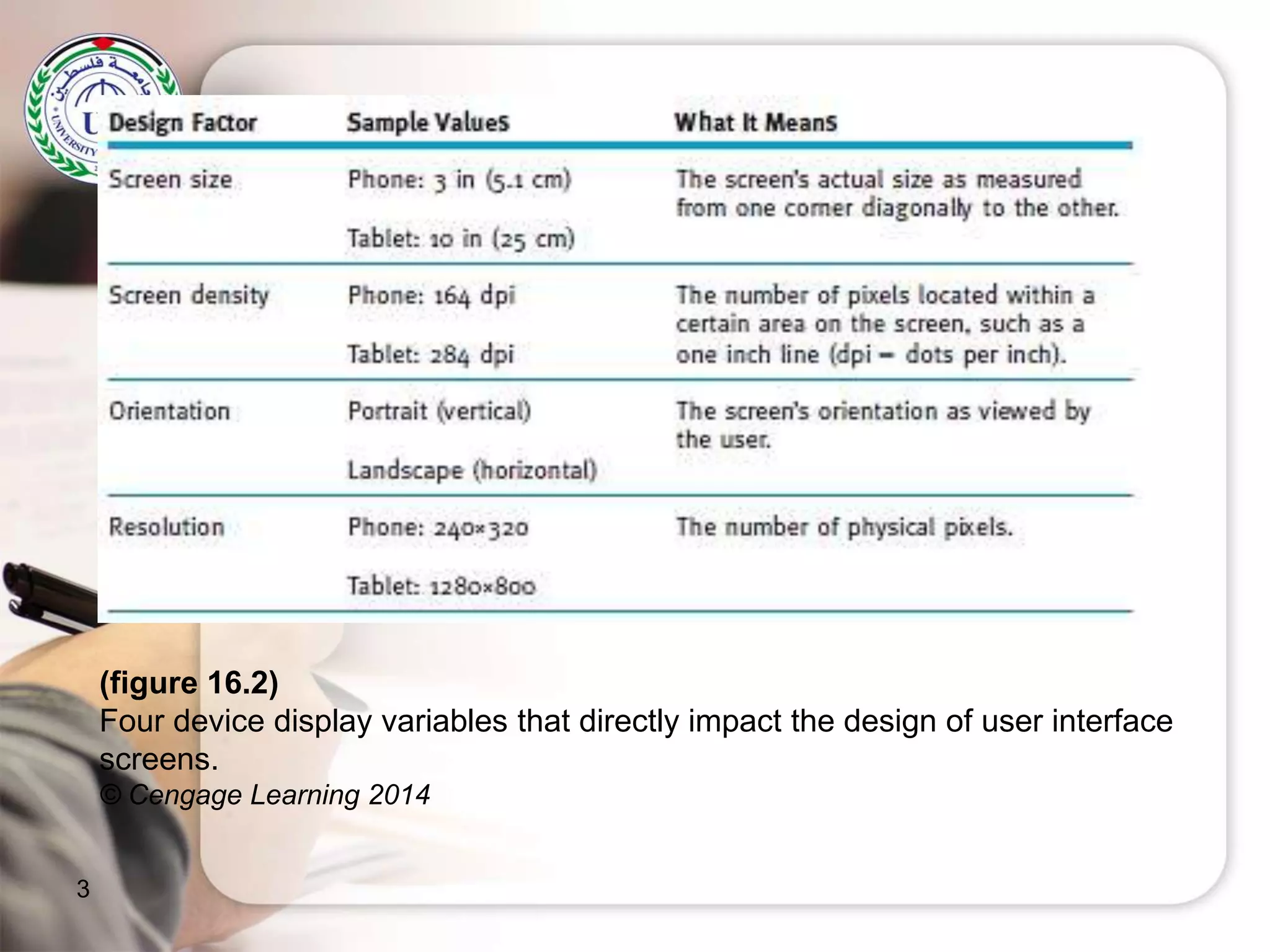
– Design considerations: screen size, screen
density, orientation, and resolution
– Density-independent pixel (dp): equivalent
to one physical pixel on a 160 dpi screen
– Interface design using dp unit: system can
perform the necessary scaling for each
screen based on its size, resolution,
orientation, and density
2
3
(figure 16.2)
Four device display variables that directly impact the design of user interface
screens.
© Cengage Learning 2014
Understanding Operating
Systems, 7e
4
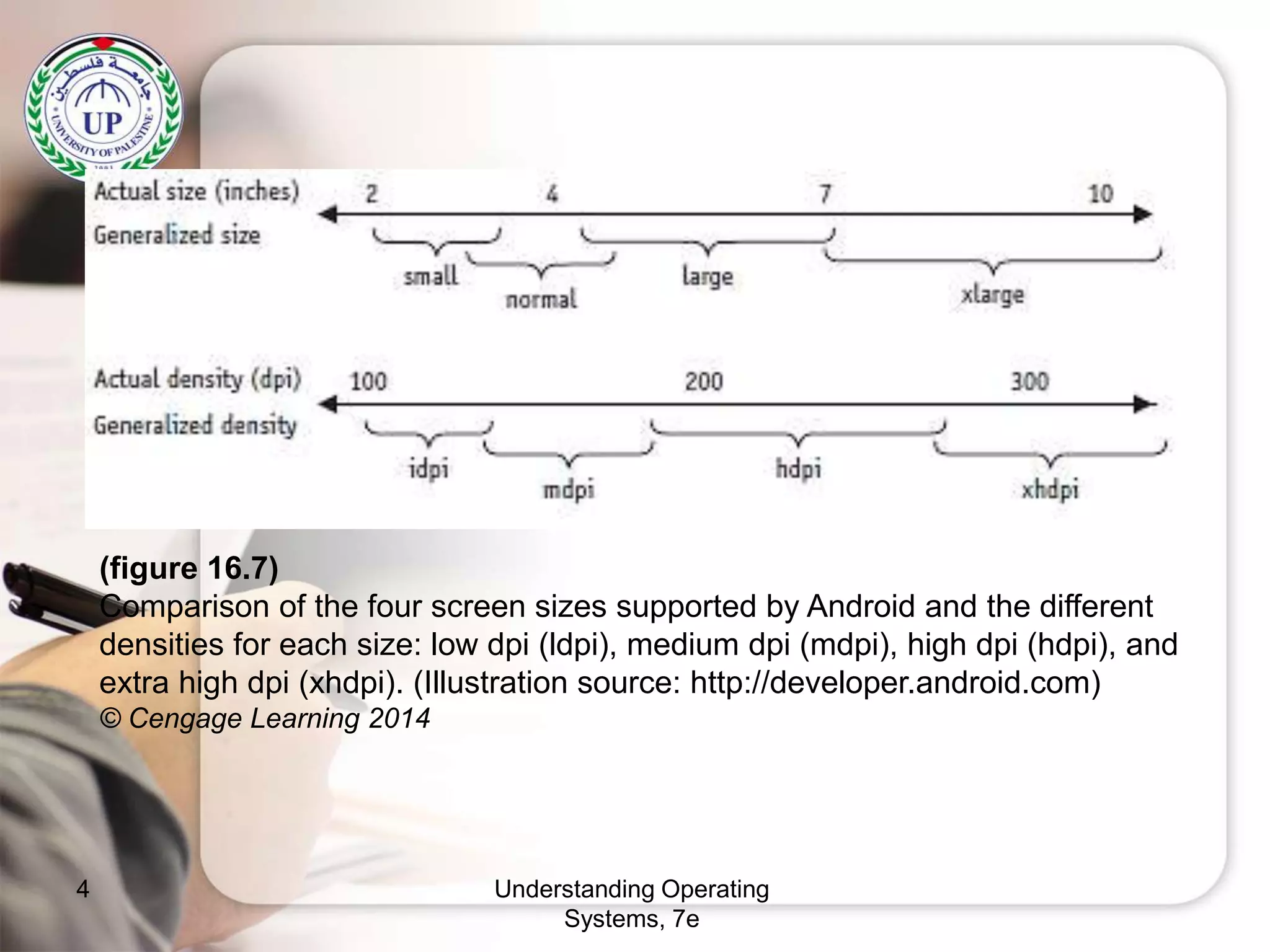
(figure 16.7)
Comparison of the four screen sizes supported by Android and the different
densities for each size: low dpi (ldpi), medium dpi (mdpi), high dpi (hdpi), and
extra high dpi (xhdpi). (Illustration source: http://developer.android.com)
© Cengage Learning 2014
Device Management (cont’d.)
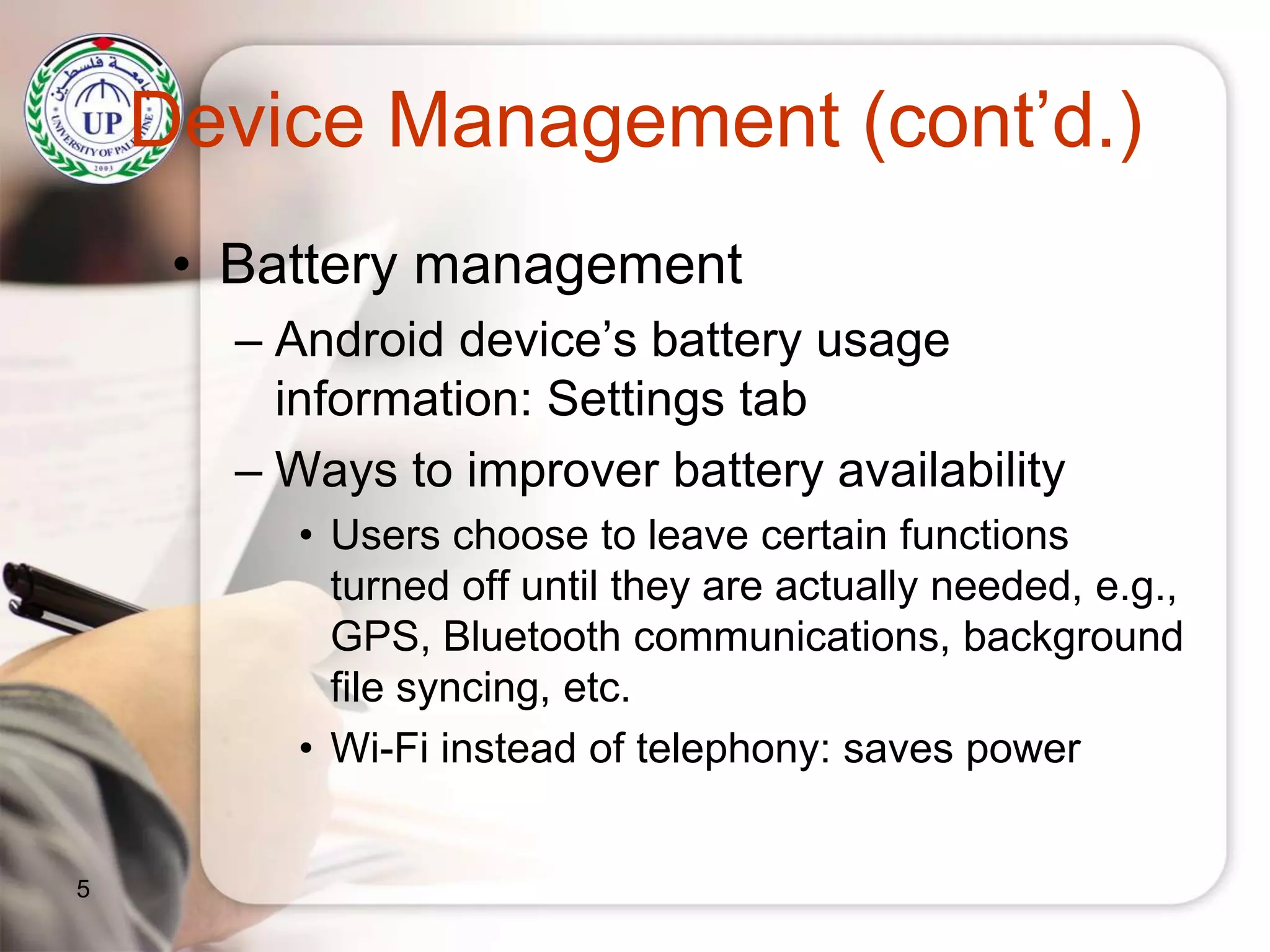
• Battery management
– Android device’s battery usage
information: Settings tab
– Ways to improver battery availability
• Users choose to leave certain functions
turned off until they are actually needed, e.g.,
GPS, Bluetooth communications, background
file syncing, etc.
• Wi-Fi instead of telephony: saves power
5
Understanding Operating
Systems, 7e
6
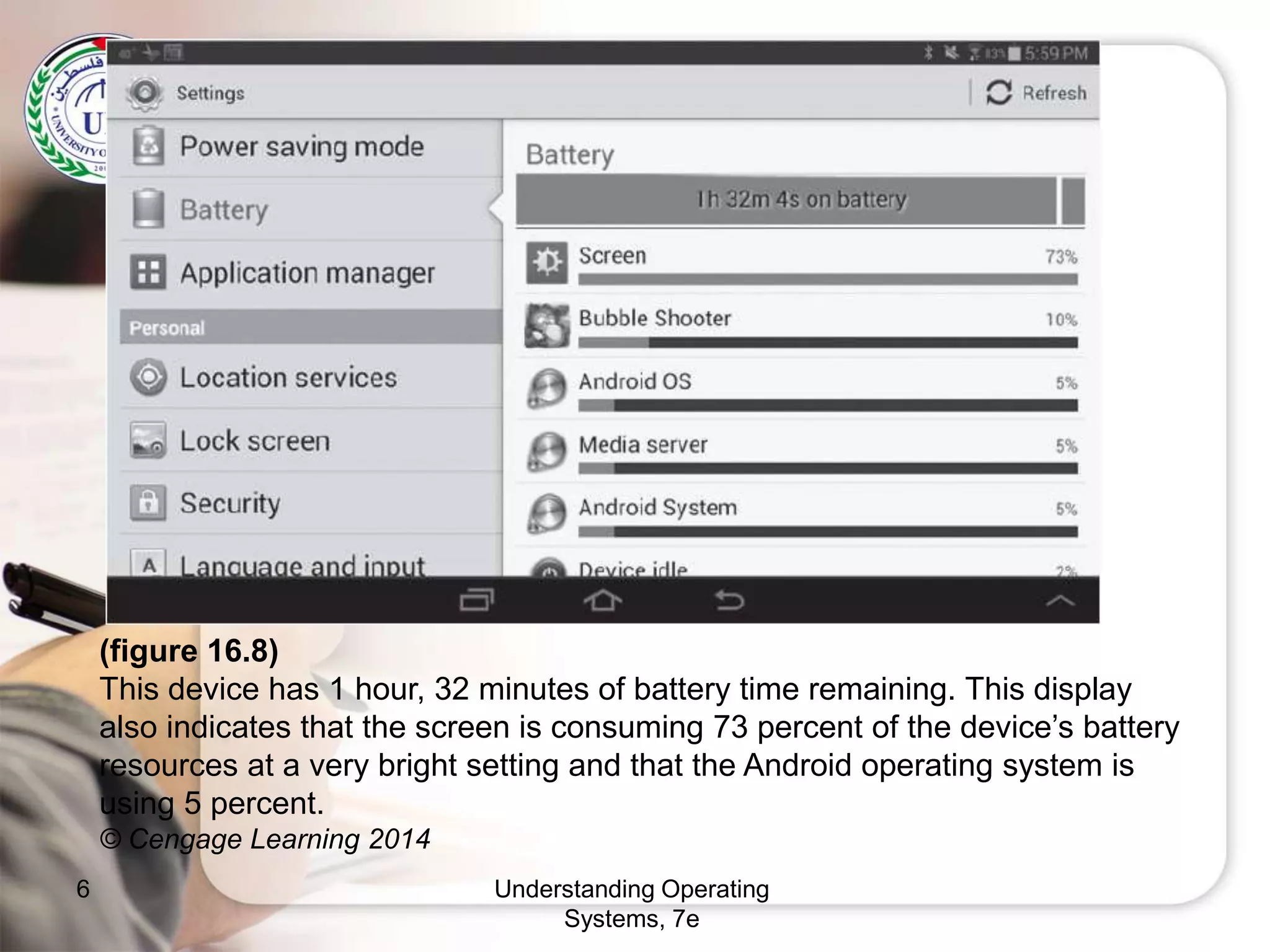
(figure 16.8)
This device has 1 hour, 32 minutes of battery time remaining. This display
also indicates that the screen is consuming 73 percent of the device’s battery
resources at a very bright setting and that the Android operating system is
using 5 percent.
© Cengage Learning 2014
File Management
• Linux-managed at the kernel level
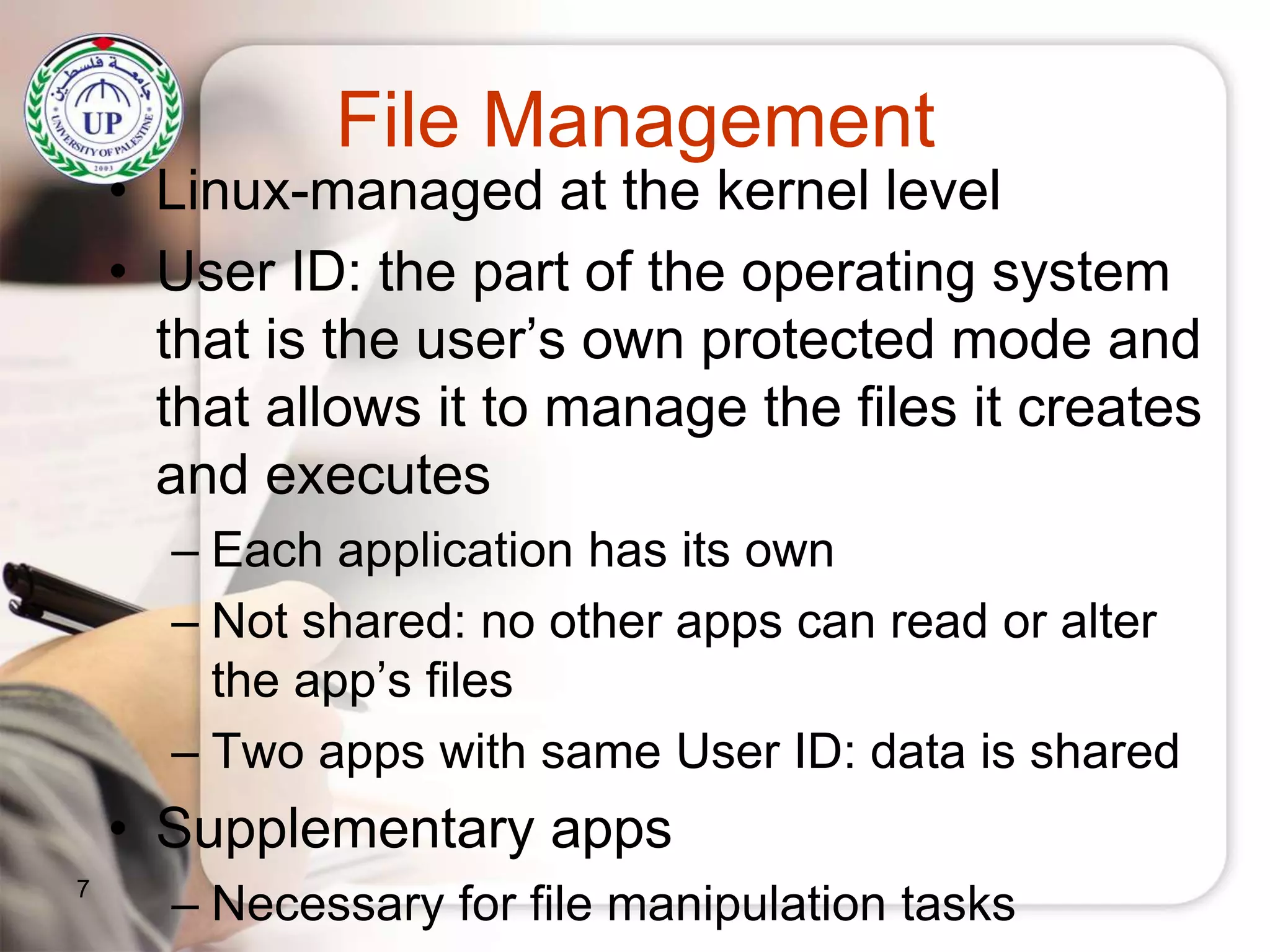
• User ID: the part of the operating system
that is the user’s own protected mode and
that allows it to manage the files it creates
and executes
– Each application has its own
– Not shared: no other apps can read or alter
the app’s files
– Two apps with same User ID: data is shared
• Supplementary apps
– Necessary for file manipulation tasks7
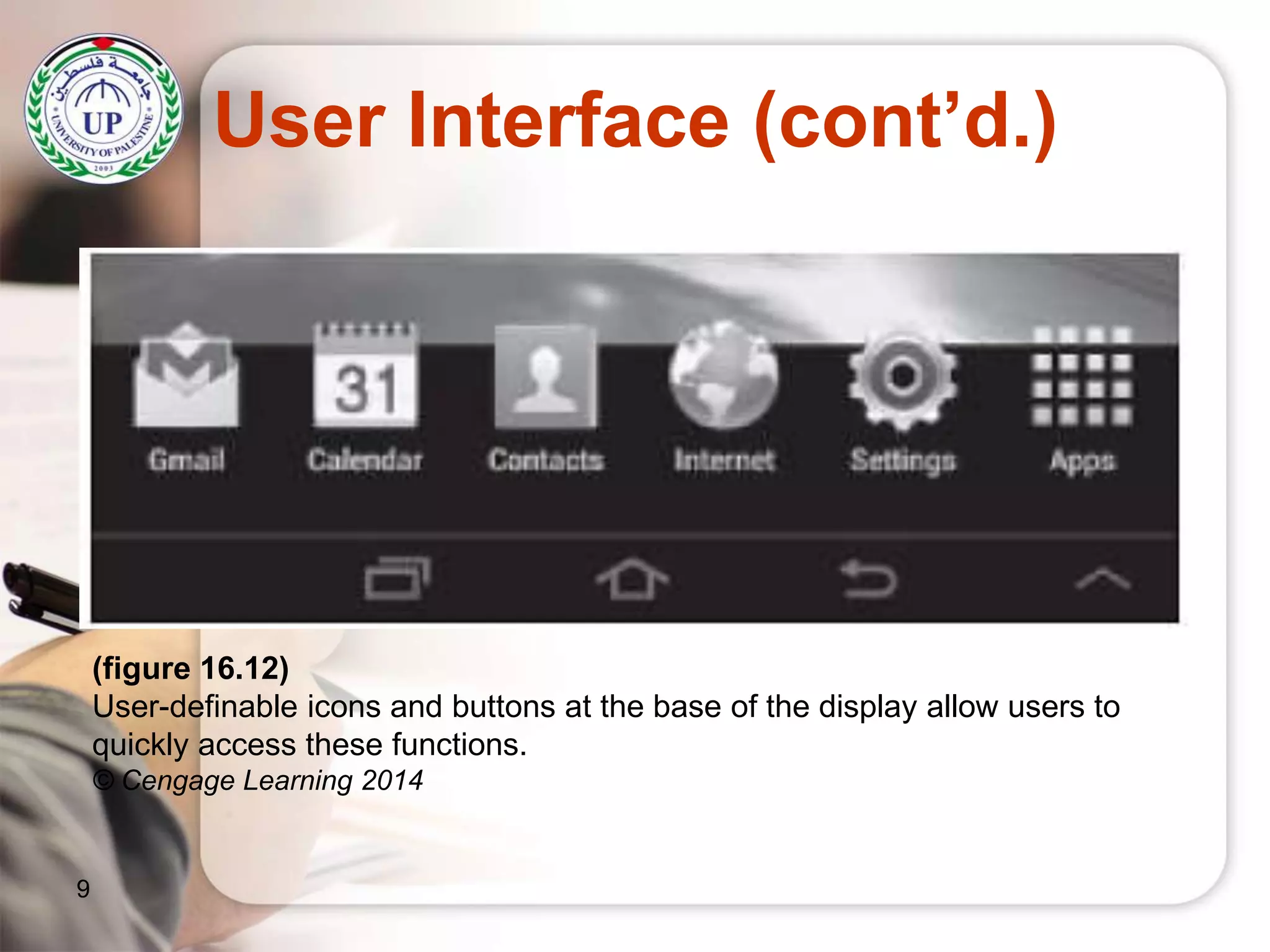
User Interface
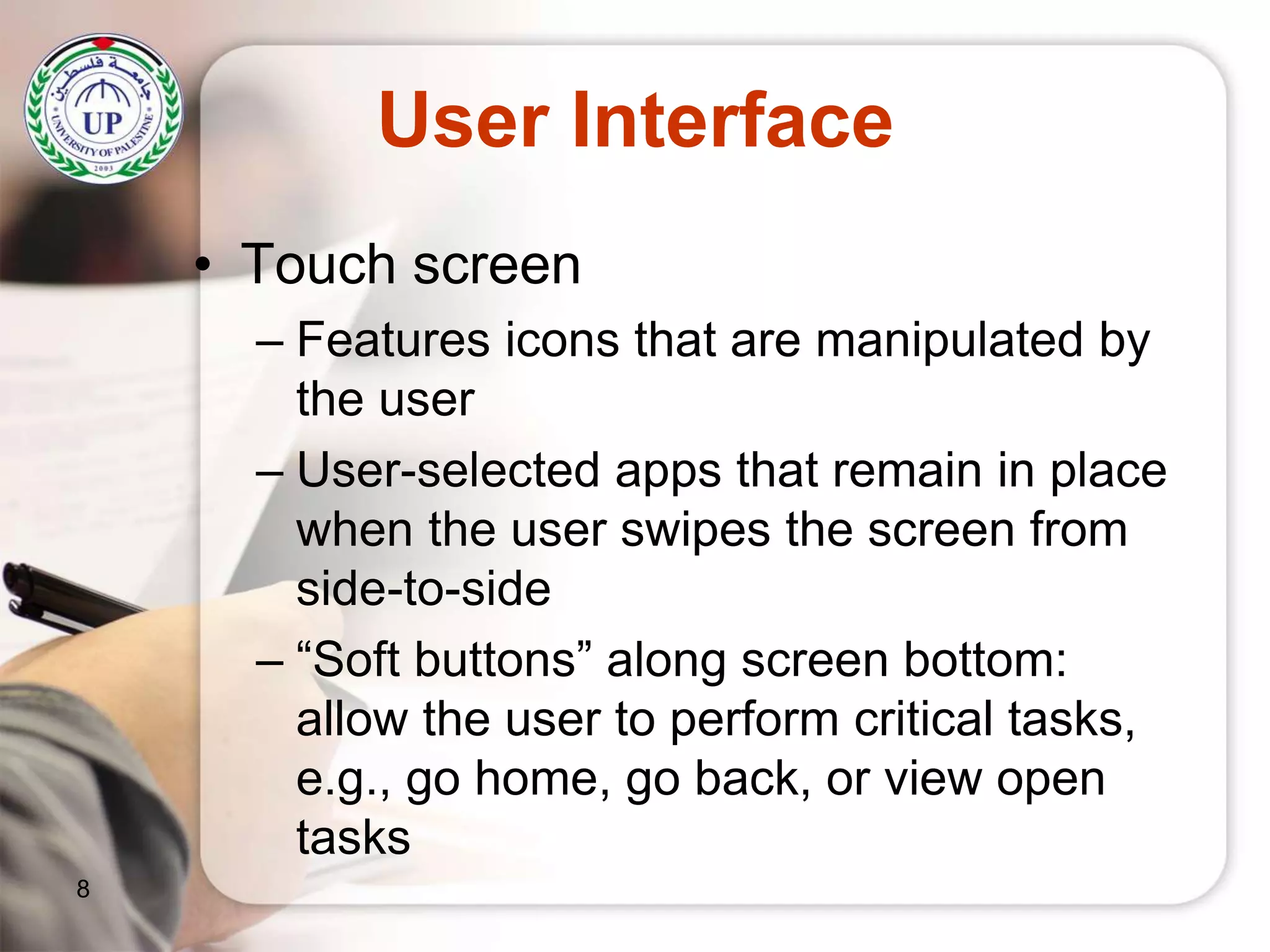
• Touch screen
– Features icons that are manipulated by
the user
– User-selected apps that remain in place
when the user swipes the screen from
side-to-side
– “Soft buttons” along screen bottom:
allow the user to perform critical tasks,
e.g., go home, go back, or view open
tasks
8
User Interface (cont’d.)
9
(figure 16.12)
User-definable icons and buttons at the base of the display allow users to
quickly access these functions.
© Cengage Learning 2014
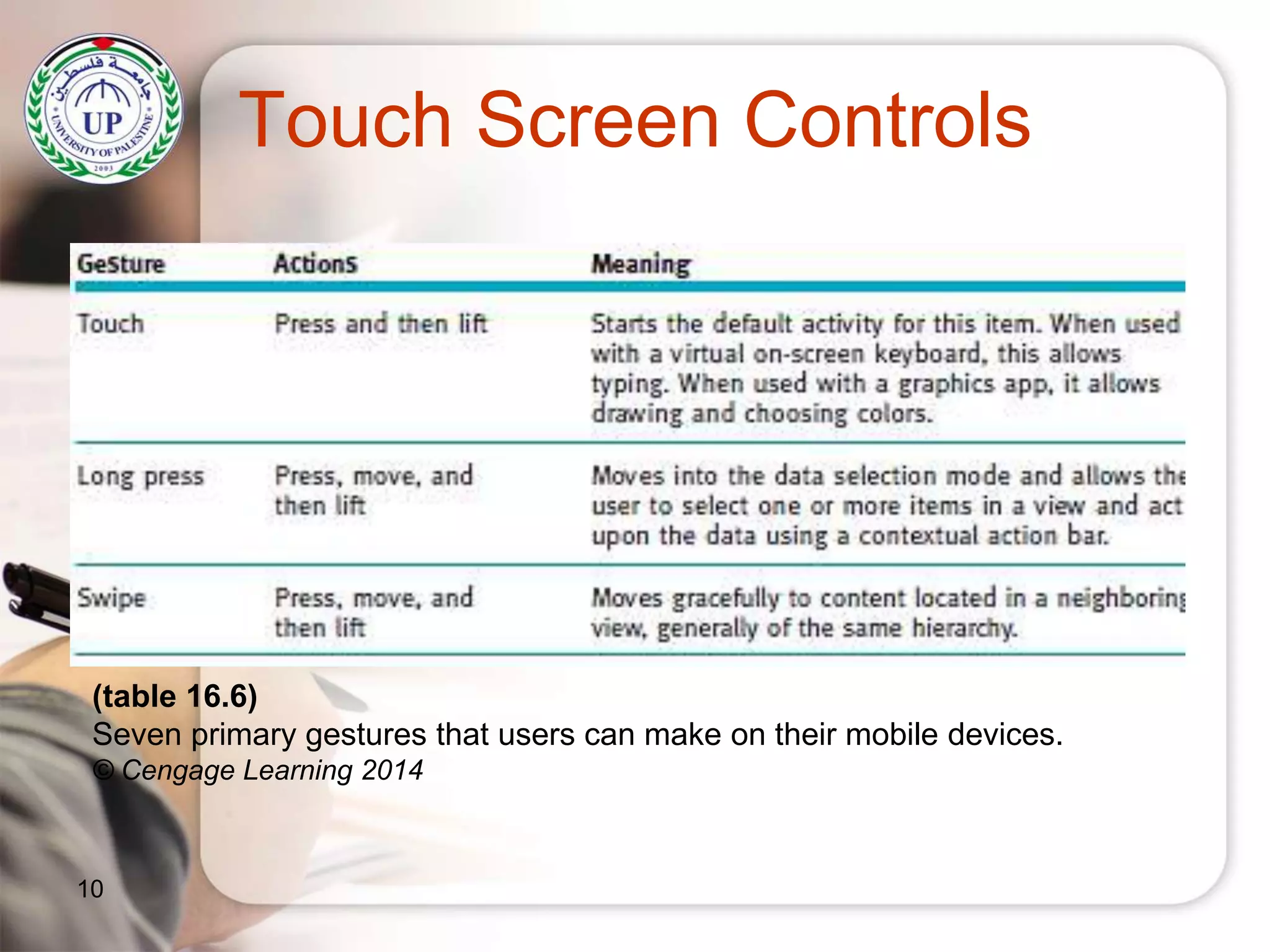
Touch Screen Controls
10
(table 16.6)
Seven primary gestures that users can make on their mobile devices.
© Cengage Learning 2014
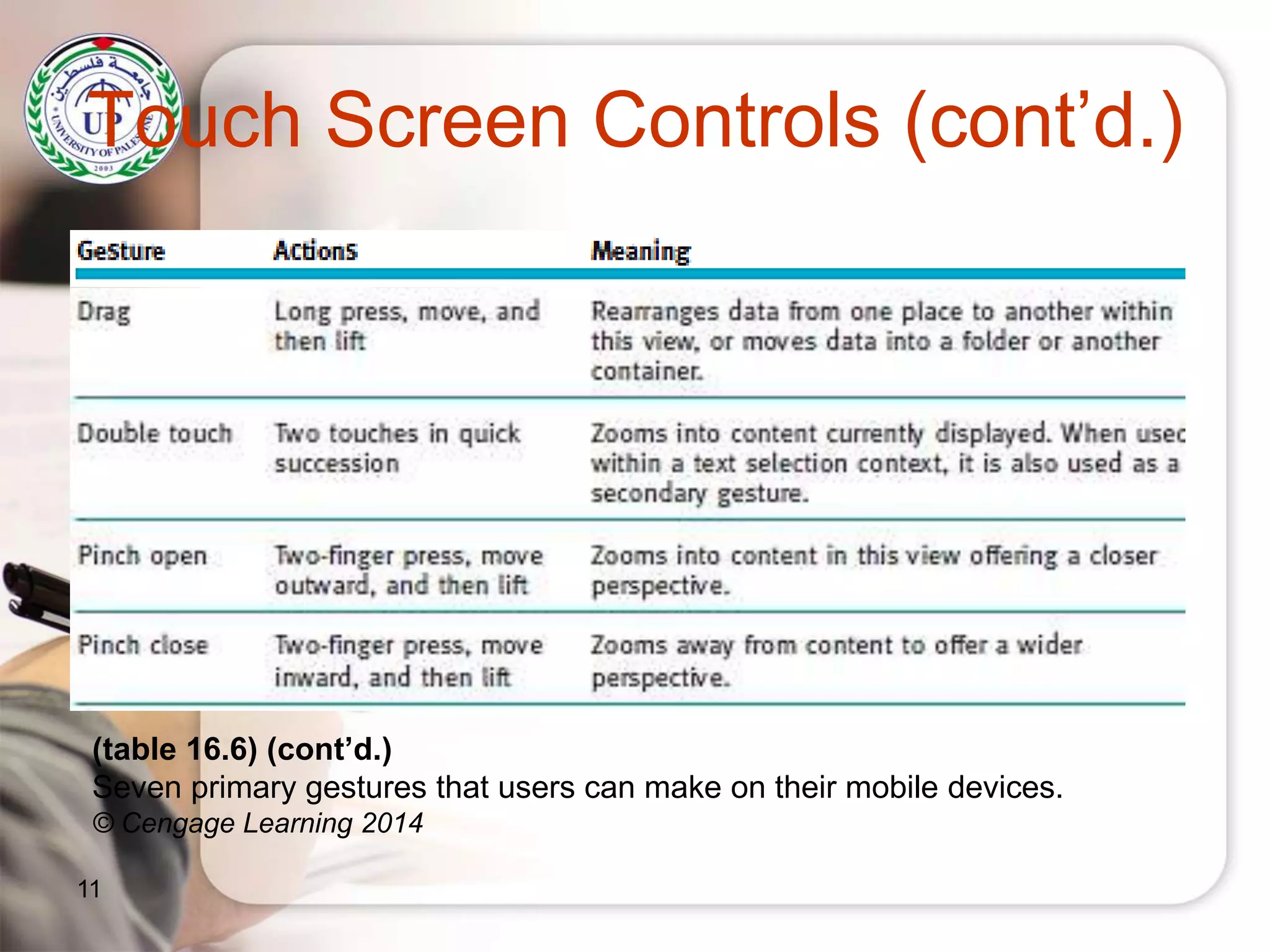
Touch Screen Controls (cont’d.)
11
(table 16.6) (cont’d.)
Seven primary gestures that users can make on their mobile devices.
© Cengage Learning 2014
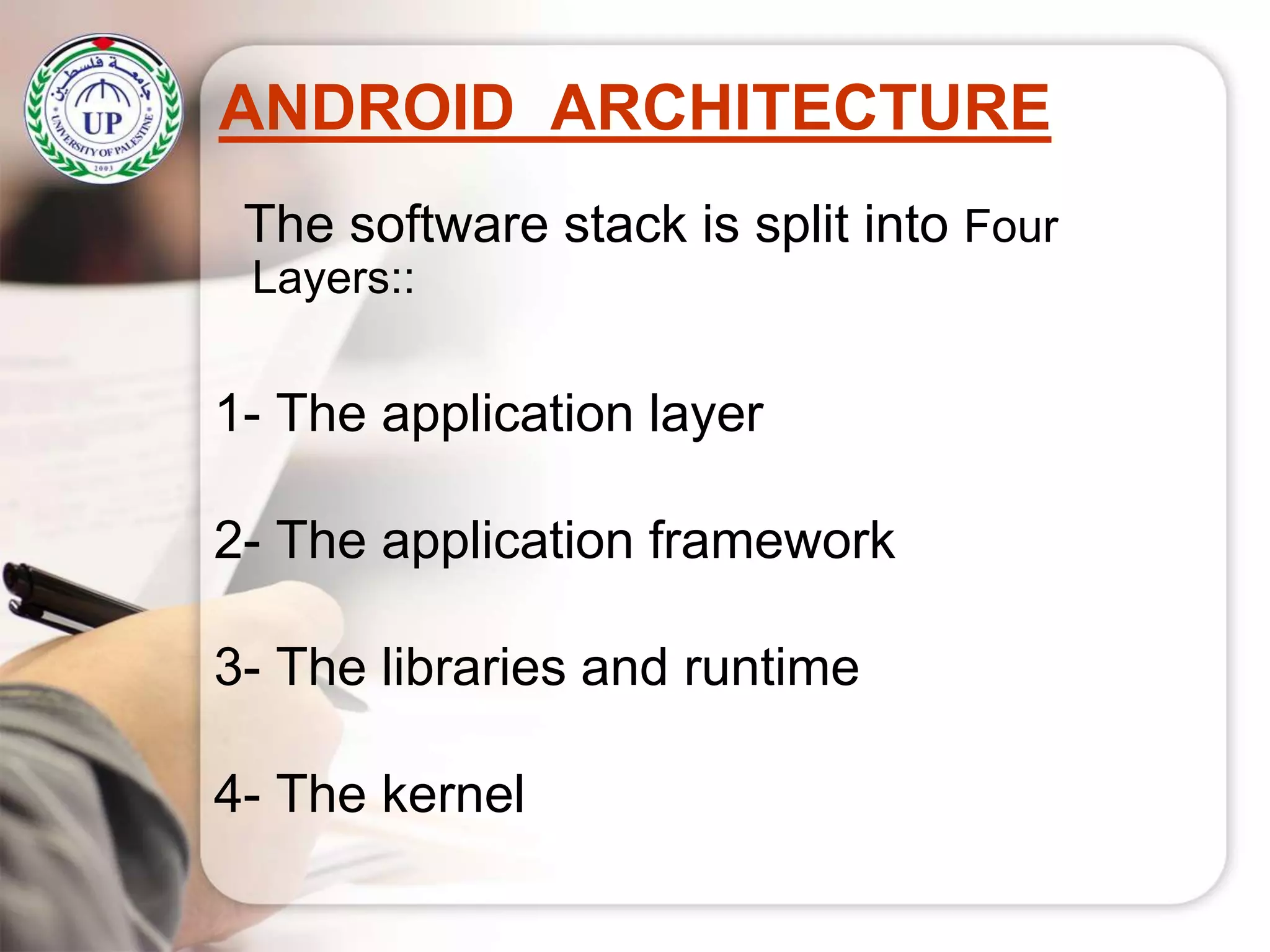
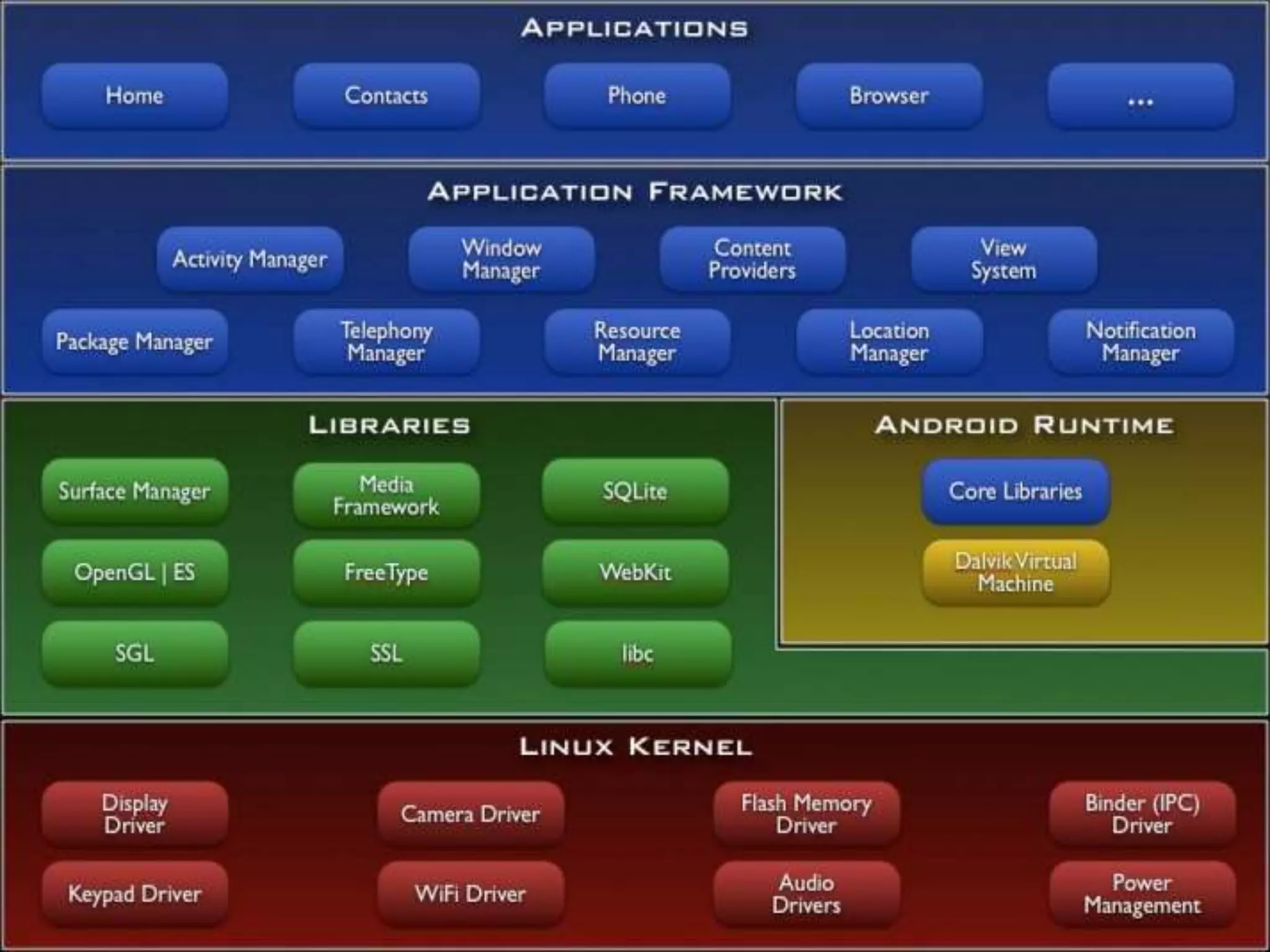
ANDROID ARCHITECTURE
The software stack is split into Four
Layers::
1- The application layer
2- The application framework
3- The libraries and runtime
4- The kernel
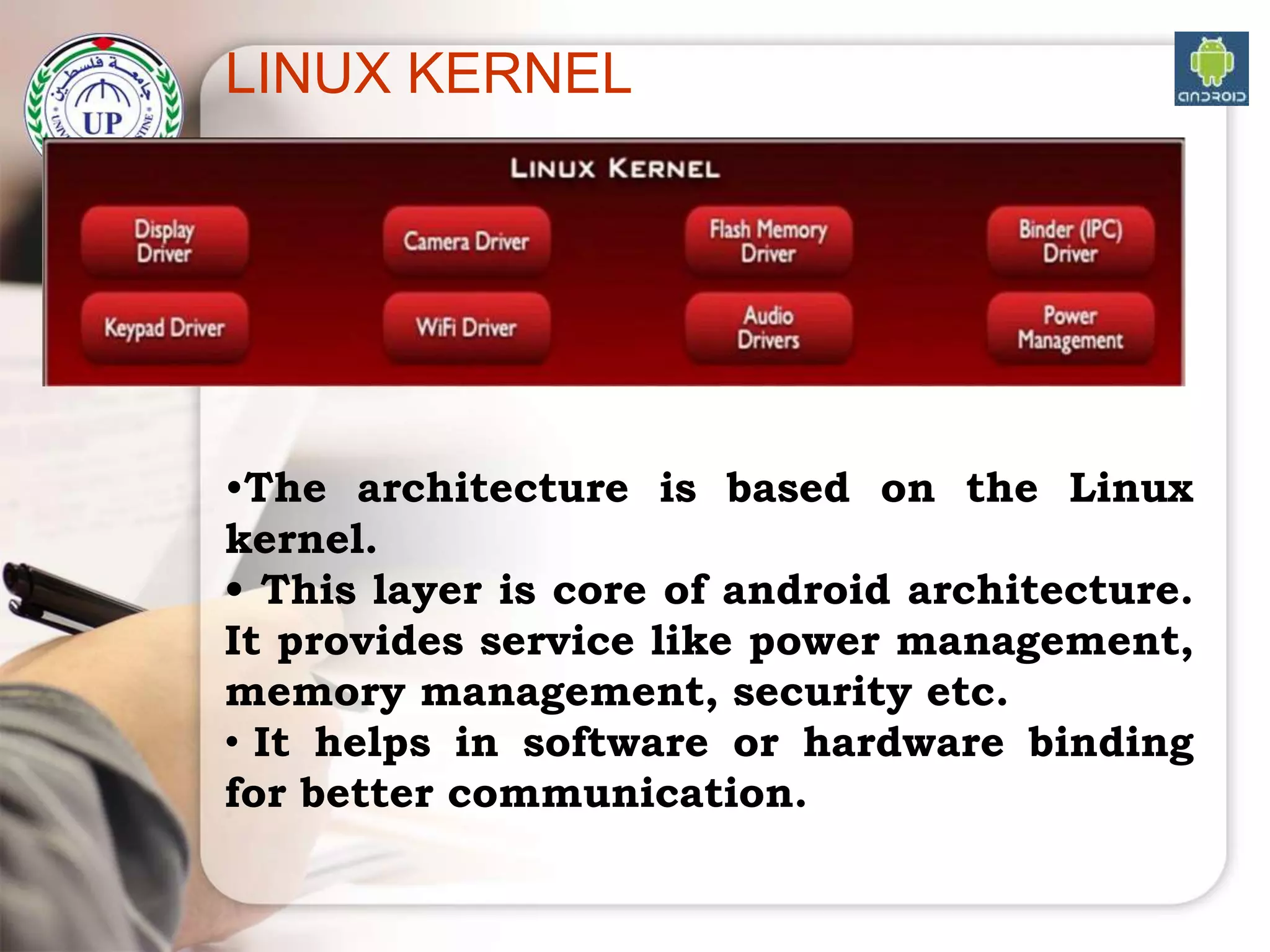
LINUX KERNEL
•The architecture is based on the Linux
kernel.
• This layer is core of android architecture.
It provides service like power management,
memory management, security etc.
• It helps in software or hardware binding
for better communication.
LINUX KERNEL
What the kernel does
• The kernel has 4 jobs:
1. Memory management: Keep track of how much
memory is used to store what, and where
2. Process management: Determine which
processes can use the CPU, when, and for how
long
3. Device drivers: Act as mediator/interpreter
between the hardware and processes
4. System calls and security: Receive requests for
service from the processes
15
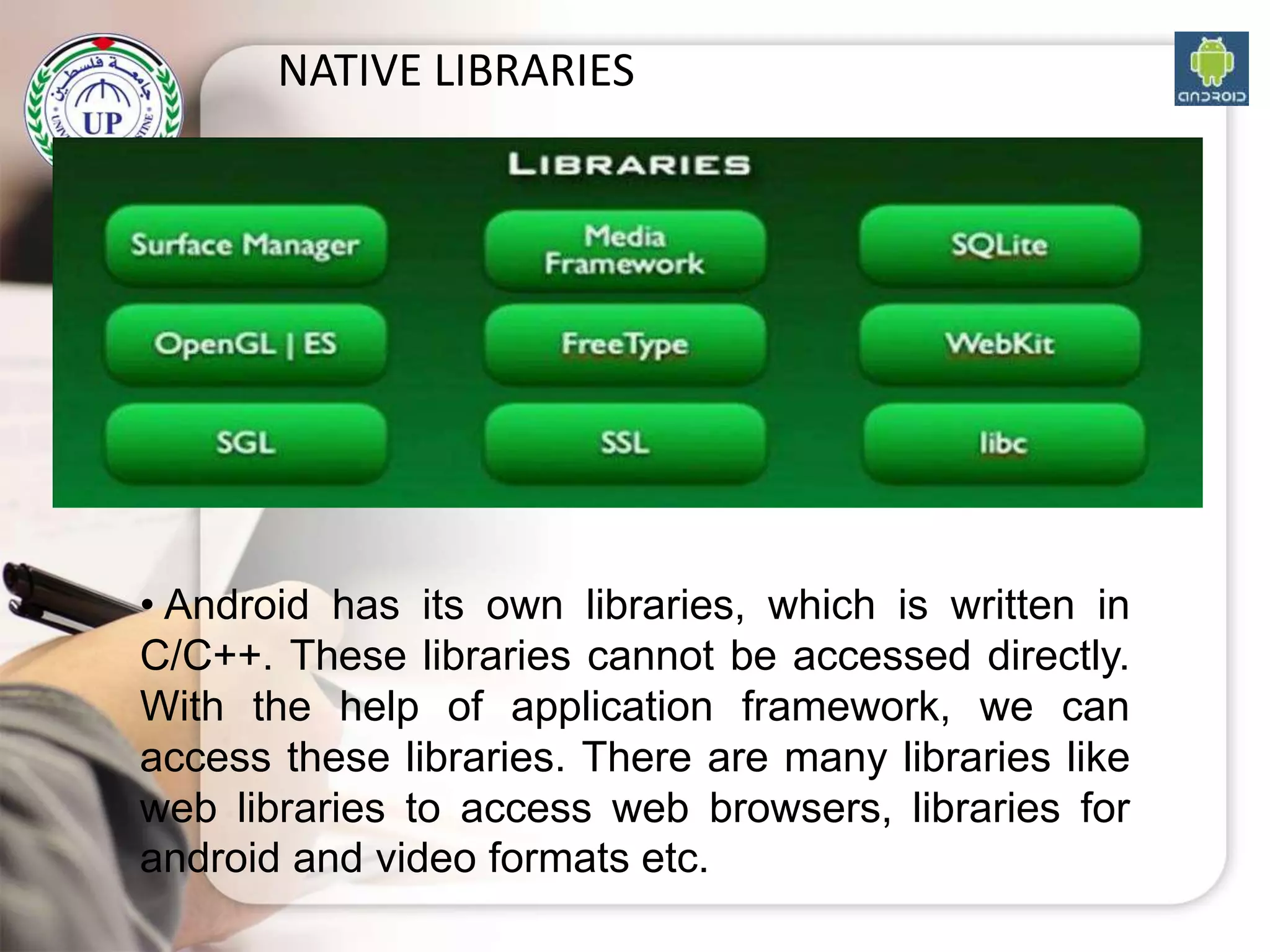
NATIVE LIBRARIES
• Android has its own libraries, which is written in
C/C++. These libraries cannot be accessed directly.
With the help of application framework, we can
access these libraries. There are many libraries like
web libraries to access web browsers, libraries for
android and video formats etc.
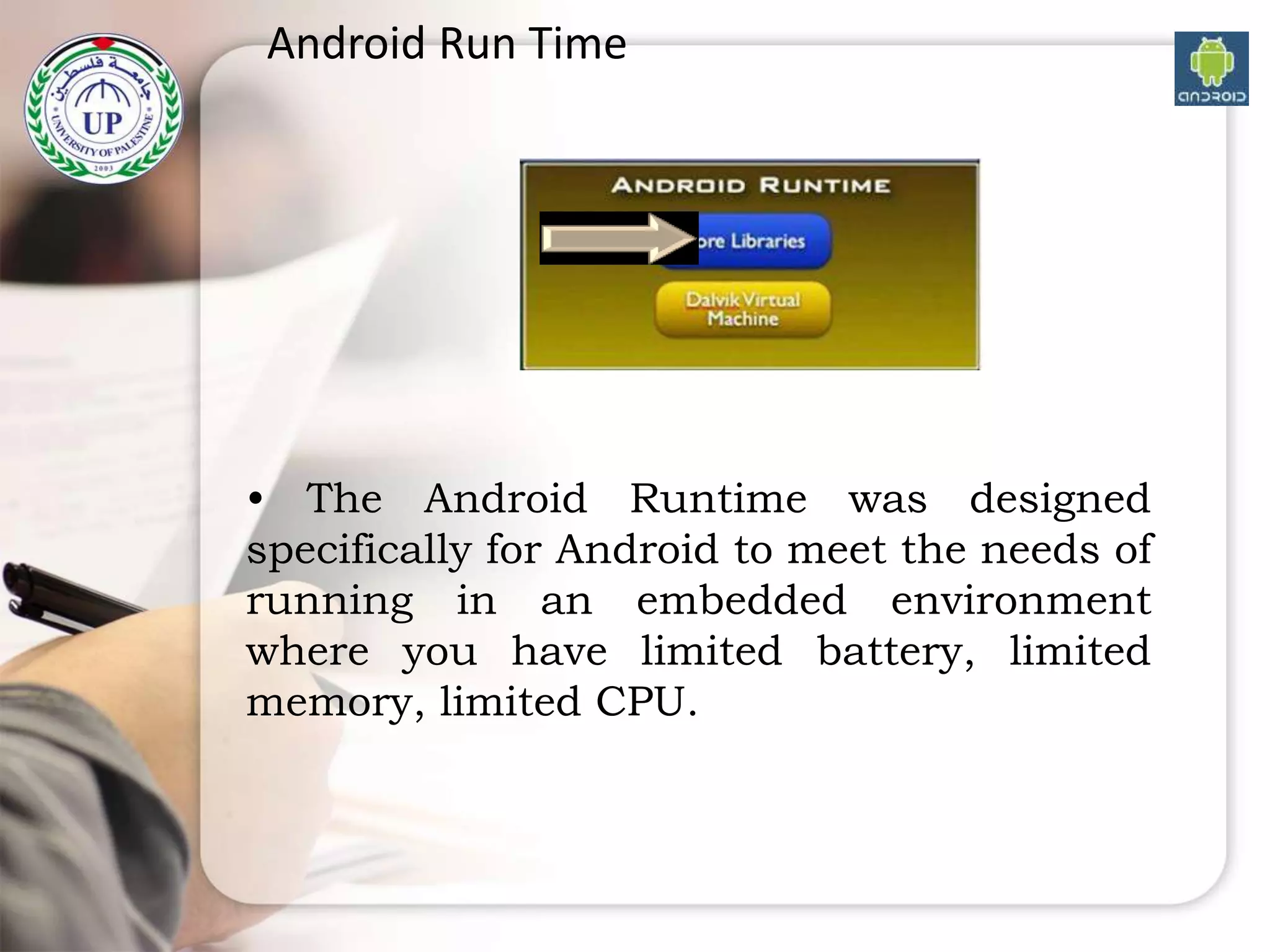
Android Run Time
• The Android Runtime was designed
specifically for Android to meet the needs of
running in an embedded environment
where you have limited battery, limited
memory, limited CPU.
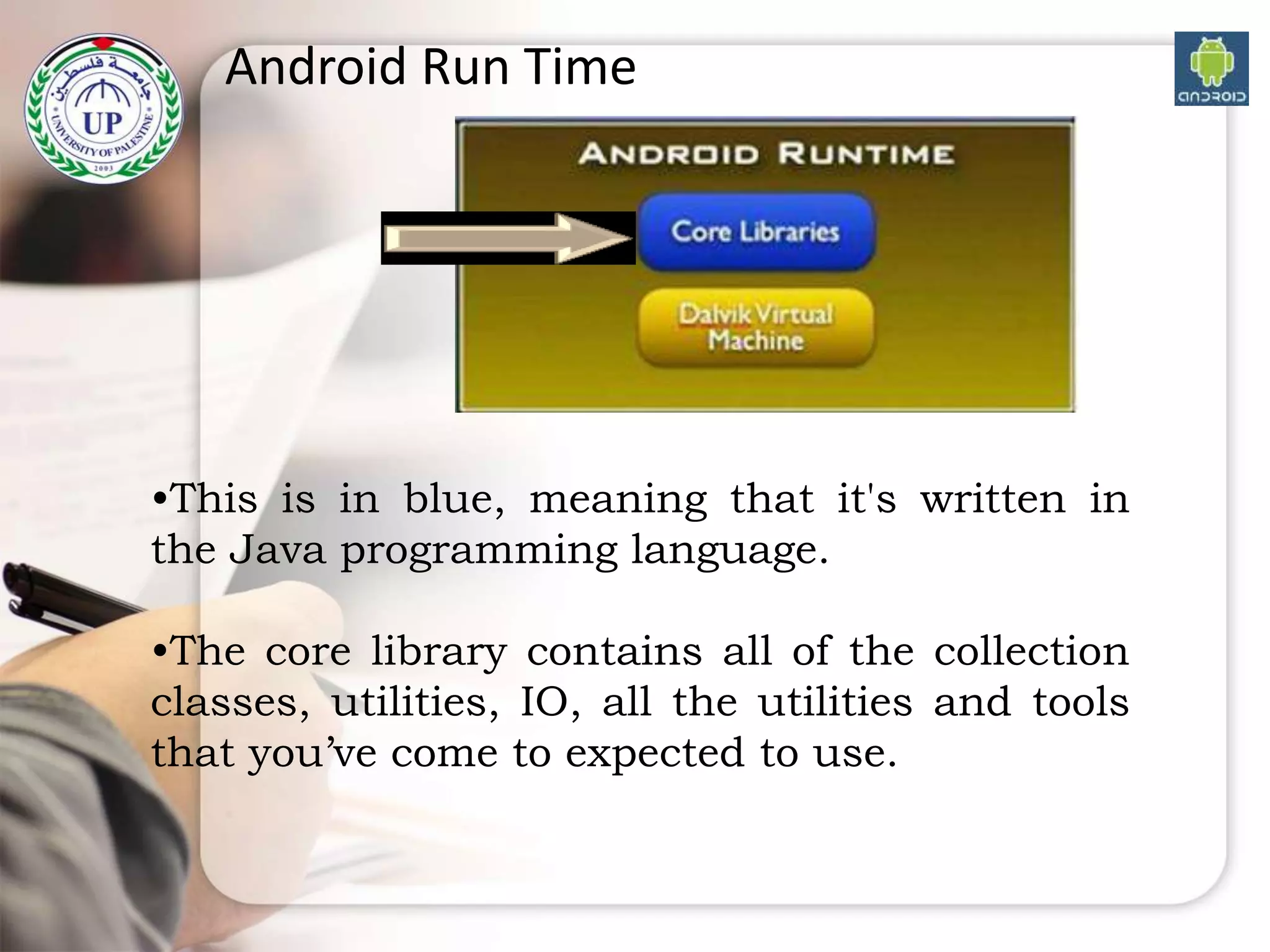
Android Run Time
•This is in blue, meaning that it's written in
the Java programming language.
•The core library contains all of the collection
classes, utilities, IO, all the utilities and tools
that you’ve come to expected to use.
Android Run Time (ART)
What is ART- ART is software layer between
applications and operating system.It provide
mechanism for executing java language.ART perform
two major things to achieve this:
1.Runs Android framework and Applications
using hybrid model of Interpreter, JIT and profile
based Ahead of time compilation(AOT).
2.Memory Management using Memory
allocator and Concurrent compacting Garbage
collector.
19
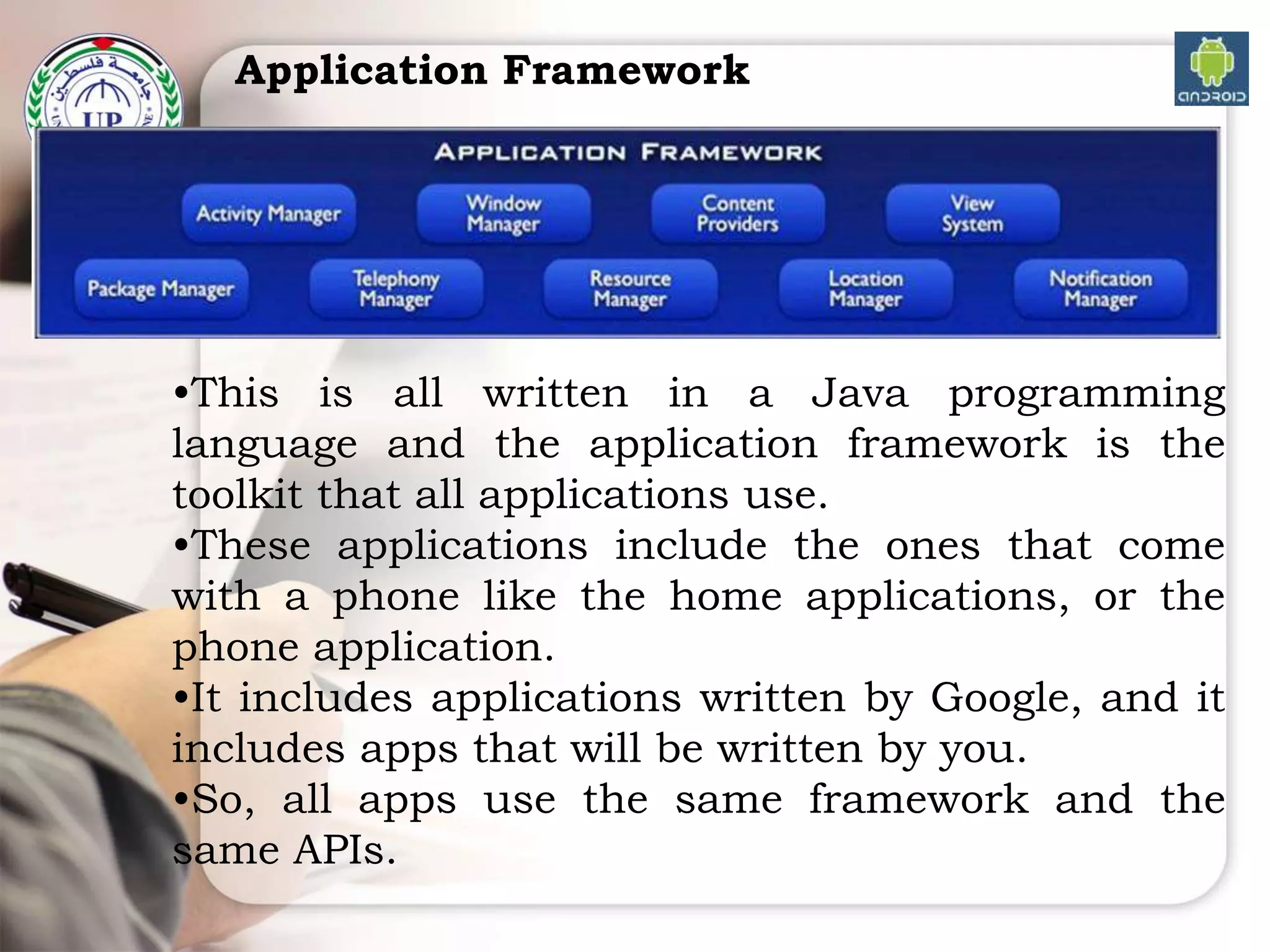
Application Framework
•This is all written in a Java programming
language and the application framework is the
toolkit that all applications use.
•These applications include the ones that come
with a phone like the home applications, or the
phone application.
•It includes applications written by Google, and it
includes apps that will be written by you.
•So, all apps use the same framework and the
same APIs.

Android Infrastructure

  • 1.
    By : EyadAlmassri Lecture 3: Android Infrastructure 2020
  • 2.
    Device Management • Appsare designed to accommodate numerous devices, often without user help • Screen requirements – Design considerations: screen size, screen density, orientation, and resolution – Density-independent pixel (dp): equivalent to one physical pixel on a 160 dpi screen – Interface design using dp unit: system can perform the necessary scaling for each screen based on its size, resolution, orientation, and density 2
  • 3.
    3 (figure 16.2) Four devicedisplay variables that directly impact the design of user interface screens. © Cengage Learning 2014
  • 4.
    Understanding Operating Systems, 7e 4 (figure16.7) Comparison of the four screen sizes supported by Android and the different densities for each size: low dpi (ldpi), medium dpi (mdpi), high dpi (hdpi), and extra high dpi (xhdpi). (Illustration source: http://developer.android.com) © Cengage Learning 2014
  • 5.
    Device Management (cont’d.) •Battery management – Android device’s battery usage information: Settings tab – Ways to improver battery availability • Users choose to leave certain functions turned off until they are actually needed, e.g., GPS, Bluetooth communications, background file syncing, etc. • Wi-Fi instead of telephony: saves power 5
  • 6.
    Understanding Operating Systems, 7e 6 (figure16.8) This device has 1 hour, 32 minutes of battery time remaining. This display also indicates that the screen is consuming 73 percent of the device’s battery resources at a very bright setting and that the Android operating system is using 5 percent. © Cengage Learning 2014
  • 7.
    File Management • Linux-managedat the kernel level • User ID: the part of the operating system that is the user’s own protected mode and that allows it to manage the files it creates and executes – Each application has its own – Not shared: no other apps can read or alter the app’s files – Two apps with same User ID: data is shared • Supplementary apps – Necessary for file manipulation tasks7
  • 8.
    User Interface • Touchscreen – Features icons that are manipulated by the user – User-selected apps that remain in place when the user swipes the screen from side-to-side – “Soft buttons” along screen bottom: allow the user to perform critical tasks, e.g., go home, go back, or view open tasks 8
  • 9.
    User Interface (cont’d.) 9 (figure16.12) User-definable icons and buttons at the base of the display allow users to quickly access these functions. © Cengage Learning 2014
  • 10.
    Touch Screen Controls 10 (table16.6) Seven primary gestures that users can make on their mobile devices. © Cengage Learning 2014
  • 11.
    Touch Screen Controls(cont’d.) 11 (table 16.6) (cont’d.) Seven primary gestures that users can make on their mobile devices. © Cengage Learning 2014
  • 12.
    ANDROID ARCHITECTURE The softwarestack is split into Four Layers:: 1- The application layer 2- The application framework 3- The libraries and runtime 4- The kernel
  • 14.
    LINUX KERNEL •The architectureis based on the Linux kernel. • This layer is core of android architecture. It provides service like power management, memory management, security etc. • It helps in software or hardware binding for better communication.
  • 15.
    LINUX KERNEL What thekernel does • The kernel has 4 jobs: 1. Memory management: Keep track of how much memory is used to store what, and where 2. Process management: Determine which processes can use the CPU, when, and for how long 3. Device drivers: Act as mediator/interpreter between the hardware and processes 4. System calls and security: Receive requests for service from the processes 15
  • 16.
    NATIVE LIBRARIES • Androidhas its own libraries, which is written in C/C++. These libraries cannot be accessed directly. With the help of application framework, we can access these libraries. There are many libraries like web libraries to access web browsers, libraries for android and video formats etc.
  • 17.
    Android Run Time •The Android Runtime was designed specifically for Android to meet the needs of running in an embedded environment where you have limited battery, limited memory, limited CPU.
  • 18.
    Android Run Time •Thisis in blue, meaning that it's written in the Java programming language. •The core library contains all of the collection classes, utilities, IO, all the utilities and tools that you’ve come to expected to use.
  • 19.
    Android Run Time(ART) What is ART- ART is software layer between applications and operating system.It provide mechanism for executing java language.ART perform two major things to achieve this: 1.Runs Android framework and Applications using hybrid model of Interpreter, JIT and profile based Ahead of time compilation(AOT). 2.Memory Management using Memory allocator and Concurrent compacting Garbage collector. 19
  • 20.
    Application Framework •This isall written in a Java programming language and the application framework is the toolkit that all applications use. •These applications include the ones that come with a phone like the home applications, or the phone application. •It includes applications written by Google, and it includes apps that will be written by you. •So, all apps use the same framework and the same APIs.