Android
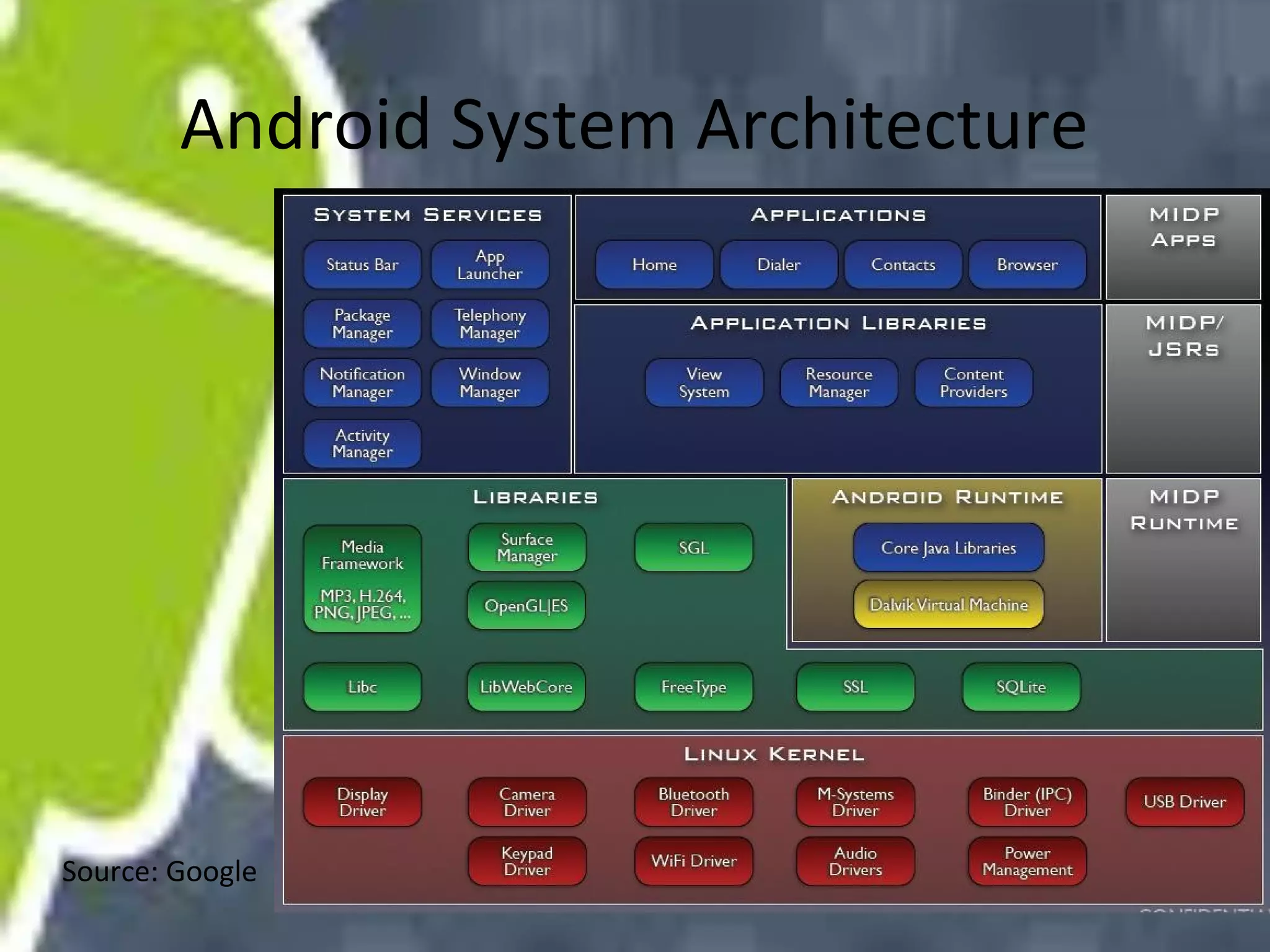
Android System Architecture

Source: Google
overview
• Linux Kernel: memory management, process
management, networking, and other
operating system services.
• Native Libraries: written in C or C++,
including: Surface Manager, 2D and 3D
graphics, Media codes, SQL database, Browser
engine, etc. only to be called by higher level
programs
overview
• Android Runtime: including the Dalvik virtual
machine and the core Java libraries. (not
J2SE/J2ME)
• Application Framework: Activity manager,
Content providers, Resource manager,
Notification manager
• Applications and Widgets: the real programs
display information and interact with users.
Media Framework
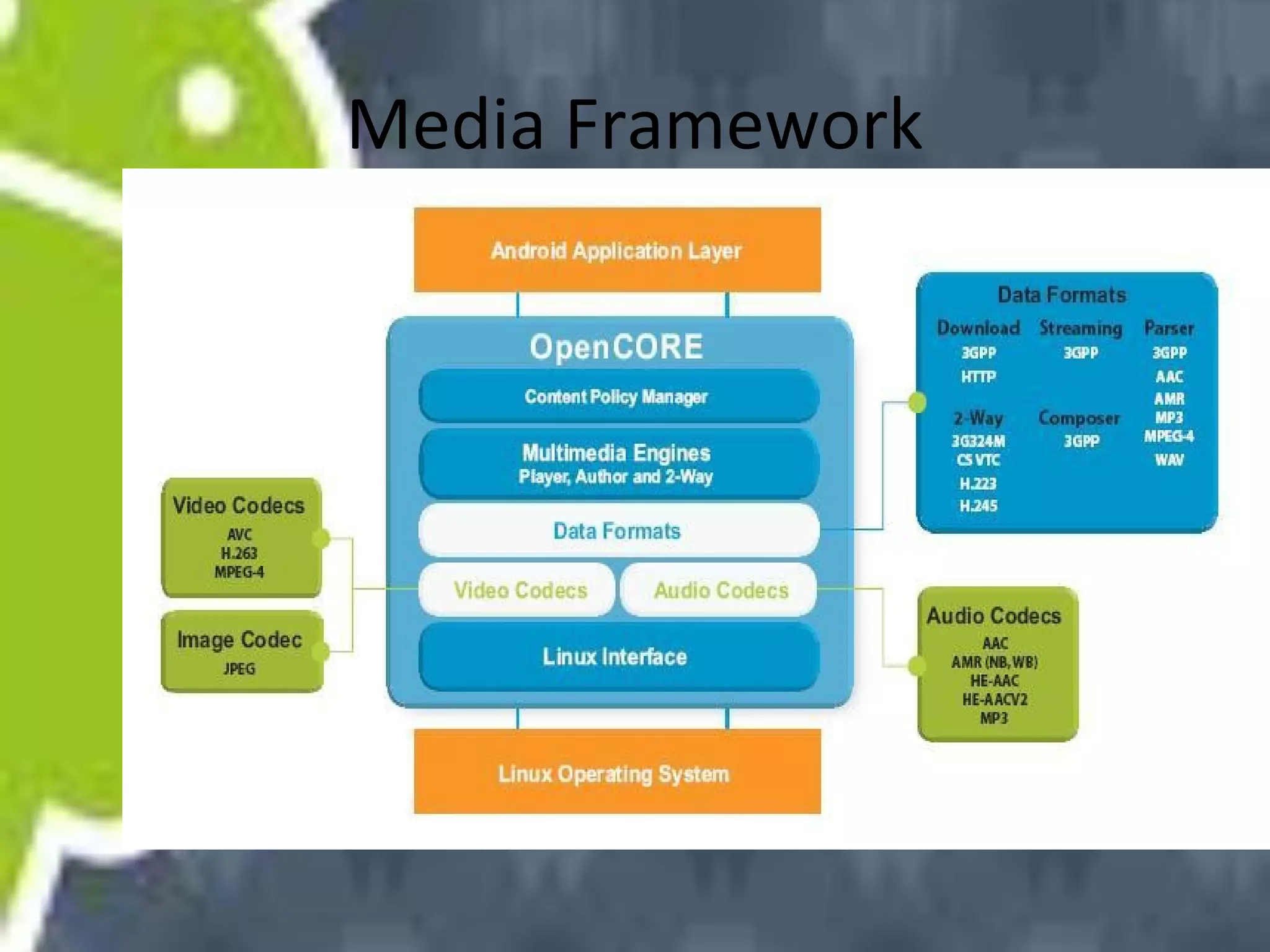
• Android use OpenCore as core component of
Media framework
• OpenCore supports MP3, AAC, AAC+, 3GPP,
MPEG-4 and JPEG,
Media Framework
Media Framework
• Example:
• MediaPlayer mp = new MediaPlayer();
• mp.setDataSource(PATH_TO_FILE);
• mp.prepare();
• mp.start();
Media Framework
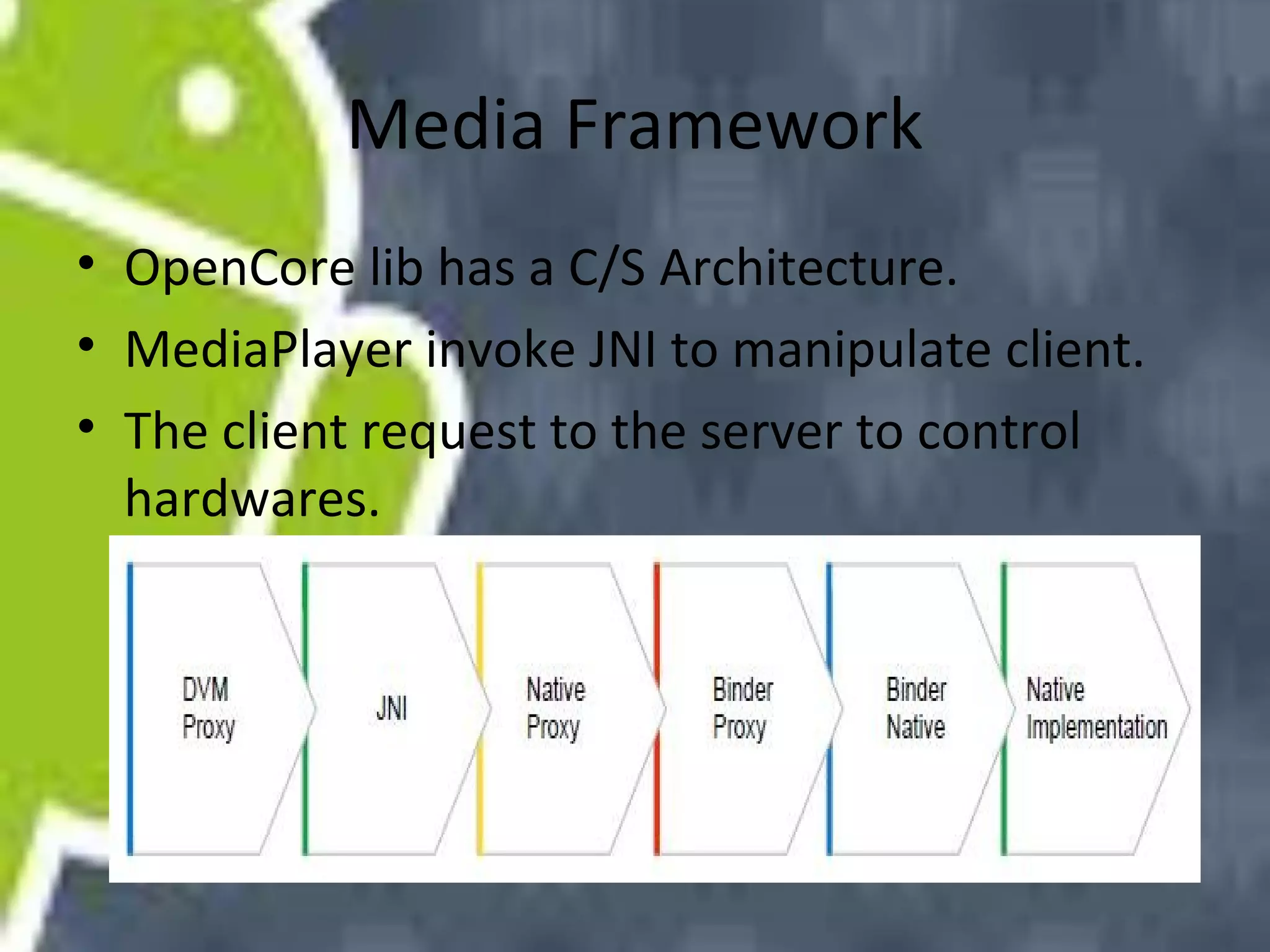
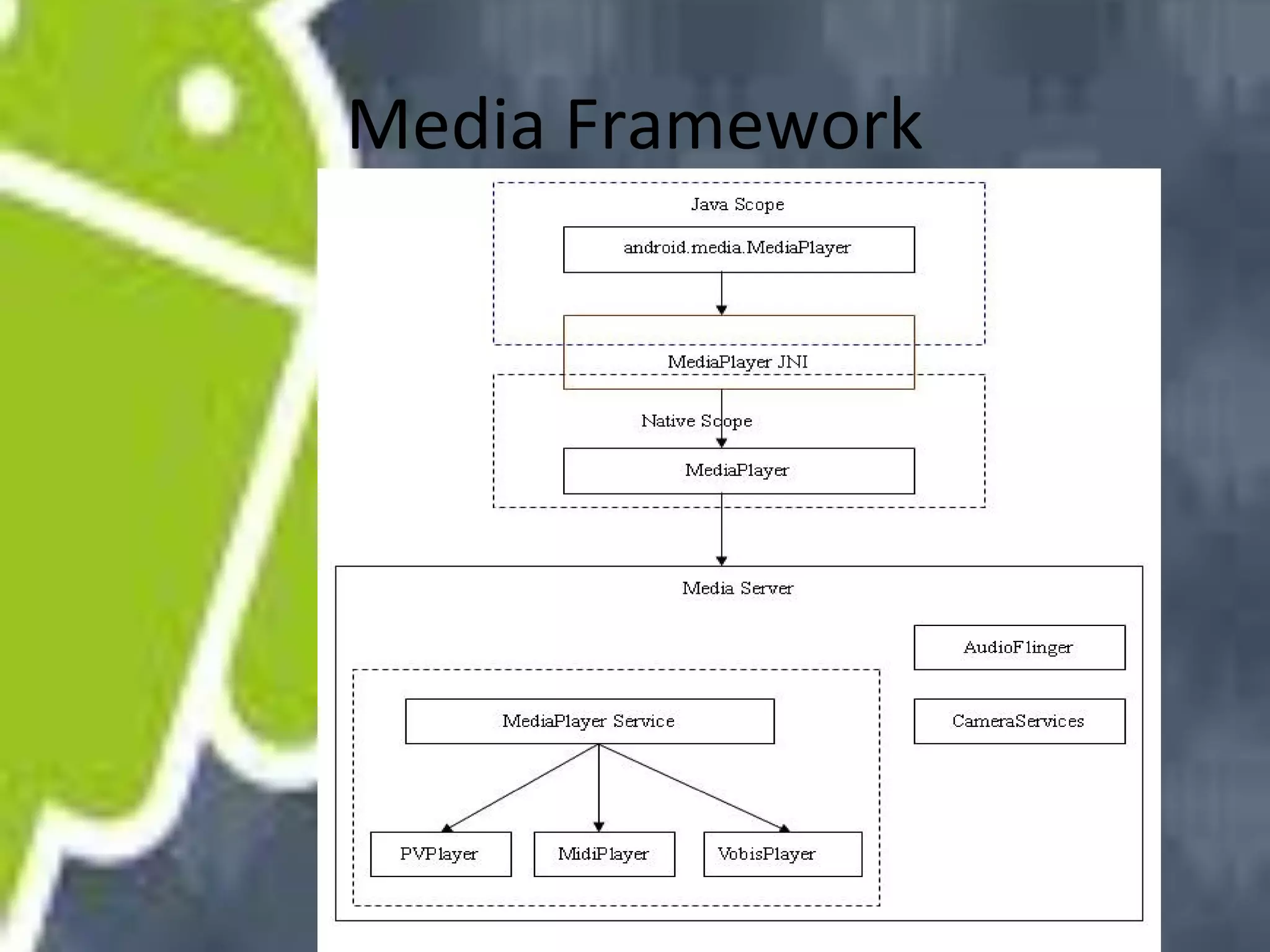
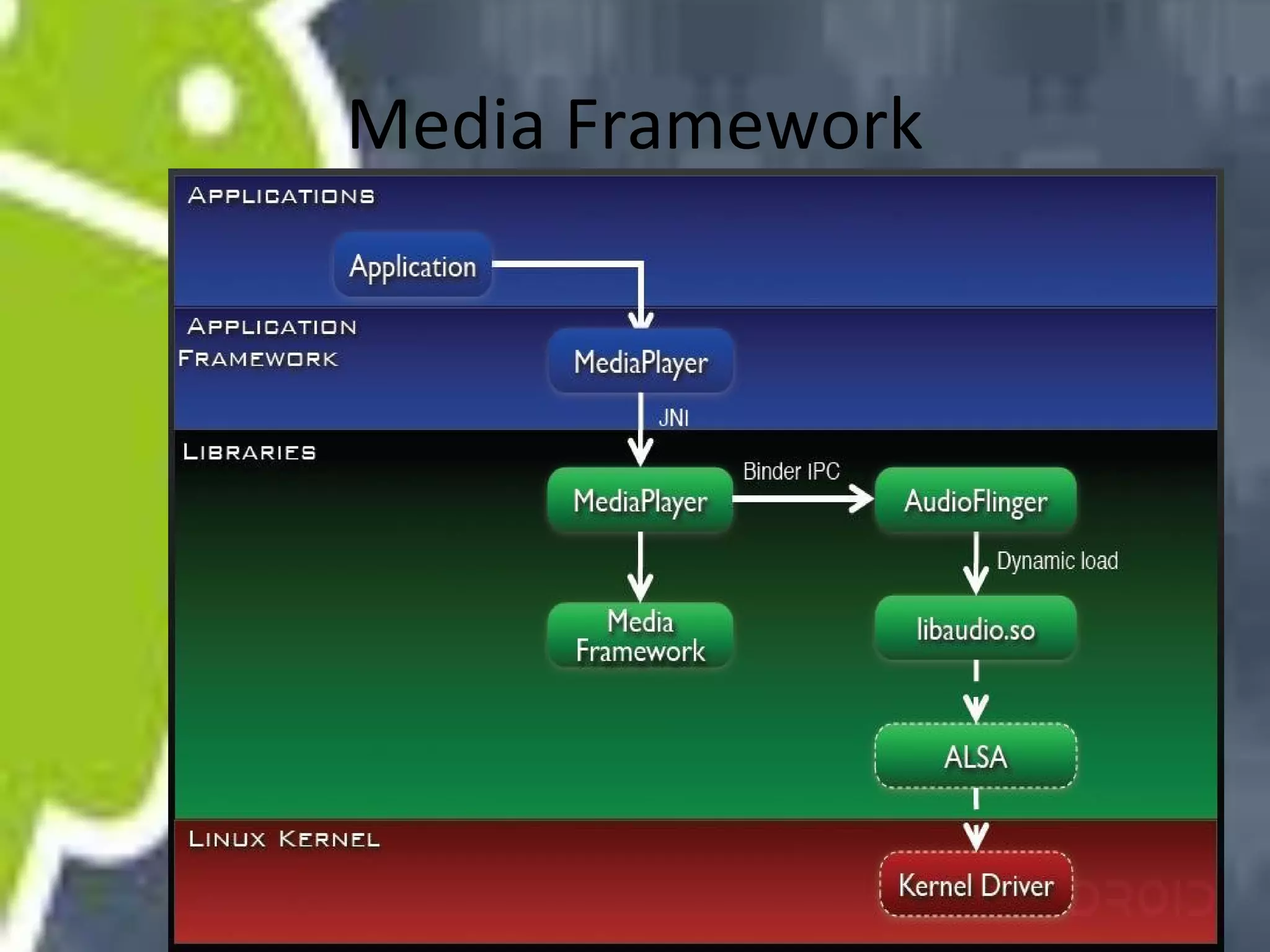
• OpenCore lib has a C/S Architecture.
• MediaPlayer invoke JNI to manipulate client.
• The client request to the server to control
hardwares.
Media Framework
Media Framework
Activity Manager
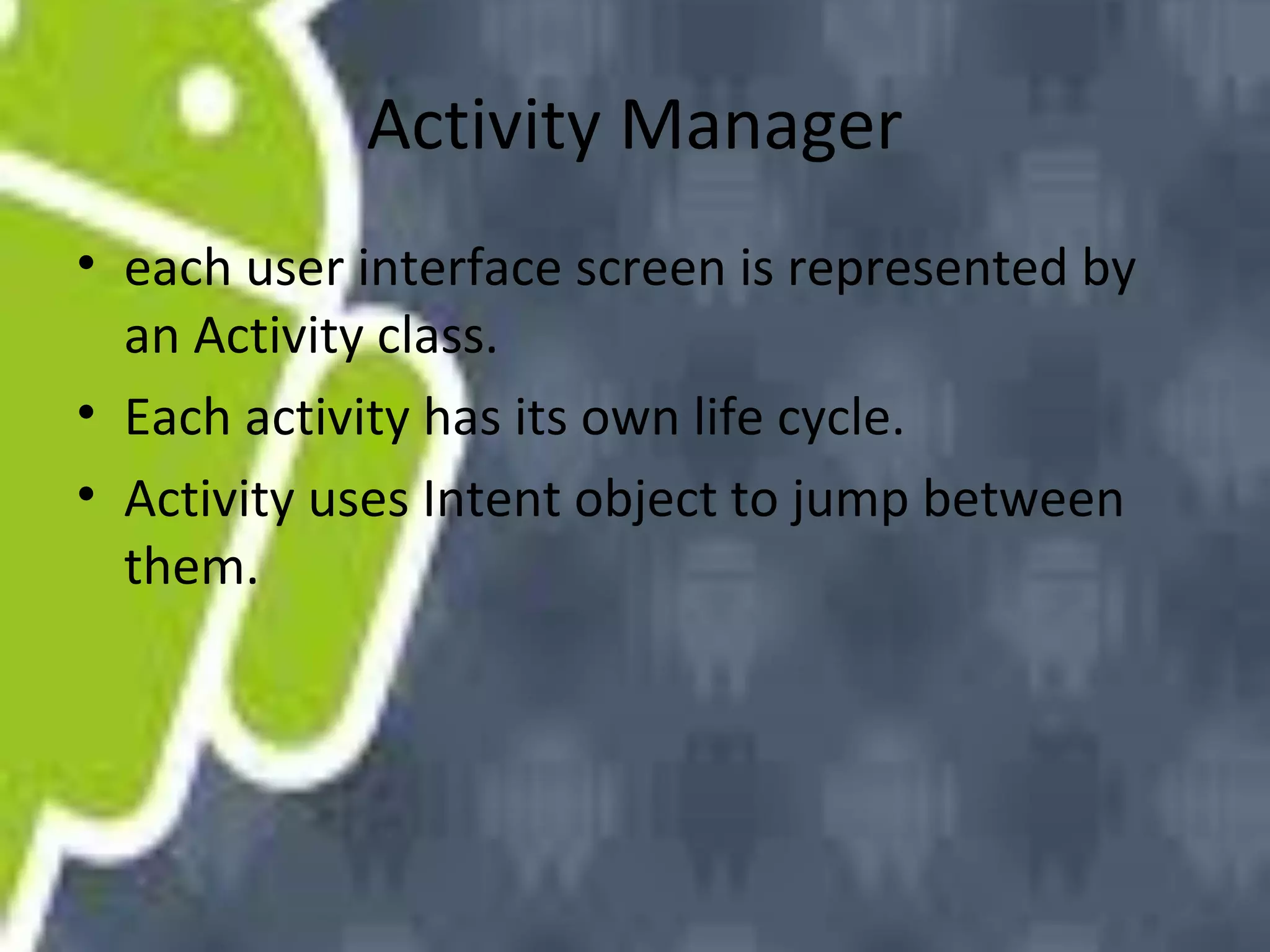
• each user interface screen is represented by
an Activity class.
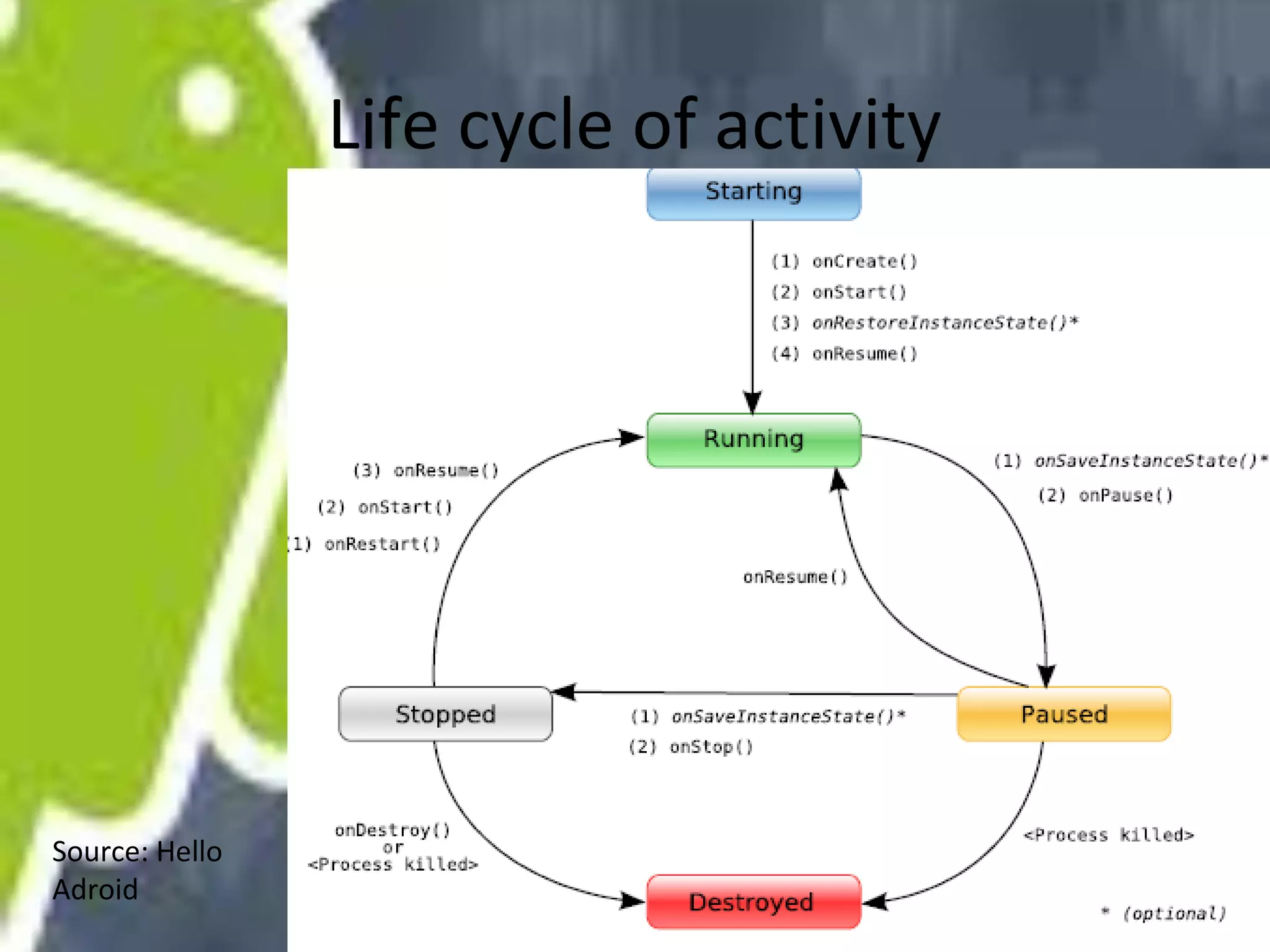
• Each activity has its own life cycle.
• Activity uses Intent object to jump between
them.
Life cycle of activity

Source: Hello
Adroid
Intent and Intent filters
• Intent activates activities, services, and
broadcast receivers.
• Intent can be used in explicit way or implicit
way.
• The implicit way depends on parameters:
Action, Data(url and MIME type) , Category
Intent and Intent filters
• To receive other components' request,
components’ need to register filters at
activities framework.
• When launch a intent object, framework will
match and find the qualified components and
leave them for users to choose which to run.
Intent and Intent filters
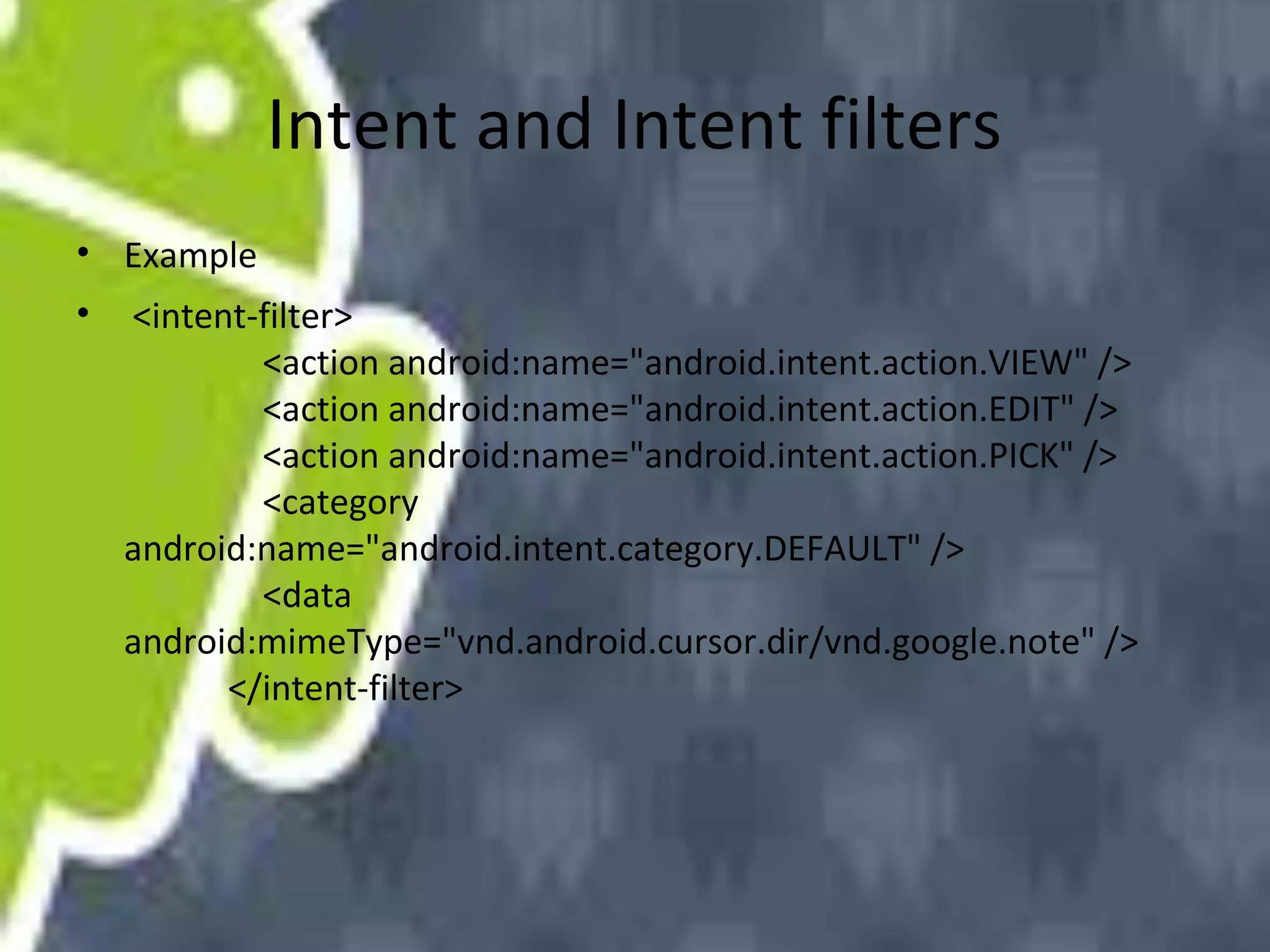
• Example
•

<intent-filter>
<action android:name="android.intent.action.VIEW" />
<action android:name="android.intent.action.EDIT" />
<action android:name="android.intent.action.PICK" />
<category
android:name="android.intent.category.DEFAULT" />
<data
android:mimeType="vnd.android.cursor.dir/vnd.google.note" />
</intent-filter>
Activities and Tasks
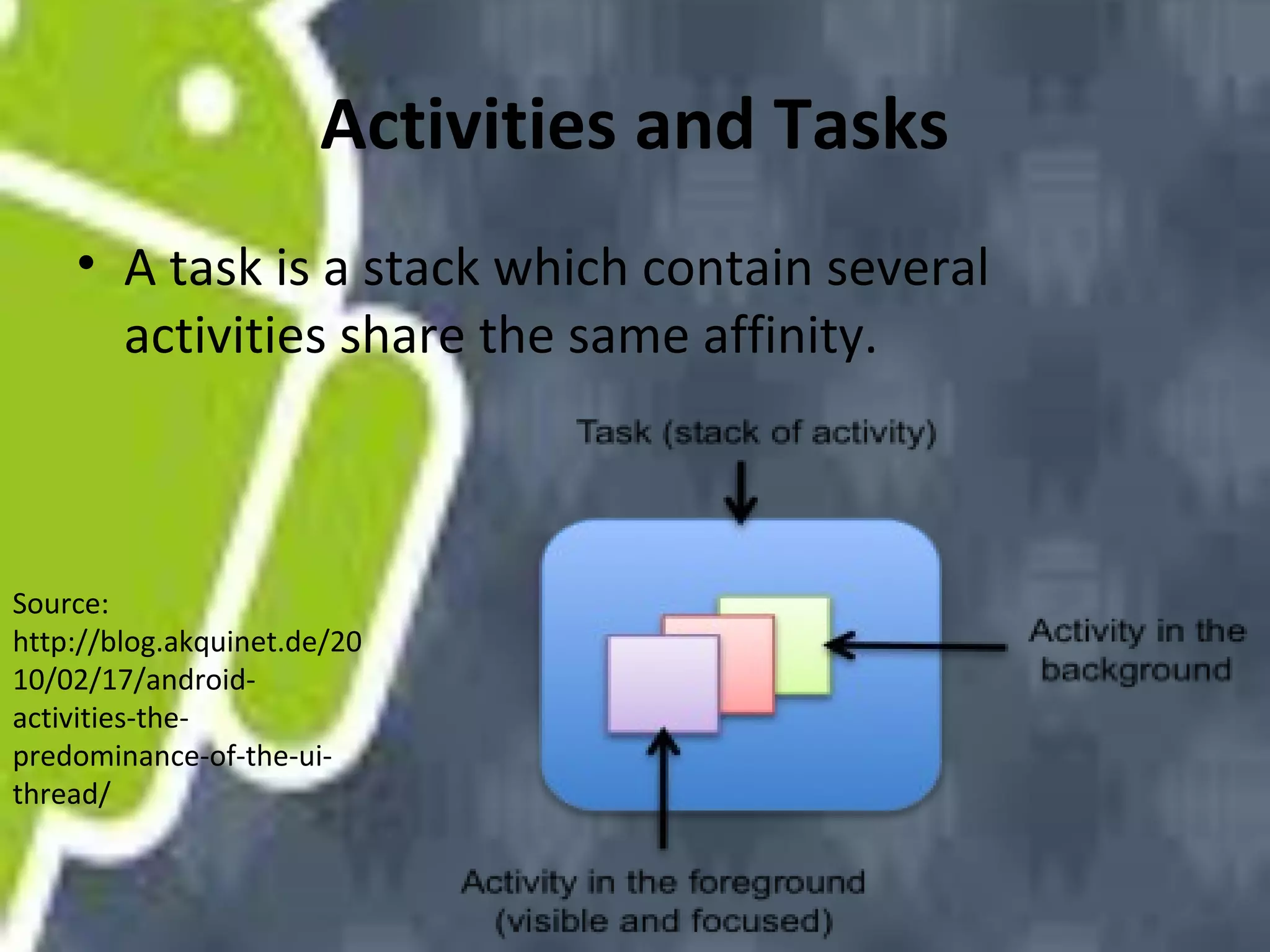
• A task is a stack which contain several
activities share the same affinity.

Source:
http://blog.akquinet.de/20
10/02/17/androidactivities-thepredominance-of-the-uithread/
Activities and Tasks
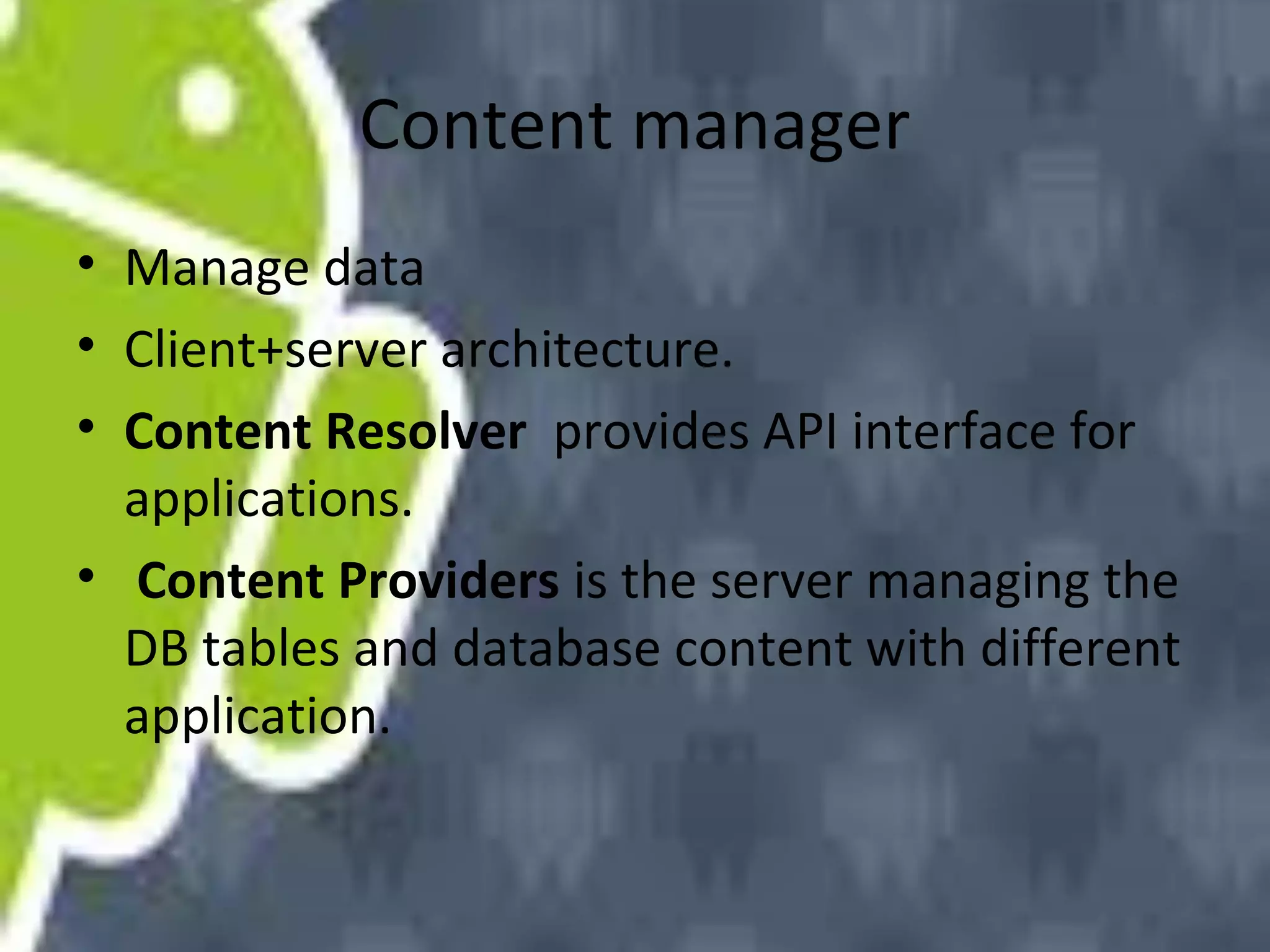
• There are four different launch modes that
can be assigned to an <activity> element's
launchMode attribute:
• "standard" (the default mode)
"singleTop"
"singleTask"
"singleInstance"
• First two share the same affinity with
application, the others don’t.
Content manager
• Manage data
• Client+server architecture.
• Content Resolver provides API interface for
applications.
• Content Providers is the server managing the
DB tables and database content with different
application.
Content manager
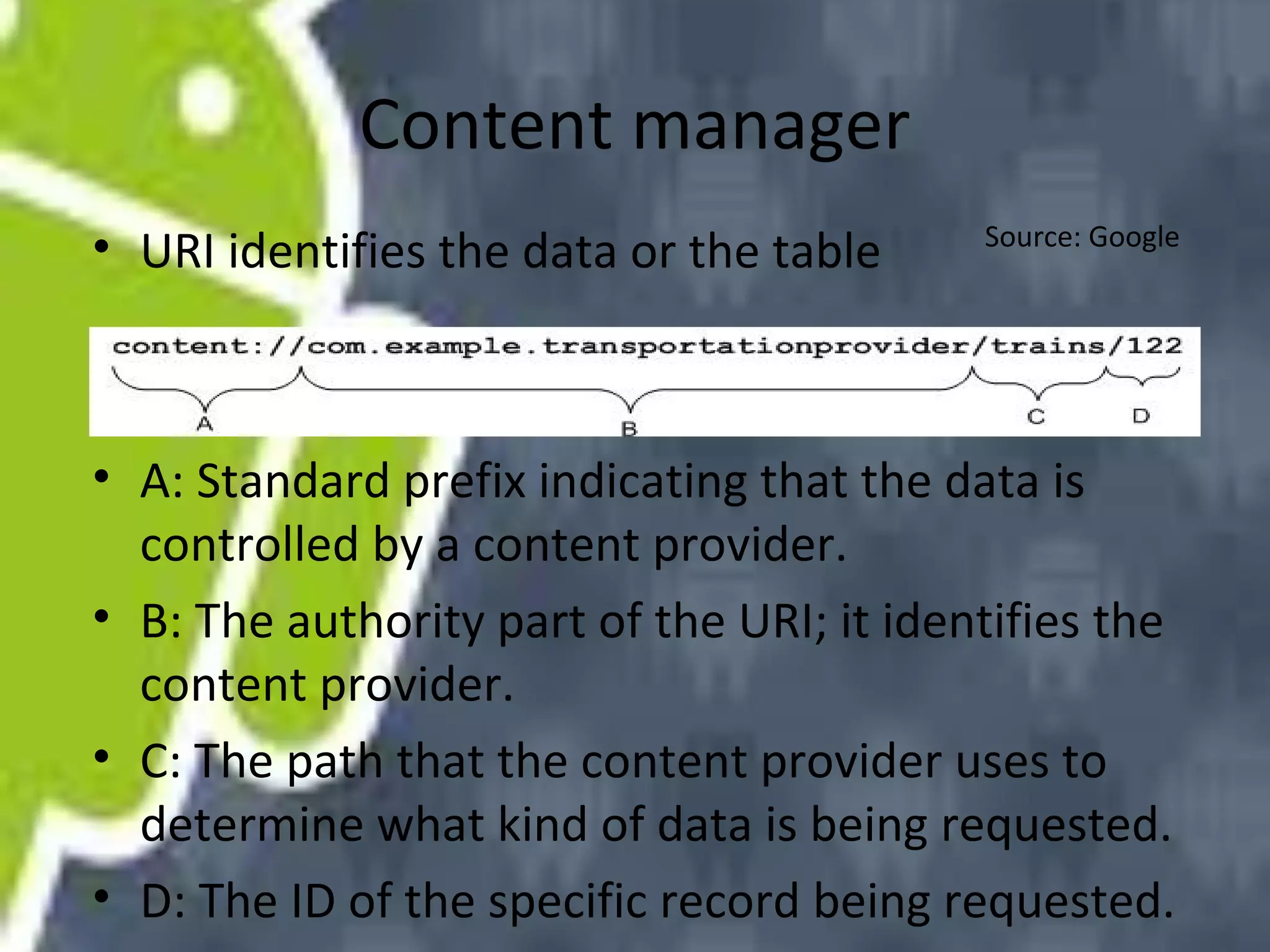
• URI identifies the data or the table

Source: Google

• A: Standard prefix indicating that the data is
controlled by a content provider.
• B: The authority part of the URI; it identifies the
content provider.
• C: The path that the content provider uses to
determine what kind of data is being requested.
• D: The ID of the specific record being requested.
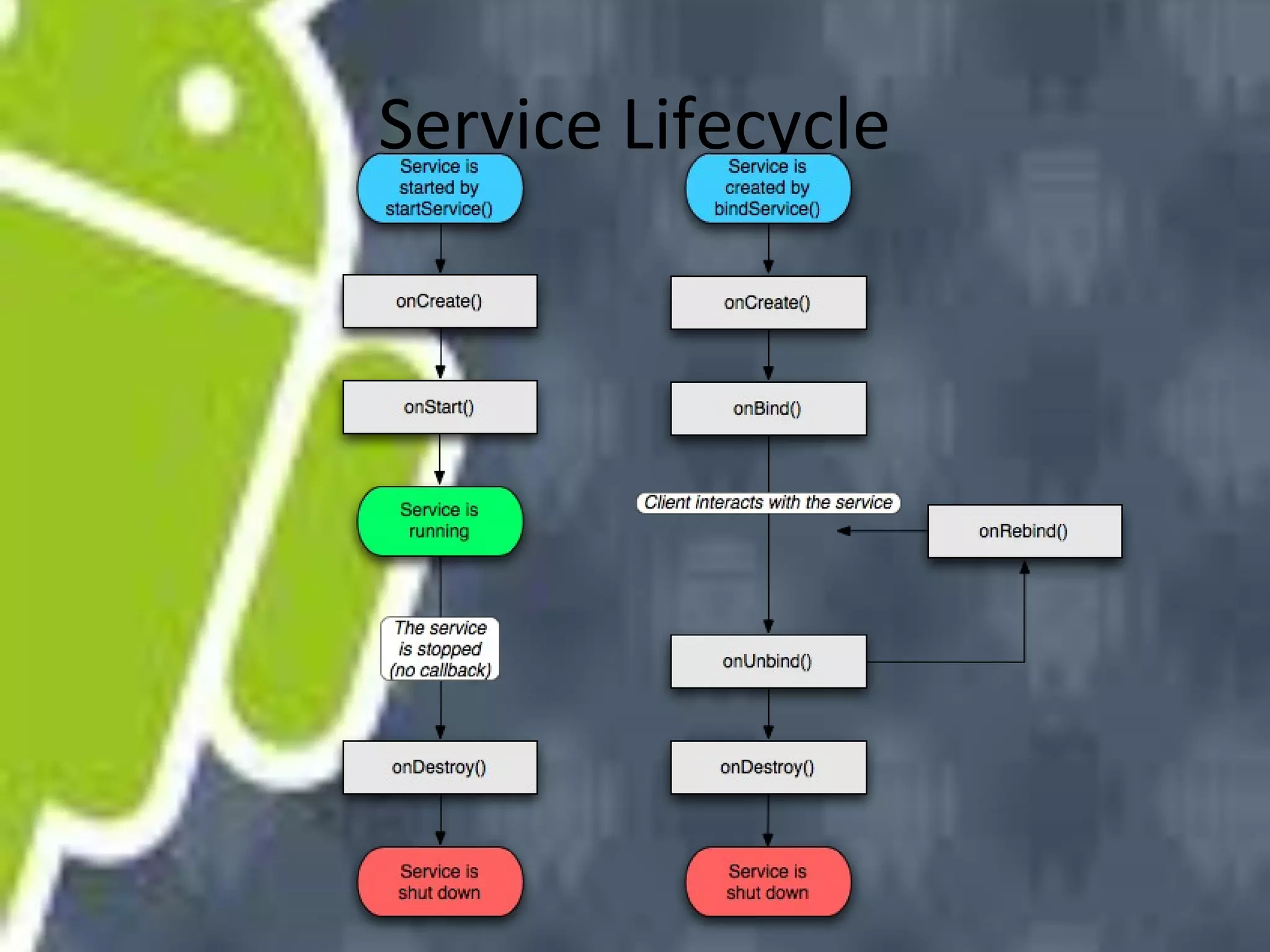
Service Lifecycle
Security and permissions
• security between applications and the system
is enforced at the process level through
standard Linux facilities
• Application can't disrupt other applications,
except by explicitly declaring the permissions
it
• Each Android package is given its own unique
Linux user ID
References
• http://www.j2medev.com/android/ShowArtic
le.asp?ArticleID=5439
• http://docs.huihoo.com/google/io/2009/Mast
ering_the_Android_Media_Framework.pdf
• http://developer.android.com/

Android Training - Part 2

  • 1.
  • 2.
  • 3.
    overview • Linux Kernel:memory management, process management, networking, and other operating system services. • Native Libraries: written in C or C++, including: Surface Manager, 2D and 3D graphics, Media codes, SQL database, Browser engine, etc. only to be called by higher level programs
  • 4.
    overview • Android Runtime:including the Dalvik virtual machine and the core Java libraries. (not J2SE/J2ME) • Application Framework: Activity manager, Content providers, Resource manager, Notification manager • Applications and Widgets: the real programs display information and interact with users.
  • 5.
    Media Framework • Androiduse OpenCore as core component of Media framework • OpenCore supports MP3, AAC, AAC+, 3GPP, MPEG-4 and JPEG,
  • 6.
  • 7.
    Media Framework • Example: •MediaPlayer mp = new MediaPlayer(); • mp.setDataSource(PATH_TO_FILE); • mp.prepare(); • mp.start();
  • 8.
    Media Framework • OpenCorelib has a C/S Architecture. • MediaPlayer invoke JNI to manipulate client. • The client request to the server to control hardwares.
  • 9.
  • 10.
  • 11.
    Activity Manager • eachuser interface screen is represented by an Activity class. • Each activity has its own life cycle. • Activity uses Intent object to jump between them.
  • 12.
    Life cycle ofactivity Source: Hello Adroid
  • 13.
    Intent and Intentfilters • Intent activates activities, services, and broadcast receivers. • Intent can be used in explicit way or implicit way. • The implicit way depends on parameters: Action, Data(url and MIME type) , Category
  • 14.
    Intent and Intentfilters • To receive other components' request, components’ need to register filters at activities framework. • When launch a intent object, framework will match and find the qualified components and leave them for users to choose which to run.
  • 15.
    Intent and Intentfilters • Example • <intent-filter> <action android:name="android.intent.action.VIEW" /> <action android:name="android.intent.action.EDIT" /> <action android:name="android.intent.action.PICK" /> <category android:name="android.intent.category.DEFAULT" /> <data android:mimeType="vnd.android.cursor.dir/vnd.google.note" /> </intent-filter>
  • 16.
    Activities and Tasks •A task is a stack which contain several activities share the same affinity. Source: http://blog.akquinet.de/20 10/02/17/androidactivities-thepredominance-of-the-uithread/
  • 17.
    Activities and Tasks •There are four different launch modes that can be assigned to an <activity> element's launchMode attribute: • "standard" (the default mode) "singleTop" "singleTask" "singleInstance" • First two share the same affinity with application, the others don’t.
  • 18.
    Content manager • Managedata • Client+server architecture. • Content Resolver provides API interface for applications. • Content Providers is the server managing the DB tables and database content with different application.
  • 19.
    Content manager • URIidentifies the data or the table Source: Google • A: Standard prefix indicating that the data is controlled by a content provider. • B: The authority part of the URI; it identifies the content provider. • C: The path that the content provider uses to determine what kind of data is being requested. • D: The ID of the specific record being requested.
  • 20.
  • 21.
    Security and permissions •security between applications and the system is enforced at the process level through standard Linux facilities • Application can't disrupt other applications, except by explicitly declaring the permissions it • Each Android package is given its own unique Linux user ID
  • 22.