01. Introduction to Android
Oum Saokosal
Master of Engineering in Information Systems, South Korea
855-12-252-752
oum_saokosal@yahoo.com
Reference
• Beginning Android 4, Mark L. Murphy, 2012, Apress.
• Pro Android 4, Sayed Hashimi, Satya Komatineni &
Dave MacLean, 2012, Apress.
• http://www.android.com/
• http://developer.android.com/index.html
• http://source.android.com/
• http://code.google.com/android/
Agenda
• Mobile Application Development (MAD)
• Intro to Android platform
• Platform architecture
• Application building blocks
• Development tools
• Hello Android
Few reasons to go MAD…
• Smart Phones
– Internet access anywhere, 3G – 3.75G, 4G
– Social networking
– Games, online games
– Booklet, eBook Reader
• Millions of mobile users
• Open standards
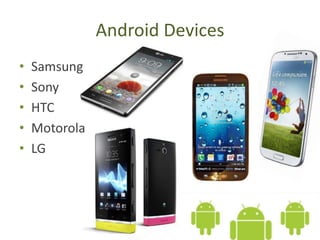
Android Devices
• Samsung
• Sony
• HTC
• Motorola
• LG
Introduction to Android
• Open software platform for mobile
development
• A complete stack – OS, Middleware,
Applications
• Powered by Linux operating system
• Fast application development in Java
• Open source under the Apache 2 license
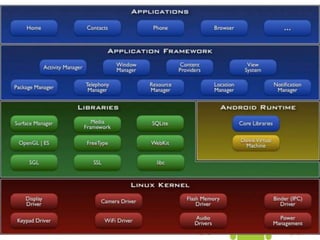
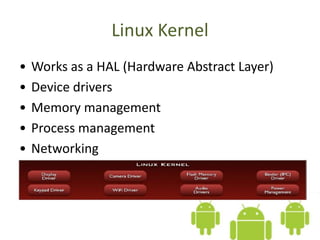
Linux Kernel
• Works as a HAL (Hardware Abstract Layer)
• Device drivers
• Memory management
• Process management
• Networking
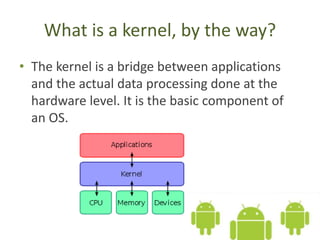
What is a kernel, by the way?
• The kernel is a bridge between applications
and the actual data processing done at the
hardware level. It is the basic component of
an OS.
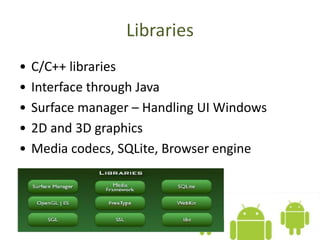
Libraries
• C/C++ libraries
• Interface through Java
• Surface manager – Handling UI Windows
• 2D and 3D graphics
• Media codecs, SQLite, Browser engine
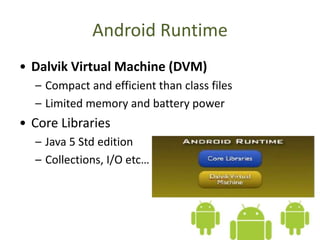
Android Runtime
• Dalvik Virtual Machine (DVM)
– Compact and efficient than class files
– Limited memory and battery power
• Core Libraries
– Java 5 Std edition
– Collections, I/O etc…
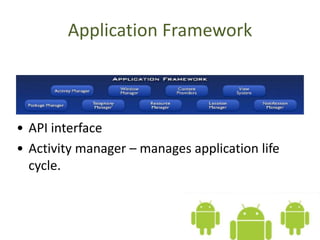
Application Framework
• API interface
• Activity manager – manages application life
cycle.
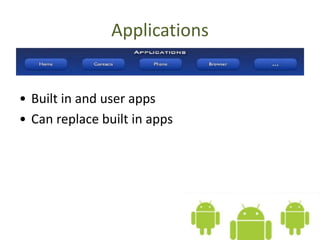
Applications
• Built in and user apps
• Can replace built in apps
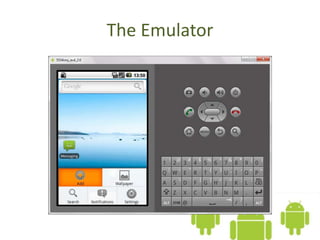
The Emulator
The Emulator
• QEMU-based ARM emulator
• Runs the same image as the device
• Limitations:
– No Camera support
Hello World
• http://developer.android.com/resources/tutor
ials/hello-world.html
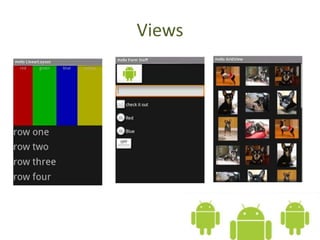
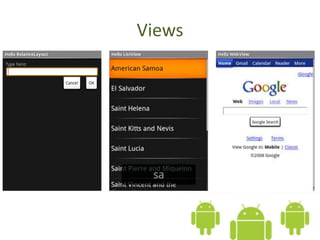
• Generating UIs
– Views – building blocks
– E.g. TextView, EditText, Button
– Placed into Layouts
– E.g. LinearLayout, TableLayout, AbsoluteLayout
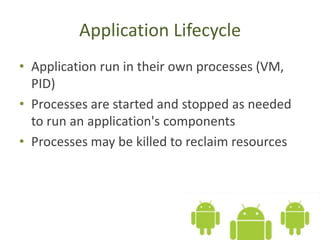
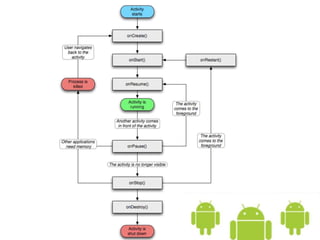
Application Lifecycle
• Application run in their own processes (VM,
PID)
• Processes are started and stopped as needed
to run an application's components
• Processes may be killed to reclaim resources
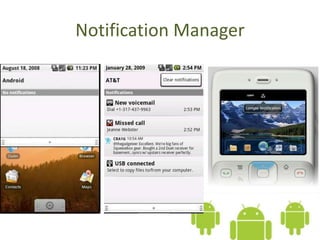
Notification Manager
• How background app interact with users
• Consistent notification presentation
Views
Views
Location Manager
Location Manager
Go to the next slide

Introduction to Android