Advanced Android app
security testing
Mykhailo Antonishyn, Access Softek, INC., Ukraine
About the speaker
Mykhailo Antonishyn
Access Softek, Inc
Ukraine
Agenda
• Frida Framework
• Xposed Framework
• Frida vs Xposed
• How to protect?
1. Introductions
• SSL pinning
• Root check
2.1. Frida Framework
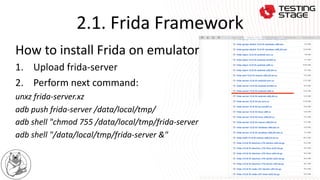
How to install Frida on emulator?
1. Upload frida-server
2. Perform next command:
unxz frida-server.xz
adb push frida-server /data/local/tmp/
adb shell "chmod 755 /data/local/tmp/frida-server"
adb shell "/data/local/tmp/frida-server &"
2.1. Frida Framework
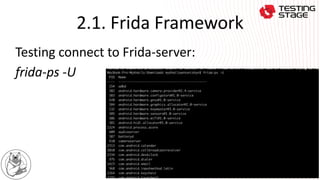
Testing connect to Frida-server:
frida-ps -U
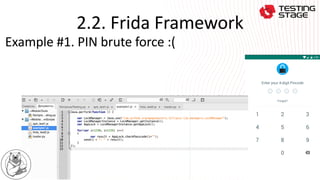
2.2. Frida Framework
Example #1. PIN brute force :(
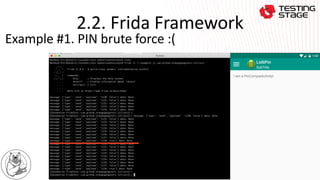
2.2. Frida Framework
Example #1. PIN brute force :(
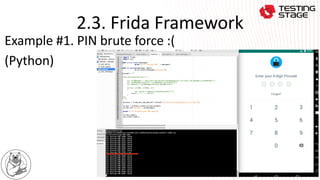
2.3. Frida Framework
Example #1. PIN brute force :(
(Python)
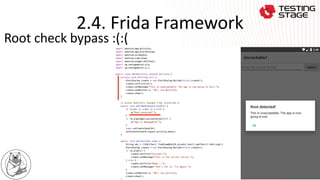
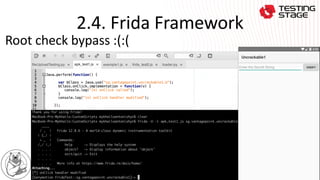
2.4. Frida Framework
Root check bypass :(:(
2.4. Frida Framework
Root check bypass :(:(
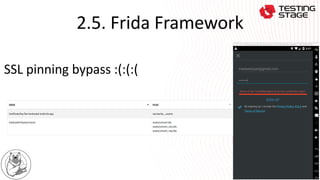
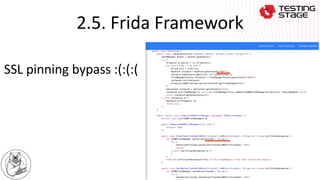
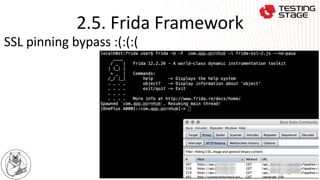
2.5. Frida Framework
SSL pinning bypass :(:(:(
2.5. Frida Framework
SSL pinning bypass :(:(:(
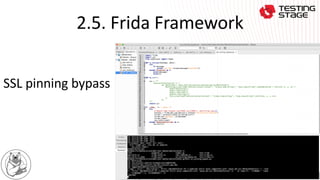
2.5. Frida Framework
SSL pinning bypass
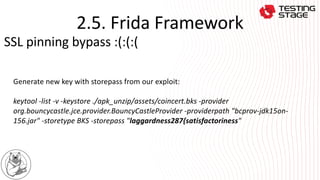
2.5. Frida Framework
Generate new key with storepass from our exploit:
keytool -list -v -keystore ./apk_unzip/assets/coincert.bks -provider
org.bouncycastle.jce.provider.BouncyCastleProvider -providerpath "bcprov-jdk15on-
156.jar" -storetype BKS -storepass "laggardness287{satisfactoriness"
SSL pinning bypass :(:(:(
2.5. Frida Framework
SSL pinning bypass :(:(:(
3.1. Xposed Framework
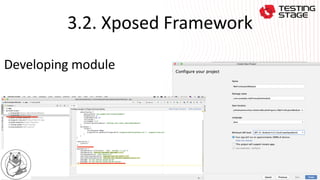
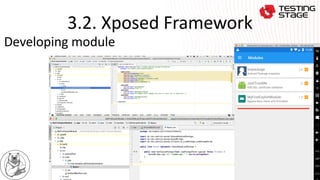
3.2. Xposed Framework
Developing module
3.2. Xposed Framework
Developing module
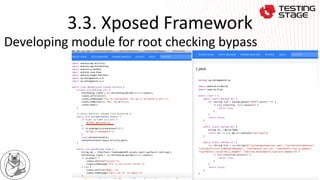
3.3. Xposed Framework
Developing module for root checking bypass
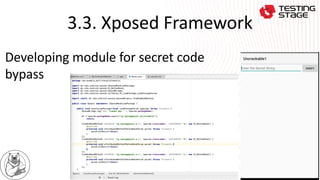
3.3. Xposed Framework
Developing module for secret code
bypass
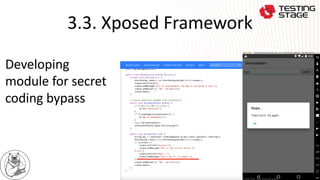
3.3. Xposed Framework
Developing
module for secret
coding bypass
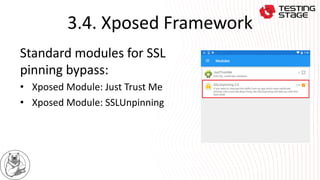
3.4. Xposed Framework
Standard modules for SSL
pinning bypass:
• Xposed Module: Just Trust Me
• Xposed Module: SSLUnpinning
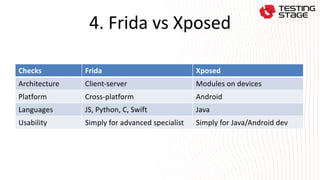
4. Frida vs Xposed
Checks Frida Xposed
Architecture Client-server Modules on devices
Platform Cross-platform Android
Languages JS, Python, C, Swift Java
Usability Simply for advanced specialist Simply for Java/Android dev
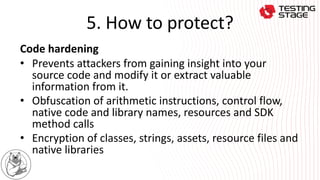
5. How to protect?
Code hardening
• Prevents attackers from gaining insight into your
source code and modify it or extract valuable
information from it.
• Obfuscation of arithmetic instructions, control flow,
native code and library names, resources and SDK
method calls
• Encryption of classes, strings, assets, resource files and
native libraries
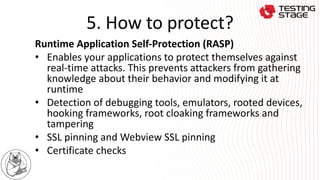
5. How to protect?
Runtime Application Self-Protection (RASP)
• Enables your applications to protect themselves against
real-time attacks. This prevents attackers from gathering
knowledge about their behavior and modifying it at
runtime
• Detection of debugging tools, emulators, rooted devices,
hooking frameworks, root cloaking frameworks and
tampering
• SSL pinning and Webview SSL pinning
• Certificate checks
5. How to protect?
Code optimization
• Reduces the size of your applications and
improves their performance.
• Removal of redundant code, logging code
and metadata, unused resources and native
libraries
• Code and resource optimization
Any questions ?

Android application security testing