Robert Cooper
Reach Health
   Tablet-specific version of Android
       New UI Metaphors
       New LaF (Holographic)
       New/Improved APIs.
       Old APIs made optional (telephony, etc)
       New Technologies
   Basis for future releases
     3.1 seems to be on-deck
     Merged with phone branch?
   Hopefully everything, at least briefly.
   Detailed discussion of the things I just you
    are most likely to care about as a
    developer :P
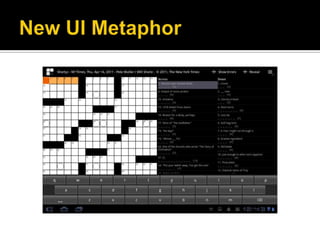
   ActionBar
     Used for “App Global” Tabs
     Special MenuItems or SubMenus
     App Icon with a “Logical Home” operation
   No Hard Buttons
     NotificationBar now includes “Back”, “Home”
     and “Tasks”
   Long-Touch context menus deprecated as
    a model
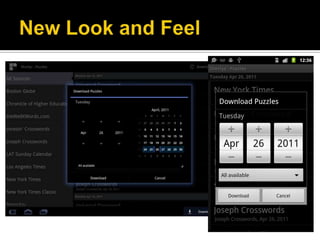
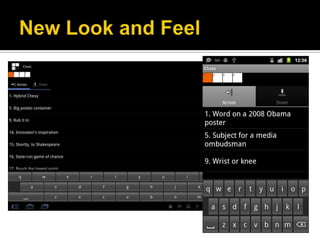
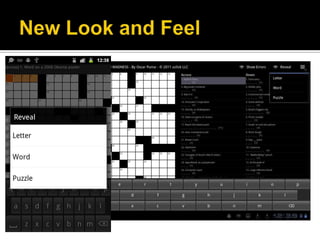
   Holographic look and feel added
   Make it more TRON-ish…
   … but not too TRON-ish
   Lots of glows, varied depth line
    markers, 3D transitions
   Improved text ops mechanics
   Fragments
     Sub-Activities
   Loaders
     Async-Friendly Content Fetchers
   ActionBar
     New Menuing and Nav System.
   Enhanced Interaction for Widgets and
    Notifications
   Drag and Drop
   Fragments
     Fragments are Sub-Activities that can be
      recomposed based on UI factors (screen
      size, orientation, etc)
     Part of 3.0, but available as a build-in backport
      as far back as 1.6 with the “Android
      Compatibility Package” (Available in the
      SDK/AVD Manager)
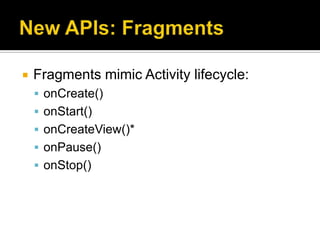
   Fragments mimic Activity lifecycle:
     onCreate()
     onStart()
     onCreateView()*
     onPause()
     onStop()
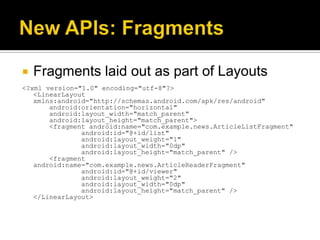
   Fragments laid out as part of Layouts
<?xml version="1.0" encoding="utf-8"?>
   <LinearLayout
   xmlns:android="http://schemas.android.com/apk/res/android"
       android:orientation="horizontal"
       android:layout_width="match_parent"
       android:layout_height="match_parent">
       <fragment android:name="com.example.news.ArticleListFragment"
               android:id="@+id/list"
               android:layout_weight="1"
               android:layout_width="0dp"
               android:layout_height="match_parent" />
       <fragment
   android:name="com.example.news.ArticleReaderFragment"
               android:id="@+id/viewer"
               android:layout_weight="2"
               android:layout_width="0dp"
               android:layout_height="match_parent" />
   </LinearLayout>
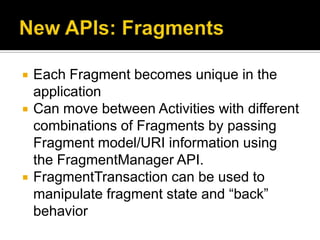
   Each Fragment becomes unique in the
    application
   Can move between Activities with different
    combinations of Fragments by passing
    Fragment model/URI information using
    the FragmentManager API.
   FragmentTransaction can be used to
    manipulate fragment state and “back”
    behavior
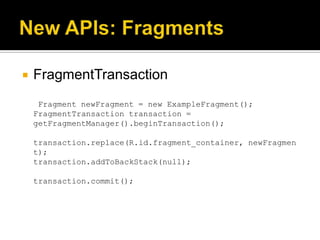
   FragmentTransaction
     Fragment newFragment = new ExampleFragment();
    FragmentTransaction transaction =
    getFragmentManager().beginTransaction();

    transaction.replace(R.id.fragment_container, newFragmen
    t);
    transaction.addToBackStack(null);

    transaction.commit();
   Loaders provide a standard way to load
    data for Fragments
   AsyncTaskLoader provides API for loading
    data asynchronously
   CursorLoader loads a paged dataset
    asynchronously – this is likely what you
    want to read, for example, an Atom Pub
    Proto data source remotely.
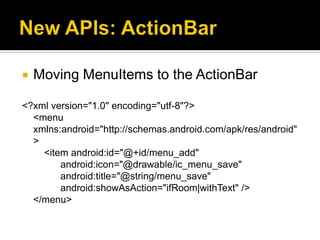
   Moving MenuItems to the ActionBar

<?xml version="1.0" encoding="utf-8"?>
  <menu
  xmlns:android="http://schemas.android.com/apk/res/android"
  >
    <item android:id="@+id/menu_add"
        android:icon="@drawable/ic_menu_save"
        android:title="@string/menu_save"
        android:showAsAction="ifRoom|withText" />
  </menu>
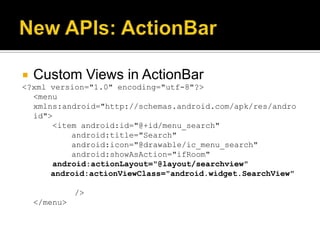
   Custom Views in ActionBar
<?xml version="1.0" encoding="utf-8"?>
  <menu
  xmlns:android="http://schemas.android.com/apk/res/andro
  id">
      <item android:id="@+id/menu_search"
          android:title="Search"
          android:icon="@drawable/ic_menu_search"
          android:showAsAction="ifRoom"
      android:actionLayout="@layout/searchview"
      android:actionViewClass="android.widget.SearchView"

              />
    </menu>
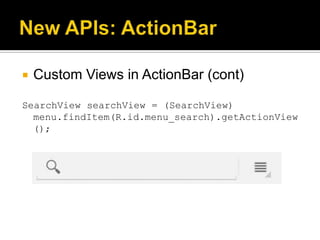
   Custom Views in ActionBar (cont)

SearchView searchView = (SearchView)
  menu.findItem(R.id.menu_search).getActionView
  ();
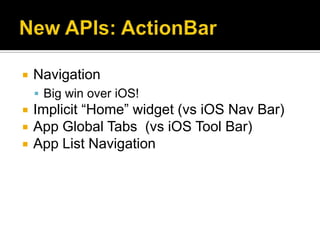
   Navigation
     Big win over iOS!
   Implicit “Home” widget (vs iOS Nav Bar)
   App Global Tabs (vs iOS Tool Bar)
   App List Navigation
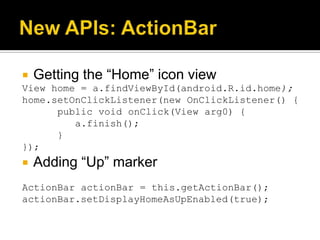
   Getting the “Home” icon view
View home = a.findViewById(android.R.id.home);
home.setOnClickListener(new OnClickListener() {
      public void onClick(View arg0) {
         a.finish();
      }
});
   Adding “Up” marker
ActionBar actionBar = this.getActionBar();
actionBar.setDisplayHomeAsUpEnabled(true);
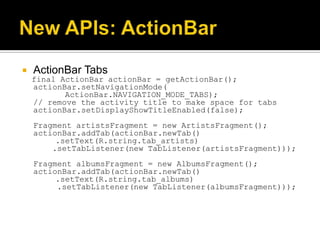
   ActionBar Tabs
    final ActionBar actionBar = getActionBar();
    actionBar.setNavigationMode(
           ActionBar.NAVIGATION_MODE_TABS);
    // remove the activity title to make space for tabs
    actionBar.setDisplayShowTitleEnabled(false);
    Fragment artistsFragment = new ArtistsFragment();
    actionBar.addTab(actionBar.newTab()
         .setText(R.string.tab_artists)
        .setTabListener(new TabListener(artistsFragment)));
    Fragment albumsFragment = new AlbumsFragment();
    actionBar.addTab(actionBar.newTab()
         .setText(R.string.tab_albums)
         .setTabListener(new TabListener(albumsFragment)));
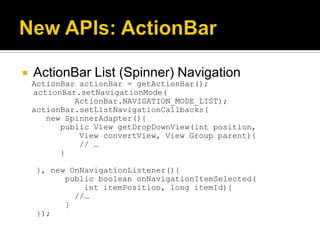
   ActionBar List (Spinner) Navigation
    ActionBar actionBar = getActionBar();
    actionBar.setNavigationMode(
             ActionBar.NAVIGATION_MODE_LIST);
    actionBar.setListNavigationCallbacks(
       new SpinnerAdapter(){
          public View getDropDownView(int position,
              View convertView, View Group parent){
              // …
          }

    }, new OnNavigationListener(){
          public boolean onNavigationItemSelected(
              int itemPosition, long itemId){
            //…
          }
    });
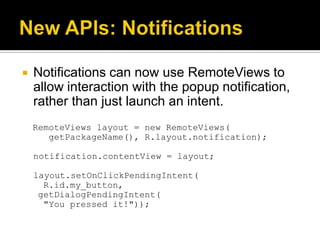
   Notifications can now use RemoteViews to
    allow interaction with the popup notification,
    rather than just launch an intent.
    RemoteViews layout = new RemoteViews(
       getPackageName(), R.layout.notification);

    notification.contentView = layout;

    layout.setOnClickPendingIntent(
      R.id.my_button,
     getDialogPendingIntent(
      "You pressed it!"));
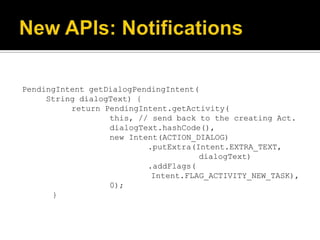
PendingIntent getDialogPendingIntent(
     String dialogText) {
          return PendingIntent.getActivity(
                  this, // send back to the creating Act.
                  dialogText.hashCode(),
                  new Intent(ACTION_DIALOG)
                          .putExtra(Intent.EXTRA_TEXT,
                                     dialogText)
                          .addFlags(
                           Intent.FLAG_ACTIVITY_NEW_TASK),
                  0);
      }
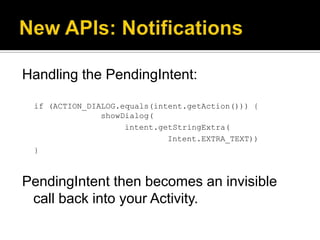
Handling the PendingIntent:

 if (ACTION_DIALOG.equals(intent.getAction())) {
               showDialog(
                    intent.getStringExtra(
                             Intent.EXTRA_TEXT))
 }


PendingIntent then becomes an invisible
 call back into your Activity.
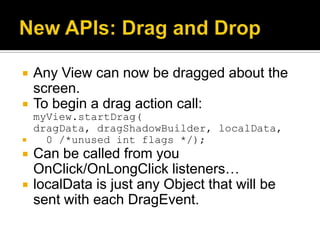
   Any View can now be dragged about the
    screen.
   To begin a drag action call:
    myView.startDrag(
    dragData, dragShadowBuilder, localData,
     0 /*unused int flags */);
   Can be called from you
    OnClick/OnLongClick listeners…
   localData is just any Object that will be
    sent with each DragEvent.
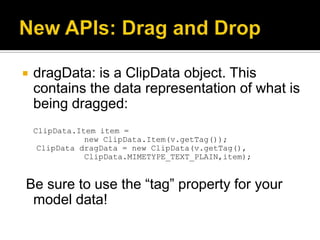
   dragData: is a ClipData object. This
    contains the data representation of what is
    being dragged:
    ClipData.Item item =
               new ClipData.Item(v.getTag());
     ClipData dragData = new ClipData(v.getTag(),
               ClipData.MIMETYPE_TEXT_PLAIN,item);


Be sure to use the “tag” property for your
 model data!
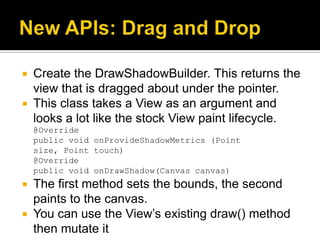
 Create the DrawShadowBuilder. This returns the
  view that is dragged about under the pointer.
 This class takes a View as an argument and
  looks a lot like the stock View paint lifecycle.
    @Override
    public void onProvideShadowMetrics (Point
    size, Point touch)
    @Override
    public void onDrawShadow(Canvas canvas)
 The first method sets the bounds, the second
  paints to the canvas.
 You can use the View’s existing draw() method
  then mutate it
   DragEvents
     onDragEvent(DragEvent) or
     View.OnDragListener on any view (These are
     really for Drop Targets)
   DragEvent.getAction() returns one of the
    possible event action types.
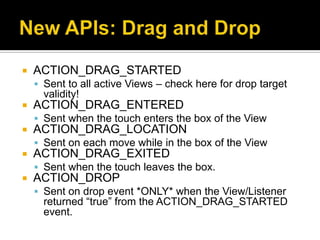
   ACTION_DRAG_STARTED
     Sent to all active Views – check here for drop target
      validity!
   ACTION_DRAG_ENTERED
     Sent when the touch enters the box of the View
   ACTION_DRAG_LOCATION
     Sent on each move while in the box of the View
   ACTION_DRAG_EXITED
     Sent when the touch leaves the box.
   ACTION_DROP
     Sent on drop event *ONLY* when the View/Listener
      returned “true” from the ACTION_DRAG_STARTED
      event.
   Support for Hardware Accelerated Graphics
       Applies to stock animations and drawing APIs
       Comes damned near for free but…
       … if you haven’t tested it, it doesn’t work.
       Romain Guy eats his words! :P
   Property animation
   RenderScript
     A C99-ish script for doing OpenGL ops
     Should be like falling off a log for people with
        OpenCL experience (read: not me)
   Activation/Deactivation
     Step 1: Add…
    android:hardwareAccelerated="true|false“
    …to your <application> or <activity>
     Step 2: Profit!
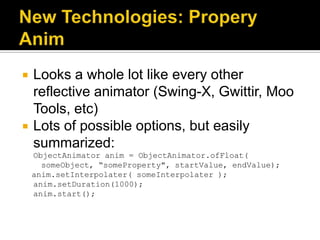
   Looks a whole lot like every other
    reflective animator (Swing-X, Gwittir, Moo
    Tools, etc)
   Lots of possible options, but easily
    summarized:
    ObjectAnimator anim = ObjectAnimator.ofFloat(
      someObject, “someProperty", startValue, endValue);
    anim.setInterpolater( someInterpolater );
    anim.setDuration(1000);
    anim.start();
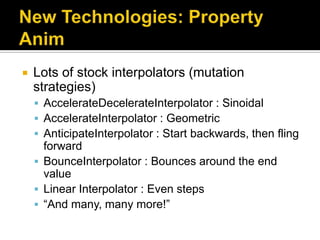
   Lots of stock interpolators (mutation
    strategies)
     AccelerateDecelerateInterpolator : Sinoidal
     AccelerateInterpolator : Geometric
     AnticipateInterpolator : Start backwards, then fling
      forward
     BounceInterpolator : Bounces around the end
      value
     Linear Interpolator : Even steps
     “And many, many more!”
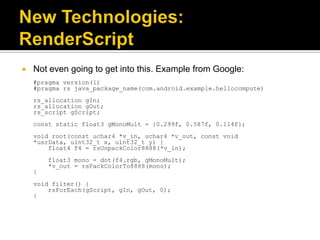
   Not even going to get into this. Example from Google:
    #pragma version(1)
    #pragma rs java_package_name(com.android.example.hellocompute)
    rs_allocation gIn;
    rs_allocation gOut;
    rs_script gScript;
    const static float3 gMonoMult = {0.299f, 0.587f, 0.114f};
    void root(const uchar4 *v_in, uchar4 *v_out, const void
    *usrData, uint32_t x, uint32_t y) {
        float4 f4 = rsUnpackColor8888(*v_in);
        float3 mono = dot(f4.rgb, gMonoMult);
        *v_out = rsPackColorTo8888(mono);
    }
    void filter() {
        rsForEach(gScript, gIn, gOut, 0);
    }
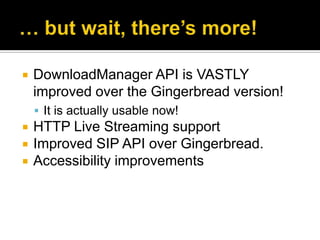
   DownloadManager API is VASTLY
    improved over the Gingerbread version!
     It is actually usable now!
   HTTP Live Streaming support
   Improved SIP API over Gingerbread.
   Accessibility improvements
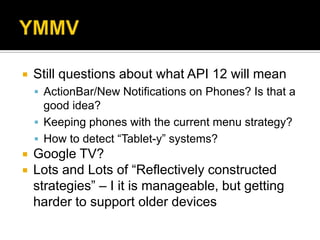
   Still questions about what API 12 will mean
     ActionBar/New Notifications on Phones? Is that a
      good idea?
     Keeping phones with the current menu strategy?
     How to detect “Tablet-y” systems?
   Google TV?
   Lots and Lots of “Reflectively constructed
    strategies” – I it is manageable, but getting
    harder to support older devices

Android 3

  • 1.
  • 2.
    Tablet-specific version of Android  New UI Metaphors  New LaF (Holographic)  New/Improved APIs.  Old APIs made optional (telephony, etc)  New Technologies  Basis for future releases  3.1 seems to be on-deck  Merged with phone branch?
  • 3.
    Hopefully everything, at least briefly.  Detailed discussion of the things I just you are most likely to care about as a developer :P
  • 4.
    ActionBar  Used for “App Global” Tabs  Special MenuItems or SubMenus  App Icon with a “Logical Home” operation  No Hard Buttons  NotificationBar now includes “Back”, “Home” and “Tasks”  Long-Touch context menus deprecated as a model
  • 6.
    Holographic look and feel added  Make it more TRON-ish…  … but not too TRON-ish  Lots of glows, varied depth line markers, 3D transitions  Improved text ops mechanics
  • 10.
    Fragments  Sub-Activities  Loaders  Async-Friendly Content Fetchers  ActionBar  New Menuing and Nav System.  Enhanced Interaction for Widgets and Notifications  Drag and Drop
  • 11.
    Fragments  Fragments are Sub-Activities that can be recomposed based on UI factors (screen size, orientation, etc)  Part of 3.0, but available as a build-in backport as far back as 1.6 with the “Android Compatibility Package” (Available in the SDK/AVD Manager)
  • 12.
    Fragments mimic Activity lifecycle:  onCreate()  onStart()  onCreateView()*  onPause()  onStop()
  • 13.
    Fragments laid out as part of Layouts <?xml version="1.0" encoding="utf-8"?> <LinearLayout xmlns:android="http://schemas.android.com/apk/res/android" android:orientation="horizontal" android:layout_width="match_parent" android:layout_height="match_parent"> <fragment android:name="com.example.news.ArticleListFragment" android:id="@+id/list" android:layout_weight="1" android:layout_width="0dp" android:layout_height="match_parent" /> <fragment android:name="com.example.news.ArticleReaderFragment" android:id="@+id/viewer" android:layout_weight="2" android:layout_width="0dp" android:layout_height="match_parent" /> </LinearLayout>
  • 14.
    Each Fragment becomes unique in the application  Can move between Activities with different combinations of Fragments by passing Fragment model/URI information using the FragmentManager API.  FragmentTransaction can be used to manipulate fragment state and “back” behavior
  • 15.
    FragmentTransaction Fragment newFragment = new ExampleFragment(); FragmentTransaction transaction = getFragmentManager().beginTransaction(); transaction.replace(R.id.fragment_container, newFragmen t); transaction.addToBackStack(null); transaction.commit();
  • 16.
    Loaders provide a standard way to load data for Fragments  AsyncTaskLoader provides API for loading data asynchronously  CursorLoader loads a paged dataset asynchronously – this is likely what you want to read, for example, an Atom Pub Proto data source remotely.
  • 17.
    Moving MenuItems to the ActionBar <?xml version="1.0" encoding="utf-8"?> <menu xmlns:android="http://schemas.android.com/apk/res/android" > <item android:id="@+id/menu_add" android:icon="@drawable/ic_menu_save" android:title="@string/menu_save" android:showAsAction="ifRoom|withText" /> </menu>
  • 18.
    Custom Views in ActionBar <?xml version="1.0" encoding="utf-8"?> <menu xmlns:android="http://schemas.android.com/apk/res/andro id"> <item android:id="@+id/menu_search" android:title="Search" android:icon="@drawable/ic_menu_search" android:showAsAction="ifRoom" android:actionLayout="@layout/searchview" android:actionViewClass="android.widget.SearchView" /> </menu>
  • 19.
    Custom Views in ActionBar (cont) SearchView searchView = (SearchView) menu.findItem(R.id.menu_search).getActionView ();
  • 20.
    Navigation  Big win over iOS!  Implicit “Home” widget (vs iOS Nav Bar)  App Global Tabs (vs iOS Tool Bar)  App List Navigation
  • 21.
    Getting the “Home” icon view View home = a.findViewById(android.R.id.home); home.setOnClickListener(new OnClickListener() { public void onClick(View arg0) { a.finish(); } });  Adding “Up” marker ActionBar actionBar = this.getActionBar(); actionBar.setDisplayHomeAsUpEnabled(true);
  • 22.
    ActionBar Tabs final ActionBar actionBar = getActionBar(); actionBar.setNavigationMode( ActionBar.NAVIGATION_MODE_TABS); // remove the activity title to make space for tabs actionBar.setDisplayShowTitleEnabled(false); Fragment artistsFragment = new ArtistsFragment(); actionBar.addTab(actionBar.newTab() .setText(R.string.tab_artists) .setTabListener(new TabListener(artistsFragment))); Fragment albumsFragment = new AlbumsFragment(); actionBar.addTab(actionBar.newTab() .setText(R.string.tab_albums) .setTabListener(new TabListener(albumsFragment)));
  • 23.
    ActionBar List (Spinner) Navigation ActionBar actionBar = getActionBar(); actionBar.setNavigationMode( ActionBar.NAVIGATION_MODE_LIST); actionBar.setListNavigationCallbacks( new SpinnerAdapter(){ public View getDropDownView(int position, View convertView, View Group parent){ // … } }, new OnNavigationListener(){ public boolean onNavigationItemSelected( int itemPosition, long itemId){ //… } });
  • 24.
    Notifications can now use RemoteViews to allow interaction with the popup notification, rather than just launch an intent. RemoteViews layout = new RemoteViews( getPackageName(), R.layout.notification); notification.contentView = layout; layout.setOnClickPendingIntent( R.id.my_button, getDialogPendingIntent( "You pressed it!"));
  • 25.
    PendingIntent getDialogPendingIntent( String dialogText) { return PendingIntent.getActivity( this, // send back to the creating Act. dialogText.hashCode(), new Intent(ACTION_DIALOG) .putExtra(Intent.EXTRA_TEXT, dialogText) .addFlags( Intent.FLAG_ACTIVITY_NEW_TASK), 0); }
  • 26.
    Handling the PendingIntent: if (ACTION_DIALOG.equals(intent.getAction())) { showDialog( intent.getStringExtra( Intent.EXTRA_TEXT)) } PendingIntent then becomes an invisible call back into your Activity.
  • 27.
    Any View can now be dragged about the screen.  To begin a drag action call: myView.startDrag( dragData, dragShadowBuilder, localData,  0 /*unused int flags */);  Can be called from you OnClick/OnLongClick listeners…  localData is just any Object that will be sent with each DragEvent.
  • 28.
    dragData: is a ClipData object. This contains the data representation of what is being dragged: ClipData.Item item = new ClipData.Item(v.getTag()); ClipData dragData = new ClipData(v.getTag(), ClipData.MIMETYPE_TEXT_PLAIN,item); Be sure to use the “tag” property for your model data!
  • 29.
     Create theDrawShadowBuilder. This returns the view that is dragged about under the pointer.  This class takes a View as an argument and looks a lot like the stock View paint lifecycle. @Override public void onProvideShadowMetrics (Point size, Point touch) @Override public void onDrawShadow(Canvas canvas)  The first method sets the bounds, the second paints to the canvas.  You can use the View’s existing draw() method then mutate it
  • 30.
    DragEvents  onDragEvent(DragEvent) or View.OnDragListener on any view (These are really for Drop Targets)  DragEvent.getAction() returns one of the possible event action types.
  • 31.
    ACTION_DRAG_STARTED  Sent to all active Views – check here for drop target validity!  ACTION_DRAG_ENTERED  Sent when the touch enters the box of the View  ACTION_DRAG_LOCATION  Sent on each move while in the box of the View  ACTION_DRAG_EXITED  Sent when the touch leaves the box.  ACTION_DROP  Sent on drop event *ONLY* when the View/Listener returned “true” from the ACTION_DRAG_STARTED event.
  • 32.
    Support for Hardware Accelerated Graphics  Applies to stock animations and drawing APIs  Comes damned near for free but…  … if you haven’t tested it, it doesn’t work.  Romain Guy eats his words! :P  Property animation  RenderScript  A C99-ish script for doing OpenGL ops  Should be like falling off a log for people with OpenCL experience (read: not me)
  • 33.
    Activation/Deactivation  Step 1: Add… android:hardwareAccelerated="true|false“ …to your <application> or <activity>  Step 2: Profit!
  • 34.
    Looks a whole lot like every other reflective animator (Swing-X, Gwittir, Moo Tools, etc)  Lots of possible options, but easily summarized: ObjectAnimator anim = ObjectAnimator.ofFloat( someObject, “someProperty", startValue, endValue); anim.setInterpolater( someInterpolater ); anim.setDuration(1000); anim.start();
  • 35.
    Lots of stock interpolators (mutation strategies)  AccelerateDecelerateInterpolator : Sinoidal  AccelerateInterpolator : Geometric  AnticipateInterpolator : Start backwards, then fling forward  BounceInterpolator : Bounces around the end value  Linear Interpolator : Even steps  “And many, many more!”
  • 36.
    Not even going to get into this. Example from Google: #pragma version(1) #pragma rs java_package_name(com.android.example.hellocompute) rs_allocation gIn; rs_allocation gOut; rs_script gScript; const static float3 gMonoMult = {0.299f, 0.587f, 0.114f}; void root(const uchar4 *v_in, uchar4 *v_out, const void *usrData, uint32_t x, uint32_t y) { float4 f4 = rsUnpackColor8888(*v_in); float3 mono = dot(f4.rgb, gMonoMult); *v_out = rsPackColorTo8888(mono); } void filter() { rsForEach(gScript, gIn, gOut, 0); }
  • 37.
    DownloadManager API is VASTLY improved over the Gingerbread version!  It is actually usable now!  HTTP Live Streaming support  Improved SIP API over Gingerbread.  Accessibility improvements
  • 38.
    Still questions about what API 12 will mean  ActionBar/New Notifications on Phones? Is that a good idea?  Keeping phones with the current menu strategy?  How to detect “Tablet-y” systems?  Google TV?  Lots and Lots of “Reflectively constructed strategies” – I it is manageable, but getting harder to support older devices