Intro to Google TV
      +Matt Gaunt
What?
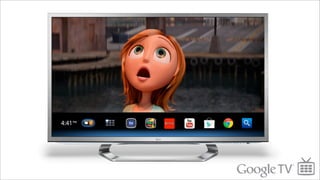
The Open Smart TV Platform
Android
Big


      7
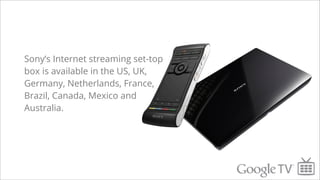
Sony’s Internet streaming set-top
box is available in the US, UK,
Germany, Netherlands, France,
Brazil, Canada, Mexico and
Australia.
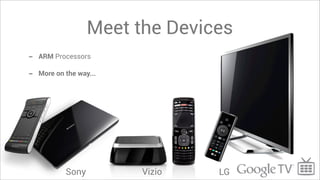
Meet the Devices
-   ARM Processors

-   More on the way...


            Sony         Vizio   LG
Why?
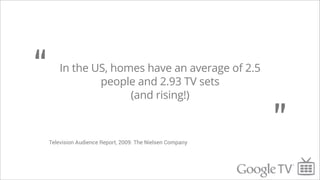
“       In the US, homes have an average of 2.5
                people and 2.93 TV sets
                      (and rising!)


    Television Audience Report, 2009: The Nielsen Company
                                                            ”
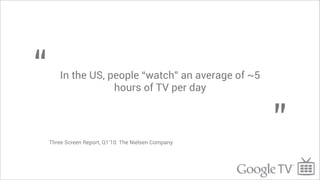
“       In the US, people “watch” an average of ~5
                    hours of TV per day


    Three Screen Report, Q1’10: The Nielsen Company
                                                      ”
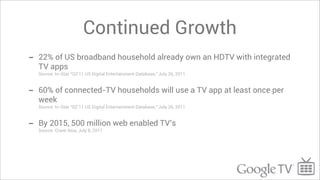
Continued Growth
-   22% of US broadband household already own an HDTV with integrated
    TV apps
    Source: In-Stat “Q2’11 US Digital Entertainment Database,” July 26, 2011


-   60% of connected-TV households will use a TV app at least once per
    week
    Source: In-Stat “Q2’11 US Digital Entertainment Database,” July 26, 2011


-   By 2015, 500 million web enabled TV’s
    Source: Crave Asia, July 8, 2011
Interaction.
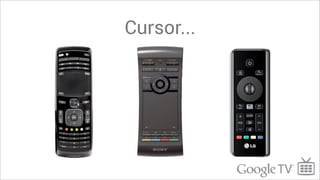
Cursor...
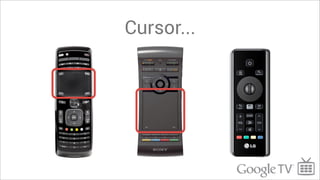
Cursor...
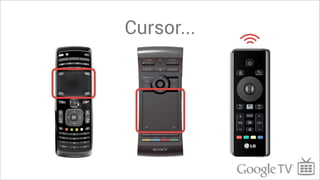
Cursor...
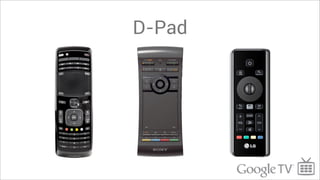
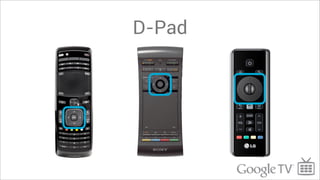
D-Pad
D-Pad
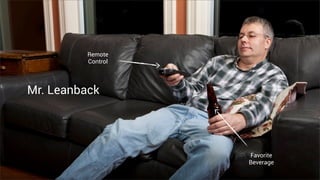
Remote
          Control


Mr. Leanback


                    Favorite
                    Beverage
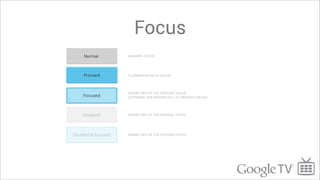
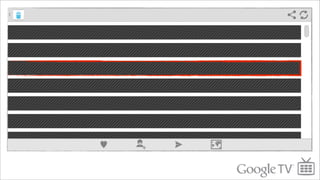
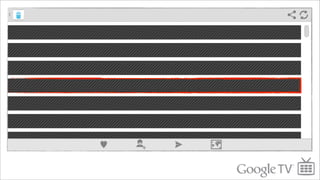
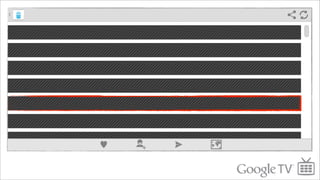
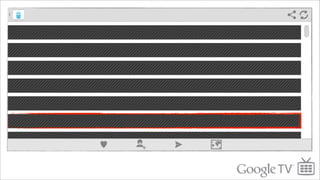
Focus
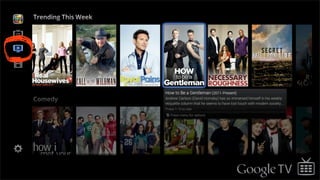
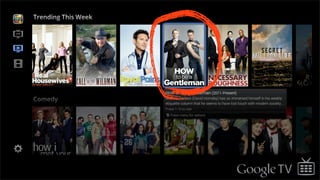
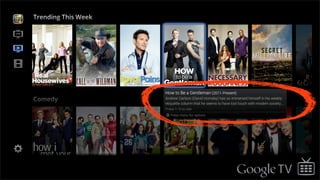
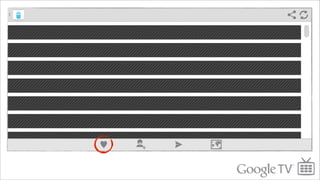
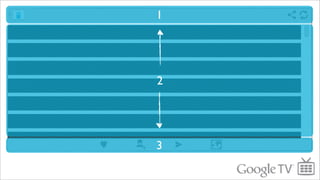
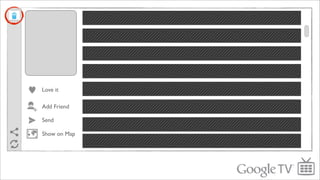
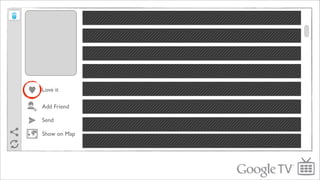
Beware the Trap!
1


2


3
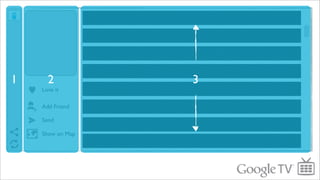
1     2           3
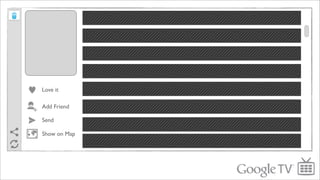
    Love it

    Add Friend

    Send

    Show on Map
Love it

Add Friend

Send

Show on Map
Love it

Add Friend

Send

Show on Map
Love it

Add Friend

Send

Show on Map
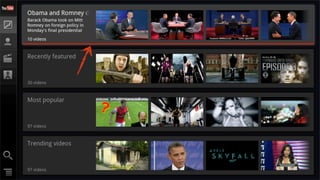
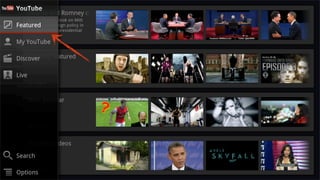
LeftNavBar
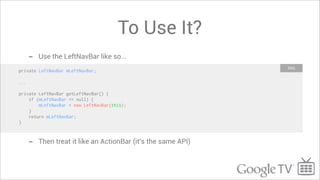
To Use It?
      -   Use the LeftNavBar like so...
                                                                XML
private LeftNavBar mLeftNavBar;

...

private LeftNavBar getLeftNavBar() {
    if (mLeftNavBar == null) {
        mLeftNavBar = new LeftNavBar(this);
    }
    return mLeftNavBar;
}


      -   Then treat it like an ActionBar (it’s the same API)
Grab the Library Project Here
http://code.google.com/p/googletv-android-samples/
So Much Space
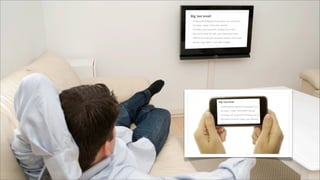
Big, but small
•    Traditionally designed consumption not interaction
•    Far away = lower information density

•    Ironically, not so good for reading a lot of text

•    Big Sound: Great for video, and listening to music

•    Different than phones: personal, location, size, touch

•    Not just a big Tablet => more like a PHONE


                                   Big, but small

                                     Traditionally designed consumption not

                                     Far away = lower information density

                                     Ironically, not so good for reading a lot of

                                     Big Sound: Great for video, and listening

                                     Different than phones: personal, locatiot


                                                                                    29
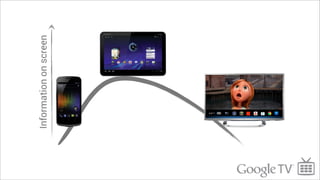
Information on screen

            Big


7
Think of Context
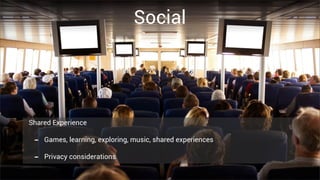
Social


Shared Experience

 -   Games, learning, exploring, music, shared experiences

 -   Privacy considerations
Second Screen Apps
Remote
          Control


Mr. Leanback


                     Still Drinking His
                    Favorite Beverage
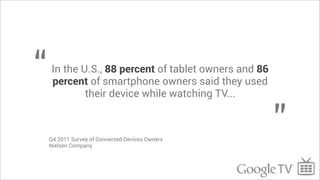
“   In the U.S., 88 percent of tablet owners and 86
    percent of smartphone owners said they used
            their device while watching TV...


    Q4 2011 Survey of Connected Devices Owners
                                                      ”
    Nielsen Company
39
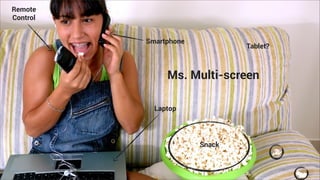
Remote
Control


          Smartphone
                               Tablet?


               Ms. Multi-screen

            Laptop


                       Snack


                                         39
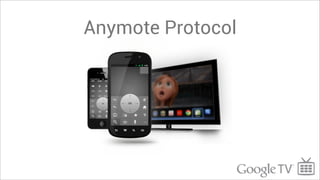
Anymote Protocol
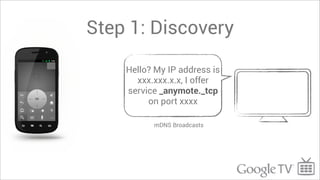
Step 1: Discovery

    Hello? My IP address is
      xxx.xxx.x.x, I offer
    service _anymote._tcp
         on port xxxx

          mDNS Broadcasts
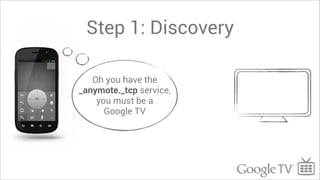
Step 1: Discovery

   Oh you have the
_anymote._tcp service,
    you must be a
      Google TV
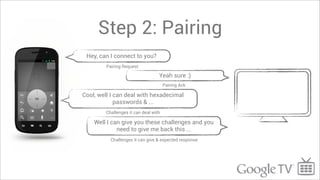
Step 2: Pairing
 Hey, can I connect to you?
         Pairing Request

                                  Yeah sure :)
                                      Pairing Ack

Cool, well I can deal with hexadecimal
             passwords & ...
        Challenges it can deal with

    Well I can give you these challenges and you
             need to give me back this ...
          Challenges it can give & expected response
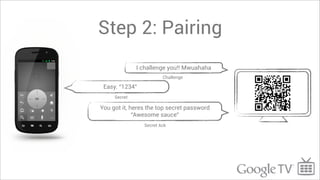
Step 2: Pairing
              I challenge you!! Mwuahaha
                        Challenge

 Easy. “1234”
     Secret

You got it, heres the top secret password
             “Awesome sauce”
                Secret Ack
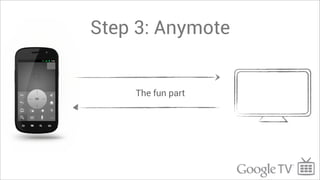
Step 3: Anymote


    The fun part
But this wasn’t friendly :(
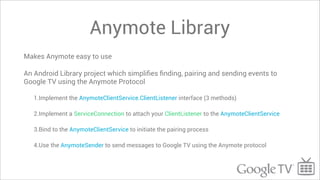
Anymote Library
Makes Anymote easy to use

An Android Library project which simplifies finding, pairing and sending events to
Google TV using the Anymote Protocol

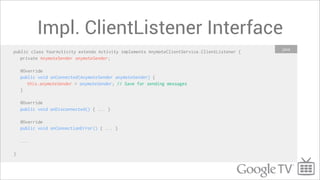
   1.Implement the AnymoteClientService.ClientListener interface (3 methods)

   2.Implement a ServiceConnection to attach your ClientListener to the AnymoteClientService

   3.Bind to the AnymoteClientService to initiate the pairing process

   4.Use the AnymoteSender to send messages to Google TV using the Anymote protocol
Impl. ClientListener Interface
                                                                                              Java
public class YourActivity extends Activity implements AnymoteClientService.ClientListener {
   private AnymoteSender anymoteSender;

    @Override
    public void onConnected(AnymoteSender anymoteSender) {
       this.anymoteSender = anymoteSender; // Save for sending messages
    }

    @Override
    public void onDisconnected() { ... }
    @Override
    public void onConnectionError() { ... }

    ...

}
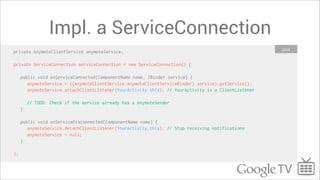
Impl. a ServiceConnection
                                                                                                      Java
private AnymoteClientService anymoteService;

private ServiceConnection serviceConnection = new ServiceConnection() {

     public void onServiceConnected(ComponentName name, IBinder service) {
        anymoteService = ((AnymoteClientService.AnymoteClientServiceBinder) service).getService();
        anymoteService.attachClientListener(YourActivity.this); // YourActivity is a ClientListener

         // TODO: Check if the service already has a AnymoteSender
     }

     public void onServiceDisconnected(ComponentName name) {
        anymoteService.detachClientListener(YourActivity.this); // Stop receiving notifications
        anymoteService = null;
     }

};
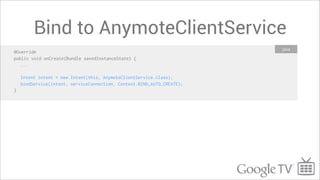
Bind to AnymoteClientService
                                                                        Java
@Override
public void onCreate(Bundle savedInstanceState) {
   ...

    Intent intent = new Intent(this, AnymoteClientService.class);
    bindService(intent, serviceConnection, Context.BIND_AUTO_CREATE);
}
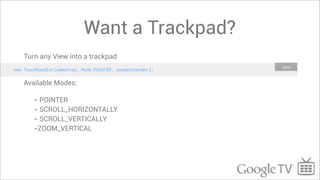
Want a Trackpad?
    Turn any View into a trackpad
                                                           Java
new TouchHandler(someView, Mode.POINTER, anymoteSender);

    Available Modes:

        - POINTER
        - SCROLL_HORIZONTALLY
        - SCROLL_VERTICALLY
        -ZOOM_VERTICAL
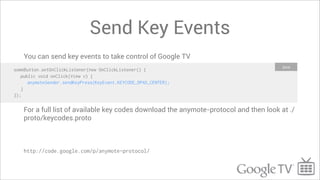
Send Key Events
    You can send key events to take control of Google TV
                                                                                        Java
someButton.setOnClickListener(new OnClickListener() {
   public void onClick(View v) {
      anymoteSender.sendKeyPress(KeyEvent.KEYCODE_DPAD_CENTER);
   }
});


    For a full list of available key codes download the anymote-protocol and then look at ./
    proto/keycodes.proto


    http://code.google.com/p/anymote-protocol/
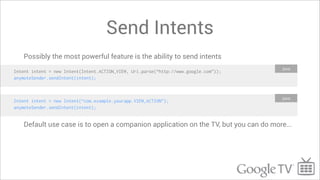
Send Intents
    Possibly the most powerful feature is the ability to send intents
                                                                                      Java
Intent intent = new Intent(Intent.ACTION_VIEW, Uri.parse(“http://www.google.com”));
anymoteSender.sendIntent(intent);


                                                                                      Java
Intent intent = new Intent(“com.example.yourapp.VIEW_ACTION”);
anymoteSender.sendIntent(intent);


    Default use case is to open a companion application on the TV, but you can do more...
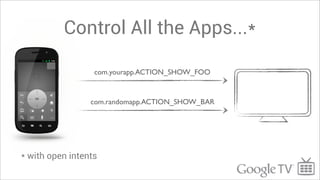
Control All the Apps...*

                  com.yourapp.ACTION_SHOW_FOO


                 com.randomapp.ACTION_SHOW_BAR


* with open intents
Samples + Anymote Library
 http://code.google.com/p/googletv-android-samples/
Noteworthy Bits
-       Limitations
    -     One way communication
    -     May not be the fastest (i.e. may not be suitable for games)

-       Discovery handled by the app: Google TV Remote[1] (can use JmDNS)
-       Pairing & Auth: Pairing Protocol Reference Implementation[2]
-       Sending Events: Anymote Protocol Reference Implementation[3]
-       Pairing and Anymote Protocols user Protocol Buffers[4] (lite)
    -    Google TV Remote for Android: http://code.google.com/p/google-tv-remote/
    -    Pairing Protocol: http://code.google.com/p/google-tv-pairing-protocol/
    -    Anymote Protocol: http://code.google.com/p/anymote-protocol/
    -    Protocol Buffers: http://code.google.com/p/protobuf/
Leon Nicholls Anymote for Java
   https://github.com/entertailion/Anymote-for-Java
Tips & Good to Know
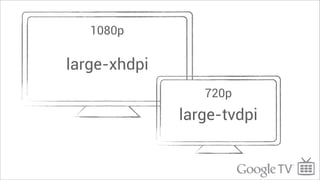
1080p

large-xhdpi
                 720p
              large-tvdpi
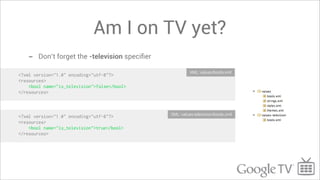
Am I on TV yet?
   -    Don’t forget the -television specifier

                                                         XML: values/bools.xml
<?xml version="1.0" encoding="utf-8"?>
<resources>
    <bool name="is_television">false</bool>
</resources>


                                                XML: values-television/bools.xml
<?xml version="1.0" encoding="utf-8"?>
<resources>
    <bool name="is_television">true</bool>
</resources>
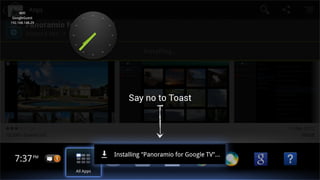
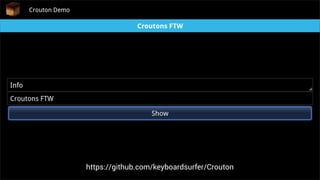
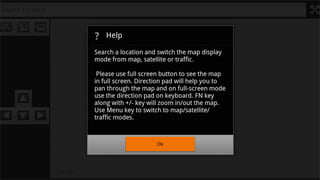
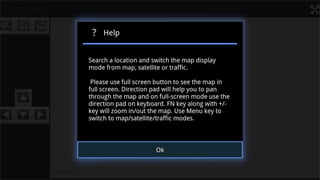
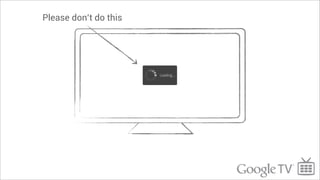
Say no to Toast
https://github.com/keyboardsurfer/Crouton
Please don’t do this
Publishing Time
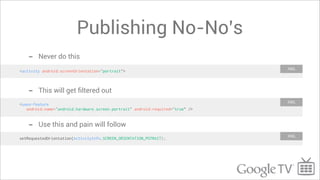
Publishing No-No’s
   -    Never do this
                                                                                XML
<activity android:screenOrientation="portrait">


   -    This will get filtered out
                                                                                XML
<uses-feature
   android:name="android.hardware.screen.portrait" android:required=”true” />


   -    Use this and pain will follow
                                                                                XML
setRequestedOrientation(ActivityInfo.SCREEN_ORIENTATION_POTRAIT);
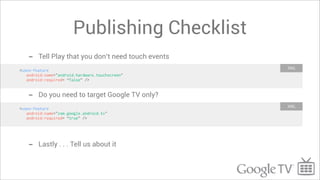
Publishing Checklist
   -    Tell Play that you don’t need touch events
                                                     XML
<uses-feature 
   android:name="android.hardware.touchscreen"
   android:required= “false” />


   -    Do you need to target Google TV only?
                                                     XML
<uses-feature 
   android:name="com.google.android.tv"
   android:required= “true” />


   -    Lastly . . . Tell us about it
More API’s
Future GTV API’s
-   Smooth Streaming support

-   PlayReady support

-   Custom Streaming & Custom DRM support

-   Quality of Service (QoS) API’s


-   Google I/O 2012 - Get Your Content Onto Google TV
    -   http://www.youtube.com/watch?feature=player_embedded&v=bNbKpUqkOso
YouTube Android Player API
http://developers.google.com/tv/

    +Google TV Developers
Johan
<Thank You!>
http://developers.google.com/tv/


mattgaunt@google.com
+matt gaunt
@gauntface

Intro to Google TV

  • 1.
    Intro to GoogleTV +Matt Gaunt
  • 2.
  • 3.
    The Open SmartTV Platform
  • 4.
  • 5.
  • 6.
    Sony’s Internet streamingset-top box is available in the US, UK, Germany, Netherlands, France, Brazil, Canada, Mexico and Australia.
  • 7.
    Meet the Devices - ARM Processors - More on the way... Sony Vizio LG
  • 8.
  • 9.
    In the US, homes have an average of 2.5 people and 2.93 TV sets (and rising!) Television Audience Report, 2009: The Nielsen Company ”
  • 10.
    In the US, people “watch” an average of ~5 hours of TV per day Three Screen Report, Q1’10: The Nielsen Company ”
  • 11.
    Continued Growth - 22% of US broadband household already own an HDTV with integrated TV apps Source: In-Stat “Q2’11 US Digital Entertainment Database,” July 26, 2011 - 60% of connected-TV households will use a TV app at least once per week Source: In-Stat “Q2’11 US Digital Entertainment Database,” July 26, 2011 - By 2015, 500 million web enabled TV’s Source: Crave Asia, July 8, 2011
  • 12.
  • 13.
  • 14.
  • 15.
  • 16.
  • 17.
  • 19.
    Remote Control Mr. Leanback Favorite Beverage
  • 20.
  • 25.
  • 35.
  • 36.
    1 2 3 Love it Add Friend Send Show on Map
  • 37.
  • 38.
  • 39.
  • 40.
  • 43.
    To Use It? - Use the LeftNavBar like so... XML private LeftNavBar mLeftNavBar; ... private LeftNavBar getLeftNavBar() { if (mLeftNavBar == null) {     mLeftNavBar = new LeftNavBar(this);     }     return mLeftNavBar; } - Then treat it like an ActionBar (it’s the same API)
  • 44.
    Grab the LibraryProject Here http://code.google.com/p/googletv-android-samples/
  • 45.
  • 46.
    Big, but small • Traditionally designed consumption not interaction • Far away = lower information density • Ironically, not so good for reading a lot of text • Big Sound: Great for video, and listening to music • Different than phones: personal, location, size, touch • Not just a big Tablet => more like a PHONE Big, but small Traditionally designed consumption not Far away = lower information density Ironically, not so good for reading a lot of Big Sound: Great for video, and listening Different than phones: personal, locatiot 29
  • 47.
  • 50.
  • 51.
    Social Shared Experience - Games, learning, exploring, music, shared experiences - Privacy considerations
  • 53.
  • 55.
    Remote Control Mr. Leanback Still Drinking His Favorite Beverage
  • 56.
    In the U.S., 88 percent of tablet owners and 86 percent of smartphone owners said they used their device while watching TV... Q4 2011 Survey of Connected Devices Owners ” Nielsen Company
  • 57.
  • 58.
    Remote Control Smartphone Tablet? Ms. Multi-screen Laptop Snack 39
  • 59.
  • 60.
    Step 1: Discovery Hello? My IP address is xxx.xxx.x.x, I offer service _anymote._tcp on port xxxx mDNS Broadcasts
  • 61.
    Step 1: Discovery Oh you have the _anymote._tcp service, you must be a Google TV
  • 62.
    Step 2: Pairing Hey, can I connect to you? Pairing Request Yeah sure :) Pairing Ack Cool, well I can deal with hexadecimal passwords & ... Challenges it can deal with Well I can give you these challenges and you need to give me back this ... Challenges it can give & expected response
  • 63.
    Step 2: Pairing I challenge you!! Mwuahaha Challenge Easy. “1234” Secret You got it, heres the top secret password “Awesome sauce” Secret Ack
  • 64.
    Step 3: Anymote The fun part
  • 65.
    But this wasn’tfriendly :(
  • 66.
    Anymote Library Makes Anymoteeasy to use An Android Library project which simplifies finding, pairing and sending events to Google TV using the Anymote Protocol 1.Implement the AnymoteClientService.ClientListener interface (3 methods) 2.Implement a ServiceConnection to attach your ClientListener to the AnymoteClientService 3.Bind to the AnymoteClientService to initiate the pairing process 4.Use the AnymoteSender to send messages to Google TV using the Anymote protocol
  • 67.
    Impl. ClientListener Interface Java public class YourActivity extends Activity implements AnymoteClientService.ClientListener { private AnymoteSender anymoteSender; @Override public void onConnected(AnymoteSender anymoteSender) { this.anymoteSender = anymoteSender; // Save for sending messages } @Override public void onDisconnected() { ... } @Override public void onConnectionError() { ... } ... }
  • 68.
    Impl. a ServiceConnection Java private AnymoteClientService anymoteService; private ServiceConnection serviceConnection = new ServiceConnection() { public void onServiceConnected(ComponentName name, IBinder service) { anymoteService = ((AnymoteClientService.AnymoteClientServiceBinder) service).getService(); anymoteService.attachClientListener(YourActivity.this); // YourActivity is a ClientListener // TODO: Check if the service already has a AnymoteSender } public void onServiceDisconnected(ComponentName name) { anymoteService.detachClientListener(YourActivity.this); // Stop receiving notifications anymoteService = null; } };
  • 69.
    Bind to AnymoteClientService Java @Override public void onCreate(Bundle savedInstanceState) { ... Intent intent = new Intent(this, AnymoteClientService.class); bindService(intent, serviceConnection, Context.BIND_AUTO_CREATE); }
  • 70.
    Want a Trackpad? Turn any View into a trackpad Java new TouchHandler(someView, Mode.POINTER, anymoteSender); Available Modes: - POINTER - SCROLL_HORIZONTALLY - SCROLL_VERTICALLY -ZOOM_VERTICAL
  • 71.
    Send Key Events You can send key events to take control of Google TV Java someButton.setOnClickListener(new OnClickListener() { public void onClick(View v) { anymoteSender.sendKeyPress(KeyEvent.KEYCODE_DPAD_CENTER); } }); For a full list of available key codes download the anymote-protocol and then look at ./ proto/keycodes.proto http://code.google.com/p/anymote-protocol/
  • 72.
    Send Intents Possibly the most powerful feature is the ability to send intents Java Intent intent = new Intent(Intent.ACTION_VIEW, Uri.parse(“http://www.google.com”)); anymoteSender.sendIntent(intent); Java Intent intent = new Intent(“com.example.yourapp.VIEW_ACTION”); anymoteSender.sendIntent(intent); Default use case is to open a companion application on the TV, but you can do more...
  • 73.
    Control All theApps...* com.yourapp.ACTION_SHOW_FOO com.randomapp.ACTION_SHOW_BAR * with open intents
  • 74.
    Samples + AnymoteLibrary http://code.google.com/p/googletv-android-samples/
  • 75.
    Noteworthy Bits - Limitations - One way communication - May not be the fastest (i.e. may not be suitable for games) - Discovery handled by the app: Google TV Remote[1] (can use JmDNS) - Pairing & Auth: Pairing Protocol Reference Implementation[2] - Sending Events: Anymote Protocol Reference Implementation[3] - Pairing and Anymote Protocols user Protocol Buffers[4] (lite) - Google TV Remote for Android: http://code.google.com/p/google-tv-remote/ - Pairing Protocol: http://code.google.com/p/google-tv-pairing-protocol/ - Anymote Protocol: http://code.google.com/p/anymote-protocol/ - Protocol Buffers: http://code.google.com/p/protobuf/
  • 76.
    Leon Nicholls Anymotefor Java https://github.com/entertailion/Anymote-for-Java
  • 77.
    Tips & Goodto Know
  • 78.
    1080p large-xhdpi 720p large-tvdpi
  • 79.
    Am I onTV yet? - Don’t forget the -television specifier XML: values/bools.xml <?xml version="1.0" encoding="utf-8"?> <resources> <bool name="is_television">false</bool> </resources> XML: values-television/bools.xml <?xml version="1.0" encoding="utf-8"?> <resources> <bool name="is_television">true</bool> </resources>
  • 80.
    Say no toToast
  • 81.
  • 84.
  • 85.
  • 86.
    Publishing No-No’s - Never do this XML <activity android:screenOrientation="portrait"> - This will get filtered out XML <uses-feature android:name="android.hardware.screen.portrait" android:required=”true” /> - Use this and pain will follow XML setRequestedOrientation(ActivityInfo.SCREEN_ORIENTATION_POTRAIT);
  • 87.
    Publishing Checklist - Tell Play that you don’t need touch events XML <uses-feature  android:name="android.hardware.touchscreen" android:required= “false” /> - Do you need to target Google TV only? XML <uses-feature  android:name="com.google.android.tv" android:required= “true” /> - Lastly . . . Tell us about it
  • 88.
  • 89.
    Future GTV API’s - Smooth Streaming support - PlayReady support - Custom Streaming & Custom DRM support - Quality of Service (QoS) API’s - Google I/O 2012 - Get Your Content Onto Google TV - http://www.youtube.com/watch?feature=player_embedded&v=bNbKpUqkOso
  • 90.
  • 91.
    http://developers.google.com/tv/ +Google TV Developers
  • 92.
  • 93.