Android 2.2
Froyo
Robert Cooper
User Features

 Better BlueTooth support

 Better Exchange support

 Improved Camera app

 Better Music app

 Tethering
Infrastructure

 Dalvik JIT (awesome sauce)

 V8 in the Browser

 Support for > 256MB RAM

 SDIO improvements
Stuff You Care About

 Apps on External Storage

 Data Backup

 Device Policy Manager

 Cloud to Device Messaging

 New UI Goodness
   Car Mode
   Night Mode
Stuff You Care About

 New Search Support

 Camera Preview (Now ~20 FPS)

 OpenGL ES 2.0

 Improved Media Framework/OpenCore

 Crash and Hang Reports on the Market
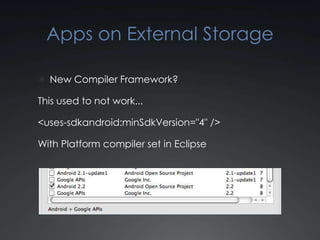
Apps on External Storage

 New Compiler Framework?

This used to not work...

<uses-sdkandroid:minSdkVersion="4" />

With Platform compiler set in Eclipse
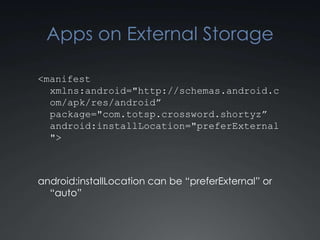
Apps on External Storage

<manifest
  xmlns:android="http://schemas.android.c
  om/apk/res/android”
  package="com.totsp.crossword.shortyz”
  android:installLocation="preferExternal
  ">


android:installLocation can be “preferExternal” or
  “auto”
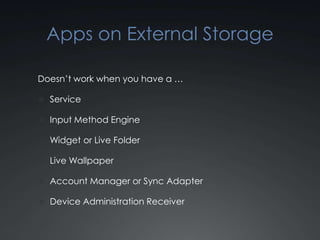
Apps on External Storage

Doesn’t work when you have a …

 Service

 Input Method Engine

 Widget or Live Folder

 Live Wallpaper

 Account Manager or Sync Adapter

 Device Administration Receiver
Data Backup

 Attaches Data to your users Android Market
  profile (Or other… OEM, Carrier, Whatever)

 Data follows the user across devices or wipes
Data Backup

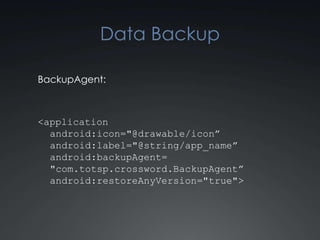
BackupAgent:


<application
  android:icon="@drawable/icon”
  android:label="@string/app_name”
  android:backupAgent=
  "com.totsp.crossword.BackupAgent”
  android:restoreAnyVersion="true">
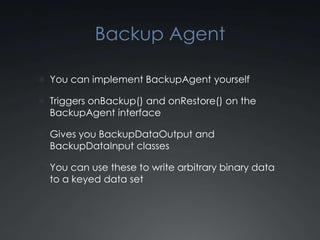
Backup Agent

 You can implement BackupAgent yourself

 Triggers onBackup() and onRestore() on the
  BackupAgent interface

 Gives you BackupDataOutput and
  BackupDataInput classes

 You can use these to write arbitrary binary data
  to a keyed data set
Data Backup


Well gee whiz Wally, that seems like a lot of work…
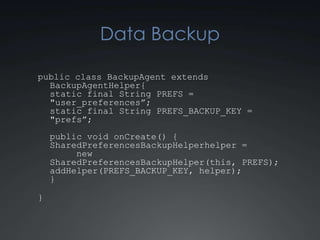
Data Backup

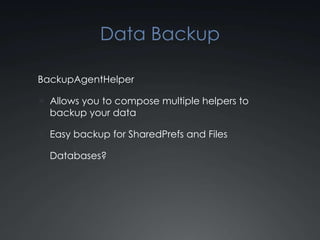
BackupAgentHelper

 Allows you to compose multiple helpers to
  backup your data

 Easy backup for SharedPrefs and Files

 Databases?
Data Backup

public class BackupAgent extends
  BackupAgentHelper {
  static final String PREFS =
  "user_preferences”;
  static final String PREFS_BACKUP_KEY =
  "prefs”;
    public void onCreate() {
    SharedPreferencesBackupHelper helper =
         new
    SharedPreferencesBackupHelper(this, PREFS);
    addHelper(PREFS_BACKUP_KEY, helper);
    }

}
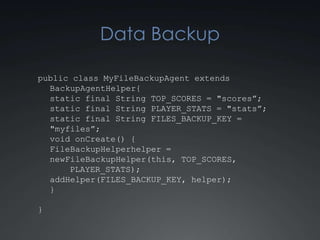
Data Backup

public class MyFileBackupAgent extends
  BackupAgentHelper {
  static final String TOP_SCORES = "scores”;
  static final String PLAYER_STATS = "stats”;
  static final String FILES_BACKUP_KEY =
  "myfiles”;
  void onCreate() {
  FileBackupHelper helper = new
      FileBackupHelper(this, TOP_SCORES,
      PLAYER_STATS);
  addHelper(FILES_BACKUP_KEY, helper);
  }

}
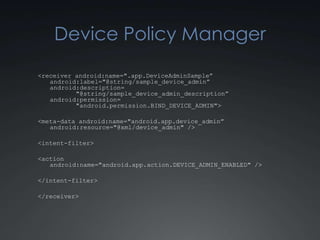
Device Policy Manager
<receiver android:name=".app.DeviceAdminSample”
   android:label="@string/sample_device_admin”
   android:description=
          "@string/sample_device_admin_description”
   android:permission=
          "android.permission.BIND_DEVICE_ADMIN">

<meta-data android:name="android.app.device_admin”
   android:resource="@xml/device_admin" />

<intent-filter>

<action
   android:name="android.app.action.DEVICE_ADMIN_ENABLED" />

</intent-filter>

</receiver>
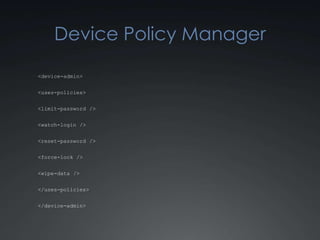
Device Policy Manager

<device-admin>


<uses-policies>


<limit-password />


<watch-login />


<reset-password />


<force-lock />


<wipe-data />


</uses-policies>


</device-admin>
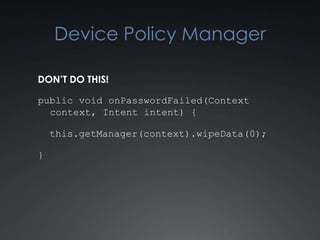
Device Policy Manager

DON’T DO THIS!

public void onPasswordFailed(Context
  context, Intent intent) {

    this.getManager(context).wipeData(0);

}
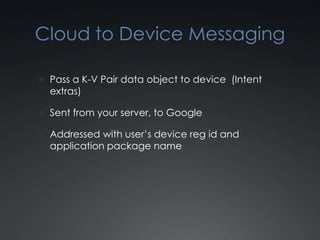
Cloud to Device Messaging

 Pass a K-V Pair data object to device (Intent
  extras)

 Sent from your server, to Google

 Addressed with user’s device reg id and
  application package name
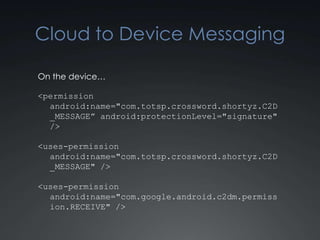
Cloud to Device Messaging

On the device…

<permission
  android:name="com.totsp.crossword.shortyz.C2D
  _MESSAGE” android:protectionLevel="signature"
  />

<uses-permission
  android:name="com.totsp.crossword.shortyz.C2D
  _MESSAGE" />

<uses-permission
  android:name="com.google.android.c2dm.permiss
  ion.RECEIVE" />
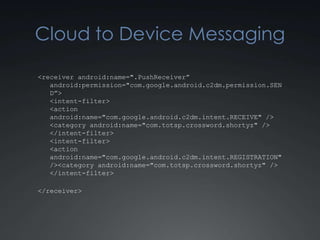
Cloud to Device Messaging

<receiver android:name=".PushReceiver”
   android:permission="com.google.android.c2dm.permission.SEN
   D”>
   <intent-filter>
   <action
   android:name="com.google.android.c2dm.intent.RECEIVE" />
   <category android:name="com.totsp.crossword.shortyz" />
   </intent-filter>
   <intent-filter>
   <action
   android:name="com.google.android.c2dm.intent.REGISTRATION"
   /><category android:name="com.totsp.crossword.shortyz" />
   </intent-filter>

</receiver>
Cloud to Device Messaging

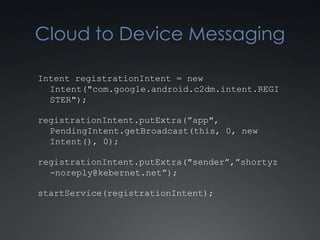
Intent registrationIntent = new
  Intent("com.google.android.c2dm.intent.REGI
  STER");

registrationIntent.putExtra(”app", PendingInt
  ent.getBroadcast(this, 0, new Intent(), 0);

registrationIntent.putExtra("sender”,”shortyz
  -noreply@kebernet.net”);

startService(registrationIntent);
Cloud to Device Messaging

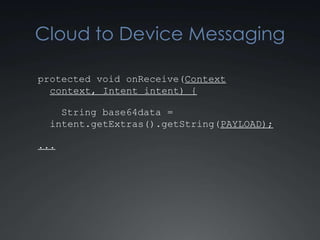
protected void onReceive(Context
  context, Intent intent) {

    String base64data =
  intent.getExtras().getString(PAYLOAD);

...
Cloud to Device Messaging

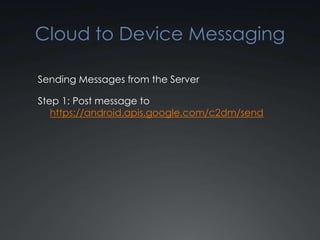
Sending Messages from the Server

Step 1: Post message to
   https://android.apis.google.com/c2dm/send
Cloud to Device Messaging

Post Fields

 registration_id : Reg id from the phone

 collapse_key : A key used to prune
  dupes/clobbers when the phone is offline

 data.[some name]: Data to push to the intent

 delay_while_idle: Don’t push if the phone is idle

 Authorization header for the sender
Cloud to Device Messaging

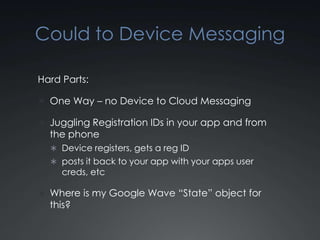
Hard Parts:

 One Way – no Device to Cloud Messaging

 Juggling Registration IDs in your app and from
  the phone
   Device registers, gets a reg ID
   posts it back to your app with your apps user
     creds, etc

 Where is my Google Wave “State” object for
  this?
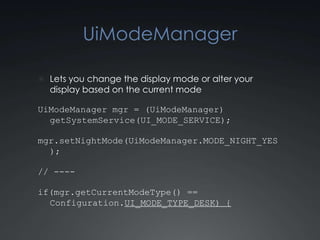
UiModeManager

 Lets you change the display mode or alter your
  display based on the current mode

UiModeManager mgr = (UiModeManager)
  getSystemService(UI_MODE_SERVICE);

mgr.setNightMode(UiModeManager.MODE_NIGHT_YES
  );

// ----

if(mgr.getCurrentModeType() ==
  Configuration.UI_MODE_TYPE_DESK) {
Lots More


http://developer.android.com

Android Froyo

  • 1.
  • 2.
    User Features  BetterBlueTooth support  Better Exchange support  Improved Camera app  Better Music app  Tethering
  • 3.
    Infrastructure  Dalvik JIT(awesome sauce)  V8 in the Browser  Support for > 256MB RAM  SDIO improvements
  • 4.
    Stuff You CareAbout  Apps on External Storage  Data Backup  Device Policy Manager  Cloud to Device Messaging  New UI Goodness  Car Mode  Night Mode
  • 5.
    Stuff You CareAbout  New Search Support  Camera Preview (Now ~20 FPS)  OpenGL ES 2.0  Improved Media Framework/OpenCore  Crash and Hang Reports on the Market
  • 6.
    Apps on ExternalStorage  New Compiler Framework? This used to not work... <uses-sdkandroid:minSdkVersion="4" /> With Platform compiler set in Eclipse
  • 7.
    Apps on ExternalStorage <manifest xmlns:android="http://schemas.android.c om/apk/res/android” package="com.totsp.crossword.shortyz” android:installLocation="preferExternal "> android:installLocation can be “preferExternal” or “auto”
  • 8.
    Apps on ExternalStorage Doesn’t work when you have a …  Service  Input Method Engine  Widget or Live Folder  Live Wallpaper  Account Manager or Sync Adapter  Device Administration Receiver
  • 9.
    Data Backup  AttachesData to your users Android Market profile (Or other… OEM, Carrier, Whatever)  Data follows the user across devices or wipes
  • 10.
    Data Backup BackupAgent: <application android:icon="@drawable/icon” android:label="@string/app_name” android:backupAgent= "com.totsp.crossword.BackupAgent” android:restoreAnyVersion="true">
  • 11.
    Backup Agent  Youcan implement BackupAgent yourself  Triggers onBackup() and onRestore() on the BackupAgent interface  Gives you BackupDataOutput and BackupDataInput classes  You can use these to write arbitrary binary data to a keyed data set
  • 12.
    Data Backup Well geewhiz Wally, that seems like a lot of work…
  • 13.
    Data Backup BackupAgentHelper  Allowsyou to compose multiple helpers to backup your data  Easy backup for SharedPrefs and Files  Databases?
  • 14.
    Data Backup public classBackupAgent extends BackupAgentHelper { static final String PREFS = "user_preferences”; static final String PREFS_BACKUP_KEY = "prefs”; public void onCreate() { SharedPreferencesBackupHelper helper = new SharedPreferencesBackupHelper(this, PREFS); addHelper(PREFS_BACKUP_KEY, helper); } }
  • 15.
    Data Backup public classMyFileBackupAgent extends BackupAgentHelper { static final String TOP_SCORES = "scores”; static final String PLAYER_STATS = "stats”; static final String FILES_BACKUP_KEY = "myfiles”; void onCreate() { FileBackupHelper helper = new FileBackupHelper(this, TOP_SCORES, PLAYER_STATS); addHelper(FILES_BACKUP_KEY, helper); } }
  • 16.
    Device Policy Manager <receiverandroid:name=".app.DeviceAdminSample” android:label="@string/sample_device_admin” android:description= "@string/sample_device_admin_description” android:permission= "android.permission.BIND_DEVICE_ADMIN"> <meta-data android:name="android.app.device_admin” android:resource="@xml/device_admin" /> <intent-filter> <action android:name="android.app.action.DEVICE_ADMIN_ENABLED" /> </intent-filter> </receiver>
  • 17.
    Device Policy Manager <device-admin> <uses-policies> <limit-password/> <watch-login /> <reset-password /> <force-lock /> <wipe-data /> </uses-policies> </device-admin>
  • 18.
    Device Policy Manager DON’TDO THIS! public void onPasswordFailed(Context context, Intent intent) { this.getManager(context).wipeData(0); }
  • 19.
    Cloud to DeviceMessaging  Pass a K-V Pair data object to device (Intent extras)  Sent from your server, to Google  Addressed with user’s device reg id and application package name
  • 20.
    Cloud to DeviceMessaging On the device… <permission android:name="com.totsp.crossword.shortyz.C2D _MESSAGE” android:protectionLevel="signature" /> <uses-permission android:name="com.totsp.crossword.shortyz.C2D _MESSAGE" /> <uses-permission android:name="com.google.android.c2dm.permiss ion.RECEIVE" />
  • 21.
    Cloud to DeviceMessaging <receiver android:name=".PushReceiver” android:permission="com.google.android.c2dm.permission.SEN D”> <intent-filter> <action android:name="com.google.android.c2dm.intent.RECEIVE" /> <category android:name="com.totsp.crossword.shortyz" /> </intent-filter> <intent-filter> <action android:name="com.google.android.c2dm.intent.REGISTRATION" /><category android:name="com.totsp.crossword.shortyz" /> </intent-filter> </receiver>
  • 22.
    Cloud to DeviceMessaging Intent registrationIntent = new Intent("com.google.android.c2dm.intent.REGI STER"); registrationIntent.putExtra(”app", PendingInt ent.getBroadcast(this, 0, new Intent(), 0); registrationIntent.putExtra("sender”,”shortyz -noreply@kebernet.net”); startService(registrationIntent);
  • 23.
    Cloud to DeviceMessaging protected void onReceive(Context context, Intent intent) { String base64data = intent.getExtras().getString(PAYLOAD); ...
  • 24.
    Cloud to DeviceMessaging Sending Messages from the Server Step 1: Post message to https://android.apis.google.com/c2dm/send
  • 25.
    Cloud to DeviceMessaging Post Fields  registration_id : Reg id from the phone  collapse_key : A key used to prune dupes/clobbers when the phone is offline  data.[some name]: Data to push to the intent  delay_while_idle: Don’t push if the phone is idle  Authorization header for the sender
  • 26.
    Cloud to DeviceMessaging Hard Parts:  One Way – no Device to Cloud Messaging  Juggling Registration IDs in your app and from the phone  Device registers, gets a reg ID  posts it back to your app with your apps user creds, etc  Where is my Google Wave “State” object for this?
  • 27.
    UiModeManager  Lets youchange the display mode or alter your display based on the current mode UiModeManager mgr = (UiModeManager) getSystemService(UI_MODE_SERVICE); mgr.setNightMode(UiModeManager.MODE_NIGHT_YES ); // ---- if(mgr.getCurrentModeType() == Configuration.UI_MODE_TYPE_DESK) {
  • 28.