






A visual introduction
What does it mean to have a Modular UI?
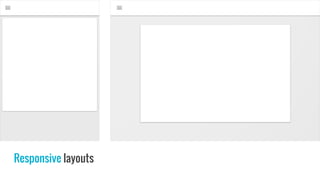
Responsive layouts
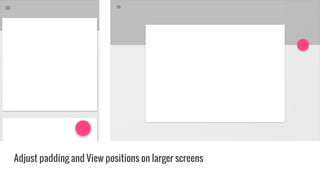
Adjust padding and View positions on larger screens
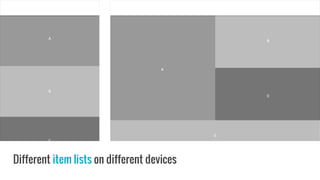
Different item lists on different devices
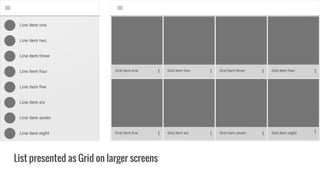
List presented as Grid on larger screens
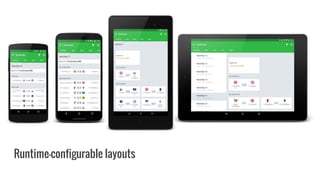
Runtime-configurable layouts
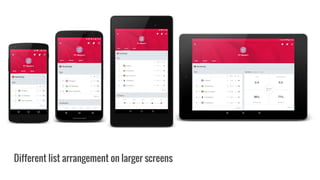
Different list arrangement on larger screens
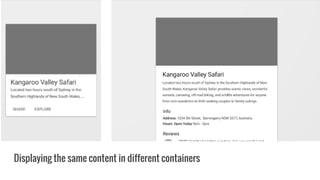
Displaying the same content in different containers
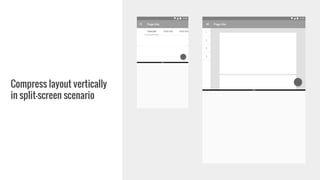
Compress layout vertically
in split-screen scenario
Different navigation on different devices
Architecture & Layering
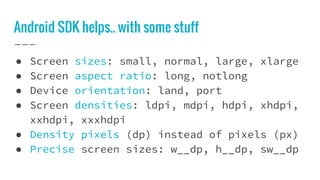
Android SDK helps.. with some stuff
● Screen sizes: small, normal, large, xlarge
● Screen aspect ratio: long, notlong
● Device orientation: land, port
● Screen densities: ldpi, mdpi, hdpi, xhdpi,
xxhdpi, xxxhdpi
● Density pixels (dp) instead of pixels (px)
● Precise screen sizes: w__dp, h__dp, sw__dp
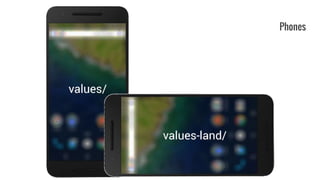
Phones
Small Tablets (7”, 8”)
Large Tablets
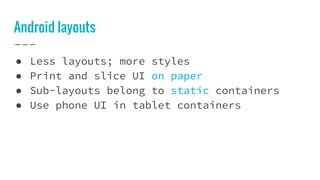
Android layouts
● Less layouts; more styles
● Print and slice UI on paper
● Sub-layouts belong to static containers
● Use phone UI in tablet containers
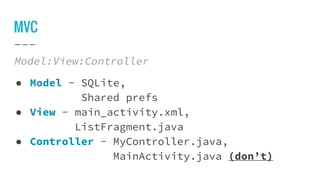
MVC
Model:View:Controller
● Model - SQLite,
Shared prefs
● View - main_activity.xml,
ListFragment.java
● Controller - MyController.java,
MainActivity.java (don’t)
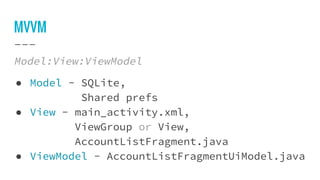
MVVM
Model:View:ViewModel
● Model - SQLite,
Shared prefs
● View - main_activity.xml,
ViewGroup or View,
AccountListFragment.java
● ViewModel - AccountListFragmentUiModel.java
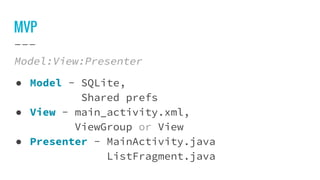
MVP
Model:View:Presenter
● Model - SQLite,
Shared prefs
● View - main_activity.xml,
ViewGroup or View
● Presenter - MainActivity.java
ListFragment.java
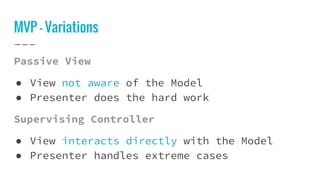
MVP - Variations
Passive View
● View not aware of the Model
● Presenter does the hard work
Supervising Controller
● View interacts directly with the Model
● Presenter handles extreme cases
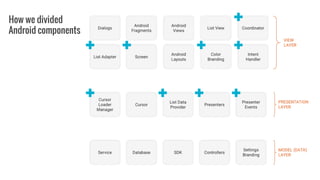
Components for Android
How we divided
Android components
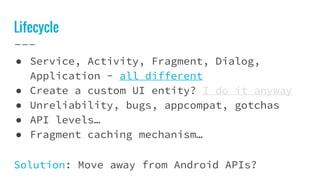
Lifecycle
● Service, Activity, Fragment, Dialog,
Application - all different
● Create a custom UI entity? I do it anyway
● Unreliability, bugs, appcompat, gotchas
● API levels…
● Fragment caching mechanism…
Solution: Move away from Android APIs?
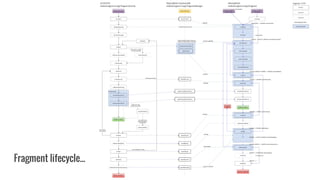
Fragment lifecycle...
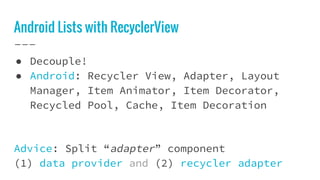
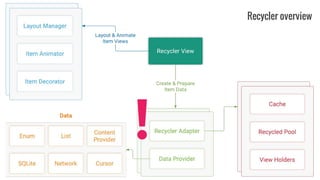
Android Lists with RecyclerView
● Decouple!
● Android: Recycler View, Adapter, Layout
Manager, Item Animator, Item Decorator,
Recycled Pool, Cache, Item Decoration
Advice: Split “adapter” component
(1) data provider and (2) recycler adapter
Recycler overview
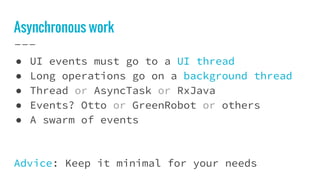
Asynchronous work
● UI events must go to a UI thread
● Long operations go on a background thread
● Thread or AsyncTask or RxJava
● Events? Otto or GreenRobot or others
● A swarm of events
Advice: Keep it minimal for your needs
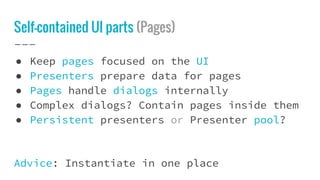
Self-contained UI parts (Pages)
● Keep pages focused on the UI
● Presenters prepare data for pages
● Pages handle dialogs internally
● Complex dialogs? Contain pages inside them
● Persistent presenters or Presenter pool?
Advice: Instantiate in one place
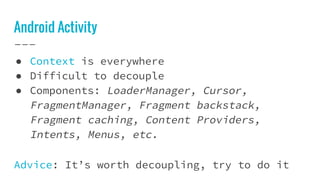
Android Activity
● Context is everywhere
● Difficult to decouple
● Components: LoaderManager, Cursor,
FragmentManager, Fragment backstack,
Fragment caching, Content Providers,
Intents, Menus, etc.
Advice: It’s worth decoupling, try to do it
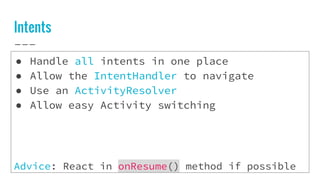
Intents
● Handle all intents in one place
● Allow the IntentHandler to navigate
● Use an ActivityResolver
● Allow easy Activity switching
Advice: React in onResume() method if possible
Connecting the dots
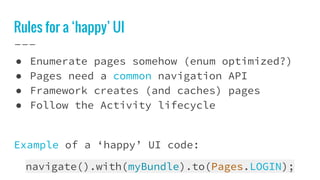
Rules for a ‘happy’ UI
● Enumerate pages somehow (enum optimized?)
● Pages need a common navigation API
● Framework creates (and caches) pages
● Follow the Activity lifecycle
Example of a ‘happy’ UI code:
navigate().with(myBundle).to(Pages.LOGIN);
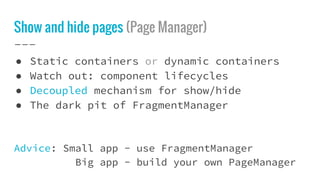
Show and hide pages (Page Manager)
● Static containers or dynamic containers
● Watch out: component lifecycles
● Decoupled mechanism for show/hide
● The dark pit of FragmentManager
Advice: Small app - use FragmentManager
Big app - build your own PageManager
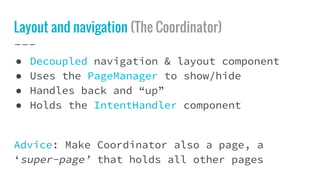
Layout and navigation (The Coordinator)
● Decoupled navigation & layout component
● Uses the PageManager to show/hide
● Handles back and “up”
● Holds the IntentHandler component
Advice: Make Coordinator also a page, a
‘super-page’ that holds all other pages
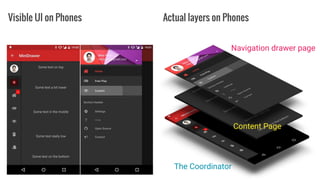
Visible UI on Phones Actual layers on Phones
The Coordinator
Content Page
Navigation drawer page
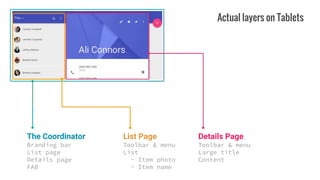
The Coordinator
Branding bar
List page
Details page
FAB
List Page
Toolbar & menu
List
- Item photo
- Item name
Details Page
Toolbar & menu
Large title
Content
Actual layers on Tablets
Page Modularity
External configuration causes trouble
● A lot of if-else branches in pages
● Custom Views rule the app (learning curve)
Solution: Have a distinct page for each UI
Advice: Create a PageResolver component
Drawbacks
● A lot of decoupling and cosmetic work
● A lot of method references
● Difficult to switch to
● Makes sense only for complex UIs
● Team education
● Limited support (open-source?)
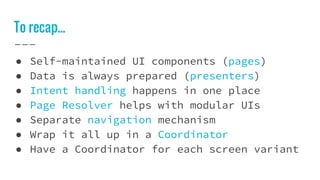
To recap...
● Self-maintained UI components (pages)
● Data is always prepared (presenters)
● Intent handling happens in one place
● Page Resolver helps with modular UIs
● Separate navigation mechanism
● Wrap it all up in a Coordinator
● Have a Coordinator for each screen variant
Finally done.
Modular Android UI
GitHub / Twitter / LinkedIn
@ milosmns
Blog
www.angrybyte.me
Questions?

Milos Marinkovic "Modular Android UI"

  • 2.
    A visual introduction Whatdoes it mean to have a Modular UI?
  • 3.
  • 4.
    Adjust padding andView positions on larger screens
  • 5.
    Different item listson different devices
  • 6.
    List presented asGrid on larger screens
  • 7.
  • 8.
    Different list arrangementon larger screens
  • 9.
    Displaying the samecontent in different containers
  • 10.
    Compress layout vertically insplit-screen scenario
  • 11.
    Different navigation ondifferent devices
  • 12.
  • 13.
    Android SDK helps..with some stuff ● Screen sizes: small, normal, large, xlarge ● Screen aspect ratio: long, notlong ● Device orientation: land, port ● Screen densities: ldpi, mdpi, hdpi, xhdpi, xxhdpi, xxxhdpi ● Density pixels (dp) instead of pixels (px) ● Precise screen sizes: w__dp, h__dp, sw__dp
  • 14.
  • 15.
  • 16.
  • 17.
    Android layouts ● Lesslayouts; more styles ● Print and slice UI on paper ● Sub-layouts belong to static containers ● Use phone UI in tablet containers
  • 18.
    MVC Model:View:Controller ● Model -SQLite, Shared prefs ● View - main_activity.xml, ListFragment.java ● Controller - MyController.java, MainActivity.java (don’t)
  • 19.
    MVVM Model:View:ViewModel ● Model -SQLite, Shared prefs ● View - main_activity.xml, ViewGroup or View, AccountListFragment.java ● ViewModel - AccountListFragmentUiModel.java
  • 20.
    MVP Model:View:Presenter ● Model -SQLite, Shared prefs ● View - main_activity.xml, ViewGroup or View ● Presenter - MainActivity.java ListFragment.java
  • 21.
    MVP - Variations PassiveView ● View not aware of the Model ● Presenter does the hard work Supervising Controller ● View interacts directly with the Model ● Presenter handles extreme cases
  • 22.
  • 23.
  • 24.
    Lifecycle ● Service, Activity,Fragment, Dialog, Application - all different ● Create a custom UI entity? I do it anyway ● Unreliability, bugs, appcompat, gotchas ● API levels… ● Fragment caching mechanism… Solution: Move away from Android APIs?
  • 25.
  • 26.
    Android Lists withRecyclerView ● Decouple! ● Android: Recycler View, Adapter, Layout Manager, Item Animator, Item Decorator, Recycled Pool, Cache, Item Decoration Advice: Split “adapter” component (1) data provider and (2) recycler adapter
  • 27.
  • 28.
    Asynchronous work ● UIevents must go to a UI thread ● Long operations go on a background thread ● Thread or AsyncTask or RxJava ● Events? Otto or GreenRobot or others ● A swarm of events Advice: Keep it minimal for your needs
  • 29.
    Self-contained UI parts(Pages) ● Keep pages focused on the UI ● Presenters prepare data for pages ● Pages handle dialogs internally ● Complex dialogs? Contain pages inside them ● Persistent presenters or Presenter pool? Advice: Instantiate in one place
  • 30.
    Android Activity ● Contextis everywhere ● Difficult to decouple ● Components: LoaderManager, Cursor, FragmentManager, Fragment backstack, Fragment caching, Content Providers, Intents, Menus, etc. Advice: It’s worth decoupling, try to do it
  • 31.
    Intents ● Handle allintents in one place ● Allow the IntentHandler to navigate ● Use an ActivityResolver ● Allow easy Activity switching Advice: React in onResume() method if possible
  • 32.
  • 33.
    Rules for a‘happy’ UI ● Enumerate pages somehow (enum optimized?) ● Pages need a common navigation API ● Framework creates (and caches) pages ● Follow the Activity lifecycle Example of a ‘happy’ UI code: navigate().with(myBundle).to(Pages.LOGIN);
  • 34.
    Show and hidepages (Page Manager) ● Static containers or dynamic containers ● Watch out: component lifecycles ● Decoupled mechanism for show/hide ● The dark pit of FragmentManager Advice: Small app - use FragmentManager Big app - build your own PageManager
  • 35.
    Layout and navigation(The Coordinator) ● Decoupled navigation & layout component ● Uses the PageManager to show/hide ● Handles back and “up” ● Holds the IntentHandler component Advice: Make Coordinator also a page, a ‘super-page’ that holds all other pages
  • 36.
    Visible UI onPhones Actual layers on Phones The Coordinator Content Page Navigation drawer page
  • 37.
    The Coordinator Branding bar Listpage Details page FAB List Page Toolbar & menu List - Item photo - Item name Details Page Toolbar & menu Large title Content Actual layers on Tablets
  • 38.
    Page Modularity External configurationcauses trouble ● A lot of if-else branches in pages ● Custom Views rule the app (learning curve) Solution: Have a distinct page for each UI Advice: Create a PageResolver component
  • 39.
    Drawbacks ● A lotof decoupling and cosmetic work ● A lot of method references ● Difficult to switch to ● Makes sense only for complex UIs ● Team education ● Limited support (open-source?)
  • 40.
    To recap... ● Self-maintainedUI components (pages) ● Data is always prepared (presenters) ● Intent handling happens in one place ● Page Resolver helps with modular UIs ● Separate navigation mechanism ● Wrap it all up in a Coordinator ● Have a Coordinator for each screen variant
  • 41.
    Finally done. Modular AndroidUI GitHub / Twitter / LinkedIn @ milosmns Blog www.angrybyte.me Questions?