Router
=>it’s a WAN device, operate on network layer.
=>its every port has its separate collision
domain (full duplex) and broadcast domain.
=>provide internetworking (connect different-
different networks)
=>path selection (always choose best and
shortest path)
=>packet forwarding (based on routing table)
=>packet filtering (it can also filter user
traffic using ACL (access-control list) tool)
=>Support different type of WAN technologies
(Ex: - DSL, Lease line, Frame Relay, ATM, ISDN,
MPLS)
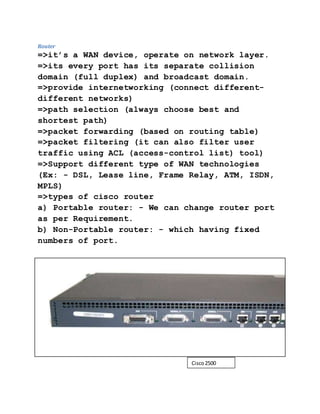
=>types of cisco router
a) Portable router: - We can change router port
as per Requirement.
b) Non-Portable router: - which having fixed
numbers of port.
Cisco2500
series
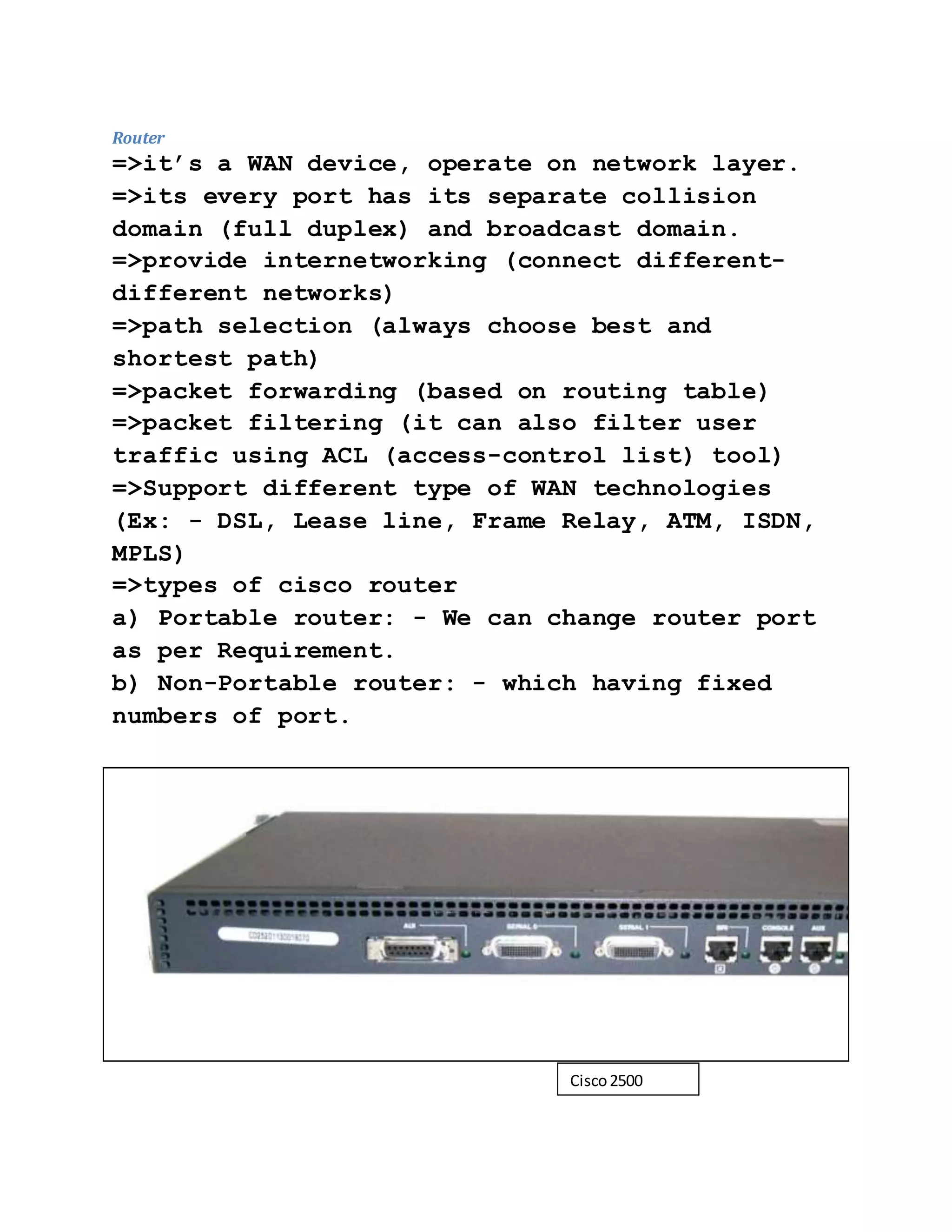
ROUTER PORTS
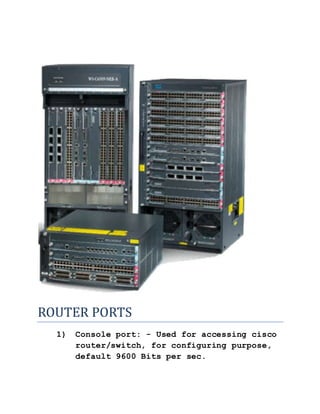
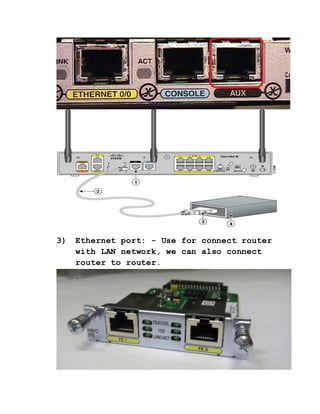
1) Console port: - Used for accessing cisco
router/switch, for configuring purpose,
default 9600 Bits per sec.
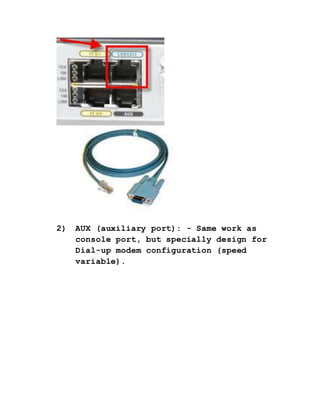
2) AUX (auxiliary port): - Same work as
console port, but specially design for
Dial-up modem configuration (speed
variable).
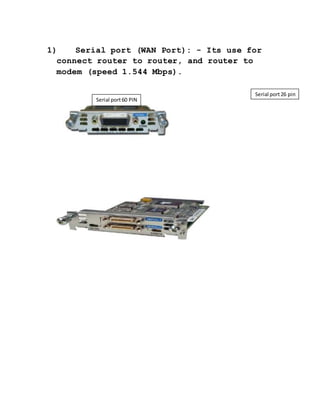
3) Ethernet port: - Use for connect router
with LAN network, we can also connect
router to router.
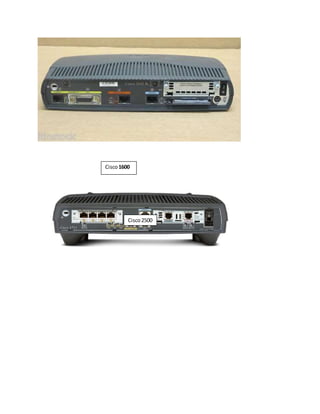
1) Serial port (WAN Port): - Its use for
connect router to router, and router to
modem (speed 1.544 Mbps).
Serial port60 PIN
Serial port26 pin
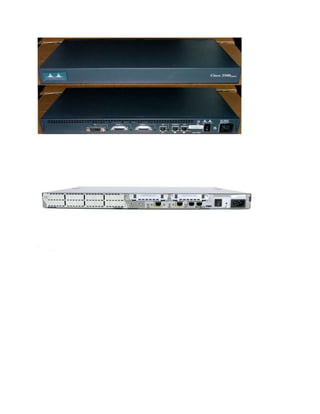
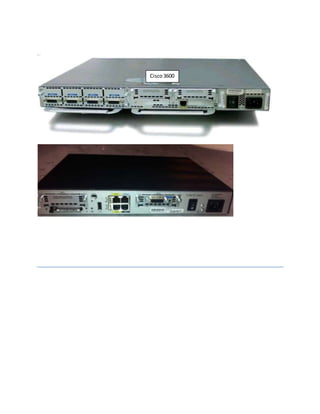
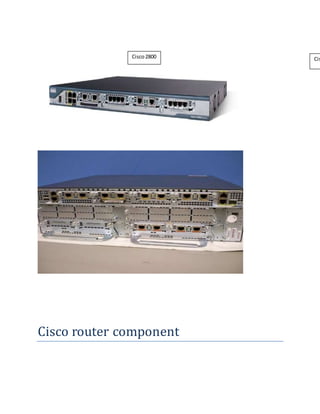
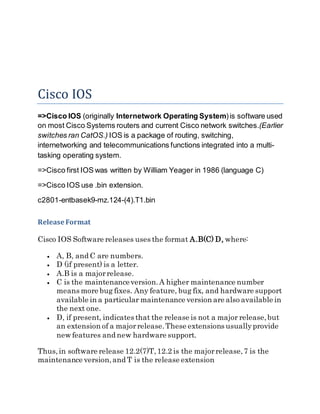
Cisco router series
Routerto modemconnection
Router
Cisco1600
Cisco2500
Cisco3600
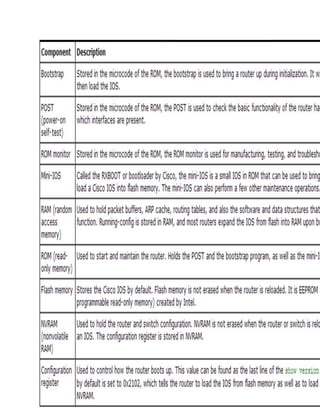
Cisco router component
Cisco2800 Cis
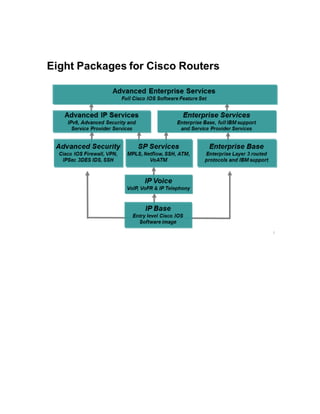
Cisco IOS
=>Cisco IOS (originally Internetwork Operating System)is software used
on most Cisco Systems routers and current Cisco network switches.(Earlier
switches ran CatOS.) IOS is a package of routing, switching,
internetworking and telecommunications functions integrated into a multi-
tasking operating system.
=>Cisco first IOS was written by William Yeager in 1986 (language C)
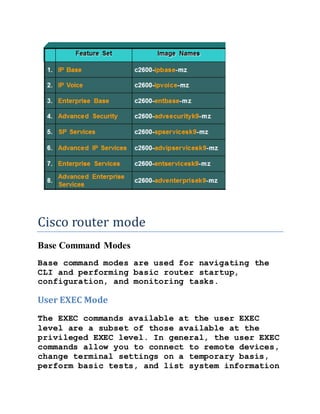
=>Cisco IOS use .bin extension.
c2801-entbasek9-mz.124-(4).T1.bin
Release Format
Cisco IOS Software releases uses the format A.B(C) D, where:
 A, B, and C are numbers.
 D (if present) is a letter.
 A.B is a majorrelease.
 C is the maintenanceversion.A higher maintenance number
means more bug fixes. Any feature, bug fix, and hardware support
available in a particular maintenance version are also available in
the next one.
 D, if present, indicates that the release is not a major release,but
an extension of a majorrelease.These extensions usuallyprovide
new features and new hardware support.
Thus,in software release 12.2(7)T,12.2 is the majorrelease,7 is the
maintenance version,and T is the release extension
Cisco router mode
Base Command Modes
Base command modes are used for navigating the
CLI and performing basic router startup,
configuration, and monitoring tasks.
User EXEC Mode
The EXEC commands available at the user EXEC
level are a subset of those available at the
privileged EXEC level. In general, the user EXEC
commands allow you to connect to remote devices,
change terminal settings on a temporary basis,
perform basic tests, and list system information
Router>
Privileged EXECMode
Privileged EXEC mode is password protected, and
allows the use of all EXEC mode commands
available on the system. To enter privileged
EXEC mode from user EXEC mode, use the “enable”
command
Router#
Global Configuration Mode
Global configuration commands generally apply to
features that affect the system as a whole,
rather than just one protocol or interface. To
enter global configuration mode, use the
“configure terminal” privileged EXEC command.
Router(config)#
Router boot process
The following details the router boot process:
1. Router is powered on.
2. The bootstrap program (ROMmon) in ROM runs
Power-On Self-Test (POST)
3. The bootstrap checks the Configuration
Register value to specify where to load the IOS.
By default (the default value of Configuration
Register is 2102, in hexadecimal), the router
first looks for “boot system” commands in
startup-config file. If it finds these commands,
it will run boot system commands in order they
appear in startup-config to locate the IOS. If
not, the IOS image is loaded from Flash. If the
IOS is not found in Flash, the bootstrap can try
to load the IOS from TFTP server or from ROM
(mini-IOS).
4. After the IOS is found, it is loaded into
RAM.
5. The IOS attempts to load the configuration
file (startup-config) from NVRAM to RAM. If the
startup-config is not found in NVRAM, the IOS
attempts to load a configuration file from TFTP.
If no TFTP server responds, the router enters
Setup Mode (Initial Configuration Mode).

Basic about-router

  • 1.
    Router =>it’s a WANdevice, operate on network layer. =>its every port has its separate collision domain (full duplex) and broadcast domain. =>provide internetworking (connect different- different networks) =>path selection (always choose best and shortest path) =>packet forwarding (based on routing table) =>packet filtering (it can also filter user traffic using ACL (access-control list) tool) =>Support different type of WAN technologies (Ex: - DSL, Lease line, Frame Relay, ATM, ISDN, MPLS) =>types of cisco router a) Portable router: - We can change router port as per Requirement. b) Non-Portable router: - which having fixed numbers of port. Cisco2500 series
  • 2.
    ROUTER PORTS 1) Consoleport: - Used for accessing cisco router/switch, for configuring purpose, default 9600 Bits per sec.
  • 3.
    2) AUX (auxiliaryport): - Same work as console port, but specially design for Dial-up modem configuration (speed variable).
  • 4.
    3) Ethernet port:- Use for connect router with LAN network, we can also connect router to router.
  • 5.
    1) Serial port(WAN Port): - Its use for connect router to router, and router to modem (speed 1.544 Mbps). Serial port60 PIN Serial port26 pin
  • 6.
    Cisco router series Routertomodemconnection Router
  • 7.
  • 9.
  • 10.
  • 12.
    Cisco IOS =>Cisco IOS(originally Internetwork Operating System)is software used on most Cisco Systems routers and current Cisco network switches.(Earlier switches ran CatOS.) IOS is a package of routing, switching, internetworking and telecommunications functions integrated into a multi- tasking operating system. =>Cisco first IOS was written by William Yeager in 1986 (language C) =>Cisco IOS use .bin extension. c2801-entbasek9-mz.124-(4).T1.bin Release Format Cisco IOS Software releases uses the format A.B(C) D, where:  A, B, and C are numbers.  D (if present) is a letter.  A.B is a majorrelease.  C is the maintenanceversion.A higher maintenance number means more bug fixes. Any feature, bug fix, and hardware support available in a particular maintenance version are also available in the next one.  D, if present, indicates that the release is not a major release,but an extension of a majorrelease.These extensions usuallyprovide new features and new hardware support. Thus,in software release 12.2(7)T,12.2 is the majorrelease,7 is the maintenance version,and T is the release extension
  • 14.
    Cisco router mode BaseCommand Modes Base command modes are used for navigating the CLI and performing basic router startup, configuration, and monitoring tasks. User EXEC Mode The EXEC commands available at the user EXEC level are a subset of those available at the privileged EXEC level. In general, the user EXEC commands allow you to connect to remote devices, change terminal settings on a temporary basis, perform basic tests, and list system information
  • 15.
    Router> Privileged EXECMode Privileged EXECmode is password protected, and allows the use of all EXEC mode commands available on the system. To enter privileged EXEC mode from user EXEC mode, use the “enable” command Router# Global Configuration Mode Global configuration commands generally apply to features that affect the system as a whole, rather than just one protocol or interface. To enter global configuration mode, use the “configure terminal” privileged EXEC command. Router(config)# Router boot process The following details the router boot process: 1. Router is powered on. 2. The bootstrap program (ROMmon) in ROM runs Power-On Self-Test (POST) 3. The bootstrap checks the Configuration Register value to specify where to load the IOS. By default (the default value of Configuration Register is 2102, in hexadecimal), the router first looks for “boot system” commands in startup-config file. If it finds these commands,
  • 16.
    it will runboot system commands in order they appear in startup-config to locate the IOS. If not, the IOS image is loaded from Flash. If the IOS is not found in Flash, the bootstrap can try to load the IOS from TFTP server or from ROM (mini-IOS). 4. After the IOS is found, it is loaded into RAM. 5. The IOS attempts to load the configuration file (startup-config) from NVRAM to RAM. If the startup-config is not found in NVRAM, the IOS attempts to load a configuration file from TFTP. If no TFTP server responds, the router enters Setup Mode (Initial Configuration Mode).