» GeoIP Information for AWStats: improve country and city location in...            http://antezeta.com/awstats/geoip.html


                                                           Wed Sep 28 2011
                Home → Resources → Web analytics resources ‹4› → AWStats Resource
                Overview → GeoIP Information for AWStats


                GeoIP Information for AWStats
                                   Improve country and city location
                                   information in your web analytics reports
                AWStats offers three different ways to provide Country level information about
                visitors ("hosts") connecting to your site. By default, the host domain extension
                is used if you have performed reverse DNS look-up. While this results in human
                readable host names as well, reverse DNS lookup is time consuming.
                Alternatively, GeoIP plugins can be used. They match the host IP with a
                database of IP allocations which is already installed locally on your computer,
                significantly reducing the time needed to match a host to a location. There are
                two country level GeoIP databases available. A Geo::IPFree Perl module is
                available, but it does not appear that the database is being maintained. The better
                solution is MaxMind's Geo::IP GeoLite Country open source version, said to be
                97% accurate. An even more accurate commercial version is also available.

                Recently, MaxMind made a free version of its GeoLite City database available.
                The free version <http://www.maxmind.com/app/geolitecity> is about 60%
                accurate; the commercial version improves that to about 75%.

                MaxMind's Autonomous System Numbers <http://en.wikipedia.org
                /wiki/Autonomous_system_%28Internet%29> database works well for
                organization identification, although the display of AS numbers in AWStats may
                be incentive enough to license the commercial organization database.

                The GeoIP installation can be a bit tedious. The instructions below, for Linux
                <#geolin> and for MS Windows <#geowin> , should help you get up and
                running. We conclude with some general observations <#geoobs> .

                Last updated: 2008-12-18.


                GeoIP installation for Linux

                Download the current GeoLite Country, GeoLite City and
                Organization (AS Numbers) databases

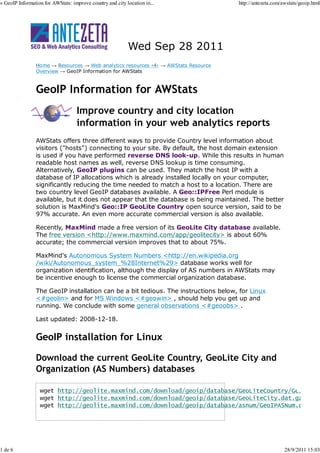
                          http://geolite.maxmind.com/download/geoip/database/GeoLiteCountry/GeoIP.dat
                          http://geolite.maxmind.com/download/geoip/database/GeoLiteCity.dat.gz
                          http://geolite.maxmind.com/download/geoip/database/asnum/GeoIPASNum.dat.gz


1 de 6                                                                                                   28/9/2011 15:03
» GeoIP Information for AWStats: improve country and city location in...                         http://antezeta.com/awstats/geoip.html


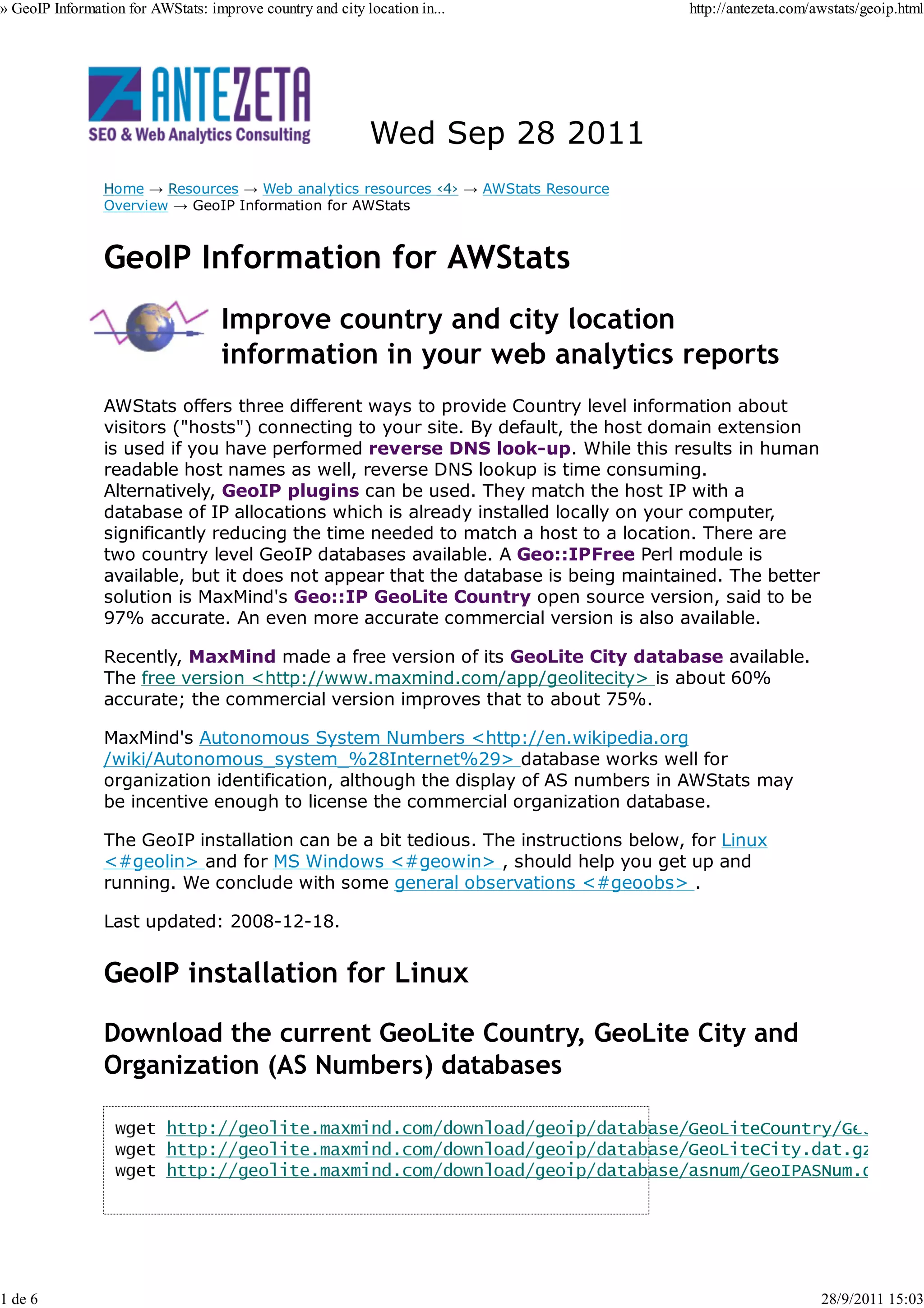
                Create GeoIP data directory if it doesn't already exist


                Move data files to directory and unzip.


                Install the GeoIP program.
                There are two options:

                 a. Install a C program and a Perl program
                 b. Install just a Perl program.

                Option a) will provide the fastest performance.

                The instructions for a) are known to work using Fedora Core 6 - FC6.

                  i. Install GeoIP C API http://www.maxmind.com/app/c

                Download the GeoIP-*.tar.gz file, uncompress it and compile.


                  wget http://geolite.maxmind.com/download/geoip/api/c/GeoIP-1.4.5.tar.gz


                2007-10-10: Thanks to James Rice who notified us of version 1.4.3. 2007-02-21: Thanks to Daniel
                Wallace who notified us of version 1.4.2. 2007-01-13: Thanks to Daniel Wallace who notified us of
                version 1.4.1. 2006-09-25: Thanks to Oleg Nerus who notified us of version 1.4.0. 2006-05-21:
                Thanks to Florian Burka who notified us of the availability of version 1.3.17.

                With a text editor, add the directory libGeoIP.so was installed in, i.e.
                /usr/local/lib, to /etc/ld.so.conf, and execute ldconfig

                 ii. Install Geo::IP Perl Module

                Download the Geo-IP-*.tar.gz file, uncompress it and compile.


                  wget http://geolite.maxmind.com/download/geoip/api/perl/Geo-IP-1.35.tar.gz


2 de 6                                                                                                                28/9/2011 15:03
» GeoIP Information for AWStats: improve country and city location in...            http://antezeta.com/awstats/geoip.html


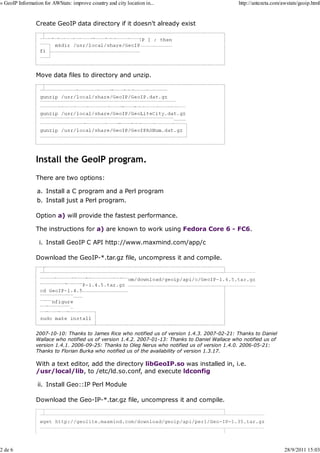
                  tar -xvzf Geo-IP-1.35.tar.gz
                  cd Geo-IP-1.35

                  perl Makefile.PL LIBS='-L/usr/local/lib'
                  make
                  make test
                  sudo make install


                Option b) (in lieu of option a!)

                PurePerl Module (is slower, but does not require C library). Download latest
                Geo-IP-PurePerl-*.tar.gz file, uncompress and compile. Replace the version below
                with the current version.

                      wget http://www.maxmind.com/download/geoip/api/pureperl/Geo-IP-PurePerl-1.17.tar.gz


                Update your awstats.mysite.conf configuration file
                Look for the following geoip LoadPlugin options in your AWStats configuration
                file. Update them with the full path to each of the two database files.

                     LoadPlugin="geoip GEOIP_STANDARD /usr/local/share/GeoIP/GeoIP.dat"
                  LoadPlugin="geoip_city_maxmind GEOIP_STANDARD /usr/local/share/GeoIP/GeoLiteCity.dat"
                  LoadPlugin="geoip_org_maxmind GEOIP_STANDARD /usr/local/share/GeoIP/GeoIPASNum.dat"


                MS Windows

                Install Geo::IP Perl Module
                open a windows terminal window

                For ActivePerl 6xx builds, use:


                For 8xx builds, use:


                ppm [Perl Module (pm) Management] is an ActiveState Perl Module
                Management system. Follow the prompts to install the Perl modules. Optionally
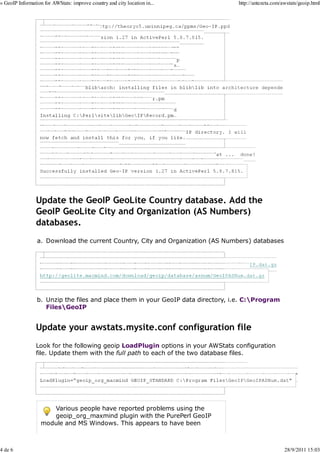
                install the GeoIP database. Your output should look like this:


3 de 6                                                                                                   28/9/2011 15:03
» GeoIP Information for AWStats: improve country and city location in...             http://antezeta.com/awstats/geoip.html


                      C:>ppm install http://theoryx5.uwinnipeg.ca/ppms/Geo-IP.ppd


                  Files found in blibarch: installing files in bliblib into architecture depende


                  The database GeoIP.dat is needed to complete the installation,
                  and should be placed in the C:Program Files/GeoIP directory. I will


                  Fetching http://theoryx5.uwinnipeg.ca/ppms/scripts/GeoIP.dat ...   done!

                  GeoIP.dat has been successfully installed to C:/Program Files/GeoIP
                  Successfully installed Geo-IP version 1.27 in ActivePerl 5.8.7.815.


                Update the GeoIP GeoLite Country database. Add the
                GeoIP GeoLite City and Organization (AS Numbers)
                databases.
                 a. Download the current Country, City and Organization (AS Numbers) databases


                  http://geolite.maxmind.com/download/geoip/database/GeoLiteCountry/GeoIP.dat.gz
                  http://geolite.maxmind.com/download/geoip/database/GeoLiteCity.dat.gz
                  http://geolite.maxmind.com/download/geoip/database/asnum/GeoIPASNum.dat.gz


                 b. Unzip the files and place them in your GeoIP data directory, i.e. C:Program
                    FilesGeoIP


                Update your awstats.mysite.conf configuration file
                Look for the following geoip LoadPlugin options in your AWStats configuration
                file. Update them with the full path to each of the two database files.

                     LoadPlugin="geoip GEOIP_STANDARD C:Program FilesGeoIPGeoIP.dat"
                  LoadPlugin="geoip_city_maxmind GEOIP_STANDARD C:Program FilesGeoIPGeoLiteCity.dat"
                  LoadPlugin="geoip_org_maxmind GEOIP_STANDARD C:Program FilesGeoIPGeoIPASNum.dat"


                      Various people have reported problems using the
                      geoip_org_maxmind plugin with the PurePerl GeoIP
                   module and MS Windows. This appears to have been


4 de 6                                                                                                    28/9/2011 15:03
» GeoIP Information for AWStats: improve country and city location in...              http://antezeta.com/awstats/geoip.html


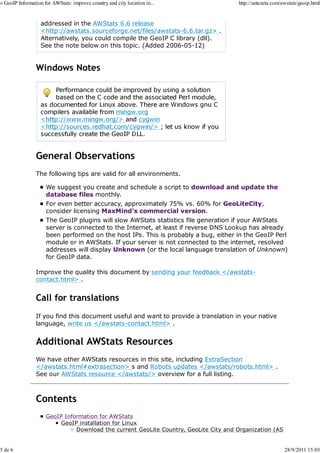
                   addressed in the AWStats 6.6 release
                   <http://awstats.sourceforge.net/files/awstats-6.6.tar.gz> .
                   Alternatively, you could compile the GeoIP C library (dll).
                   See the note below on this topic. (Added 2006-05-12)


                Windows Notes


                General Observations
                The following tips are valid for all environments.

                     We suggest you create and schedule a script to download and update the
                     database files monthly.
                     For even better accuracy, approximately 75% vs. 60% for GeoLiteCity,
                     consider licensing MaxMind's commercial version.
                     The GeoIP plugins will slow AWStats statistics file generation if your AWStats
                     server is connected to the Internet, at least if reverse DNS Lookup has already
                     been performed on the host IPs. This is probably a bug, either in the GeoIP Perl
                     module or in AWStats. If your server is not connected to the internet, resolved
                     addresses will display Unknown (or the local language translation of Unknown)
                     for GeoIP data.

                Improve the quality this document by sending your feedback </awstats-
                contact.html> .


                Call for translations
                If you find this document useful and want to provide a translation in your native
                language, write us </awstats-contact.html> .


                Additional AWStats Resources
                We have other AWStats resources in this site, including ExtraSection
                </awstats.html#extrasection> s and Robots updates </awstats/robots.html> .
                See our AWStats resource </awstats/> overview for a full listing.


                Contents
                     GeoIP Information for AWStats
                          GeoIP installation for Linux
                               Download the current GeoLite Country, GeoLite City and Organization (AS


5 de 6                                                                                                     28/9/2011 15:03
» GeoIP Information for AWStats: improve country and city location in...                            http://antezeta.com/awstats/geoip.html


                                   Numbers) databases
                                   Install the GeoIP program.
                                   Update your awstats.mysite.conf configuration file
                            MS Windows
                                Install Geo::IP Perl Module
                                Update the GeoIP GeoLite Country database. Add the GeoIP GeoLite City
                                and Organization (AS Numbers) databases.
                                Update your awstats.mysite.conf configuration file
                                   Windows Notes
                            General Observations
                                Call for translations


                Let Antezeta help you in the selection, implementation and usage of a
                Web Analytics solution!

                Contact us today </cntct.html> to find out more about this topic and the rest
                of the Web Ecosystem.

                                Did you find what you were looking for?


                                          Copyright © 2005-2011 Sean Carlos. All rights reserved.


6 de 6                                                                                                                   28/9/2011 15:03

Instalação geo ip

  • 1.
    » GeoIP Informationfor AWStats: improve country and city location in... http://antezeta.com/awstats/geoip.html Wed Sep 28 2011 Home → Resources → Web analytics resources ‹4› → AWStats Resource Overview → GeoIP Information for AWStats GeoIP Information for AWStats Improve country and city location information in your web analytics reports AWStats offers three different ways to provide Country level information about visitors ("hosts") connecting to your site. By default, the host domain extension is used if you have performed reverse DNS look-up. While this results in human readable host names as well, reverse DNS lookup is time consuming. Alternatively, GeoIP plugins can be used. They match the host IP with a database of IP allocations which is already installed locally on your computer, significantly reducing the time needed to match a host to a location. There are two country level GeoIP databases available. A Geo::IPFree Perl module is available, but it does not appear that the database is being maintained. The better solution is MaxMind's Geo::IP GeoLite Country open source version, said to be 97% accurate. An even more accurate commercial version is also available. Recently, MaxMind made a free version of its GeoLite City database available. The free version <http://www.maxmind.com/app/geolitecity> is about 60% accurate; the commercial version improves that to about 75%. MaxMind's Autonomous System Numbers <http://en.wikipedia.org /wiki/Autonomous_system_%28Internet%29> database works well for organization identification, although the display of AS numbers in AWStats may be incentive enough to license the commercial organization database. The GeoIP installation can be a bit tedious. The instructions below, for Linux <#geolin> and for MS Windows <#geowin> , should help you get up and running. We conclude with some general observations <#geoobs> . Last updated: 2008-12-18. GeoIP installation for Linux Download the current GeoLite Country, GeoLite City and Organization (AS Numbers) databases http://geolite.maxmind.com/download/geoip/database/GeoLiteCountry/GeoIP.dat http://geolite.maxmind.com/download/geoip/database/GeoLiteCity.dat.gz http://geolite.maxmind.com/download/geoip/database/asnum/GeoIPASNum.dat.gz 1 de 6 28/9/2011 15:03
  • 2.
    » GeoIP Informationfor AWStats: improve country and city location in... http://antezeta.com/awstats/geoip.html Create GeoIP data directory if it doesn't already exist Move data files to directory and unzip. Install the GeoIP program. There are two options: a. Install a C program and a Perl program b. Install just a Perl program. Option a) will provide the fastest performance. The instructions for a) are known to work using Fedora Core 6 - FC6. i. Install GeoIP C API http://www.maxmind.com/app/c Download the GeoIP-*.tar.gz file, uncompress it and compile. wget http://geolite.maxmind.com/download/geoip/api/c/GeoIP-1.4.5.tar.gz 2007-10-10: Thanks to James Rice who notified us of version 1.4.3. 2007-02-21: Thanks to Daniel Wallace who notified us of version 1.4.2. 2007-01-13: Thanks to Daniel Wallace who notified us of version 1.4.1. 2006-09-25: Thanks to Oleg Nerus who notified us of version 1.4.0. 2006-05-21: Thanks to Florian Burka who notified us of the availability of version 1.3.17. With a text editor, add the directory libGeoIP.so was installed in, i.e. /usr/local/lib, to /etc/ld.so.conf, and execute ldconfig ii. Install Geo::IP Perl Module Download the Geo-IP-*.tar.gz file, uncompress it and compile. wget http://geolite.maxmind.com/download/geoip/api/perl/Geo-IP-1.35.tar.gz 2 de 6 28/9/2011 15:03
  • 3.
    » GeoIP Informationfor AWStats: improve country and city location in... http://antezeta.com/awstats/geoip.html tar -xvzf Geo-IP-1.35.tar.gz cd Geo-IP-1.35 perl Makefile.PL LIBS='-L/usr/local/lib' make make test sudo make install Option b) (in lieu of option a!) PurePerl Module (is slower, but does not require C library). Download latest Geo-IP-PurePerl-*.tar.gz file, uncompress and compile. Replace the version below with the current version. wget http://www.maxmind.com/download/geoip/api/pureperl/Geo-IP-PurePerl-1.17.tar.gz Update your awstats.mysite.conf configuration file Look for the following geoip LoadPlugin options in your AWStats configuration file. Update them with the full path to each of the two database files. LoadPlugin="geoip GEOIP_STANDARD /usr/local/share/GeoIP/GeoIP.dat" LoadPlugin="geoip_city_maxmind GEOIP_STANDARD /usr/local/share/GeoIP/GeoLiteCity.dat" LoadPlugin="geoip_org_maxmind GEOIP_STANDARD /usr/local/share/GeoIP/GeoIPASNum.dat" MS Windows Install Geo::IP Perl Module open a windows terminal window For ActivePerl 6xx builds, use: For 8xx builds, use: ppm [Perl Module (pm) Management] is an ActiveState Perl Module Management system. Follow the prompts to install the Perl modules. Optionally install the GeoIP database. Your output should look like this: 3 de 6 28/9/2011 15:03
  • 4.
    » GeoIP Informationfor AWStats: improve country and city location in... http://antezeta.com/awstats/geoip.html C:>ppm install http://theoryx5.uwinnipeg.ca/ppms/Geo-IP.ppd Files found in blibarch: installing files in bliblib into architecture depende The database GeoIP.dat is needed to complete the installation, and should be placed in the C:Program Files/GeoIP directory. I will Fetching http://theoryx5.uwinnipeg.ca/ppms/scripts/GeoIP.dat ... done! GeoIP.dat has been successfully installed to C:/Program Files/GeoIP Successfully installed Geo-IP version 1.27 in ActivePerl 5.8.7.815. Update the GeoIP GeoLite Country database. Add the GeoIP GeoLite City and Organization (AS Numbers) databases. a. Download the current Country, City and Organization (AS Numbers) databases http://geolite.maxmind.com/download/geoip/database/GeoLiteCountry/GeoIP.dat.gz http://geolite.maxmind.com/download/geoip/database/GeoLiteCity.dat.gz http://geolite.maxmind.com/download/geoip/database/asnum/GeoIPASNum.dat.gz b. Unzip the files and place them in your GeoIP data directory, i.e. C:Program FilesGeoIP Update your awstats.mysite.conf configuration file Look for the following geoip LoadPlugin options in your AWStats configuration file. Update them with the full path to each of the two database files. LoadPlugin="geoip GEOIP_STANDARD C:Program FilesGeoIPGeoIP.dat" LoadPlugin="geoip_city_maxmind GEOIP_STANDARD C:Program FilesGeoIPGeoLiteCity.dat" LoadPlugin="geoip_org_maxmind GEOIP_STANDARD C:Program FilesGeoIPGeoIPASNum.dat" Various people have reported problems using the geoip_org_maxmind plugin with the PurePerl GeoIP module and MS Windows. This appears to have been 4 de 6 28/9/2011 15:03
  • 5.
    » GeoIP Informationfor AWStats: improve country and city location in... http://antezeta.com/awstats/geoip.html addressed in the AWStats 6.6 release <http://awstats.sourceforge.net/files/awstats-6.6.tar.gz> . Alternatively, you could compile the GeoIP C library (dll). See the note below on this topic. (Added 2006-05-12) Windows Notes General Observations The following tips are valid for all environments. We suggest you create and schedule a script to download and update the database files monthly. For even better accuracy, approximately 75% vs. 60% for GeoLiteCity, consider licensing MaxMind's commercial version. The GeoIP plugins will slow AWStats statistics file generation if your AWStats server is connected to the Internet, at least if reverse DNS Lookup has already been performed on the host IPs. This is probably a bug, either in the GeoIP Perl module or in AWStats. If your server is not connected to the internet, resolved addresses will display Unknown (or the local language translation of Unknown) for GeoIP data. Improve the quality this document by sending your feedback </awstats- contact.html> . Call for translations If you find this document useful and want to provide a translation in your native language, write us </awstats-contact.html> . Additional AWStats Resources We have other AWStats resources in this site, including ExtraSection </awstats.html#extrasection> s and Robots updates </awstats/robots.html> . See our AWStats resource </awstats/> overview for a full listing. Contents GeoIP Information for AWStats GeoIP installation for Linux Download the current GeoLite Country, GeoLite City and Organization (AS 5 de 6 28/9/2011 15:03
  • 6.
    » GeoIP Informationfor AWStats: improve country and city location in... http://antezeta.com/awstats/geoip.html Numbers) databases Install the GeoIP program. Update your awstats.mysite.conf configuration file MS Windows Install Geo::IP Perl Module Update the GeoIP GeoLite Country database. Add the GeoIP GeoLite City and Organization (AS Numbers) databases. Update your awstats.mysite.conf configuration file Windows Notes General Observations Call for translations Let Antezeta help you in the selection, implementation and usage of a Web Analytics solution! Contact us today </cntct.html> to find out more about this topic and the rest of the Web Ecosystem. Did you find what you were looking for? Copyright © 2005-2011 Sean Carlos. All rights reserved. 6 de 6 28/9/2011 15:03