ACRN Hypervisor
New platform enabling
ACRN vMeet-Up Europe 2021
Contributor: Victor Sun Nanlin Xie
Agenda
1: Understand Configurations
2: ACRN config tool preliminary
3: Let’s start!
Q: How to enable ACRN on a new hardware board?
A: Just prepare configurations for your new board!
Understand Configurations
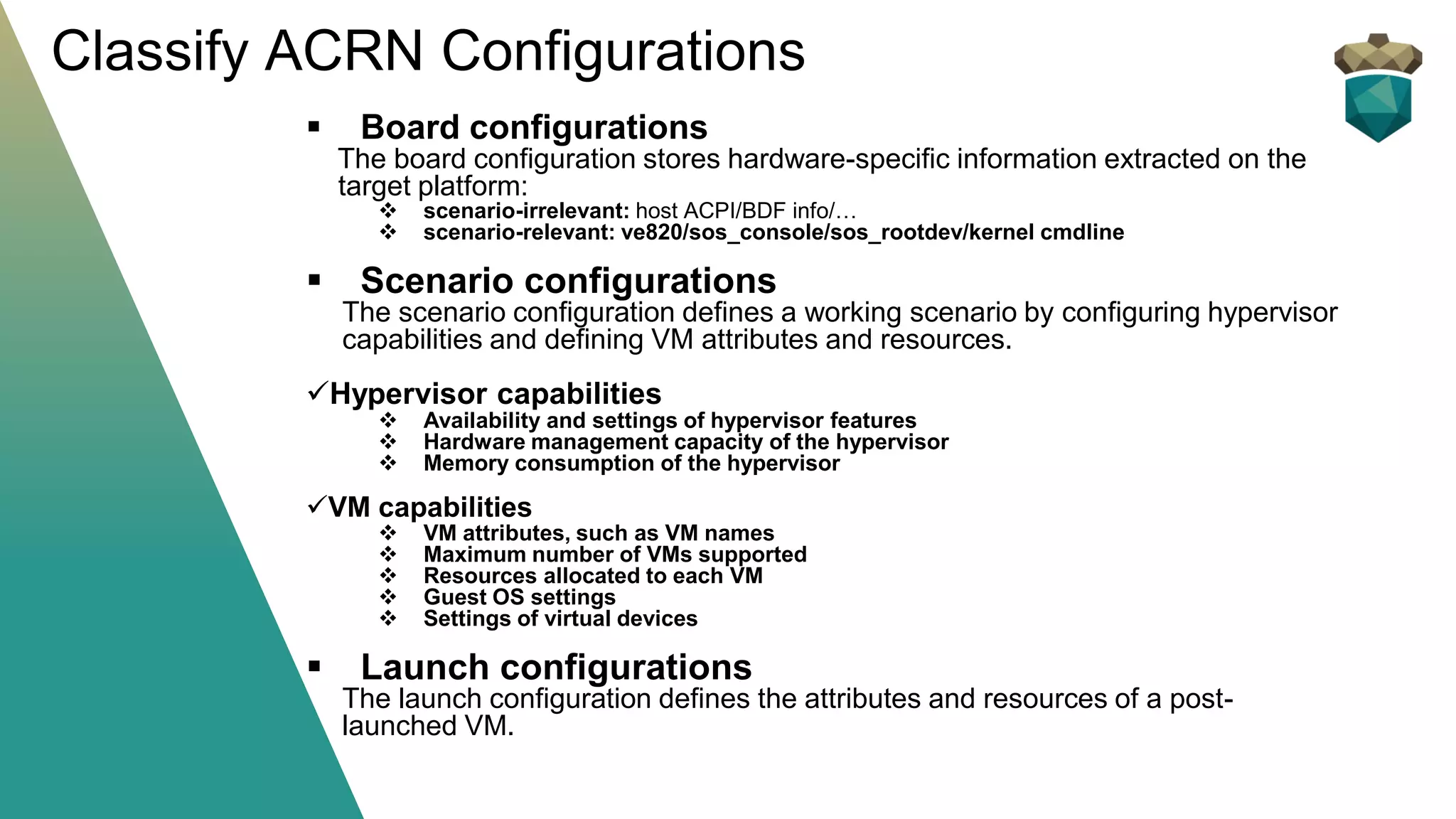
▪ Board configurations
The board configuration is scenario-neutral by nature. Thus, multiple
scenario configurations can be based on the same board
configuration.
▪ Scenario configurations
The scenario configuration defines a working scenario by configuring
hypervisor capabilities and defining VM attributes and resources.
▪ Launch Configuration
The launch configuration defines the attributes and resources of a
post-launched VM.
▪ Board configurations
The board configuration stores hardware-specific information extracted on the
target platform:
❖ scenario-irrelevant: host ACPI/BDF info/…
❖ scenario-relevant: ve820/sos_console/sos_rootdev/kernel cmdline
▪ Scenario configurations
The scenario configuration defines a working scenario by configuring hypervisor
capabilities and defining VM attributes and resources.
✓Hypervisor capabilities
❖ Availability and settings of hypervisor features
❖ Hardware management capacity of the hypervisor
❖ Memory consumption of the hypervisor
✓VM capabilities
❖ VM attributes, such as VM names
❖ Maximum number of VMs supported
❖ Resources allocated to each VM
❖ Guest OS settings
❖ Settings of virtual devices
▪ Launch configurations
The launch configuration defines the attributes and resources of a post-
launched VM.
Classify ACRN Configurations
IMPORTANT hint:
ACRN config tool architecture is under refinement. The build command and configure
source file structure is a bit different between release 2.4 and master branch.
BUT:
Whatever changes on config tool architecture, the working method is same, so let’s
start from ACRN release 2.4.
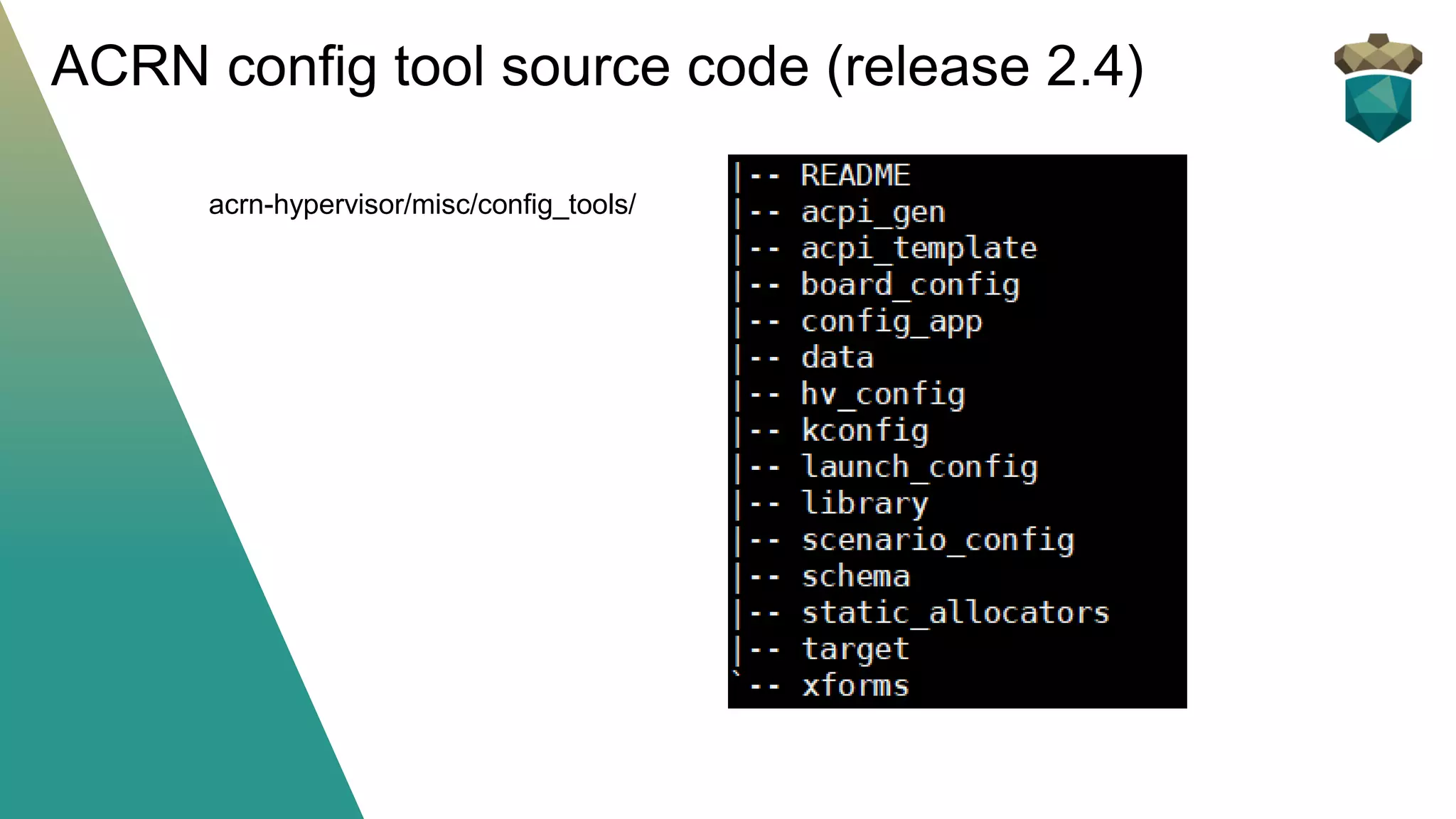
ACRN config tool source code (release 2.4)
acrn-hypervisor/misc/config_tools/
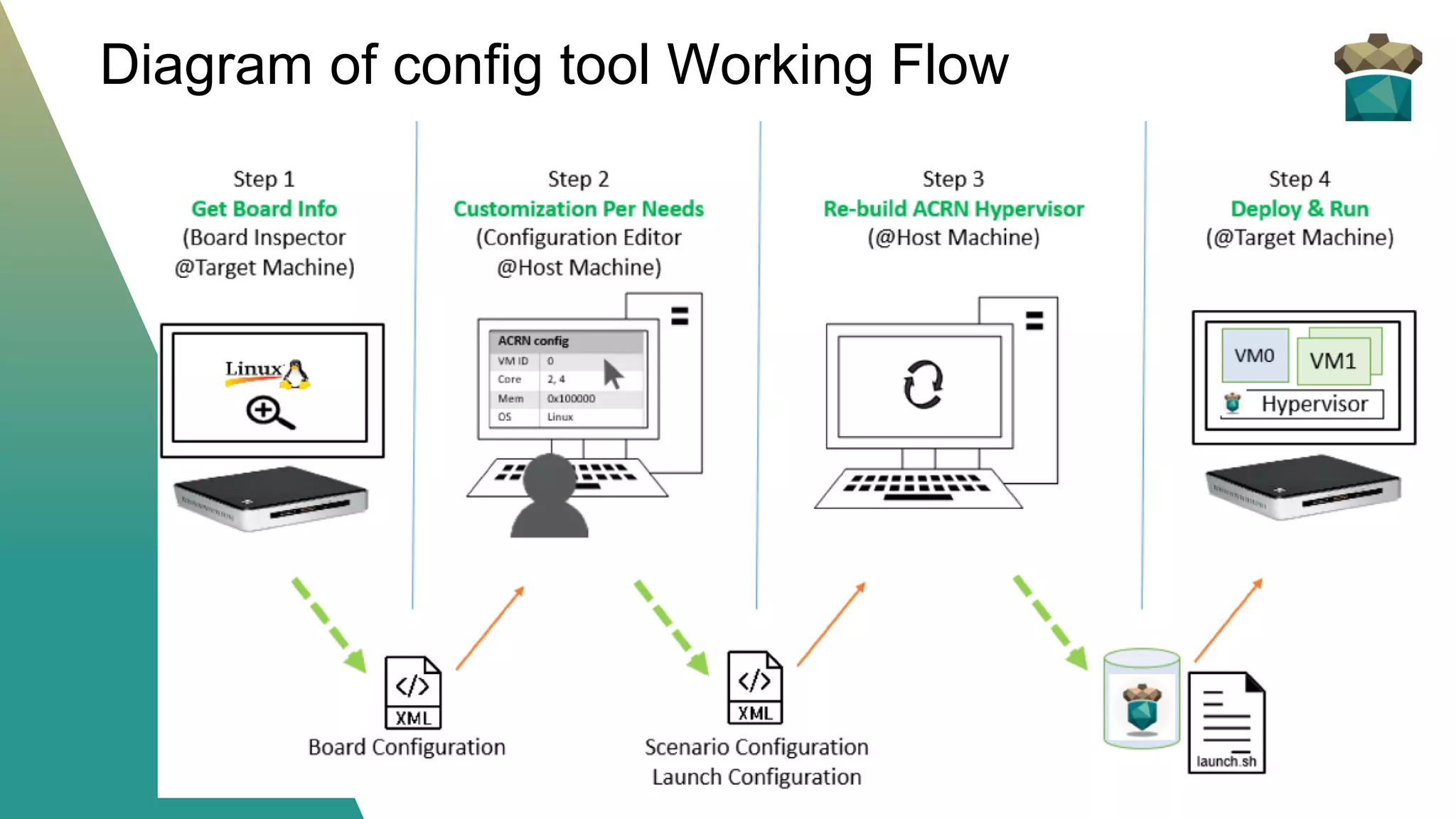
Diagram of config tool Working Flow
ACRN Configuration App: a web user interface application based on Flask
▪ Imports board info for current reference
▪ Imports saved scenario/launch XML files for re-configuration
▪ Exports current configuration items and save to XML file
* source: acrn-hypervisor/misc/config_tools/config_app/
* the app needs network to download some js/css
Use the ACRN Configuration App
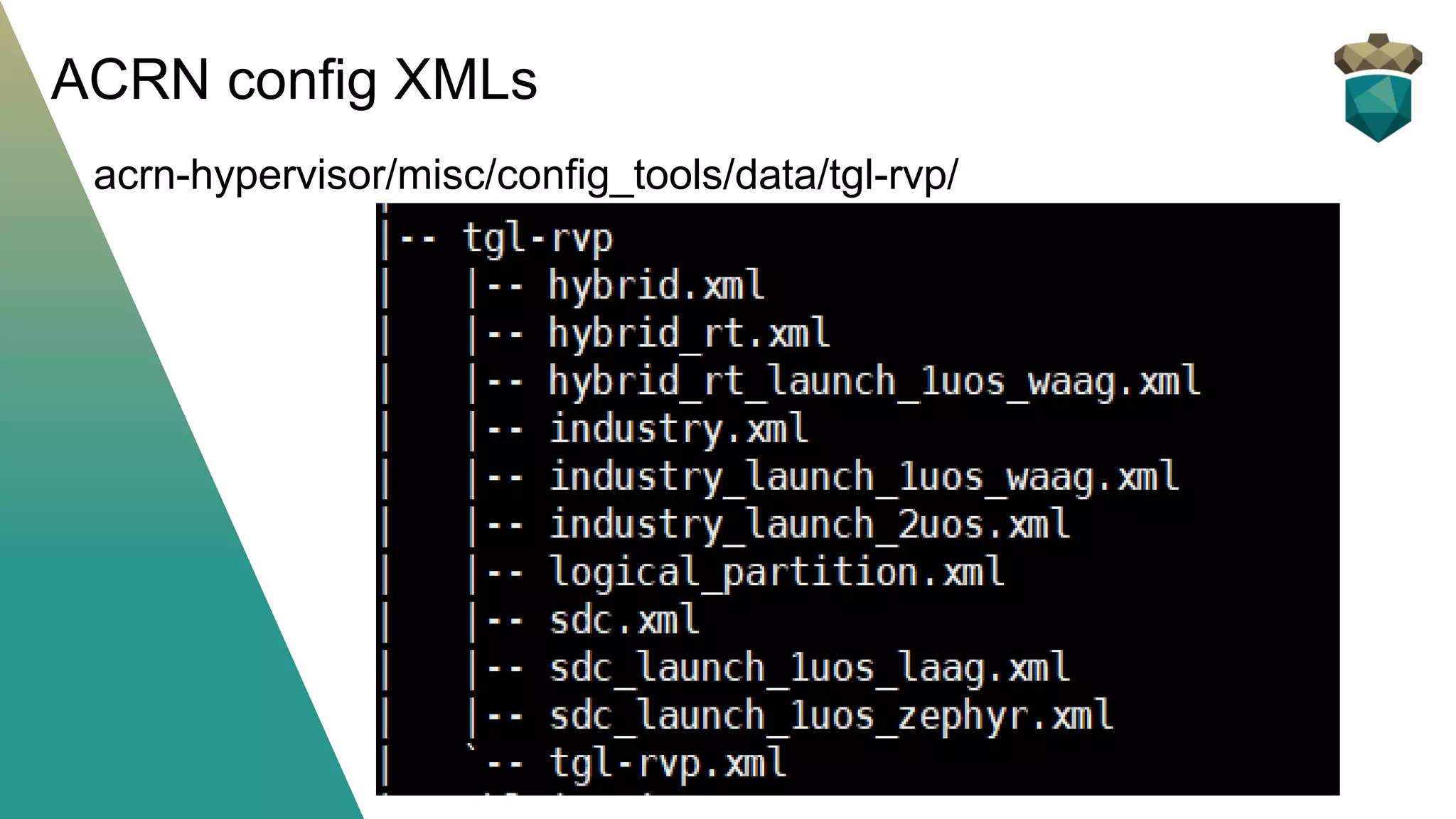
ACRN config XMLs
acrn-hypervisor/misc/config_tools/data/tgl-rvp/
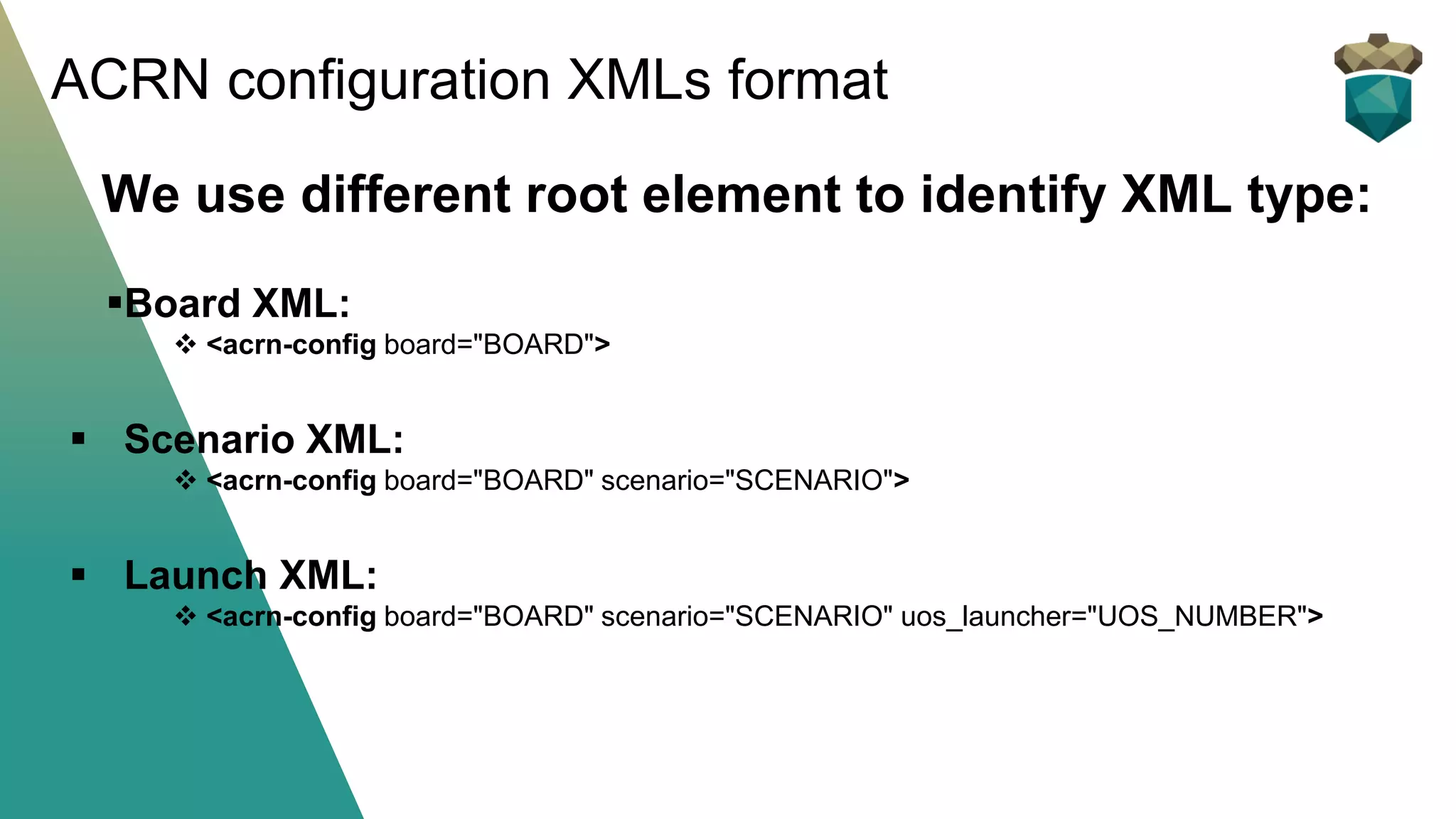
We use different root element to identify XML type:
▪Board XML:
❖ <acrn-config board="BOARD">
▪ Scenario XML:
❖ <acrn-config board="BOARD" scenario="SCENARIO">
▪ Launch XML:
❖ <acrn-config board="BOARD" scenario="SCENARIO" uos_launcher="UOS_NUMBER">
ACRN configuration XMLs format
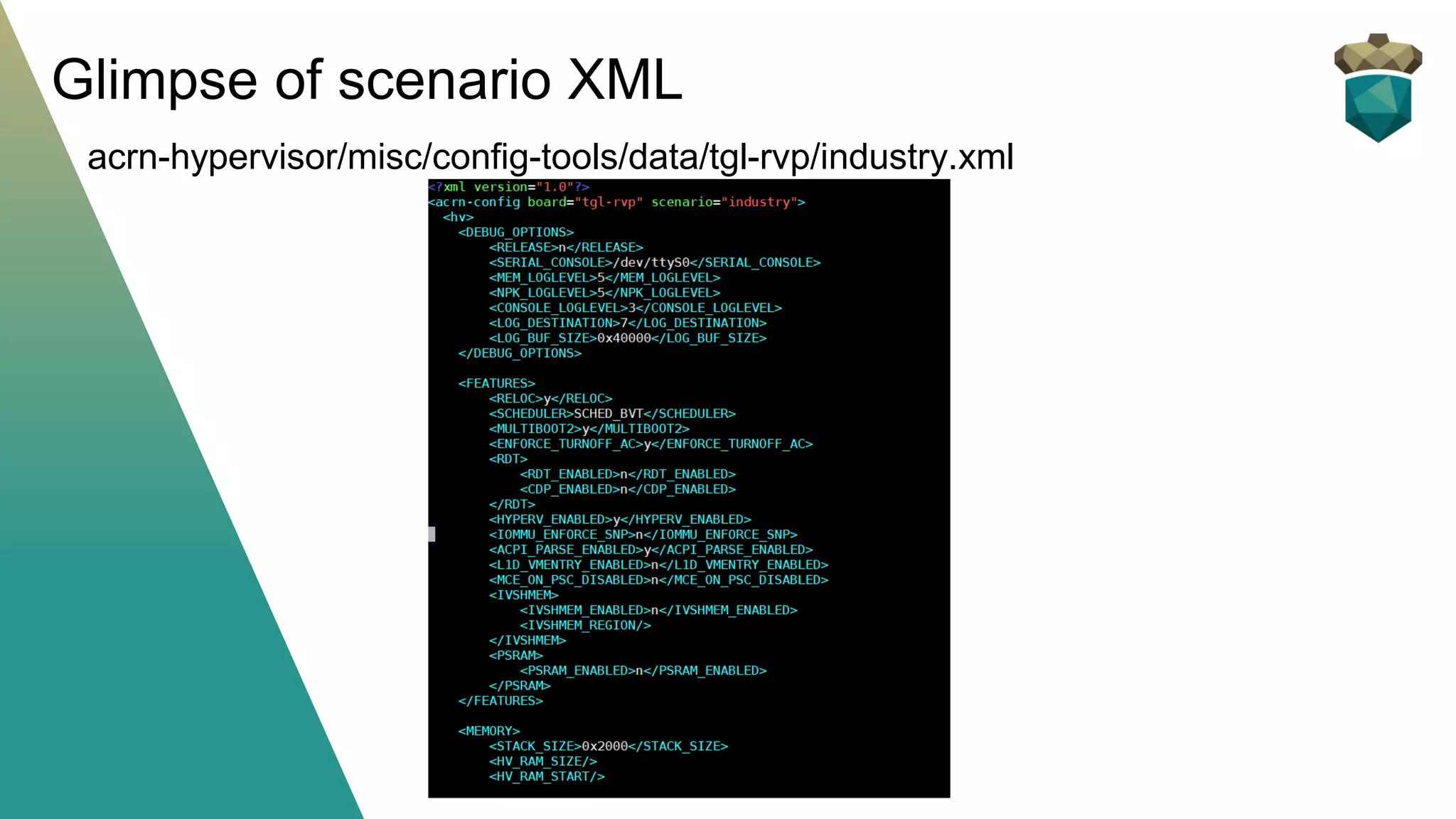
Glimpse of scenario XML
acrn-hypervisor/misc/config-tools/data/tgl-rvp/industry.xml
Let’s start!
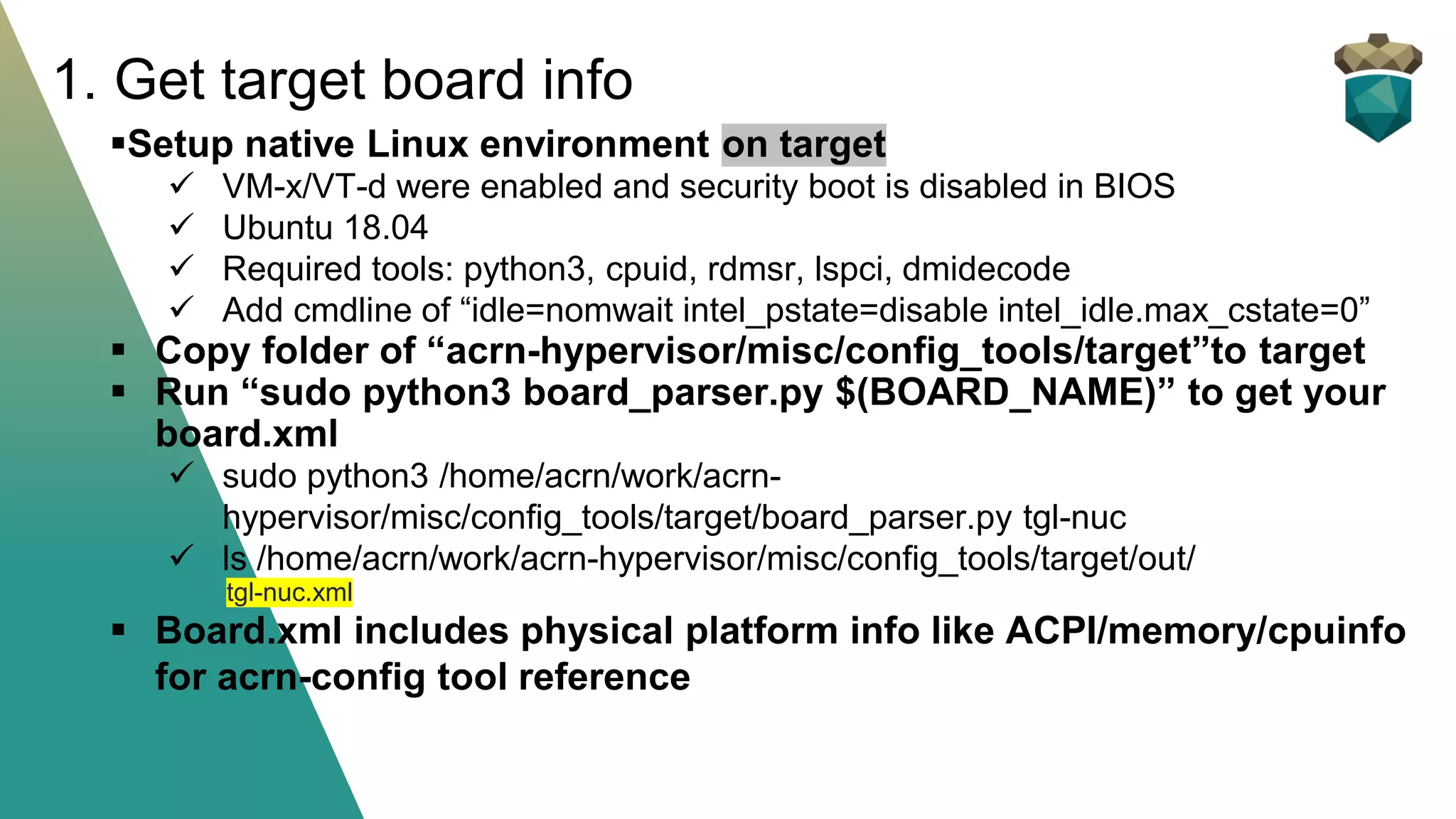
▪Setup native Linux environment on target
✓ VM-x/VT-d were enabled and security boot is disabled in BIOS
✓ Ubuntu 18.04
✓ Required tools: python3, cpuid, rdmsr, lspci, dmidecode
✓ Add cmdline of “idle=nomwait intel_pstate=disable intel_idle.max_cstate=0”
▪ Copy folder of “acrn-hypervisor/misc/config_tools/target”to target
▪ Run “sudo python3 board_parser.py $(BOARD_NAME)” to get your
board.xml
✓ sudo python3 /home/acrn/work/acrn-
hypervisor/misc/config_tools/target/board_parser.py tgl-nuc
✓ ls /home/acrn/work/acrn-hypervisor/misc/config_tools/target/out/
tgl-nuc.xml
▪ Board.xml includes physical platform info like ACPI/memory/cpuinfo
for acrn-config tool reference
1. Get target board info
Install its requirements (one time setup):
$ cd ~/acrn-hypervisor/misc/config_tools/config_app
$ sudo pip3 install -r requirements
Launch app:
$ python3 app.py
Open a browser and navigate to the website http://127.0.0.1:5001/
automatically, or you may need to visit this website manually.
Note:
app.py needs to be run locally with desktop machine for WEBUI.
2. Launch config app (HOST machine)
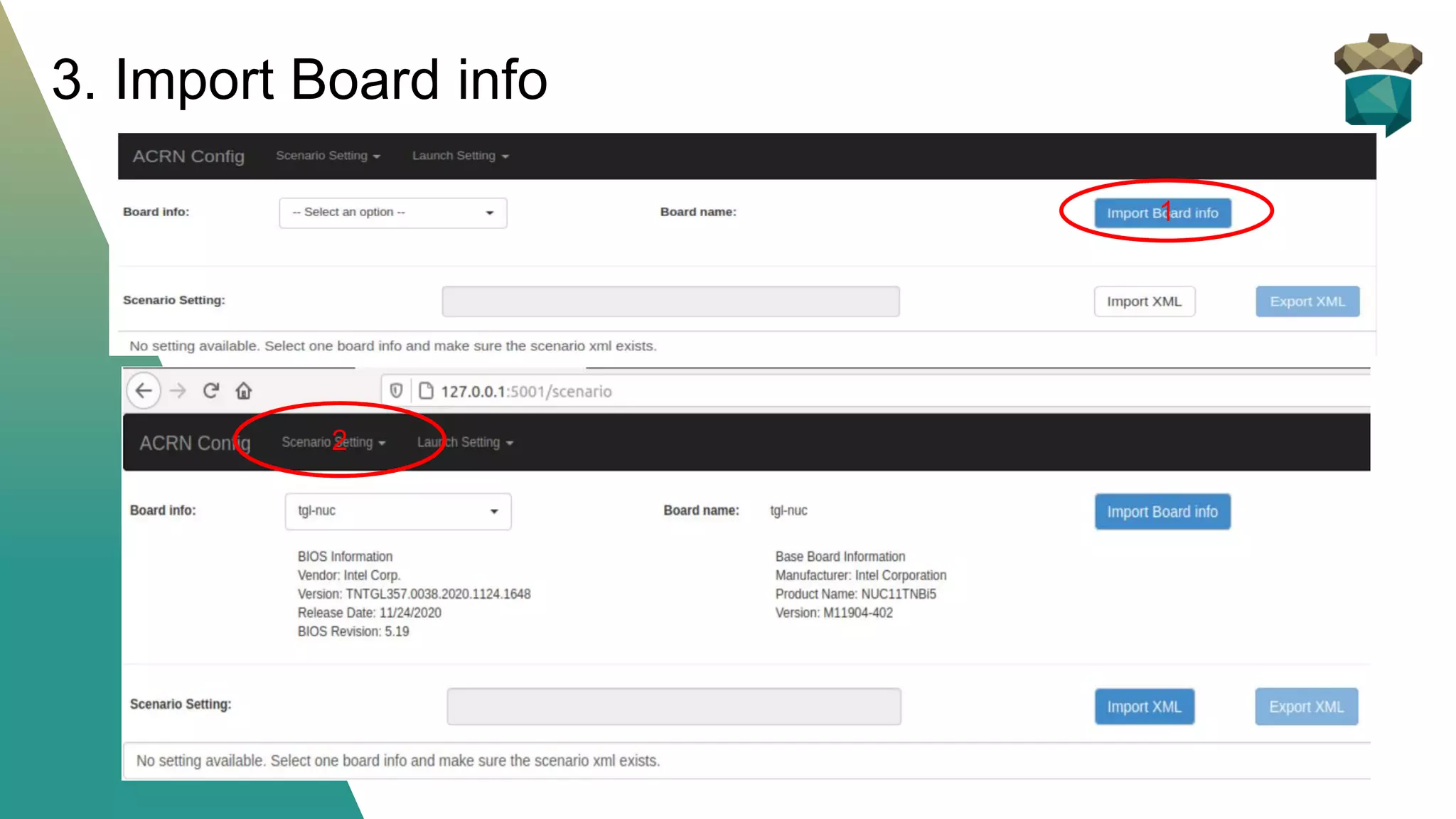
3. Import Board info
1
2
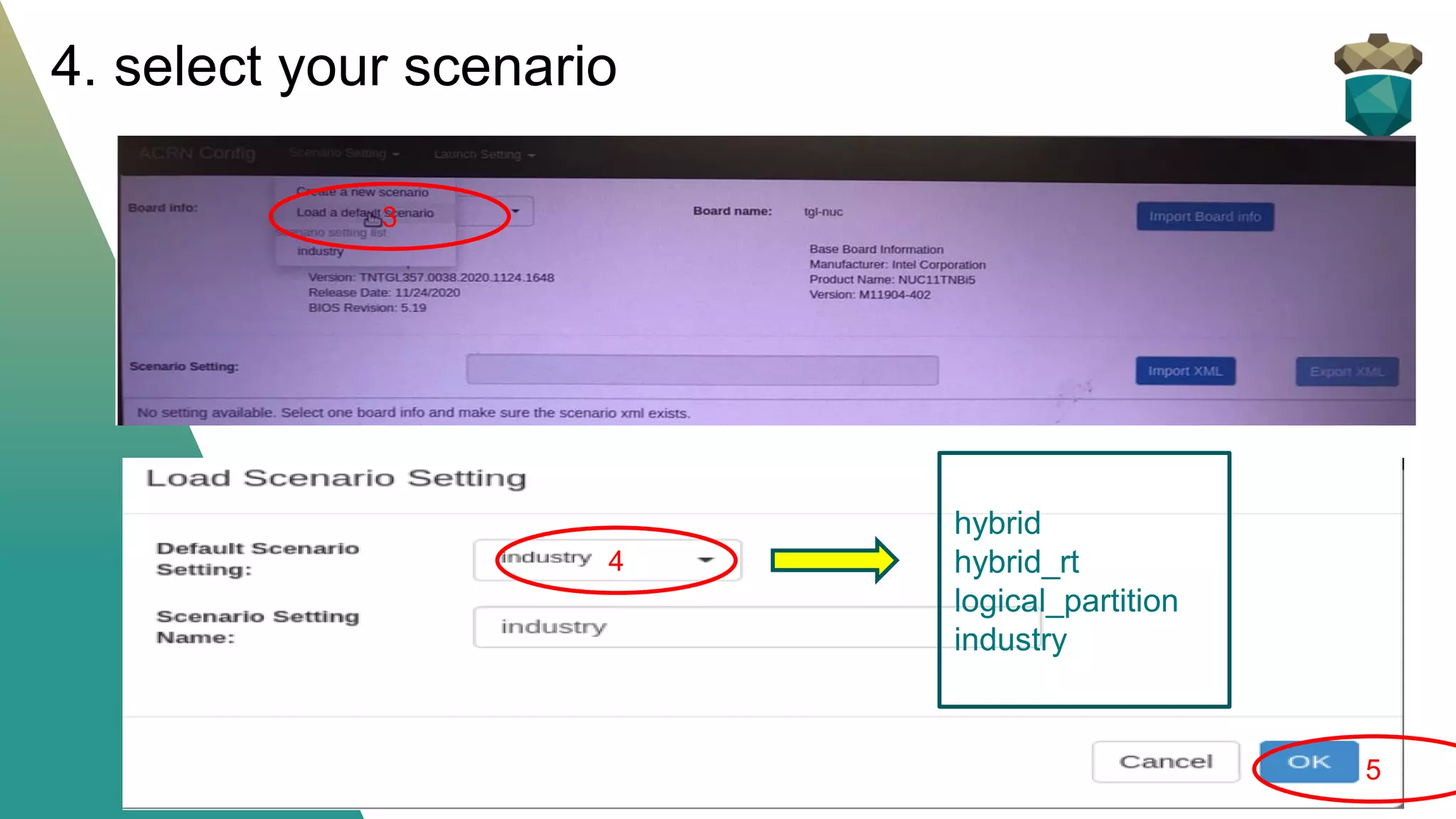
4. select your scenario
3
4
5
hybrid
hybrid_rt
logical_partition
industry
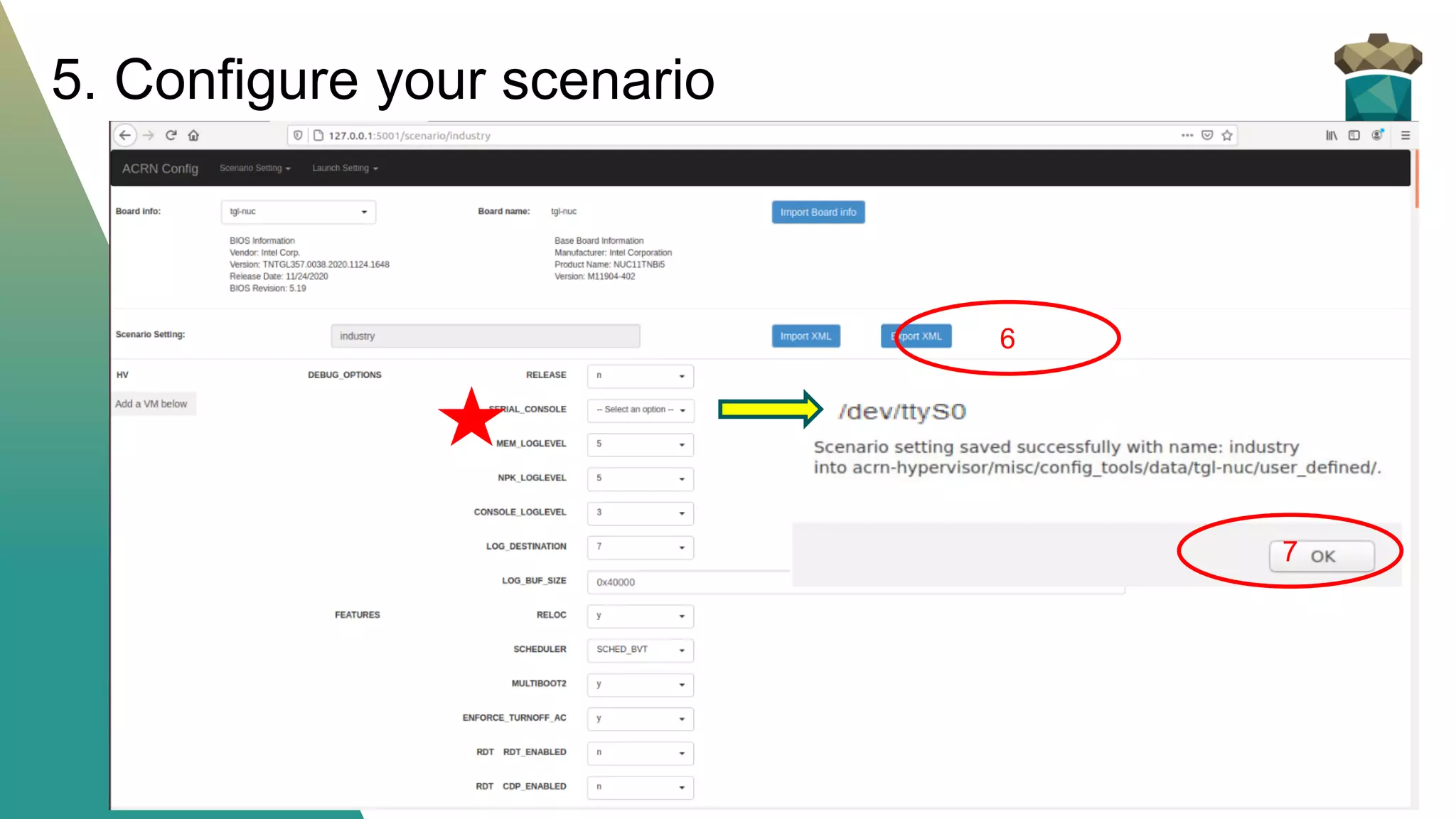
5. Configure your scenario
6
7
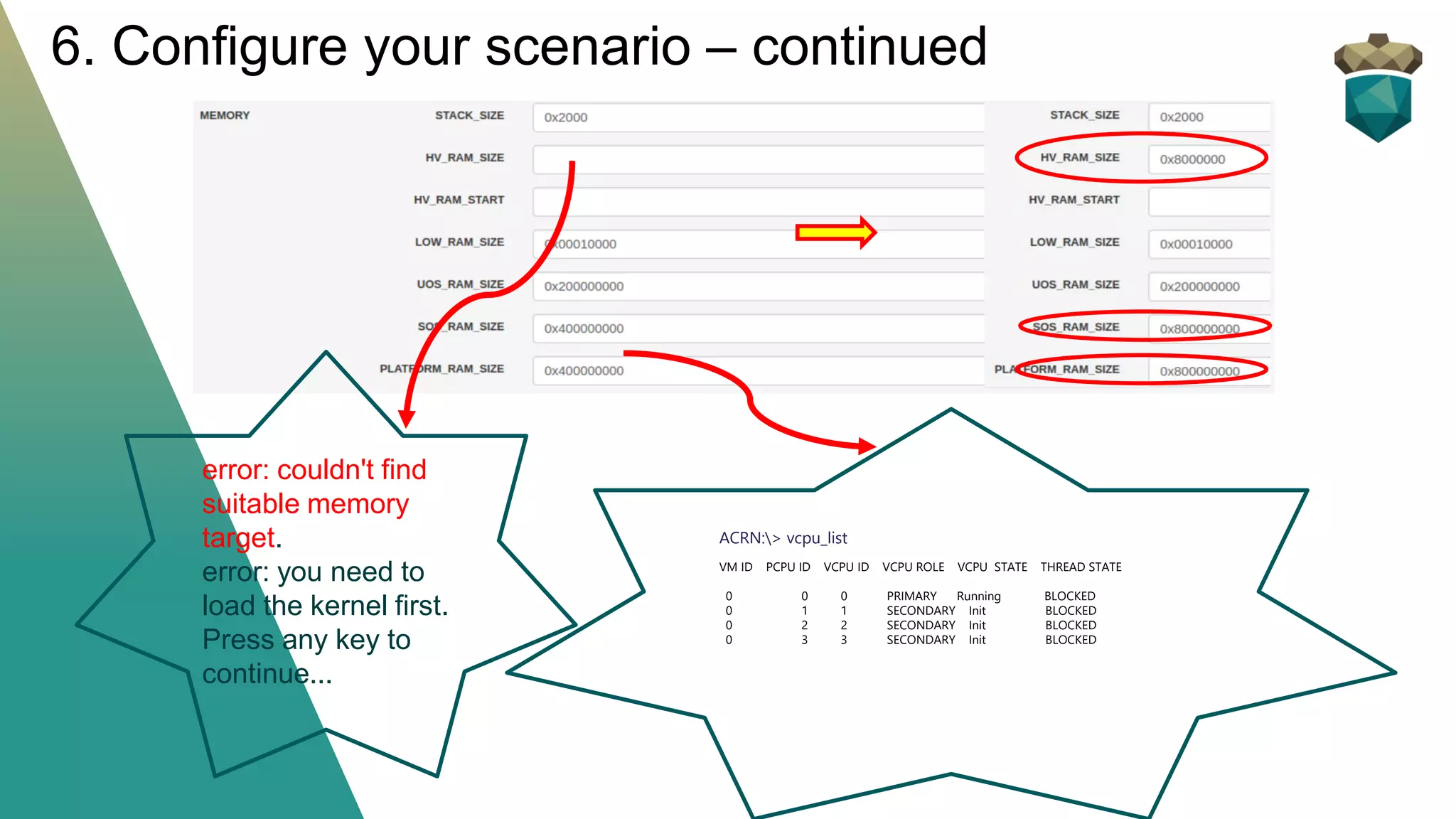
6. Configure your scenario – continued
ACRN:> vcpu_list
VM ID PCPU ID VCPU ID VCPU ROLE VCPU STATE THREAD STATE
0 0 0 PRIMARY Running BLOCKED
0 1 1 SECONDARY Init BLOCKED
0 2 2 SECONDARY Init BLOCKED
0 3 3 SECONDARY Init BLOCKED
error: couldn't find
suitable memory
target.
error: you need to
load the kernel first.
Press any key to
continue...
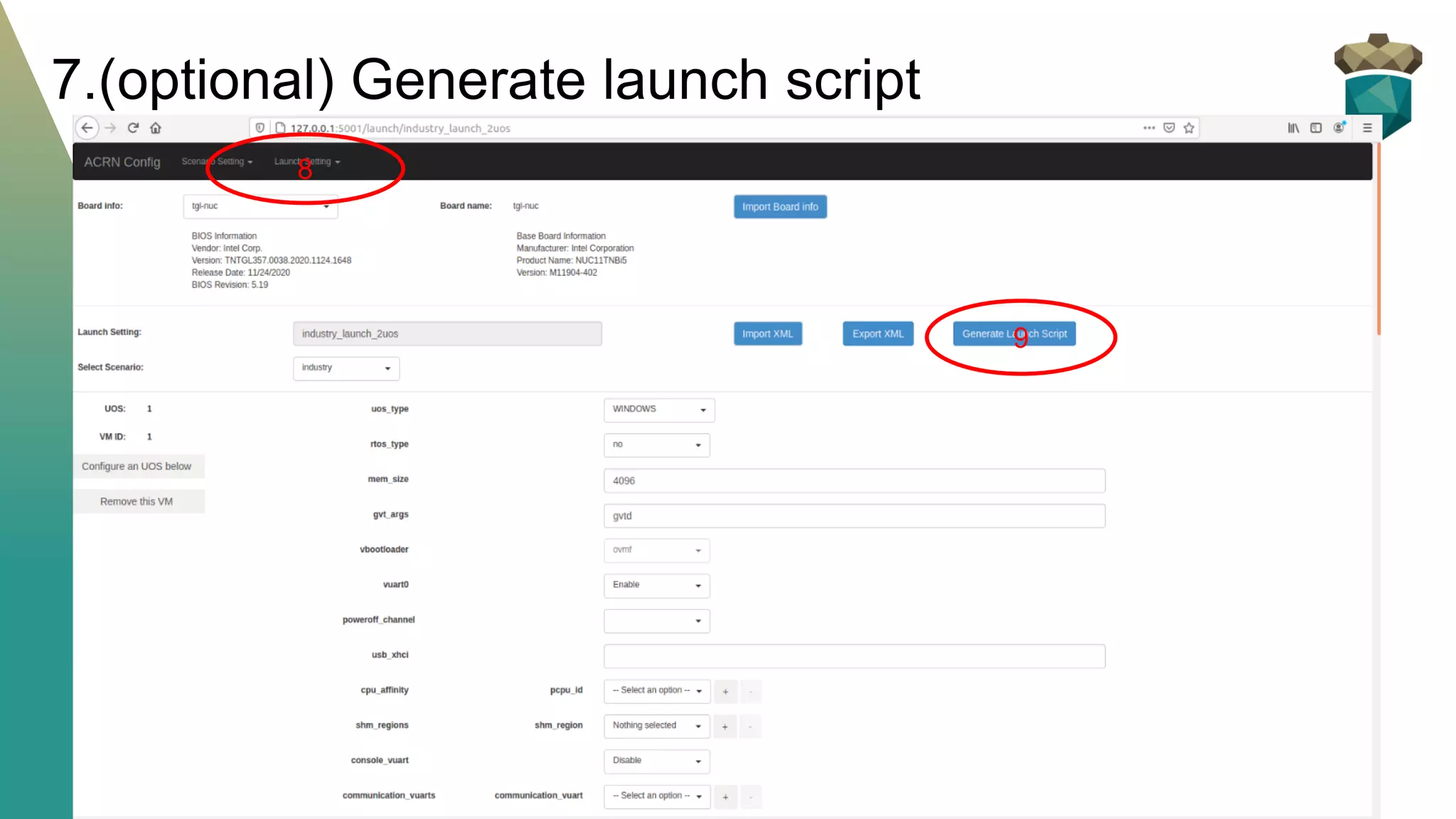
7.(optional) Generate launch script
8
9
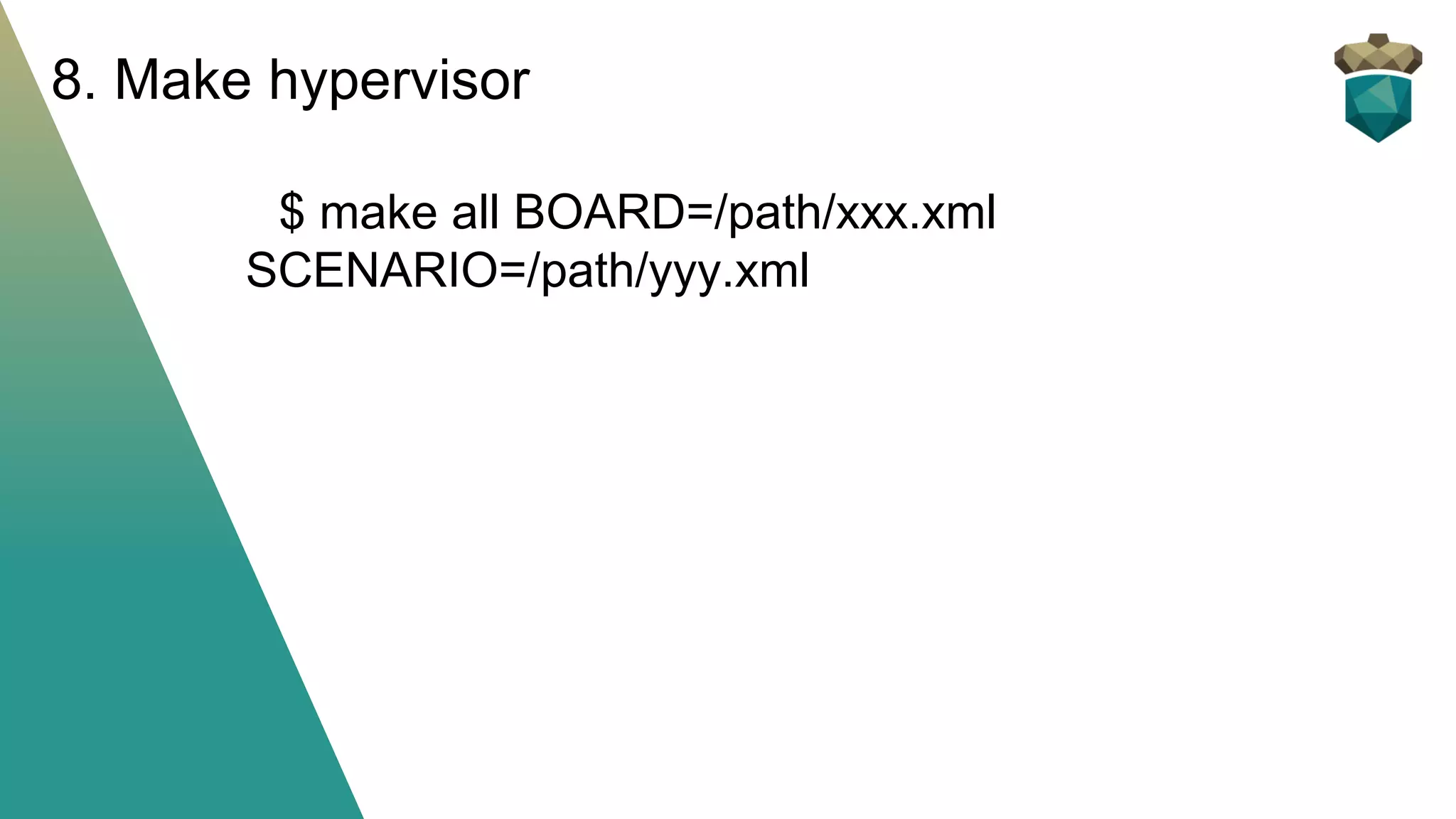
$ make all BOARD=/path/xxx.xml
SCENARIO=/path/yyy.xml
8. Make hypervisor
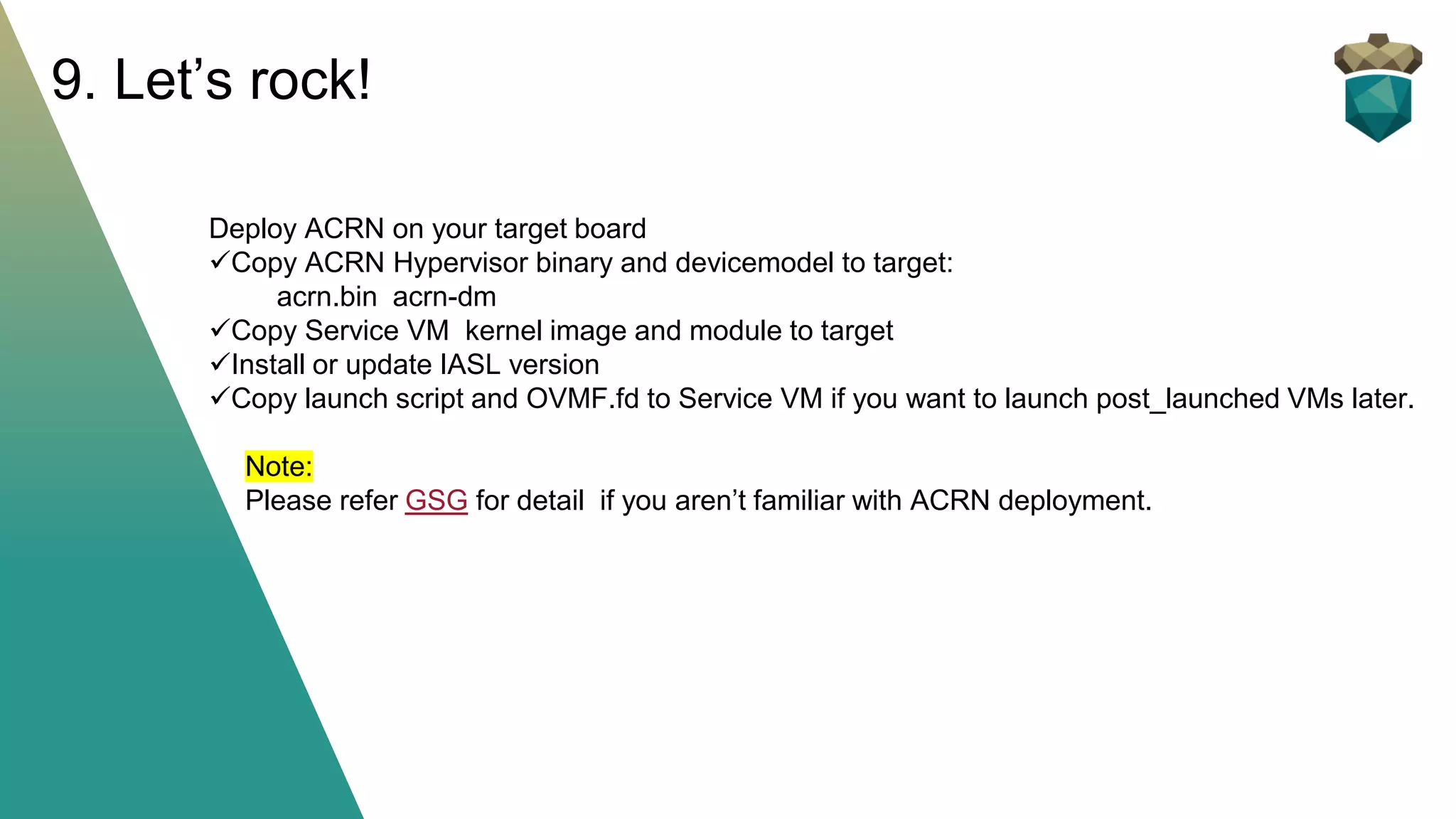
Deploy ACRN on your target board
✓Copy ACRN Hypervisor binary and devicemodel to target:
acrn.bin acrn-dm
✓Copy Service VM kernel image and module to target
✓Install or update IASL version
✓Copy launch script and OVMF.fd to Service VM if you want to launch post_launched VMs later.
Note:
Please refer GSG for detail if you aren’t familiar with ACRN deployment.
9. Let’s rock!
NOTES
▪ ACRN config tool refinement is still ongoing
▪ Hypervisor serial port is important for debug
✓ Please refer Enable serial port on NUC to enable serial for
ACRN hypervisor
✓ Additional patch is needed for PCIe serial port enabling if the
code base isn’t newer than v2.4
▪ Please refer ACRN Configuration Tool —
Project ACRN™ 2.4 documentation for more
details
Summary
▪ How to enable new platform for ACRN
✓ BOARD.xml
✓ SCENARIO.xml
✓ LAUNCH.xml
▪ ACRN hypervisor serial port enabling
✓ Option 1: internal serial header
✓ Option 2: PCIe serial port
Q&A

ACRN vMeet-Up EU 2021 - hypervisor new platform enabling

  • 1.
    ACRN Hypervisor New platformenabling ACRN vMeet-Up Europe 2021 Contributor: Victor Sun Nanlin Xie
  • 2.
    Agenda 1: Understand Configurations 2:ACRN config tool preliminary 3: Let’s start!
  • 3.
    Q: How toenable ACRN on a new hardware board? A: Just prepare configurations for your new board!
  • 4.
    Understand Configurations ▪ Boardconfigurations The board configuration is scenario-neutral by nature. Thus, multiple scenario configurations can be based on the same board configuration. ▪ Scenario configurations The scenario configuration defines a working scenario by configuring hypervisor capabilities and defining VM attributes and resources. ▪ Launch Configuration The launch configuration defines the attributes and resources of a post-launched VM.
  • 5.
    ▪ Board configurations Theboard configuration stores hardware-specific information extracted on the target platform: ❖ scenario-irrelevant: host ACPI/BDF info/… ❖ scenario-relevant: ve820/sos_console/sos_rootdev/kernel cmdline ▪ Scenario configurations The scenario configuration defines a working scenario by configuring hypervisor capabilities and defining VM attributes and resources. ✓Hypervisor capabilities ❖ Availability and settings of hypervisor features ❖ Hardware management capacity of the hypervisor ❖ Memory consumption of the hypervisor ✓VM capabilities ❖ VM attributes, such as VM names ❖ Maximum number of VMs supported ❖ Resources allocated to each VM ❖ Guest OS settings ❖ Settings of virtual devices ▪ Launch configurations The launch configuration defines the attributes and resources of a post- launched VM. Classify ACRN Configurations
  • 6.
    IMPORTANT hint: ACRN configtool architecture is under refinement. The build command and configure source file structure is a bit different between release 2.4 and master branch. BUT: Whatever changes on config tool architecture, the working method is same, so let’s start from ACRN release 2.4.
  • 7.
    ACRN config toolsource code (release 2.4) acrn-hypervisor/misc/config_tools/
  • 8.
    Diagram of configtool Working Flow
  • 9.
    ACRN Configuration App:a web user interface application based on Flask ▪ Imports board info for current reference ▪ Imports saved scenario/launch XML files for re-configuration ▪ Exports current configuration items and save to XML file * source: acrn-hypervisor/misc/config_tools/config_app/ * the app needs network to download some js/css Use the ACRN Configuration App
  • 10.
  • 11.
    We use differentroot element to identify XML type: ▪Board XML: ❖ <acrn-config board="BOARD"> ▪ Scenario XML: ❖ <acrn-config board="BOARD" scenario="SCENARIO"> ▪ Launch XML: ❖ <acrn-config board="BOARD" scenario="SCENARIO" uos_launcher="UOS_NUMBER"> ACRN configuration XMLs format
  • 12.
    Glimpse of scenarioXML acrn-hypervisor/misc/config-tools/data/tgl-rvp/industry.xml
  • 13.
  • 14.
    ▪Setup native Linuxenvironment on target ✓ VM-x/VT-d were enabled and security boot is disabled in BIOS ✓ Ubuntu 18.04 ✓ Required tools: python3, cpuid, rdmsr, lspci, dmidecode ✓ Add cmdline of “idle=nomwait intel_pstate=disable intel_idle.max_cstate=0” ▪ Copy folder of “acrn-hypervisor/misc/config_tools/target”to target ▪ Run “sudo python3 board_parser.py $(BOARD_NAME)” to get your board.xml ✓ sudo python3 /home/acrn/work/acrn- hypervisor/misc/config_tools/target/board_parser.py tgl-nuc ✓ ls /home/acrn/work/acrn-hypervisor/misc/config_tools/target/out/ tgl-nuc.xml ▪ Board.xml includes physical platform info like ACPI/memory/cpuinfo for acrn-config tool reference 1. Get target board info
  • 15.
    Install its requirements(one time setup): $ cd ~/acrn-hypervisor/misc/config_tools/config_app $ sudo pip3 install -r requirements Launch app: $ python3 app.py Open a browser and navigate to the website http://127.0.0.1:5001/ automatically, or you may need to visit this website manually. Note: app.py needs to be run locally with desktop machine for WEBUI. 2. Launch config app (HOST machine)
  • 16.
  • 17.
    4. select yourscenario 3 4 5 hybrid hybrid_rt logical_partition industry
  • 18.
    5. Configure yourscenario 6 7
  • 19.
    6. Configure yourscenario – continued ACRN:> vcpu_list VM ID PCPU ID VCPU ID VCPU ROLE VCPU STATE THREAD STATE 0 0 0 PRIMARY Running BLOCKED 0 1 1 SECONDARY Init BLOCKED 0 2 2 SECONDARY Init BLOCKED 0 3 3 SECONDARY Init BLOCKED error: couldn't find suitable memory target. error: you need to load the kernel first. Press any key to continue...
  • 20.
  • 21.
    $ make allBOARD=/path/xxx.xml SCENARIO=/path/yyy.xml 8. Make hypervisor
  • 22.
    Deploy ACRN onyour target board ✓Copy ACRN Hypervisor binary and devicemodel to target: acrn.bin acrn-dm ✓Copy Service VM kernel image and module to target ✓Install or update IASL version ✓Copy launch script and OVMF.fd to Service VM if you want to launch post_launched VMs later. Note: Please refer GSG for detail if you aren’t familiar with ACRN deployment. 9. Let’s rock!
  • 23.
    NOTES ▪ ACRN configtool refinement is still ongoing ▪ Hypervisor serial port is important for debug ✓ Please refer Enable serial port on NUC to enable serial for ACRN hypervisor ✓ Additional patch is needed for PCIe serial port enabling if the code base isn’t newer than v2.4 ▪ Please refer ACRN Configuration Tool — Project ACRN™ 2.4 documentation for more details
  • 24.
    Summary ▪ How toenable new platform for ACRN ✓ BOARD.xml ✓ SCENARIO.xml ✓ LAUNCH.xml ▪ ACRN hypervisor serial port enabling ✓ Option 1: internal serial header ✓ Option 2: PCIe serial port
  • 25.