Agile Change and Release
Management at the #1 Online
Rental Site in the US
Matt Stratton
Director, Technology Operations
mstratton@apartments.com
Twitter: @mattstratton
Agenda
Ø Introduction
Ø Release Automation – “Robots. Lots of Robots”
Ø ITSM and Agile – The Interface
Ø Questions and Answers
Apartments.com Introduction
Ø Owned by Classified Ventures, a strategic joint-venture
owned by five large media partners (A. H. Belo Corp.,
Gannett Company Inc., The McClatchy Company,
Tribune Company, and The Washington Post
Company),whose objectives are to collectively capitalize
on the online revenue growth opportunities in the
automotive, rental and real estate advertising categories.
Ø Began in January of 1997 as as the ApartmentsPlus
product of Visual Properties in Chicago, and was
acquired by Classified Ventures later that year. It was re-
branded as Apartments.com in March of 1998.
Ø Average of 6MM plus unique visitors, a month, and
considered most visited ILS for the past year (source
MediaMetrix)
Apartments.com Introduction
Technology stack is
primarily Microsoft
Over 400 servers
across all
environments
Nine product teams, each
of which has their own dev
and FQA environments
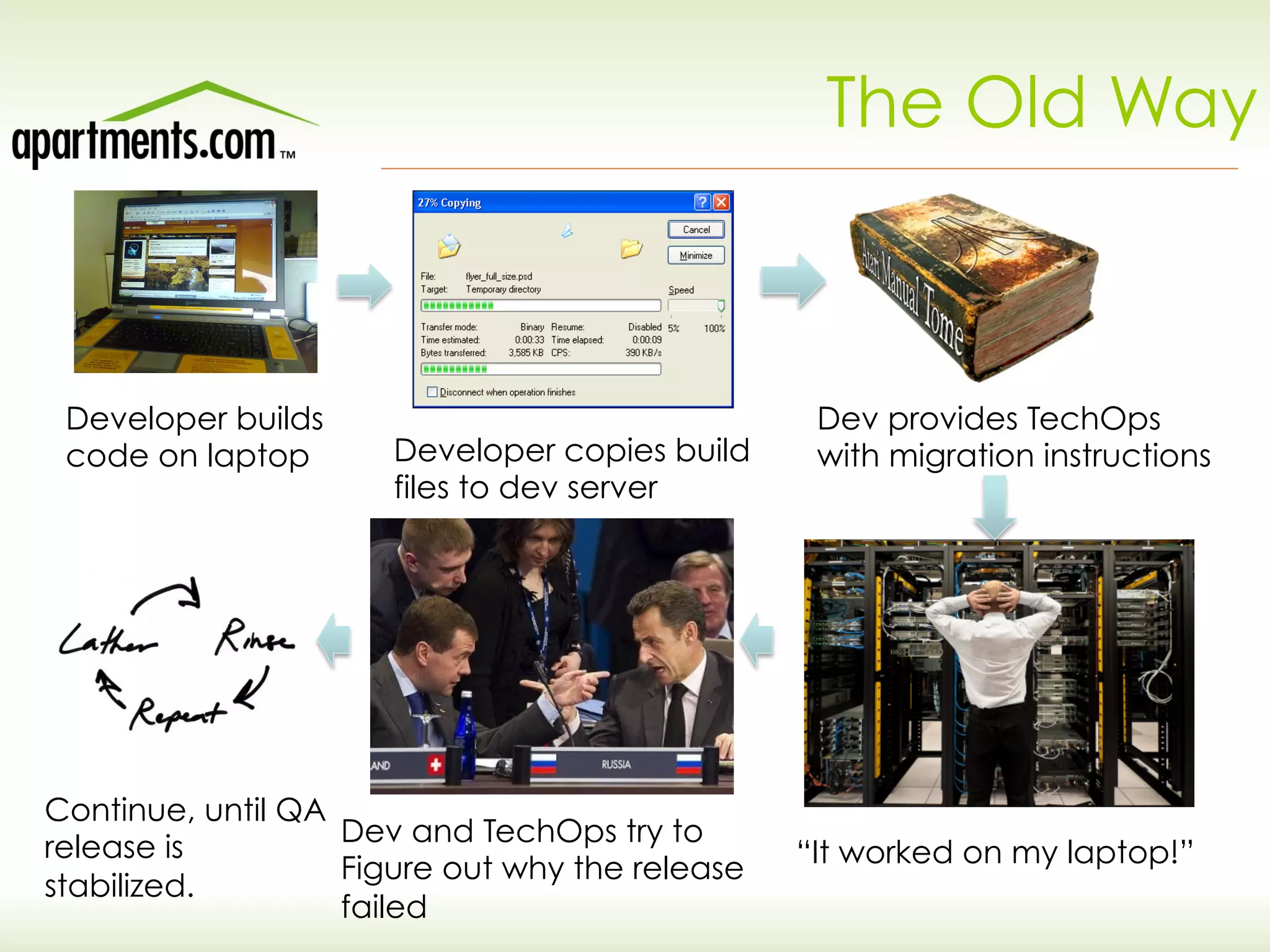
The Old Way
Developer builds
code on laptop Developer copies build
files to dev server
Dev provides TechOps
with migration instructions
“It worked on my laptop!”
Dev and TechOps try to
Figure out why the release
failed
Continue, until QA
release is
stabilized.
Issues
Ø Release to QA could take up to 2 days – not
acceptable when moving in 2-week sprints!
Ø Dependent on Tech Ops to release to QA –
resource bottleneck
Ø Way too much time spent on “environment issues”
– became a catch-all excuse for problems
Ø Inefficient use of expensive sys admin resource –
paying a lot of money for someone to basically push
files around
Proposed solutions
Ø Home-grown scripting: PowerShell scripts, Msbuild configuration,
MSI from Visual Studio
Ø Substantial effort and no resources available to continually
maintain
Ø Would require additional skillset, especially on dev resources
Ø Other third-party solutions
Ø Many still required substantial modification (especially for
configuration file transformation)
Ø Often required proprietary scripting skills
Ø Serena Release Automation
Ø Identified by Gartner as industry leader in the space
Ø POC proved out “drag and drop” capability
Ø Did not require specific scripting skillset
Ø Almost all requirements met with “out of the box” actions
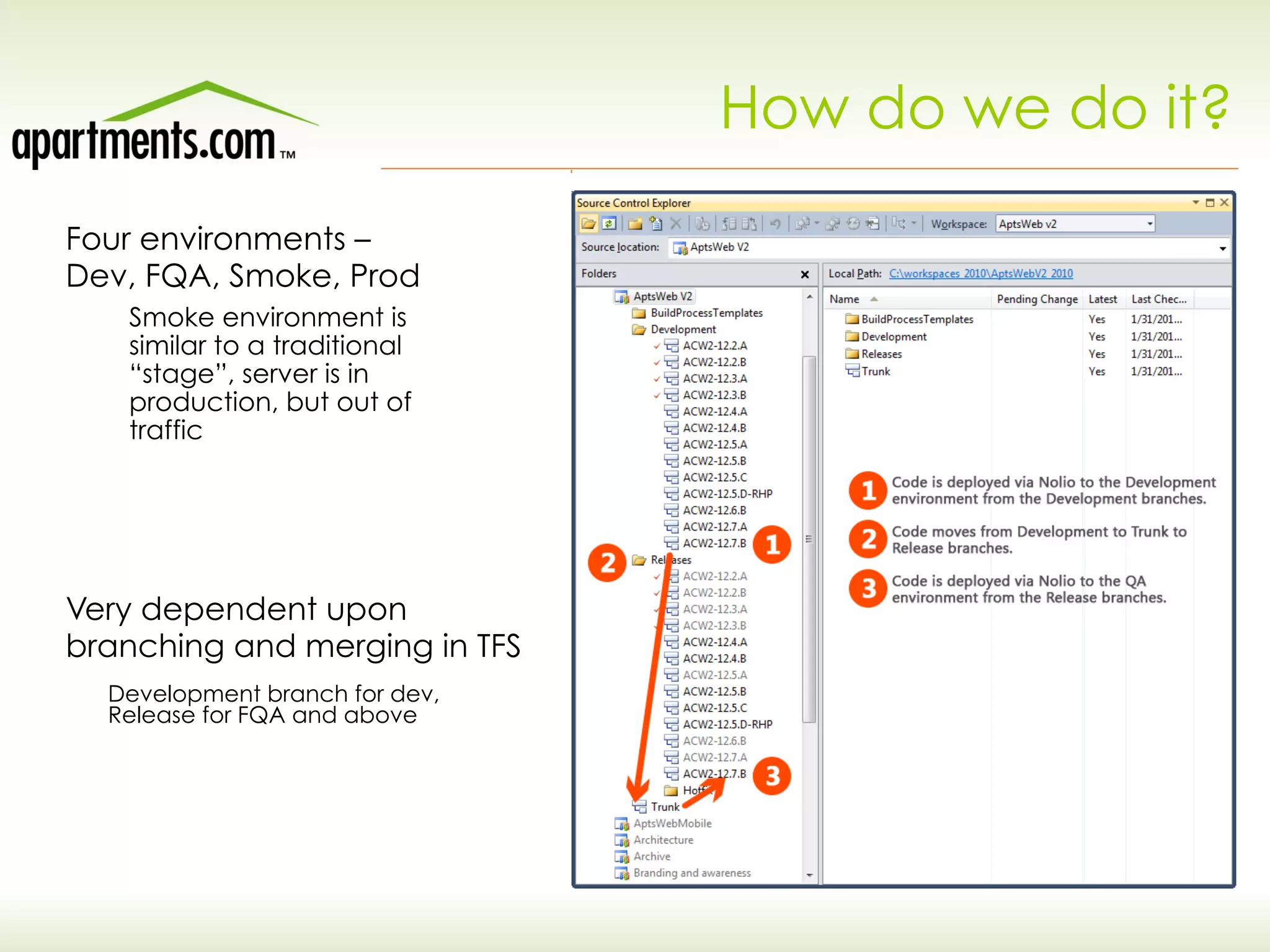
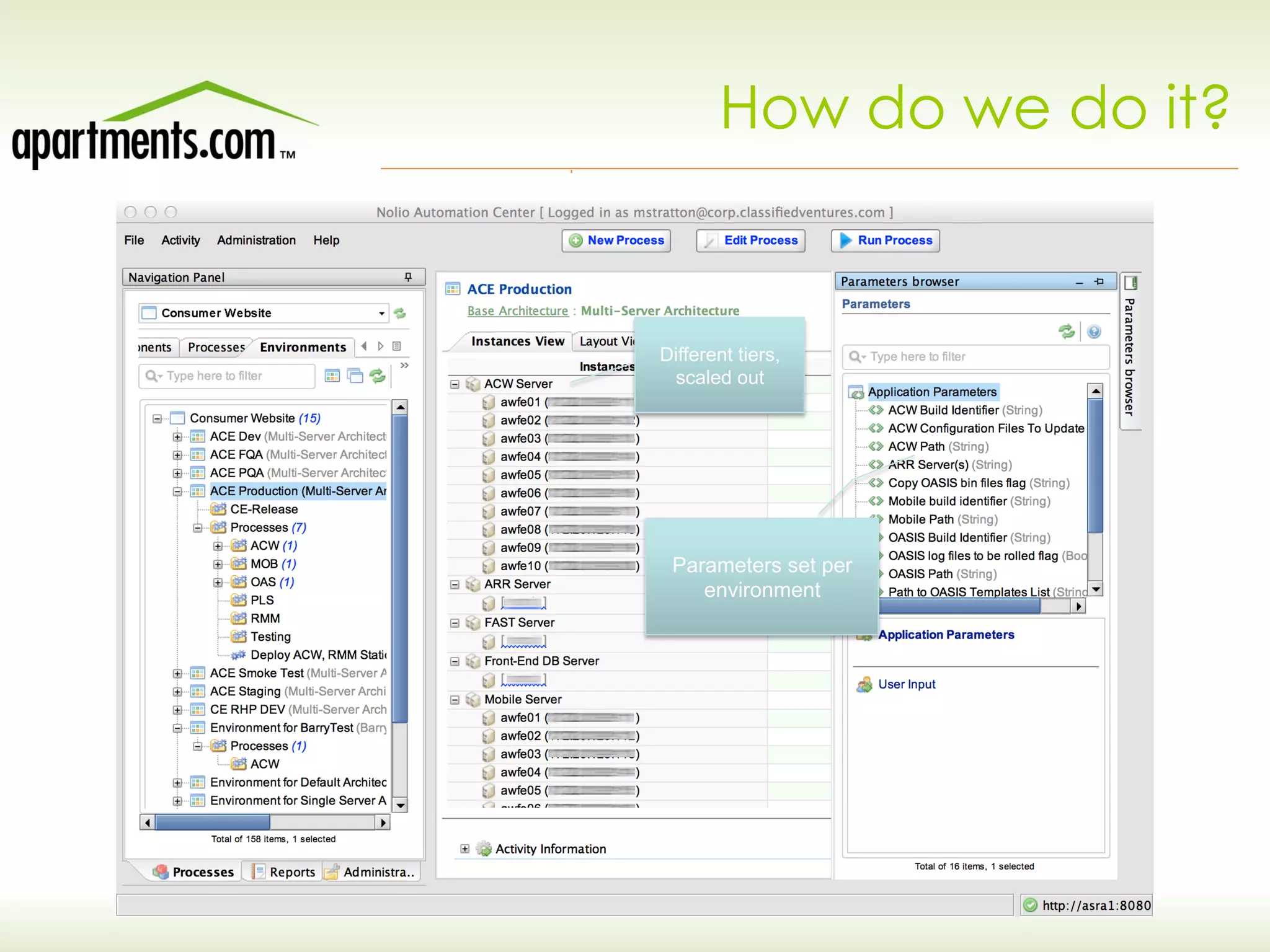
How do we do it?
Four environments –
Dev, FQA, Smoke, Prod
Very dependent upon
branching and merging in TFS
Smoke environment is
similar to a traditional
“stage”, server is in
production, but out of
traffic
Development branch for dev,
Release for FQA and above
How do we do it?
Different tiers,
scaled out
Parameters set per
environment
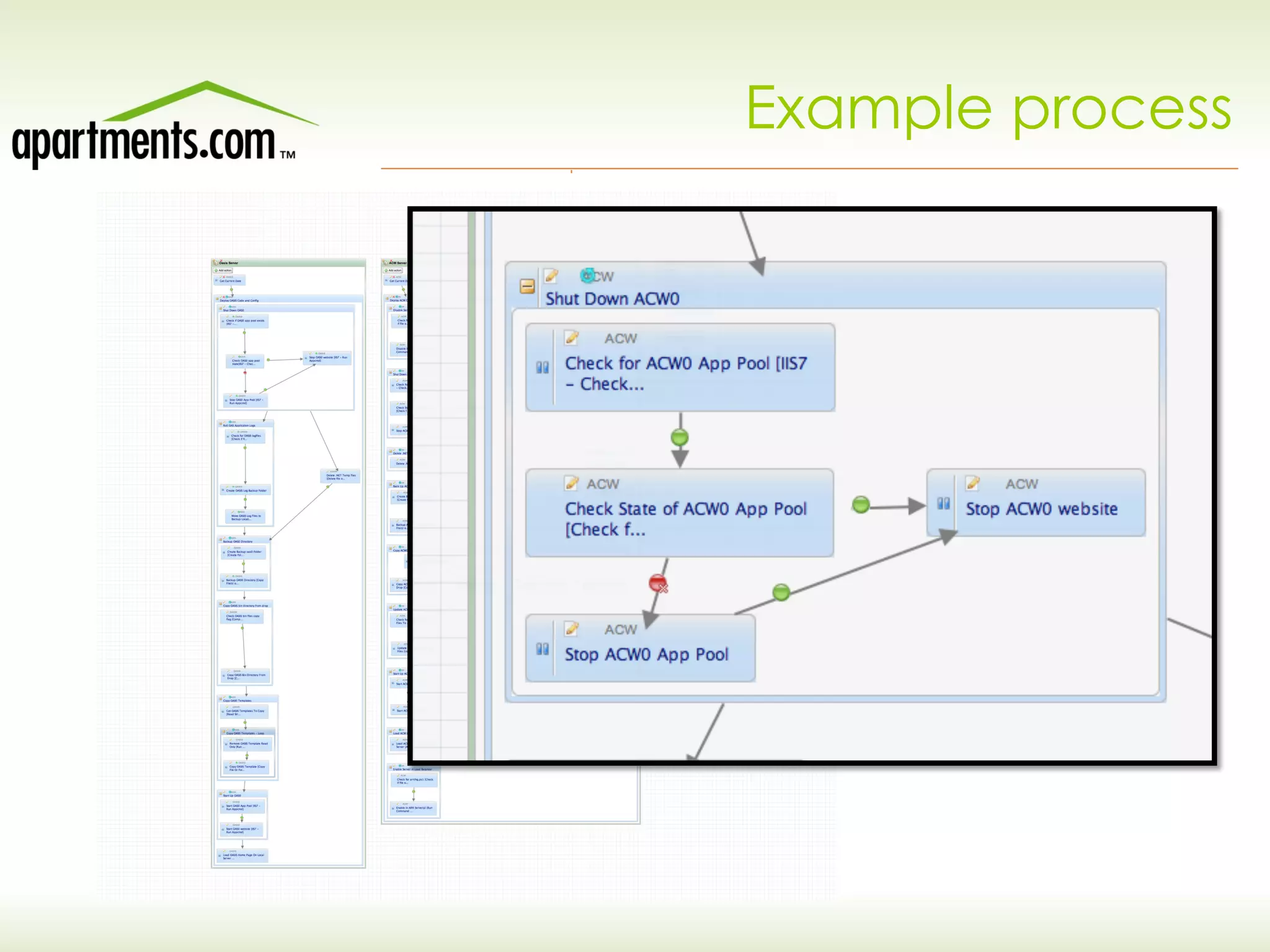
Example process
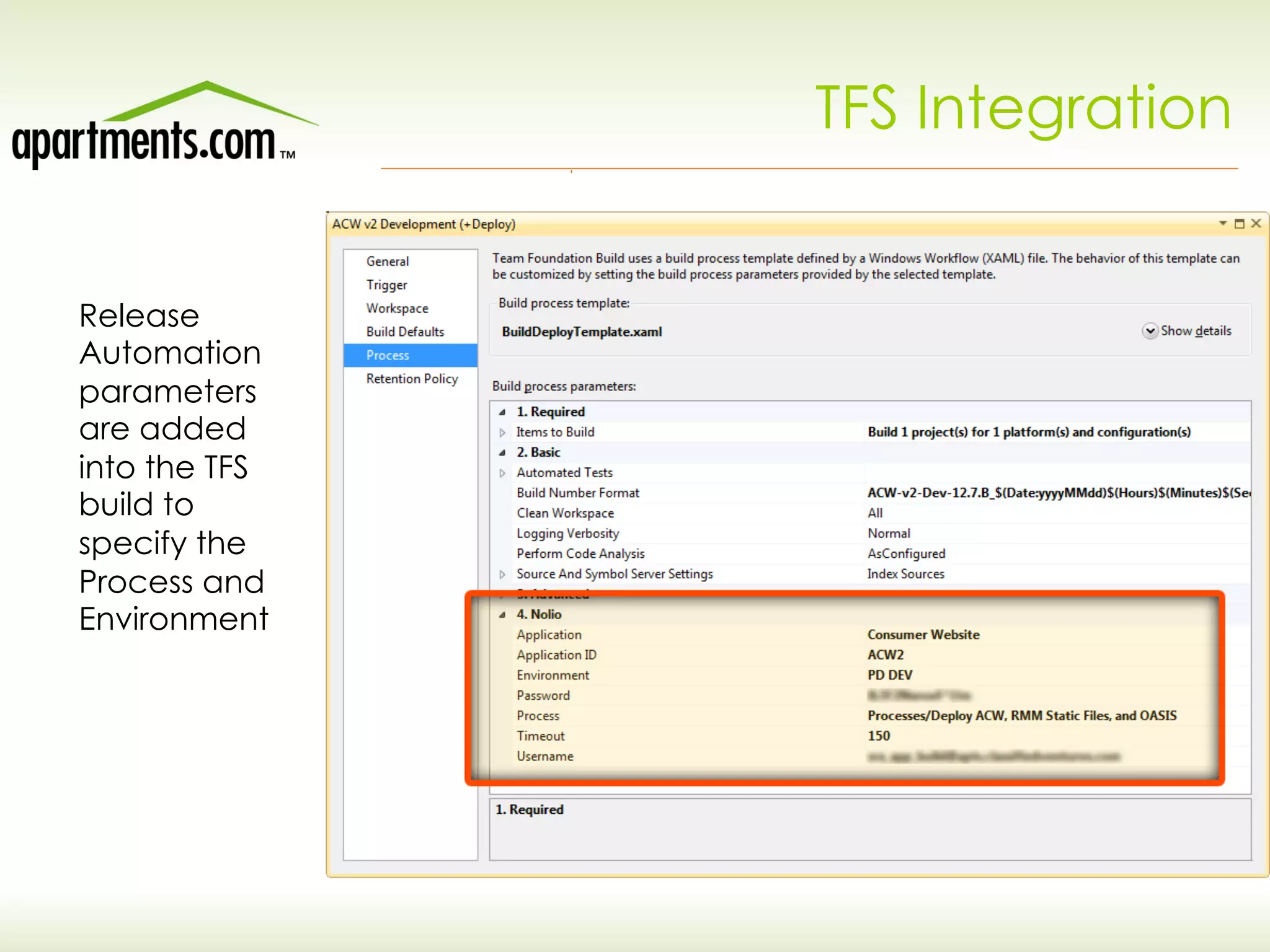
TFS Integration
Release
Automation
parameters
are added
into the TFS
build to
specify the
Process and
Environment
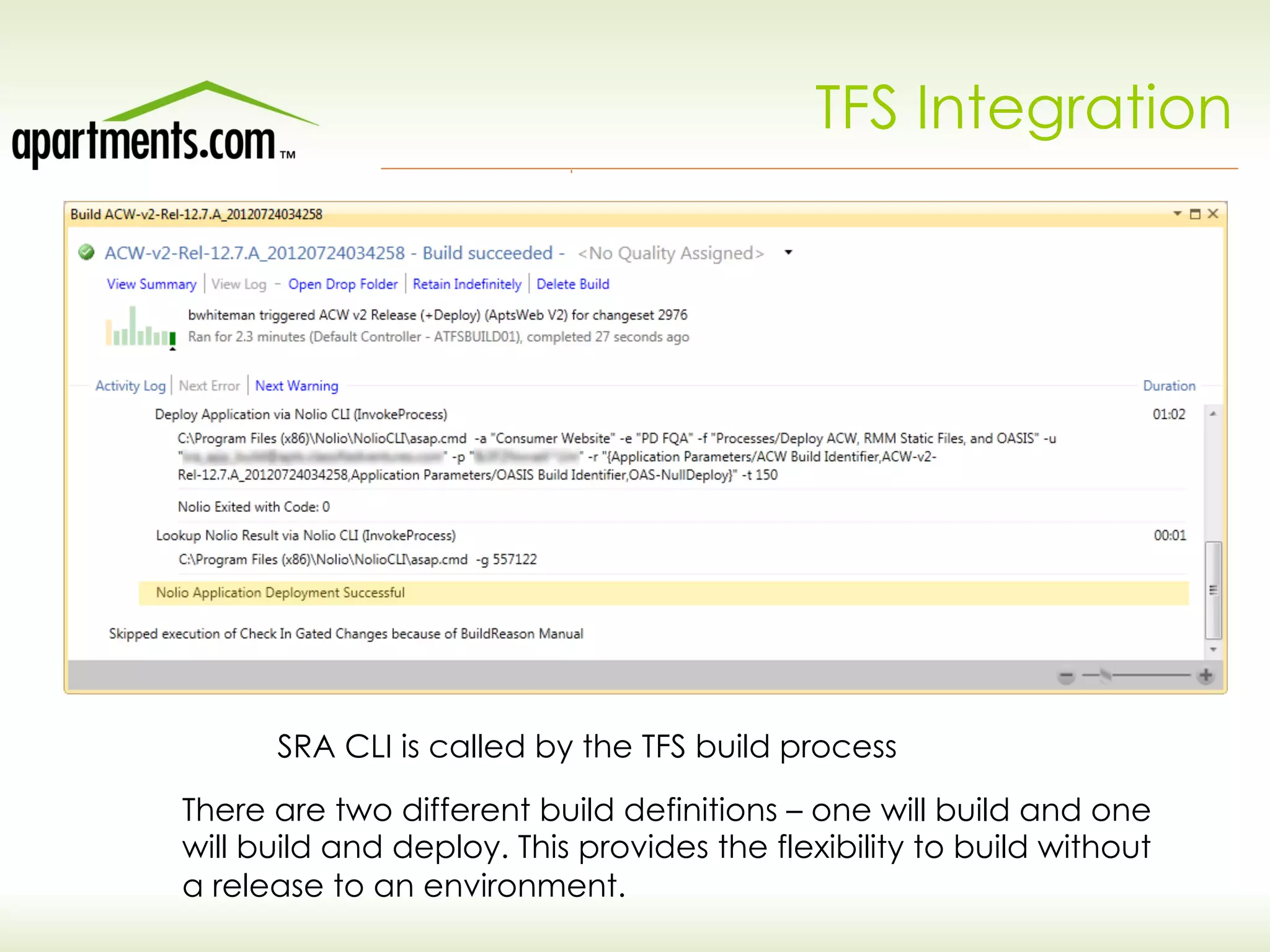
TFS Integration
SRA CLI is called by the TFS build process
There are two different build definitions – one will build and one
will build and deploy. This provides the flexibility to build without
a release to an environment.
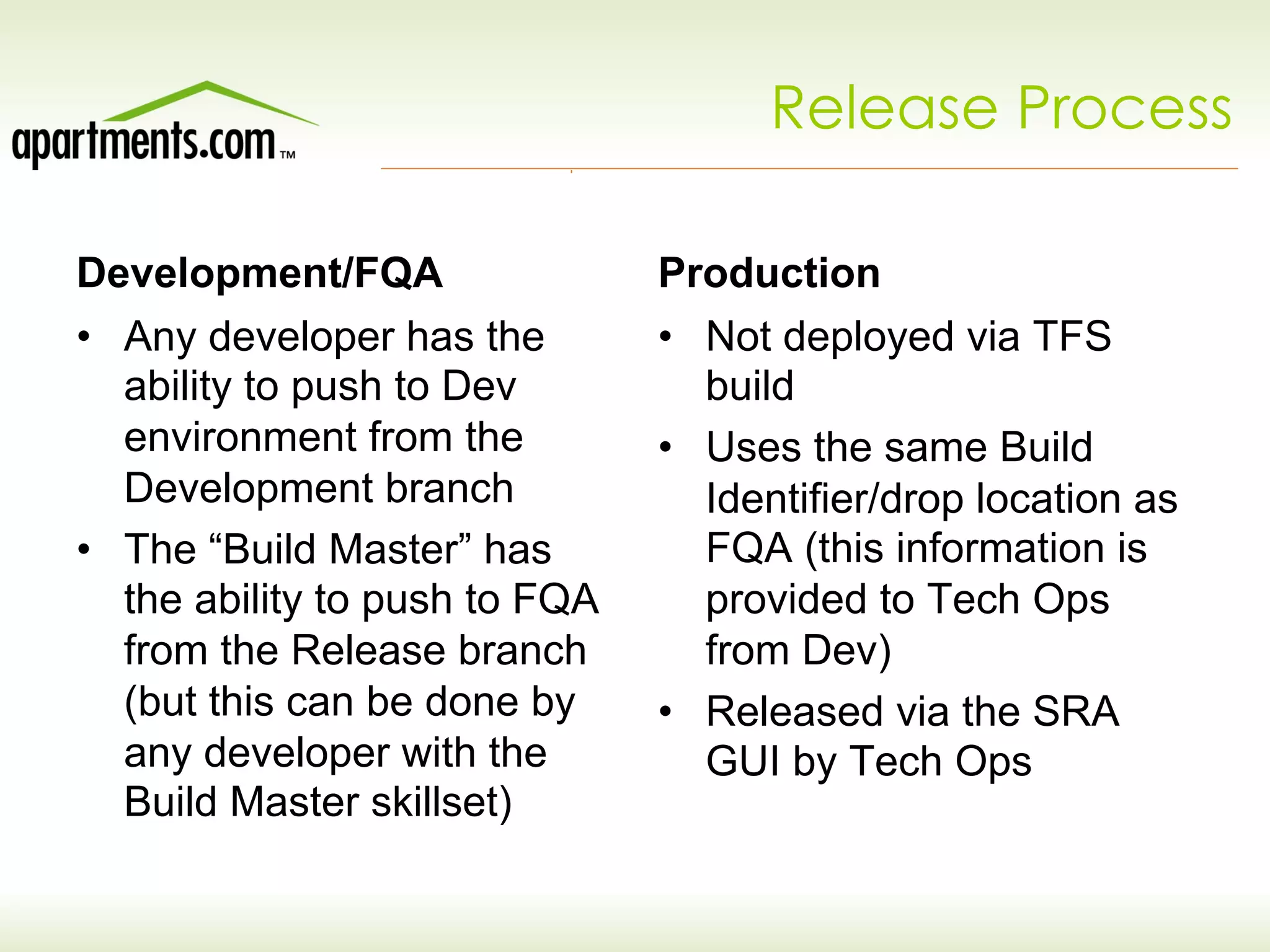
Release Process
Development/FQA
•  Any developer has the
ability to push to Dev
environment from the
Development branch
•  The “Build Master” has
the ability to push to FQA
from the Release branch
(but this can be done by
any developer with the
Build Master skillset)
Production
•  Not deployed via TFS
build
•  Uses the same Build
Identifier/drop location as
FQA (this information is
provided to Tech Ops
from Dev)
•  Released via the SRA
GUI by Tech Ops
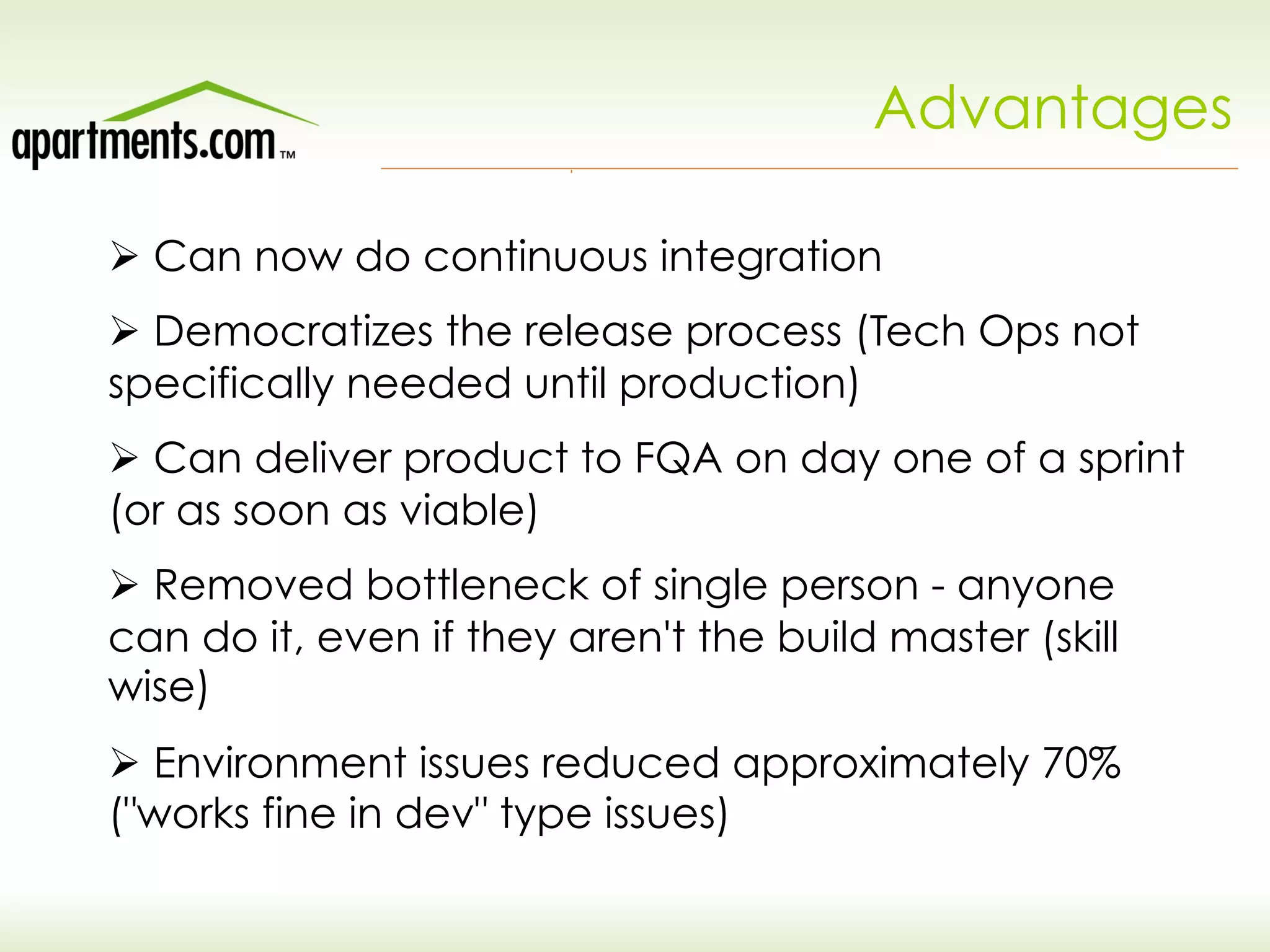
Advantages
Ø Can now do continuous integration
Ø Democratizes the release process (Tech Ops not
specifically needed until production)
Ø Can deliver product to FQA on day one of a sprint
(or as soon as viable)
Ø Removed bottleneck of single person - anyone
can do it, even if they aren't the build master (skill
wise)
Ø Environment issues reduced approximately 70%
("works fine in dev" type issues)
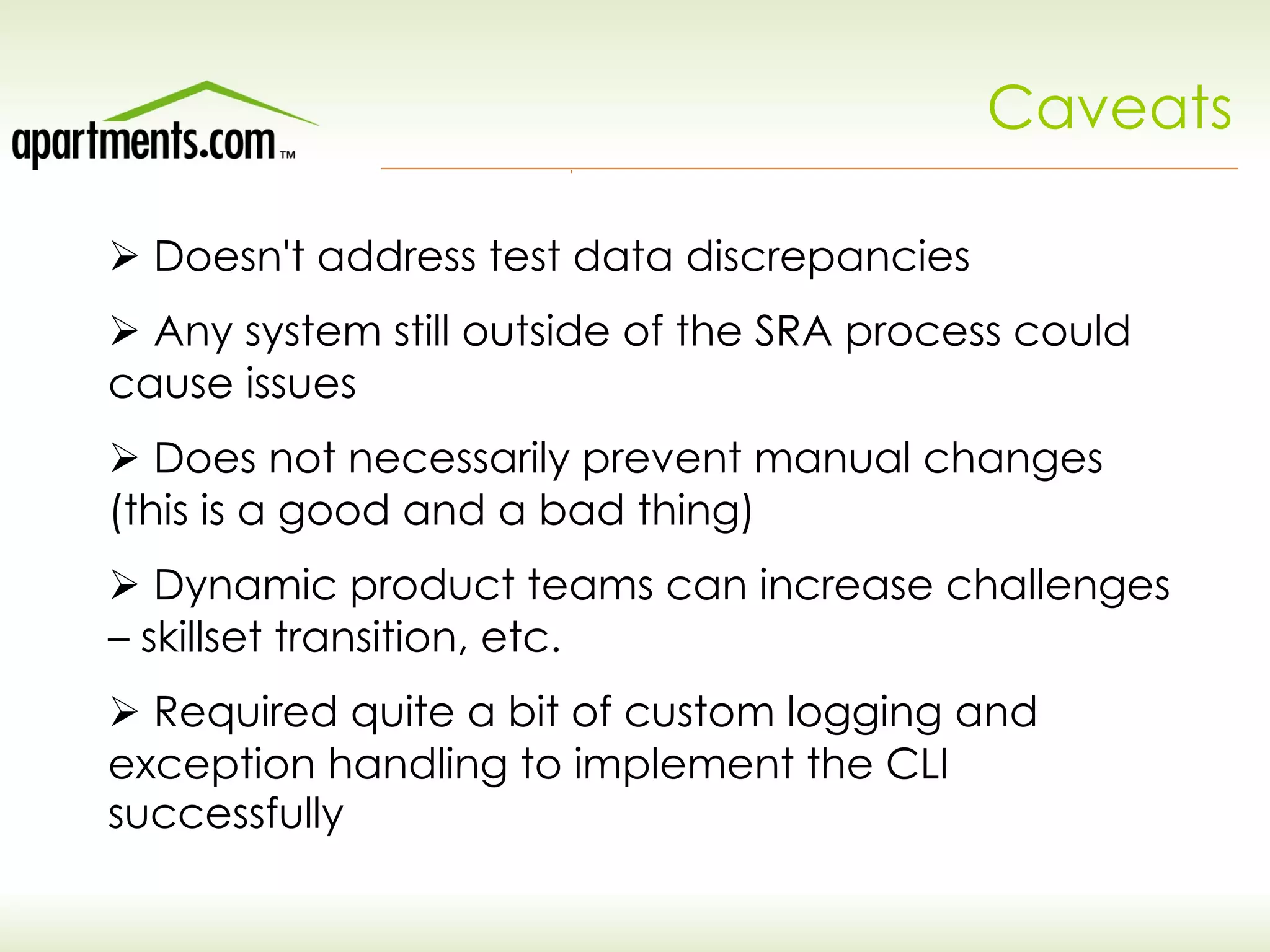
Caveats
Ø Doesn't address test data discrepancies
Ø Any system still outside of the SRA process could
cause issues
Ø Does not necessarily prevent manual changes
(this is a good and a bad thing)
Ø Dynamic product teams can increase challenges
– skillset transition, etc.
Ø Required quite a bit of custom logging and
exception handling to implement the CLI
successfully
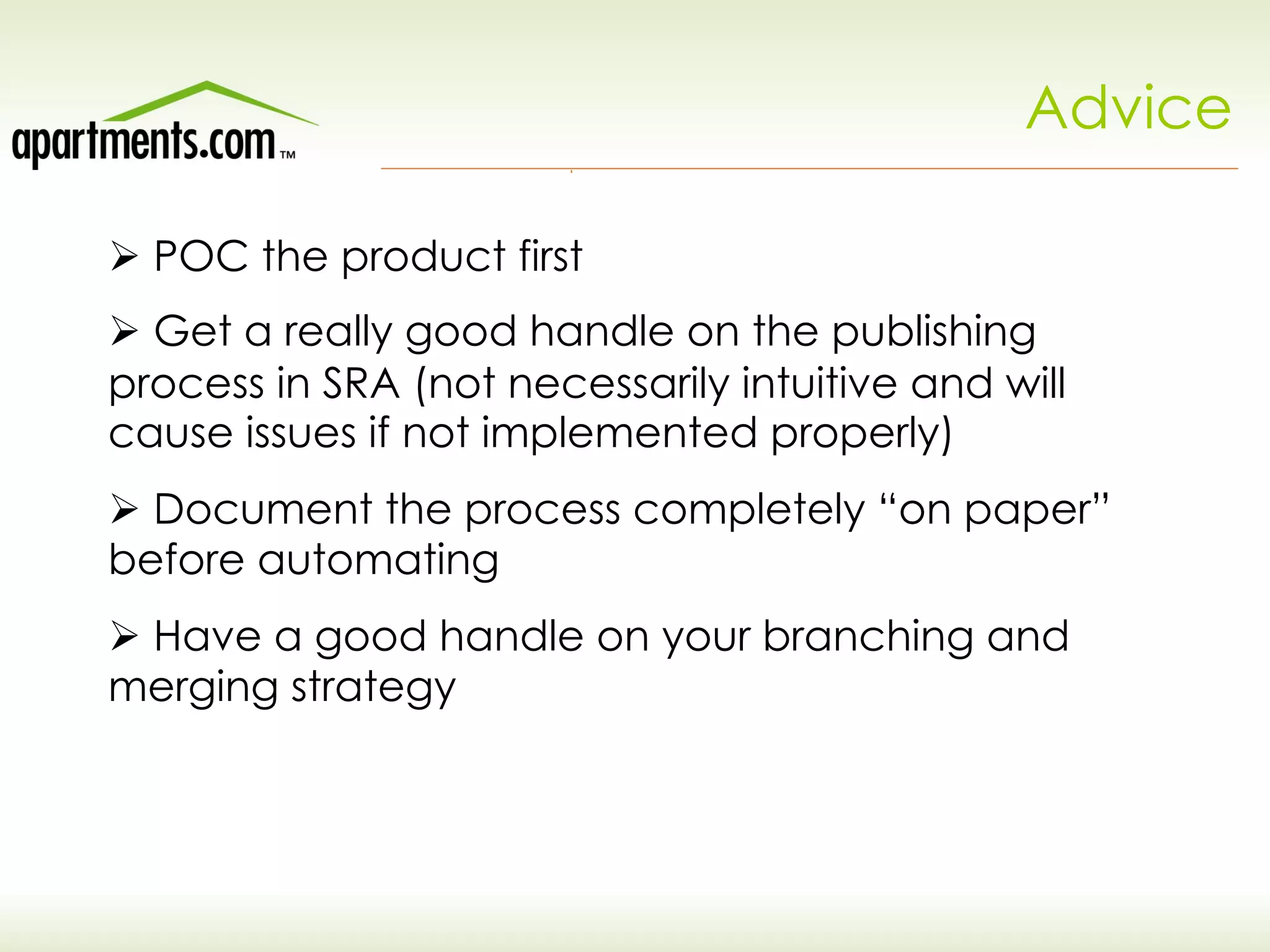
Advice
Ø POC the product first
Ø Get a really good handle on the publishing
process in SRA (not necessarily intuitive and will
cause issues if not implemented properly)
Ø Document the process completely “on paper”
before automating
Ø Have a good handle on your branching and
merging strategy
Issues
Ø Agile framework supported “big ideas” (new product
development) but support items were unclear
Ø Previous implementation of TeamTrack was built around
defect tracking, not ITIL processes
Ø Re-organization split out previous Production Support
group responsibilities between Technical Services and
Agile delivery teams
Ø Many rapid releases escalated need for transparency
and visibility into changes
Ø No single over-arching technical group anymore –
specialized delivery teams required new ways to migrate
requests and issues.
TS vs. Delivery
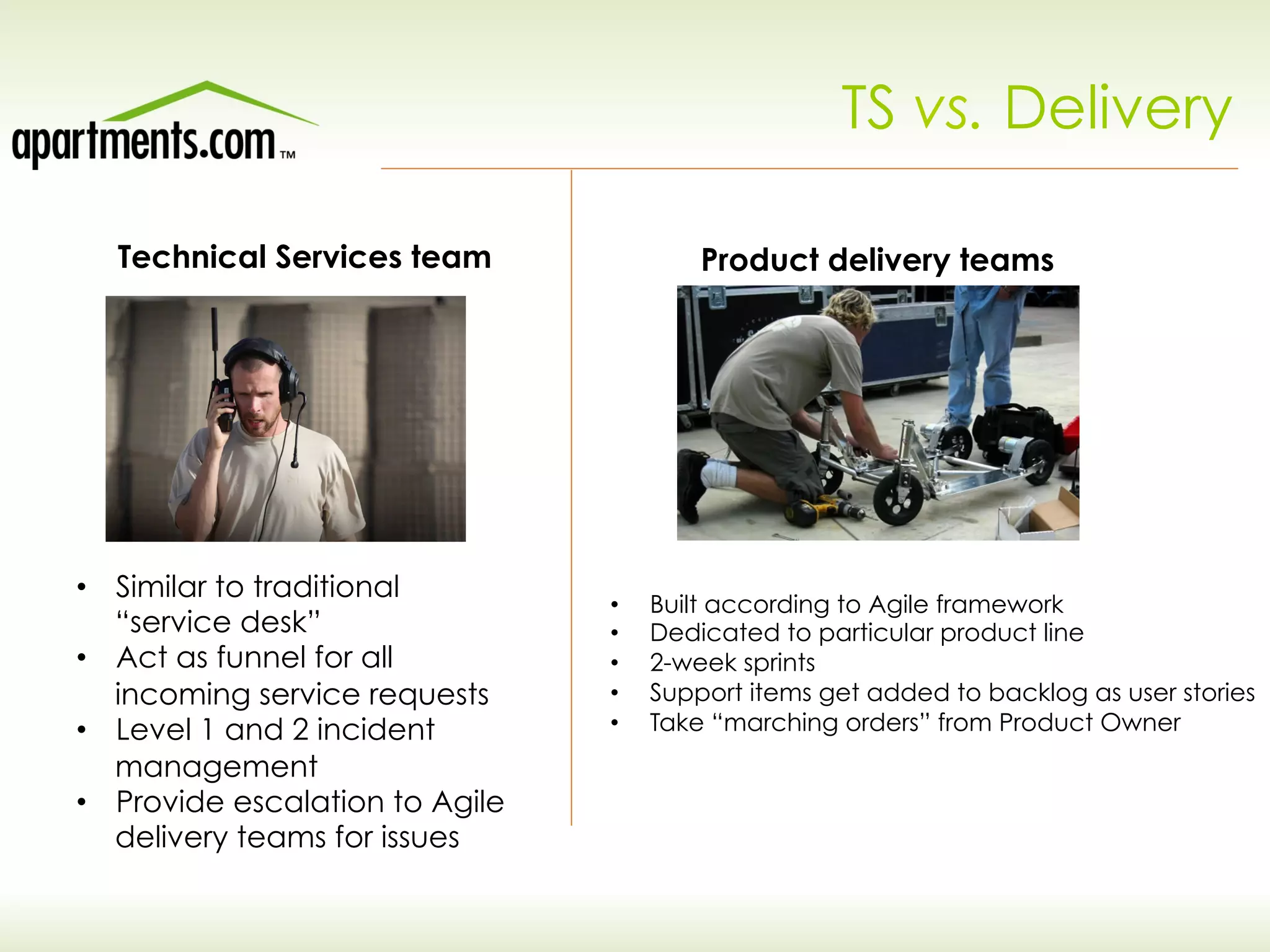
Technical Services team Product delivery teams
•  Similar to traditional
“service desk”
•  Act as funnel for all
incoming service requests
•  Level 1 and 2 incident
management
•  Provide escalation to Agile
delivery teams for issues
•  Built according to Agile framework
•  Dedicated to particular product line
•  2-week sprints
•  Support items get added to backlog as user stories
•  Take “marching orders” from Product Owner
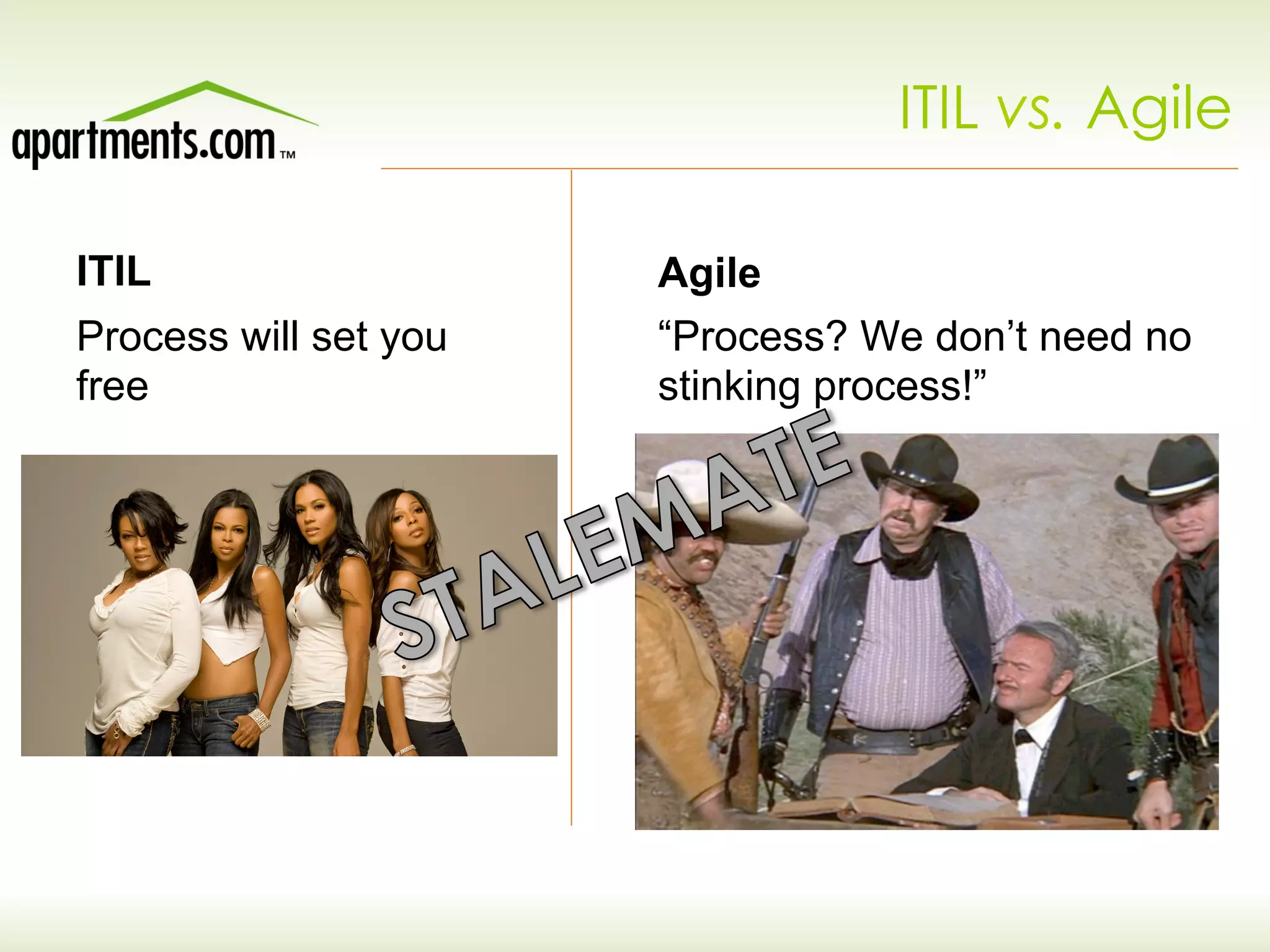
ITIL
Process will set you
free
Agile
“Process? We don’t need no
stinking process!”
ITIL vs. Agile
ITIL to Agile – The Interface
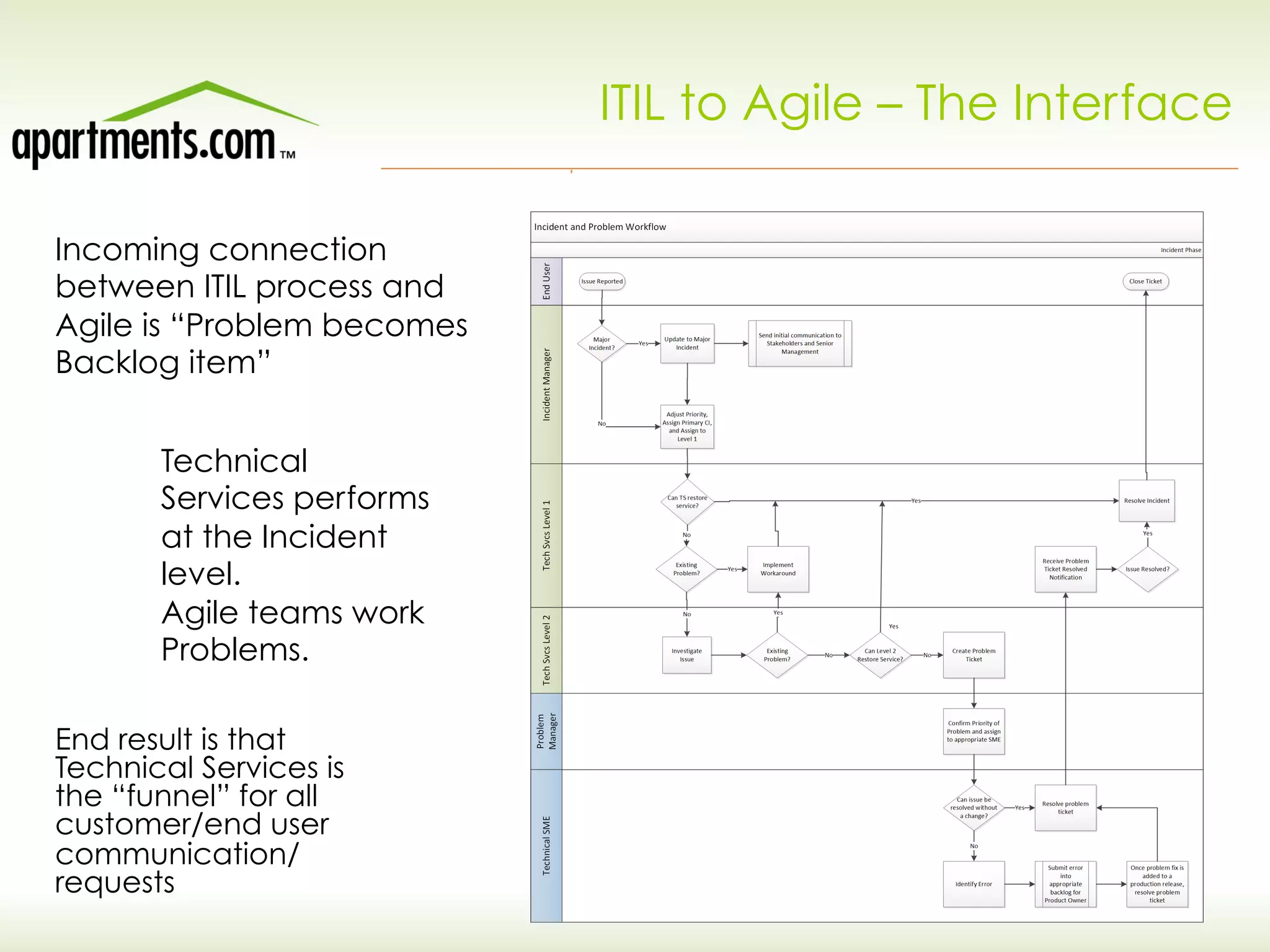
Incoming connection
between ITIL process and
Agile is “Problem becomes
Backlog item”
Technical
Services performs
at the Incident
level.
Agile teams work
Problems.
End result is that
Technical Services is
the “funnel” for all
customer/end user
communication/
requests
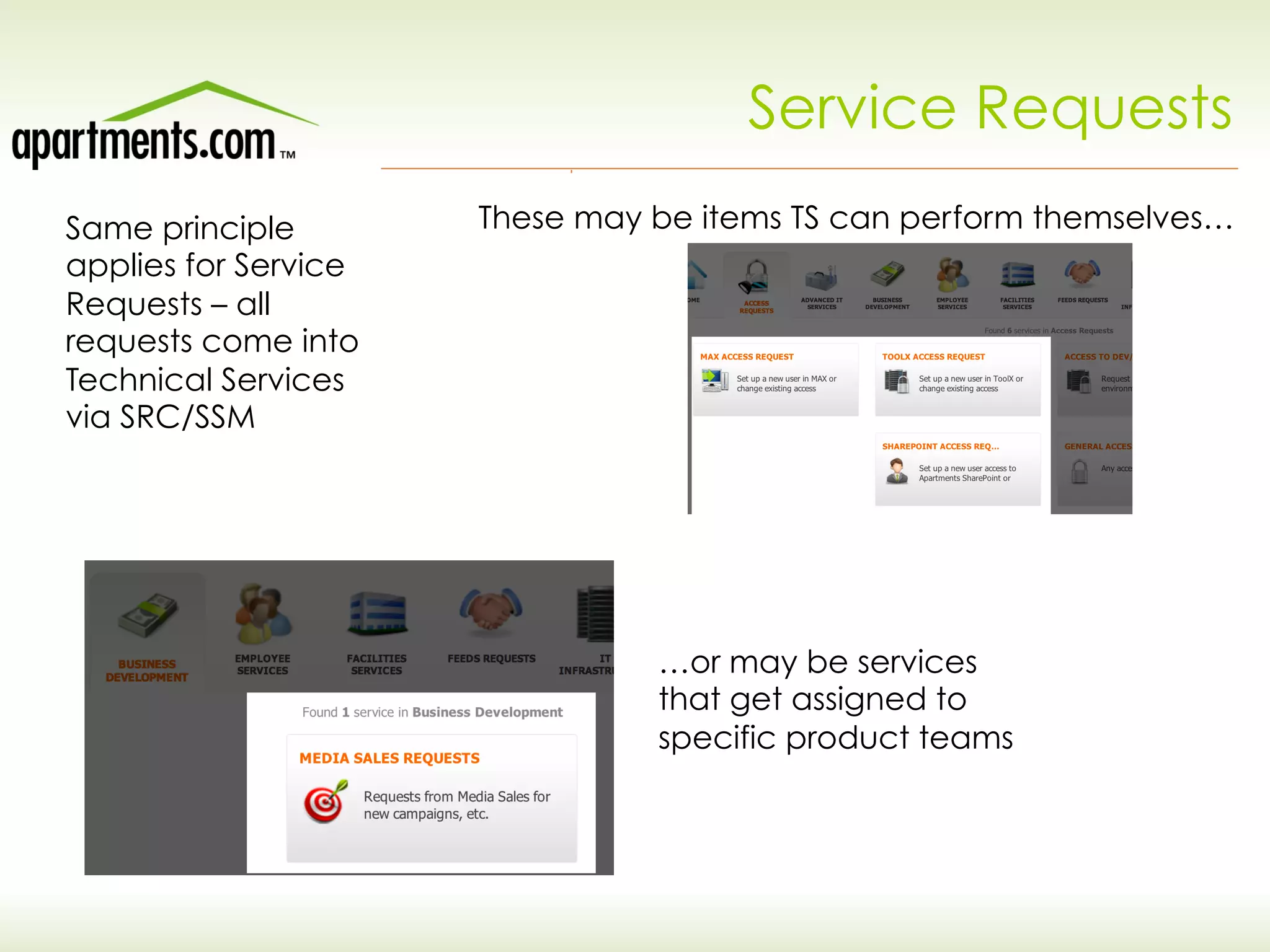
Service Requests
Same principle
applies for Service
Requests – all
requests come into
Technical Services
via SRC/SSM
These may be items TS can perform themselves…
…or may be services
that get assigned to
specific product teams
What’s next for Apartments.com?
Ø Transition from ITIL problem record (SSM) to Agile
backlog item (Rally) is manual right now. Will be
automating this integration.
Ø Implement Change and Config in SSM. Automate
integration from Rally release action to SSM Change
ticket
Ø  Trace back user stories to Problems for ability to
follow up with customers on status
Ø Discovery on a Continuous Delivery framework
Ø Continue to socialize the need for ticketing system
among practioners (“We’re not a bank!”)
Thank You
Questions?

Agile Change and Release Management at the #1 Online Rental Site in the US

  • 1.
    Agile Change andRelease Management at the #1 Online Rental Site in the US Matt Stratton Director, Technology Operations mstratton@apartments.com Twitter: @mattstratton
  • 2.
    Agenda Ø Introduction Ø Release Automation –“Robots. Lots of Robots” Ø ITSM and Agile – The Interface Ø Questions and Answers
  • 3.
    Apartments.com Introduction Ø Owned byClassified Ventures, a strategic joint-venture owned by five large media partners (A. H. Belo Corp., Gannett Company Inc., The McClatchy Company, Tribune Company, and The Washington Post Company),whose objectives are to collectively capitalize on the online revenue growth opportunities in the automotive, rental and real estate advertising categories. Ø Began in January of 1997 as as the ApartmentsPlus product of Visual Properties in Chicago, and was acquired by Classified Ventures later that year. It was re- branded as Apartments.com in March of 1998. Ø Average of 6MM plus unique visitors, a month, and considered most visited ILS for the past year (source MediaMetrix)
  • 4.
    Apartments.com Introduction Technology stackis primarily Microsoft Over 400 servers across all environments Nine product teams, each of which has their own dev and FQA environments
  • 5.
    The Old Way Developerbuilds code on laptop Developer copies build files to dev server Dev provides TechOps with migration instructions “It worked on my laptop!” Dev and TechOps try to Figure out why the release failed Continue, until QA release is stabilized.
  • 6.
    Issues Ø Release to QAcould take up to 2 days – not acceptable when moving in 2-week sprints! Ø Dependent on Tech Ops to release to QA – resource bottleneck Ø Way too much time spent on “environment issues” – became a catch-all excuse for problems Ø Inefficient use of expensive sys admin resource – paying a lot of money for someone to basically push files around
  • 7.
    Proposed solutions Ø Home-grown scripting:PowerShell scripts, Msbuild configuration, MSI from Visual Studio Ø Substantial effort and no resources available to continually maintain Ø Would require additional skillset, especially on dev resources Ø Other third-party solutions Ø Many still required substantial modification (especially for configuration file transformation) Ø Often required proprietary scripting skills Ø Serena Release Automation Ø Identified by Gartner as industry leader in the space Ø POC proved out “drag and drop” capability Ø Did not require specific scripting skillset Ø Almost all requirements met with “out of the box” actions
  • 8.
    How do wedo it? Four environments – Dev, FQA, Smoke, Prod Very dependent upon branching and merging in TFS Smoke environment is similar to a traditional “stage”, server is in production, but out of traffic Development branch for dev, Release for FQA and above
  • 9.
    How do wedo it? Different tiers, scaled out Parameters set per environment
  • 10.
  • 11.
    TFS Integration Release Automation parameters are added intothe TFS build to specify the Process and Environment
  • 12.
    TFS Integration SRA CLIis called by the TFS build process There are two different build definitions – one will build and one will build and deploy. This provides the flexibility to build without a release to an environment.
  • 13.
    Release Process Development/FQA •  Anydeveloper has the ability to push to Dev environment from the Development branch •  The “Build Master” has the ability to push to FQA from the Release branch (but this can be done by any developer with the Build Master skillset) Production •  Not deployed via TFS build •  Uses the same Build Identifier/drop location as FQA (this information is provided to Tech Ops from Dev) •  Released via the SRA GUI by Tech Ops
  • 14.
    Advantages Ø Can now docontinuous integration Ø Democratizes the release process (Tech Ops not specifically needed until production) Ø Can deliver product to FQA on day one of a sprint (or as soon as viable) Ø Removed bottleneck of single person - anyone can do it, even if they aren't the build master (skill wise) Ø Environment issues reduced approximately 70% ("works fine in dev" type issues)
  • 15.
    Caveats Ø Doesn't address testdata discrepancies Ø Any system still outside of the SRA process could cause issues Ø Does not necessarily prevent manual changes (this is a good and a bad thing) Ø Dynamic product teams can increase challenges – skillset transition, etc. Ø Required quite a bit of custom logging and exception handling to implement the CLI successfully
  • 16.
    Advice Ø POC the productfirst Ø Get a really good handle on the publishing process in SRA (not necessarily intuitive and will cause issues if not implemented properly) Ø Document the process completely “on paper” before automating Ø Have a good handle on your branching and merging strategy
  • 17.
    Issues Ø Agile framework supported“big ideas” (new product development) but support items were unclear Ø Previous implementation of TeamTrack was built around defect tracking, not ITIL processes Ø Re-organization split out previous Production Support group responsibilities between Technical Services and Agile delivery teams Ø Many rapid releases escalated need for transparency and visibility into changes Ø No single over-arching technical group anymore – specialized delivery teams required new ways to migrate requests and issues.
  • 18.
    TS vs. Delivery TechnicalServices team Product delivery teams •  Similar to traditional “service desk” •  Act as funnel for all incoming service requests •  Level 1 and 2 incident management •  Provide escalation to Agile delivery teams for issues •  Built according to Agile framework •  Dedicated to particular product line •  2-week sprints •  Support items get added to backlog as user stories •  Take “marching orders” from Product Owner
  • 19.
    ITIL Process will setyou free Agile “Process? We don’t need no stinking process!” ITIL vs. Agile
  • 20.
    ITIL to Agile– The Interface Incoming connection between ITIL process and Agile is “Problem becomes Backlog item” Technical Services performs at the Incident level. Agile teams work Problems. End result is that Technical Services is the “funnel” for all customer/end user communication/ requests
  • 21.
    Service Requests Same principle appliesfor Service Requests – all requests come into Technical Services via SRC/SSM These may be items TS can perform themselves… …or may be services that get assigned to specific product teams
  • 22.
    What’s next forApartments.com? Ø Transition from ITIL problem record (SSM) to Agile backlog item (Rally) is manual right now. Will be automating this integration. Ø Implement Change and Config in SSM. Automate integration from Rally release action to SSM Change ticket Ø  Trace back user stories to Problems for ability to follow up with customers on status Ø Discovery on a Continuous Delivery framework Ø Continue to socialize the need for ticketing system among practioners (“We’re not a bank!”)
  • 23.