Advanced Root Cause AnalysisNathan SmallStaff EngineerGlobal Support ServicesRev B – September 13, 2010
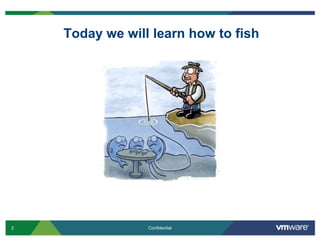
Today we will learn how to fish
Advanced Root Cause AnalysisGathering InformationLog AnalysisFurther AnalysisComparative Analysis
Logging InformationVMkernel Logging: Location: /var/log/vmkernel (ESX Classic) or /var/log/messages (ESXi)Purpose: This log file contains informational messages, alerts, and warnings for various pieces of code that execute via the vmkernel. It also contains log entries dumped from module logging (Qlogic, Emulex, S/W iSCSI, etc)Iterations: By default, this log has 36 rotations excluding the base log (vmkernel to vmkernel.36)Related logs: Alert and warning VMkernel events are copied to /var/log/vmkwarningService Console Logging (ESX Classic)Location: Various logs under /var/log/Purpose: These logs would also appear in RHEL and contain the same type of log information you would expect from that OS (aside from vprobs in ESX 4.0)Log files: boot, secure, messages, rpm, etc
Logging InformationHostd Logging: Location: /var/log/vmwarePurpose: This log contains entries from hostd operations including NFC (network file copy) operations.Iterations: By default, this log has 10 rotations which wrap (hostd-0 to hostd-9). Pay attention to the timestamp of the log to determine which log you wish to reviewVpxa LoggingLocation: Various logs under /var/log/vmware/vpxPurpose: This log contains requests/communication between the host and vCenter or vCenter and the hostIterations: By default, this log has 10 rotations which wrap (vpxa-0 to vpxa-9). Pay attention to the timestamp of the log to determine which log you wish to review
Logging InformationEsxcfg-boot Logging: Location: /var/log/vmwarePurpose: This log contains esxcfg-boot command information and results from the esxcfg-boot command when it is run.Iterations: There are 4 log iterations
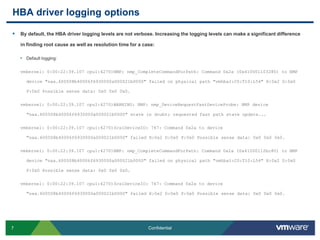
HBA driver logging optionsBy default, the HBA driver logging levels are not verbose. Increasing the logging levels can make a significant difference in finding root cause as well as resolution time for a case:Default logging:vmkernel: 0:00:22:39.107 cpu1:4270)NMP: nmp_CompleteCommandForPath: Command 0x2a (0x410001103280) to NMP device "naa.600508b40006f6930000a000021b0000" failed on physical path "vmhba1:C0:T10:L54" H:0x2 D:0x0 P:0x0 Possible sense data: 0x0 0x00x0.vmkernel: 0:00:22:39.107 cpu1:4270)WARNING: NMP: nmp_DeviceRequestFastDeviceProbe: NMP device "naa.600508b40006f6930000a000021b0000" state in doubt; requested fast path state update...vmkernel: 0:00:22:39.107 cpu1:4270)ScsiDeviceIO: 747: Command 0x2a to device "naa.600508b40006f6930000a000021b0000" failed H:0x2 D:0x0 P:0x0 Possible sense data: 0x0 0x00x0.vmkernel: 0:00:22:39.107 cpu1:4270)NMP: nmp_CompleteCommandForPath: Command 0x2a (0x41000112bc80) to NMP device "naa.600508b40006f6930000a000021b0000" failed on physical path "vmhba1:C0:T10:L54" H:0x2 D:0x0 P:0x0 Possible sense data: 0x0 0x00x0.vmkernel: 0:00:22:39.107 cpu1:4270)ScsiDeviceIO: 747: Command 0x2a to device "naa.600508b40006f6930000a000021b0000" failed H:0x2 D:0x0 P:0x0 Possible sense data: 0x0 0x00x0.
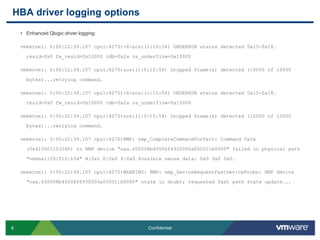
HBA driver logging optionsEnhanced Qlogic driver logging:vmkernel: 0:00:22:39.107 cpu1:4270)<6>scsi(1:10:54) UNDERRUN status detected 0x15-0x18. resid=0x0 fw_resid=0x10000 cdb=0x2a os_underflow=0x10000vmkernel: 0:00:22:39.107 cpu1:4270)scsi(1:0:10:54) Dropped frame(s) detected (10000 of 10000 bytes)...retrying command.vmkernel: 0:00:22:39.107 cpu1:4270)<6>scsi(1:10:54) UNDERRUN status detected 0x15-0x18. resid=0x0 fw_resid=0x10000 cdb=0x2a os_underflow=0x10000vmkernel: 0:00:22:39.107 cpu1:4270)scsi(1:0:10:54) Dropped frame(s) detected (10000 of 10000 bytes)...retrying command.vmkernel: 0:00:22:39.107 cpu1:4270)NMP: nmp_CompleteCommandForPath: Command 0x2a (0x410001103280) to NMP device "naa.600508b40006f6930000a000021b0000" failed on physical path "vmhba1:C0:T10:L54" H:0x2 D:0x0 P:0x0 Possible sense data: 0x0 0x00x0.vmkernel: 0:00:22:39.107 cpu1:4270)WARNING: NMP: nmp_DeviceRequestFastDeviceProbe: NMP device "naa.600508b40006f6930000a000021b0000" state in doubt; requested fast path state update...
HBA driver logging optionsA review of /proc/scsi/qla2xxx/X:QLogic PCI to Fibre Channel Host Adapter for QLE2460:        Firmware version 4.04.09 [IP] [Multi-ID] [84XX] , Driver version 8.02.01-k1-vmw39BIOS version 2.02FCODE version 2.00EFI version 2.00Flash FW version 4.03.01ISP: ISP2432Login retry count =   008Execution throttle = 2048ZIO mode = 0x6, ZIO timer = 1Commands retried with dropped frame(s) = 40541
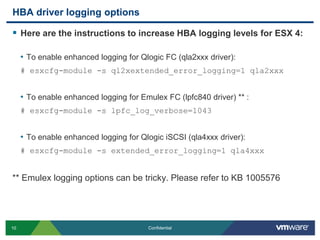
HBA driver logging optionsHere are the instructions to increase HBA logging levels for ESX 4:To enable enhanced logging for Qlogic FC (qla2xxx driver):# esxcfg-module -s ql2xextended_error_logging=1 qla2xxxTo enable enhanced logging for Emulex FC (lpfc840 driver) ** :# esxcfg-module -s lpfc_log_verbose=1043To enable enhanced logging for QlogiciSCSI (qla4xxx driver):# esxcfg-module -s extended_error_logging=1 qla4xxx** Emulex logging options can be tricky. Please refer to KB 1005576
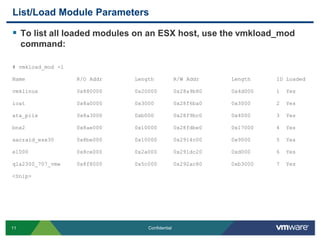
List/Load Module ParametersTo list all loaded modules on an ESX host, use the vmkload_mod command:# vmkload_mod -lName                R/O Addr          Length      R/W Addr          Length        ID Loadedvmklinux            0x880000          0x20000     0x28a9b80         0x4d000       1  Yesioat                0x8a0000          0x3000      0x28f6ba0         0x3000        2  Yesata_piix            0x8a3000          0xb000      0x28f9bc0         0x4000        3  Yesbnx2                0x8ae000          0x10000     0x28fdbe0         0x17000       4  Yesaacraid_esx30       0x8be000          0x10000     0x2914c00         0x9000        5  Yese1000               0x8ce000          0x2a000     0x291dc20         0xd000        6  Yesqla2300_707_vmw     0x8f8000          0x5c000     0x292ac80         0xb3000       7  Yes<Snip>
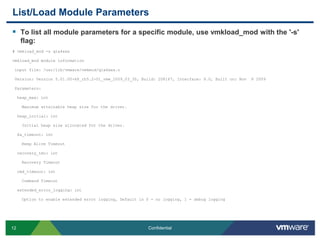
List/Load Module ParametersTo list all module parameters for a specific module, use vmkload_mod with the '-s' flag:# vmkload_mod -s qla4xxxvmkload_mod module information input file: /usr/lib/vmware/vmkmod/qla4xxx.o Version: Version 5.01.00-k8_rh5.2-01_vmw_2009_03_30, Build: 208167, Interface: 9.0, Built on: Nov  8 2009 Parameters:heap_max: int    Maximum attainable heap size for the driver.heap_initial: int    Initial heap size allocated for the driver.ka_timeout: int    Keep Alive Timeoutrecovery_tmo: int    Recovery Timeoutcmd_timeout: int    Command Timeoutextended_error_logging: int    Option to enable extended error logging, Default is 0 - no logging, 1 - debug logging
List/Load Module ParametersTo set a loadable module parameter, use esxcfg-module (Persistent across reboots):# esxcfg-module –s extended_error_logging=1 qla4xxx*Note: Ensure you enter the module parameter correctly otherwise the module will fail to load on boot. This action will append a line to the bottom of /etc/vmware/esx.conf in the form of the following:<Snip> /upgrades/complete[0000]/name = "depricatePrettyName"/upgrades/complete[0001]/name = "moduleLineReformat"/upgrades/complete[0002]/name = "enableTSO310"/upgrades/complete[0003]/name = "persistVmkNicName"/vmkernel/module/qla4xxx.o/options = "extended_error_logging=1“
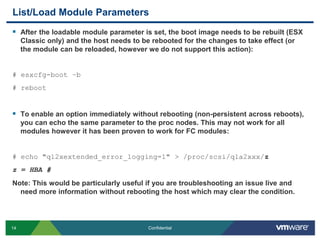
List/Load Module ParametersAfter the loadable module parameter is set, the boot image needs to be rebuilt (ESX Classic only) and the host needs to be rebooted for the changes to take effect (or the module can be reloaded, however we do not support this action):# esxcfg-boot –b# rebootTo enable an option immediately without rebooting (non-persistent across reboots), you can echo the same parameter to the proc nodes. This may not work for all modules however it has been proven to work for FC modules:# echo "ql2xextended_error_logging=1" > /proc/scsi/qla2xxx/zz = HBA #Note: This would be particularly useful if you are troubleshooting an issue live and need more information without rebooting the host which may clear the condition.
Serial line logging/Remote Syslog/vMAWhile logging options for modules are plentiful, it may be necessary to setup serial line logging or remote syslog for an ESX host in the event that logging is missing or inconsistent. Three good examples of when this would be useful would be: 1. If the ESX host hangs unexpectedly and no logs are generated for the event, 2. The service console goes into a read-only state, 3. The local raid controller or hardware experiences an issue causing logging to not be written down to disk.The vMA appliance can be used for remote syslog purposes but is more useful with an ESXi environment in which logs are not preserved on a reboot. Setting up the vMA appliance should be mandatory for any and all ESXi hosts. To do this, each ESXi host needs to be setup as a vi-fastpass target on the vMA appliance.
Serial line logging/Remote Syslog/vMAInstructions on how to setup serial line logging:http://kb.vmware.com/kb/1003900Instructions on how to setup remote syslog:http://articles.techrepublic.com.com/5100-22_11-5285872.htmlInstructions on how to setup ESXi host logging with vMA:http://www.simonlong.co.uk/blog/2010/05/28/using-vma-as-your-esxi-syslog-server/
Force crash of VM/ESX hostWhen enhancing logging levels isn’t providing enough information or we need a deeper look at what the driver is doing in memory, it is sometimes necessary to crash a VM or the ESX host to review that memory dump.There are multiple options to capture a memory dump however it will depend on what level the memory dump needs to be seen:Memory inside the Guest OS: Taking a snapshot of the VM with memory state saved or force the OS to crash (E.g.: use the ctrl+scroll+scroll function for Windows)Memory dump of the VMM: Use vm-support to list the WID and force crash the VM with the “-X” option. This will generate a vmx-dump file for consumption.Memory dump of the ESX host: Issue an NMI from a remote administrator adapter (ie: HP iLO) which will panic the host if the host is setup correctly.
Force crash of VM/ESX host continuedRun the following commands to immediately enable the NMI trap: Note: This does not make the change in behavior persist across a reboot.For ESX 3.x:echo 1 > /proc/sys/kernel/unknown_nmi_panicecho 1 > /proc/sys/kernel/mem_nmi_panic  For ESX 4.x:echo 1 > /proc/sys/kernel/panic_on_unrecovered_nmiecho 1 > /proc/sys/kernel/unknown_nmi_panic
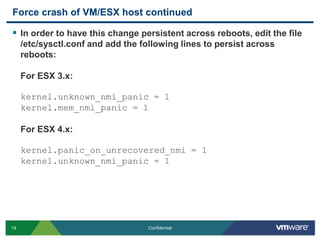
Force crash of VM/ESX host continuedIn order to have this change persistent across reboots, edit the file /etc/sysctl.conf and add the following lines to persist across reboots:For ESX 3.x:kernel.unknown_nmi_panic = 1kernel.mem_nmi_panic = 1For ESX 4.x:kernel.panic_on_unrecovered_nmi = 1kernel.unknown_nmi_panic = 1
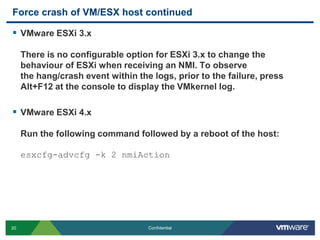
Force crash of VM/ESX host continuedVMware ESXi 3.xThere is no configurable option for ESXi 3.x to change the behaviour of ESXi when receiving an NMI. To observe the hang/crash event within the logs, prior to the failure, press Alt+F12 at the console to display the VMkernel log.VMware ESXi 4.xRun the following command followed by a reboot of the host:esxcfg-advcfg -k 2 nmiAction
Corruption messages in vmkernel logWhen corruption occurs it can be useful to review the logs from the host that saw the corruption occur. These messages will usually indicate what volume saw corruption, what type of corruption was seen, and what part of the VMFS structure experienced corruption (offset):Heartbeat Region Corruption:WARNING: Swap: vm 1086: 2268: Failed to open swap file '/volumes/4730e995-faa64138-6e6f-001a640a8998/foo/foo-560e1410.vswp': Invalid metadataFSS: 390: Failed with status Invalid metadata for f530 28 1 46ee2036 61d5698d 4004b12 f4c3b923 0 0 0 0 0 0 0 FS3: 6710: Reclaiming timed out heartbeat [HB state abcdef02 offset 3313664 gen 3 stamp 21824288493247 uuid 4a2ff95d-7967268a-db5c-001a64ca3e46 jrnl <FB 59001> drv 7.33] failed: Invalid metadata
Corruption messages in vmkernel logFile Lock Corruption:vmkernel: Invalid lock address 0[lockAddr 0] Invalid lock type 0x0[lockAddr 496217088] Invalid lock addrWARNING: FS3: 556: Volume 4bef2afb-b8226400-2f20-0019b9b5a27b (“vmfs1") may be damaged on disk. Corrupt lock detected at offset 1d93ac00: [type 0 offset 0 v 0, hb offset 0WARNING: FS3: 7544: Volume 4beeef00-3222e0e8-c25f-0019b9b5a27b (“storevmdk") may be damaged on disk. Corrupt lock detected at offset ad419e4ead419e4d: [type a88c4fa2 offset 12484433702799121997 v 12484433870302846580, h
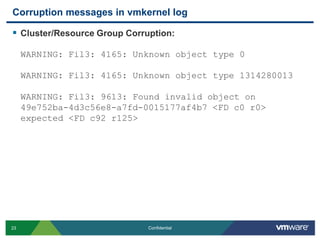
Corruption messages in vmkernel logCluster/Resource Group Corruption:WARNING: Fil3: 4165: Unknown object type 0 WARNING: Fil3: 4165: Unknown object type 1314280013WARNING: Fil3: 9613: Found invalid object on 49e752ba-4d3c56e8-a7fd-0015177af4b7 <FD c0 r0> expected <FD c92 r125>
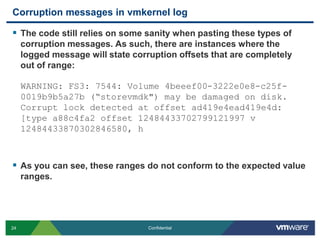
Corruption messages in vmkernel logThe code still relies on some sanity when pasting these types of corruption messages. As such, there are instances where the logged message will state corruption offsets that are completely out of range:WARNING: FS3: 7544: Volume 4beeef00-3222e0e8-c25f-0019b9b5a27b (“storevmdk") may be damaged on disk. Corrupt lock detected at offset ad419e4ead419e4d: [type a88c4fa2 offset 12484433702799121997 v 12484433870302846580, hAs you can see, these ranges do not conform to the expected value ranges.
VMFS Corruption (volume dump for analysis)There are varying degrees of data required to successfully troubleshoot/resolve corruption in the VMFS structure depending on what has gotten corrupt. To simply address the HeartBeat region, 25M will suffice. To address the file lock regions, up to 1.2GB would be required.To gather a disk dump for review with VMware Support, please refer to the instructions in KB 1009565:http://kb.vmware.com/kb/1009565
Advanced Root Cause AnalysisGathering InformationLog AnalysisFurther AnalysisComparative Analysis
Log formatLogging in vSphere is quite verbose as is but it is important to know what you are looking at when doing a root cause analysis. In this section we will review the logging format for:/var/log/vmkernel and /var/log/vmkwarning/var/log/vmksummary/var/log/vmkiscsid.log/var/log/messages
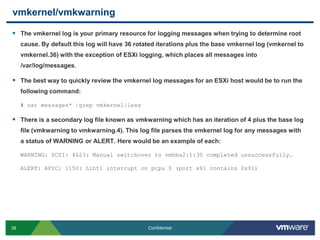
vmkernel/vmkwarningThe vmkernel log is your primary resource for logging messages when trying to determine root cause. By default this log will have 36 rotated iterations plus the base vmkernel log (vmkernel to vmkernel.36) with the exception of ESXi logging, which places all messages into /var/log/messages. The best way to quickly review the vmkernel log messages for an ESXi host would be to run the following command:# cat messages* |grepvmkernel|lessThere is a secondary log file known as vmkwarning which has an iteration of 4 plus the base log file (vmkwarning to vmkwarning.4). This log file parses the vmkernel log for any messages with a status of WARNING or ALERT. Here would be an example of each:WARNING: SCSI: 4623: Manual switchover to vmhba2:1:30 completed unsuccessfully.ALERT: APIC: 1150: Lint1 interrupt on pcpu 0 (port x61 contains 0x91)
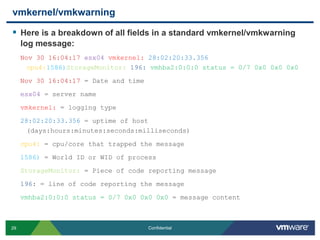
vmkernel/vmkwarningHere is a breakdown of all fields in a standard vmkernel/vmkwarning log message:Nov 30 16:04:17 esx04vmkernel:28:02:20:33.356cpu4:1586)StorageMonitor:196:vmhba2:0:0:0 status = 0/7 0x0 0x00x0Nov 30 16:04:17 = Date and timeesx04 = server namevmkernel: = logging type28:02:20:33.356 = uptime of host (days:hours:minutes:seconds:milliseconds)cpu4: = cpu/core that trapped the message1586) = World ID or WID of processStorageMonitor: = Piece of code reporting message196: = line of code reporting the messagevmhba2:0:0:0 status = 0/7 0x0 0x00x0= message content
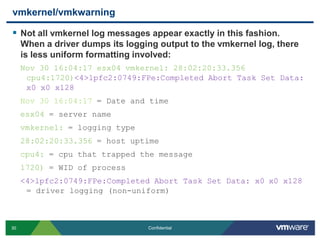
vmkernel/vmkwarningNot all vmkernel log messages appear exactly in this fashion. When a driver dumps its logging output to the vmkernel log, there is less uniform formatting involved:Nov 30 16:04:17 esx04 vmkernel: 28:02:20:33.356 cpu4:1720)<4>lpfc2:0749:FPe:Completed Abort Task Set Data: x0 x0 x128Nov 30 16:04:17 = Date and timeesx04 = server namevmkernel: = logging type28:02:20:33.356 = host uptimecpu4: = cpu that trapped the message1720) = WID of process<4>lpfc2:0749:FPe:Completed Abort Task Set Data: x0 x0 x128 = driver logging (non-uniform)
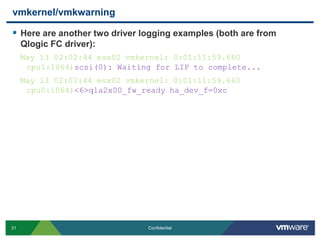
vmkernel/vmkwarningHere are another two driver logging examples (both are from Qlogic FC driver):May 13 02:02:44 esx02 vmkernel: 0:01:11:59.660 cpu1:1064)scsi(0): Waiting for LIP to complete... May 13 02:02:44 esx02 vmkernel: 0:01:11:59.660 cpu0:1064)<6>qla2x00_fw_ready ha_dev_f=0xc
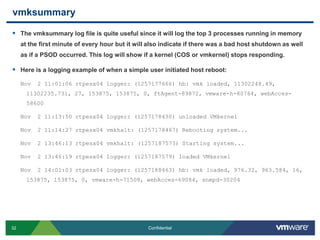
vmksummaryThe vmksummary log file is quite useful since it will log the top 3 processes running in memory at the first minute of every hour but it will also indicate if there was a bad host shutdown as well as if a PSOD occurred. This log will show if a kernel (COS or vmkernel) stops responding.Here is a logging example of when a simple user initiated host reboot:Nov  2 11:01:06 rtpesx04 logger: (1257177666) hb: vmk loaded, 11302248.49, 11302235.731, 27, 153875, 153875, 0, ftAgent-89872, vmware-h-80764, webAcces-58600Nov  2 11:13:50 rtpesx04 logger: (1257178430) unloaded VMkernelNov  2 11:14:27 rtpesx04 vmkhalt: (1257178467) Rebooting system...Nov  2 13:46:13 rtpesx04 vmkhalt: (1257187573) Starting system...Nov  2 13:46:19 rtpesx04 logger: (1257187579) loaded VMkernelNov  2 14:01:03 rtpesx04 logger: (1257188463) hb: vmk loaded, 976.32, 963.584, 16, 153875, 153875, 0, vmware-h-71508, webAcces-69084, snmpd-30204
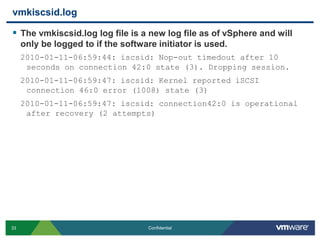
vmkiscsid.logThe vmkiscsid.log log file is a new log file as of vSphere and will only be logged to if the software initiator is used.2010-01-11-06:59:44: iscsid: Nop-out timedout after 10 seconds on connection 42:0 state (3). Dropping session.2010-01-11-06:59:47: iscsid: Kernel reported iSCSI connection 46:0 error (1008) state (3)2010-01-11-06:59:47: iscsid: connection42:0 is operational after recovery (2 attempts)
messagesThe format for messages is no different than that of standard logging for any Linux distribution:Jan 24 00:01:01 esx6 syslogd 1.4.1: restart.It is important to know what information we populate in this log. One such object would be the vprobs logging, a new feature introduce in vSphere:Jan 24 00:11:21 esx6 vobd: Jan 24 00:11:21.656: 3552646292992us: [vprob.vmfs.heartbeat.timedout] 49fdca7e-4d680d70-51f7-0015c5f29bb6 SAN006-T3-PC2-001-RP-V5.Jan 24 00:11:23 esx6 vobd: Jan 24 00:11:23.592: 3552648228889us: [vprob.vmfs.heartbeat.recovered] 49fdca7e-4d680d70-51f7-0015c5f29bb6 SAN006-T3-PC2-001-RP-V5.
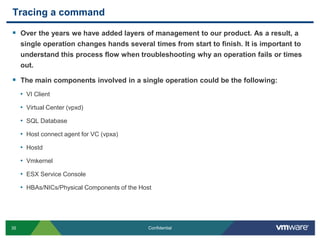
Tracing a commandOver the years we have added layers of management to our product. As a result, a single operation changes hands several times from start to finish. It is important to understand this process flow when troubleshooting why an operation fails or times out.The main components involved in a single operation could be the following:VI ClientVirtual Center (vpxd)SQL DatabaseHost connect agent for VC (vpxa)HostdVmkernelESX Service ConsoleHBAs/NICs/Physical Components of the Host
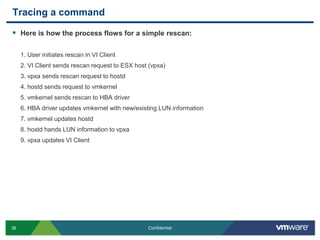
Tracing a commandHere is how the process flows for a simple rescan:1. User initiates rescan in VI Client2. VI Client sends rescan request to ESX host (vpxa) 3. vpxa sends rescan request to hostd4. hostd sends request to vmkernel5. vmkernel sends rescan to HBA driver 6. HBA driver updates vmkernel with new/existing LUN information 7. vmkernel updates hostd8. hostd hands LUN information to vpxa9. vpxa updates VI Client
Tracing a commandVI Client Log (C:\Documents and Settings\USERNAME\Local Settings\Application Data\VMware\vpx\viclient-#.log):[viclient:SoapTran] 2010-06-23 10:21:39.929  Invoke 82 Start RescanAllHba on HostStorageSystem:storageSystem-19961 [bs-tse-vc40.bsl.vmware.com]. [Caller: VpxClient.HostConfig.StorageRescanRequestManager.RescanAllHba][viclient:SoapTran] 2010-06-23 10:21:44.460  Invoke 82 Finish RescanAllHba on HostStorageSystem:storageSystem-19961 [bs-tse-vc40.bsl.vmware.com] - Serial:0.001, Server:004.528[viclient:SoapTran] 2010-06-23 10:21:44.460  Invoke 85 Start RescanVmfs on HostStorageSystem:storageSystem-19961 [bs-tse-vc40.bsl.vmware.com]. [Caller: VpxClient.HostConfig.StorageRescanRequestManager.OnSingleRescanComplete][viclient:SoapTran] 2010-06-23 10:21:46.241  Invoke 85 Finish RescanVmfs on HostStorageSystem:storageSystem-19961 [bs-tse-vc40.bsl.vmware.com] - Serial:0.000, Server:001.735
Tracing a commandHost VC agent Log (/var/log/vmware/vpxa/vpxa.log):[2010-06-23 10:36:48.794 0x134cab90 info 'App'] [VpxLRO] -- BEGIN task-internal-6871 --  -- vim.host.StorageSystem.rescanAllHba -- 52dc67f5-a2d1-af98-67f1-6bdf9f335997[2010-06-23 10:36:50.055 0x134cab90 info 'App'] [VpxLRO] -- FINISH task-internal-6871 --  -- vim.host.StorageSystem.rescanAllHba -- 52dc67f5-a2d1-af98-67f1-6bdf9f335997[2010-06-23 10:36:53.354 0x13446b90 info 'App'] [VpxLRO] -- BEGIN task-internal-6873 --  -- vim.host.StorageSystem.rescanVmfs -- 52dc67f5-a2d1-af98-67f1-6bdf9f335997[2010-06-23 10:36:53.764 0x13446b90 info 'App'] [VpxLRO] -- FINISH task-internal-6873 --  -- vim.host.StorageSystem.rescanVmfs -- 52dc67f5-a2d1-af98-67f1-6bdf9f335997
Tracing a commandHostd Log (/var/log/vmware/hostd.log):[2010-06-23 10:36:48.795 1A6C2B90 info 'TaskManager'] Task Created : haTask-ha-host-vim.host.StorageSystem.rescanAllHba-258139[2010-06-23 10:36:48.949 1A6C2B90 verbose 'StorageSystem'] SendStorageInfoEvent() called[2010-06-23 10:36:48.950 1A6C2B90 verbose 'Hostsvc::DatastoreSystem'] ReconcileVMFSDatastores called: refresh = true, rescan = false[2010-06-23 10:36:48.950 1A6C2B90 verbose 'FSVolumeProvider'] RefreshVMFSVolumes called<Snip>[2010-06-23 10:36:50.047 1A6C2B90 info 'TaskManager'] Task Completed : haTask-ha-host-vim.host.StorageSystem.rescanAllHba-258139 Status success
Tracing a commandHostd Log (/var/log/vmware/hostd.log) continued:[2010-06-23 10:36:53.355 1A6C2B90 info 'TaskManager'] Task Created : haTask-ha-host-vim.host.StorageSystem.rescanVmfs-258143[2010-06-23 10:36:53.355 1A6C2B90 verbose 'Hostsvc::DatastoreSystem'] ReconcileVMFSDatastores called: refresh = true, rescan = true[2010-06-23 10:36:53.355 1A6C2B90 verbose 'FSVolumeProvider'] RefreshVMFSVolumes called[2010-06-23 10:36:53.355 1A6C2B90 verbose 'FSVolumeProvider'] RescanVmfs called<Snip>[2010-06-23 10:36:53.763 1A6C2B90 verbose 'Hostsvc::DatastoreSystem'] ReconcileVMFSDatastores: Done discovering new filesystem volumes.[2010-06-23 10:36:53.764 1A6C2B90 info 'TaskManager'] Task Completed : haTask-ha-host-vim.host.StorageSystem.rescanVmfs-258143 Status success
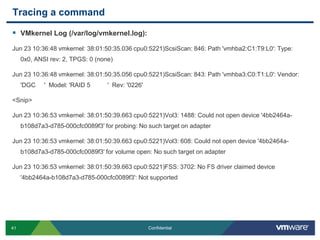
Tracing a commandVMkernel Log (/var/log/vmkernel.log):Jun 23 10:36:48 vmkernel: 38:01:50:35.036 cpu0:5221)ScsiScan: 846: Path 'vmhba2:C1:T9:L0': Type: 0x0, ANSI rev: 2, TPGS: 0 (none)Jun 23 10:36:48 vmkernel: 38:01:50:35.056 cpu0:5221)ScsiScan: 843: Path 'vmhba3:C0:T1:L0': Vendor: 'DGC     '  Model: 'RAID 5          '  Rev: '0226'<Snip>Jun 23 10:36:53 vmkernel: 38:01:50:39.663 cpu0:5221)Vol3: 1488: Could not open device '4bb2464a-b108d7a3-d785-000cfc0089f3' for probing: No such target on adapterJun 23 10:36:53 vmkernel: 38:01:50:39.663 cpu0:5221)Vol3: 608: Could not open device '4bb2464a-b108d7a3-d785-000cfc0089f3' for volume open: No such target on adapterJun 23 10:36:53 vmkernel: 38:01:50:39.663 cpu0:5221)FSS: 3702: No FS driver claimed device '4bb2464a-b108d7a3-d785-000cfc0089f3': Not supported
Advanced Root Cause AnalysisGathering InformationLog AnalysisFurther AnalysisComparative Analysis
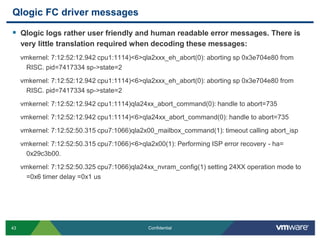
Qlogic FC driver messagesQlogic logs rather user friendly and human readable error messages. There is very little translation required when decoding these messages:vmkernel: 7:12:52:12.942 cpu1:1114)<6>qla2xxx_eh_abort(0): aborting sp 0x3e704e80 from RISC. pid=7417334 sp->state=2vmkernel: 7:12:52:12.942 cpu1:1114)<6>qla2xxx_eh_abort(0): aborting sp 0x3e704e80 from RISC. pid=7417334 sp->state=2vmkernel: 7:12:52:12.942 cpu1:1114)qla24xx_abort_command(0): handle to abort=735vmkernel: 7:12:52:12.942 cpu1:1114)<6>qla24xx_abort_command(0): handle to abort=735vmkernel: 7:12:52:50.315 cpu7:1066)qla2x00_mailbox_command(1): timeout calling abort_ispvmkernel: 7:12:52:50.315 cpu7:1066)<6>qla2x00(1): Performing ISP error recovery - ha= 0x29c3b00.vmkernel: 7:12:52:50.325 cpu7:1066)qla24xx_nvram_config(1) setting 24XX operation mode to =0x6 timer delay =0x1 us
Emulex FC driver messagesEmulex does not take the user friendly approach however it still maintains a very high level of verbosity. It also employs a standard format that makes it easy to read and understand once you are familiar with it. Emulex publishes their error codes and how to decode them online:http://www-dl.emulex.com/support/vmware/732/vmware.pdf
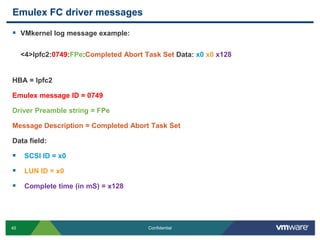
Emulex FC driver messagesVMkernel log message example:<4>lpfc2:0749:FPe:Completed Abort Task Set Data: x0x0x128HBA = lpfc2Emulex message ID = 0749Driver Preamble string = FPeMessage Description = Completed Abort Task SetData field:SCSI ID = x0LUN ID = x0Complete time (in mS) = x128
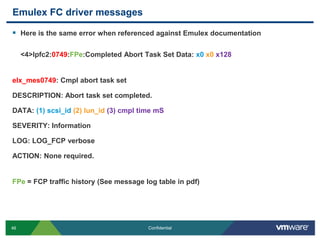
Emulex FC driver messagesHere is the same error when referenced against Emulex documentation<4>lpfc2:0749:FPe:Completed Abort Task Set Data: x0x0x128elx_mes0749: Cmpl abort task setDESCRIPTION: Abort task set completed.DATA: (1) scsi_id(2) lun_id(3) cmpl time mSSEVERITY: InformationLOG: LOG_FCP verboseACTION: None required.FPe = FCP traffic history (See message log table in pdf)
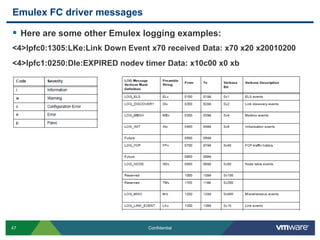
Emulex FC driver messagesHere are some other Emulex logging examples:<4>lpfc0:1305:LKe:Link Down Event x70 received Data: x70 x20 x20010200<4>lpfc1:0250:DIe:EXPIRED nodev timer Data: x10c00 x0 xb
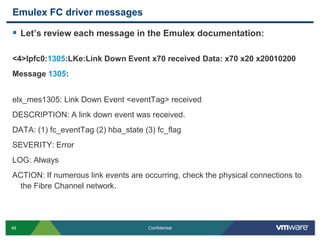
Emulex FC driver messagesLet’s review each message in the Emulex documentation:<4>lpfc0:1305:LKe:Link Down Event x70 received Data: x70 x20 x20010200Message 1305:elx_mes1305: Link Down Event <eventTag> receivedDESCRIPTION: A link down event was received.DATA: (1) fc_eventTag (2) hba_state (3) fc_flagSEVERITY: ErrorLOG: AlwaysACTION: If numerous link events are occurring, check the physical connections to the Fibre Channel network.
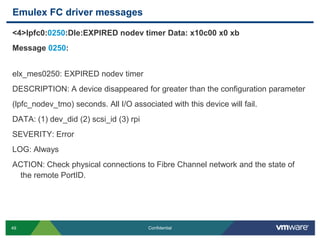
Emulex FC driver messages<4>lpfc0:0250:DIe:EXPIRED nodev timer Data: x10c00 x0 xbMessage 0250:elx_mes0250: EXPIRED nodev timerDESCRIPTION: A device disappeared for greater than the configuration parameter(lpfc_nodev_tmo) seconds. All I/O associated with this device will fail.DATA: (1) dev_did (2) scsi_id (3) rpiSEVERITY: ErrorLOG: AlwaysACTION: Check physical connections to Fibre Channel network and the state of the remote PortID.
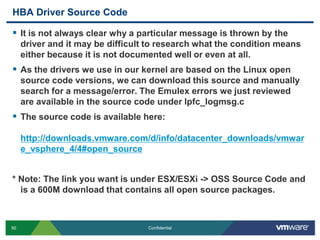
HBA Driver Source CodeIt is not always clear why a particular message is thrown by the driver and it may be difficult to research what the condition means either because it is not documented well or even at all.As the drivers we use in our kernel are based on the Linux open source code versions, we can download this source and manually search for a message/error. The Emulex errors we just reviewed are available in the source code under lpfc_logmsg.cThe source code is available here:http://downloads.vmware.com/d/info/datacenter_downloads/vmware_vsphere_4/4#open_source* Note: The link you want is under ESX/ESXi -> OSS Source Code and is a 600M download that contains all open source packages.
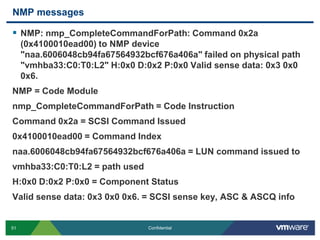
NMP messagesNMP: nmp_CompleteCommandForPath: Command 0x2a (0x4100010ead00) to NMP device "naa.6006048cb94fa67564932bcf676a406a" failed on physical path "vmhba33:C0:T0:L2" H:0x0 D:0x2 P:0x0 Valid sense data: 0x3 0x0 0x6.NMP = Code Modulenmp_CompleteCommandForPath = Code InstructionCommand 0x2a = SCSI Command Issued0x4100010ead00 = Command Indexnaa.6006048cb94fa67564932bcf676a406a = LUN command issued tovmhba33:C0:T0:L2 = path usedH:0x0 D:0x2 P:0x0 = Component StatusValid sense data: 0x3 0x0 0x6. = SCSI sense key, ASC & ASCQ info
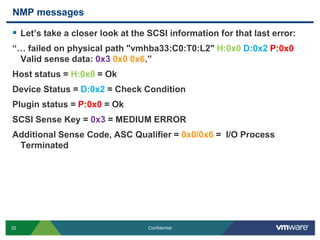
NMP messagesLet’s take a closer look at the SCSI information for that last error:“… failed on physical path "vmhba33:C0:T0:L2" H:0x0D:0x2P:0x0 Valid sense data: 0x30x0 0x6.”Host status = H:0x0 = OkDevice Status = D:0x2 = Check ConditionPlugin status = P:0x0 = OkSCSI Sense Key = 0x3 = MEDIUM ERROR Additional Sense Code, ASC Qualifier = 0x0/0x6 =  I/O Process Terminated
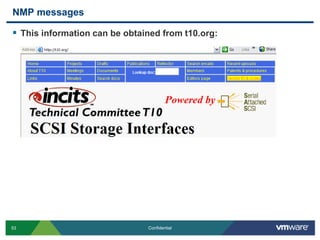
NMP messagesThis information can be obtained from t10.org:
Advanced Root Cause AnalysisGathering InformationLog AnalysisFurther AnalysisComparative Analysis
Log Field DataIn the log analysis section we talked about what each field in the vmkernel log meant. Now we are going to focus on why this information is important and how you can use these values to your advantage.Knowing each value can help you with the following:Determine World ID of VM How frequently events are being logged (all the time vs. every 5 minutes)Identifying any pattern of behavior (random VMs crashing on same pcpu/core)Which code module the message came fromWhich exact line of code the message was generated fromIf subsequent messages are directly related to each other (timestamp)
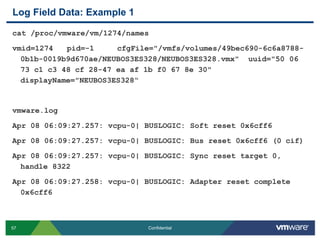
Log Field Data: Example 1vmkernel.logApr  8 06:09:27 esxvmkernel: 7:12:07:20.454 cpu2:1274)VSCSI: 2803: Reset request on handle 8322 (0 outstanding commands)Apr  8 06:09:27 esxvmkernel: 7:12:07:20.454 cpu4:1061)VSCSI: 3019: Resetting handle 8322 [0/0]Apr  8 06:09:27 esxvmkernel: 7:12:07:20.454 cpu4:1061)VSCSI: 2871: Completing reset on handle 8322 (0 outstanding commands)
Log Field Data: Example 1cat /proc/vmware/vm/1274/namesvmid=1274   pid=-1     cfgFile="/vmfs/volumes/49bec690-6c6a8788-0b1b-0019b9d670ae/NEUBOS3ES328/NEUBOS3ES328.vmx"  uuid="50 06 73 c1 c3 48 cf 28-47 ea af 1b f0 67 8e 30"  displayName="NEUBOS3ES328“vmware.logApr 08 06:09:27.257: vcpu-0| BUSLOGIC: Soft reset 0x6cff6Apr 08 06:09:27.257: vcpu-0| BUSLOGIC: Bus reset 0x6cff6 (0 cif)Apr 08 06:09:27.257: vcpu-0| BUSLOGIC: Sync reset target 0, handle 8322Apr 08 06:09:27.258: vcpu-0| BUSLOGIC: Adapter reset complete 0x6cff6
Many Components, Many FactorsWhen investigating an issue in the environment, it is paramount to review the logs from multiple host or even all hosts to determine if each host saw the issue the same or differently.In the event of an “all hosts except one” experienced an issue scenario, reviewing the single host that saw things different is paramount however only a cross section of the other impact hosts would be required. The reversal of this is also true for a one host experienced an issue and all other hosts were Ok.
Time FrameThe time frame in which an event occurred is usually critical to root cause analysis. Once that time frame has be isolated, exploration into the logs of other related components (vmkiscsi.log, array controller log, hostd, etc) should be considered a next step if the conclusions in the vmkernel log aren’t conclusive enough.If multiple hosts were affected by this issue, verify this time frame against the logs from other host.If similar log entries appear for all hosts however the time is not exact (off by well over a minute), ensure that NTP is configured on the ESX hosts and is running correctly. This applies to all components of the infrastructure (switches, array, etc)
ConclusionThis presentation was designed to give you insight into how a VMware Technical Support Engineer reviews logs, gathers data, and performs an in-depth analysis.Our hope is to show you the skills that we use every day to help you determine root cause for an issue in your environment. With this core knowledge, we hope that you will become more self sufficient within your own environment and be able to diagnose an issue as it is occurring rather than after the fact.

Advanced Root Cause Analysis

  • 1.
    Advanced Root CauseAnalysisNathan SmallStaff EngineerGlobal Support ServicesRev B – September 13, 2010
  • 2.
    Today we willlearn how to fish
  • 3.
    Advanced Root CauseAnalysisGathering InformationLog AnalysisFurther AnalysisComparative Analysis
  • 4.
    Logging InformationVMkernel Logging:Location: /var/log/vmkernel (ESX Classic) or /var/log/messages (ESXi)Purpose: This log file contains informational messages, alerts, and warnings for various pieces of code that execute via the vmkernel. It also contains log entries dumped from module logging (Qlogic, Emulex, S/W iSCSI, etc)Iterations: By default, this log has 36 rotations excluding the base log (vmkernel to vmkernel.36)Related logs: Alert and warning VMkernel events are copied to /var/log/vmkwarningService Console Logging (ESX Classic)Location: Various logs under /var/log/Purpose: These logs would also appear in RHEL and contain the same type of log information you would expect from that OS (aside from vprobs in ESX 4.0)Log files: boot, secure, messages, rpm, etc
  • 5.
    Logging InformationHostd Logging:Location: /var/log/vmwarePurpose: This log contains entries from hostd operations including NFC (network file copy) operations.Iterations: By default, this log has 10 rotations which wrap (hostd-0 to hostd-9). Pay attention to the timestamp of the log to determine which log you wish to reviewVpxa LoggingLocation: Various logs under /var/log/vmware/vpxPurpose: This log contains requests/communication between the host and vCenter or vCenter and the hostIterations: By default, this log has 10 rotations which wrap (vpxa-0 to vpxa-9). Pay attention to the timestamp of the log to determine which log you wish to review
  • 6.
    Logging InformationEsxcfg-boot Logging:Location: /var/log/vmwarePurpose: This log contains esxcfg-boot command information and results from the esxcfg-boot command when it is run.Iterations: There are 4 log iterations
  • 7.
    HBA driver loggingoptionsBy default, the HBA driver logging levels are not verbose. Increasing the logging levels can make a significant difference in finding root cause as well as resolution time for a case:Default logging:vmkernel: 0:00:22:39.107 cpu1:4270)NMP: nmp_CompleteCommandForPath: Command 0x2a (0x410001103280) to NMP device "naa.600508b40006f6930000a000021b0000" failed on physical path "vmhba1:C0:T10:L54" H:0x2 D:0x0 P:0x0 Possible sense data: 0x0 0x00x0.vmkernel: 0:00:22:39.107 cpu1:4270)WARNING: NMP: nmp_DeviceRequestFastDeviceProbe: NMP device "naa.600508b40006f6930000a000021b0000" state in doubt; requested fast path state update...vmkernel: 0:00:22:39.107 cpu1:4270)ScsiDeviceIO: 747: Command 0x2a to device "naa.600508b40006f6930000a000021b0000" failed H:0x2 D:0x0 P:0x0 Possible sense data: 0x0 0x00x0.vmkernel: 0:00:22:39.107 cpu1:4270)NMP: nmp_CompleteCommandForPath: Command 0x2a (0x41000112bc80) to NMP device "naa.600508b40006f6930000a000021b0000" failed on physical path "vmhba1:C0:T10:L54" H:0x2 D:0x0 P:0x0 Possible sense data: 0x0 0x00x0.vmkernel: 0:00:22:39.107 cpu1:4270)ScsiDeviceIO: 747: Command 0x2a to device "naa.600508b40006f6930000a000021b0000" failed H:0x2 D:0x0 P:0x0 Possible sense data: 0x0 0x00x0.
  • 8.
    HBA driver loggingoptionsEnhanced Qlogic driver logging:vmkernel: 0:00:22:39.107 cpu1:4270)<6>scsi(1:10:54) UNDERRUN status detected 0x15-0x18. resid=0x0 fw_resid=0x10000 cdb=0x2a os_underflow=0x10000vmkernel: 0:00:22:39.107 cpu1:4270)scsi(1:0:10:54) Dropped frame(s) detected (10000 of 10000 bytes)...retrying command.vmkernel: 0:00:22:39.107 cpu1:4270)<6>scsi(1:10:54) UNDERRUN status detected 0x15-0x18. resid=0x0 fw_resid=0x10000 cdb=0x2a os_underflow=0x10000vmkernel: 0:00:22:39.107 cpu1:4270)scsi(1:0:10:54) Dropped frame(s) detected (10000 of 10000 bytes)...retrying command.vmkernel: 0:00:22:39.107 cpu1:4270)NMP: nmp_CompleteCommandForPath: Command 0x2a (0x410001103280) to NMP device "naa.600508b40006f6930000a000021b0000" failed on physical path "vmhba1:C0:T10:L54" H:0x2 D:0x0 P:0x0 Possible sense data: 0x0 0x00x0.vmkernel: 0:00:22:39.107 cpu1:4270)WARNING: NMP: nmp_DeviceRequestFastDeviceProbe: NMP device "naa.600508b40006f6930000a000021b0000" state in doubt; requested fast path state update...
  • 9.
    HBA driver loggingoptionsA review of /proc/scsi/qla2xxx/X:QLogic PCI to Fibre Channel Host Adapter for QLE2460: Firmware version 4.04.09 [IP] [Multi-ID] [84XX] , Driver version 8.02.01-k1-vmw39BIOS version 2.02FCODE version 2.00EFI version 2.00Flash FW version 4.03.01ISP: ISP2432Login retry count = 008Execution throttle = 2048ZIO mode = 0x6, ZIO timer = 1Commands retried with dropped frame(s) = 40541
  • 10.
    HBA driver loggingoptionsHere are the instructions to increase HBA logging levels for ESX 4:To enable enhanced logging for Qlogic FC (qla2xxx driver):# esxcfg-module -s ql2xextended_error_logging=1 qla2xxxTo enable enhanced logging for Emulex FC (lpfc840 driver) ** :# esxcfg-module -s lpfc_log_verbose=1043To enable enhanced logging for QlogiciSCSI (qla4xxx driver):# esxcfg-module -s extended_error_logging=1 qla4xxx** Emulex logging options can be tricky. Please refer to KB 1005576
  • 11.
    List/Load Module ParametersTolist all loaded modules on an ESX host, use the vmkload_mod command:# vmkload_mod -lName R/O Addr Length R/W Addr Length ID Loadedvmklinux 0x880000 0x20000 0x28a9b80 0x4d000 1 Yesioat 0x8a0000 0x3000 0x28f6ba0 0x3000 2 Yesata_piix 0x8a3000 0xb000 0x28f9bc0 0x4000 3 Yesbnx2 0x8ae000 0x10000 0x28fdbe0 0x17000 4 Yesaacraid_esx30 0x8be000 0x10000 0x2914c00 0x9000 5 Yese1000 0x8ce000 0x2a000 0x291dc20 0xd000 6 Yesqla2300_707_vmw 0x8f8000 0x5c000 0x292ac80 0xb3000 7 Yes<Snip>
  • 12.
    List/Load Module ParametersTolist all module parameters for a specific module, use vmkload_mod with the '-s' flag:# vmkload_mod -s qla4xxxvmkload_mod module information input file: /usr/lib/vmware/vmkmod/qla4xxx.o Version: Version 5.01.00-k8_rh5.2-01_vmw_2009_03_30, Build: 208167, Interface: 9.0, Built on: Nov 8 2009 Parameters:heap_max: int Maximum attainable heap size for the driver.heap_initial: int Initial heap size allocated for the driver.ka_timeout: int Keep Alive Timeoutrecovery_tmo: int Recovery Timeoutcmd_timeout: int Command Timeoutextended_error_logging: int Option to enable extended error logging, Default is 0 - no logging, 1 - debug logging
  • 13.
    List/Load Module ParametersToset a loadable module parameter, use esxcfg-module (Persistent across reboots):# esxcfg-module –s extended_error_logging=1 qla4xxx*Note: Ensure you enter the module parameter correctly otherwise the module will fail to load on boot. This action will append a line to the bottom of /etc/vmware/esx.conf in the form of the following:<Snip> /upgrades/complete[0000]/name = "depricatePrettyName"/upgrades/complete[0001]/name = "moduleLineReformat"/upgrades/complete[0002]/name = "enableTSO310"/upgrades/complete[0003]/name = "persistVmkNicName"/vmkernel/module/qla4xxx.o/options = "extended_error_logging=1“
  • 14.
    List/Load Module ParametersAfterthe loadable module parameter is set, the boot image needs to be rebuilt (ESX Classic only) and the host needs to be rebooted for the changes to take effect (or the module can be reloaded, however we do not support this action):# esxcfg-boot –b# rebootTo enable an option immediately without rebooting (non-persistent across reboots), you can echo the same parameter to the proc nodes. This may not work for all modules however it has been proven to work for FC modules:# echo "ql2xextended_error_logging=1" > /proc/scsi/qla2xxx/zz = HBA #Note: This would be particularly useful if you are troubleshooting an issue live and need more information without rebooting the host which may clear the condition.
  • 15.
    Serial line logging/RemoteSyslog/vMAWhile logging options for modules are plentiful, it may be necessary to setup serial line logging or remote syslog for an ESX host in the event that logging is missing or inconsistent. Three good examples of when this would be useful would be: 1. If the ESX host hangs unexpectedly and no logs are generated for the event, 2. The service console goes into a read-only state, 3. The local raid controller or hardware experiences an issue causing logging to not be written down to disk.The vMA appliance can be used for remote syslog purposes but is more useful with an ESXi environment in which logs are not preserved on a reboot. Setting up the vMA appliance should be mandatory for any and all ESXi hosts. To do this, each ESXi host needs to be setup as a vi-fastpass target on the vMA appliance.
  • 16.
    Serial line logging/RemoteSyslog/vMAInstructions on how to setup serial line logging:http://kb.vmware.com/kb/1003900Instructions on how to setup remote syslog:http://articles.techrepublic.com.com/5100-22_11-5285872.htmlInstructions on how to setup ESXi host logging with vMA:http://www.simonlong.co.uk/blog/2010/05/28/using-vma-as-your-esxi-syslog-server/
  • 17.
    Force crash ofVM/ESX hostWhen enhancing logging levels isn’t providing enough information or we need a deeper look at what the driver is doing in memory, it is sometimes necessary to crash a VM or the ESX host to review that memory dump.There are multiple options to capture a memory dump however it will depend on what level the memory dump needs to be seen:Memory inside the Guest OS: Taking a snapshot of the VM with memory state saved or force the OS to crash (E.g.: use the ctrl+scroll+scroll function for Windows)Memory dump of the VMM: Use vm-support to list the WID and force crash the VM with the “-X” option. This will generate a vmx-dump file for consumption.Memory dump of the ESX host: Issue an NMI from a remote administrator adapter (ie: HP iLO) which will panic the host if the host is setup correctly.
  • 18.
    Force crash ofVM/ESX host continuedRun the following commands to immediately enable the NMI trap: Note: This does not make the change in behavior persist across a reboot.For ESX 3.x:echo 1 > /proc/sys/kernel/unknown_nmi_panicecho 1 > /proc/sys/kernel/mem_nmi_panic  For ESX 4.x:echo 1 > /proc/sys/kernel/panic_on_unrecovered_nmiecho 1 > /proc/sys/kernel/unknown_nmi_panic
  • 19.
    Force crash ofVM/ESX host continuedIn order to have this change persistent across reboots, edit the file /etc/sysctl.conf and add the following lines to persist across reboots:For ESX 3.x:kernel.unknown_nmi_panic = 1kernel.mem_nmi_panic = 1For ESX 4.x:kernel.panic_on_unrecovered_nmi = 1kernel.unknown_nmi_panic = 1
  • 20.
    Force crash ofVM/ESX host continuedVMware ESXi 3.xThere is no configurable option for ESXi 3.x to change the behaviour of ESXi when receiving an NMI. To observe the hang/crash event within the logs, prior to the failure, press Alt+F12 at the console to display the VMkernel log.VMware ESXi 4.xRun the following command followed by a reboot of the host:esxcfg-advcfg -k 2 nmiAction
  • 21.
    Corruption messages invmkernel logWhen corruption occurs it can be useful to review the logs from the host that saw the corruption occur. These messages will usually indicate what volume saw corruption, what type of corruption was seen, and what part of the VMFS structure experienced corruption (offset):Heartbeat Region Corruption:WARNING: Swap: vm 1086: 2268: Failed to open swap file '/volumes/4730e995-faa64138-6e6f-001a640a8998/foo/foo-560e1410.vswp': Invalid metadataFSS: 390: Failed with status Invalid metadata for f530 28 1 46ee2036 61d5698d 4004b12 f4c3b923 0 0 0 0 0 0 0 FS3: 6710: Reclaiming timed out heartbeat [HB state abcdef02 offset 3313664 gen 3 stamp 21824288493247 uuid 4a2ff95d-7967268a-db5c-001a64ca3e46 jrnl <FB 59001> drv 7.33] failed: Invalid metadata
  • 22.
    Corruption messages invmkernel logFile Lock Corruption:vmkernel: Invalid lock address 0[lockAddr 0] Invalid lock type 0x0[lockAddr 496217088] Invalid lock addrWARNING: FS3: 556: Volume 4bef2afb-b8226400-2f20-0019b9b5a27b (“vmfs1") may be damaged on disk. Corrupt lock detected at offset 1d93ac00: [type 0 offset 0 v 0, hb offset 0WARNING: FS3: 7544: Volume 4beeef00-3222e0e8-c25f-0019b9b5a27b (“storevmdk") may be damaged on disk. Corrupt lock detected at offset ad419e4ead419e4d: [type a88c4fa2 offset 12484433702799121997 v 12484433870302846580, h
  • 23.
    Corruption messages invmkernel logCluster/Resource Group Corruption:WARNING: Fil3: 4165: Unknown object type 0 WARNING: Fil3: 4165: Unknown object type 1314280013WARNING: Fil3: 9613: Found invalid object on 49e752ba-4d3c56e8-a7fd-0015177af4b7 <FD c0 r0> expected <FD c92 r125>
  • 24.
    Corruption messages invmkernel logThe code still relies on some sanity when pasting these types of corruption messages. As such, there are instances where the logged message will state corruption offsets that are completely out of range:WARNING: FS3: 7544: Volume 4beeef00-3222e0e8-c25f-0019b9b5a27b (“storevmdk") may be damaged on disk. Corrupt lock detected at offset ad419e4ead419e4d: [type a88c4fa2 offset 12484433702799121997 v 12484433870302846580, hAs you can see, these ranges do not conform to the expected value ranges.
  • 25.
    VMFS Corruption (volumedump for analysis)There are varying degrees of data required to successfully troubleshoot/resolve corruption in the VMFS structure depending on what has gotten corrupt. To simply address the HeartBeat region, 25M will suffice. To address the file lock regions, up to 1.2GB would be required.To gather a disk dump for review with VMware Support, please refer to the instructions in KB 1009565:http://kb.vmware.com/kb/1009565
  • 26.
    Advanced Root CauseAnalysisGathering InformationLog AnalysisFurther AnalysisComparative Analysis
  • 27.
    Log formatLogging invSphere is quite verbose as is but it is important to know what you are looking at when doing a root cause analysis. In this section we will review the logging format for:/var/log/vmkernel and /var/log/vmkwarning/var/log/vmksummary/var/log/vmkiscsid.log/var/log/messages
  • 28.
    vmkernel/vmkwarningThe vmkernel logis your primary resource for logging messages when trying to determine root cause. By default this log will have 36 rotated iterations plus the base vmkernel log (vmkernel to vmkernel.36) with the exception of ESXi logging, which places all messages into /var/log/messages. The best way to quickly review the vmkernel log messages for an ESXi host would be to run the following command:# cat messages* |grepvmkernel|lessThere is a secondary log file known as vmkwarning which has an iteration of 4 plus the base log file (vmkwarning to vmkwarning.4). This log file parses the vmkernel log for any messages with a status of WARNING or ALERT. Here would be an example of each:WARNING: SCSI: 4623: Manual switchover to vmhba2:1:30 completed unsuccessfully.ALERT: APIC: 1150: Lint1 interrupt on pcpu 0 (port x61 contains 0x91)
  • 29.
    vmkernel/vmkwarningHere is abreakdown of all fields in a standard vmkernel/vmkwarning log message:Nov 30 16:04:17 esx04vmkernel:28:02:20:33.356cpu4:1586)StorageMonitor:196:vmhba2:0:0:0 status = 0/7 0x0 0x00x0Nov 30 16:04:17 = Date and timeesx04 = server namevmkernel: = logging type28:02:20:33.356 = uptime of host (days:hours:minutes:seconds:milliseconds)cpu4: = cpu/core that trapped the message1586) = World ID or WID of processStorageMonitor: = Piece of code reporting message196: = line of code reporting the messagevmhba2:0:0:0 status = 0/7 0x0 0x00x0= message content
  • 30.
    vmkernel/vmkwarningNot all vmkernellog messages appear exactly in this fashion. When a driver dumps its logging output to the vmkernel log, there is less uniform formatting involved:Nov 30 16:04:17 esx04 vmkernel: 28:02:20:33.356 cpu4:1720)<4>lpfc2:0749:FPe:Completed Abort Task Set Data: x0 x0 x128Nov 30 16:04:17 = Date and timeesx04 = server namevmkernel: = logging type28:02:20:33.356 = host uptimecpu4: = cpu that trapped the message1720) = WID of process<4>lpfc2:0749:FPe:Completed Abort Task Set Data: x0 x0 x128 = driver logging (non-uniform)
  • 31.
    vmkernel/vmkwarningHere are anothertwo driver logging examples (both are from Qlogic FC driver):May 13 02:02:44 esx02 vmkernel: 0:01:11:59.660 cpu1:1064)scsi(0): Waiting for LIP to complete... May 13 02:02:44 esx02 vmkernel: 0:01:11:59.660 cpu0:1064)<6>qla2x00_fw_ready ha_dev_f=0xc
  • 32.
    vmksummaryThe vmksummary logfile is quite useful since it will log the top 3 processes running in memory at the first minute of every hour but it will also indicate if there was a bad host shutdown as well as if a PSOD occurred. This log will show if a kernel (COS or vmkernel) stops responding.Here is a logging example of when a simple user initiated host reboot:Nov 2 11:01:06 rtpesx04 logger: (1257177666) hb: vmk loaded, 11302248.49, 11302235.731, 27, 153875, 153875, 0, ftAgent-89872, vmware-h-80764, webAcces-58600Nov 2 11:13:50 rtpesx04 logger: (1257178430) unloaded VMkernelNov 2 11:14:27 rtpesx04 vmkhalt: (1257178467) Rebooting system...Nov 2 13:46:13 rtpesx04 vmkhalt: (1257187573) Starting system...Nov 2 13:46:19 rtpesx04 logger: (1257187579) loaded VMkernelNov 2 14:01:03 rtpesx04 logger: (1257188463) hb: vmk loaded, 976.32, 963.584, 16, 153875, 153875, 0, vmware-h-71508, webAcces-69084, snmpd-30204
  • 33.
    vmkiscsid.logThe vmkiscsid.log logfile is a new log file as of vSphere and will only be logged to if the software initiator is used.2010-01-11-06:59:44: iscsid: Nop-out timedout after 10 seconds on connection 42:0 state (3). Dropping session.2010-01-11-06:59:47: iscsid: Kernel reported iSCSI connection 46:0 error (1008) state (3)2010-01-11-06:59:47: iscsid: connection42:0 is operational after recovery (2 attempts)
  • 34.
    messagesThe format formessages is no different than that of standard logging for any Linux distribution:Jan 24 00:01:01 esx6 syslogd 1.4.1: restart.It is important to know what information we populate in this log. One such object would be the vprobs logging, a new feature introduce in vSphere:Jan 24 00:11:21 esx6 vobd: Jan 24 00:11:21.656: 3552646292992us: [vprob.vmfs.heartbeat.timedout] 49fdca7e-4d680d70-51f7-0015c5f29bb6 SAN006-T3-PC2-001-RP-V5.Jan 24 00:11:23 esx6 vobd: Jan 24 00:11:23.592: 3552648228889us: [vprob.vmfs.heartbeat.recovered] 49fdca7e-4d680d70-51f7-0015c5f29bb6 SAN006-T3-PC2-001-RP-V5.
  • 35.
    Tracing a commandOverthe years we have added layers of management to our product. As a result, a single operation changes hands several times from start to finish. It is important to understand this process flow when troubleshooting why an operation fails or times out.The main components involved in a single operation could be the following:VI ClientVirtual Center (vpxd)SQL DatabaseHost connect agent for VC (vpxa)HostdVmkernelESX Service ConsoleHBAs/NICs/Physical Components of the Host
  • 36.
    Tracing a commandHereis how the process flows for a simple rescan:1. User initiates rescan in VI Client2. VI Client sends rescan request to ESX host (vpxa) 3. vpxa sends rescan request to hostd4. hostd sends request to vmkernel5. vmkernel sends rescan to HBA driver 6. HBA driver updates vmkernel with new/existing LUN information 7. vmkernel updates hostd8. hostd hands LUN information to vpxa9. vpxa updates VI Client
  • 37.
    Tracing a commandVIClient Log (C:\Documents and Settings\USERNAME\Local Settings\Application Data\VMware\vpx\viclient-#.log):[viclient:SoapTran] 2010-06-23 10:21:39.929 Invoke 82 Start RescanAllHba on HostStorageSystem:storageSystem-19961 [bs-tse-vc40.bsl.vmware.com]. [Caller: VpxClient.HostConfig.StorageRescanRequestManager.RescanAllHba][viclient:SoapTran] 2010-06-23 10:21:44.460 Invoke 82 Finish RescanAllHba on HostStorageSystem:storageSystem-19961 [bs-tse-vc40.bsl.vmware.com] - Serial:0.001, Server:004.528[viclient:SoapTran] 2010-06-23 10:21:44.460 Invoke 85 Start RescanVmfs on HostStorageSystem:storageSystem-19961 [bs-tse-vc40.bsl.vmware.com]. [Caller: VpxClient.HostConfig.StorageRescanRequestManager.OnSingleRescanComplete][viclient:SoapTran] 2010-06-23 10:21:46.241 Invoke 85 Finish RescanVmfs on HostStorageSystem:storageSystem-19961 [bs-tse-vc40.bsl.vmware.com] - Serial:0.000, Server:001.735
  • 38.
    Tracing a commandHostVC agent Log (/var/log/vmware/vpxa/vpxa.log):[2010-06-23 10:36:48.794 0x134cab90 info 'App'] [VpxLRO] -- BEGIN task-internal-6871 -- -- vim.host.StorageSystem.rescanAllHba -- 52dc67f5-a2d1-af98-67f1-6bdf9f335997[2010-06-23 10:36:50.055 0x134cab90 info 'App'] [VpxLRO] -- FINISH task-internal-6871 -- -- vim.host.StorageSystem.rescanAllHba -- 52dc67f5-a2d1-af98-67f1-6bdf9f335997[2010-06-23 10:36:53.354 0x13446b90 info 'App'] [VpxLRO] -- BEGIN task-internal-6873 -- -- vim.host.StorageSystem.rescanVmfs -- 52dc67f5-a2d1-af98-67f1-6bdf9f335997[2010-06-23 10:36:53.764 0x13446b90 info 'App'] [VpxLRO] -- FINISH task-internal-6873 -- -- vim.host.StorageSystem.rescanVmfs -- 52dc67f5-a2d1-af98-67f1-6bdf9f335997
  • 39.
    Tracing a commandHostdLog (/var/log/vmware/hostd.log):[2010-06-23 10:36:48.795 1A6C2B90 info 'TaskManager'] Task Created : haTask-ha-host-vim.host.StorageSystem.rescanAllHba-258139[2010-06-23 10:36:48.949 1A6C2B90 verbose 'StorageSystem'] SendStorageInfoEvent() called[2010-06-23 10:36:48.950 1A6C2B90 verbose 'Hostsvc::DatastoreSystem'] ReconcileVMFSDatastores called: refresh = true, rescan = false[2010-06-23 10:36:48.950 1A6C2B90 verbose 'FSVolumeProvider'] RefreshVMFSVolumes called<Snip>[2010-06-23 10:36:50.047 1A6C2B90 info 'TaskManager'] Task Completed : haTask-ha-host-vim.host.StorageSystem.rescanAllHba-258139 Status success
  • 40.
    Tracing a commandHostdLog (/var/log/vmware/hostd.log) continued:[2010-06-23 10:36:53.355 1A6C2B90 info 'TaskManager'] Task Created : haTask-ha-host-vim.host.StorageSystem.rescanVmfs-258143[2010-06-23 10:36:53.355 1A6C2B90 verbose 'Hostsvc::DatastoreSystem'] ReconcileVMFSDatastores called: refresh = true, rescan = true[2010-06-23 10:36:53.355 1A6C2B90 verbose 'FSVolumeProvider'] RefreshVMFSVolumes called[2010-06-23 10:36:53.355 1A6C2B90 verbose 'FSVolumeProvider'] RescanVmfs called<Snip>[2010-06-23 10:36:53.763 1A6C2B90 verbose 'Hostsvc::DatastoreSystem'] ReconcileVMFSDatastores: Done discovering new filesystem volumes.[2010-06-23 10:36:53.764 1A6C2B90 info 'TaskManager'] Task Completed : haTask-ha-host-vim.host.StorageSystem.rescanVmfs-258143 Status success
  • 41.
    Tracing a commandVMkernelLog (/var/log/vmkernel.log):Jun 23 10:36:48 vmkernel: 38:01:50:35.036 cpu0:5221)ScsiScan: 846: Path 'vmhba2:C1:T9:L0': Type: 0x0, ANSI rev: 2, TPGS: 0 (none)Jun 23 10:36:48 vmkernel: 38:01:50:35.056 cpu0:5221)ScsiScan: 843: Path 'vmhba3:C0:T1:L0': Vendor: 'DGC ' Model: 'RAID 5 ' Rev: '0226'<Snip>Jun 23 10:36:53 vmkernel: 38:01:50:39.663 cpu0:5221)Vol3: 1488: Could not open device '4bb2464a-b108d7a3-d785-000cfc0089f3' for probing: No such target on adapterJun 23 10:36:53 vmkernel: 38:01:50:39.663 cpu0:5221)Vol3: 608: Could not open device '4bb2464a-b108d7a3-d785-000cfc0089f3' for volume open: No such target on adapterJun 23 10:36:53 vmkernel: 38:01:50:39.663 cpu0:5221)FSS: 3702: No FS driver claimed device '4bb2464a-b108d7a3-d785-000cfc0089f3': Not supported
  • 42.
    Advanced Root CauseAnalysisGathering InformationLog AnalysisFurther AnalysisComparative Analysis
  • 43.
    Qlogic FC drivermessagesQlogic logs rather user friendly and human readable error messages. There is very little translation required when decoding these messages:vmkernel: 7:12:52:12.942 cpu1:1114)<6>qla2xxx_eh_abort(0): aborting sp 0x3e704e80 from RISC. pid=7417334 sp->state=2vmkernel: 7:12:52:12.942 cpu1:1114)<6>qla2xxx_eh_abort(0): aborting sp 0x3e704e80 from RISC. pid=7417334 sp->state=2vmkernel: 7:12:52:12.942 cpu1:1114)qla24xx_abort_command(0): handle to abort=735vmkernel: 7:12:52:12.942 cpu1:1114)<6>qla24xx_abort_command(0): handle to abort=735vmkernel: 7:12:52:50.315 cpu7:1066)qla2x00_mailbox_command(1): timeout calling abort_ispvmkernel: 7:12:52:50.315 cpu7:1066)<6>qla2x00(1): Performing ISP error recovery - ha= 0x29c3b00.vmkernel: 7:12:52:50.325 cpu7:1066)qla24xx_nvram_config(1) setting 24XX operation mode to =0x6 timer delay =0x1 us
  • 44.
    Emulex FC drivermessagesEmulex does not take the user friendly approach however it still maintains a very high level of verbosity. It also employs a standard format that makes it easy to read and understand once you are familiar with it. Emulex publishes their error codes and how to decode them online:http://www-dl.emulex.com/support/vmware/732/vmware.pdf
  • 45.
    Emulex FC drivermessagesVMkernel log message example:<4>lpfc2:0749:FPe:Completed Abort Task Set Data: x0x0x128HBA = lpfc2Emulex message ID = 0749Driver Preamble string = FPeMessage Description = Completed Abort Task SetData field:SCSI ID = x0LUN ID = x0Complete time (in mS) = x128
  • 46.
    Emulex FC drivermessagesHere is the same error when referenced against Emulex documentation<4>lpfc2:0749:FPe:Completed Abort Task Set Data: x0x0x128elx_mes0749: Cmpl abort task setDESCRIPTION: Abort task set completed.DATA: (1) scsi_id(2) lun_id(3) cmpl time mSSEVERITY: InformationLOG: LOG_FCP verboseACTION: None required.FPe = FCP traffic history (See message log table in pdf)
  • 47.
    Emulex FC drivermessagesHere are some other Emulex logging examples:<4>lpfc0:1305:LKe:Link Down Event x70 received Data: x70 x20 x20010200<4>lpfc1:0250:DIe:EXPIRED nodev timer Data: x10c00 x0 xb
  • 48.
    Emulex FC drivermessagesLet’s review each message in the Emulex documentation:<4>lpfc0:1305:LKe:Link Down Event x70 received Data: x70 x20 x20010200Message 1305:elx_mes1305: Link Down Event <eventTag> receivedDESCRIPTION: A link down event was received.DATA: (1) fc_eventTag (2) hba_state (3) fc_flagSEVERITY: ErrorLOG: AlwaysACTION: If numerous link events are occurring, check the physical connections to the Fibre Channel network.
  • 49.
    Emulex FC drivermessages<4>lpfc0:0250:DIe:EXPIRED nodev timer Data: x10c00 x0 xbMessage 0250:elx_mes0250: EXPIRED nodev timerDESCRIPTION: A device disappeared for greater than the configuration parameter(lpfc_nodev_tmo) seconds. All I/O associated with this device will fail.DATA: (1) dev_did (2) scsi_id (3) rpiSEVERITY: ErrorLOG: AlwaysACTION: Check physical connections to Fibre Channel network and the state of the remote PortID.
  • 50.
    HBA Driver SourceCodeIt is not always clear why a particular message is thrown by the driver and it may be difficult to research what the condition means either because it is not documented well or even at all.As the drivers we use in our kernel are based on the Linux open source code versions, we can download this source and manually search for a message/error. The Emulex errors we just reviewed are available in the source code under lpfc_logmsg.cThe source code is available here:http://downloads.vmware.com/d/info/datacenter_downloads/vmware_vsphere_4/4#open_source* Note: The link you want is under ESX/ESXi -> OSS Source Code and is a 600M download that contains all open source packages.
  • 51.
    NMP messagesNMP: nmp_CompleteCommandForPath:Command 0x2a (0x4100010ead00) to NMP device "naa.6006048cb94fa67564932bcf676a406a" failed on physical path "vmhba33:C0:T0:L2" H:0x0 D:0x2 P:0x0 Valid sense data: 0x3 0x0 0x6.NMP = Code Modulenmp_CompleteCommandForPath = Code InstructionCommand 0x2a = SCSI Command Issued0x4100010ead00 = Command Indexnaa.6006048cb94fa67564932bcf676a406a = LUN command issued tovmhba33:C0:T0:L2 = path usedH:0x0 D:0x2 P:0x0 = Component StatusValid sense data: 0x3 0x0 0x6. = SCSI sense key, ASC & ASCQ info
  • 52.
    NMP messagesLet’s takea closer look at the SCSI information for that last error:“… failed on physical path "vmhba33:C0:T0:L2" H:0x0D:0x2P:0x0 Valid sense data: 0x30x0 0x6.”Host status = H:0x0 = OkDevice Status = D:0x2 = Check ConditionPlugin status = P:0x0 = OkSCSI Sense Key = 0x3 = MEDIUM ERROR Additional Sense Code, ASC Qualifier = 0x0/0x6 = I/O Process Terminated
  • 53.
    NMP messagesThis informationcan be obtained from t10.org:
  • 54.
    Advanced Root CauseAnalysisGathering InformationLog AnalysisFurther AnalysisComparative Analysis
  • 55.
    Log Field DataInthe log analysis section we talked about what each field in the vmkernel log meant. Now we are going to focus on why this information is important and how you can use these values to your advantage.Knowing each value can help you with the following:Determine World ID of VM How frequently events are being logged (all the time vs. every 5 minutes)Identifying any pattern of behavior (random VMs crashing on same pcpu/core)Which code module the message came fromWhich exact line of code the message was generated fromIf subsequent messages are directly related to each other (timestamp)
  • 56.
    Log Field Data:Example 1vmkernel.logApr 8 06:09:27 esxvmkernel: 7:12:07:20.454 cpu2:1274)VSCSI: 2803: Reset request on handle 8322 (0 outstanding commands)Apr 8 06:09:27 esxvmkernel: 7:12:07:20.454 cpu4:1061)VSCSI: 3019: Resetting handle 8322 [0/0]Apr 8 06:09:27 esxvmkernel: 7:12:07:20.454 cpu4:1061)VSCSI: 2871: Completing reset on handle 8322 (0 outstanding commands)
  • 57.
    Log Field Data:Example 1cat /proc/vmware/vm/1274/namesvmid=1274 pid=-1 cfgFile="/vmfs/volumes/49bec690-6c6a8788-0b1b-0019b9d670ae/NEUBOS3ES328/NEUBOS3ES328.vmx" uuid="50 06 73 c1 c3 48 cf 28-47 ea af 1b f0 67 8e 30" displayName="NEUBOS3ES328“vmware.logApr 08 06:09:27.257: vcpu-0| BUSLOGIC: Soft reset 0x6cff6Apr 08 06:09:27.257: vcpu-0| BUSLOGIC: Bus reset 0x6cff6 (0 cif)Apr 08 06:09:27.257: vcpu-0| BUSLOGIC: Sync reset target 0, handle 8322Apr 08 06:09:27.258: vcpu-0| BUSLOGIC: Adapter reset complete 0x6cff6
  • 58.
    Many Components, ManyFactorsWhen investigating an issue in the environment, it is paramount to review the logs from multiple host or even all hosts to determine if each host saw the issue the same or differently.In the event of an “all hosts except one” experienced an issue scenario, reviewing the single host that saw things different is paramount however only a cross section of the other impact hosts would be required. The reversal of this is also true for a one host experienced an issue and all other hosts were Ok.
  • 59.
    Time FrameThe timeframe in which an event occurred is usually critical to root cause analysis. Once that time frame has be isolated, exploration into the logs of other related components (vmkiscsi.log, array controller log, hostd, etc) should be considered a next step if the conclusions in the vmkernel log aren’t conclusive enough.If multiple hosts were affected by this issue, verify this time frame against the logs from other host.If similar log entries appear for all hosts however the time is not exact (off by well over a minute), ensure that NTP is configured on the ESX hosts and is running correctly. This applies to all components of the infrastructure (switches, array, etc)
  • 60.
    ConclusionThis presentation wasdesigned to give you insight into how a VMware Technical Support Engineer reviews logs, gathers data, and performs an in-depth analysis.Our hope is to show you the skills that we use every day to help you determine root cause for an issue in your environment. With this core knowledge, we hope that you will become more self sufficient within your own environment and be able to diagnose an issue as it is occurring rather than after the fact.

Editor's Notes

  • #3 Taken from http://www.zamaanonline.com/funny-fishing-cartoon-4026
  • #8 For information on the state in doubt messages, please see KB 1022026
  • #11 Emulex logging options can be tricky. Please refer to KB 1005576
  • #15 Trying to echo these options has not always proven to be successful. It may depend on driver type, version, or other factor.
  • #22 The Invalid metadata status indicates that the content of the heartbeat region is not correct.
  • #23 The Invalid metadata status indicates that the content of the heartbeat region is not correct.
  • #24 The Invalid metadata status indicates that the content of the heartbeat region is not correct.
  • #30 The exception to this type of this standard vmkernel log would be the addition of ALERT or WARNING
  • #36 The lock at offset 4292608 gets stolen incorrectly by another other host, thus we PSOD
  • #38 VI Client logs are found under C:\\Documents and Settings\\USERNAME\\Local Settings\\Application Data\\VMware\\vpx
  • #48 In the previous slide we saw a message that contained a value of “FPe”. When referencing it in this table we can see the description for this event is “FCP traffic history”. FCP traffic history messages would related to anything traffic related like aborts, timeouts, etc.
  • #51 I have downloaded this package, moved it to my home directory on scripts, and extracted it. This allows me to use tools such as grep to search for strings in the driver code.
  • #54 A popular Vmware blog website known as VMProfessional.com has a SCSI sense data decode utility