WelcomeWelcome
To Maximo OverviewTo Maximo Overview
Maximo Enterprise SuiteMaximo Enterprise Suite
OverviewOverview
Clark County School DistrictClark County School District
Facilities DivisionFacilities Division
Maintenance DepartmentMaintenance Department
20072007
DefinitionDefinition
 Computerized Maintenance ManagementComputerized Maintenance Management
System (CMMS)System (CMMS)
 mro Software an IBM Companymro Software an IBM Company
 Maximo – a internationally recognizedMaximo – a internationally recognized
leader in CMMS Applicationsleader in CMMS Applications
 Data Input/Retrieval allows for analyzingData Input/Retrieval allows for analyzing
and reporting on all facets of facilityand reporting on all facets of facility
maintenance.maintenance.
DefinitionDefinition
 Allows the Department ability to continuallyAllows the Department ability to continually
improve on our processes.improve on our processes.
 Gives our customers increased ability toGives our customers increased ability to
view and manage their facility’sview and manage their facility’s
maintenance requestsmaintenance requests
 Allows for increased planning and efficiencyAllows for increased planning and efficiency
of all future concerns of facility maintenanceof all future concerns of facility maintenance
History (Pre Maximo)History (Pre Maximo)
 Approx. 90,000 Work Orders per year went through theApprox. 90,000 Work Orders per year went through the
previous system (WOST)previous system (WOST)
 Difficult to track expendituresDifficult to track expenditures
 Not able to maintain asset database/historyNot able to maintain asset database/history
 Not accessible to Technicians in the fieldNot accessible to Technicians in the field
 Required a variety of “homegrown” spreadsheets andRequired a variety of “homegrown” spreadsheets and
database for historical datadatabase for historical data
 Not robust enough to account for all facilities and allNot robust enough to account for all facilities and all
maintenance requests and actionsmaintenance requests and actions
 Interface not user friendlyInterface not user friendly
 Not able to interface with ERP plans for the CCSDNot able to interface with ERP plans for the CCSD
Maximo FactsMaximo Facts
 Manages Maintenance at 508 CCSD facilitiesManages Maintenance at 508 CCSD facilities
 Tracks Maintenance and Status of 26,000 AssetsTracks Maintenance and Status of 26,000 Assets
 Manages Access to over 1,650 Maximo Users.Manages Access to over 1,650 Maximo Users.
 Manages Work Assignments, Planning,Manages Work Assignments, Planning,
Scheduling, Reporting and Communications forScheduling, Reporting and Communications for
135 Specialty Technical Crafts135 Specialty Technical Crafts
 Maintains Records for nearly 2,000 People in theMaintains Records for nearly 2,000 People in the
Work Orders Distribution and Completion ChainWork Orders Distribution and Completion Chain
Maximo TodayMaximo Today
 Priority One: 1,400 Responded to Since Oct 06Priority One: 1,400 Responded to Since Oct 06
 Priority Two: 6,000 Responded to YTDPriority Two: 6,000 Responded to YTD
 64,000 Priority Three Requests Since October 0664,000 Priority Three Requests Since October 06
 4,000 Work Orders Generated During the First4,000 Work Orders Generated During the First
Week of School 2007Week of School 2007
 81,000 Service Requests Managed Since Oct 0681,000 Service Requests Managed Since Oct 06
 107,000 Work Orders Managed Since Oct 06107,000 Work Orders Managed Since Oct 06
Maximo UsersMaximo Users
 Service Requesters (at Each Facility)Service Requesters (at Each Facility)
 Maintenance DepartmentMaintenance Department
 RequirementsRequirements
 WarrantyWarranty
 TelecomTelecom
 GroundsGrounds
 Food Service (Kitchen Equipment)Food Service (Kitchen Equipment)
 Environmental ServicesEnvironmental Services
 Security Systems (School Police)Security Systems (School Police)
 Future Users: Operations, Special ProjectsFuture Users: Operations, Special Projects
Priority SystemPriority System
Measurable GoalsMeasurable Goals
 Priority 1: Safety and Security of Students andPriority 1: Safety and Security of Students and
PersonnelPersonnel
-- Respond Within 4 Hours-- Respond Within 4 Hours
 Priority 2: Possible Safety/Security and/or DamagePriority 2: Possible Safety/Security and/or Damage
to Facility may Resultto Facility may Result
--Respond Within 24 Hours--Respond Within 24 Hours
 Priority 3: General Repairs of FacilityPriority 3: General Repairs of Facility
--Respond Within 30 Days--Respond Within 30 Days
 Priority 4: Rehab/Remod Projects, Preventive MaintPriority 4: Rehab/Remod Projects, Preventive Maint
--Respond Within 1 Year--Respond Within 1 Year
Service Request PriorityService Request Priority
 ““Abuse” of Priority System Causes Technicians toAbuse” of Priority System Causes Technicians to
be Dispatched Away from High Priority Workbe Dispatched Away from High Priority Work
 Your “Emergency” may be one of SeveralYour “Emergency” may be one of Several
 Our Resources get Spread Thin During ExtremeOur Resources get Spread Thin During Extreme
Weather ConditionsWeather Conditions
 We Never Ignore any RequestWe Never Ignore any Request
 Your Priority 1 or 2 Request is Being HandledYour Priority 1 or 2 Request is Being Handled
ImmediatelyImmediately –– be Accurate about the Prioritybe Accurate about the Priority
 The Safety, Security and Comfort of our CCSDThe Safety, Security and Comfort of our CCSD
Students and Staff is our Prime ConcernStudents and Staff is our Prime Concern
Customer ServiceCustomer Service
 We are Motivated byWe are Motivated by
Your SatisfactionYour Satisfaction
 Provide us with InputProvide us with Input
via our Constructivevia our Constructive
Comments SurveyComments Survey
 Interact: District Link,Interact: District Link,
Maintenance Facilities,Maintenance Facilities,
Survey Form, NewSurvey Form, New
Satisfaction SurveySatisfaction Survey
Customer ServiceCustomer Service
 All of our Maintenance Personnel ReceiveAll of our Maintenance Personnel Receive
Customer Service Training (RAVE 1 and 2)Customer Service Training (RAVE 1 and 2)
 Remind our Technicians to Display CCSDRemind our Technicians to Display CCSD
Identification Card for Everyone’s SecurityIdentification Card for Everyone’s Security
 Provide a Log to Sign-in and Sign-outProvide a Log to Sign-in and Sign-out
 Your Primary Contact for QuestionsYour Primary Contact for Questions
Regarding Maintenance of Your Facility isRegarding Maintenance of Your Facility is
YourYour FSRFSR
 For Maximo Help Call: 387-0708For Maximo Help Call: 387-0708
We Need Your HelpWe Need Your Help
 Do not Allow Objects (Purses, Computers...) toDo not Allow Objects (Purses, Computers...) to
Block the Energy Management SensorsBlock the Energy Management Sensors
 If Your Service Request Involves VandalizedIf Your Service Request Involves Vandalized
Property/Equipment, Check Vandalism BoxProperty/Equipment, Check Vandalism Box
 If Your Service Request Involves Theft of CopperIf Your Service Request Involves Theft of Copper
Wires/Piping, Type “Copper Theft” in the LongWires/Piping, Type “Copper Theft” in the Long
Description, so we can Plan for Materials NeededDescription, so we can Plan for Materials Needed
 Monday Mornings, Before School Start is a PerfectMonday Mornings, Before School Start is a Perfect
Time to have Custodian Walk the Grounds andTime to have Custodian Walk the Grounds and
Check for Vandalism, Copper Theft, etc.Check for Vandalism, Copper Theft, etc.
– Look for Lighting Issues in Parking and Fields (HighLook for Lighting Issues in Parking and Fields (High
Copper Theft Areas)Copper Theft Areas)
We Need Your HelpWe Need Your Help
Facility SecurityFacility Security
 Key ControlKey Control
– Report Lost Keys to CCSD Police ImmediatelyReport Lost Keys to CCSD Police Immediately
 Closed Circuit TV SystemClosed Circuit TV System
 Alarm SystemAlarm System
IMPORTANT NOTE:IMPORTANT NOTE:
 REKEYING A FACILITY IS COSTLY ANDREKEYING A FACILITY IS COSTLY AND
SHOULD BE A LAST RESORT ONLYSHOULD BE A LAST RESORT ONLY
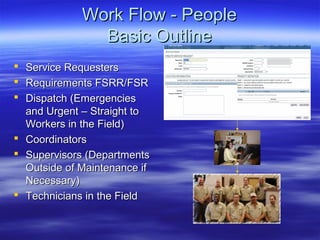
Work Flow - PeopleWork Flow - People
Basic OutlineBasic Outline
 Service RequestersService Requesters
 Requirements FSRR/FSRRequirements FSRR/FSR
 Dispatch (EmergenciesDispatch (Emergencies
and Urgent – Straight toand Urgent – Straight to
Workers in the Field)Workers in the Field)
 CoordinatorsCoordinators
 Supervisors (DepartmentsSupervisors (Departments
Outside of Maintenance ifOutside of Maintenance if
Necessary)Necessary)
 Technicians in the FieldTechnicians in the Field
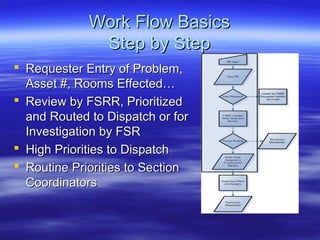
Work Flow BasicsWork Flow Basics
Step by StepStep by Step
 Requester Entry of Problem,Requester Entry of Problem,
Asset #, Rooms Effected…Asset #, Rooms Effected…
 Review by FSRR, PrioritizedReview by FSRR, Prioritized
and Routed to Dispatch or forand Routed to Dispatch or for
Investigation by FSRInvestigation by FSR
 High Priorities to DispatchHigh Priorities to Dispatch
 Routine Priorities to SectionRoutine Priorities to Section
CoordinatorsCoordinators
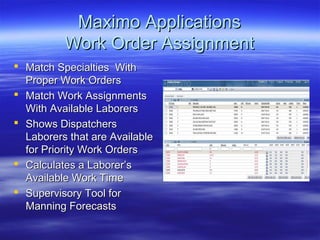
Maximo ApplicationsMaximo Applications
Work Order AssignmentWork Order Assignment
 Match Specialties WithMatch Specialties With
Proper Work OrdersProper Work Orders
 Match Work AssignmentsMatch Work Assignments
With Available LaborersWith Available Laborers
 Shows DispatchersShows Dispatchers
Laborers that are AvailableLaborers that are Available
for Priority Work Ordersfor Priority Work Orders
 Calculates a Laborer’sCalculates a Laborer’s
Available Work TimeAvailable Work Time
 Supervisory Tool forSupervisory Tool for
Manning ForecastsManning Forecasts
Maximo ApplicationsMaximo Applications
Work Order ActualsWork Order Actuals
 Technicians PerformingTechnicians Performing
the Maintenance Entersthe Maintenance Enters
Labor Hours, MaterialsLabor Hours, Materials
Used and Failure InfoUsed and Failure Info
 Asset Number is CrucialAsset Number is Crucial
for Failure Reportingfor Failure Reporting
 Completed Work OrdersCompleted Work Orders
are Reviewed by Sectionare Reviewed by Section
Coordinators Prior toCoordinators Prior to
ClosingClosing
Maximo ApplicationsMaximo Applications
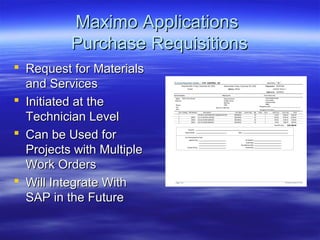
Purchase RequisitionsPurchase Requisitions
 Request for MaterialsRequest for Materials
and Servicesand Services
 Initiated at theInitiated at the
Technician LevelTechnician Level
 Can be Used forCan be Used for
Projects with MultipleProjects with Multiple
Work OrdersWork Orders
 Will Integrate WithWill Integrate With
SAP in the FutureSAP in the Future
Maximo ApplicationsMaximo Applications
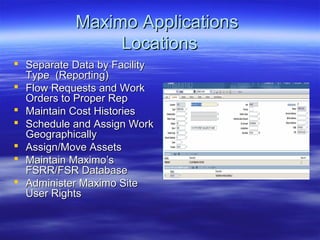
LocationsLocations
 Separate Data by FacilitySeparate Data by Facility
Type (Reporting)Type (Reporting)
 Flow Requests and WorkFlow Requests and Work
Orders to Proper RepOrders to Proper Rep
 Maintain Cost HistoriesMaintain Cost Histories
 Schedule and Assign WorkSchedule and Assign Work
GeographicallyGeographically
 Assign/Move AssetsAssign/Move Assets
 Maintain Maximo’sMaintain Maximo’s
FSRR/FSR DatabaseFSRR/FSR Database
 Administer Maximo SiteAdminister Maximo Site
User RightsUser Rights
Maximo ApplicationsMaximo Applications
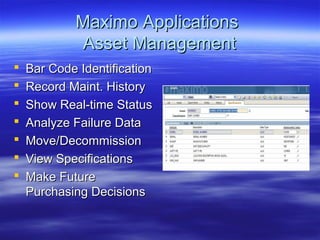
Asset ManagementAsset Management
 Bar Code IdentificationBar Code Identification
 Record Maint. HistoryRecord Maint. History
 Show Real-time StatusShow Real-time Status
 Analyze Failure DataAnalyze Failure Data
 Move/DecommissionMove/Decommission
 View SpecificationsView Specifications
 Make FutureMake Future
Purchasing DecisionsPurchasing Decisions
Maximo ApplicationsMaximo Applications
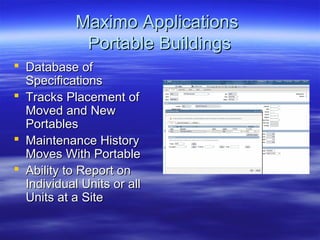
Portable BuildingsPortable Buildings
 Database ofDatabase of
SpecificationsSpecifications
 Tracks Placement ofTracks Placement of
Moved and NewMoved and New
PortablesPortables
 Maintenance HistoryMaintenance History
Moves With PortableMoves With Portable
 Ability to Report onAbility to Report on
Individual Units or allIndividual Units or all
Units at a SiteUnits at a Site
Maximo ApplicationsMaximo Applications
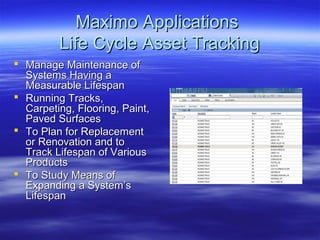
Life Cycle Asset TrackingLife Cycle Asset Tracking
 Manage Maintenance ofManage Maintenance of
Systems Having aSystems Having a
Measurable LifespanMeasurable Lifespan
 Running Tracks,Running Tracks,
Carpeting, Flooring, Paint,Carpeting, Flooring, Paint,
Paved SurfacesPaved Surfaces
 To Plan for ReplacementTo Plan for Replacement
or Renovation and toor Renovation and to
Track Lifespan of VariousTrack Lifespan of Various
ProductsProducts
 To Study Means ofTo Study Means of
Expanding a System’sExpanding a System’s
LifespanLifespan
Maximo ApplicationsMaximo Applications
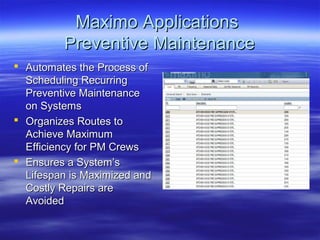
Preventive MaintenancePreventive Maintenance
 Automates the Process ofAutomates the Process of
Scheduling RecurringScheduling Recurring
Preventive MaintenancePreventive Maintenance
on Systemson Systems
 Organizes Routes toOrganizes Routes to
Achieve MaximumAchieve Maximum
Efficiency for PM CrewsEfficiency for PM Crews
 Ensures a System’sEnsures a System’s
Lifespan is Maximized andLifespan is Maximized and
Costly Repairs areCostly Repairs are
AvoidedAvoided
Maximo ApplicationsMaximo Applications
Mobile Maintenance VansMobile Maintenance Vans
 At Site: Walk Through with AdministrationAt Site: Walk Through with Administration
and FSR to Develop List of Repairs to beand FSR to Develop List of Repairs to be
Made During MMV Visit.Made During MMV Visit.
 Maximo: MMV Dispatcher ReassignsMaximo: MMV Dispatcher Reassigns
Priority 3 and 4 Work Orders for FacilityPriority 3 and 4 Work Orders for Facility
From Maintenance Core Shops to MMVFrom Maintenance Core Shops to MMV
(Only Work That MMV is Capable of)(Only Work That MMV is Capable of)
 Electrical, Carpentry, Plumbing and PaintingElectrical, Carpentry, Plumbing and Painting
Maximo ApplicationsMaximo Applications
Warranty ContractsWarranty Contracts
 Future ProgramFuture Program
 Will Manage ExtendedWill Manage Extended
Warranty Contracts onWarranty Contracts on
Various Systems andVarious Systems and
Items at Each SiteItems at Each Site
 Will Ensure That theWill Ensure That the
Appropriate ContractorAppropriate Contractor
Performs MaintenancePerforms Maintenance
on Warranty Itemson Warranty Items
Maximo ApplicationsMaximo Applications
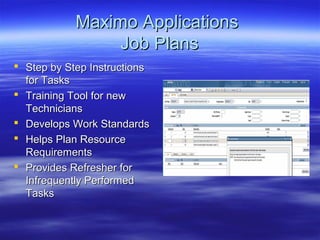
Job PlansJob Plans
 Step by Step InstructionsStep by Step Instructions
for Tasksfor Tasks
 Training Tool for newTraining Tool for new
TechniciansTechnicians
 Develops Work StandardsDevelops Work Standards
 Helps Plan ResourceHelps Plan Resource
RequirementsRequirements
 Provides Refresher forProvides Refresher for
Infrequently PerformedInfrequently Performed
TasksTasks
Maximo ApplicationsMaximo Applications
ReportsReports
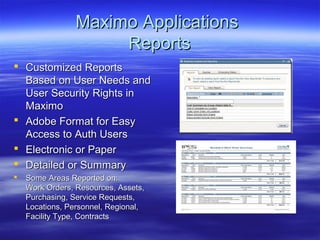
 Customized ReportsCustomized Reports
Based on User Needs andBased on User Needs and
User Security Rights inUser Security Rights in
MaximoMaximo
 Adobe Format for EasyAdobe Format for Easy
Access to Auth UsersAccess to Auth Users
 Electronic or PaperElectronic or Paper
 Detailed or SummaryDetailed or Summary
 Some Areas Reported on:Some Areas Reported on:
Work Orders, Resources, Assets,Work Orders, Resources, Assets,
Purchasing, Service Requests,Purchasing, Service Requests,
Locations, Personnel, Regional,Locations, Personnel, Regional,
Facility Type, ContractsFacility Type, Contracts
Helpful TerminologyHelpful Terminology
 Service Request (SR):Service Request (SR): Your Request forYour Request for
Service, Repairs or Maintenance ProjectService, Repairs or Maintenance Project
 Work Order:Work Order: Your SR is Validated and aYour SR is Validated and a
Work Order is Generated and DistributedWork Order is Generated and Distributed
 New:New: Your SR is not a Work Order yetYour SR is not a Work Order yet
 Queued:Queued: Your SR has Become a WorkYour SR has Become a Work
Order and the Problem is Being AddressedOrder and the Problem is Being Addressed
 Resolved:Resolved: Your Service Request’sYour Service Request’s
Associated Work Order was CompletedAssociated Work Order was Completed
Helpful TerminologyHelpful Terminology
 Closed:Closed: Your SR was Closed by theYour SR was Closed by the
FSRR, Check e-mail for Details…Or…FSRR, Check e-mail for Details…Or…
 Closed:Closed: Your SR shows Closed StatusYour SR shows Closed Status
Because the Work was Completed and theBecause the Work was Completed and the
Coordinator Reviewed the Work Order andCoordinator Reviewed the Work Order and
Closed it (Check Associated Work Order forClosed it (Check Associated Work Order for
Details)Details)
 Asset #:Asset #: Bar Code Number on SystemsBar Code Number on Systems
Throughout a Facility. Necessary for AssetThroughout a Facility. Necessary for Asset
History, Facility Planning and WarrantyHistory, Facility Planning and Warranty
InformationInformation
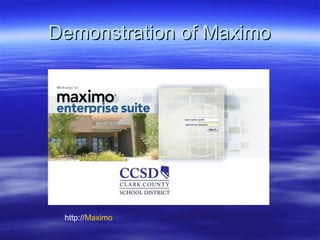
Demonstration of MaximoDemonstration of Maximo
http://Maximo
Questions?Questions?
 Thank You!Thank You!
 Maximo Help Desk: 387-0708Maximo Help Desk: 387-0708
 Maintenance Dispatch 799-5269Maintenance Dispatch 799-5269
Maximo overview

Maximo overview

  • 1.
  • 2.
    Maximo Enterprise SuiteMaximoEnterprise Suite OverviewOverview Clark County School DistrictClark County School District Facilities DivisionFacilities Division Maintenance DepartmentMaintenance Department 20072007
  • 3.
    DefinitionDefinition  Computerized MaintenanceManagementComputerized Maintenance Management System (CMMS)System (CMMS)  mro Software an IBM Companymro Software an IBM Company  Maximo – a internationally recognizedMaximo – a internationally recognized leader in CMMS Applicationsleader in CMMS Applications  Data Input/Retrieval allows for analyzingData Input/Retrieval allows for analyzing and reporting on all facets of facilityand reporting on all facets of facility maintenance.maintenance.
  • 4.
    DefinitionDefinition  Allows theDepartment ability to continuallyAllows the Department ability to continually improve on our processes.improve on our processes.  Gives our customers increased ability toGives our customers increased ability to view and manage their facility’sview and manage their facility’s maintenance requestsmaintenance requests  Allows for increased planning and efficiencyAllows for increased planning and efficiency of all future concerns of facility maintenanceof all future concerns of facility maintenance
  • 5.
    History (Pre Maximo)History(Pre Maximo)  Approx. 90,000 Work Orders per year went through theApprox. 90,000 Work Orders per year went through the previous system (WOST)previous system (WOST)  Difficult to track expendituresDifficult to track expenditures  Not able to maintain asset database/historyNot able to maintain asset database/history  Not accessible to Technicians in the fieldNot accessible to Technicians in the field  Required a variety of “homegrown” spreadsheets andRequired a variety of “homegrown” spreadsheets and database for historical datadatabase for historical data  Not robust enough to account for all facilities and allNot robust enough to account for all facilities and all maintenance requests and actionsmaintenance requests and actions  Interface not user friendlyInterface not user friendly  Not able to interface with ERP plans for the CCSDNot able to interface with ERP plans for the CCSD
  • 6.
    Maximo FactsMaximo Facts Manages Maintenance at 508 CCSD facilitiesManages Maintenance at 508 CCSD facilities  Tracks Maintenance and Status of 26,000 AssetsTracks Maintenance and Status of 26,000 Assets  Manages Access to over 1,650 Maximo Users.Manages Access to over 1,650 Maximo Users.  Manages Work Assignments, Planning,Manages Work Assignments, Planning, Scheduling, Reporting and Communications forScheduling, Reporting and Communications for 135 Specialty Technical Crafts135 Specialty Technical Crafts  Maintains Records for nearly 2,000 People in theMaintains Records for nearly 2,000 People in the Work Orders Distribution and Completion ChainWork Orders Distribution and Completion Chain
  • 7.
    Maximo TodayMaximo Today Priority One: 1,400 Responded to Since Oct 06Priority One: 1,400 Responded to Since Oct 06  Priority Two: 6,000 Responded to YTDPriority Two: 6,000 Responded to YTD  64,000 Priority Three Requests Since October 0664,000 Priority Three Requests Since October 06  4,000 Work Orders Generated During the First4,000 Work Orders Generated During the First Week of School 2007Week of School 2007  81,000 Service Requests Managed Since Oct 0681,000 Service Requests Managed Since Oct 06  107,000 Work Orders Managed Since Oct 06107,000 Work Orders Managed Since Oct 06
  • 8.
    Maximo UsersMaximo Users Service Requesters (at Each Facility)Service Requesters (at Each Facility)  Maintenance DepartmentMaintenance Department  RequirementsRequirements  WarrantyWarranty  TelecomTelecom  GroundsGrounds  Food Service (Kitchen Equipment)Food Service (Kitchen Equipment)  Environmental ServicesEnvironmental Services  Security Systems (School Police)Security Systems (School Police)  Future Users: Operations, Special ProjectsFuture Users: Operations, Special Projects
  • 9.
    Priority SystemPriority System MeasurableGoalsMeasurable Goals  Priority 1: Safety and Security of Students andPriority 1: Safety and Security of Students and PersonnelPersonnel -- Respond Within 4 Hours-- Respond Within 4 Hours  Priority 2: Possible Safety/Security and/or DamagePriority 2: Possible Safety/Security and/or Damage to Facility may Resultto Facility may Result --Respond Within 24 Hours--Respond Within 24 Hours  Priority 3: General Repairs of FacilityPriority 3: General Repairs of Facility --Respond Within 30 Days--Respond Within 30 Days  Priority 4: Rehab/Remod Projects, Preventive MaintPriority 4: Rehab/Remod Projects, Preventive Maint --Respond Within 1 Year--Respond Within 1 Year
  • 10.
    Service Request PriorityServiceRequest Priority  ““Abuse” of Priority System Causes Technicians toAbuse” of Priority System Causes Technicians to be Dispatched Away from High Priority Workbe Dispatched Away from High Priority Work  Your “Emergency” may be one of SeveralYour “Emergency” may be one of Several  Our Resources get Spread Thin During ExtremeOur Resources get Spread Thin During Extreme Weather ConditionsWeather Conditions  We Never Ignore any RequestWe Never Ignore any Request  Your Priority 1 or 2 Request is Being HandledYour Priority 1 or 2 Request is Being Handled ImmediatelyImmediately –– be Accurate about the Prioritybe Accurate about the Priority  The Safety, Security and Comfort of our CCSDThe Safety, Security and Comfort of our CCSD Students and Staff is our Prime ConcernStudents and Staff is our Prime Concern
  • 11.
    Customer ServiceCustomer Service We are Motivated byWe are Motivated by Your SatisfactionYour Satisfaction  Provide us with InputProvide us with Input via our Constructivevia our Constructive Comments SurveyComments Survey  Interact: District Link,Interact: District Link, Maintenance Facilities,Maintenance Facilities, Survey Form, NewSurvey Form, New Satisfaction SurveySatisfaction Survey
  • 12.
    Customer ServiceCustomer Service All of our Maintenance Personnel ReceiveAll of our Maintenance Personnel Receive Customer Service Training (RAVE 1 and 2)Customer Service Training (RAVE 1 and 2)  Remind our Technicians to Display CCSDRemind our Technicians to Display CCSD Identification Card for Everyone’s SecurityIdentification Card for Everyone’s Security  Provide a Log to Sign-in and Sign-outProvide a Log to Sign-in and Sign-out  Your Primary Contact for QuestionsYour Primary Contact for Questions Regarding Maintenance of Your Facility isRegarding Maintenance of Your Facility is YourYour FSRFSR  For Maximo Help Call: 387-0708For Maximo Help Call: 387-0708
  • 13.
    We Need YourHelpWe Need Your Help  Do not Allow Objects (Purses, Computers...) toDo not Allow Objects (Purses, Computers...) to Block the Energy Management SensorsBlock the Energy Management Sensors  If Your Service Request Involves VandalizedIf Your Service Request Involves Vandalized Property/Equipment, Check Vandalism BoxProperty/Equipment, Check Vandalism Box  If Your Service Request Involves Theft of CopperIf Your Service Request Involves Theft of Copper Wires/Piping, Type “Copper Theft” in the LongWires/Piping, Type “Copper Theft” in the Long Description, so we can Plan for Materials NeededDescription, so we can Plan for Materials Needed  Monday Mornings, Before School Start is a PerfectMonday Mornings, Before School Start is a Perfect Time to have Custodian Walk the Grounds andTime to have Custodian Walk the Grounds and Check for Vandalism, Copper Theft, etc.Check for Vandalism, Copper Theft, etc. – Look for Lighting Issues in Parking and Fields (HighLook for Lighting Issues in Parking and Fields (High Copper Theft Areas)Copper Theft Areas)
  • 14.
    We Need YourHelpWe Need Your Help Facility SecurityFacility Security  Key ControlKey Control – Report Lost Keys to CCSD Police ImmediatelyReport Lost Keys to CCSD Police Immediately  Closed Circuit TV SystemClosed Circuit TV System  Alarm SystemAlarm System IMPORTANT NOTE:IMPORTANT NOTE:  REKEYING A FACILITY IS COSTLY ANDREKEYING A FACILITY IS COSTLY AND SHOULD BE A LAST RESORT ONLYSHOULD BE A LAST RESORT ONLY
  • 15.
    Work Flow -PeopleWork Flow - People Basic OutlineBasic Outline  Service RequestersService Requesters  Requirements FSRR/FSRRequirements FSRR/FSR  Dispatch (EmergenciesDispatch (Emergencies and Urgent – Straight toand Urgent – Straight to Workers in the Field)Workers in the Field)  CoordinatorsCoordinators  Supervisors (DepartmentsSupervisors (Departments Outside of Maintenance ifOutside of Maintenance if Necessary)Necessary)  Technicians in the FieldTechnicians in the Field
  • 16.
    Work Flow BasicsWorkFlow Basics Step by StepStep by Step  Requester Entry of Problem,Requester Entry of Problem, Asset #, Rooms Effected…Asset #, Rooms Effected…  Review by FSRR, PrioritizedReview by FSRR, Prioritized and Routed to Dispatch or forand Routed to Dispatch or for Investigation by FSRInvestigation by FSR  High Priorities to DispatchHigh Priorities to Dispatch  Routine Priorities to SectionRoutine Priorities to Section CoordinatorsCoordinators
  • 17.
    Maximo ApplicationsMaximo Applications WorkOrder AssignmentWork Order Assignment  Match Specialties WithMatch Specialties With Proper Work OrdersProper Work Orders  Match Work AssignmentsMatch Work Assignments With Available LaborersWith Available Laborers  Shows DispatchersShows Dispatchers Laborers that are AvailableLaborers that are Available for Priority Work Ordersfor Priority Work Orders  Calculates a Laborer’sCalculates a Laborer’s Available Work TimeAvailable Work Time  Supervisory Tool forSupervisory Tool for Manning ForecastsManning Forecasts
  • 18.
    Maximo ApplicationsMaximo Applications WorkOrder ActualsWork Order Actuals  Technicians PerformingTechnicians Performing the Maintenance Entersthe Maintenance Enters Labor Hours, MaterialsLabor Hours, Materials Used and Failure InfoUsed and Failure Info  Asset Number is CrucialAsset Number is Crucial for Failure Reportingfor Failure Reporting  Completed Work OrdersCompleted Work Orders are Reviewed by Sectionare Reviewed by Section Coordinators Prior toCoordinators Prior to ClosingClosing
  • 19.
    Maximo ApplicationsMaximo Applications PurchaseRequisitionsPurchase Requisitions  Request for MaterialsRequest for Materials and Servicesand Services  Initiated at theInitiated at the Technician LevelTechnician Level  Can be Used forCan be Used for Projects with MultipleProjects with Multiple Work OrdersWork Orders  Will Integrate WithWill Integrate With SAP in the FutureSAP in the Future
  • 20.
    Maximo ApplicationsMaximo Applications LocationsLocations Separate Data by FacilitySeparate Data by Facility Type (Reporting)Type (Reporting)  Flow Requests and WorkFlow Requests and Work Orders to Proper RepOrders to Proper Rep  Maintain Cost HistoriesMaintain Cost Histories  Schedule and Assign WorkSchedule and Assign Work GeographicallyGeographically  Assign/Move AssetsAssign/Move Assets  Maintain Maximo’sMaintain Maximo’s FSRR/FSR DatabaseFSRR/FSR Database  Administer Maximo SiteAdminister Maximo Site User RightsUser Rights
  • 21.
    Maximo ApplicationsMaximo Applications AssetManagementAsset Management  Bar Code IdentificationBar Code Identification  Record Maint. HistoryRecord Maint. History  Show Real-time StatusShow Real-time Status  Analyze Failure DataAnalyze Failure Data  Move/DecommissionMove/Decommission  View SpecificationsView Specifications  Make FutureMake Future Purchasing DecisionsPurchasing Decisions
  • 22.
    Maximo ApplicationsMaximo Applications PortableBuildingsPortable Buildings  Database ofDatabase of SpecificationsSpecifications  Tracks Placement ofTracks Placement of Moved and NewMoved and New PortablesPortables  Maintenance HistoryMaintenance History Moves With PortableMoves With Portable  Ability to Report onAbility to Report on Individual Units or allIndividual Units or all Units at a SiteUnits at a Site
  • 23.
    Maximo ApplicationsMaximo Applications LifeCycle Asset TrackingLife Cycle Asset Tracking  Manage Maintenance ofManage Maintenance of Systems Having aSystems Having a Measurable LifespanMeasurable Lifespan  Running Tracks,Running Tracks, Carpeting, Flooring, Paint,Carpeting, Flooring, Paint, Paved SurfacesPaved Surfaces  To Plan for ReplacementTo Plan for Replacement or Renovation and toor Renovation and to Track Lifespan of VariousTrack Lifespan of Various ProductsProducts  To Study Means ofTo Study Means of Expanding a System’sExpanding a System’s LifespanLifespan
  • 24.
    Maximo ApplicationsMaximo Applications PreventiveMaintenancePreventive Maintenance  Automates the Process ofAutomates the Process of Scheduling RecurringScheduling Recurring Preventive MaintenancePreventive Maintenance on Systemson Systems  Organizes Routes toOrganizes Routes to Achieve MaximumAchieve Maximum Efficiency for PM CrewsEfficiency for PM Crews  Ensures a System’sEnsures a System’s Lifespan is Maximized andLifespan is Maximized and Costly Repairs areCostly Repairs are AvoidedAvoided
  • 25.
    Maximo ApplicationsMaximo Applications MobileMaintenance VansMobile Maintenance Vans  At Site: Walk Through with AdministrationAt Site: Walk Through with Administration and FSR to Develop List of Repairs to beand FSR to Develop List of Repairs to be Made During MMV Visit.Made During MMV Visit.  Maximo: MMV Dispatcher ReassignsMaximo: MMV Dispatcher Reassigns Priority 3 and 4 Work Orders for FacilityPriority 3 and 4 Work Orders for Facility From Maintenance Core Shops to MMVFrom Maintenance Core Shops to MMV (Only Work That MMV is Capable of)(Only Work That MMV is Capable of)  Electrical, Carpentry, Plumbing and PaintingElectrical, Carpentry, Plumbing and Painting
  • 26.
    Maximo ApplicationsMaximo Applications WarrantyContractsWarranty Contracts  Future ProgramFuture Program  Will Manage ExtendedWill Manage Extended Warranty Contracts onWarranty Contracts on Various Systems andVarious Systems and Items at Each SiteItems at Each Site  Will Ensure That theWill Ensure That the Appropriate ContractorAppropriate Contractor Performs MaintenancePerforms Maintenance on Warranty Itemson Warranty Items
  • 27.
    Maximo ApplicationsMaximo Applications JobPlansJob Plans  Step by Step InstructionsStep by Step Instructions for Tasksfor Tasks  Training Tool for newTraining Tool for new TechniciansTechnicians  Develops Work StandardsDevelops Work Standards  Helps Plan ResourceHelps Plan Resource RequirementsRequirements  Provides Refresher forProvides Refresher for Infrequently PerformedInfrequently Performed TasksTasks
  • 28.
    Maximo ApplicationsMaximo Applications ReportsReports Customized ReportsCustomized Reports Based on User Needs andBased on User Needs and User Security Rights inUser Security Rights in MaximoMaximo  Adobe Format for EasyAdobe Format for Easy Access to Auth UsersAccess to Auth Users  Electronic or PaperElectronic or Paper  Detailed or SummaryDetailed or Summary  Some Areas Reported on:Some Areas Reported on: Work Orders, Resources, Assets,Work Orders, Resources, Assets, Purchasing, Service Requests,Purchasing, Service Requests, Locations, Personnel, Regional,Locations, Personnel, Regional, Facility Type, ContractsFacility Type, Contracts
  • 29.
    Helpful TerminologyHelpful Terminology Service Request (SR):Service Request (SR): Your Request forYour Request for Service, Repairs or Maintenance ProjectService, Repairs or Maintenance Project  Work Order:Work Order: Your SR is Validated and aYour SR is Validated and a Work Order is Generated and DistributedWork Order is Generated and Distributed  New:New: Your SR is not a Work Order yetYour SR is not a Work Order yet  Queued:Queued: Your SR has Become a WorkYour SR has Become a Work Order and the Problem is Being AddressedOrder and the Problem is Being Addressed  Resolved:Resolved: Your Service Request’sYour Service Request’s Associated Work Order was CompletedAssociated Work Order was Completed
  • 30.
    Helpful TerminologyHelpful Terminology Closed:Closed: Your SR was Closed by theYour SR was Closed by the FSRR, Check e-mail for Details…Or…FSRR, Check e-mail for Details…Or…  Closed:Closed: Your SR shows Closed StatusYour SR shows Closed Status Because the Work was Completed and theBecause the Work was Completed and the Coordinator Reviewed the Work Order andCoordinator Reviewed the Work Order and Closed it (Check Associated Work Order forClosed it (Check Associated Work Order for Details)Details)  Asset #:Asset #: Bar Code Number on SystemsBar Code Number on Systems Throughout a Facility. Necessary for AssetThroughout a Facility. Necessary for Asset History, Facility Planning and WarrantyHistory, Facility Planning and Warranty InformationInformation
  • 31.
    Demonstration of MaximoDemonstrationof Maximo http://Maximo
  • 32.
    Questions?Questions?  Thank You!ThankYou!  Maximo Help Desk: 387-0708Maximo Help Desk: 387-0708  Maintenance Dispatch 799-5269Maintenance Dispatch 799-5269