• ADO.NET is used as a data access technology.It can be used with all .net
framework programming language such as vb.net,vc# and visual c++.
• It is a model used by .Net applictaions to communicate with a database for
retrieving,accessing and updating data. Sources such as
• ADO.Net is based on the standards laid down by the W3C.This model has been
designed in such a way that a developer can access and write to a wide variety of
data sources as Microsoft Sql server and XML.By using ADO.Net data can be
retrieved from one data source and saved in another.
• Eg data can be retrieved from MS Excel can be saved as XML document.
• Ado-active X data object
• System.Data
ADO .NET
• Features of ADO.Net
• Disconnected Data architecture:
• ADO.Net support disconnected architecture.Applications connect to the database only while
retrieving and updating data.After the data is retrieved ,connection with the database is
closed.When the databae needs to be updated the connection is re-established.In a
disconnected architecture ,database can cater to the needs of several applications
simultaneously because the interaction is for a shorter duration.
Data cached in Datasets:
A dataset is the most common method of accessing data in ADO.Net because it
implements a disconnected architecture.Data is stored and retrieved in datasets.You can work
with the records stored in a dataset as you work with real data.
Scalability:
ADO.Net supports scalability by working with datasets.Database operations are
performed on the dataset instead of on the database.As a result resources are saved and the
database can meet the increasing demands of users more efficiently.
ADO .NET
• Features of ADO.Net
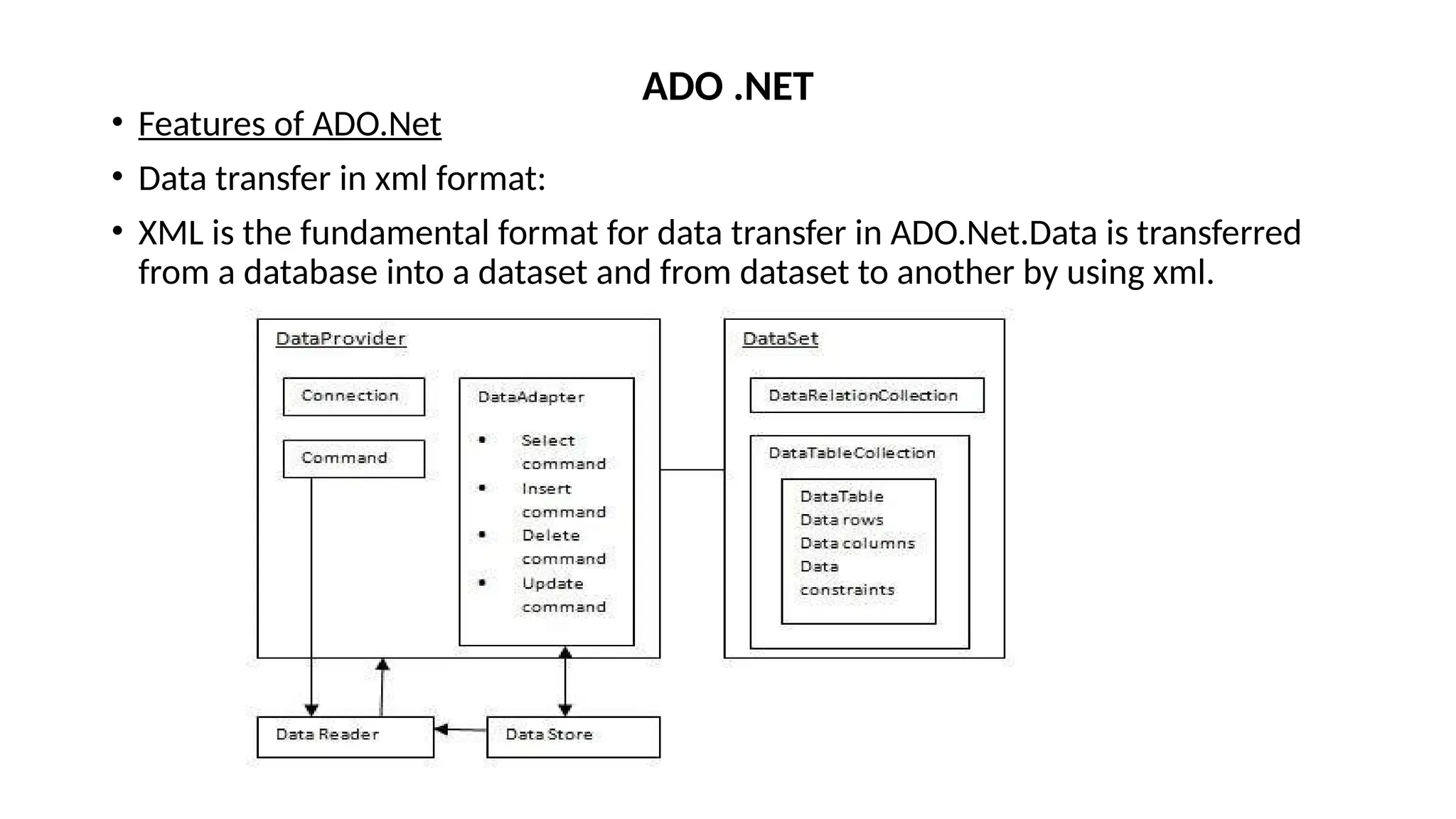
• Data transfer in xml format:
• XML is the fundamental format for data transfer in ADO.Net.Data is transferred
from a database into a dataset and from dataset to another by using xml.
ADO .NET
• The two key component of the ADO.net object model are:
• Data Provider
• Dataset
Data provider:
• In ADO.Net object model,the data residing in a database is retrieved through a
dataprovider.The Data provider is a set of components including the
connection,command,datareader and dataadapter objects.It provides data to the
application and updates the database with the changes made in the application.
• The four main types of data provider are:
• .Net Framework data provider for SQL Server-to work with sql server
• .Net Framework data provider for OLE DB-To support COM technology
• .Net Framework data provider for ODBC-It uses odbc driver to enable data access
• .Net Framework data provider for oracle-to work with oracle
ADO .NET
• Four Key components of data provider:
• Connection:This component is used to establish a connection with a data source
such as database
• Command:It is used to retrieve,insert,delete or modify data in a data source
• Datareader:It is used to retrieve data from a datasource in a read-only and
forward only.Read-only means that the records of the table cannot be
updated.Forward-only means that you cannot traverse back to the previous
records of the table.
• Data adapter:It is used to transfer data to and from a database.a data adapter
retrieves dta from a database in to a dataset.
ADO .NET
• Dataset:
• A Dataset is present in the DataSet class in the System.Data namespace.
• The dataset is a memory based relational representations of data.A dataset is a
part of the disconnected architecture.
• There are two types of Dataset
• Typed Dataset:
• A typed dataset is derived from the Dataset class and has an associated XML
schema which is created at the time of the creation the dataset.The XML schema
contains information about the dataset such as the tables,columns and rows.
• Untyped Dataset:
• A untyped dataset is derived from the Dataset class and does not have an
associated XML schema.In an untyped dataset the tables and columns are
represented as collections.
ADO .NET
• The key component of dataset are:
• DataTableCollection:It contains all the tables retrieved from the datasource.
• DataRelationCollection:It contains the relationship and links between tables in a
dataset
• DataTable:It represents a table in the datatable
• DataRowCollection:It contains all the rows in the datatable
• DataColumnCollection:It contains all the columns in the datatable
An application can access data either through a dataset or datareader object:
Using a dataset:Data is cached in a dataset and the application accesses the data
from the dataset
Using a datareader:It is a component of the dataprovider uses the connection
object to connect to DB and uses command object to retrieve data
ADO .NET
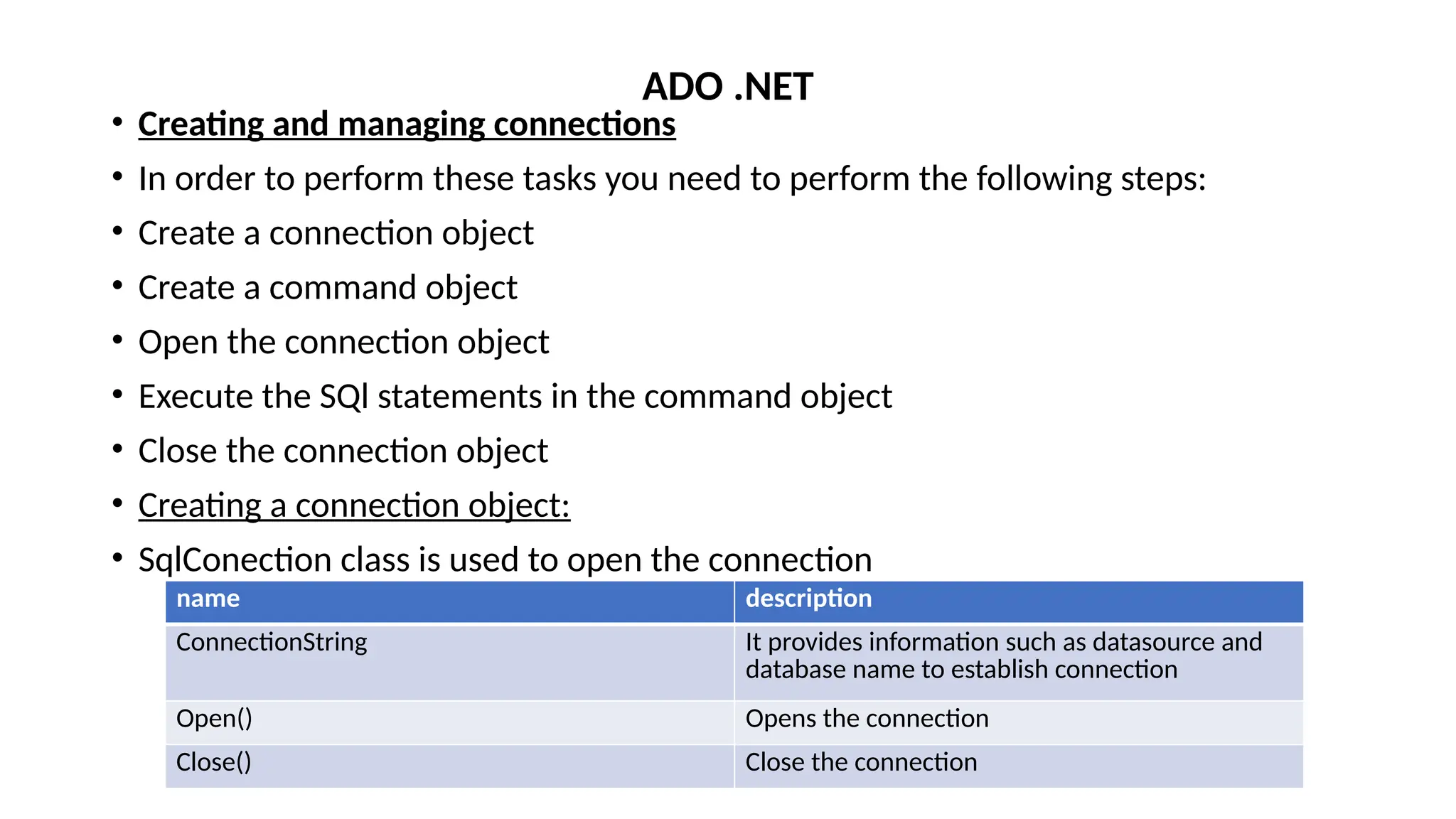
• Creating and managing connections
• In order to perform these tasks you need to perform the following steps:
• Create a connection object
• Create a command object
• Open the connection object
• Execute the SQl statements in the command object
• Close the connection object
• Creating a connection object:
• SqlConection class is used to open the connection
ADO .NET
name description
ConnectionString It provides information such as datasource and
database name to establish connection
Open() Opens the connection
Close() Close the connection
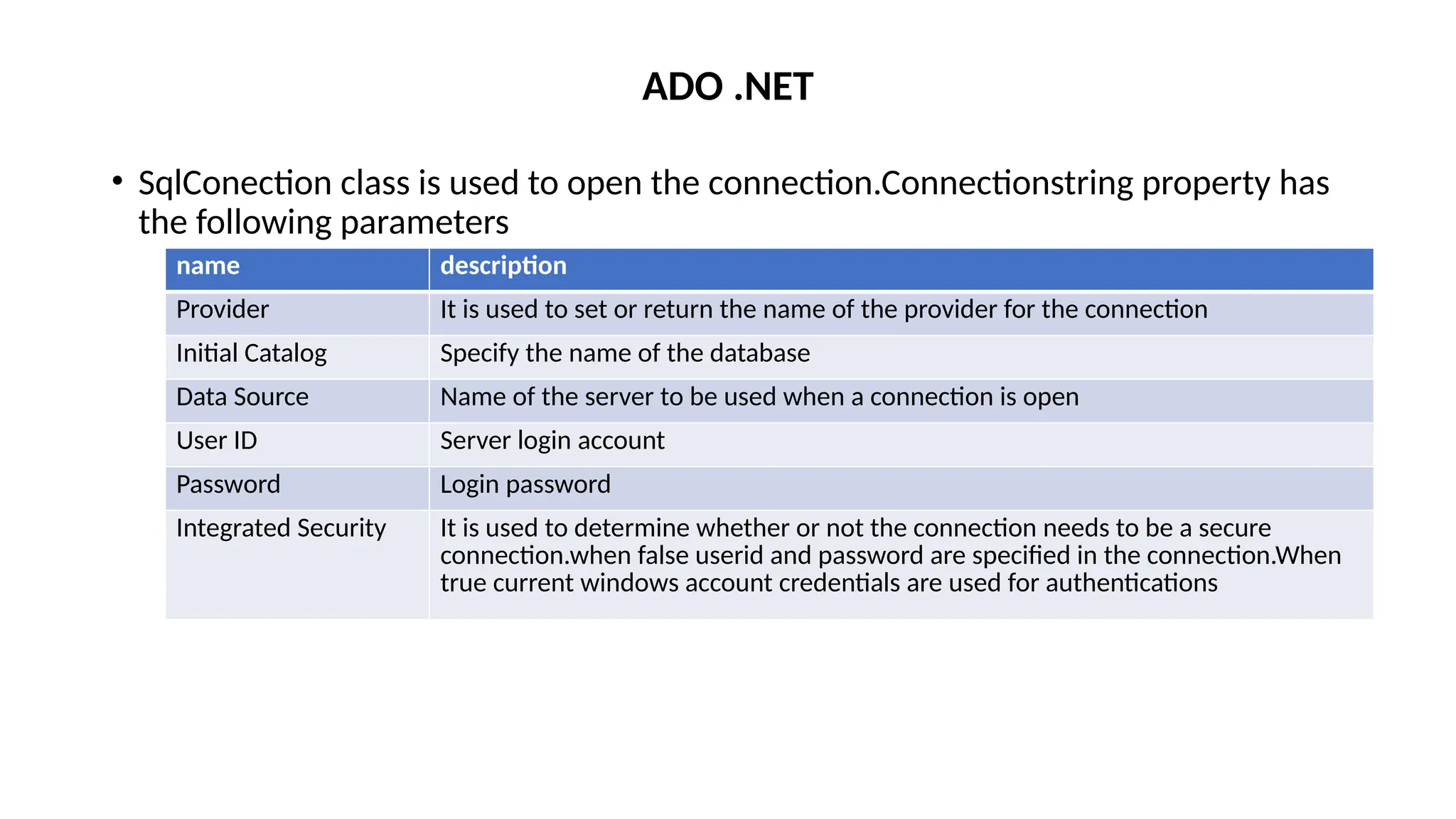
• SqlConection class is used to open the connection.Connectionstring property has
the following parameters
ADO .NET
name description
Provider It is used to set or return the name of the provider for the connection
Initial Catalog Specify the name of the database
Data Source Name of the server to be used when a connection is open
User ID Server login account
Password Login password
Integrated Security It is used to determine whether or not the connection needs to be a secure
connection.when false userid and password are specified in the connection.When
true current windows account credentials are used for authentications
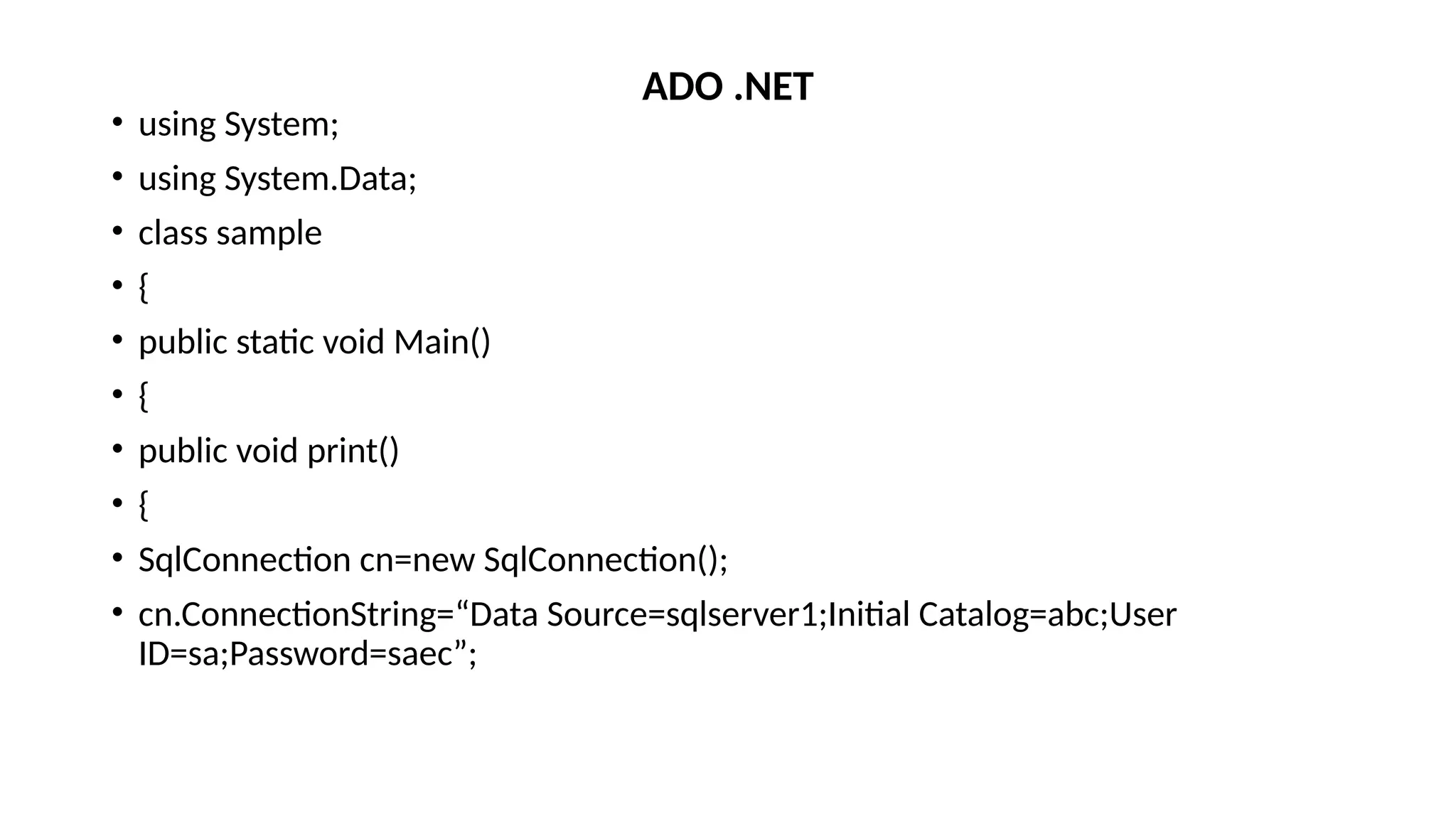
• using System;
• using System.Data;
• class sample
• {
• public static void Main()
• {
• public void print()
• {
• SqlConnection cn=new SqlConnection();
• cn.ConnectionString=“Data Source=sqlserver1;Initial Catalog=abc;User
ID=sa;Password=saec”;
ADO .NET
• cn.Open();
• SqlCommand cmd=new SqlCommand(“select * from stud”,cn);
• SqlDataReader reader=cmd. ExecuteReader();
• While(Reader.Read())
• {
• Console.WriteLine(“rollno,name”,reader[0],reader[1]);
• }
• cn.Close();
• }}
ADO .NET
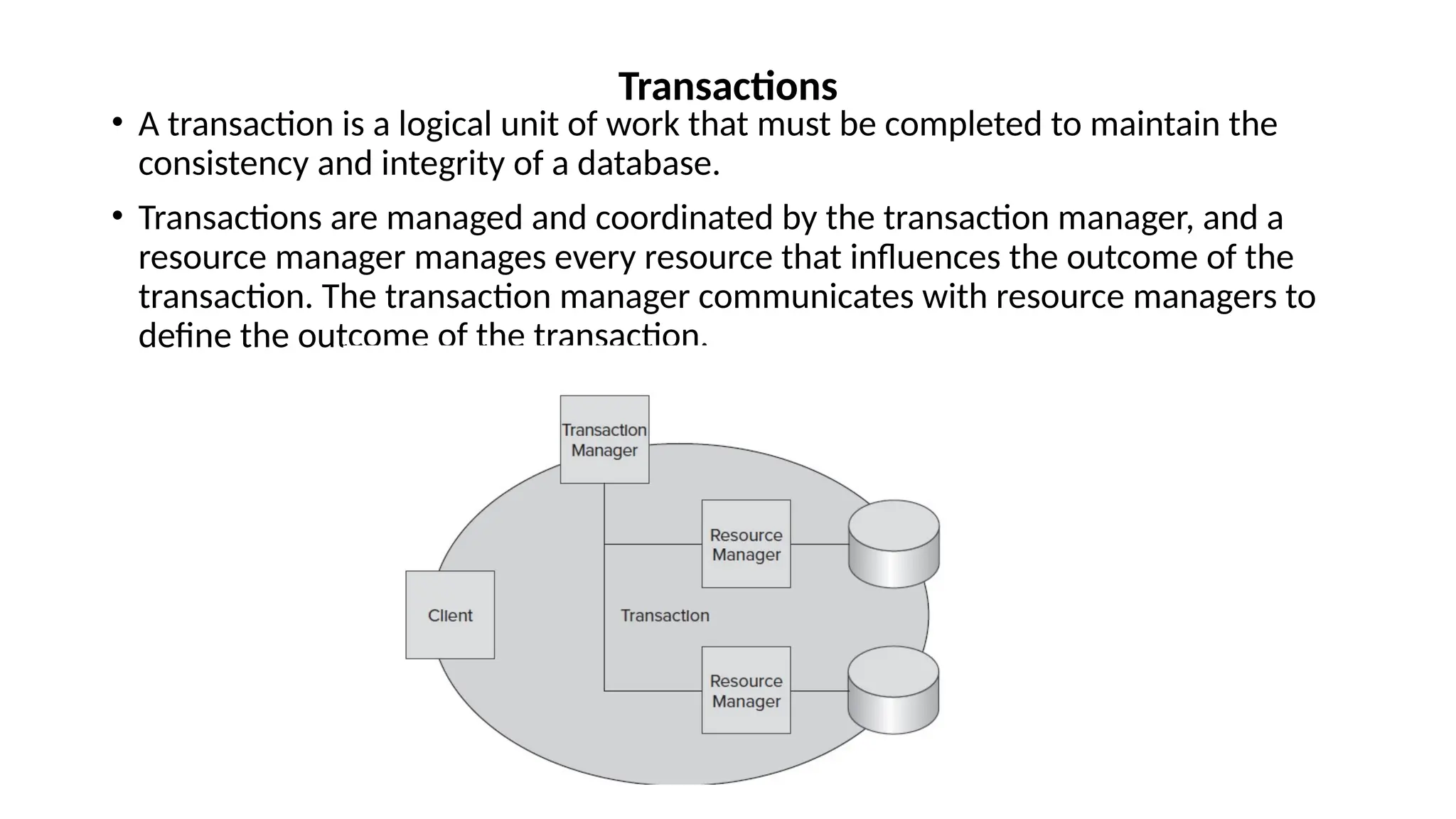
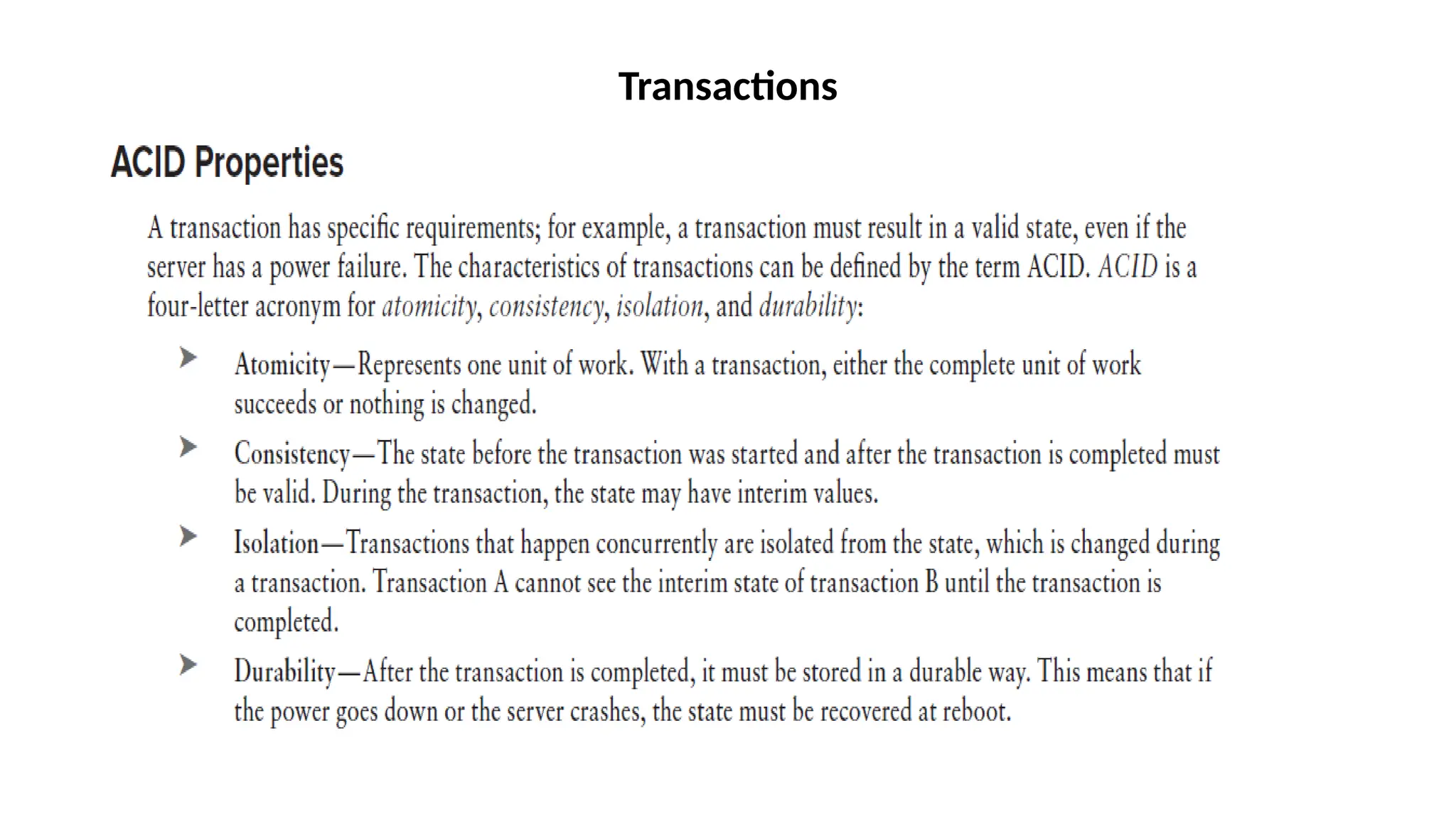
• A transaction is a logical unit of work that must be completed to maintain the
consistency and integrity of a database.
• Transactions are managed and coordinated by the transaction manager, and a
resource manager manages every resource that influences the outcome of the
transaction. The transaction manager communicates with resource managers to
define the outcome of the transaction.
Transactions
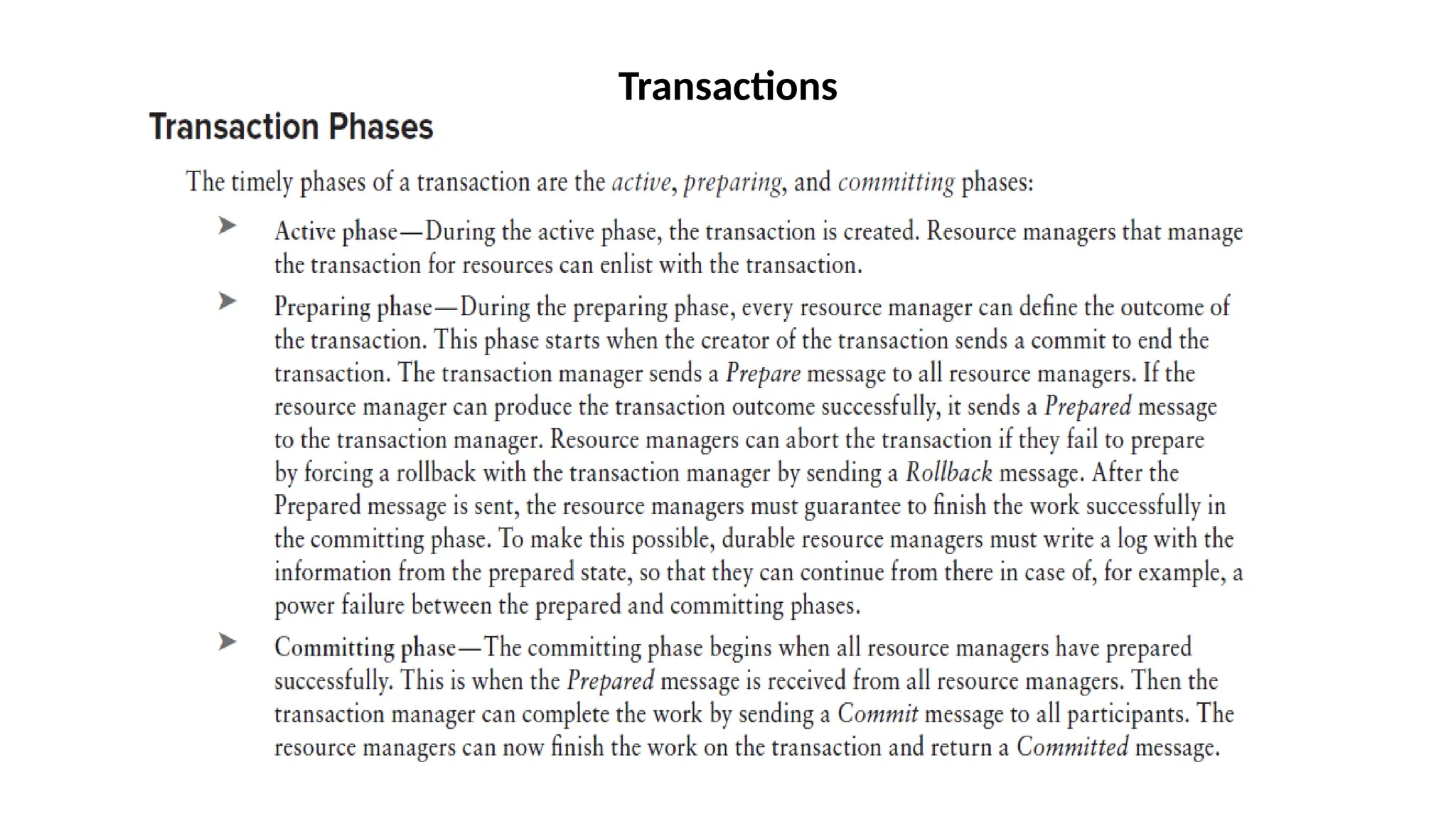
Transactions
Transactions
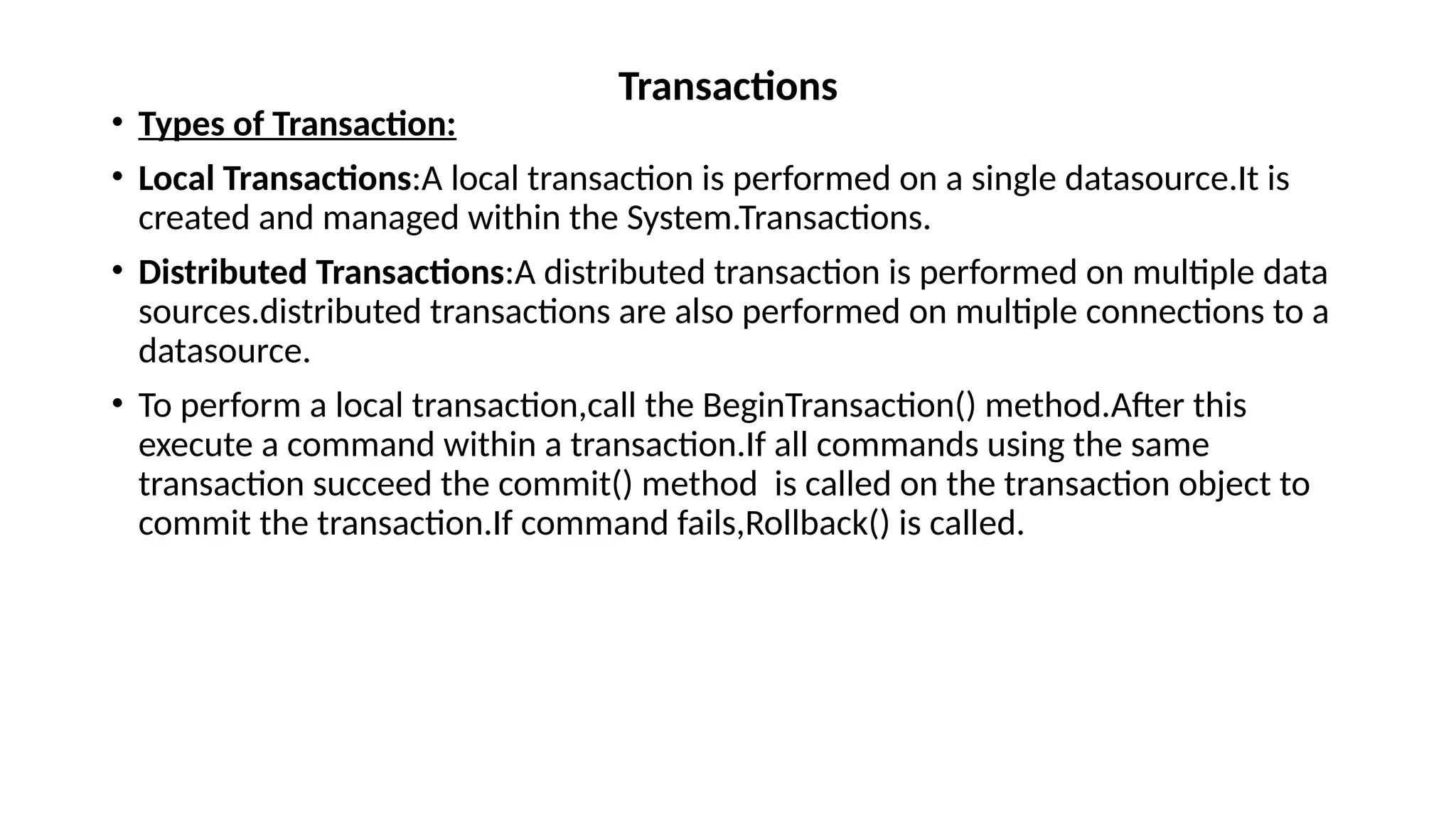
• Types of Transaction:
• Local Transactions:A local transaction is performed on a single datasource.It is
created and managed within the System.Transactions.
• Distributed Transactions:A distributed transaction is performed on multiple data
sources.distributed transactions are also performed on multiple connections to a
datasource.
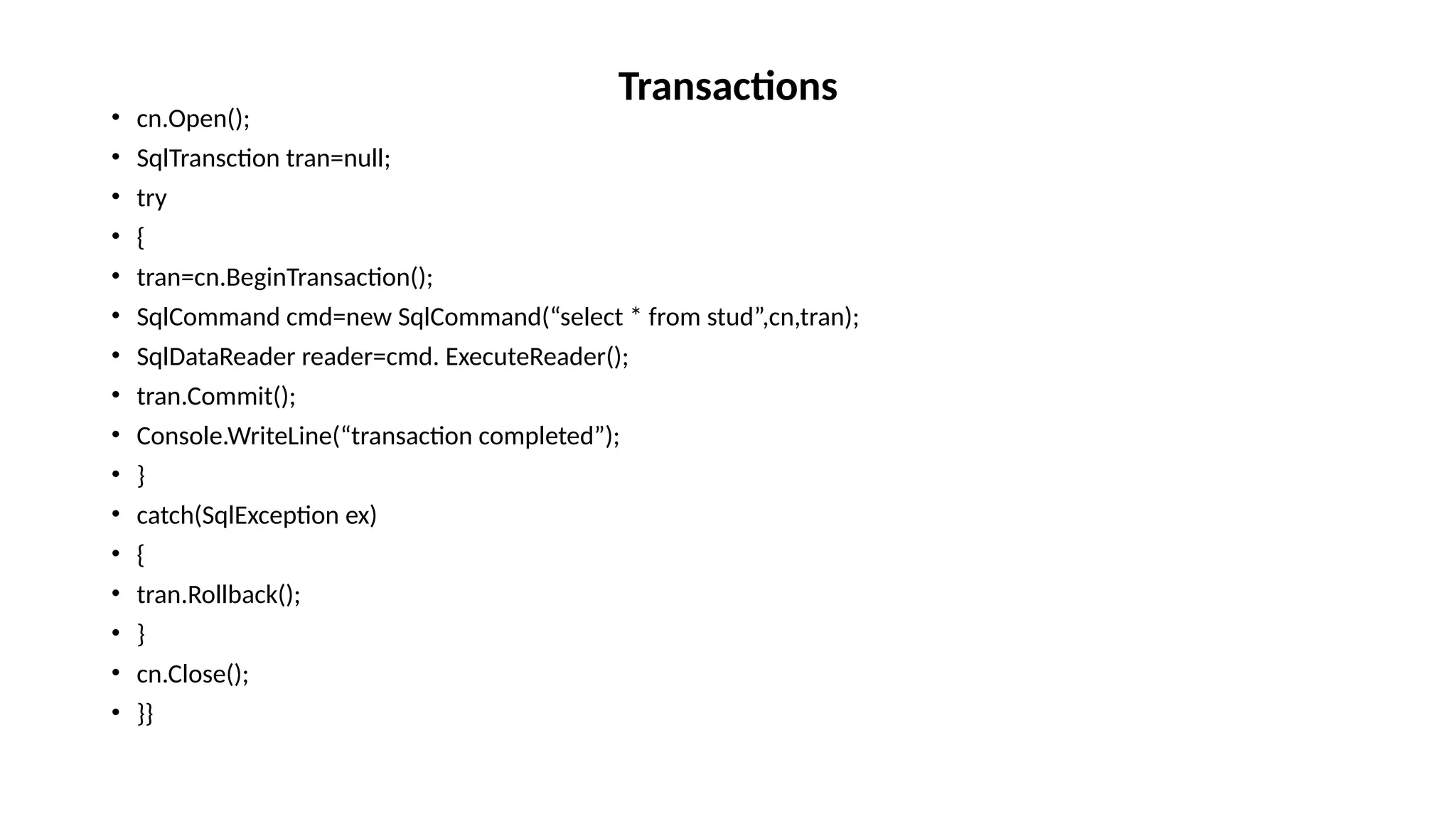
• To perform a local transaction,call the BeginTransaction() method.After this
execute a command within a transaction.If all commands using the same
transaction succeed the commit() method is called on the transaction object to
commit the transaction.If command fails,Rollback() is called.
Transactions
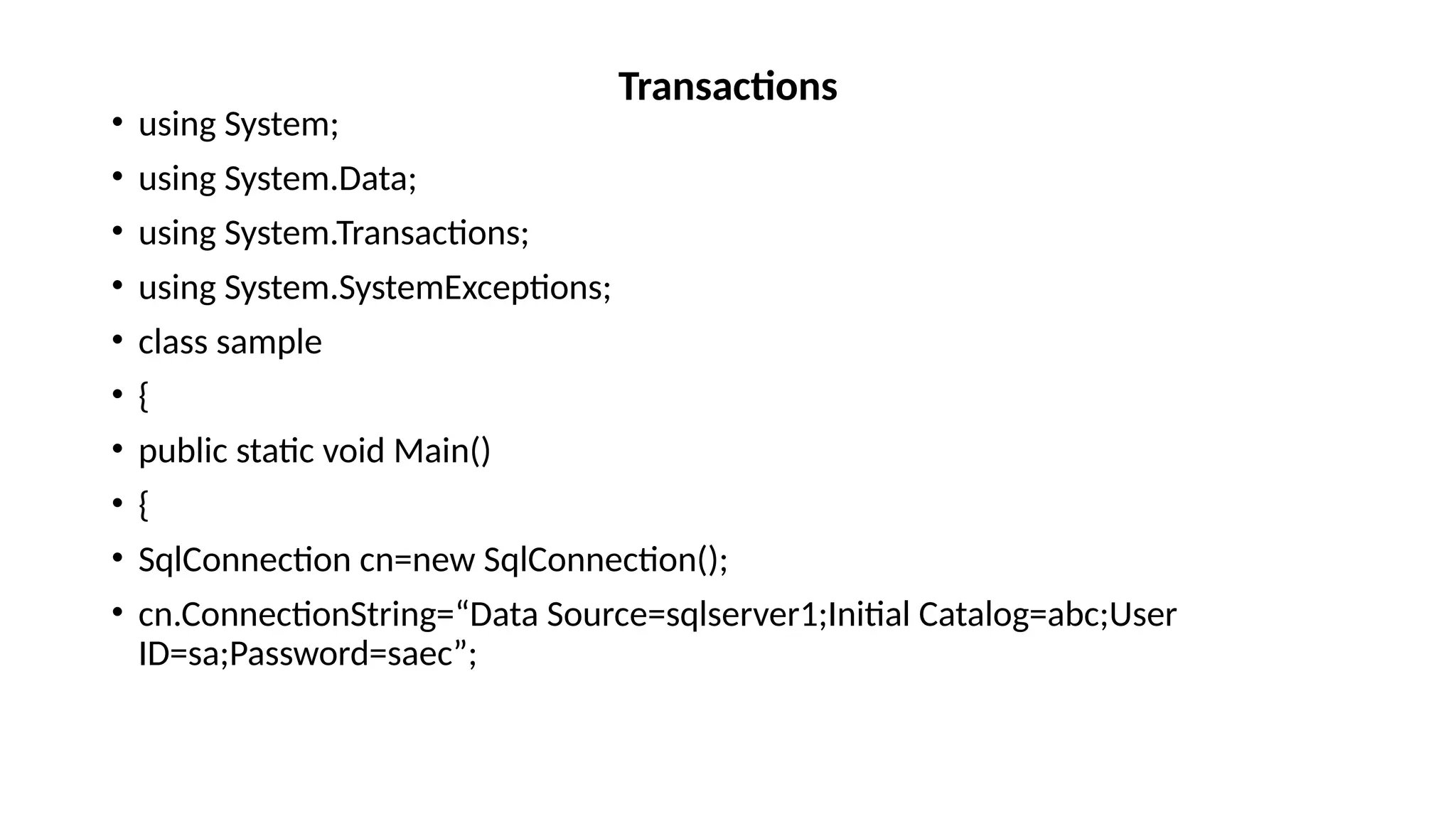
• using System;
• using System.Data;
• using System.Transactions;
• using System.SystemExceptions;
• class sample
• {
• public static void Main()
• {
• SqlConnection cn=new SqlConnection();
• cn.ConnectionString=“Data Source=sqlserver1;Initial Catalog=abc;User
ID=sa;Password=saec”;
Transactions
• cn.Open();
• SqlTransction tran=null;
• try
• {
• tran=cn.BeginTransaction();
• SqlCommand cmd=new SqlCommand(“select * from stud”,cn,tran);
• SqlDataReader reader=cmd. ExecuteReader();
• tran.Commit();
• Console.WriteLine(“transaction completed”);
• }
• catch(SqlException ex)
• {
• tran.Rollback();
• }
• cn.Close();
• }}
Transactions
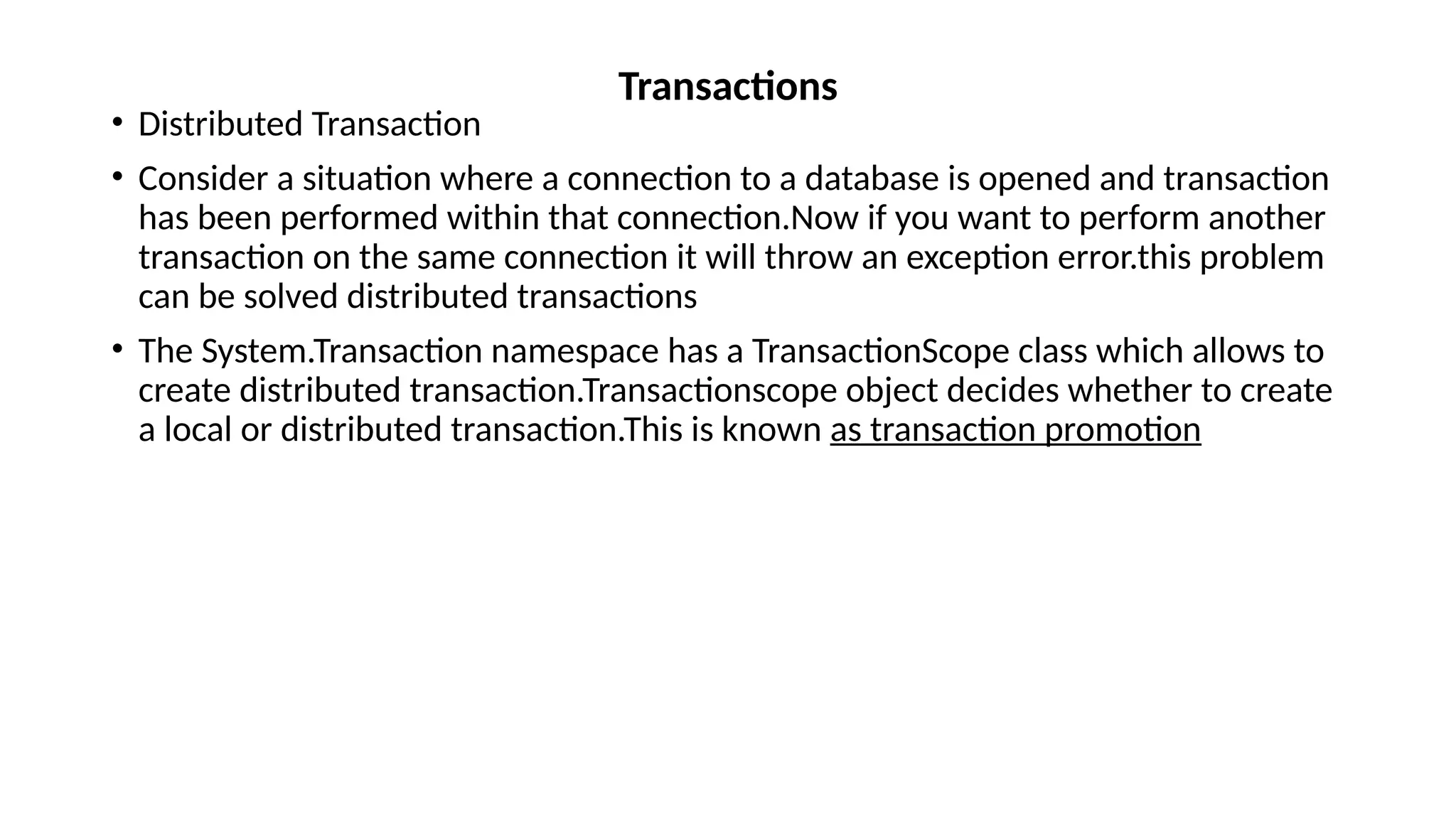
• Distributed Transaction
• Consider a situation where a connection to a database is opened and transaction
has been performed within that connection.Now if you want to perform another
transaction on the same connection it will throw an exception error.this problem
can be solved distributed transactions
• The System.Transaction namespace has a TransactionScope class which allows to
create distributed transaction.Transactionscope object decides whether to create
a local or distributed transaction.This is known as transaction promotion
Transactions
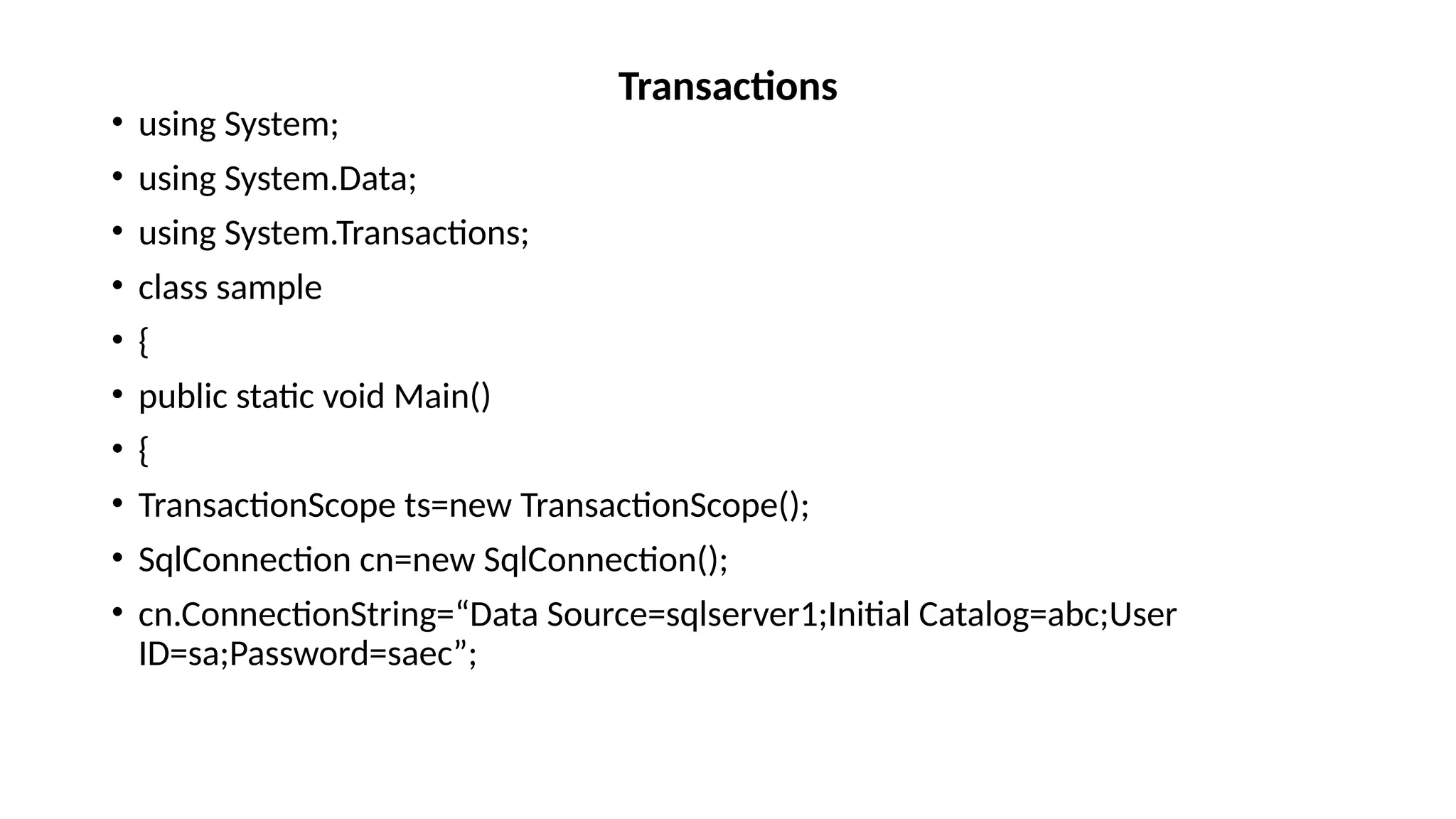
• using System;
• using System.Data;
• using System.Transactions;
• class sample
• {
• public static void Main()
• {
• TransactionScope ts=new TransactionScope();
• SqlConnection cn=new SqlConnection();
• cn.ConnectionString=“Data Source=sqlserver1;Initial Catalog=abc;User
ID=sa;Password=saec”;
Transactions
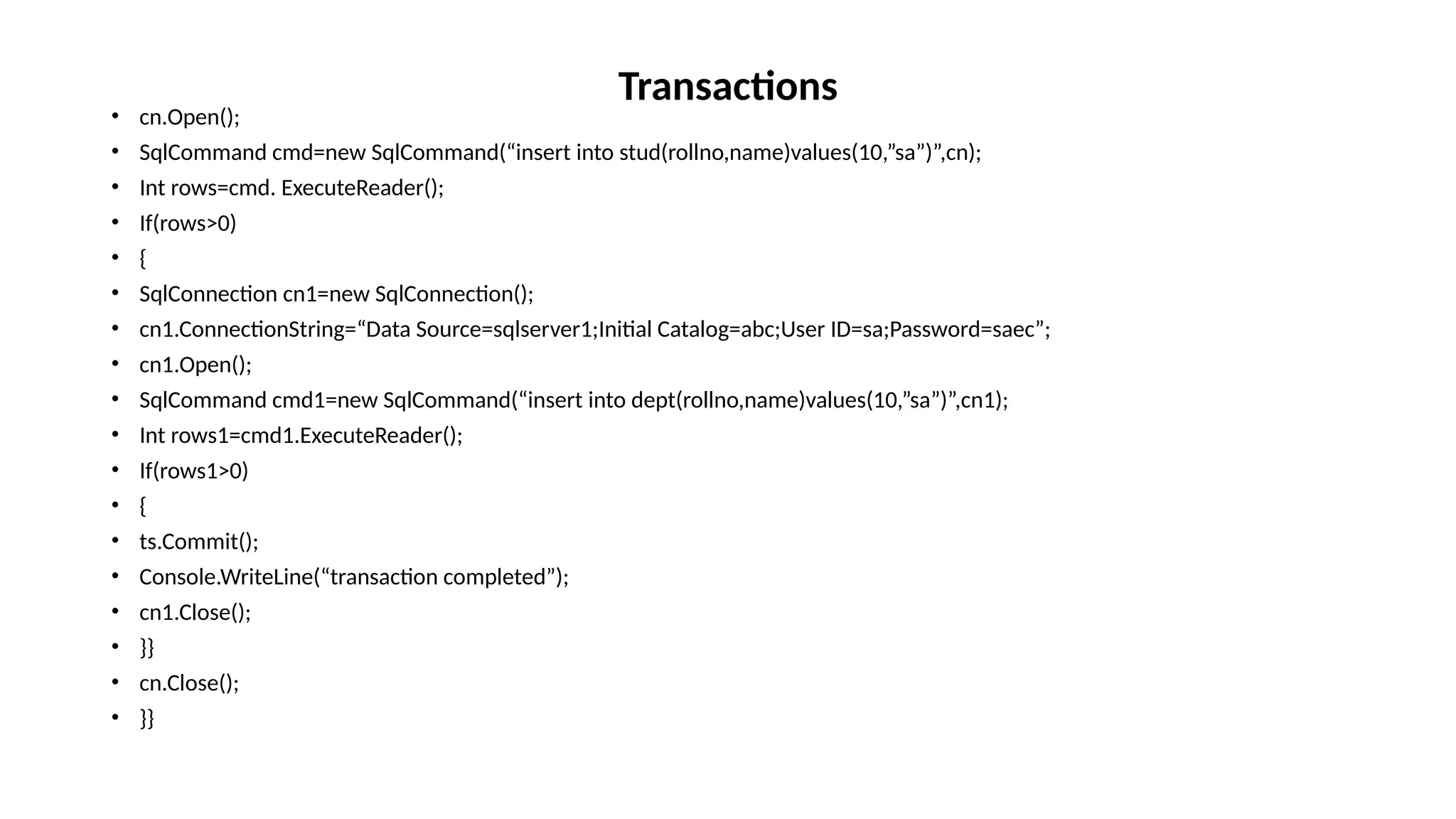
• cn.Open();
• SqlCommand cmd=new SqlCommand(“insert into stud(rollno,name)values(10,”sa”)”,cn);
• Int rows=cmd. ExecuteReader();
• If(rows>0)
• {
• SqlConnection cn1=new SqlConnection();
• cn1.ConnectionString=“Data Source=sqlserver1;Initial Catalog=abc;User ID=sa;Password=saec”;
• cn1.Open();
• SqlCommand cmd1=new SqlCommand(“insert into dept(rollno,name)values(10,”sa”)”,cn1);
• Int rows1=cmd1.ExecuteReader();
• If(rows1>0)
• {
• ts.Commit();
• Console.WriteLine(“transaction completed”);
• cn1.Close();
• }}
• cn.Close();
• }}
Transactions
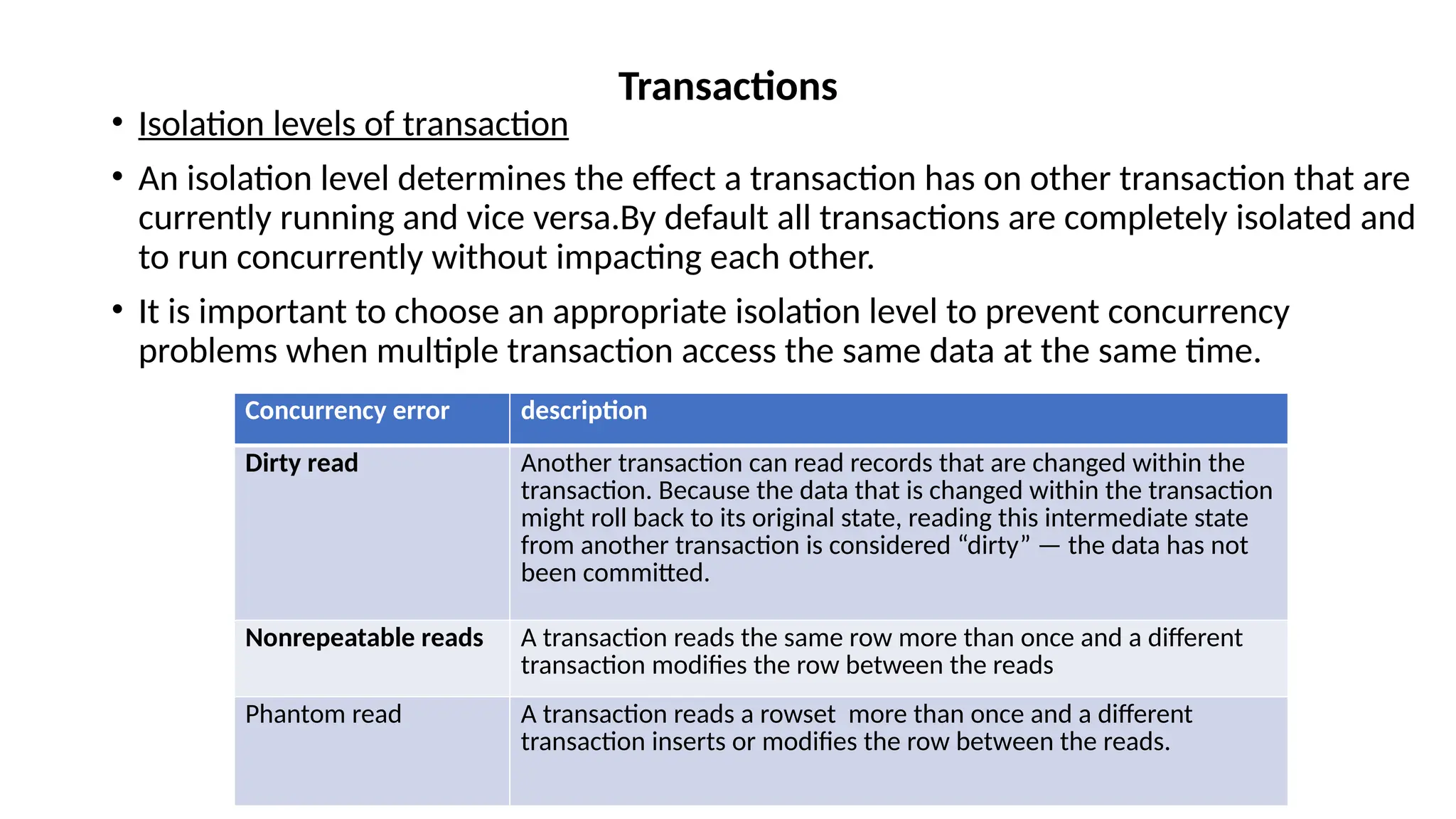
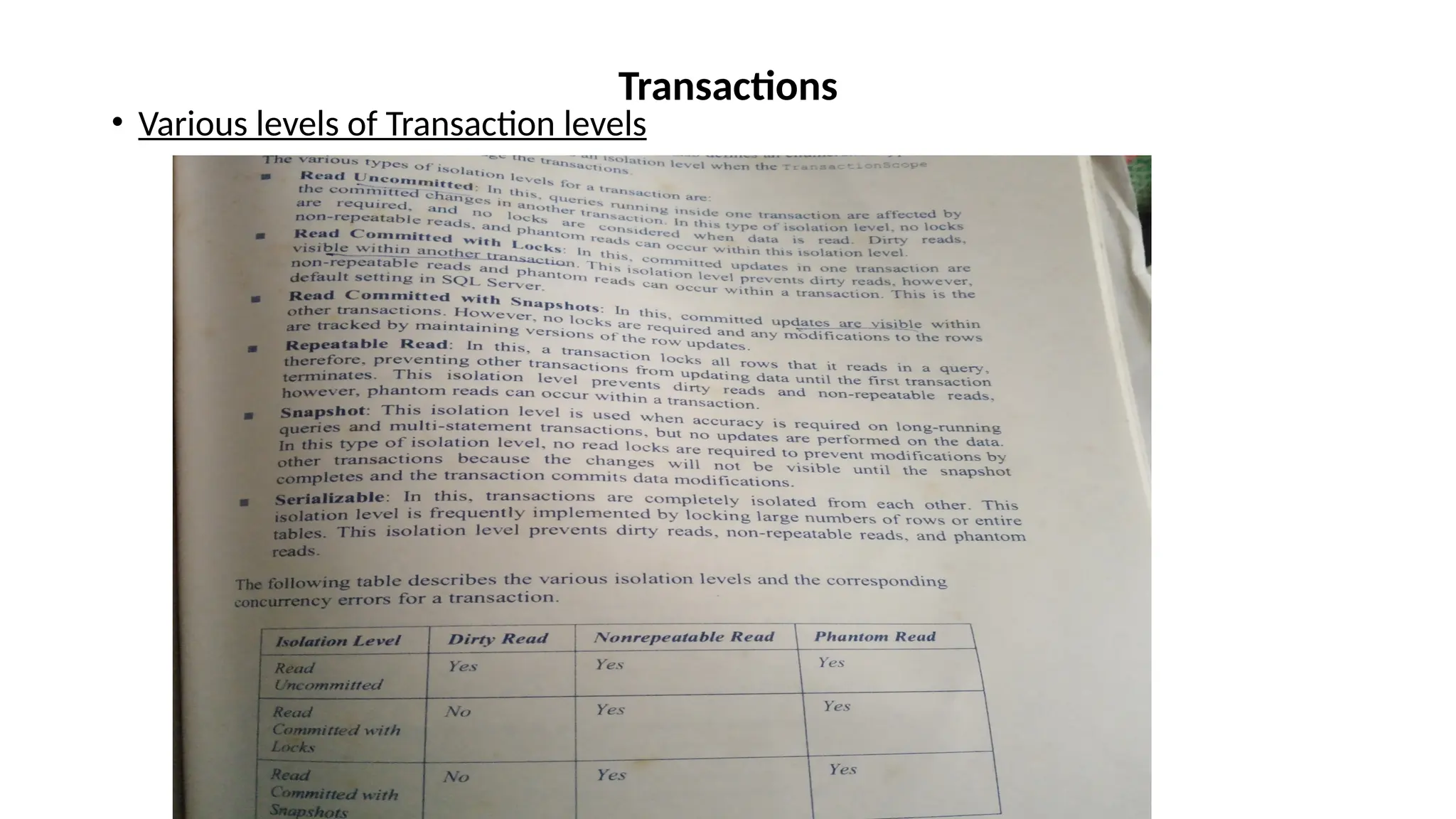
• Isolation levels of transaction
• An isolation level determines the effect a transaction has on other transaction that are
currently running and vice versa.By default all transactions are completely isolated and
to run concurrently without impacting each other.
• It is important to choose an appropriate isolation level to prevent concurrency
problems when multiple transaction access the same data at the same time.
Transactions
Concurrency error description
Dirty read Another transaction can read records that are changed within the
transaction. Because the data that is changed within the transaction
might roll back to its original state, reading this intermediate state
from another transaction is considered “dirty” — the data has not
been committed.
Nonrepeatable reads A transaction reads the same row more than once and a different
transaction modifies the row between the reads
Phantom read A transaction reads a rowset more than once and a different
transaction inserts or modifies the row between the reads.
• Various levels of Transaction levels
Transactions
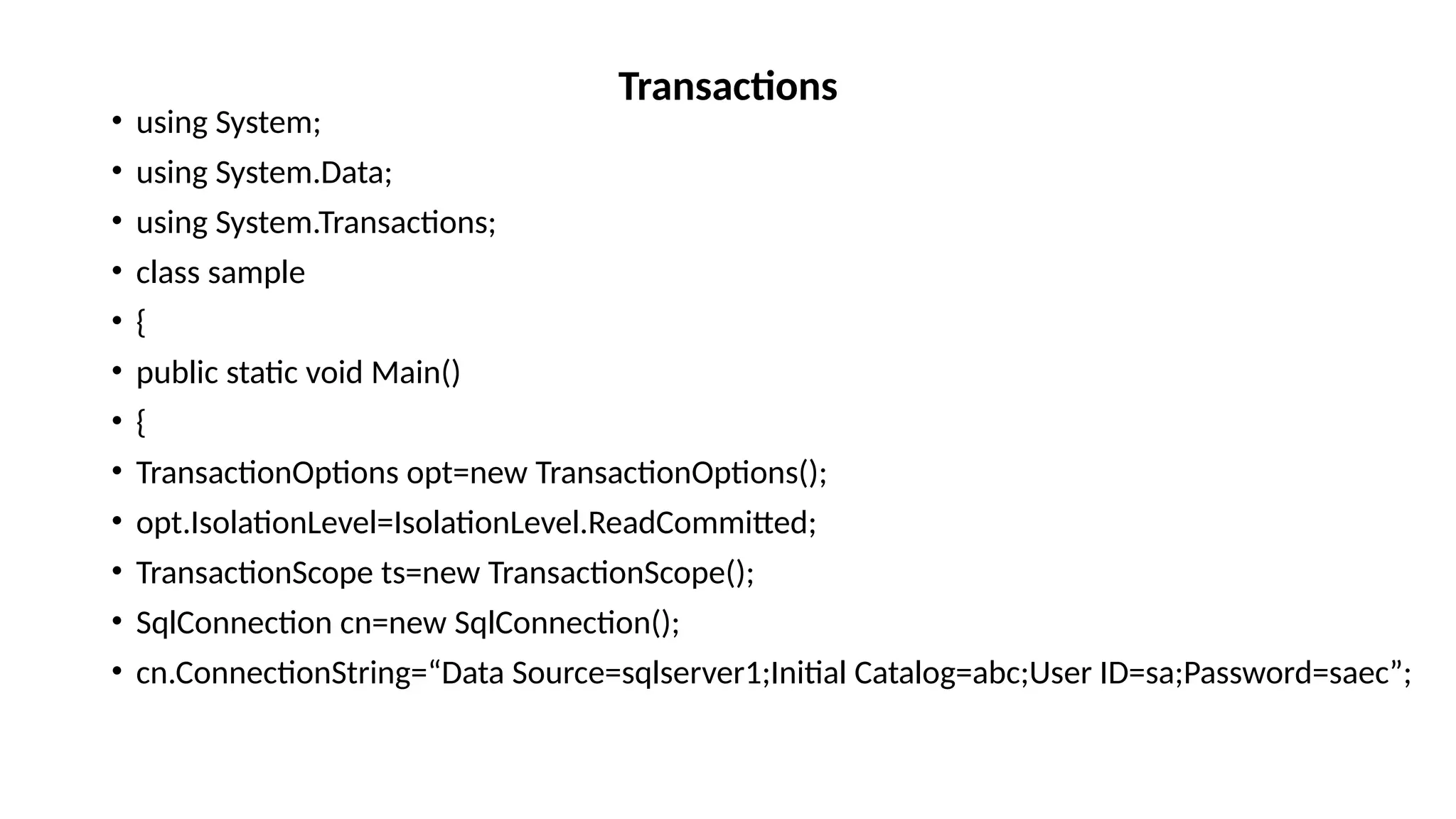
• using System;
• using System.Data;
• using System.Transactions;
• class sample
• {
• public static void Main()
• {
• TransactionOptions opt=new TransactionOptions();
• opt.IsolationLevel=IsolationLevel.ReadCommitted;
• TransactionScope ts=new TransactionScope();
• SqlConnection cn=new SqlConnection();
• cn.ConnectionString=“Data Source=sqlserver1;Initial Catalog=abc;User ID=sa;Password=saec”;
Transactions
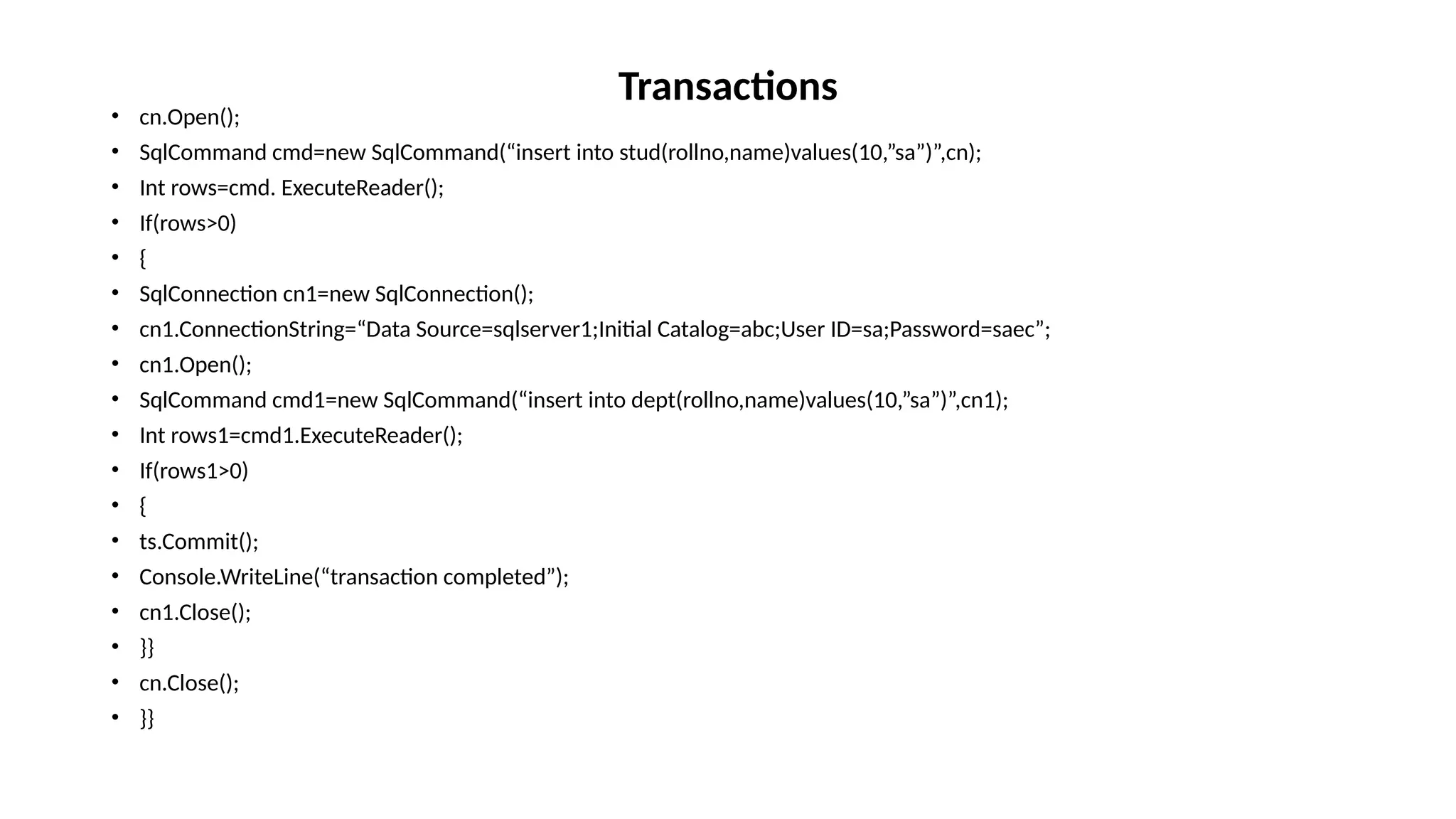
• cn.Open();
• SqlCommand cmd=new SqlCommand(“insert into stud(rollno,name)values(10,”sa”)”,cn);
• Int rows=cmd. ExecuteReader();
• If(rows>0)
• {
• SqlConnection cn1=new SqlConnection();
• cn1.ConnectionString=“Data Source=sqlserver1;Initial Catalog=abc;User ID=sa;Password=saec”;
• cn1.Open();
• SqlCommand cmd1=new SqlCommand(“insert into dept(rollno,name)values(10,”sa”)”,cn1);
• Int rows1=cmd1.ExecuteReader();
• If(rows1>0)
• {
• ts.Commit();
• Console.WriteLine(“transaction completed”);
• cn1.Close();
• }}
• cn.Close();
• }}
Transactions
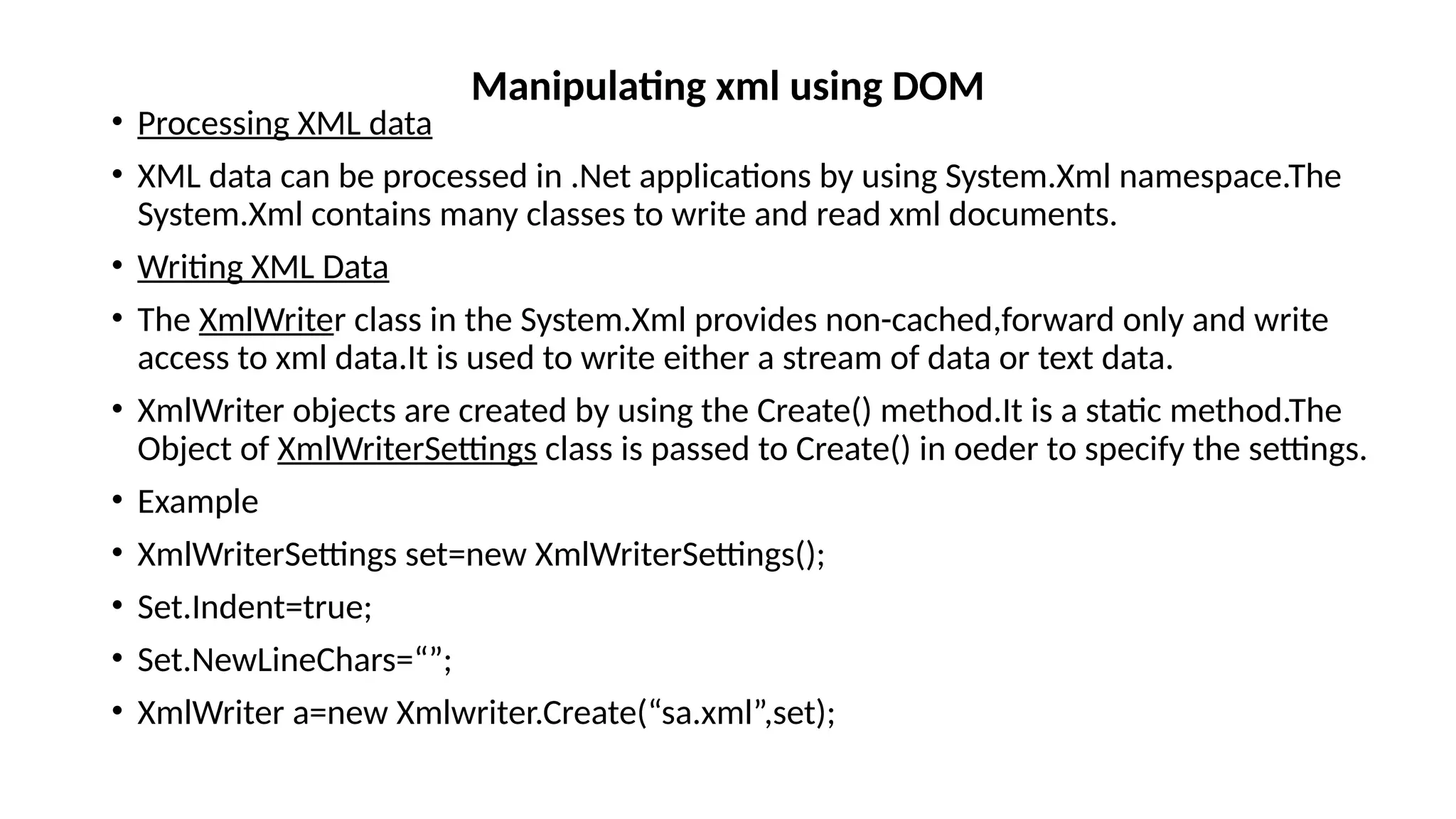
• Processing XML data
• XML data can be processed in .Net applications by using System.Xml namespace.The
System.Xml contains many classes to write and read xml documents.
• Writing XML Data
• The XmlWriter class in the System.Xml provides non-cached,forward only and write
access to xml data.It is used to write either a stream of data or text data.
• XmlWriter objects are created by using the Create() method.It is a static method.The
Object of XmlWriterSettings class is passed to Create() in oeder to specify the settings.
• Example
• XmlWriterSettings set=new XmlWriterSettings();
• Set.Indent=true;
• Set.NewLineChars=“”;
• XmlWriter a=new Xmlwriter.Create(“sa.xml”,set);
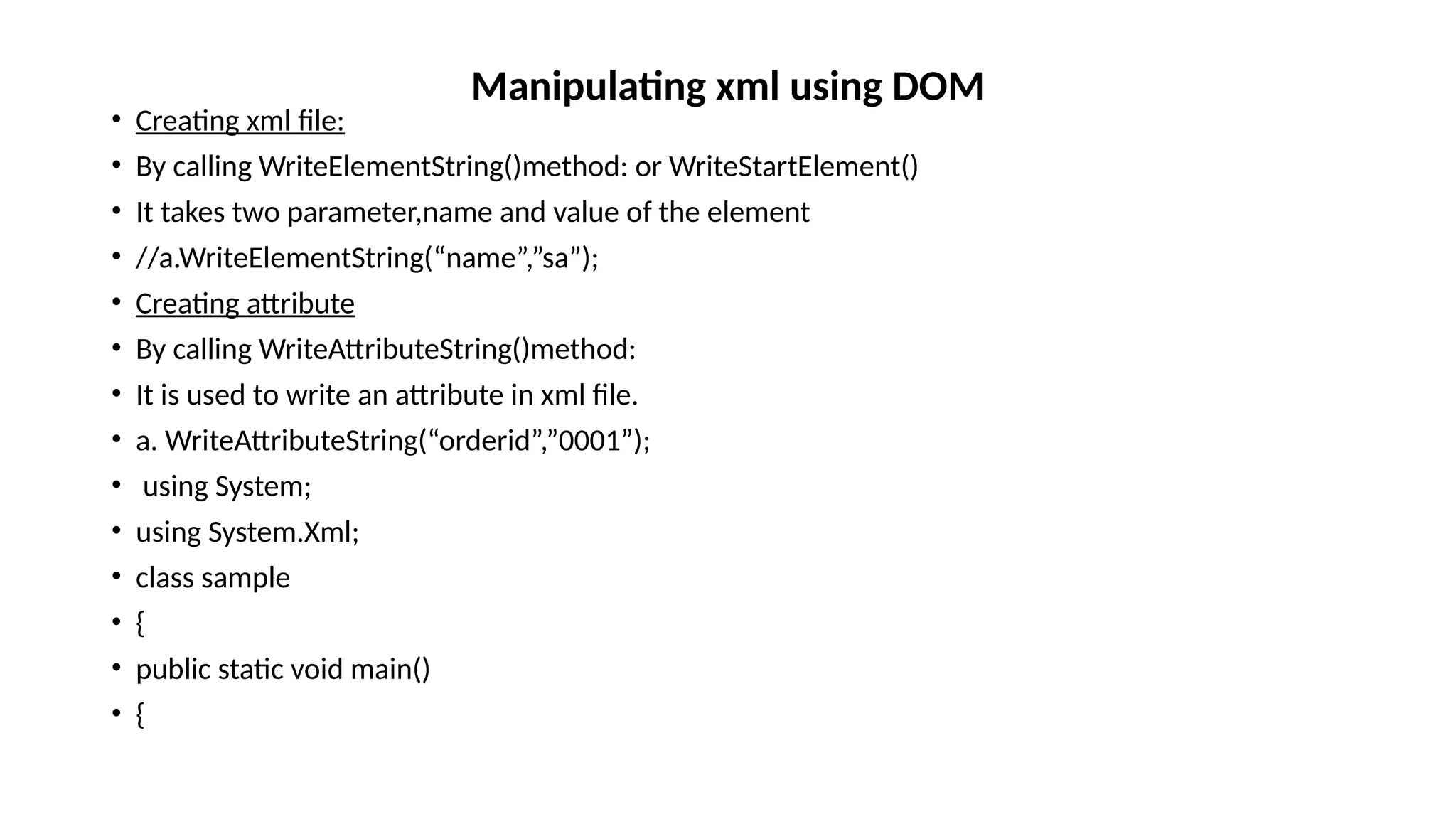
Manipulating xml using DOM
• Creating xml file:
• By calling WriteElementString()method: or WriteStartElement()
• It takes two parameter,name and value of the element
• //a.WriteElementString(“name”,”sa”);
• Creating attribute
• By calling WriteAttributeString()method:
• It is used to write an attribute in xml file.
• a. WriteAttributeString(“orderid”,”0001”);
• using System;
• using System.Xml;
• class sample
• {
• public static void main()
• {
Manipulating xml using DOM
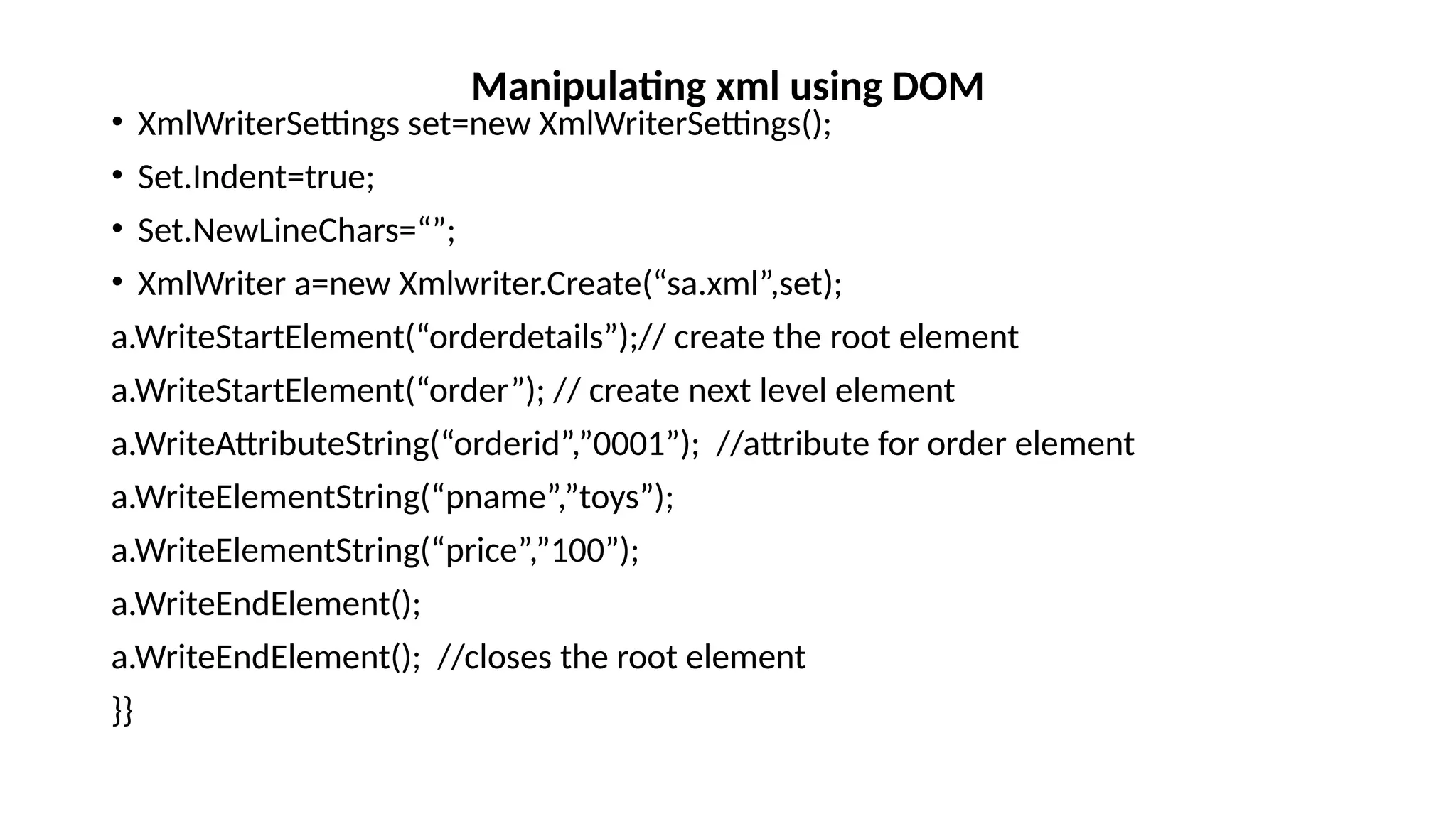
• XmlWriterSettings set=new XmlWriterSettings();
• Set.Indent=true;
• Set.NewLineChars=“”;
• XmlWriter a=new Xmlwriter.Create(“sa.xml”,set);
a.WriteStartElement(“orderdetails”);// create the root element
a.WriteStartElement(“order”); // create next level element
a.WriteAttributeString(“orderid”,”0001”); //attribute for order element
a.WriteElementString(“pname”,”toys”);
a.WriteElementString(“price”,”100”);
a.WriteEndElement();
a.WriteEndElement(); //closes the root element
}}
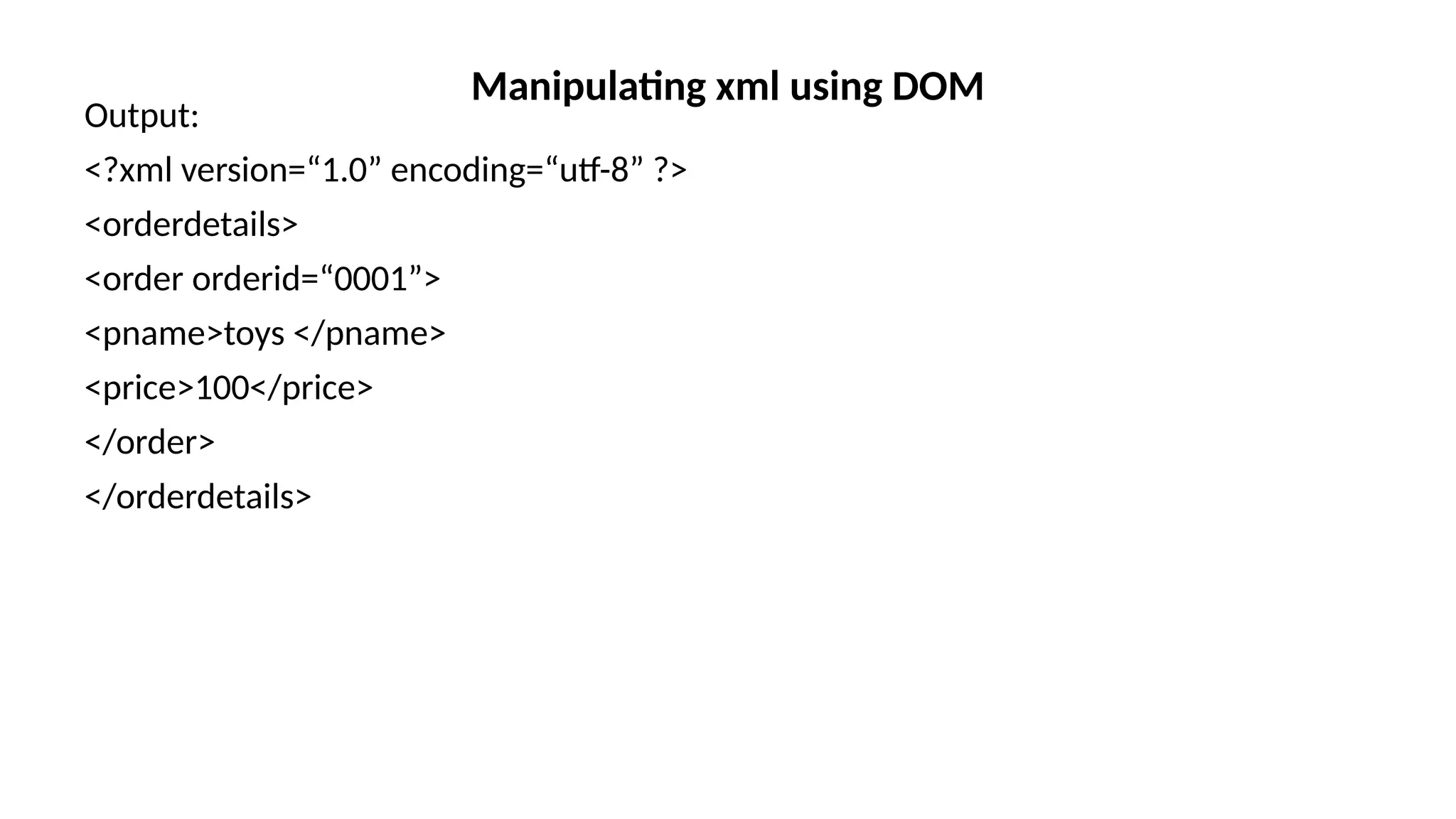
Manipulating xml using DOM
Output:
<?xml version=“1.0” encoding=“utf-8” ?>
<orderdetails>
<order orderid=“0001”>
<pname>toys </pname>
<price>100</price>
</order>
</orderdetails>
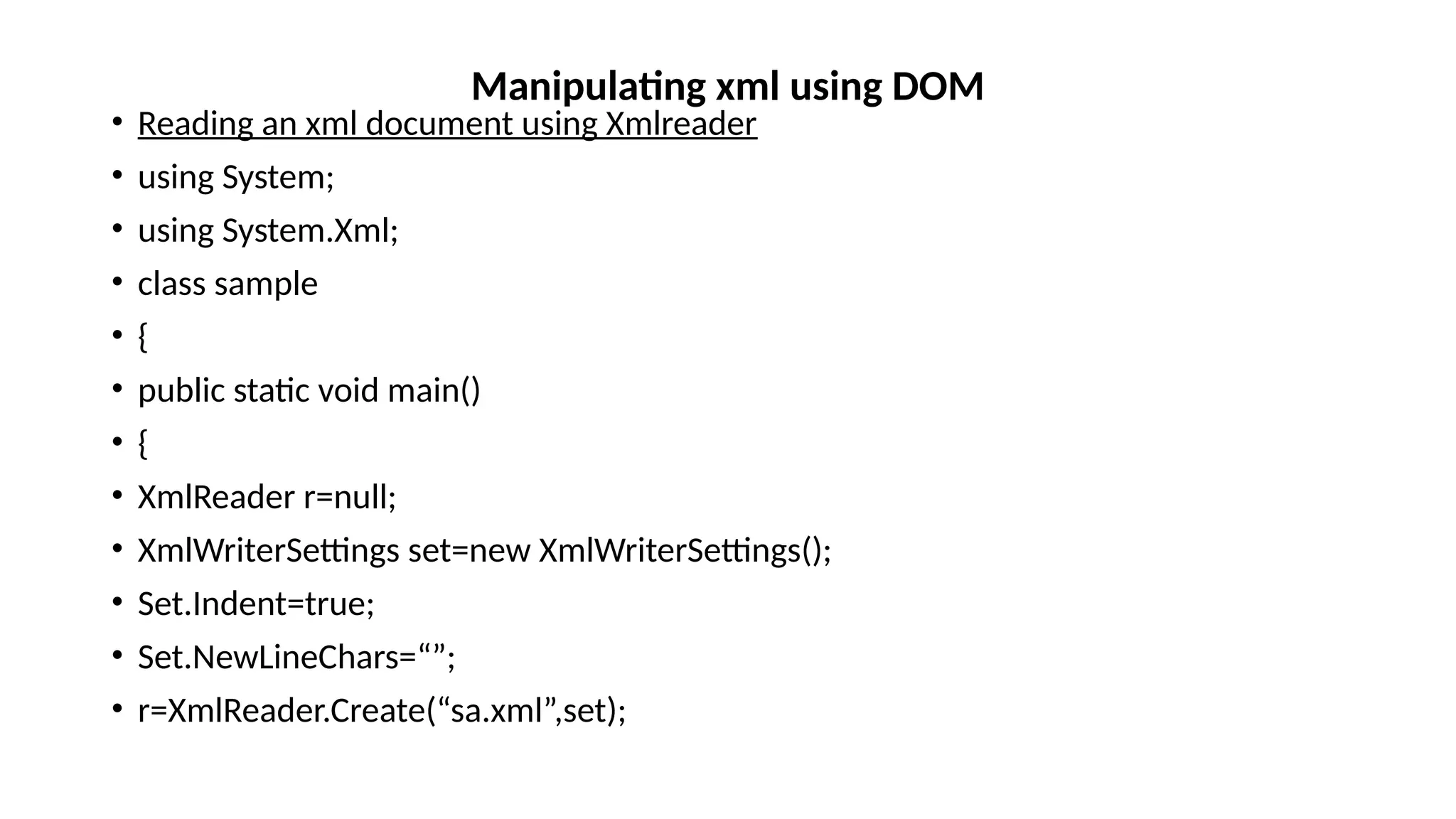
Manipulating xml using DOM
• Reading an xml document using Xmlreader
• using System;
• using System.Xml;
• class sample
• {
• public static void main()
• {
• XmlReader r=null;
• XmlWriterSettings set=new XmlWriterSettings();
• Set.Indent=true;
• Set.NewLineChars=“”;
• r=XmlReader.Create(“sa.xml”,set);
Manipulating xml using DOM
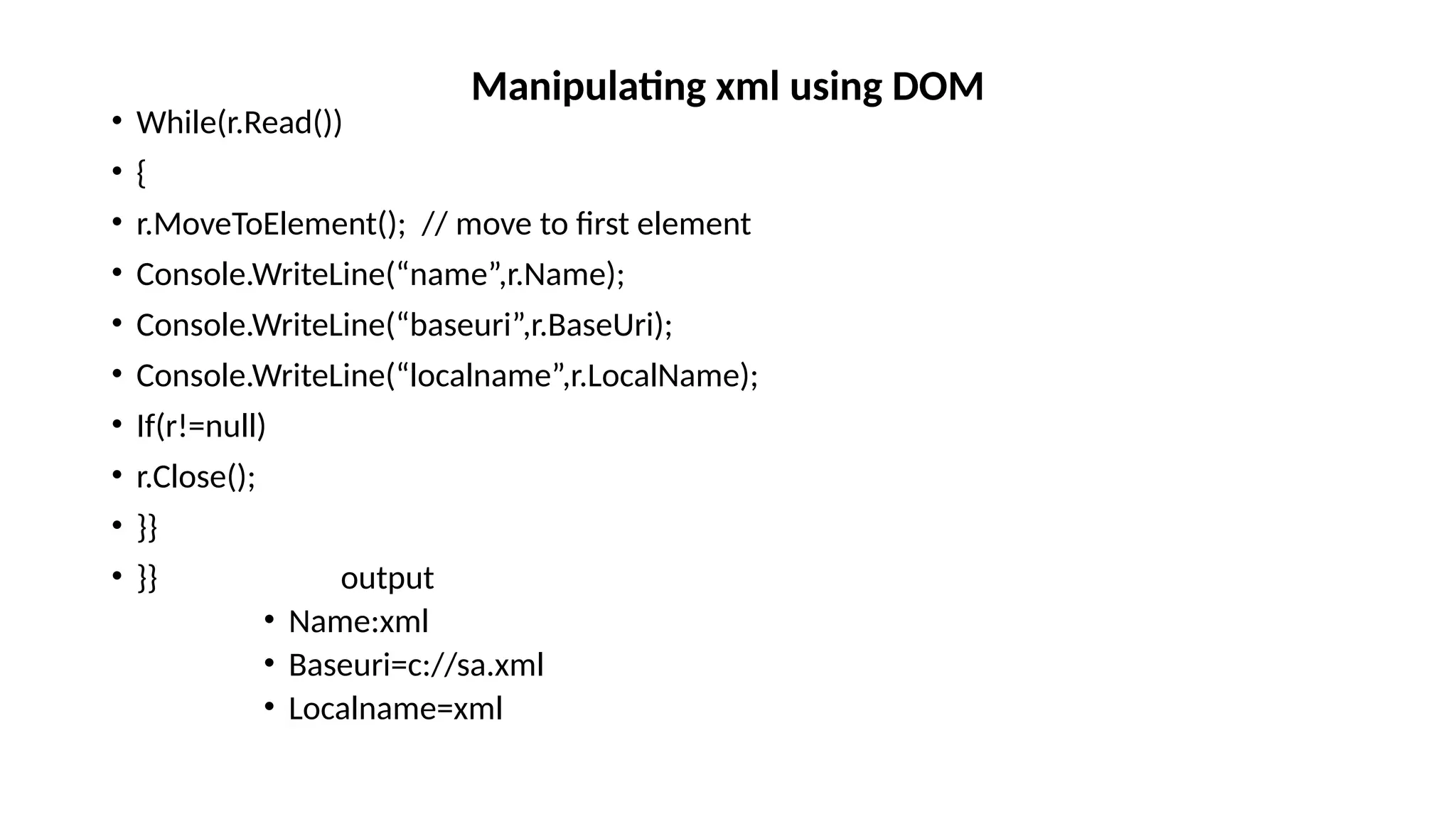
• While(r.Read())
• {
• r.MoveToElement(); // move to first element
• Console.WriteLine(“name”,r.Name);
• Console.WriteLine(“baseuri”,r.BaseUri);
• Console.WriteLine(“localname”,r.LocalName);
• If(r!=null)
• r.Close();
• }}
• }} output
• Name:xml
• Baseuri=c://sa.xml
• Localname=xml
Manipulating xml using DOM
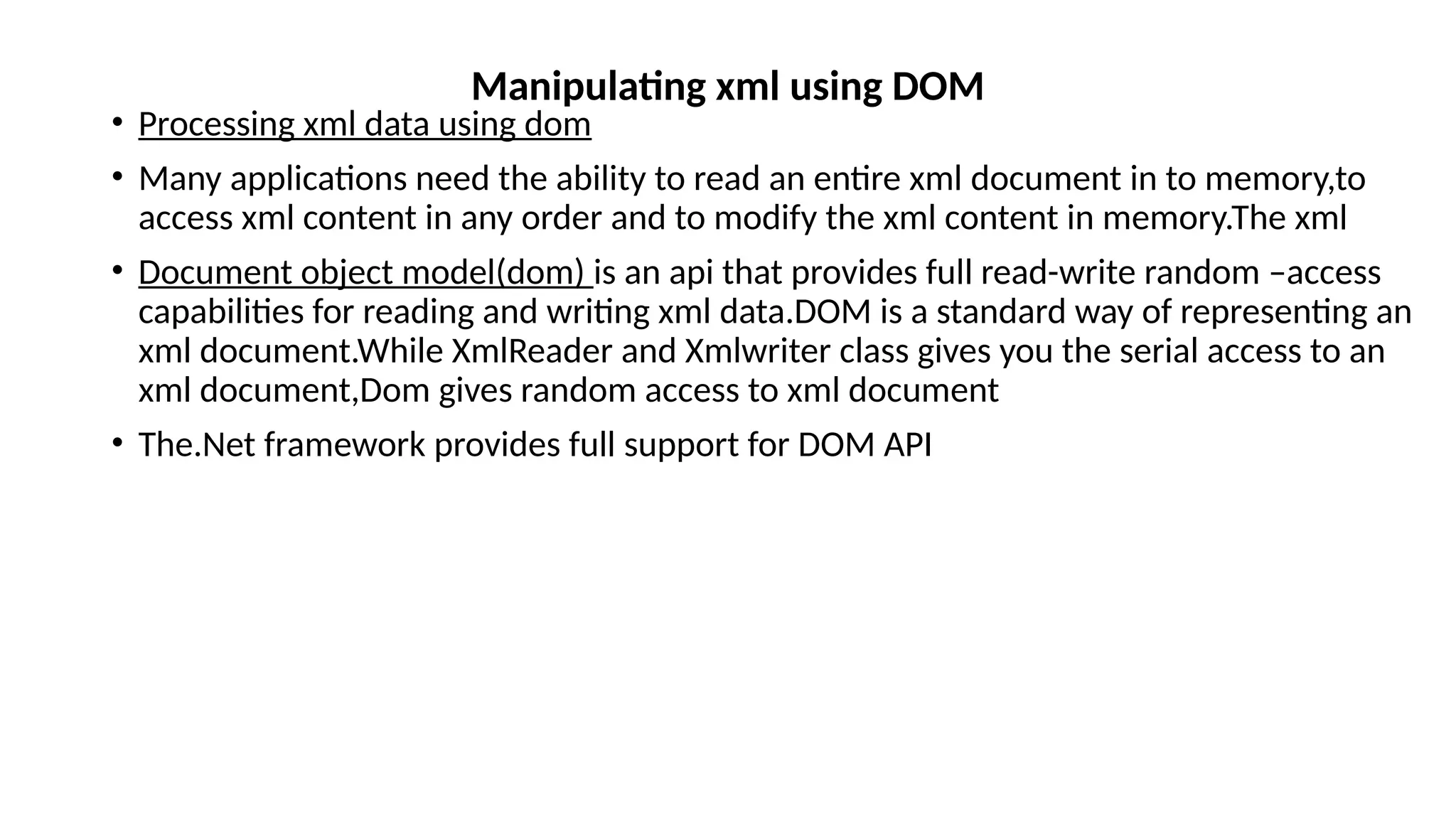
• Processing xml data using dom
• Many applications need the ability to read an entire xml document in to memory,to
access xml content in any order and to modify the xml content in memory.The xml
• Document object model(dom) is an api that provides full read-write random –access
capabilities for reading and writing xml data.DOM is a standard way of representing an
xml document.While XmlReader and Xmlwriter class gives you the serial access to an
xml document,Dom gives random access to xml document
• The.Net framework provides full support for DOM API
Manipulating xml using DOM
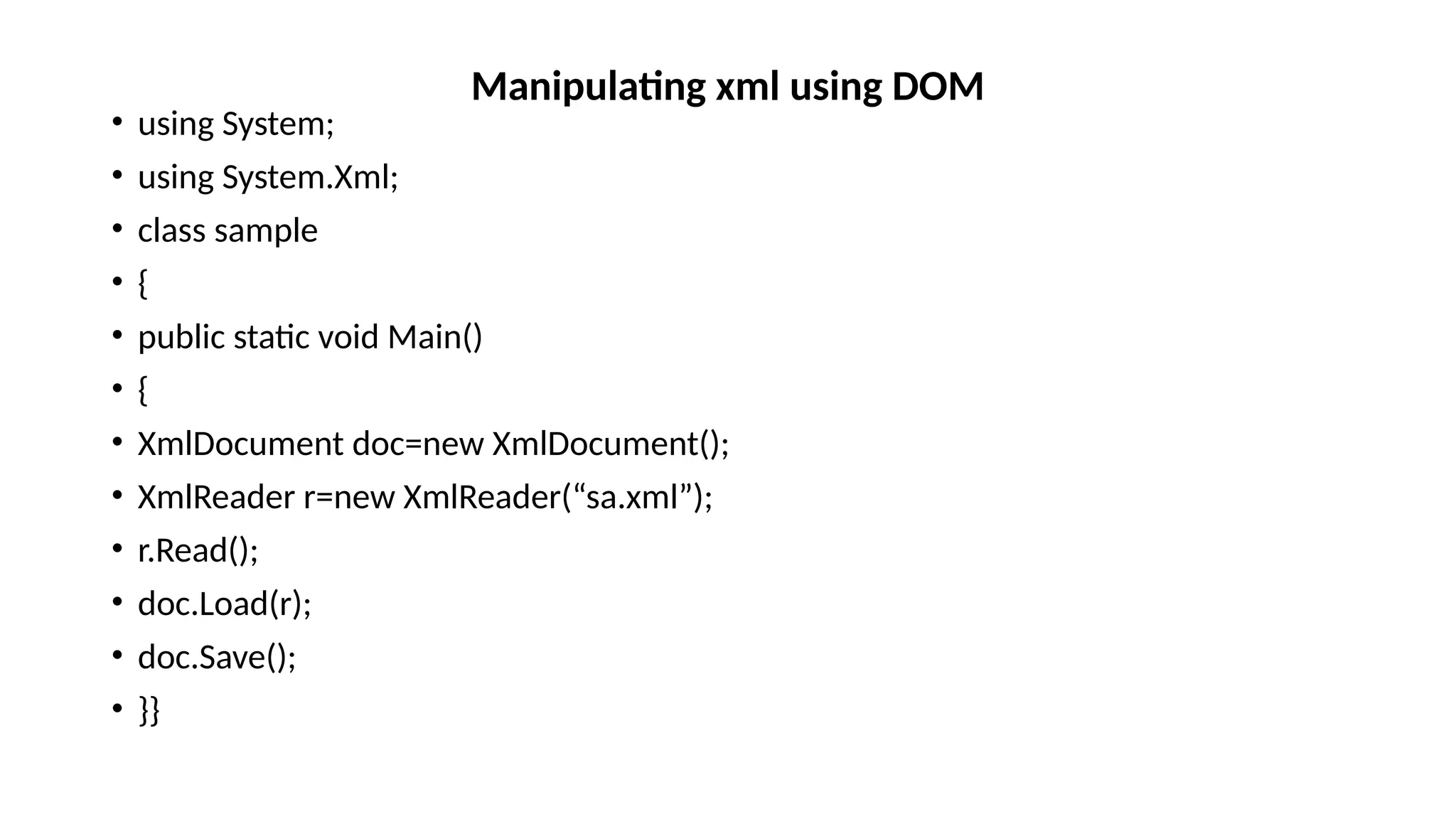
• using System;
• using System.Xml;
• class sample
• {
• public static void Main()
• {
• XmlDocument doc=new XmlDocument();
• XmlReader r=new XmlReader(“sa.xml”);
• r.Read();
• doc.Load(r);
• doc.Save();
• }}
Manipulating xml using DOM
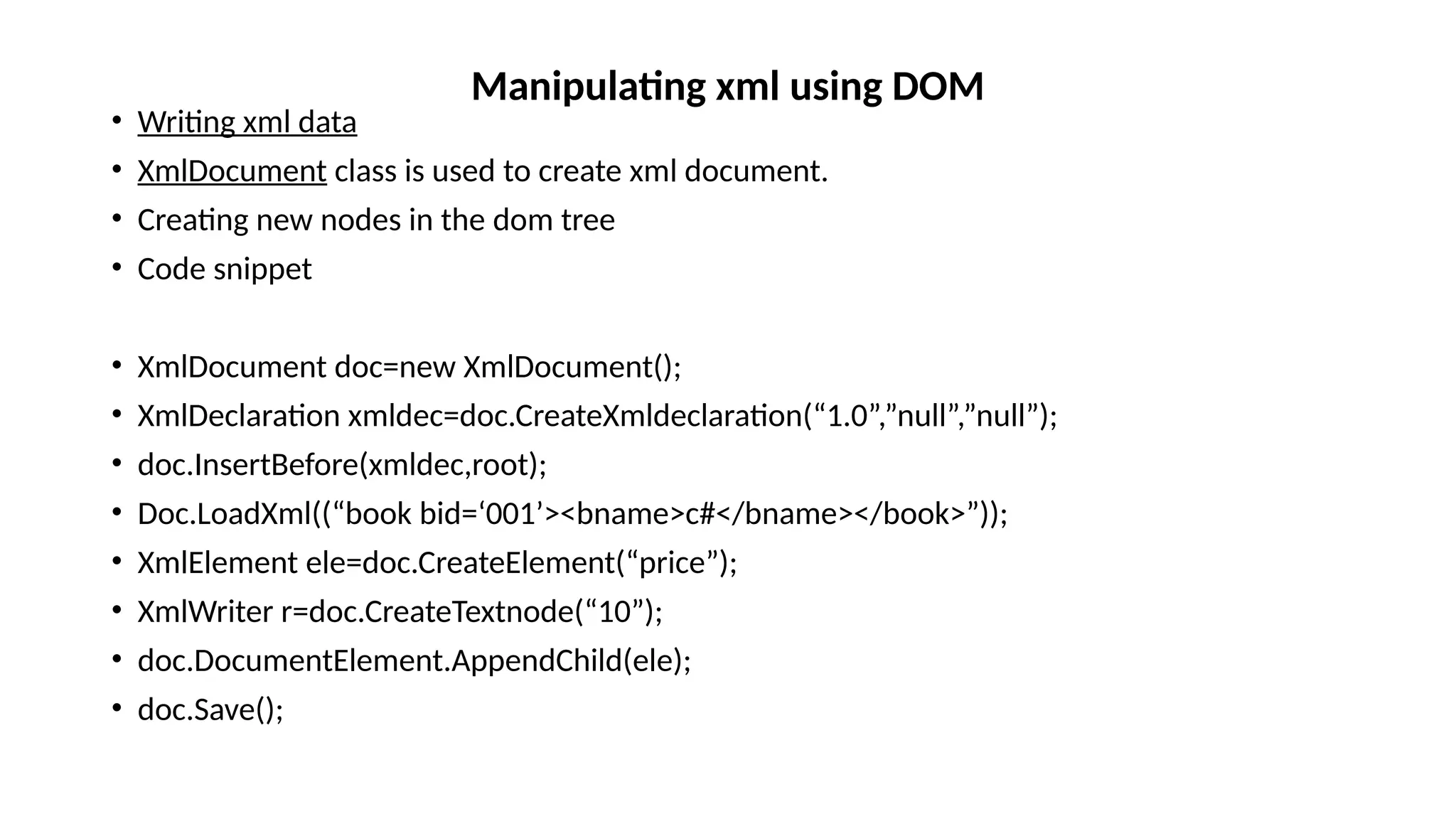
• Writing xml data
• XmlDocument class is used to create xml document.
• Creating new nodes in the dom tree
• Code snippet
• XmlDocument doc=new XmlDocument();
• XmlDeclaration xmldec=doc.CreateXmldeclaration(“1.0”,”null”,”null”);
• doc.InsertBefore(xmldec,root);
• Doc.LoadXml((“book bid=‘001’><bname>c#</bname></book>”));
• XmlElement ele=doc.CreateElement(“price”);
• XmlWriter r=doc.CreateTextnode(“10”);
• doc.DocumentElement.AppendChild(ele);
• doc.Save();
Manipulating xml using DOM

ADO architecture of XML andd Windows form

  • 1.
    • ADO.NET isused as a data access technology.It can be used with all .net framework programming language such as vb.net,vc# and visual c++. • It is a model used by .Net applictaions to communicate with a database for retrieving,accessing and updating data. Sources such as • ADO.Net is based on the standards laid down by the W3C.This model has been designed in such a way that a developer can access and write to a wide variety of data sources as Microsoft Sql server and XML.By using ADO.Net data can be retrieved from one data source and saved in another. • Eg data can be retrieved from MS Excel can be saved as XML document. • Ado-active X data object • System.Data ADO .NET
  • 2.
    • Features ofADO.Net • Disconnected Data architecture: • ADO.Net support disconnected architecture.Applications connect to the database only while retrieving and updating data.After the data is retrieved ,connection with the database is closed.When the databae needs to be updated the connection is re-established.In a disconnected architecture ,database can cater to the needs of several applications simultaneously because the interaction is for a shorter duration. Data cached in Datasets: A dataset is the most common method of accessing data in ADO.Net because it implements a disconnected architecture.Data is stored and retrieved in datasets.You can work with the records stored in a dataset as you work with real data. Scalability: ADO.Net supports scalability by working with datasets.Database operations are performed on the dataset instead of on the database.As a result resources are saved and the database can meet the increasing demands of users more efficiently. ADO .NET
  • 3.
    • Features ofADO.Net • Data transfer in xml format: • XML is the fundamental format for data transfer in ADO.Net.Data is transferred from a database into a dataset and from dataset to another by using xml. ADO .NET
  • 4.
    • The twokey component of the ADO.net object model are: • Data Provider • Dataset Data provider: • In ADO.Net object model,the data residing in a database is retrieved through a dataprovider.The Data provider is a set of components including the connection,command,datareader and dataadapter objects.It provides data to the application and updates the database with the changes made in the application. • The four main types of data provider are: • .Net Framework data provider for SQL Server-to work with sql server • .Net Framework data provider for OLE DB-To support COM technology • .Net Framework data provider for ODBC-It uses odbc driver to enable data access • .Net Framework data provider for oracle-to work with oracle ADO .NET
  • 5.
    • Four Keycomponents of data provider: • Connection:This component is used to establish a connection with a data source such as database • Command:It is used to retrieve,insert,delete or modify data in a data source • Datareader:It is used to retrieve data from a datasource in a read-only and forward only.Read-only means that the records of the table cannot be updated.Forward-only means that you cannot traverse back to the previous records of the table. • Data adapter:It is used to transfer data to and from a database.a data adapter retrieves dta from a database in to a dataset. ADO .NET
  • 6.
    • Dataset: • ADataset is present in the DataSet class in the System.Data namespace. • The dataset is a memory based relational representations of data.A dataset is a part of the disconnected architecture. • There are two types of Dataset • Typed Dataset: • A typed dataset is derived from the Dataset class and has an associated XML schema which is created at the time of the creation the dataset.The XML schema contains information about the dataset such as the tables,columns and rows. • Untyped Dataset: • A untyped dataset is derived from the Dataset class and does not have an associated XML schema.In an untyped dataset the tables and columns are represented as collections. ADO .NET
  • 7.
    • The keycomponent of dataset are: • DataTableCollection:It contains all the tables retrieved from the datasource. • DataRelationCollection:It contains the relationship and links between tables in a dataset • DataTable:It represents a table in the datatable • DataRowCollection:It contains all the rows in the datatable • DataColumnCollection:It contains all the columns in the datatable An application can access data either through a dataset or datareader object: Using a dataset:Data is cached in a dataset and the application accesses the data from the dataset Using a datareader:It is a component of the dataprovider uses the connection object to connect to DB and uses command object to retrieve data ADO .NET
  • 8.
    • Creating andmanaging connections • In order to perform these tasks you need to perform the following steps: • Create a connection object • Create a command object • Open the connection object • Execute the SQl statements in the command object • Close the connection object • Creating a connection object: • SqlConection class is used to open the connection ADO .NET name description ConnectionString It provides information such as datasource and database name to establish connection Open() Opens the connection Close() Close the connection
  • 9.
    • SqlConection classis used to open the connection.Connectionstring property has the following parameters ADO .NET name description Provider It is used to set or return the name of the provider for the connection Initial Catalog Specify the name of the database Data Source Name of the server to be used when a connection is open User ID Server login account Password Login password Integrated Security It is used to determine whether or not the connection needs to be a secure connection.when false userid and password are specified in the connection.When true current windows account credentials are used for authentications
  • 10.
    • using System; •using System.Data; • class sample • { • public static void Main() • { • public void print() • { • SqlConnection cn=new SqlConnection(); • cn.ConnectionString=“Data Source=sqlserver1;Initial Catalog=abc;User ID=sa;Password=saec”; ADO .NET
  • 11.
    • cn.Open(); • SqlCommandcmd=new SqlCommand(“select * from stud”,cn); • SqlDataReader reader=cmd. ExecuteReader(); • While(Reader.Read()) • { • Console.WriteLine(“rollno,name”,reader[0],reader[1]); • } • cn.Close(); • }} ADO .NET
  • 12.
    • A transactionis a logical unit of work that must be completed to maintain the consistency and integrity of a database. • Transactions are managed and coordinated by the transaction manager, and a resource manager manages every resource that influences the outcome of the transaction. The transaction manager communicates with resource managers to define the outcome of the transaction. Transactions
  • 13.
  • 14.
  • 15.
    • Types ofTransaction: • Local Transactions:A local transaction is performed on a single datasource.It is created and managed within the System.Transactions. • Distributed Transactions:A distributed transaction is performed on multiple data sources.distributed transactions are also performed on multiple connections to a datasource. • To perform a local transaction,call the BeginTransaction() method.After this execute a command within a transaction.If all commands using the same transaction succeed the commit() method is called on the transaction object to commit the transaction.If command fails,Rollback() is called. Transactions
  • 16.
    • using System; •using System.Data; • using System.Transactions; • using System.SystemExceptions; • class sample • { • public static void Main() • { • SqlConnection cn=new SqlConnection(); • cn.ConnectionString=“Data Source=sqlserver1;Initial Catalog=abc;User ID=sa;Password=saec”; Transactions
  • 17.
    • cn.Open(); • SqlTransctiontran=null; • try • { • tran=cn.BeginTransaction(); • SqlCommand cmd=new SqlCommand(“select * from stud”,cn,tran); • SqlDataReader reader=cmd. ExecuteReader(); • tran.Commit(); • Console.WriteLine(“transaction completed”); • } • catch(SqlException ex) • { • tran.Rollback(); • } • cn.Close(); • }} Transactions
  • 18.
    • Distributed Transaction •Consider a situation where a connection to a database is opened and transaction has been performed within that connection.Now if you want to perform another transaction on the same connection it will throw an exception error.this problem can be solved distributed transactions • The System.Transaction namespace has a TransactionScope class which allows to create distributed transaction.Transactionscope object decides whether to create a local or distributed transaction.This is known as transaction promotion Transactions
  • 19.
    • using System; •using System.Data; • using System.Transactions; • class sample • { • public static void Main() • { • TransactionScope ts=new TransactionScope(); • SqlConnection cn=new SqlConnection(); • cn.ConnectionString=“Data Source=sqlserver1;Initial Catalog=abc;User ID=sa;Password=saec”; Transactions
  • 20.
    • cn.Open(); • SqlCommandcmd=new SqlCommand(“insert into stud(rollno,name)values(10,”sa”)”,cn); • Int rows=cmd. ExecuteReader(); • If(rows>0) • { • SqlConnection cn1=new SqlConnection(); • cn1.ConnectionString=“Data Source=sqlserver1;Initial Catalog=abc;User ID=sa;Password=saec”; • cn1.Open(); • SqlCommand cmd1=new SqlCommand(“insert into dept(rollno,name)values(10,”sa”)”,cn1); • Int rows1=cmd1.ExecuteReader(); • If(rows1>0) • { • ts.Commit(); • Console.WriteLine(“transaction completed”); • cn1.Close(); • }} • cn.Close(); • }} Transactions
  • 21.
    • Isolation levelsof transaction • An isolation level determines the effect a transaction has on other transaction that are currently running and vice versa.By default all transactions are completely isolated and to run concurrently without impacting each other. • It is important to choose an appropriate isolation level to prevent concurrency problems when multiple transaction access the same data at the same time. Transactions Concurrency error description Dirty read Another transaction can read records that are changed within the transaction. Because the data that is changed within the transaction might roll back to its original state, reading this intermediate state from another transaction is considered “dirty” — the data has not been committed. Nonrepeatable reads A transaction reads the same row more than once and a different transaction modifies the row between the reads Phantom read A transaction reads a rowset more than once and a different transaction inserts or modifies the row between the reads.
  • 22.
    • Various levelsof Transaction levels Transactions
  • 23.
    • using System; •using System.Data; • using System.Transactions; • class sample • { • public static void Main() • { • TransactionOptions opt=new TransactionOptions(); • opt.IsolationLevel=IsolationLevel.ReadCommitted; • TransactionScope ts=new TransactionScope(); • SqlConnection cn=new SqlConnection(); • cn.ConnectionString=“Data Source=sqlserver1;Initial Catalog=abc;User ID=sa;Password=saec”; Transactions
  • 24.
    • cn.Open(); • SqlCommandcmd=new SqlCommand(“insert into stud(rollno,name)values(10,”sa”)”,cn); • Int rows=cmd. ExecuteReader(); • If(rows>0) • { • SqlConnection cn1=new SqlConnection(); • cn1.ConnectionString=“Data Source=sqlserver1;Initial Catalog=abc;User ID=sa;Password=saec”; • cn1.Open(); • SqlCommand cmd1=new SqlCommand(“insert into dept(rollno,name)values(10,”sa”)”,cn1); • Int rows1=cmd1.ExecuteReader(); • If(rows1>0) • { • ts.Commit(); • Console.WriteLine(“transaction completed”); • cn1.Close(); • }} • cn.Close(); • }} Transactions
  • 25.
    • Processing XMLdata • XML data can be processed in .Net applications by using System.Xml namespace.The System.Xml contains many classes to write and read xml documents. • Writing XML Data • The XmlWriter class in the System.Xml provides non-cached,forward only and write access to xml data.It is used to write either a stream of data or text data. • XmlWriter objects are created by using the Create() method.It is a static method.The Object of XmlWriterSettings class is passed to Create() in oeder to specify the settings. • Example • XmlWriterSettings set=new XmlWriterSettings(); • Set.Indent=true; • Set.NewLineChars=“”; • XmlWriter a=new Xmlwriter.Create(“sa.xml”,set); Manipulating xml using DOM
  • 26.
    • Creating xmlfile: • By calling WriteElementString()method: or WriteStartElement() • It takes two parameter,name and value of the element • //a.WriteElementString(“name”,”sa”); • Creating attribute • By calling WriteAttributeString()method: • It is used to write an attribute in xml file. • a. WriteAttributeString(“orderid”,”0001”); • using System; • using System.Xml; • class sample • { • public static void main() • { Manipulating xml using DOM
  • 27.
    • XmlWriterSettings set=newXmlWriterSettings(); • Set.Indent=true; • Set.NewLineChars=“”; • XmlWriter a=new Xmlwriter.Create(“sa.xml”,set); a.WriteStartElement(“orderdetails”);// create the root element a.WriteStartElement(“order”); // create next level element a.WriteAttributeString(“orderid”,”0001”); //attribute for order element a.WriteElementString(“pname”,”toys”); a.WriteElementString(“price”,”100”); a.WriteEndElement(); a.WriteEndElement(); //closes the root element }} Manipulating xml using DOM
  • 28.
    Output: <?xml version=“1.0” encoding=“utf-8”?> <orderdetails> <order orderid=“0001”> <pname>toys </pname> <price>100</price> </order> </orderdetails> Manipulating xml using DOM
  • 29.
    • Reading anxml document using Xmlreader • using System; • using System.Xml; • class sample • { • public static void main() • { • XmlReader r=null; • XmlWriterSettings set=new XmlWriterSettings(); • Set.Indent=true; • Set.NewLineChars=“”; • r=XmlReader.Create(“sa.xml”,set); Manipulating xml using DOM
  • 30.
    • While(r.Read()) • { •r.MoveToElement(); // move to first element • Console.WriteLine(“name”,r.Name); • Console.WriteLine(“baseuri”,r.BaseUri); • Console.WriteLine(“localname”,r.LocalName); • If(r!=null) • r.Close(); • }} • }} output • Name:xml • Baseuri=c://sa.xml • Localname=xml Manipulating xml using DOM
  • 31.
    • Processing xmldata using dom • Many applications need the ability to read an entire xml document in to memory,to access xml content in any order and to modify the xml content in memory.The xml • Document object model(dom) is an api that provides full read-write random –access capabilities for reading and writing xml data.DOM is a standard way of representing an xml document.While XmlReader and Xmlwriter class gives you the serial access to an xml document,Dom gives random access to xml document • The.Net framework provides full support for DOM API Manipulating xml using DOM
  • 32.
    • using System; •using System.Xml; • class sample • { • public static void Main() • { • XmlDocument doc=new XmlDocument(); • XmlReader r=new XmlReader(“sa.xml”); • r.Read(); • doc.Load(r); • doc.Save(); • }} Manipulating xml using DOM
  • 33.
    • Writing xmldata • XmlDocument class is used to create xml document. • Creating new nodes in the dom tree • Code snippet • XmlDocument doc=new XmlDocument(); • XmlDeclaration xmldec=doc.CreateXmldeclaration(“1.0”,”null”,”null”); • doc.InsertBefore(xmldec,root); • Doc.LoadXml((“book bid=‘001’><bname>c#</bname></book>”)); • XmlElement ele=doc.CreateElement(“price”); • XmlWriter r=doc.CreateTextnode(“10”); • doc.DocumentElement.AppendChild(ele); • doc.Save(); Manipulating xml using DOM