Native API Deep Dive: Data Storage
and Retrieval
JAM819
Alan Wong (@alanhhwong)
Ranbijay Kumar (@Ranbijay)
November 29-30, 2012
Files and File System
Not as boring as it sounds!
2
Data, Data, and more Data
No big surprise:
 Apps need data
 It’s like food for your app!
 Cascades and native applications have
many options for storing and retrieving data
Surprise:
 We’ve got Perimeters to Consider (Spoiler Alert)
3
Files vs. Databases
Apps have the ability to:
 Read and write to/from the file system
 Create files and folders
 Create databases
 Make database queries
 Retrieve data from a server on a network
4
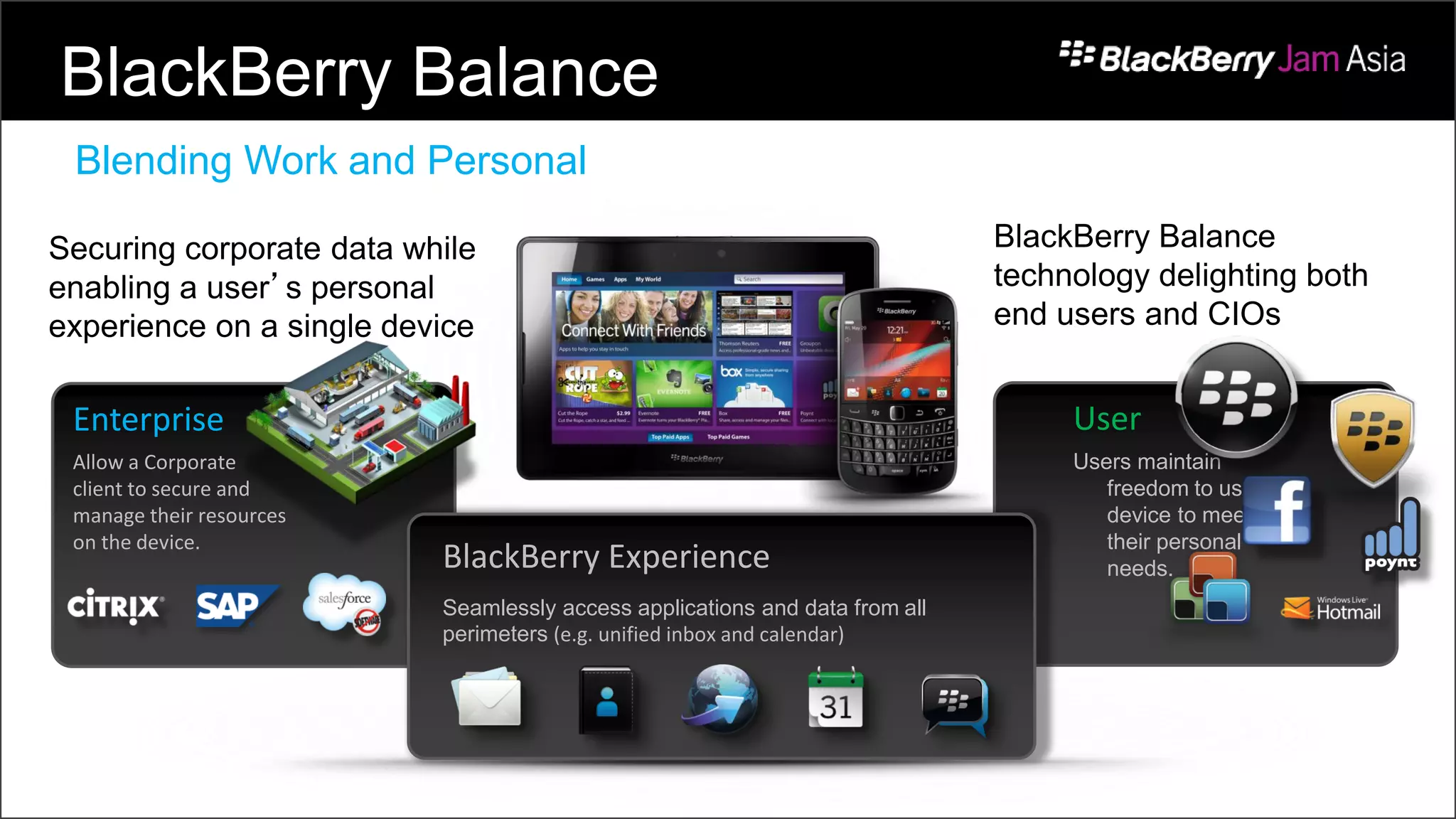
Enterprise
Allow a Corporate
client to secure and
manage their resources
on the device.
User
Users maintain
freedom to use
device to meet
their personal
needs.BlackBerry Experience
Seamlessly access applications and data from all
perimeters (e.g. unified inbox and calendar)
Securing corporate data while
enabling a user’s personal
experience on a single device
BlackBerry Balance
technology delighting both
end users and CIOs
BlackBerry Balance
Blending Work and Personal
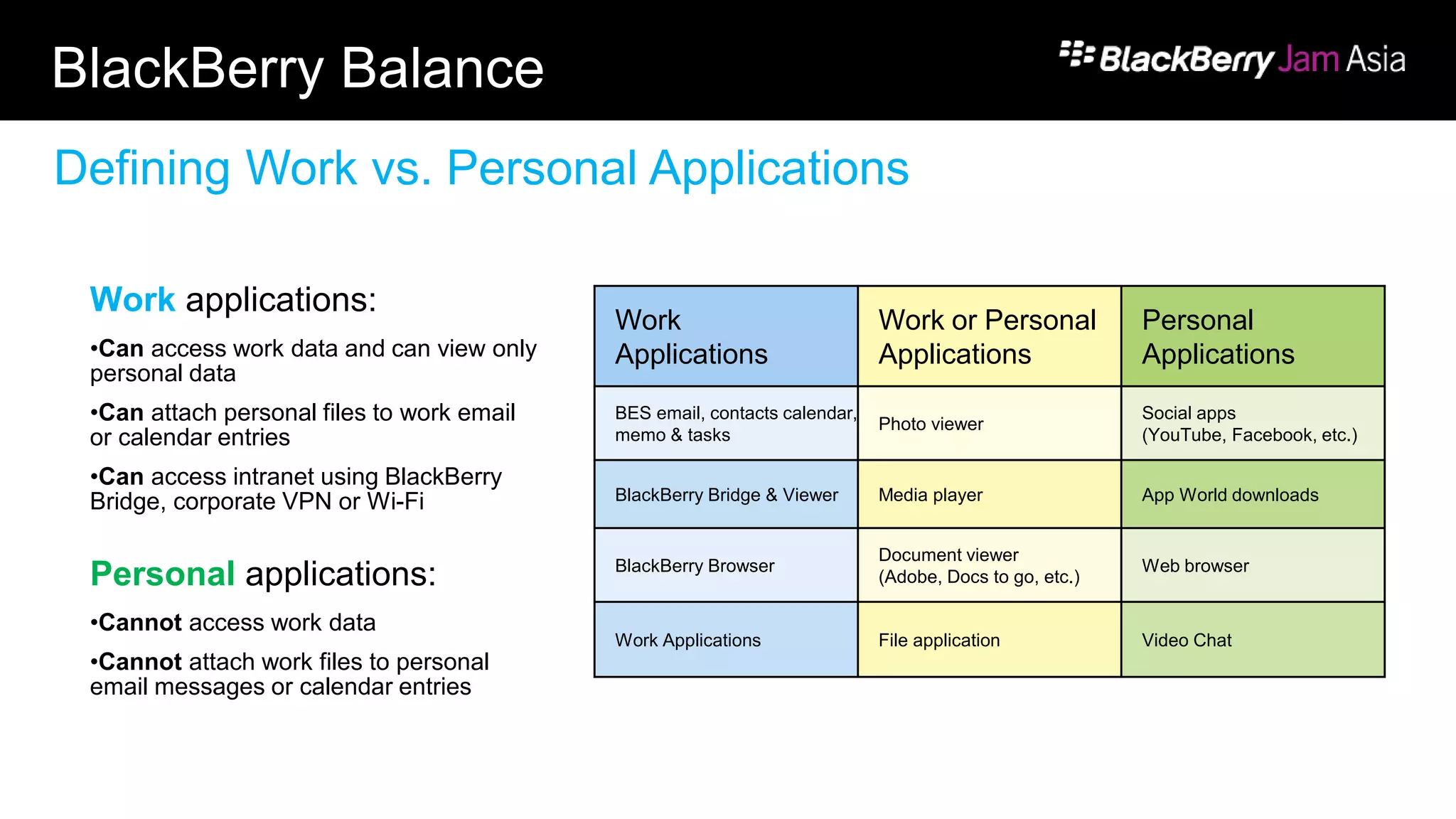
BlackBerry Balance
Work applications:
•Can access work data and can view only
personal data
•Can attach personal files to work email
or calendar entries
•Can access intranet using BlackBerry
Bridge, corporate VPN or Wi-Fi
Personal applications:
•Cannot access work data
•Cannot attach work files to personal
email messages or calendar entries
Work
Applications
Work or Personal
Applications
Personal
Applications
BES email, contacts calendar,
memo & tasks
Photo viewer
Social apps
(YouTube, Facebook, etc.)
BlackBerry Bridge & Viewer Media player App World downloads
BlackBerry Browser
Document viewer
(Adobe, Docs to go, etc.)
Web browser
Work Applications File application Video Chat
Defining Work vs. Personal Applications
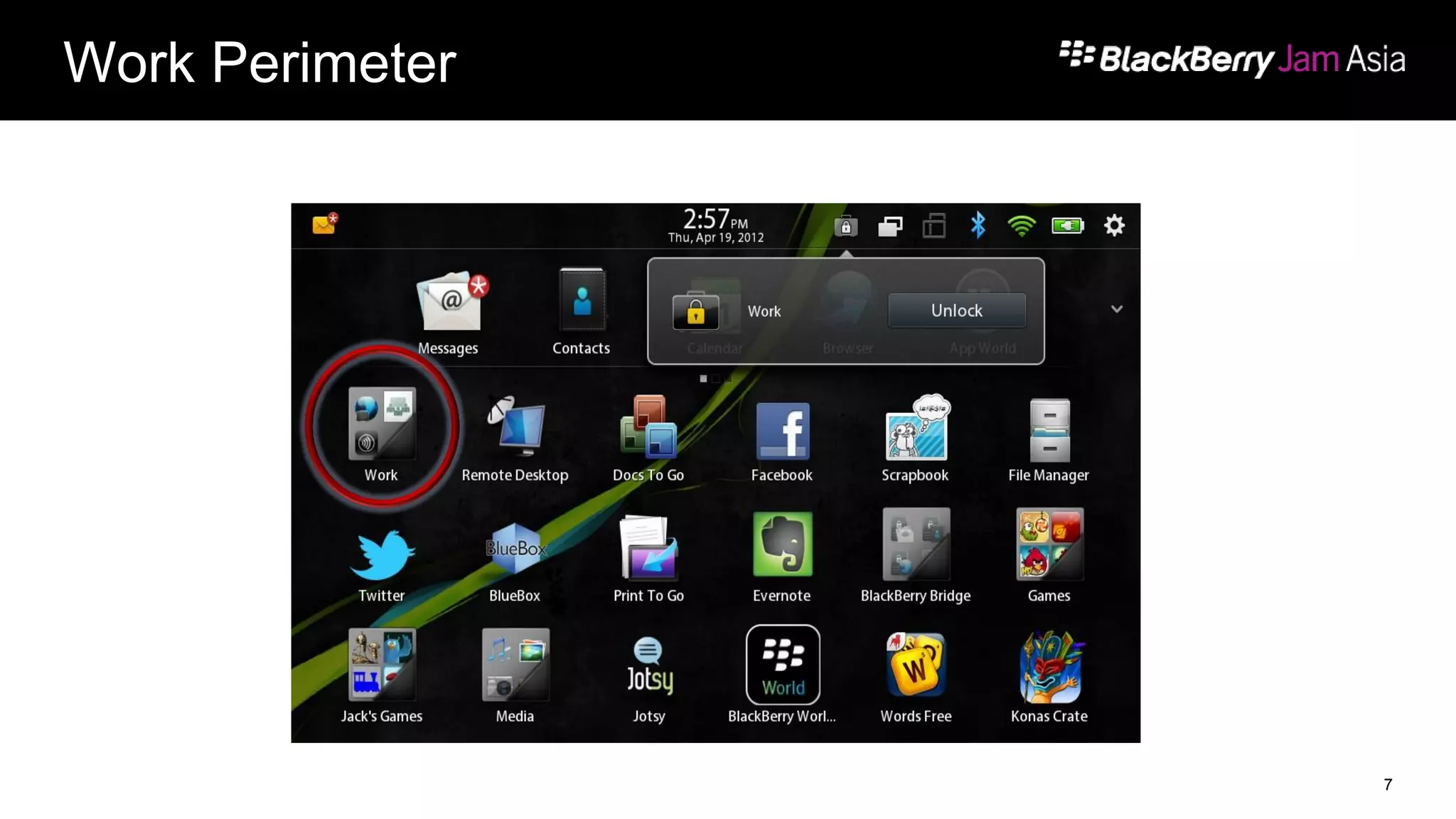
Work Perimeter
7
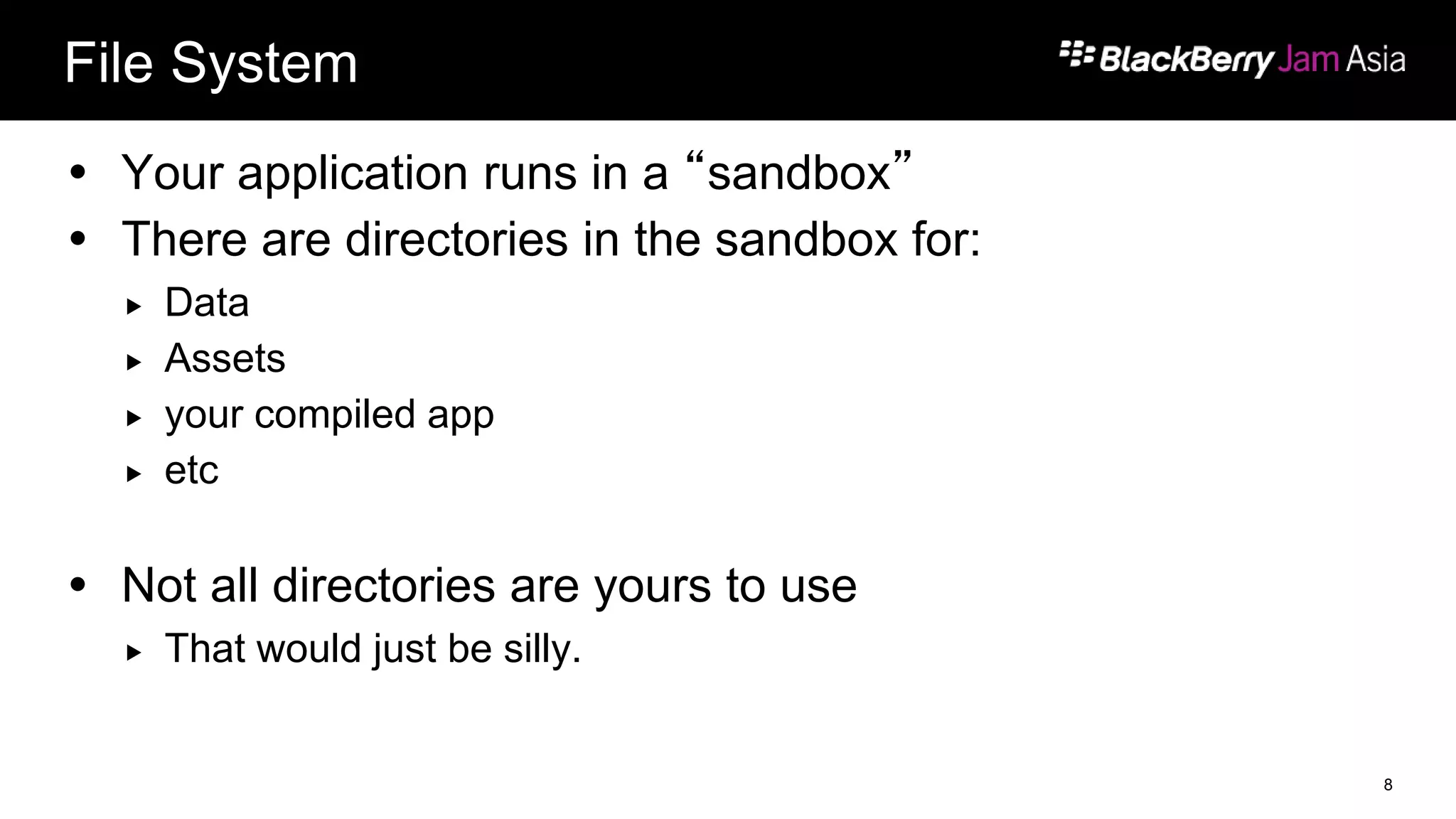
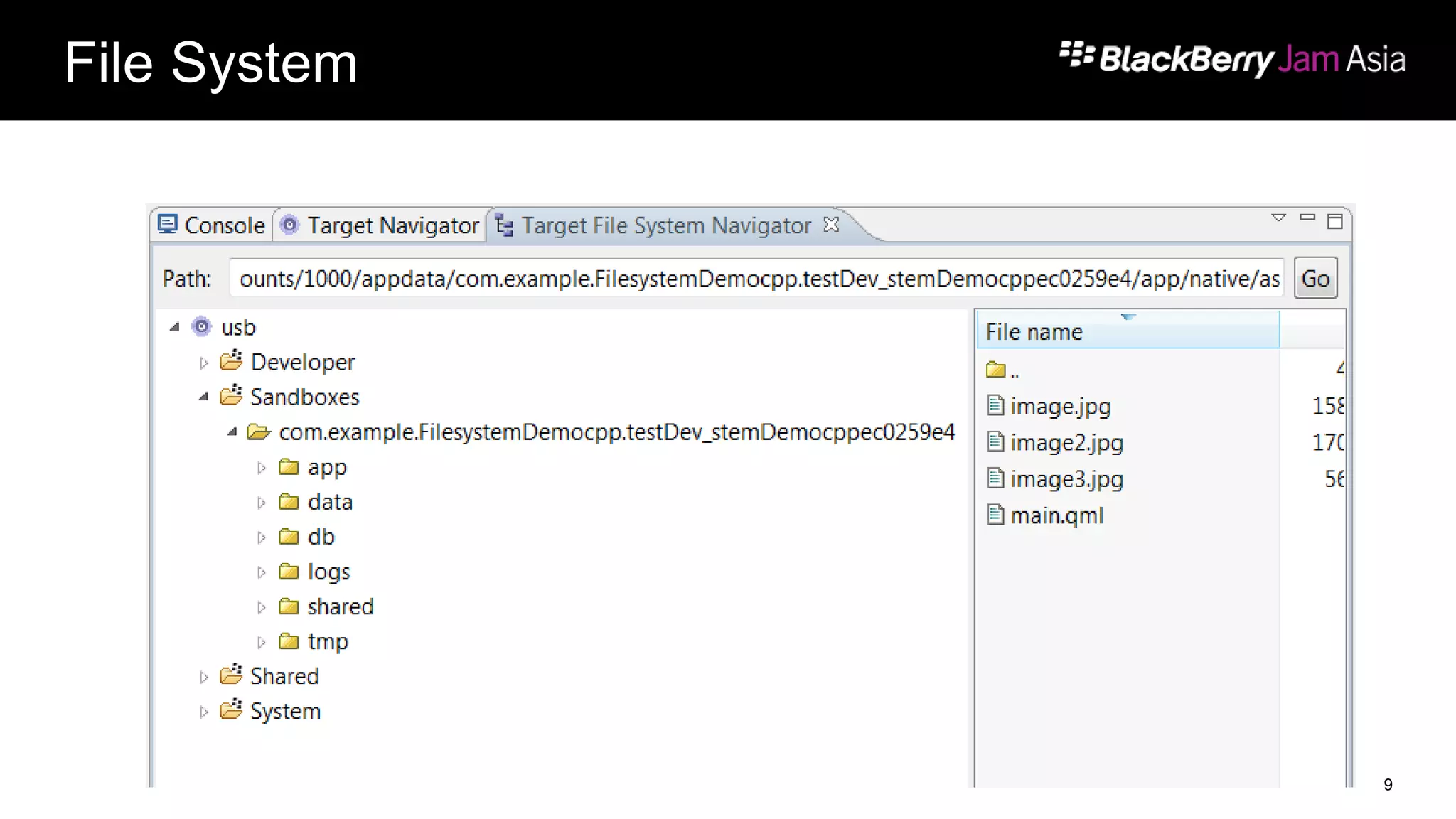
File System
 Your application runs in a “sandbox”
 There are directories in the sandbox for:
 Data
 Assets
 your compiled app
 etc
 Not all directories are yours to use
 That would just be silly.
8
File System
9
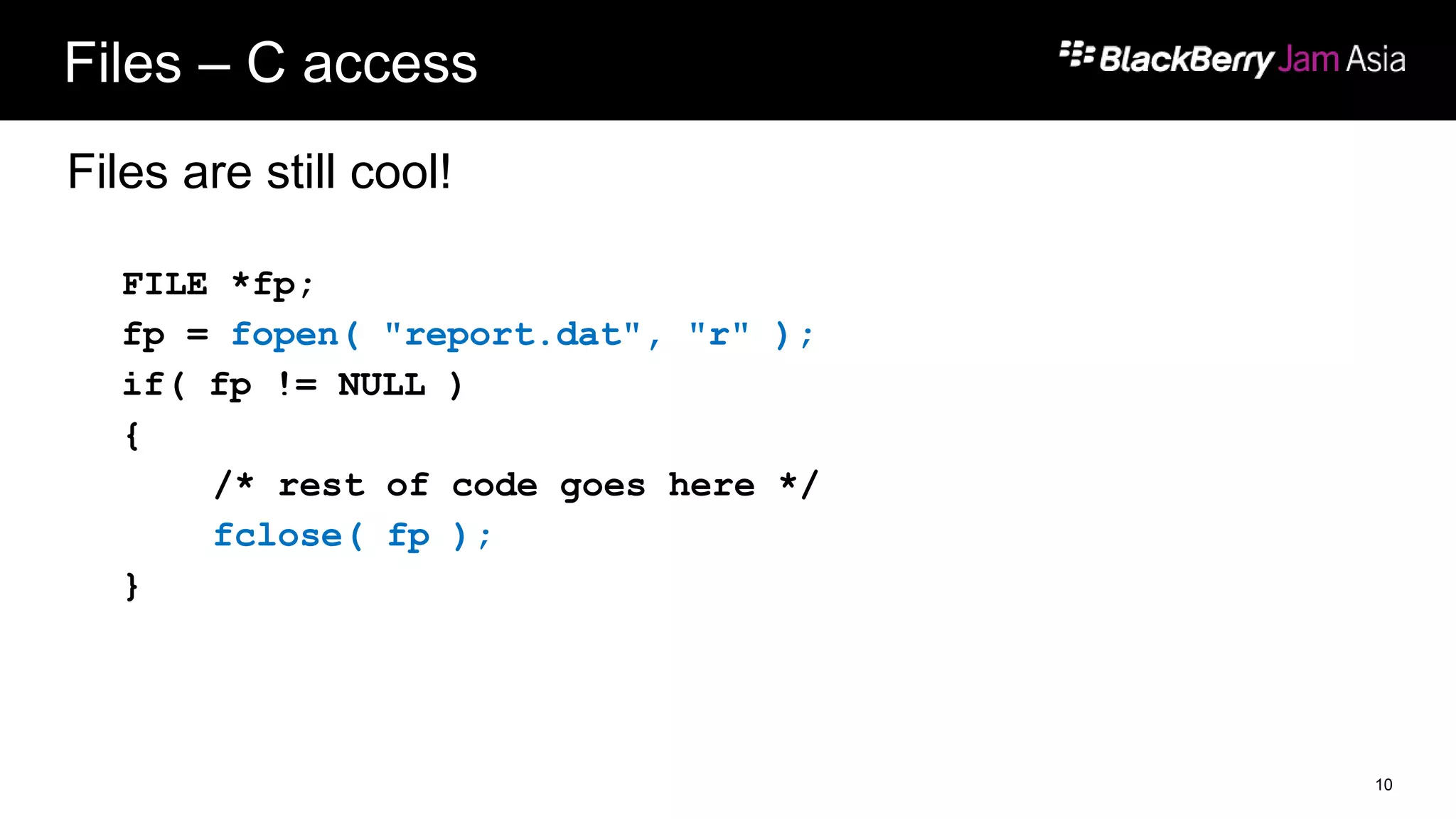
Files – C access
Files are still cool!
FILE *fp;
fp = fopen( "report.dat", "r" );
if( fp != NULL )
{
/* rest of code goes here */
fclose( fp );
}
10
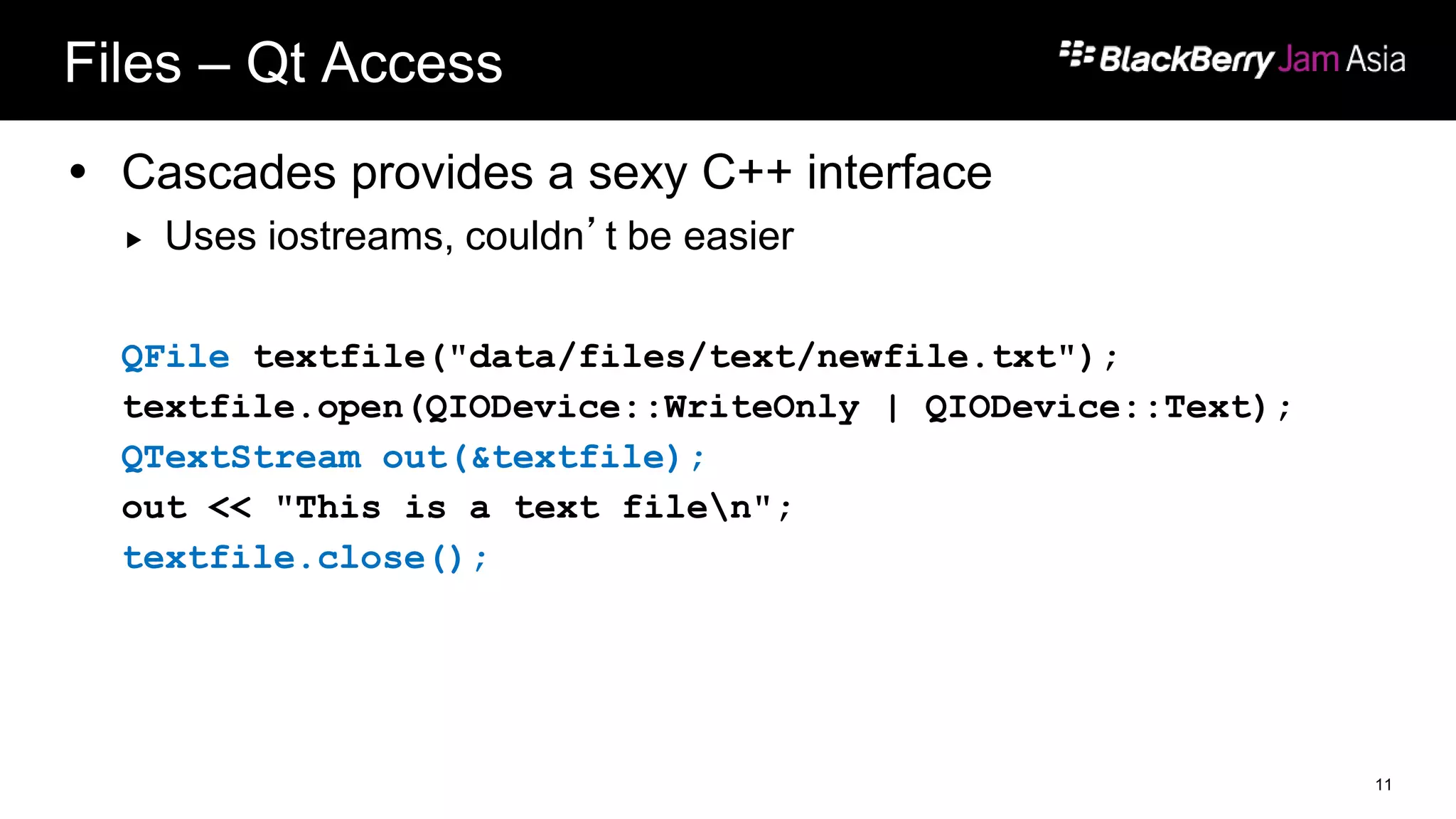
Files – Qt Access
 Cascades provides a sexy C++ interface
 Uses iostreams, couldn’t be easier
QFile textfile("data/files/text/newfile.txt");
textfile.open(QIODevice::WriteOnly | QIODevice::Text);
QTextStream out(&textfile);
out << "This is a text filen";
textfile.close();
11
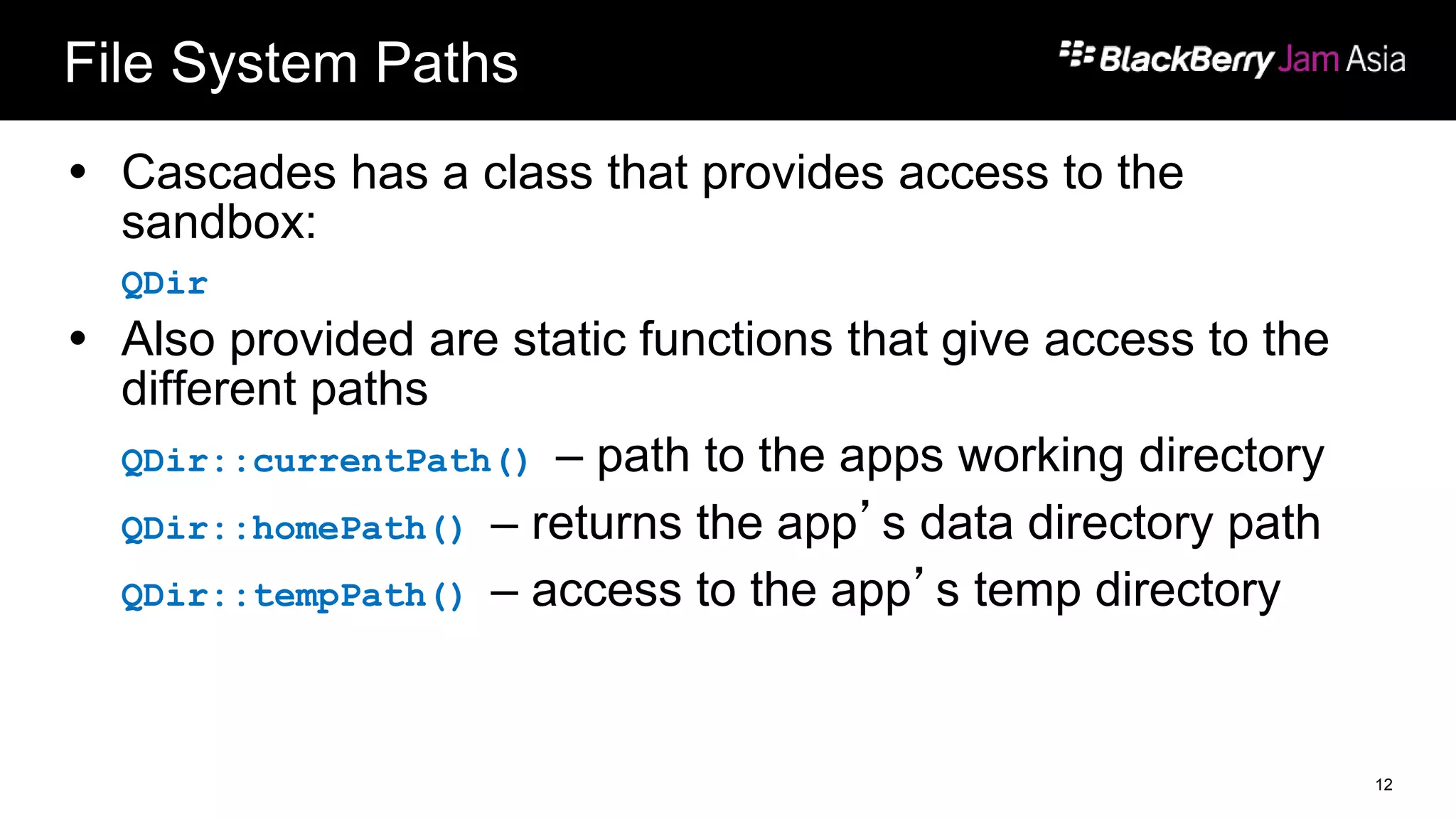
File System Paths
 Cascades has a class that provides access to the
sandbox:
QDir
 Also provided are static functions that give access to the
different paths
QDir::currentPath() – path to the apps working directory
QDir::homePath() – returns the app’s data directory path
QDir::tempPath() – access to the app’s temp directory
12
File System Permissions
 Not all the directories viewable are accessible
 app
 Compiled application, assets, source
 data
 This is where you store your data. The $HOME environment variable
is this directory
 db
 The application's database files.
13
File System Permissions
 logs
 System logs for an application. The application's stderr and stdout are
redirected to this directory.
 shared
 Subfolders that contain shared data grouped by type. All applications
can read from this directory. An application can write to this directory
only if the access_shared permission is specified.
 tmp
 The application's temporary working files.
14
JSON
Not Jason
15
What is JSON?
 A streamlined data structure
 Effective way to distribute data either from a server or in a local file
 JSON is based on two fundamental ideas:
 A collection of name/value pairs (an object)
 An ordered list of values (an array)
16
What does JSON look like?
[
{
"firstName" : "Mike",
"lastName" : "Chepesky",
"employeeNumber" : 01840192
},
{
"firstName" : "Westlee",
"lastName" : "Barichak",
"employeeNumber" : 47901927
}
]
17
Cascades’ Data Access and Model
It’s MVC Baby!
18
DataAccess and DataModel
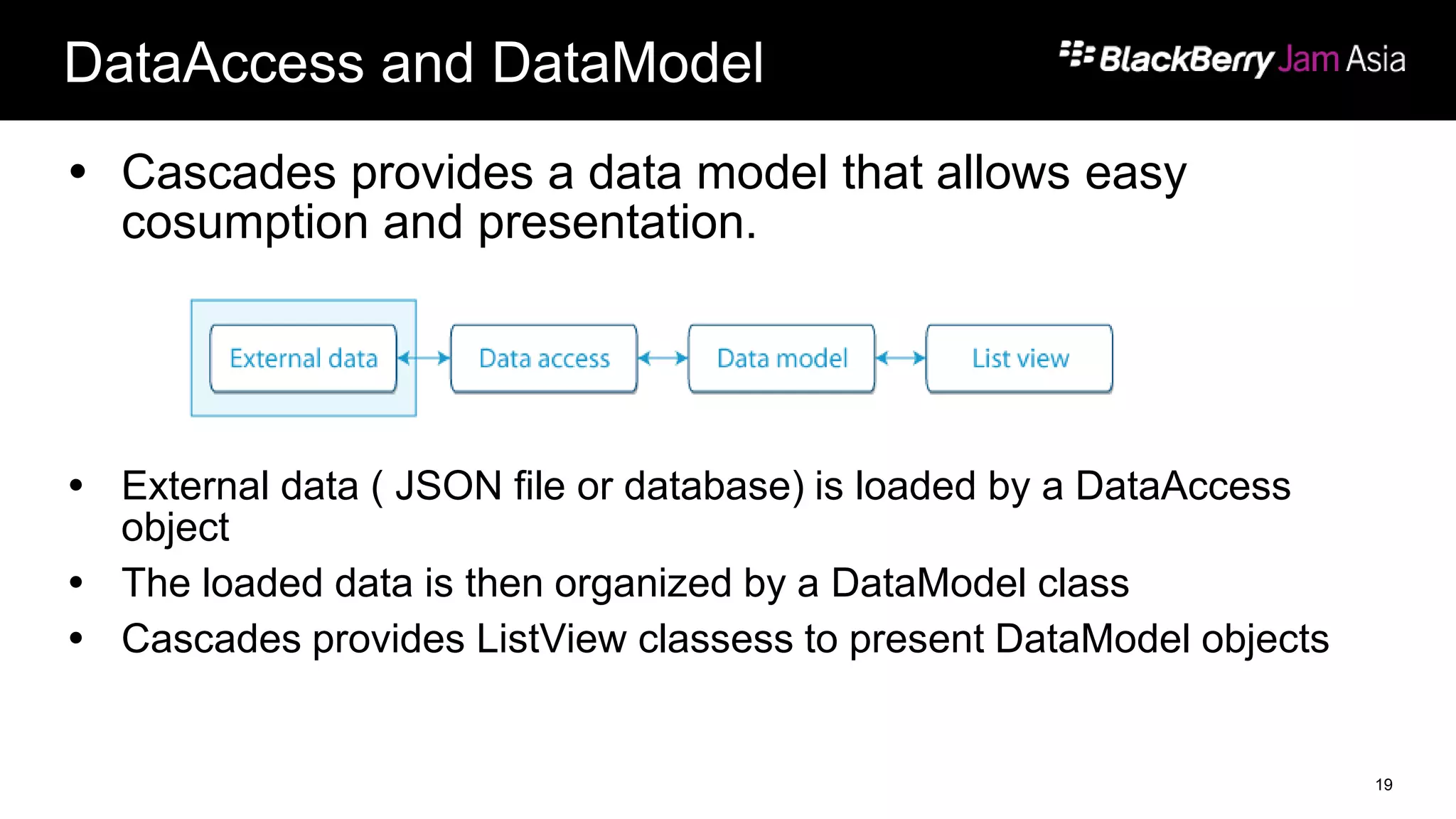
 Cascades provides a data model that allows easy
cosumption and presentation.
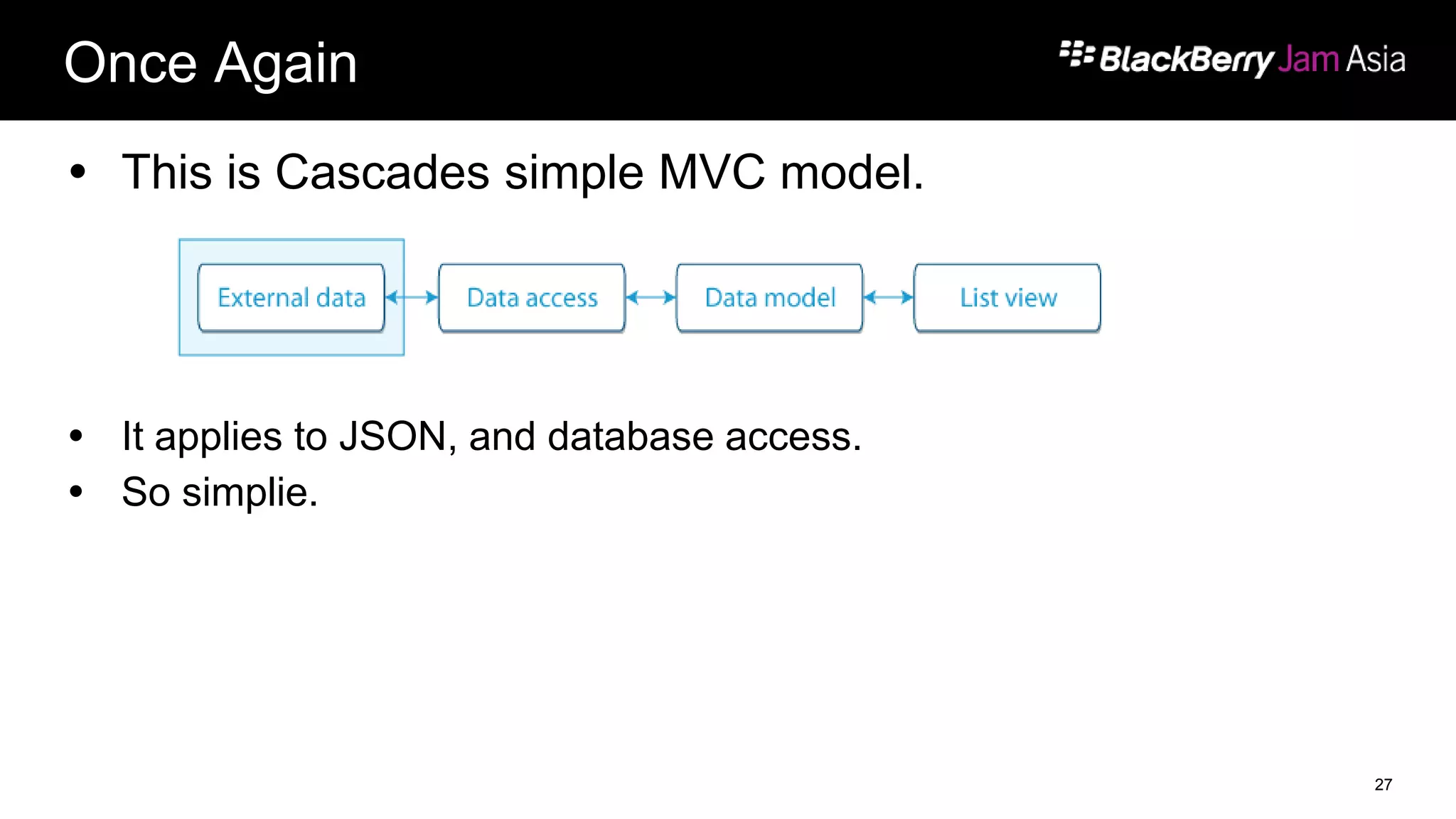
 External data ( JSON file or database) is loaded by a DataAccess
object
 The loaded data is then organized by a DataModel class
 Cascades provides ListView classess to present DataModel objects
19
DataModels
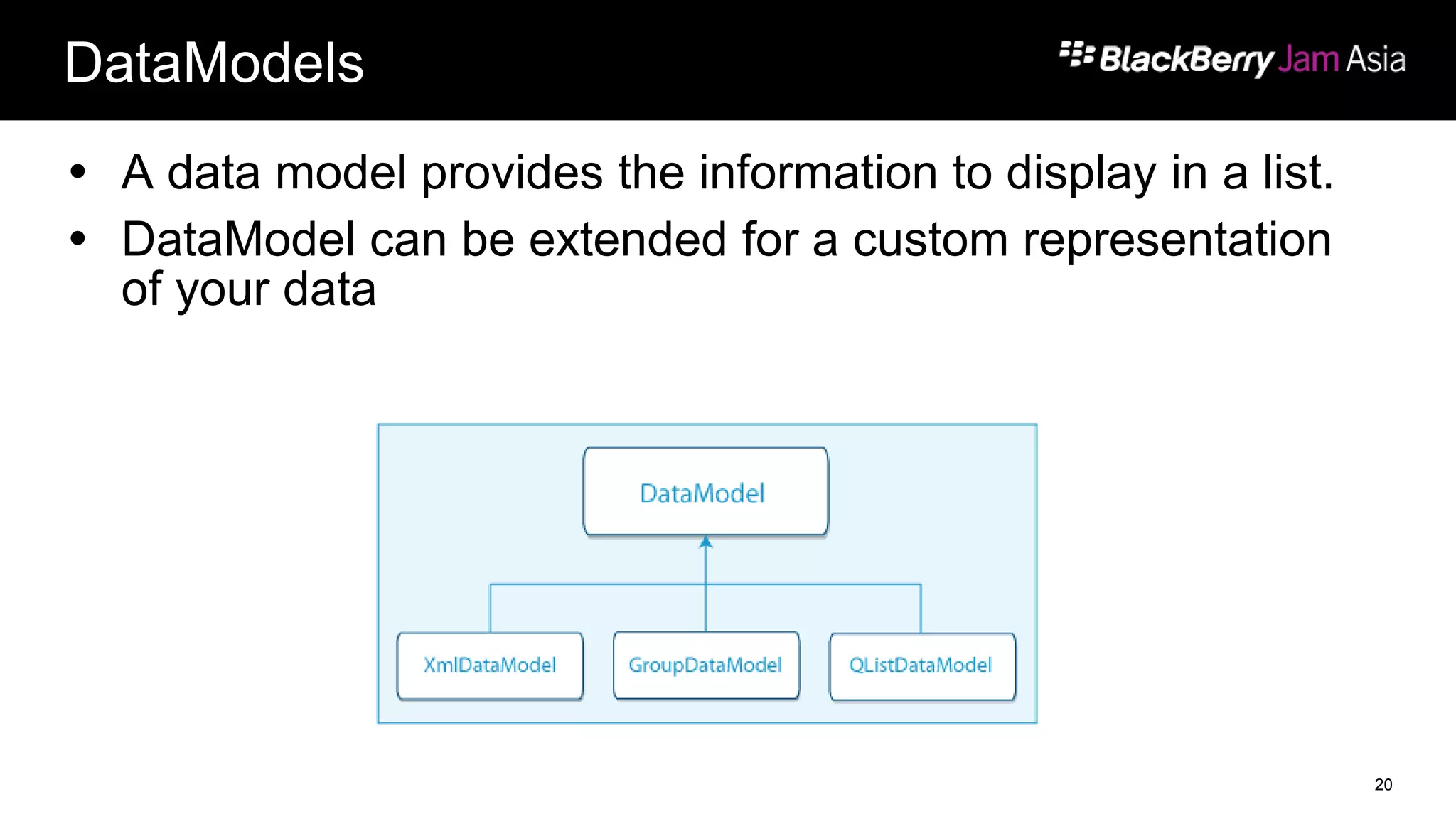
 A data model provides the information to display in a list.
 DataModel can be extended for a custom representation
of your data
20
ListViews
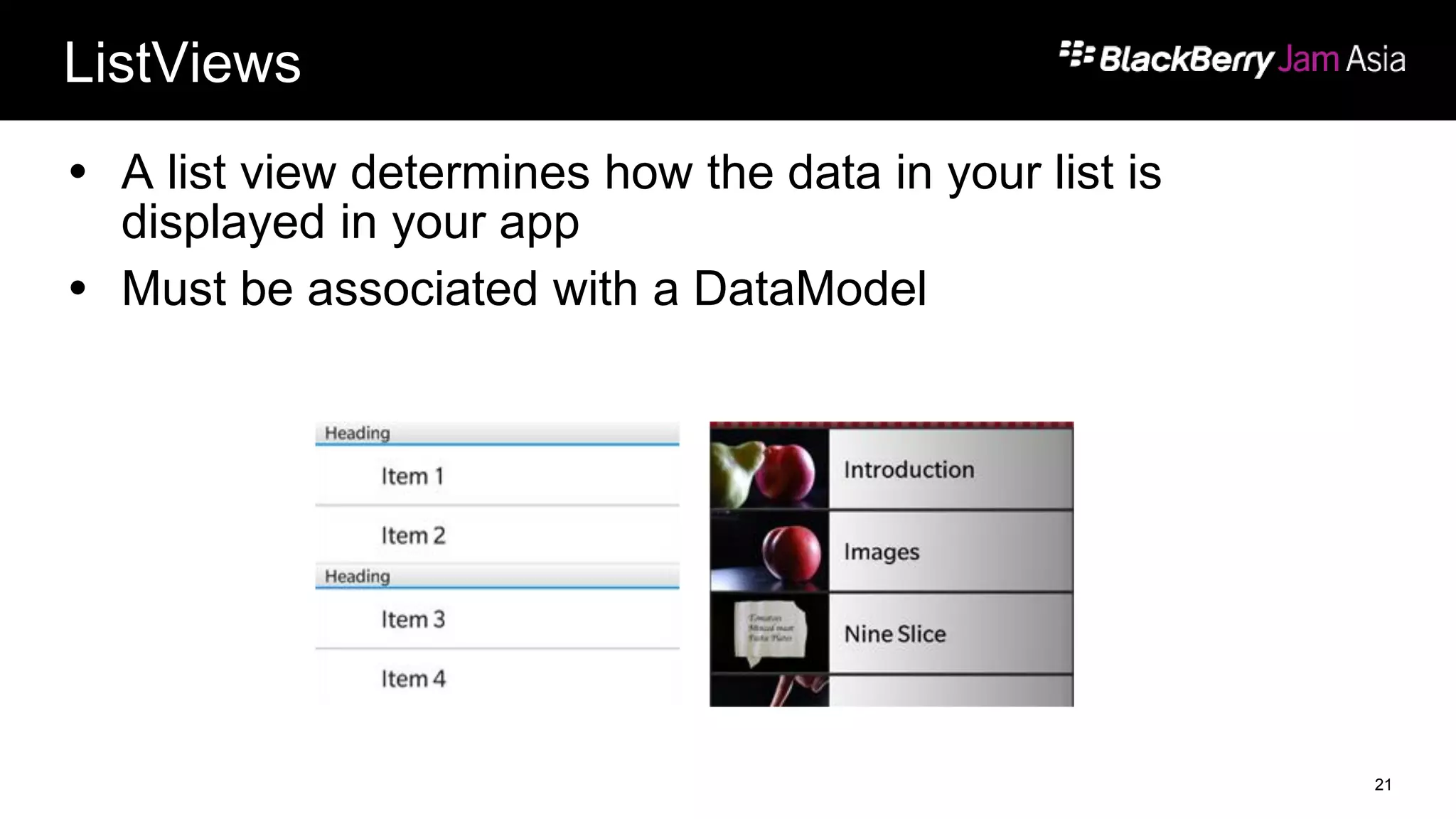
 A list view determines how the data in your list is
displayed in your app
 Must be associated with a DataModel
21
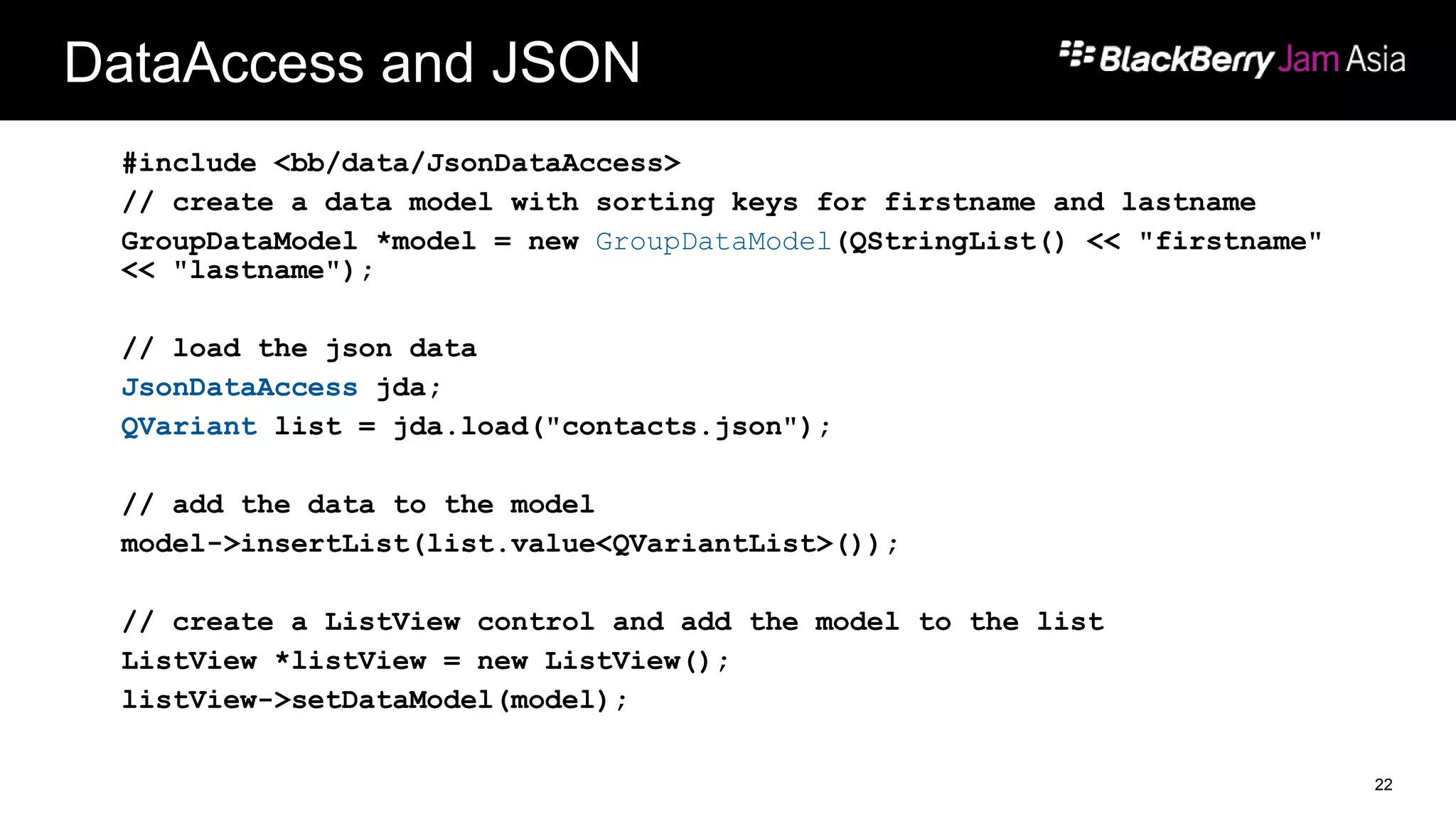
DataAccess and JSON
#include <bb/data/JsonDataAccess>
// create a data model with sorting keys for firstname and lastname
GroupDataModel *model = new GroupDataModel(QStringList() << "firstname"
<< "lastname");
// load the json data
JsonDataAccess jda;
QVariant list = jda.load("contacts.json");
// add the data to the model
model->insertList(list.value<QVariantList>());
// create a ListView control and add the model to the list
ListView *listView = new ListView();
listView->setDataModel(model);
22
Databases
We’ve got databases!
23
SQLite, QtSql, Cascades API
 Native applications can use a variety of ways to interface
with databases
 Important to remember – it’s all SQLite underneath!
 SQLite is not the only open source project that we made available!
24
C and libsqlite
 Packaged with the tools is SQLite
 It comes as libsqlite
 It’s available, but we highly recommend that if you are
using C++ use QtSql
 If you are creating a Cascades application, we have an
interface for that too!
25
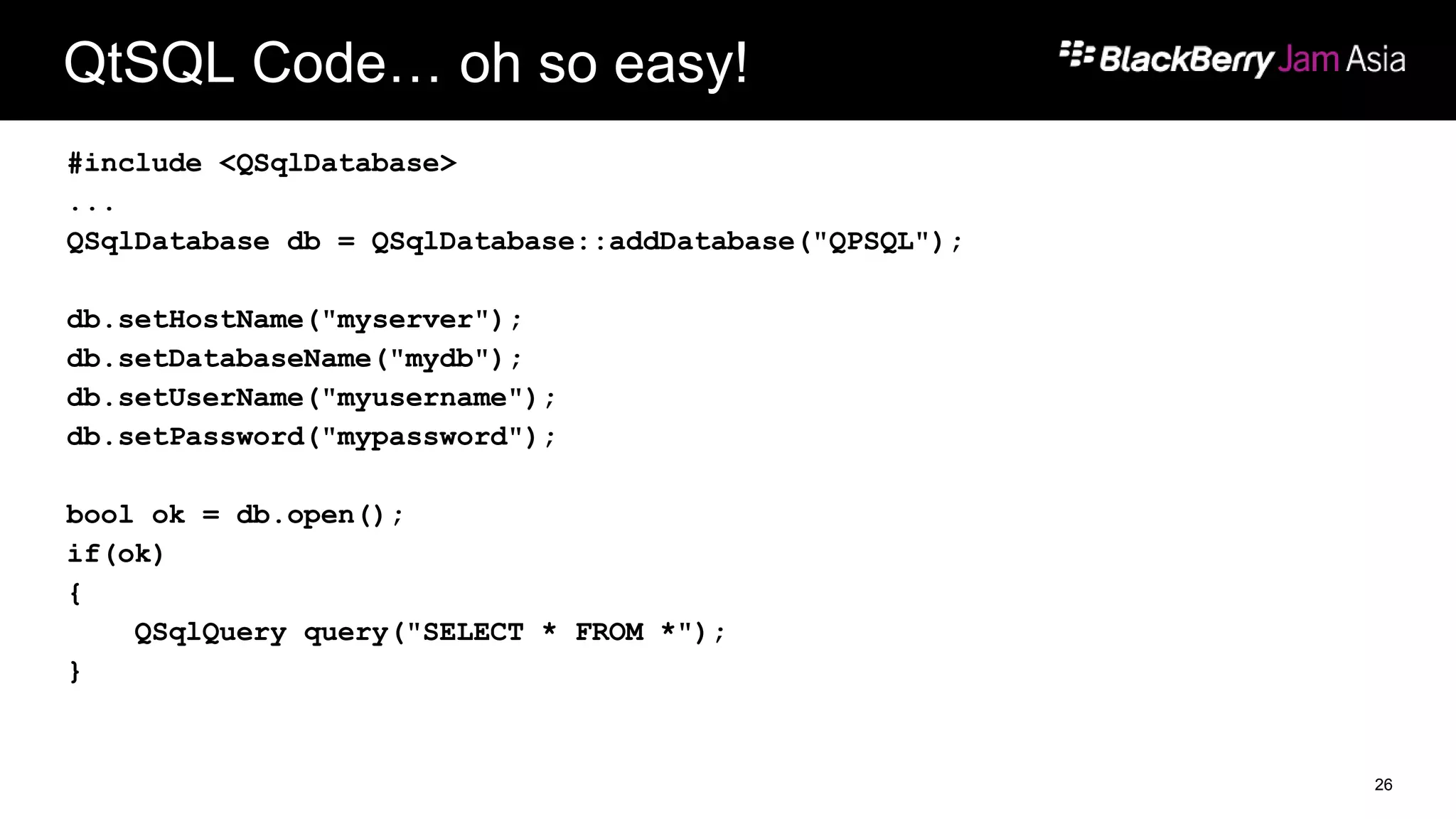
QtSQL Code… oh so easy!
#include <QSqlDatabase>
...
QSqlDatabase db = QSqlDatabase::addDatabase("QPSQL");
db.setHostName("myserver");
db.setDatabaseName("mydb");
db.setUserName("myusername");
db.setPassword("mypassword");
bool ok = db.open();
if(ok)
{
QSqlQuery query("SELECT * FROM *");
}
26
Once Again
 This is Cascades simple MVC model.
 It applies to JSON, and database access.
 So simplie.
27
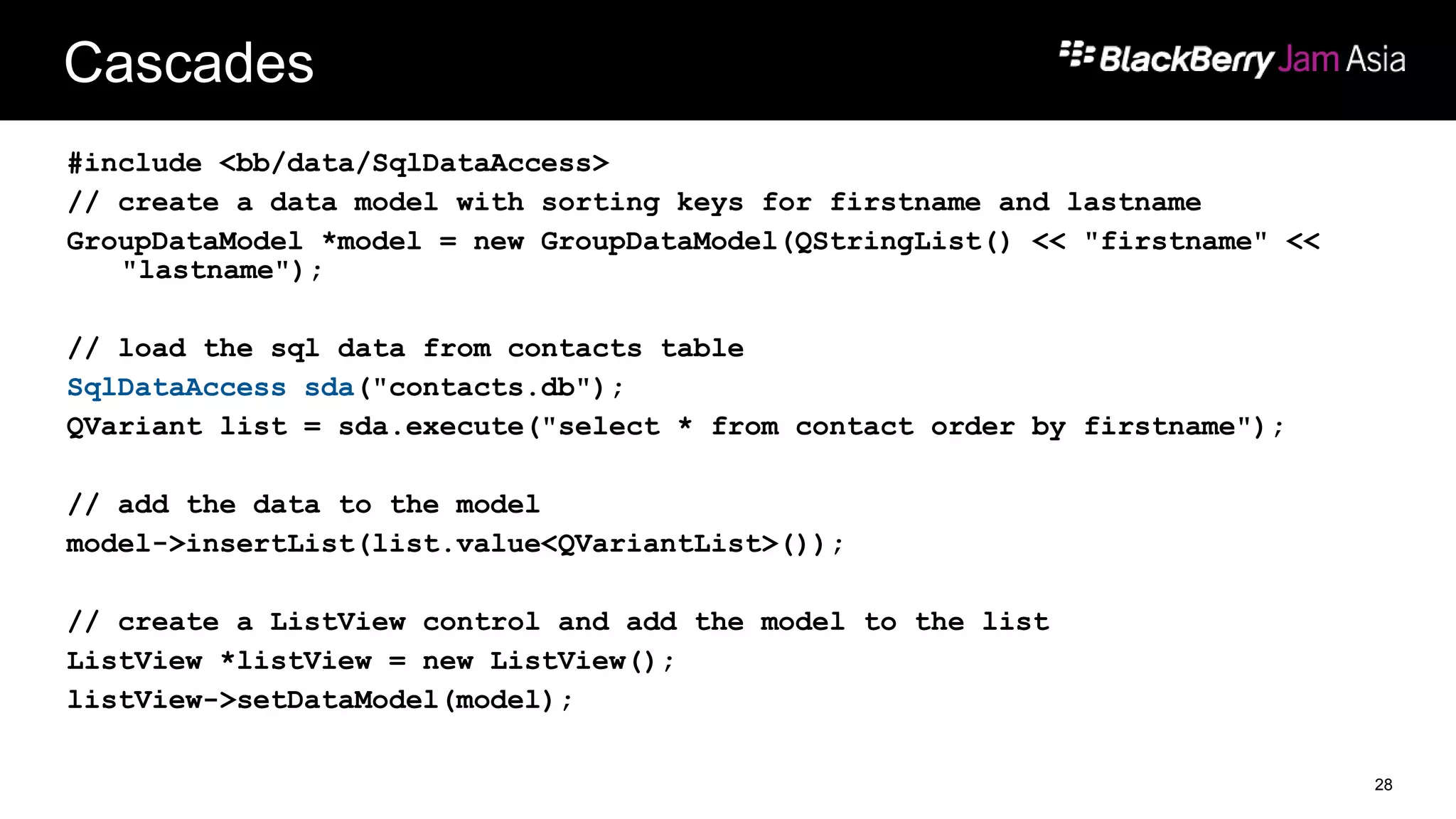
Cascades
#include <bb/data/SqlDataAccess>
// create a data model with sorting keys for firstname and lastname
GroupDataModel *model = new GroupDataModel(QStringList() << "firstname" <<
"lastname");
// load the sql data from contacts table
SqlDataAccess sda("contacts.db");
QVariant list = sda.execute("select * from contact order by firstname");
// add the data to the model
model->insertList(list.value<QVariantList>());
// create a ListView control and add the model to the list
ListView *listView = new ListView();
listView->setDataModel(model);
28
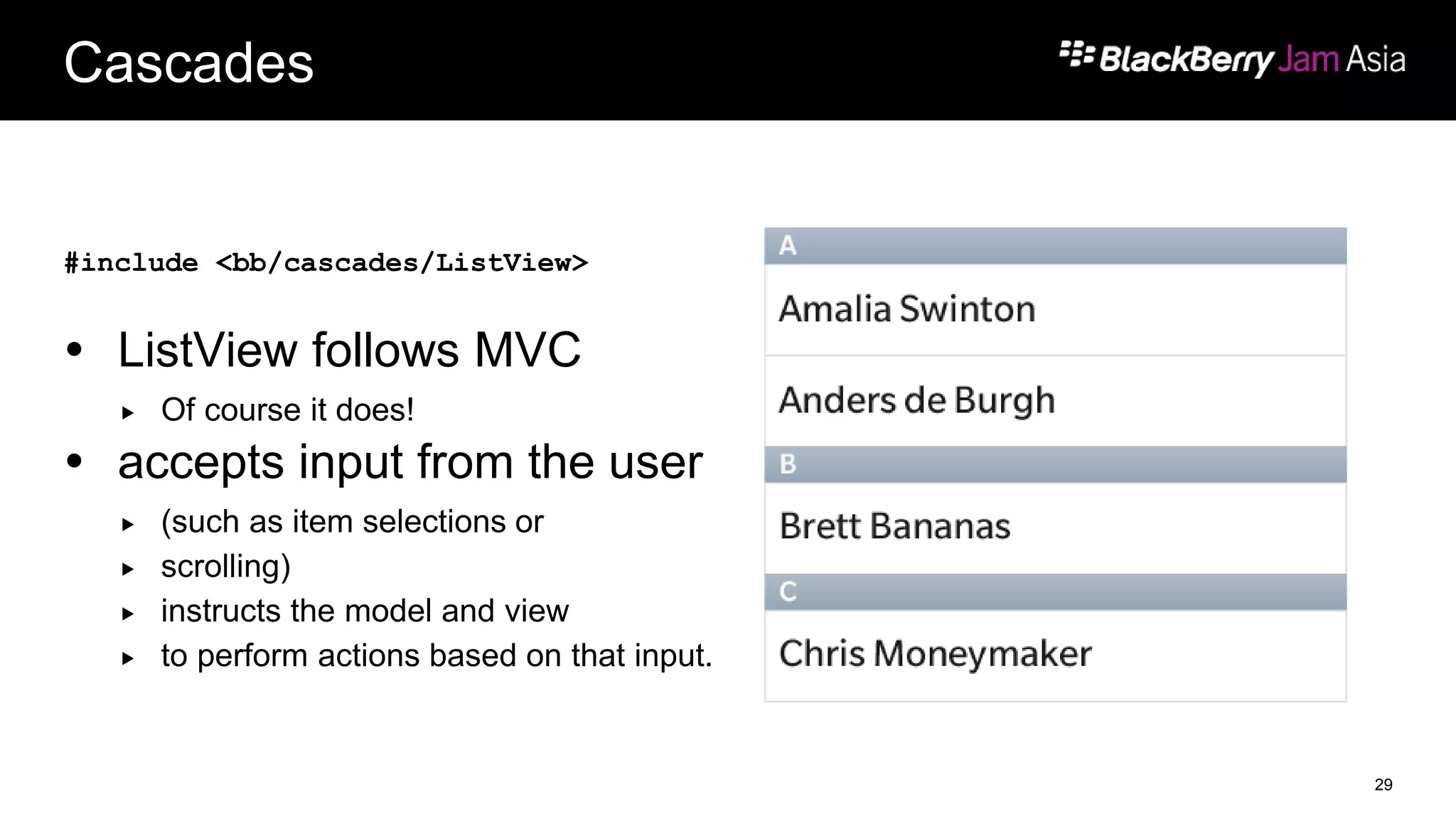
Cascades
#include <bb/cascades/ListView>
 ListView follows MVC
 Of course it does!
 accepts input from the user
 (such as item selections or
 scrolling)
 instructs the model and view
 to perform actions based on that input.
29
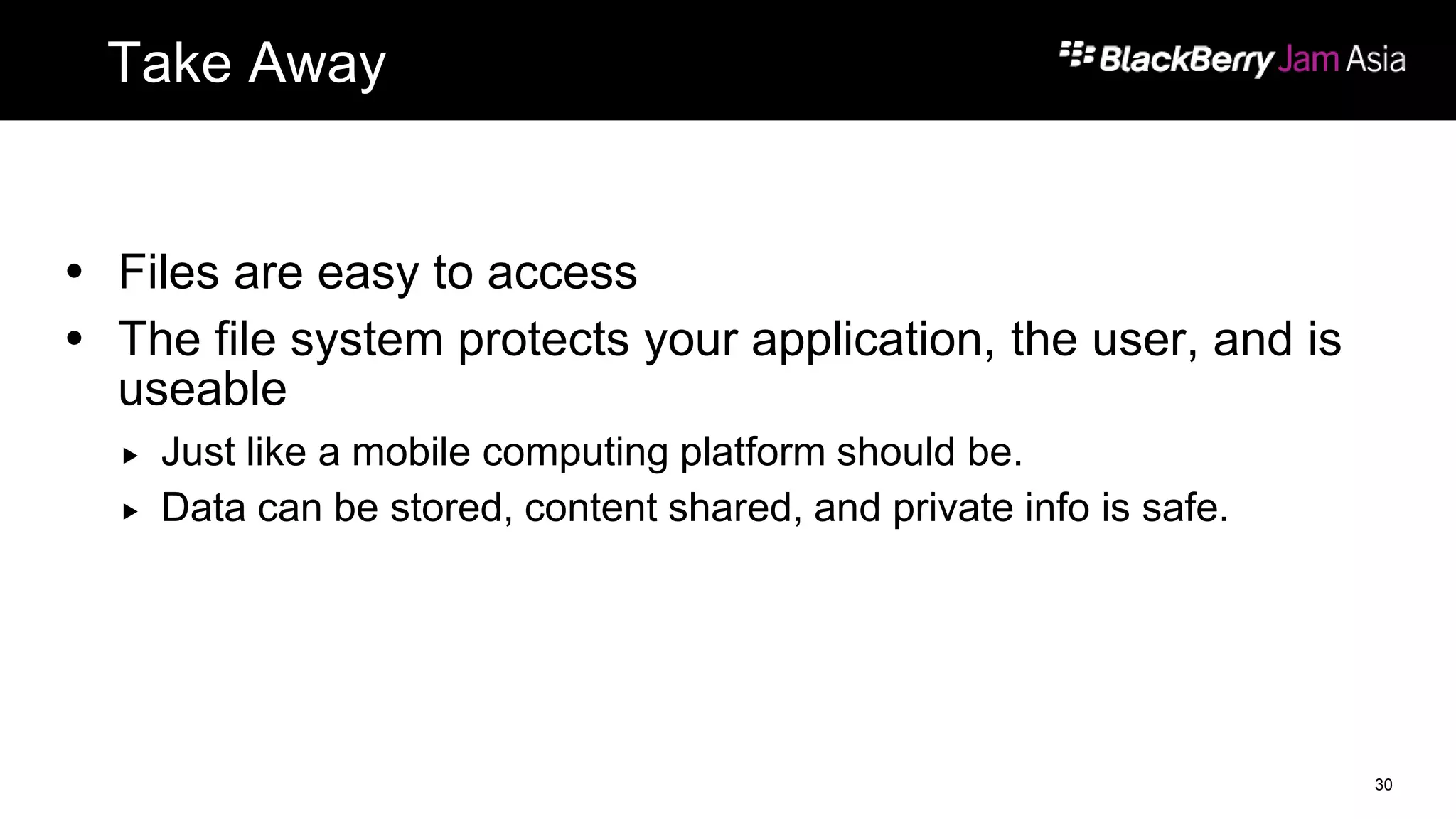
Take Away
 Files are easy to access
 The file system protects your application, the user, and is
useable
 Just like a mobile computing platform should be.
 Data can be stored, content shared, and private info is safe.
30
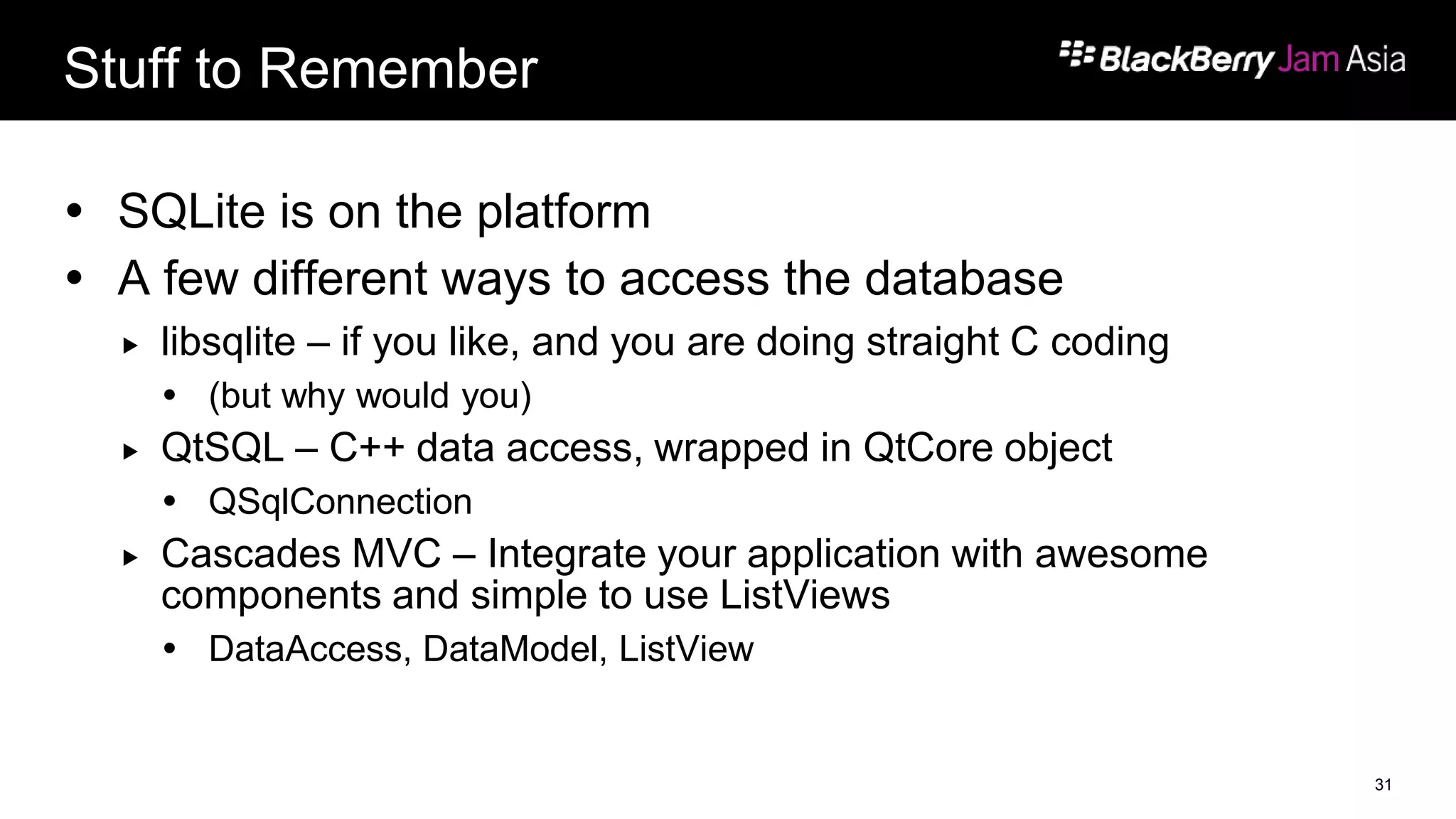
Stuff to Remember
 SQLite is on the platform
 A few different ways to access the database
 libsqlite – if you like, and you are doing straight C coding
 (but why would you)
 QtSQL – C++ data access, wrapped in QtCore object
 QSqlConnection
 Cascades MVC – Integrate your application with awesome
components and simple to use ListViews
 DataAccess, DataModel, ListView
31
… And a few Quick Notes
 Don’t forget to fill out the Conference Survey at the
Registration Desk to claim a free gift!
THANK YOU for helping us make this
event such a great success!!!
32
THANK YOU
JAM819
Alan Wong (@alanhhwong)
Ranbijay Kumar (@Ranbijay)
November 29-30, 2012

JAM819 - Native API Deep Dive: Data Storage and Retrieval

  • 1.
    Native API DeepDive: Data Storage and Retrieval JAM819 Alan Wong (@alanhhwong) Ranbijay Kumar (@Ranbijay) November 29-30, 2012
  • 2.
    Files and FileSystem Not as boring as it sounds! 2
  • 3.
    Data, Data, andmore Data No big surprise:  Apps need data  It’s like food for your app!  Cascades and native applications have many options for storing and retrieving data Surprise:  We’ve got Perimeters to Consider (Spoiler Alert) 3
  • 4.
    Files vs. Databases Appshave the ability to:  Read and write to/from the file system  Create files and folders  Create databases  Make database queries  Retrieve data from a server on a network 4
  • 5.
    Enterprise Allow a Corporate clientto secure and manage their resources on the device. User Users maintain freedom to use device to meet their personal needs.BlackBerry Experience Seamlessly access applications and data from all perimeters (e.g. unified inbox and calendar) Securing corporate data while enabling a user’s personal experience on a single device BlackBerry Balance technology delighting both end users and CIOs BlackBerry Balance Blending Work and Personal
  • 6.
    BlackBerry Balance Work applications: •Canaccess work data and can view only personal data •Can attach personal files to work email or calendar entries •Can access intranet using BlackBerry Bridge, corporate VPN or Wi-Fi Personal applications: •Cannot access work data •Cannot attach work files to personal email messages or calendar entries Work Applications Work or Personal Applications Personal Applications BES email, contacts calendar, memo & tasks Photo viewer Social apps (YouTube, Facebook, etc.) BlackBerry Bridge & Viewer Media player App World downloads BlackBerry Browser Document viewer (Adobe, Docs to go, etc.) Web browser Work Applications File application Video Chat Defining Work vs. Personal Applications
  • 7.
  • 8.
    File System  Yourapplication runs in a “sandbox”  There are directories in the sandbox for:  Data  Assets  your compiled app  etc  Not all directories are yours to use  That would just be silly. 8
  • 9.
  • 10.
    Files – Caccess Files are still cool! FILE *fp; fp = fopen( "report.dat", "r" ); if( fp != NULL ) { /* rest of code goes here */ fclose( fp ); } 10
  • 11.
    Files – QtAccess  Cascades provides a sexy C++ interface  Uses iostreams, couldn’t be easier QFile textfile("data/files/text/newfile.txt"); textfile.open(QIODevice::WriteOnly | QIODevice::Text); QTextStream out(&textfile); out << "This is a text filen"; textfile.close(); 11
  • 12.
    File System Paths Cascades has a class that provides access to the sandbox: QDir  Also provided are static functions that give access to the different paths QDir::currentPath() – path to the apps working directory QDir::homePath() – returns the app’s data directory path QDir::tempPath() – access to the app’s temp directory 12
  • 13.
    File System Permissions Not all the directories viewable are accessible  app  Compiled application, assets, source  data  This is where you store your data. The $HOME environment variable is this directory  db  The application's database files. 13
  • 14.
    File System Permissions logs  System logs for an application. The application's stderr and stdout are redirected to this directory.  shared  Subfolders that contain shared data grouped by type. All applications can read from this directory. An application can write to this directory only if the access_shared permission is specified.  tmp  The application's temporary working files. 14
  • 15.
  • 16.
    What is JSON? A streamlined data structure  Effective way to distribute data either from a server or in a local file  JSON is based on two fundamental ideas:  A collection of name/value pairs (an object)  An ordered list of values (an array) 16
  • 17.
    What does JSONlook like? [ { "firstName" : "Mike", "lastName" : "Chepesky", "employeeNumber" : 01840192 }, { "firstName" : "Westlee", "lastName" : "Barichak", "employeeNumber" : 47901927 } ] 17
  • 18.
    Cascades’ Data Accessand Model It’s MVC Baby! 18
  • 19.
    DataAccess and DataModel Cascades provides a data model that allows easy cosumption and presentation.  External data ( JSON file or database) is loaded by a DataAccess object  The loaded data is then organized by a DataModel class  Cascades provides ListView classess to present DataModel objects 19
  • 20.
    DataModels  A datamodel provides the information to display in a list.  DataModel can be extended for a custom representation of your data 20
  • 21.
    ListViews  A listview determines how the data in your list is displayed in your app  Must be associated with a DataModel 21
  • 22.
    DataAccess and JSON #include<bb/data/JsonDataAccess> // create a data model with sorting keys for firstname and lastname GroupDataModel *model = new GroupDataModel(QStringList() << "firstname" << "lastname"); // load the json data JsonDataAccess jda; QVariant list = jda.load("contacts.json"); // add the data to the model model->insertList(list.value<QVariantList>()); // create a ListView control and add the model to the list ListView *listView = new ListView(); listView->setDataModel(model); 22
  • 23.
  • 24.
    SQLite, QtSql, CascadesAPI  Native applications can use a variety of ways to interface with databases  Important to remember – it’s all SQLite underneath!  SQLite is not the only open source project that we made available! 24
  • 25.
    C and libsqlite Packaged with the tools is SQLite  It comes as libsqlite  It’s available, but we highly recommend that if you are using C++ use QtSql  If you are creating a Cascades application, we have an interface for that too! 25
  • 26.
    QtSQL Code… ohso easy! #include <QSqlDatabase> ... QSqlDatabase db = QSqlDatabase::addDatabase("QPSQL"); db.setHostName("myserver"); db.setDatabaseName("mydb"); db.setUserName("myusername"); db.setPassword("mypassword"); bool ok = db.open(); if(ok) { QSqlQuery query("SELECT * FROM *"); } 26
  • 27.
    Once Again  Thisis Cascades simple MVC model.  It applies to JSON, and database access.  So simplie. 27
  • 28.
    Cascades #include <bb/data/SqlDataAccess> // createa data model with sorting keys for firstname and lastname GroupDataModel *model = new GroupDataModel(QStringList() << "firstname" << "lastname"); // load the sql data from contacts table SqlDataAccess sda("contacts.db"); QVariant list = sda.execute("select * from contact order by firstname"); // add the data to the model model->insertList(list.value<QVariantList>()); // create a ListView control and add the model to the list ListView *listView = new ListView(); listView->setDataModel(model); 28
  • 29.
    Cascades #include <bb/cascades/ListView>  ListViewfollows MVC  Of course it does!  accepts input from the user  (such as item selections or  scrolling)  instructs the model and view  to perform actions based on that input. 29
  • 30.
    Take Away  Filesare easy to access  The file system protects your application, the user, and is useable  Just like a mobile computing platform should be.  Data can be stored, content shared, and private info is safe. 30
  • 31.
    Stuff to Remember SQLite is on the platform  A few different ways to access the database  libsqlite – if you like, and you are doing straight C coding  (but why would you)  QtSQL – C++ data access, wrapped in QtCore object  QSqlConnection  Cascades MVC – Integrate your application with awesome components and simple to use ListViews  DataAccess, DataModel, ListView 31
  • 32.
    … And afew Quick Notes  Don’t forget to fill out the Conference Survey at the Registration Desk to claim a free gift! THANK YOU for helping us make this event such a great success!!! 32
  • 33.
    THANK YOU JAM819 Alan Wong(@alanhhwong) Ranbijay Kumar (@Ranbijay) November 29-30, 2012