Adobe
Photoshop
    Basics
       Instructor:
     Hanh Tran
 Arlington Public Schools
 Adult Education Program
2   Hanh Tran | Adobe Photoshop Basics


Welcome Back
 Hope   everyone had a great weekend!

 Adobe    Photoshop Basics
    Jan. 15th – Feb. 5th 2013
    Tuesdays, 7:00 – 9:30 PM
    Syphax Education Center, Room 115


 My   email: hanhtee@gmail.com
    Feel free to email me with any questions
3   Hanh Tran | Adobe Photoshop Basics


Previous Sessions
   Photoshop Workspace, Tools, Layers, etc.

   Making Selections
       Using Shapes
       Using Colors
       Modifying & Transforming
       Vignette Effect

   Fixing Imperfections
       Healing Brush
       Clone Stamp
       Eyedropper & Brush Combo

   Class Exercises
4   Hanh Tran | Adobe Photoshop Basics


Session 3 Objectives
   Working with Colors
       Changing Colors
       Blending Colors
       Grayscale
       Hue & Saturation
       Brightness & Contrast
       Color Balance
       Curves
   Layer Styles
   Filter Gallery
   Liquifying an Image
   Class Exercises
5   Hanh Tran | Adobe Photoshop Basics


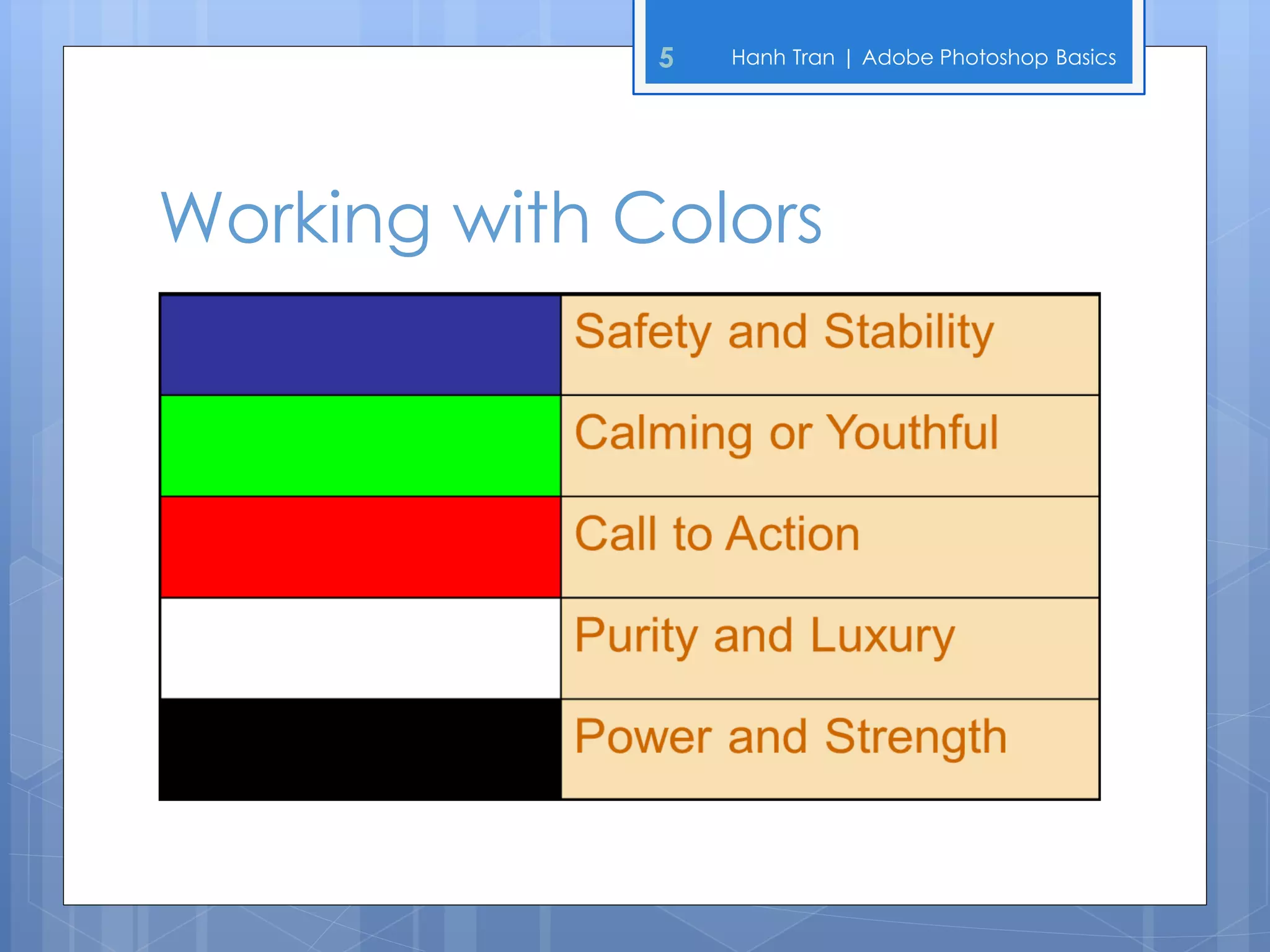
Working with Colors
6   Hanh Tran | Adobe Photoshop Basics


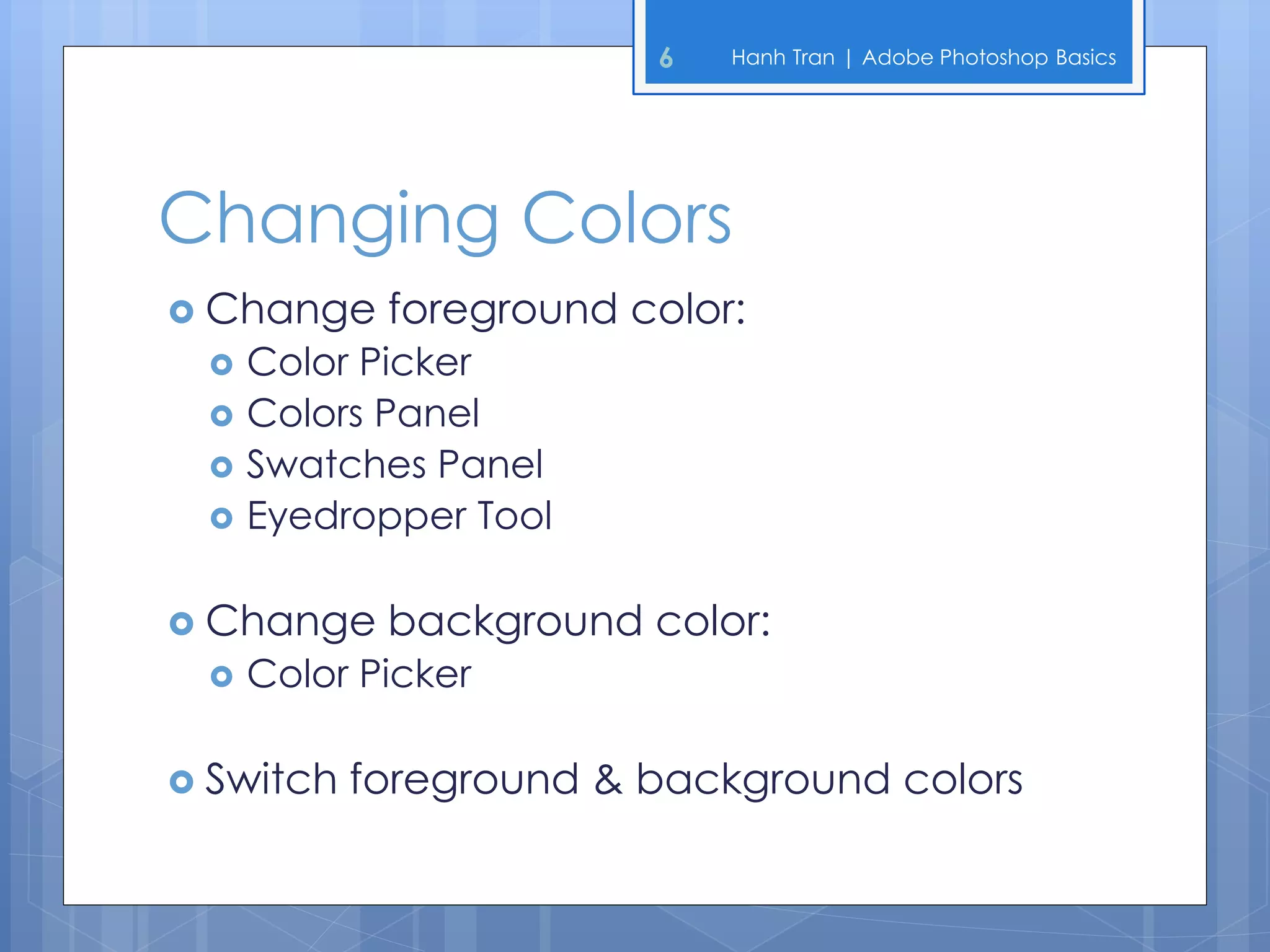
Changing Colors
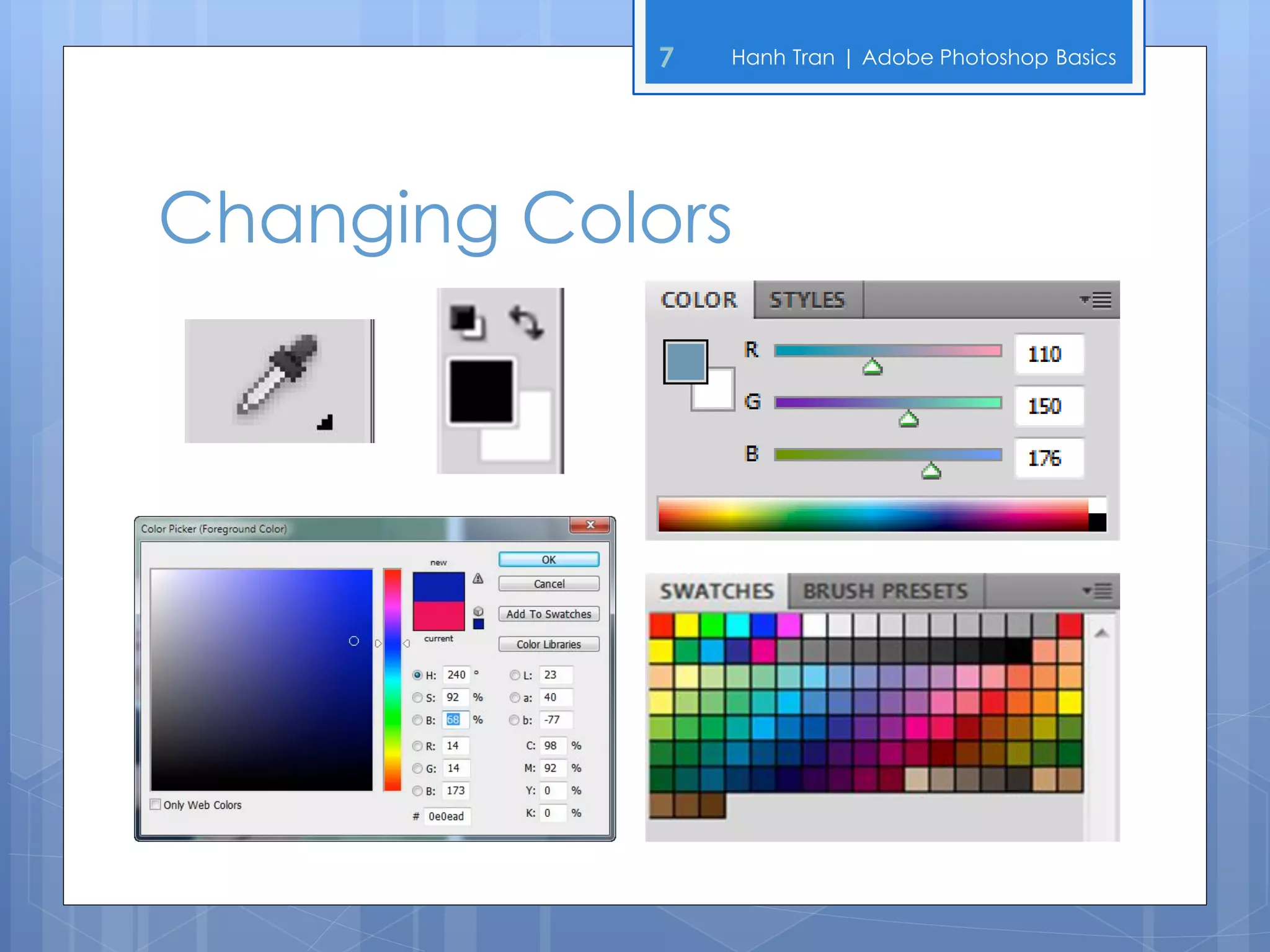
 Change    foreground color:
    Color Picker
    Colors Panel
    Swatches Panel
    Eyedropper Tool

 Change    background color:
    Color Picker

 Switch   foreground & background colors
7   Hanh Tran | Adobe Photoshop Basics


Changing Colors
8     Hanh Tran | Adobe Photoshop Basics


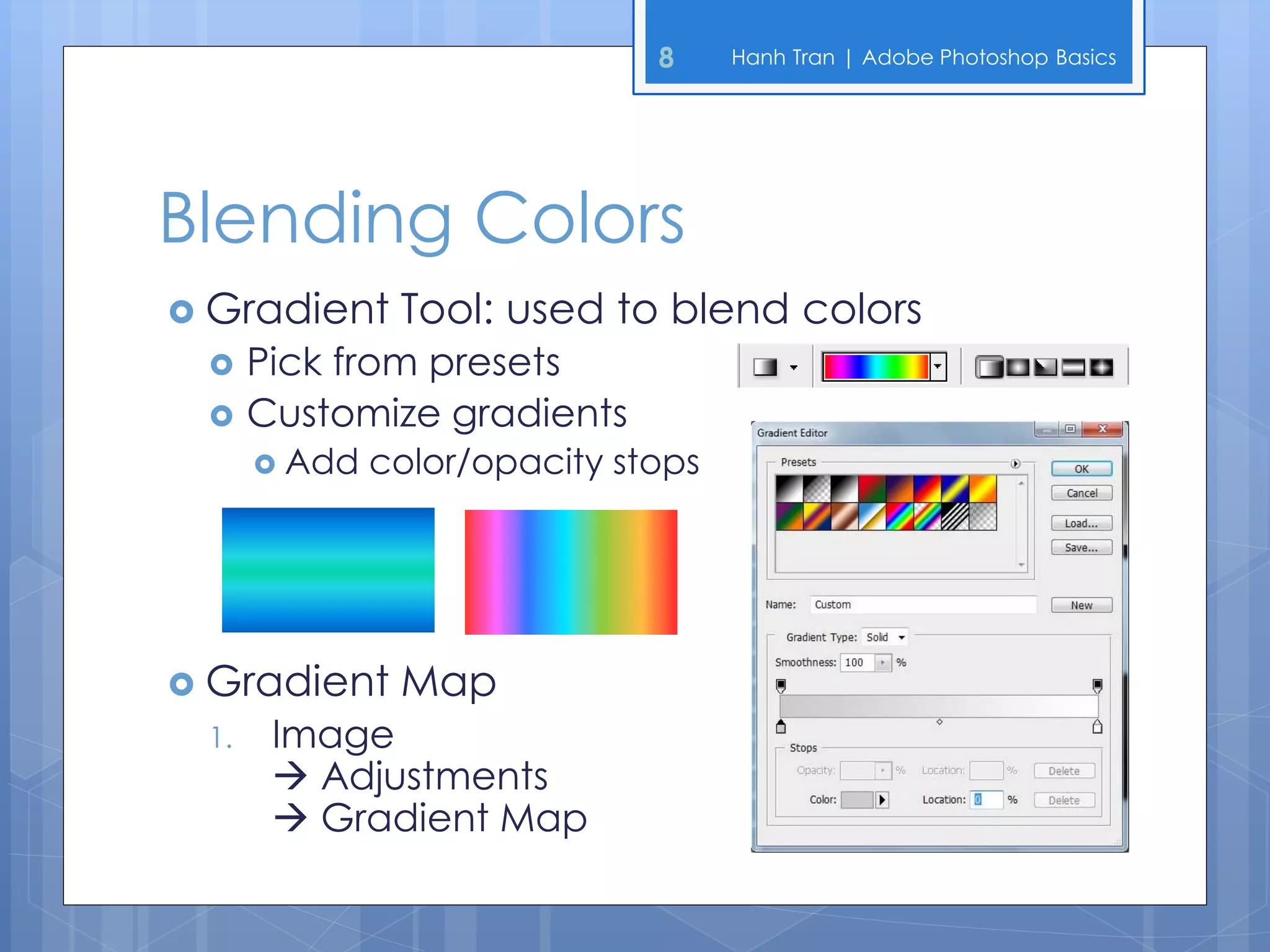
Blending Colors
 Gradient     Tool: used to blend colors
     Pick from presets
     Customize gradients
       Add   color/opacity stops


 Gradient     Map
 1.    Image
        Adjustments
        Gradient Map
9   Hanh Tran | Adobe Photoshop Basics


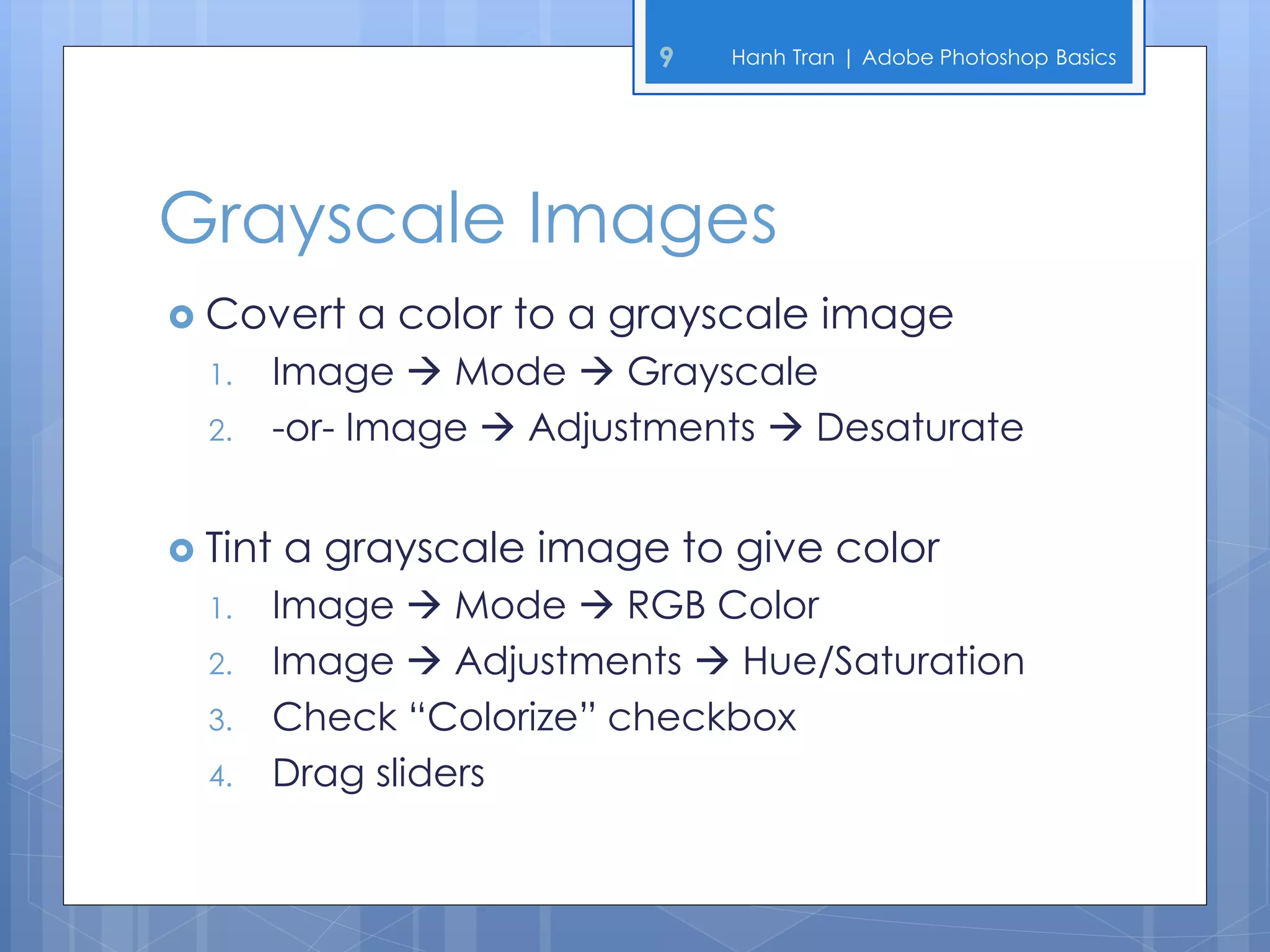
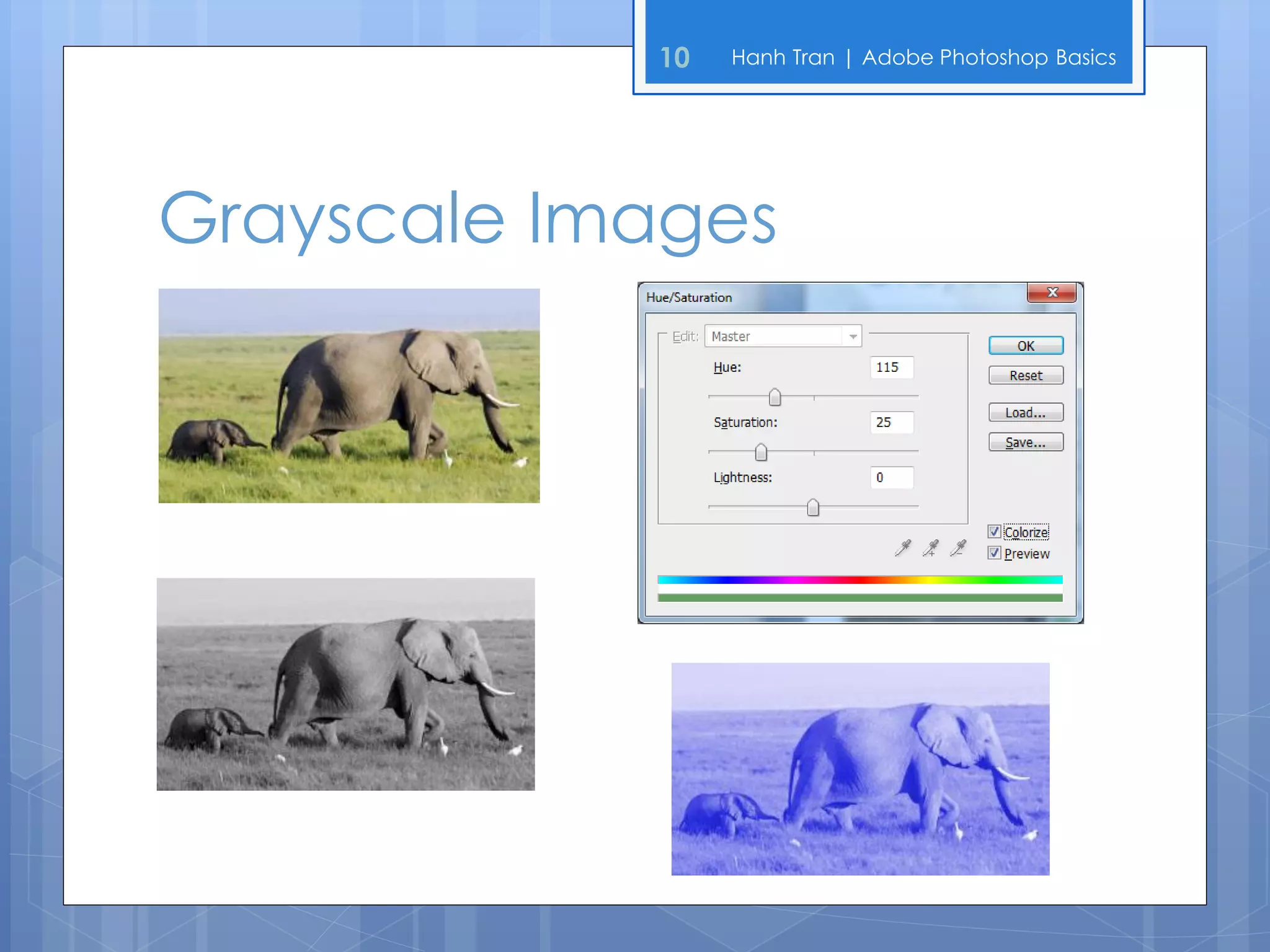
Grayscale Images
 Convert    a color to a grayscale image
  1.   Image  Mode  Grayscale
  2.   -or- Image  Adjustments  Desaturate


 Tint   a grayscale image to give color
  1.   Image  Mode  RGB Color
  2.   Image  Adjustments  Hue/Saturation
  3.   Check “Colorize” checkbox
  4.   Drag sliders
10   Hanh Tran | Adobe Photoshop Basics


Grayscale Images
11   Hanh Tran | Adobe Photoshop Basics


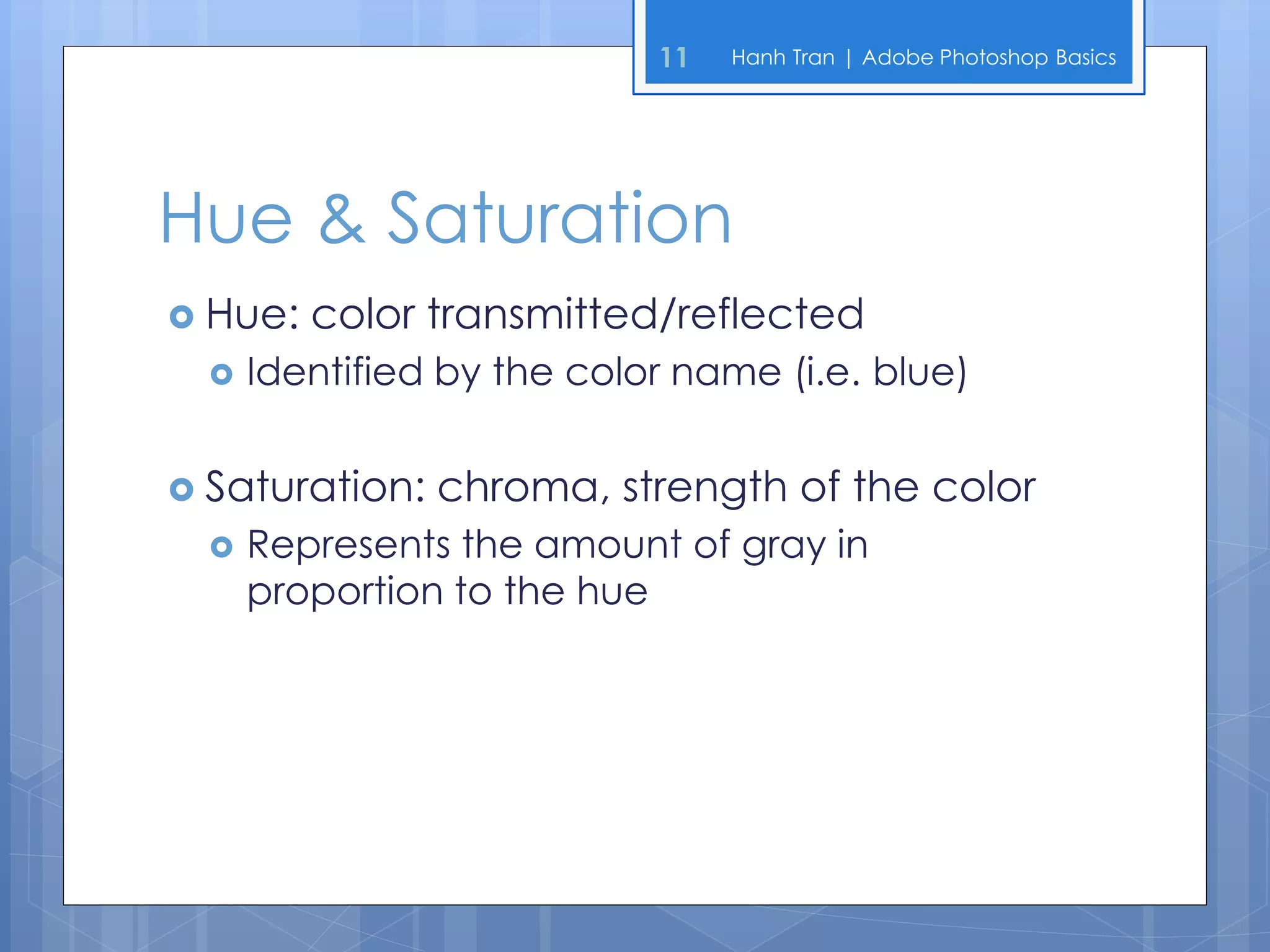
Hue & Saturation
 Hue:   color transmitted/reflected
     Identified by the color name (i.e. blue)


 Saturation:   chroma, strength of the color
     Represents the amount of gray in
      proportion to the hue
12   Hanh Tran | Adobe Photoshop Basics


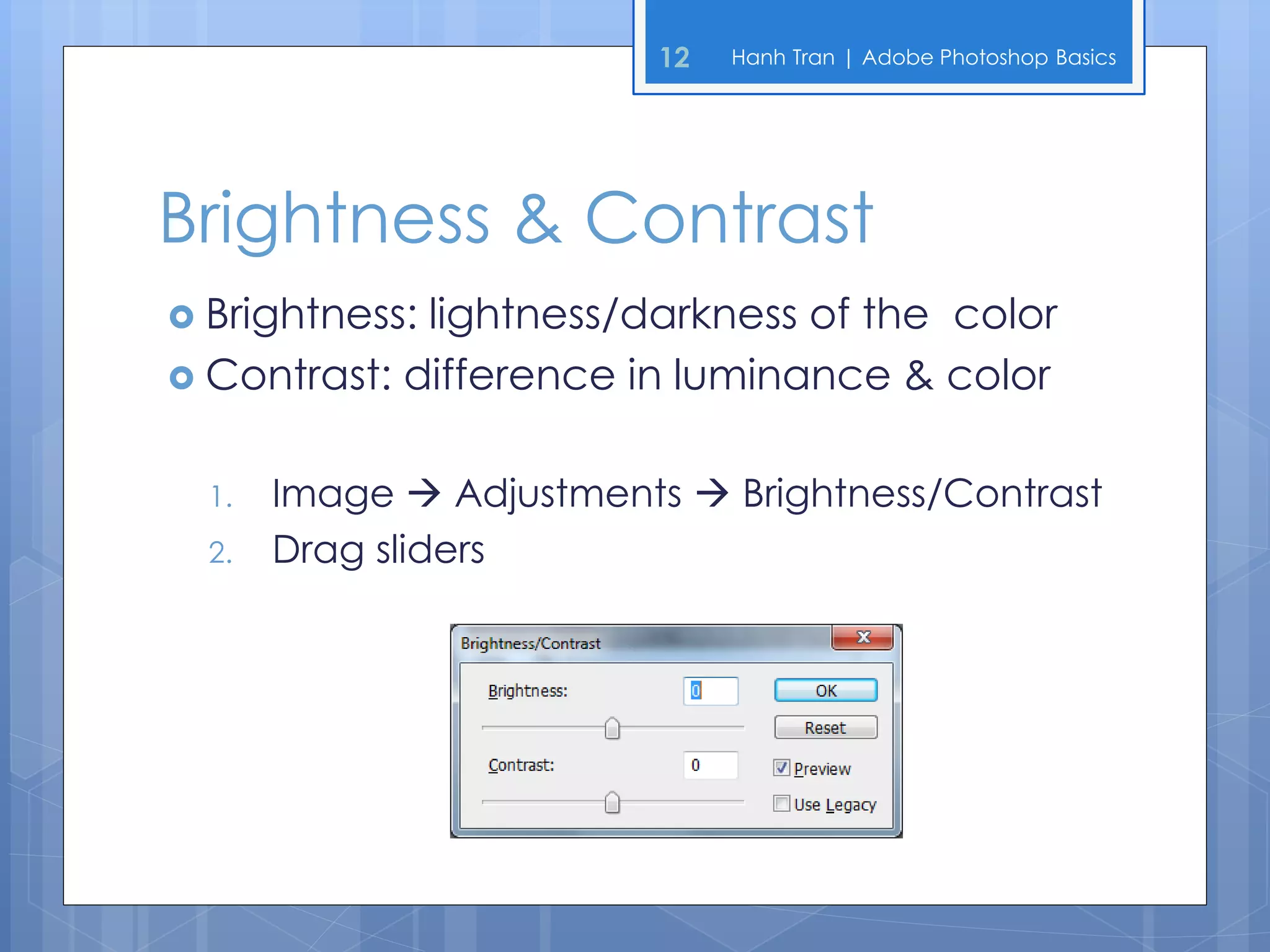
Brightness & Contrast
 Brightness:lightness/darkness of the color
 Contrast: difference in luminance & color


  1.   Image  Adjustments  Brightness/Contrast
  2.   Drag sliders
13   Hanh Tran | Adobe Photoshop Basics


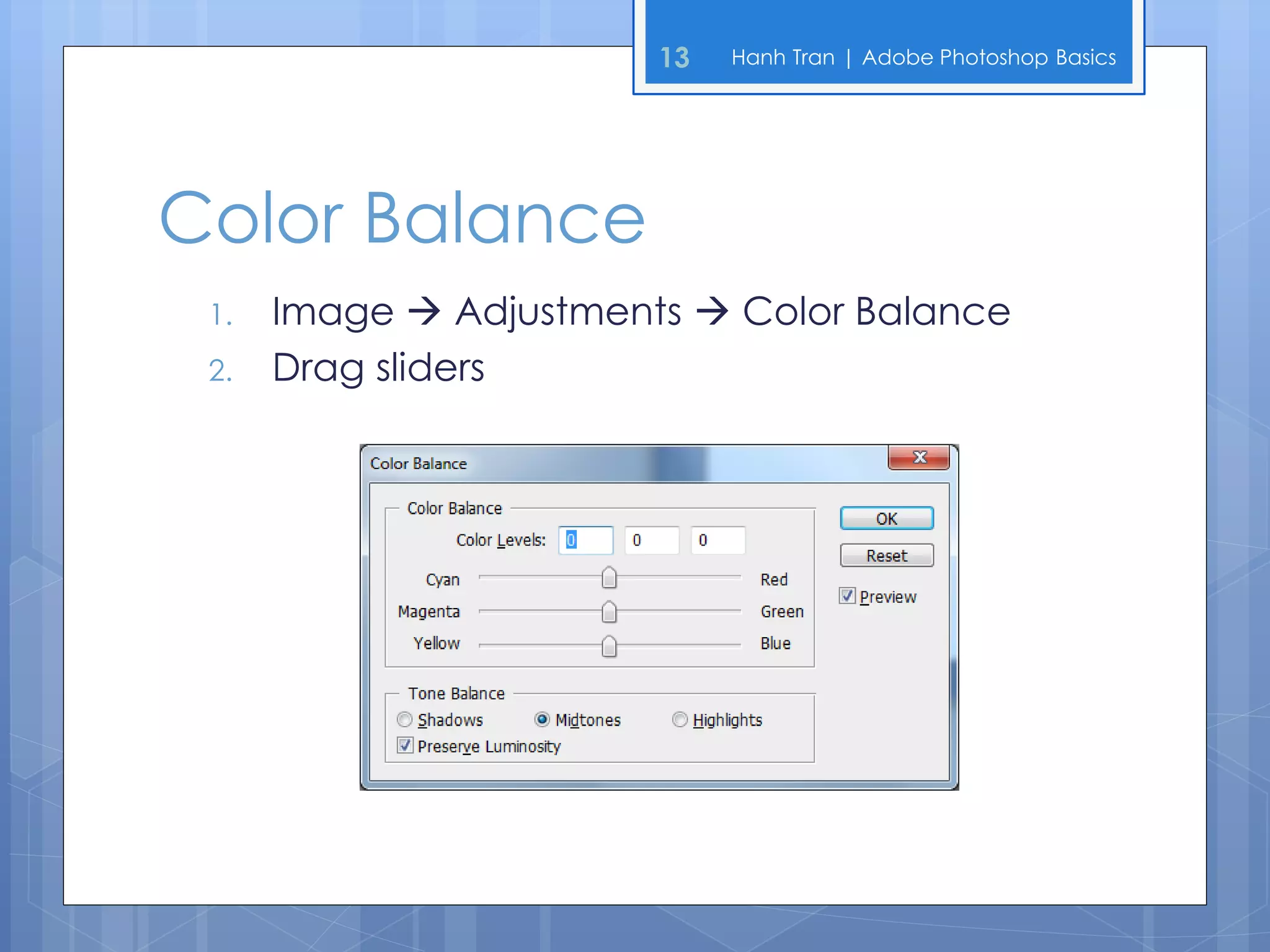
Color Balance
 1.   Image  Adjustments  Color Balance
 2.   Drag sliders
14   Hanh Tran | Adobe Photoshop Basics


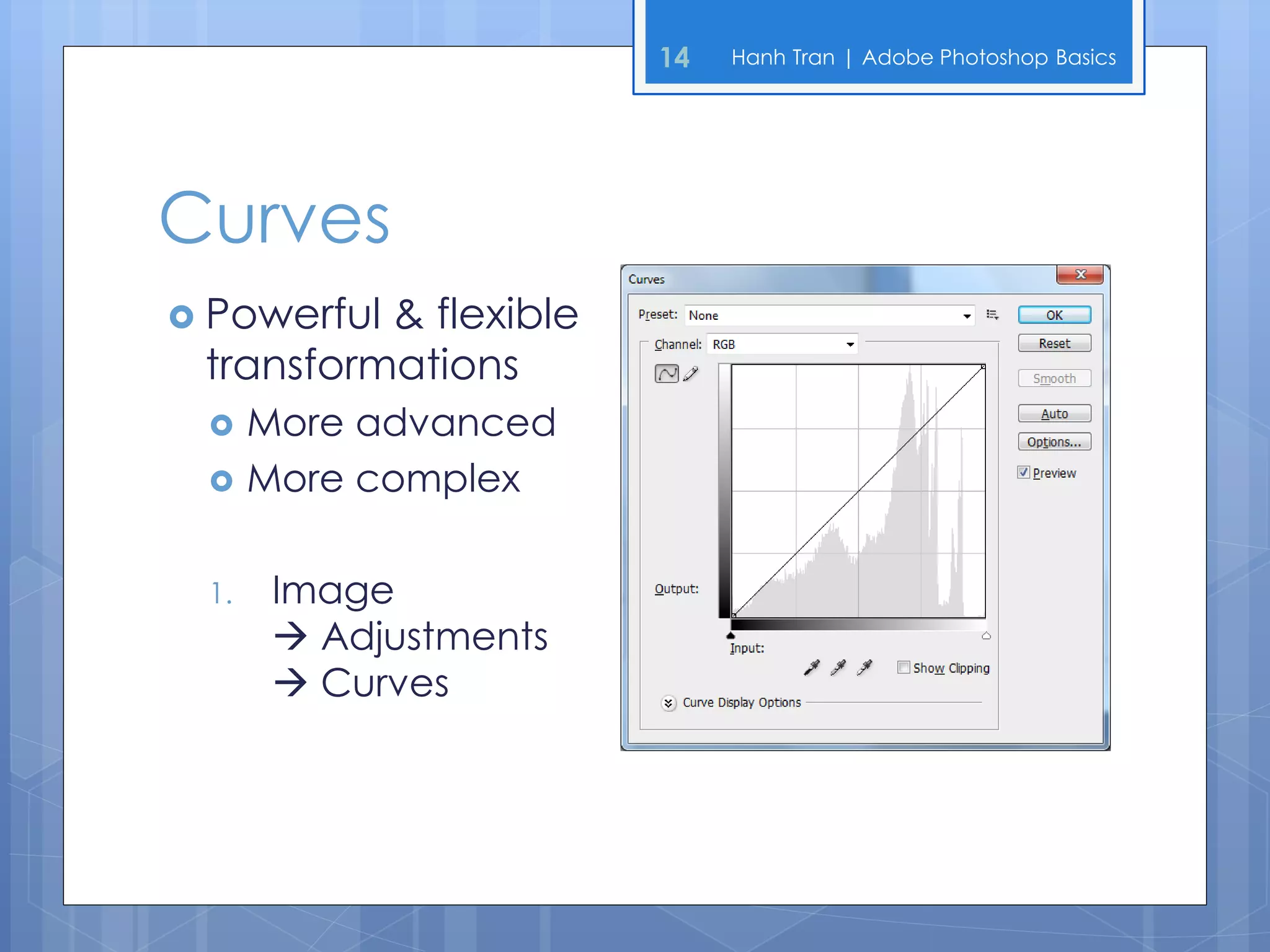
Curves
 Powerful& flexible
 transformations
     More advanced
     More complex

 1.    Image
        Adjustments
        Curves
15   Hanh Tran | Adobe Photoshop Basics


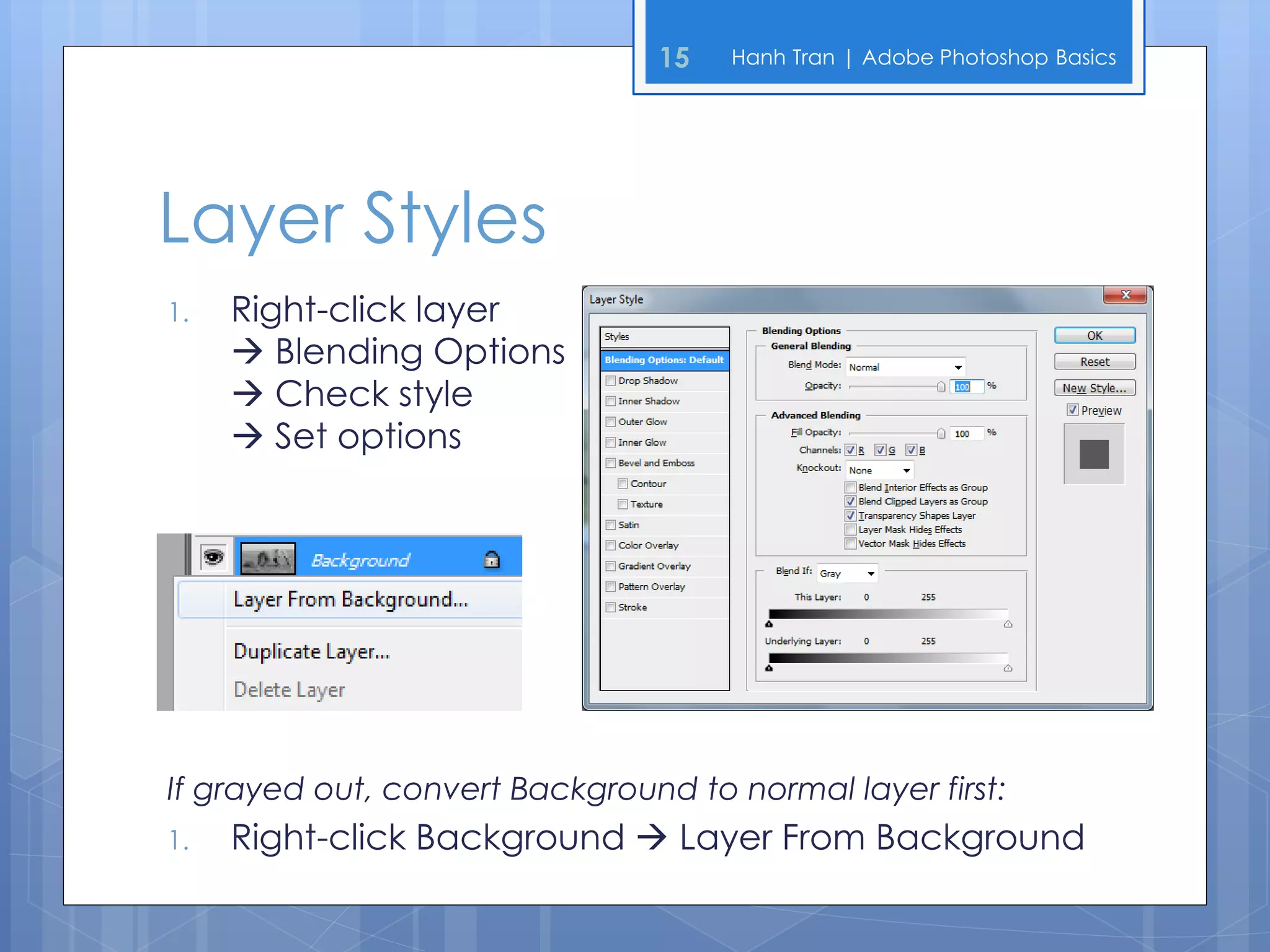
Layer Styles
1.   Right-click layer
      Blending Options
      Check style
      Set options


If grayed out, convert Background to normal layer first:
1.   Right-click Background  Layer From Background
16   Hanh Tran | Adobe Photoshop Basics


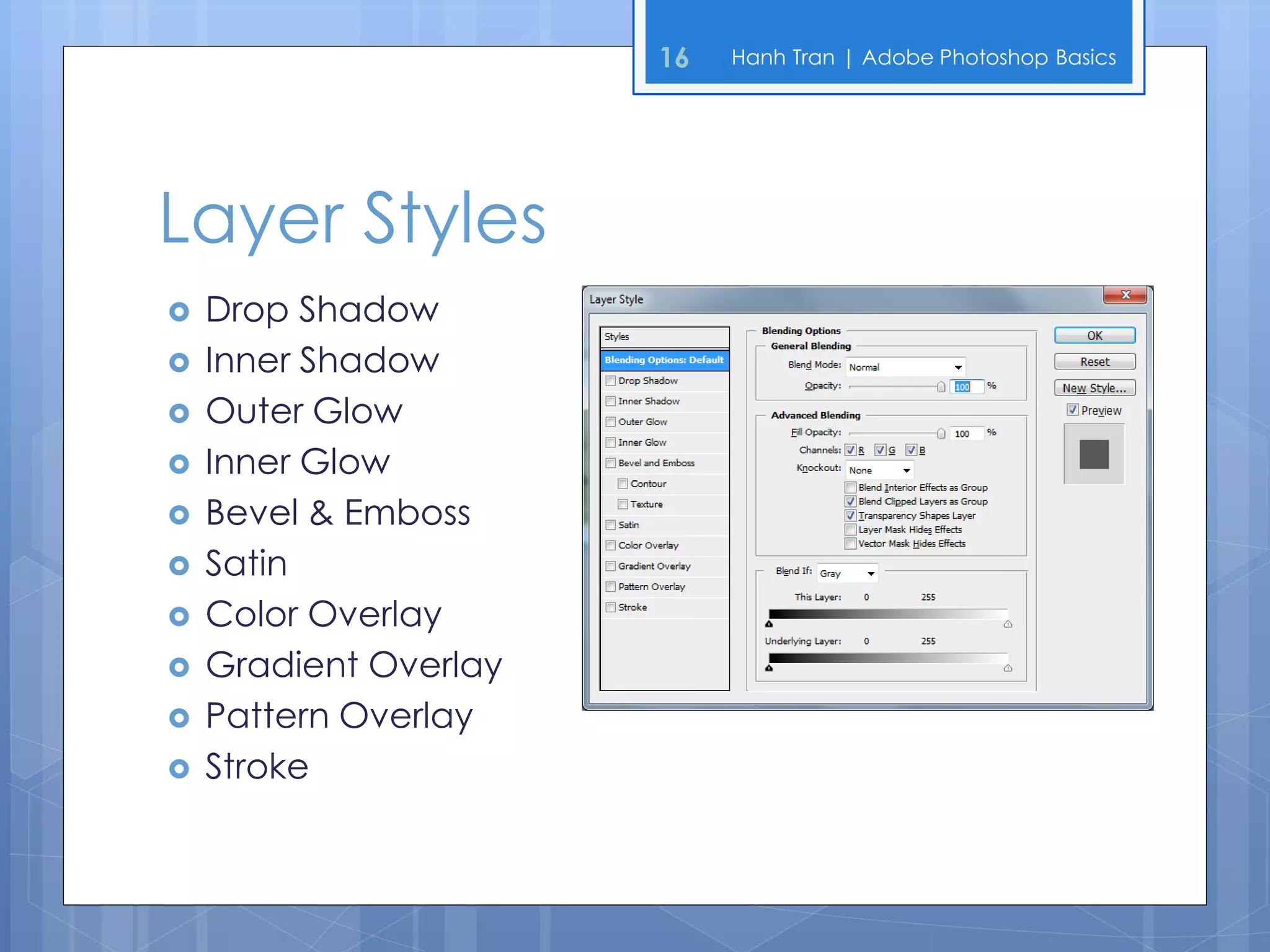
Layer Styles
   Drop Shadow
   Inner Shadow
   Outer Glow
   Inner Glow
   Bevel & Emboss
   Satin
   Color Overlay
   Gradient Overlay
   Pattern Overlay
   Stroke
17   Hanh Tran | Adobe Photoshop Basics


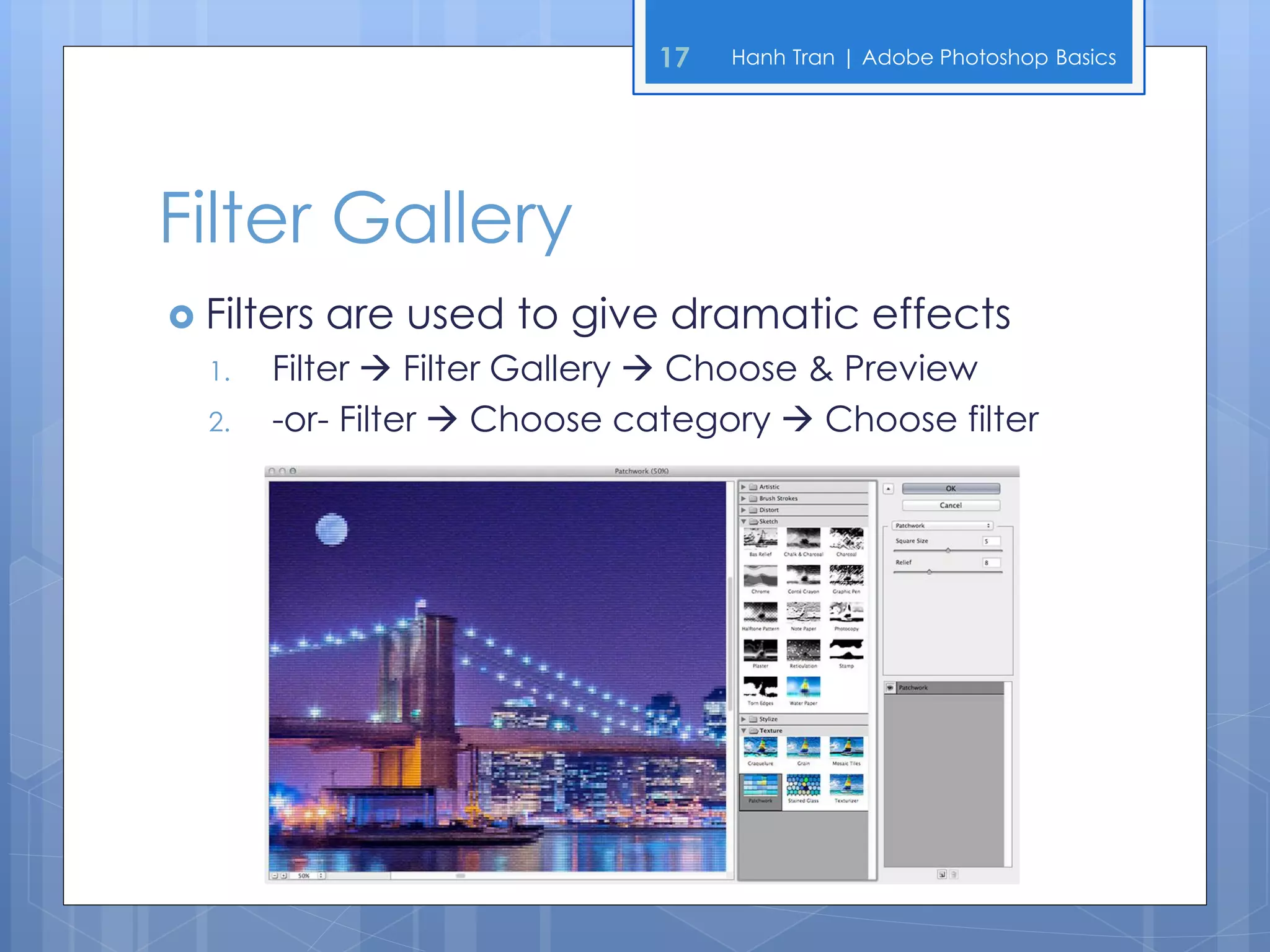
Filter Gallery
 Filters   are used to give dramatic effects
  1.   Filter  Filter Gallery  Choose & Preview
  2.   -or- Filter  Choose category  Choose filter
18   Hanh Tran | Adobe Photoshop Basics


Liquifying an Image
1.   Filter  Liquify
2.   Set options (i.e. brush size)
3.   Click and drag on image preview
4.   OK to save, or Restore All to revert to original
19   Hanh Tran | Adobe Photoshop Basics


Class Exercises
   Work with Colors
       Changing & Blending
       Grayscale
       Hue & Saturation
       Brightness & Contrast
       Color Balance
       Curves
   Work with Layer Styles
   Work with the Filter Gallery
   Liquify an Image
20   Hanh Tran | Adobe Photoshop Basics


End of Session 3
 See   you next week!
21   Hanh Tran | Adobe Photoshop Basics


References
   Elizabeth Eisner Reding. (2011) Adobe Photoshop CS5, Delmar
    Cengage Learning.

   Sherry Bishop, Jim Shuman & Elizabeth Eisner Reding. (2010) The
    Web Collection Revealed Premium Edition: Adobe
    Dreamweaver CS5, Flash CS5 and Photoshop CS5, Delmar
    Cengage Learning.

Adobe Photoshop Basics - Session 3

  • 1.
    Adobe Photoshop Basics Instructor: Hanh Tran Arlington Public Schools Adult Education Program
  • 2.
    2 Hanh Tran | Adobe Photoshop Basics Welcome Back  Hope everyone had a great weekend!  Adobe Photoshop Basics  Jan. 15th – Feb. 5th 2013  Tuesdays, 7:00 – 9:30 PM  Syphax Education Center, Room 115  My email: hanhtee@gmail.com  Feel free to email me with any questions
  • 3.
    3 Hanh Tran | Adobe Photoshop Basics Previous Sessions  Photoshop Workspace, Tools, Layers, etc.  Making Selections  Using Shapes  Using Colors  Modifying & Transforming  Vignette Effect  Fixing Imperfections  Healing Brush  Clone Stamp  Eyedropper & Brush Combo  Class Exercises
  • 4.
    4 Hanh Tran | Adobe Photoshop Basics Session 3 Objectives  Working with Colors  Changing Colors  Blending Colors  Grayscale  Hue & Saturation  Brightness & Contrast  Color Balance  Curves  Layer Styles  Filter Gallery  Liquifying an Image  Class Exercises
  • 5.
    5 Hanh Tran | Adobe Photoshop Basics Working with Colors
  • 6.
    6 Hanh Tran | Adobe Photoshop Basics Changing Colors  Change foreground color:  Color Picker  Colors Panel  Swatches Panel  Eyedropper Tool  Change background color:  Color Picker  Switch foreground & background colors
  • 7.
    7 Hanh Tran | Adobe Photoshop Basics Changing Colors
  • 8.
    8 Hanh Tran | Adobe Photoshop Basics Blending Colors  Gradient Tool: used to blend colors  Pick from presets  Customize gradients  Add color/opacity stops  Gradient Map 1. Image  Adjustments  Gradient Map
  • 9.
    9 Hanh Tran | Adobe Photoshop Basics Grayscale Images  Convert a color to a grayscale image 1. Image  Mode  Grayscale 2. -or- Image  Adjustments  Desaturate  Tint a grayscale image to give color 1. Image  Mode  RGB Color 2. Image  Adjustments  Hue/Saturation 3. Check “Colorize” checkbox 4. Drag sliders
  • 10.
    10 Hanh Tran | Adobe Photoshop Basics Grayscale Images
  • 11.
    11 Hanh Tran | Adobe Photoshop Basics Hue & Saturation  Hue: color transmitted/reflected  Identified by the color name (i.e. blue)  Saturation: chroma, strength of the color  Represents the amount of gray in proportion to the hue
  • 12.
    12 Hanh Tran | Adobe Photoshop Basics Brightness & Contrast  Brightness:lightness/darkness of the color  Contrast: difference in luminance & color 1. Image  Adjustments  Brightness/Contrast 2. Drag sliders
  • 13.
    13 Hanh Tran | Adobe Photoshop Basics Color Balance 1. Image  Adjustments  Color Balance 2. Drag sliders
  • 14.
    14 Hanh Tran | Adobe Photoshop Basics Curves  Powerful& flexible transformations  More advanced  More complex 1. Image  Adjustments  Curves
  • 15.
    15 Hanh Tran | Adobe Photoshop Basics Layer Styles 1. Right-click layer  Blending Options  Check style  Set options If grayed out, convert Background to normal layer first: 1. Right-click Background  Layer From Background
  • 16.
    16 Hanh Tran | Adobe Photoshop Basics Layer Styles  Drop Shadow  Inner Shadow  Outer Glow  Inner Glow  Bevel & Emboss  Satin  Color Overlay  Gradient Overlay  Pattern Overlay  Stroke
  • 17.
    17 Hanh Tran | Adobe Photoshop Basics Filter Gallery  Filters are used to give dramatic effects 1. Filter  Filter Gallery  Choose & Preview 2. -or- Filter  Choose category  Choose filter
  • 18.
    18 Hanh Tran | Adobe Photoshop Basics Liquifying an Image 1. Filter  Liquify 2. Set options (i.e. brush size) 3. Click and drag on image preview 4. OK to save, or Restore All to revert to original
  • 19.
    19 Hanh Tran | Adobe Photoshop Basics Class Exercises  Work with Colors  Changing & Blending  Grayscale  Hue & Saturation  Brightness & Contrast  Color Balance  Curves  Work with Layer Styles  Work with the Filter Gallery  Liquify an Image
  • 20.
    20 Hanh Tran | Adobe Photoshop Basics End of Session 3  See you next week!
  • 21.
    21 Hanh Tran | Adobe Photoshop Basics References  Elizabeth Eisner Reding. (2011) Adobe Photoshop CS5, Delmar Cengage Learning.  Sherry Bishop, Jim Shuman & Elizabeth Eisner Reding. (2010) The Web Collection Revealed Premium Edition: Adobe Dreamweaver CS5, Flash CS5 and Photoshop CS5, Delmar Cengage Learning.