A primer on
game-based learning
iDesignX 2017
Me Gerard Friel
eLearning Instructional Designer
& Developer at PageGroup
15 Years L&D
7 Years in Australia
Created mix of physical and digital games
Serious Games Design student at USC
You 1. eLearning developers?
2. How many use advanced actions,
triggers and events?
 Show you how to map game
development to existing L&D structures
A primer on
game-based
learning
1. What is game-based learning?
2. Why take a game-based learning
approach?
3. Practical tips for developing a game
x 3 skill coinsgerardfriel.com
What is game-based
learning?
What is
game-based
learning?
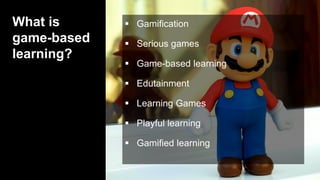
 Gamification
 Serious games
 Game-based learning
 Edutainment
 Learning Games
 Playful learning
 Gamified learning
 Gamification
 Serious games
 Game-based learning
 Edutainment
 Learning Games
 Playful learning
 Gamified learning
What is
game-based
learning?
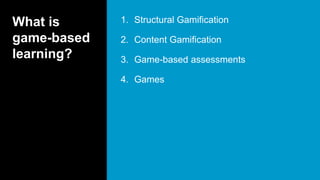
1. Structural Gamification
2. Content Gamification
3. Game-based assessments
4. Games
What is
game-based
learning?
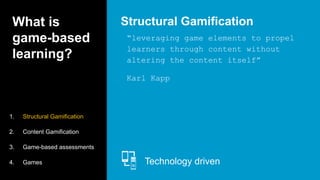
“leveraging game elements to propel
learners through content without
altering the content itself”
Karl Kapp
Structural Gamification
Technology driven
1. Structural Gamification
2. Content Gamification
3. Game-based assessments
4. Games
What is
game-based
learning?
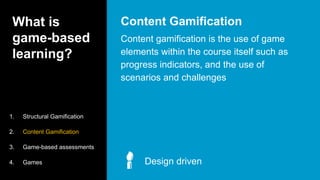
Content gamification is the use of game
elements within the course itself such as
progress indicators, and the use of
scenarios and challenges
Content Gamification
Design driven
1. Structural Gamification
2. Content Gamification
3. Game-based assessments
4. Games
What is
game-based
learning?
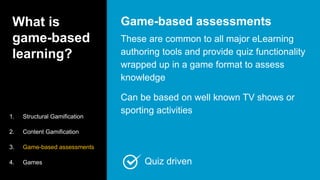
These are common to all major eLearning
authoring tools and provide quiz functionality
wrapped up in a game format to assess
knowledge
Can be based on well known TV shows or
sporting activities
Game-based assessments
1. Structural Gamification
2. Content Gamification
3. Game-based assessments
4. Games Quiz driven
What is
game-based
learning?
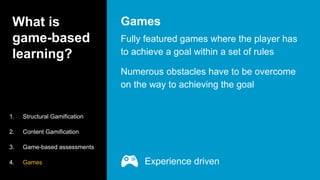
Fully featured games where the player has
to achieve a goal within a set of rules
Numerous obstacles have to be overcome
on the way to achieving the goal
Games
1. Structural Gamification
2. Content Gamification
3. Game-based assessments
4. Games Experience driven
What is
game-based
learning?
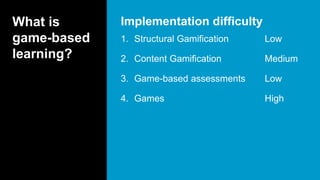
1. Structural Gamification Low
2. Content Gamification Medium
3. Game-based assessments Low
4. Games High
Implementation difficulty
What is
game-based
learning?
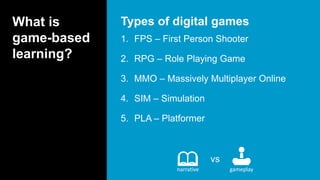
1. FPS – First Person Shooter
2. RPG – Role Playing Game
3. MMO – Massively Multiplayer Online
4. SIM – Simulation
5. PLA – Platformer
Types of digital games
vs
narrative gameplay
What is
game-based
learning?
1. Various types of games
2. Some that really don’t interest you
3. Build your game literacy
4. Call upon mechanics in your designs
Play games
Skill Coin #1
Why take a game-based
learning approach?
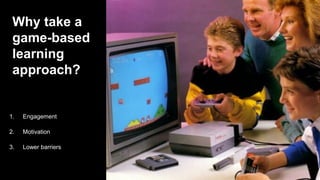
Why take a
game-based
learning
approach?
 Engagement
 Motivation
1. Engagement
2. Motivation
3. Lower barriers
Why take a
game-based
learning
approach?
 Immediate feedback
 Know you’re on the right track
 Correct errors
 High degree of problem solving
 Smart phones
 Flow
Engagement
1. Engagement
2. Motivation
3. Lower barriers
Why take a
game-based
learning
approach?
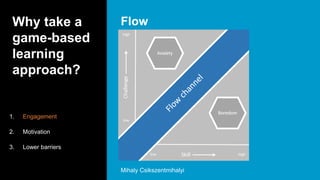
Flow
1. Engagement
2. Motivation
3. Lower barriers
Mihaly Csikszentmihalyi
Why take a
game-based
learning
approach?
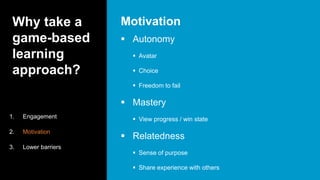
 Autonomy
 Avatar
 Choice
 Freedom to fail
 Mastery
 View progress / win state
 Relatedness
 Sense of purpose
 Share experience with others
Motivation
1. Engagement
2. Motivation
3. Lower barriers
Why take a
game-based
learning
approach?
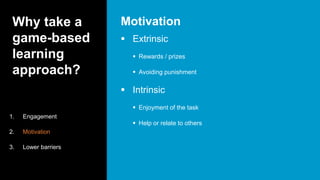
 Extrinsic
 Rewards / prizes
 Avoiding punishment
 Intrinsic
 Enjoyment of the task
 Help or relate to others
Motivation
1. Engagement
2. Motivation
3. Lower barriers
Why take a
game-based
learning
approach?
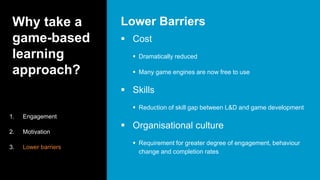
 Cost
 Dramatically reduced
 Many game engines are now free to use
 Skills
 Reduction of skill gap between L&D and game development
 Organisational culture
 Requirement for greater degree of engagement, behaviour
change and completion rates
Lower Barriers
1. Engagement
2. Motivation
3. Lower barriers
Why take a
game-based
learning
approach?
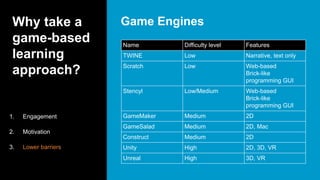
Game Engines
1. Engagement
2. Motivation
3. Lower barriers
Name Difficulty level Features
TWINE Low Narrative, text only
Scratch Low Web-based
Brick-like
programming GUI
Stencyl Low/Medium Web-based
Brick-like
programming GUI
GameMaker Medium 2D
GameSalad Medium 2D, Mac
Construct Medium 2D
Unity High 2D, 3D, VR
Unreal High 3D, VR
Practical tips for
developing a game
Practical
tips for
developing a
game
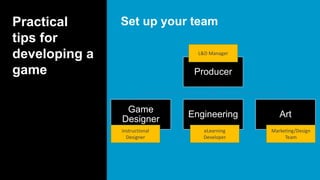
Set up your team
Producer
Game
Designer
Engineering Art
Instructional
Designer
L&D Manager
eLearning
Developer
Marketing/Design
Team
Practical
tips for
developing a
game
Set up your process
Waterfall vs AGILE
Waterfall or ‘top down’ development
Practical
tips for
developing a
game
Set up your process
Waterfall vs AGILE
Iterative or looping development
Practical
tips for
developing a
game
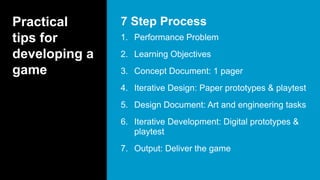
1. Performance Problem
2. Learning Objectives
3. Concept Document: 1 pager
4. Iterative Design: Paper prototypes & playtest
5. Design Document: Art and engineering tasks
6. Iterative Development: Digital prototypes &
playtest
7. Output: Deliver the game
7 Step Process
Practical
tips for
developing a
game
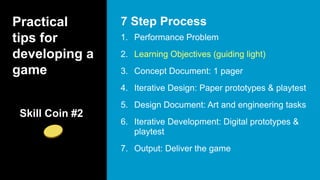
1. Performance Problem
2. Learning Objectives (guiding light)
3. Concept Document: 1 pager
4. Iterative Design: Paper prototypes & playtest
5. Design Document: Art and engineering tasks
6. Iterative Development: Digital prototypes &
playtest
7. Output: Deliver the game
7 Step Process
Skill Coin #2
Practical
tips for
developing a
game
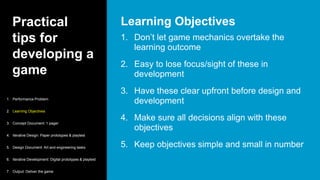
1. Don’t let game mechanics overtake the
learning outcome
2. Easy to lose focus/sight of these in
development
3. Have these clear upfront before design and
development
4. Make sure all decisions align with these
objectives
5. Keep objectives simple and small in number
Learning Objectives
1. Performance Problem
2. Learning Objectives
3. Concept Document: 1 pager
4. Iterative Design: Paper prototypes & playtest
5. Design Document: Art and engineering tasks
6. Iterative Development: Digital prototypes & playtest
7. Output: Deliver the game
Practical
tips for
developing a
game
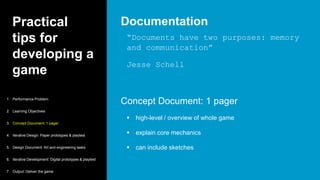
“Documents have two purposes: memory
and communication”
Jesse Schell
Concept Document: 1 pager
 high-level / overview of whole game
 explain core mechanics
 can include sketches
Documentation
1. Performance Problem
2. Learning Objectives
3. Concept Document: 1 pager
4. Iterative Design: Paper prototypes & playtest
5. Design Document: Art and engineering tasks
6. Iterative Development: Digital prototypes & playtest
7. Output: Deliver the game
Practical
tips for
developing a
game
1. Performance Problem
2. Learning Objectives
3. Concept Document: 1 pager
4. Iterative Design: Paper prototypes & playtest
5. Design Document: Art and engineering tasks
6. Iterative Development: Digital prototypes &
playtest
7. Output: Deliver the game
Playtesting
Skill Coin #3
Practical
tips for
developing a
game
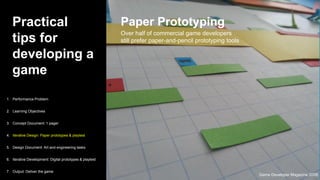
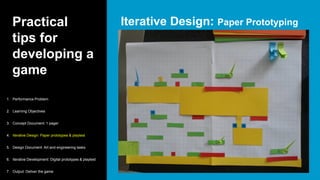
Paper Prototyping
Over half of commercial game developers
still prefer paper-and-pencil prototyping tools
1. Performance Problem
2. Learning Objectives
3. Concept Document: 1 pager
4. Iterative Design: Paper prototypes & playtest
5. Design Document: Art and engineering tasks
6. Iterative Development: Digital prototypes & playtest
7. Output: Deliver the game
Game Developer Magazine 2009
Practical
tips for
developing a
game
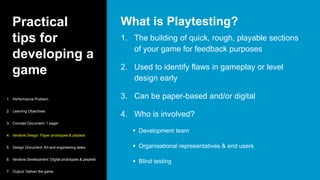
1. The building of quick, rough, playable sections
of your game for feedback purposes
2. Used to identify flaws in gameplay or level
design early
3. Can be paper-based and/or digital
4. Who is involved?
 Development team
 Organisational representatives & end users
 Blind testing
What is Playtesting?
1. Performance Problem
2. Learning Objectives
3. Concept Document: 1 pager
4. Iterative Design: Paper prototypes & playtest
5. Design Document: Art and engineering tasks
6. Iterative Development: Digital prototypes & playtest
7. Output: Deliver the game
Practical
tips for
developing a
game
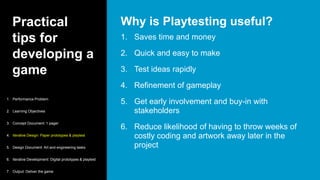
1. Saves time and money
2. Quick and easy to make
3. Test ideas rapidly
4. Refinement of gameplay
5. Get early involvement and buy-in with
stakeholders
6. Reduce likelihood of having to throw weeks of
costly coding and artwork away later in the
project
Why is Playtesting useful?
1. Performance Problem
2. Learning Objectives
3. Concept Document: 1 pager
4. Iterative Design: Paper prototypes & playtest
5. Design Document: Art and engineering tasks
6. Iterative Development: Digital prototypes & playtest
7. Output: Deliver the game
Practical
tips for
developing a
game
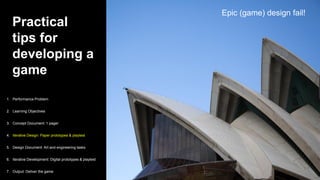
Sydney race
Epic (game) design fail!
1. Performance Problem
2. Learning Objectives
3. Concept Document: 1 pager
4. Iterative Design: Paper prototypes & playtest
5. Design Document: Art and engineering tasks
6. Iterative Development: Digital prototypes & playtest
7. Output: Deliver the game
Practical
tips for
developing a
game
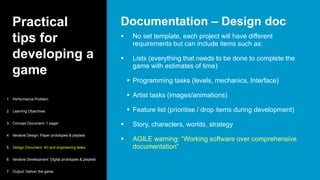
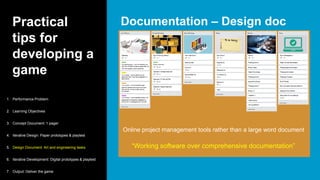
 No set template, each project will have different
requirements but can include items such as:
 Lists (everything that needs to be done to complete the
game with estimates of time)
 Programming tasks (levels, mechanics, Interface)
 Artist tasks (images/animations)
 Feature list (prioritise / drop items during development)
 Story, characters, worlds, strategy
 AGILE warning: “Working software over comprehensive
documentation”
Documentation – Design doc
1. Performance Problem
2. Learning Objectives
3. Concept Document: 1 pager
4. Iterative Design: Paper prototypes & playtest
5. Design Document: Art and engineering tasks
6. Iterative Development: Digital prototypes & playtest
7. Output: Deliver the game
Practical
tips for
developing a
game
 Working version of part of a game
 Users can play them
 Include interface
 Used for development testing & refinement
 Determine how playable the game is
 Can reuse the code in actual game
Digital playtesting
1. Performance Problem
2. Learning Objectives
3. Concept Document: 1 pager
4. Iterative Design: Paper prototypes & playtest
5. Design Document: Art and engineering tasks
6. Iterative Development: Digital prototypes & playtest
7. Output: Deliver the game
Practical
tips for
developing a
game
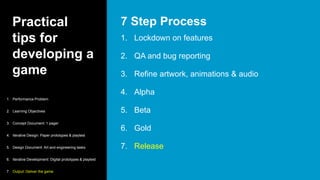
1. Lockdown on features
2. QA and bug reporting
3. Refine artwork, animations & audio
4. Alpha
5. Beta
6. Gold
7. Release
7 Step Process
1. Performance Problem
2. Learning Objectives
3. Concept Document: 1 pager
4. Iterative Design: Paper prototypes & playtest
5. Design Document: Art and engineering tasks
6. Iterative Development: Digital prototypes & playtest
7. Output: Deliver the game
Practical tips for
developing a game
WHS Platformer Example
Practical
tips for
developing a
game
1. Workplace Health & Safety (WHS)
2. Workplace injuries are increasing
3. New starters are not wearing safety
equipment on site
4. Fire evacuation procedures are not
followed
5. Fire evacuation roll calls are at 70%
Performance Problem
1. Performance Problem
2. Learning Objectives
3. Concept Document: 1 pager
4. Iterative Design: Paper prototypes & playtest
5. Design Document: Art and engineering tasks
6. Iterative Development: Digital prototypes & playtest
7. Output: Deliver the game
Practical
tips for
developing a
game
1. Identify the safety equipment required for
working on site
2. Follow the evacuation procedure in the
event of a fire
Learning Objectives
1. Performance Problem
2. Learning Objectives
3. Concept Document: 1 pager
4. Iterative Design: Paper prototypes & playtest
5. Design Document: Art and engineering tasks
6. Iterative Development: Digital prototypes & playtest
7. Output: Deliver the game
Practical
tips for
developing a
game
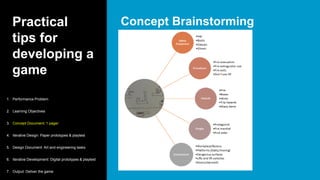
Concept Brainstorming
1. Performance Problem
2. Learning Objectives
3. Concept Document: 1 pager
4. Iterative Design: Paper prototypes & playtest
5. Design Document: Art and engineering tasks
6. Iterative Development: Digital prototypes & playtest
7. Output: Deliver the game
Practical
tips for
developing a
game
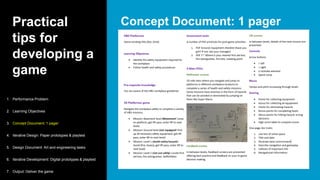
Concept Document: 1 pager
1. Performance Problem
2. Learning Objectives
3. Concept Document: 1 pager
4. Iterative Design: Paper prototypes & playtest
5. Design Document: Art and engineering tasks
6. Iterative Development: Digital prototypes & playtest
7. Output: Deliver the game
Practical
tips for
developing a
game
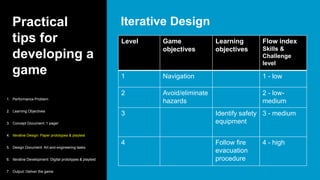
Iterative Design
1. Performance Problem
2. Learning Objectives
3. Concept Document: 1 pager
4. Iterative Design: Paper prototypes & playtest
5. Design Document: Art and engineering tasks
6. Iterative Development: Digital prototypes & playtest
7. Output: Deliver the game
Level Game
objectives
Learning
objectives
Flow index
Skills &
Challenge
level
1 Navigation 1 - low
2 Avoid/eliminate
hazards
2 - low-
medium
3 Identify safety
equipment
3 - medium
4 Follow fire
evacuation
procedure
4 - high
Practical
tips for
developing a
game
Iterative Design: Paper Prototyping
1. Performance Problem
2. Learning Objectives
3. Concept Document: 1 pager
4. Iterative Design: Paper prototypes & playtest
5. Design Document: Art and engineering tasks
6. Iterative Development: Digital prototypes & playtest
7. Output: Deliver the game
Practical
tips for
developing a
game
Documentation – Design doc
1. Performance Problem
2. Learning Objectives
3. Concept Document: 1 pager
4. Iterative Design: Paper prototypes & playtest
5. Design Document: Art and engineering tasks
6. Iterative Development: Digital prototypes & playtest
7. Output: Deliver the game
“Working software over comprehensive documentation”
Online project management tools rather than a large word document
Practical
tips for
developing a
game
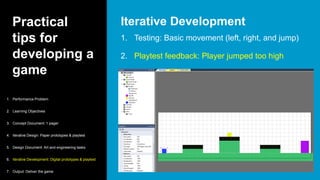
1. Testing: Basic movement (left, right, and jump)
2. Playtest feedback: Player jumped too high
Iterative Development
1. Performance Problem
2. Learning Objectives
3. Concept Document: 1 pager
4. Iterative Design: Paper prototypes & playtest
5. Design Document: Art and engineering tasks
6. Iterative Development: Digital prototypes & playtest
7. Output: Deliver the game
Practical
tips for
developing a
game
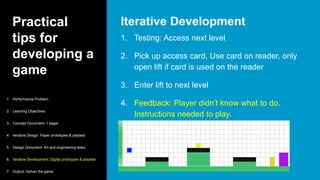
1. Testing: Access next level
2. Pick up access card, Use card on reader, only
open lift if card is used on the reader
3. Enter lift to next level
4. Feedback: Player didn’t know what to do.
Instructions needed to play.
Iterative Development
1. Performance Problem
2. Learning Objectives
3. Concept Document: 1 pager
4. Iterative Design: Paper prototypes & playtest
5. Design Document: Art and engineering tasks
6. Iterative Development: Digital prototypes & playtest
7. Output: Deliver the game
Practical
tips for
developing a
game
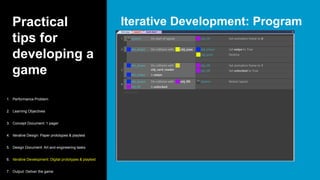
Iterative Development: Program
1. Performance Problem
2. Learning Objectives
3. Concept Document: 1 pager
4. Iterative Design: Paper prototypes & playtest
5. Design Document: Art and engineering tasks
6. Iterative Development: Digital prototypes & playtest
7. Output: Deliver the game
Practical
tips for
developing a
game
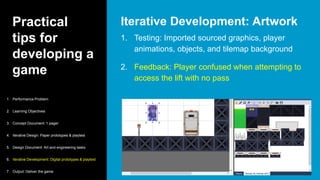
1. Testing: Imported sourced graphics, player
animations, objects, and tilemap background
2. Feedback: Player confused when attempting to
access the lift with no pass
Iterative Development: Artwork
1. Performance Problem
2. Learning Objectives
3. Concept Document: 1 pager
4. Iterative Design: Paper prototypes & playtest
5. Design Document: Art and engineering tasks
6. Iterative Development: Digital prototypes & playtest
7. Output: Deliver the game
Practical
tips for
developing a
game
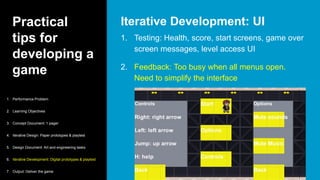
1. Testing: Health, score, start screens, game over
screen messages, level access UI
2. Feedback: Too busy when all menus open.
Need to simplify the interface
Iterative Development: UI
1. Performance Problem
2. Learning Objectives
3. Concept Document: 1 pager
4. Iterative Design: Paper prototypes & playtest
5. Design Document: Art and engineering tasks
6. Iterative Development: Digital prototypes & playtest
7. Output: Deliver the game
Practical
tips for
developing a
game
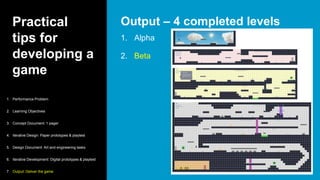
1. Alpha
2. Beta
Output – 4 completed levels
1. Performance Problem
2. Learning Objectives
3. Concept Document: 1 pager
4. Iterative Design: Paper prototypes & playtest
5. Design Document: Art and engineering tasks
6. Iterative Development: Digital prototypes & playtest
7. Output: Deliver the game
Summary
A primer on
game-based learning
A primer on
game-based
learning
1. What is game-based learning?
 The use of full games to provide a learning outcome
2. Why take a game-based learning
approach?
 Engagement, motivation, cheaper and easier than ever
3. Practical tips for developing a game
 Use existing team structures and take an iterative
development approach
A primer on
game-based
learning
1. Play games
2. Keep focus on learning goal
3. Playtest early and often
x 3 skill coins
www.gerardfriel.com/idesignx
iDesignX resources
Image
credits
Gameplay
https://www.flickr.com/photos/bagogames/25683700084
Mario
https://www.pexels.com/photo/cartoon-character-computer-
game-console-305576/

A primer on game-based learning

  • 1.
    A primer on game-basedlearning iDesignX 2017
  • 2.
    Me Gerard Friel eLearningInstructional Designer & Developer at PageGroup 15 Years L&D 7 Years in Australia Created mix of physical and digital games Serious Games Design student at USC
  • 3.
    You 1. eLearningdevelopers? 2. How many use advanced actions, triggers and events?  Show you how to map game development to existing L&D structures
  • 4.
    A primer on game-based learning 1.What is game-based learning? 2. Why take a game-based learning approach? 3. Practical tips for developing a game x 3 skill coinsgerardfriel.com
  • 5.
  • 6.
    What is game-based learning?  Gamification Serious games  Game-based learning  Edutainment  Learning Games  Playful learning  Gamified learning  Gamification  Serious games  Game-based learning  Edutainment  Learning Games  Playful learning  Gamified learning
  • 7.
    What is game-based learning? 1. StructuralGamification 2. Content Gamification 3. Game-based assessments 4. Games
  • 8.
    What is game-based learning? “leveraging gameelements to propel learners through content without altering the content itself” Karl Kapp Structural Gamification Technology driven 1. Structural Gamification 2. Content Gamification 3. Game-based assessments 4. Games
  • 9.
    What is game-based learning? Content gamificationis the use of game elements within the course itself such as progress indicators, and the use of scenarios and challenges Content Gamification Design driven 1. Structural Gamification 2. Content Gamification 3. Game-based assessments 4. Games
  • 10.
    What is game-based learning? These arecommon to all major eLearning authoring tools and provide quiz functionality wrapped up in a game format to assess knowledge Can be based on well known TV shows or sporting activities Game-based assessments 1. Structural Gamification 2. Content Gamification 3. Game-based assessments 4. Games Quiz driven
  • 11.
    What is game-based learning? Fully featuredgames where the player has to achieve a goal within a set of rules Numerous obstacles have to be overcome on the way to achieving the goal Games 1. Structural Gamification 2. Content Gamification 3. Game-based assessments 4. Games Experience driven
  • 12.
    What is game-based learning? 1. StructuralGamification Low 2. Content Gamification Medium 3. Game-based assessments Low 4. Games High Implementation difficulty
  • 13.
    What is game-based learning? 1. FPS– First Person Shooter 2. RPG – Role Playing Game 3. MMO – Massively Multiplayer Online 4. SIM – Simulation 5. PLA – Platformer Types of digital games vs narrative gameplay
  • 14.
    What is game-based learning? 1. Varioustypes of games 2. Some that really don’t interest you 3. Build your game literacy 4. Call upon mechanics in your designs Play games Skill Coin #1
  • 15.
    Why take agame-based learning approach?
  • 16.
    Why take a game-based learning approach? Engagement  Motivation 1. Engagement 2. Motivation 3. Lower barriers
  • 17.
    Why take a game-based learning approach? Immediate feedback  Know you’re on the right track  Correct errors  High degree of problem solving  Smart phones  Flow Engagement 1. Engagement 2. Motivation 3. Lower barriers
  • 18.
    Why take a game-based learning approach? Flow 1.Engagement 2. Motivation 3. Lower barriers Mihaly Csikszentmihalyi
  • 19.
    Why take a game-based learning approach? Autonomy  Avatar  Choice  Freedom to fail  Mastery  View progress / win state  Relatedness  Sense of purpose  Share experience with others Motivation 1. Engagement 2. Motivation 3. Lower barriers
  • 20.
    Why take a game-based learning approach? Extrinsic  Rewards / prizes  Avoiding punishment  Intrinsic  Enjoyment of the task  Help or relate to others Motivation 1. Engagement 2. Motivation 3. Lower barriers
  • 21.
    Why take a game-based learning approach? Cost  Dramatically reduced  Many game engines are now free to use  Skills  Reduction of skill gap between L&D and game development  Organisational culture  Requirement for greater degree of engagement, behaviour change and completion rates Lower Barriers 1. Engagement 2. Motivation 3. Lower barriers
  • 22.
    Why take a game-based learning approach? GameEngines 1. Engagement 2. Motivation 3. Lower barriers Name Difficulty level Features TWINE Low Narrative, text only Scratch Low Web-based Brick-like programming GUI Stencyl Low/Medium Web-based Brick-like programming GUI GameMaker Medium 2D GameSalad Medium 2D, Mac Construct Medium 2D Unity High 2D, 3D, VR Unreal High 3D, VR
  • 23.
  • 24.
    Practical tips for developing a game Setup your team Producer Game Designer Engineering Art Instructional Designer L&D Manager eLearning Developer Marketing/Design Team
  • 25.
    Practical tips for developing a game Setup your process Waterfall vs AGILE Waterfall or ‘top down’ development
  • 26.
    Practical tips for developing a game Setup your process Waterfall vs AGILE Iterative or looping development
  • 27.
    Practical tips for developing a game 1.Performance Problem 2. Learning Objectives 3. Concept Document: 1 pager 4. Iterative Design: Paper prototypes & playtest 5. Design Document: Art and engineering tasks 6. Iterative Development: Digital prototypes & playtest 7. Output: Deliver the game 7 Step Process
  • 28.
    Practical tips for developing a game 1.Performance Problem 2. Learning Objectives (guiding light) 3. Concept Document: 1 pager 4. Iterative Design: Paper prototypes & playtest 5. Design Document: Art and engineering tasks 6. Iterative Development: Digital prototypes & playtest 7. Output: Deliver the game 7 Step Process Skill Coin #2
  • 29.
    Practical tips for developing a game 1.Don’t let game mechanics overtake the learning outcome 2. Easy to lose focus/sight of these in development 3. Have these clear upfront before design and development 4. Make sure all decisions align with these objectives 5. Keep objectives simple and small in number Learning Objectives 1. Performance Problem 2. Learning Objectives 3. Concept Document: 1 pager 4. Iterative Design: Paper prototypes & playtest 5. Design Document: Art and engineering tasks 6. Iterative Development: Digital prototypes & playtest 7. Output: Deliver the game
  • 30.
    Practical tips for developing a game “Documentshave two purposes: memory and communication” Jesse Schell Concept Document: 1 pager  high-level / overview of whole game  explain core mechanics  can include sketches Documentation 1. Performance Problem 2. Learning Objectives 3. Concept Document: 1 pager 4. Iterative Design: Paper prototypes & playtest 5. Design Document: Art and engineering tasks 6. Iterative Development: Digital prototypes & playtest 7. Output: Deliver the game
  • 31.
    Practical tips for developing a game 1.Performance Problem 2. Learning Objectives 3. Concept Document: 1 pager 4. Iterative Design: Paper prototypes & playtest 5. Design Document: Art and engineering tasks 6. Iterative Development: Digital prototypes & playtest 7. Output: Deliver the game Playtesting Skill Coin #3
  • 32.
    Practical tips for developing a game PaperPrototyping Over half of commercial game developers still prefer paper-and-pencil prototyping tools 1. Performance Problem 2. Learning Objectives 3. Concept Document: 1 pager 4. Iterative Design: Paper prototypes & playtest 5. Design Document: Art and engineering tasks 6. Iterative Development: Digital prototypes & playtest 7. Output: Deliver the game Game Developer Magazine 2009
  • 33.
    Practical tips for developing a game 1.The building of quick, rough, playable sections of your game for feedback purposes 2. Used to identify flaws in gameplay or level design early 3. Can be paper-based and/or digital 4. Who is involved?  Development team  Organisational representatives & end users  Blind testing What is Playtesting? 1. Performance Problem 2. Learning Objectives 3. Concept Document: 1 pager 4. Iterative Design: Paper prototypes & playtest 5. Design Document: Art and engineering tasks 6. Iterative Development: Digital prototypes & playtest 7. Output: Deliver the game
  • 34.
    Practical tips for developing a game 1.Saves time and money 2. Quick and easy to make 3. Test ideas rapidly 4. Refinement of gameplay 5. Get early involvement and buy-in with stakeholders 6. Reduce likelihood of having to throw weeks of costly coding and artwork away later in the project Why is Playtesting useful? 1. Performance Problem 2. Learning Objectives 3. Concept Document: 1 pager 4. Iterative Design: Paper prototypes & playtest 5. Design Document: Art and engineering tasks 6. Iterative Development: Digital prototypes & playtest 7. Output: Deliver the game
  • 35.
    Practical tips for developing a game Sydneyrace Epic (game) design fail! 1. Performance Problem 2. Learning Objectives 3. Concept Document: 1 pager 4. Iterative Design: Paper prototypes & playtest 5. Design Document: Art and engineering tasks 6. Iterative Development: Digital prototypes & playtest 7. Output: Deliver the game
  • 36.
    Practical tips for developing a game No set template, each project will have different requirements but can include items such as:  Lists (everything that needs to be done to complete the game with estimates of time)  Programming tasks (levels, mechanics, Interface)  Artist tasks (images/animations)  Feature list (prioritise / drop items during development)  Story, characters, worlds, strategy  AGILE warning: “Working software over comprehensive documentation” Documentation – Design doc 1. Performance Problem 2. Learning Objectives 3. Concept Document: 1 pager 4. Iterative Design: Paper prototypes & playtest 5. Design Document: Art and engineering tasks 6. Iterative Development: Digital prototypes & playtest 7. Output: Deliver the game
  • 37.
    Practical tips for developing a game Working version of part of a game  Users can play them  Include interface  Used for development testing & refinement  Determine how playable the game is  Can reuse the code in actual game Digital playtesting 1. Performance Problem 2. Learning Objectives 3. Concept Document: 1 pager 4. Iterative Design: Paper prototypes & playtest 5. Design Document: Art and engineering tasks 6. Iterative Development: Digital prototypes & playtest 7. Output: Deliver the game
  • 38.
    Practical tips for developing a game 1.Lockdown on features 2. QA and bug reporting 3. Refine artwork, animations & audio 4. Alpha 5. Beta 6. Gold 7. Release 7 Step Process 1. Performance Problem 2. Learning Objectives 3. Concept Document: 1 pager 4. Iterative Design: Paper prototypes & playtest 5. Design Document: Art and engineering tasks 6. Iterative Development: Digital prototypes & playtest 7. Output: Deliver the game
  • 39.
    Practical tips for developinga game WHS Platformer Example
  • 40.
    Practical tips for developing a game 1.Workplace Health & Safety (WHS) 2. Workplace injuries are increasing 3. New starters are not wearing safety equipment on site 4. Fire evacuation procedures are not followed 5. Fire evacuation roll calls are at 70% Performance Problem 1. Performance Problem 2. Learning Objectives 3. Concept Document: 1 pager 4. Iterative Design: Paper prototypes & playtest 5. Design Document: Art and engineering tasks 6. Iterative Development: Digital prototypes & playtest 7. Output: Deliver the game
  • 41.
    Practical tips for developing a game 1.Identify the safety equipment required for working on site 2. Follow the evacuation procedure in the event of a fire Learning Objectives 1. Performance Problem 2. Learning Objectives 3. Concept Document: 1 pager 4. Iterative Design: Paper prototypes & playtest 5. Design Document: Art and engineering tasks 6. Iterative Development: Digital prototypes & playtest 7. Output: Deliver the game
  • 42.
    Practical tips for developing a game ConceptBrainstorming 1. Performance Problem 2. Learning Objectives 3. Concept Document: 1 pager 4. Iterative Design: Paper prototypes & playtest 5. Design Document: Art and engineering tasks 6. Iterative Development: Digital prototypes & playtest 7. Output: Deliver the game
  • 43.
    Practical tips for developing a game ConceptDocument: 1 pager 1. Performance Problem 2. Learning Objectives 3. Concept Document: 1 pager 4. Iterative Design: Paper prototypes & playtest 5. Design Document: Art and engineering tasks 6. Iterative Development: Digital prototypes & playtest 7. Output: Deliver the game
  • 44.
    Practical tips for developing a game IterativeDesign 1. Performance Problem 2. Learning Objectives 3. Concept Document: 1 pager 4. Iterative Design: Paper prototypes & playtest 5. Design Document: Art and engineering tasks 6. Iterative Development: Digital prototypes & playtest 7. Output: Deliver the game Level Game objectives Learning objectives Flow index Skills & Challenge level 1 Navigation 1 - low 2 Avoid/eliminate hazards 2 - low- medium 3 Identify safety equipment 3 - medium 4 Follow fire evacuation procedure 4 - high
  • 45.
    Practical tips for developing a game IterativeDesign: Paper Prototyping 1. Performance Problem 2. Learning Objectives 3. Concept Document: 1 pager 4. Iterative Design: Paper prototypes & playtest 5. Design Document: Art and engineering tasks 6. Iterative Development: Digital prototypes & playtest 7. Output: Deliver the game
  • 46.
    Practical tips for developing a game Documentation– Design doc 1. Performance Problem 2. Learning Objectives 3. Concept Document: 1 pager 4. Iterative Design: Paper prototypes & playtest 5. Design Document: Art and engineering tasks 6. Iterative Development: Digital prototypes & playtest 7. Output: Deliver the game “Working software over comprehensive documentation” Online project management tools rather than a large word document
  • 47.
    Practical tips for developing a game 1.Testing: Basic movement (left, right, and jump) 2. Playtest feedback: Player jumped too high Iterative Development 1. Performance Problem 2. Learning Objectives 3. Concept Document: 1 pager 4. Iterative Design: Paper prototypes & playtest 5. Design Document: Art and engineering tasks 6. Iterative Development: Digital prototypes & playtest 7. Output: Deliver the game
  • 48.
    Practical tips for developing a game 1.Testing: Access next level 2. Pick up access card, Use card on reader, only open lift if card is used on the reader 3. Enter lift to next level 4. Feedback: Player didn’t know what to do. Instructions needed to play. Iterative Development 1. Performance Problem 2. Learning Objectives 3. Concept Document: 1 pager 4. Iterative Design: Paper prototypes & playtest 5. Design Document: Art and engineering tasks 6. Iterative Development: Digital prototypes & playtest 7. Output: Deliver the game
  • 49.
    Practical tips for developing a game IterativeDevelopment: Program 1. Performance Problem 2. Learning Objectives 3. Concept Document: 1 pager 4. Iterative Design: Paper prototypes & playtest 5. Design Document: Art and engineering tasks 6. Iterative Development: Digital prototypes & playtest 7. Output: Deliver the game
  • 50.
    Practical tips for developing a game 1.Testing: Imported sourced graphics, player animations, objects, and tilemap background 2. Feedback: Player confused when attempting to access the lift with no pass Iterative Development: Artwork 1. Performance Problem 2. Learning Objectives 3. Concept Document: 1 pager 4. Iterative Design: Paper prototypes & playtest 5. Design Document: Art and engineering tasks 6. Iterative Development: Digital prototypes & playtest 7. Output: Deliver the game
  • 51.
    Practical tips for developing a game 1.Testing: Health, score, start screens, game over screen messages, level access UI 2. Feedback: Too busy when all menus open. Need to simplify the interface Iterative Development: UI 1. Performance Problem 2. Learning Objectives 3. Concept Document: 1 pager 4. Iterative Design: Paper prototypes & playtest 5. Design Document: Art and engineering tasks 6. Iterative Development: Digital prototypes & playtest 7. Output: Deliver the game
  • 52.
    Practical tips for developing a game 1.Alpha 2. Beta Output – 4 completed levels 1. Performance Problem 2. Learning Objectives 3. Concept Document: 1 pager 4. Iterative Design: Paper prototypes & playtest 5. Design Document: Art and engineering tasks 6. Iterative Development: Digital prototypes & playtest 7. Output: Deliver the game
  • 53.
  • 54.
    A primer on game-based learning 1.What is game-based learning?  The use of full games to provide a learning outcome 2. Why take a game-based learning approach?  Engagement, motivation, cheaper and easier than ever 3. Practical tips for developing a game  Use existing team structures and take an iterative development approach
  • 55.
    A primer on game-based learning 1.Play games 2. Keep focus on learning goal 3. Playtest early and often x 3 skill coins www.gerardfriel.com/idesignx iDesignX resources
  • 56.