Basic Computer Terms
Unit 1—Part A
Computer Technology
Antenh Mekonen
Why Study Basic Terms?
• For some people, the computer aisles at an
electronics store can be quite a mystery!
• Prepare for the State Skills Test
• Use computers in your future with ease and
confidence
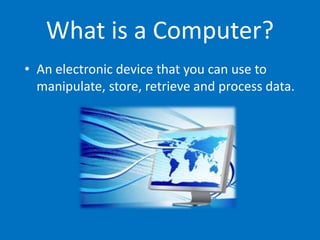
What is a Computer?
• An electronic device that you can use to
manipulate, store, retrieve and process data.
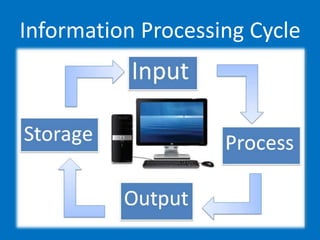
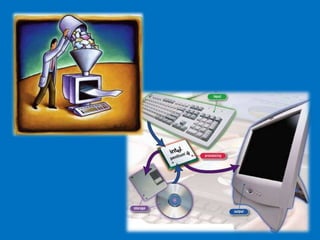
Information Processing Cycle
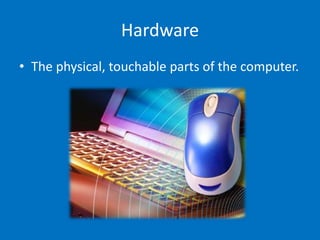
Hardware
• The physical, touchable parts of the computer.
Software
• A term that is used in contrast to hardware;
everything in the computer that is not
hardware is software.
• Software allows you to:
– Process words
– Calculate numbers
– Send an e-mail
– Browse the Internet
– And many more…
Input
• A collection of raw data from the outside
world that is put into the computer.
• Example: The payroll clerk collects workers'
timecards so she knows how many hours each
person worked and then types the hours from
the timecards into a spreadsheet.
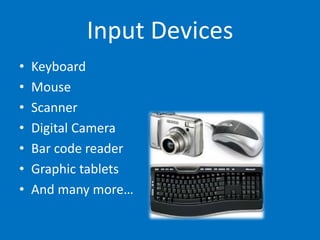
Input Devices
• Keyboard
• Mouse
• Scanner
• Digital Camera
• Bar code reader
• Graphic tablets
• And many more…
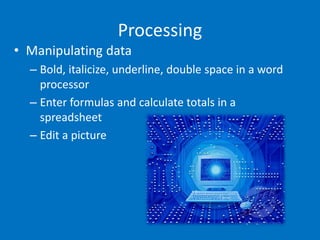
Processing
• Manipulating data
– Bold, italicize, underline, double space in a word
processor
– Enter formulas and calculate totals in a
spreadsheet
– Edit a picture
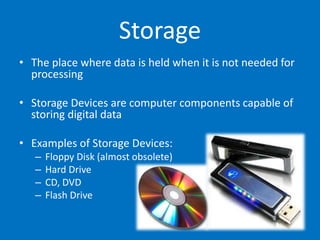
Storage
• The place where data is held when it is not needed for
processing
• Storage Devices are computer components capable of
storing digital data
• Examples of Storage Devices:
– Floppy Disk (almost obsolete)
– Hard Drive
– CD, DVD
– Flash Drive
Output
• The results of processed data
• Examples of output:
– A printed paper
– A presentation
– Audio
– Video
• Data is entered through various forms (input) into a
computer, the data is manipulated (processing), and
then information is presented to a human (output).
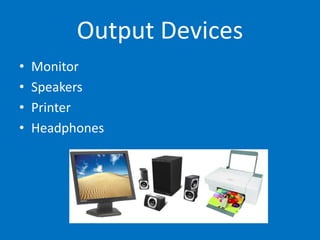
Output Devices
• Monitor
• Speakers
• Printer
• Headphones
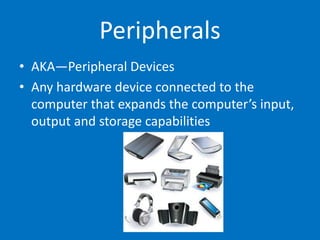
Peripherals
• AKA—Peripheral Devices
• Any hardware device connected to the
computer that expands the computer’s input,
output and storage capabilities
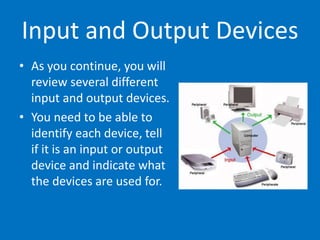
Input and Output Devices
• As you continue, you will
review several different
input and output devices.
• You need to be able to
identify each device, tell
if it is an input or output
device and indicate what
the devices are used for.
Keyboard
• The most commonly used input device
• It is made up of :
– Alphabetic Keys
– Numeric Keys
– Function Keys
– Command Keys
• Connected to the computer through a
USB connection or wirelessly
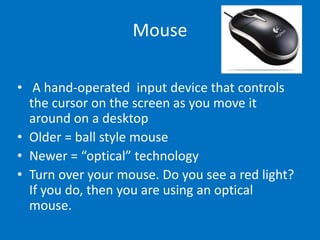
Mouse
• A hand-operated input device that controls
the cursor on the screen as you move it
around on a desktop
• Older = ball style mouse
• Newer = “optical” technology
• Turn over your mouse. Do you see a red light?
If you do, then you are using an optical
mouse.
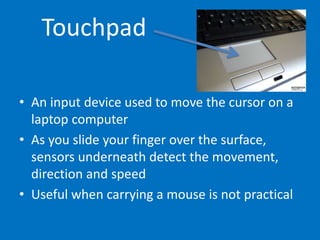
Touchpad
• An input device used to move the cursor on a
laptop computer
• As you slide your finger over the surface,
sensors underneath detect the movement,
direction and speed
• Useful when carrying a mouse is not practical
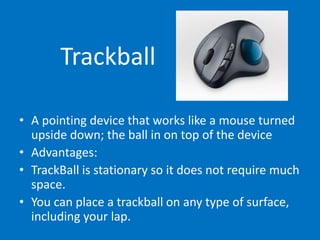
Trackball
• A pointing device that works like a mouse turned
upside down; the ball in on top of the device
• Advantages:
• TrackBall is stationary so it does not require much
space.
• You can place a trackball on any type of surface,
including your lap.
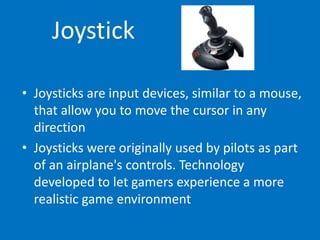
Joystick
• Joysticks are input devices, similar to a mouse,
that allow you to move the cursor in any
direction
• Joysticks were originally used by pilots as part
of an airplane's controls. Technology
developed to let gamers experience a more
realistic game environment
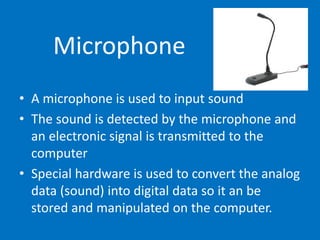
Microphone
• A microphone is used to input sound
• The sound is detected by the microphone and
an electronic signal is transmitted to the
computer
• Special hardware is used to convert the analog
data (sound) into digital data so it an be
stored and manipulated on the computer.
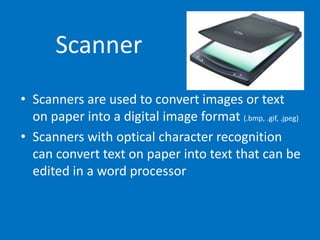
Scanner
• Scanners are used to convert images or text
on paper into a digital image format (.bmp, .gif, .jpeg)
• Scanners with optical character recognition
can convert text on paper into text that can be
edited in a word processor
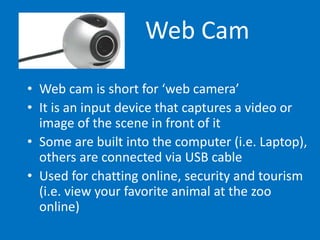
Web Cam
• Web cam is short for ‘web camera’
• It is an input device that captures a video or
image of the scene in front of it
• Some are built into the computer (i.e. Laptop),
others are connected via USB cable
• Used for chatting online, security and tourism
(i.e. view your favorite animal at the zoo
online)
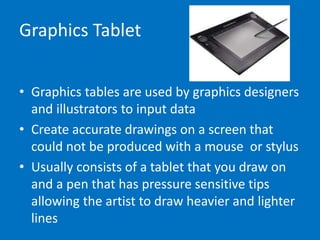
Graphics Tablet
• Graphics tables are used by graphics designers
and illustrators to input data
• Create accurate drawings on a screen that
could not be produced with a mouse or stylus
• Usually consists of a tablet that you draw on
and a pen that has pressure sensitive tips
allowing the artist to draw heavier and lighter
lines
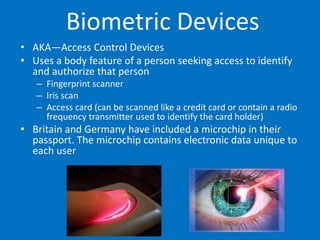
Biometric Devices
• AKA—Access Control Devices
• Uses a body feature of a person seeking access to identify
and authorize that person
– Fingerprint scanner
– Iris scan
– Access card (can be scanned like a credit card or contain a radio
frequency transmitter used to identify the card holder)
• Britain and Germany have included a microchip in their
passport. The microchip contains electronic data unique to
each user
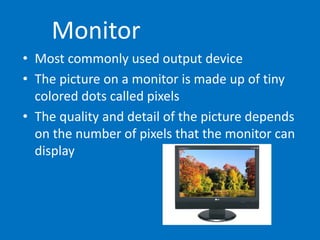
Monitor
• Most commonly used output device
• The picture on a monitor is made up of tiny
colored dots called pixels
• The quality and detail of the picture depends
on the number of pixels that the monitor can
display
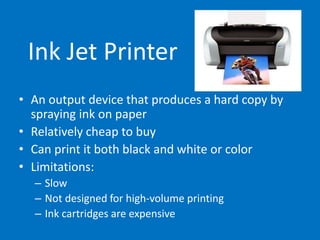
Ink Jet Printer
• An output device that produces a hard copy by
spraying ink on paper
• Relatively cheap to buy
• Can print it both black and white or color
• Limitations:
– Slow
– Not designed for high-volume printing
– Ink cartridges are expensive
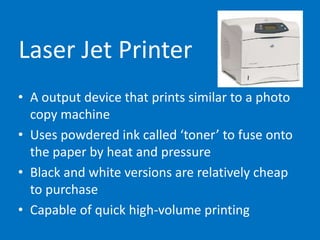
Laser Jet Printer
• A output device that prints similar to a photo
copy machine
• Uses powdered ink called ‘toner’ to fuse onto
the paper by heat and pressure
• Black and white versions are relatively cheap
to purchase
• Capable of quick high-volume printing
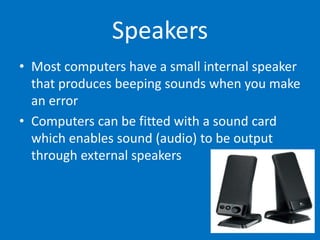
Speakers
• Most computers have a small internal speaker
that produces beeping sounds when you make
an error
• Computers can be fitted with a sound card
which enables sound (audio) to be output
through external speakers
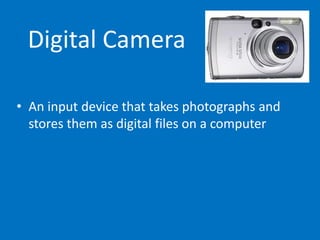
Digital Camera
• An input device that takes photographs and
stores them as digital files on a computer
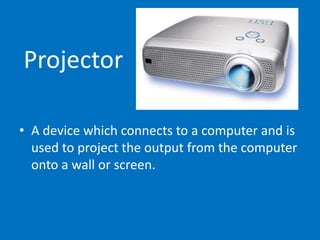
Projector
• A device which connects to a computer and is
used to project the output from the computer
onto a wall or screen.
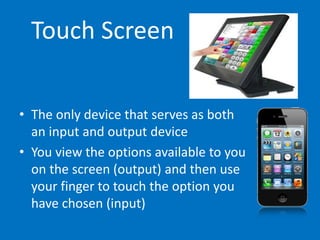
Touch Screen
• The only device that serves as both
an input and output device
• You view the options available to you
on the screen (output) and then use
your finger to touch the option you
have chosen (input)
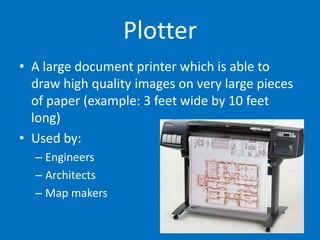
Plotter
• A large document printer which is able to
draw high quality images on very large pieces
of paper (example: 3 feet wide by 10 feet
long)
• Used by:
– Engineers
– Architects
– Map makers
The End

A basic terms power point

  • 1.
    Basic Computer Terms Unit1—Part A Computer Technology Antenh Mekonen
  • 2.
    Why Study BasicTerms? • For some people, the computer aisles at an electronics store can be quite a mystery! • Prepare for the State Skills Test • Use computers in your future with ease and confidence
  • 3.
    What is aComputer? • An electronic device that you can use to manipulate, store, retrieve and process data.
  • 4.
  • 5.
    Hardware • The physical,touchable parts of the computer.
  • 6.
    Software • A termthat is used in contrast to hardware; everything in the computer that is not hardware is software. • Software allows you to: – Process words – Calculate numbers – Send an e-mail – Browse the Internet – And many more…
  • 7.
    Input • A collectionof raw data from the outside world that is put into the computer. • Example: The payroll clerk collects workers' timecards so she knows how many hours each person worked and then types the hours from the timecards into a spreadsheet.
  • 8.
    Input Devices • Keyboard •Mouse • Scanner • Digital Camera • Bar code reader • Graphic tablets • And many more…
  • 9.
    Processing • Manipulating data –Bold, italicize, underline, double space in a word processor – Enter formulas and calculate totals in a spreadsheet – Edit a picture
  • 10.
    Storage • The placewhere data is held when it is not needed for processing • Storage Devices are computer components capable of storing digital data • Examples of Storage Devices: – Floppy Disk (almost obsolete) – Hard Drive – CD, DVD – Flash Drive
  • 11.
    Output • The resultsof processed data • Examples of output: – A printed paper – A presentation – Audio – Video • Data is entered through various forms (input) into a computer, the data is manipulated (processing), and then information is presented to a human (output).
  • 12.
    Output Devices • Monitor •Speakers • Printer • Headphones
  • 13.
    Peripherals • AKA—Peripheral Devices •Any hardware device connected to the computer that expands the computer’s input, output and storage capabilities
  • 15.
    Input and OutputDevices • As you continue, you will review several different input and output devices. • You need to be able to identify each device, tell if it is an input or output device and indicate what the devices are used for.
  • 16.
    Keyboard • The mostcommonly used input device • It is made up of : – Alphabetic Keys – Numeric Keys – Function Keys – Command Keys • Connected to the computer through a USB connection or wirelessly
  • 17.
    Mouse • A hand-operatedinput device that controls the cursor on the screen as you move it around on a desktop • Older = ball style mouse • Newer = “optical” technology • Turn over your mouse. Do you see a red light? If you do, then you are using an optical mouse.
  • 18.
    Touchpad • An inputdevice used to move the cursor on a laptop computer • As you slide your finger over the surface, sensors underneath detect the movement, direction and speed • Useful when carrying a mouse is not practical
  • 19.
    Trackball • A pointingdevice that works like a mouse turned upside down; the ball in on top of the device • Advantages: • TrackBall is stationary so it does not require much space. • You can place a trackball on any type of surface, including your lap.
  • 20.
    Joystick • Joysticks areinput devices, similar to a mouse, that allow you to move the cursor in any direction • Joysticks were originally used by pilots as part of an airplane's controls. Technology developed to let gamers experience a more realistic game environment
  • 21.
    Microphone • A microphoneis used to input sound • The sound is detected by the microphone and an electronic signal is transmitted to the computer • Special hardware is used to convert the analog data (sound) into digital data so it an be stored and manipulated on the computer.
  • 22.
    Scanner • Scanners areused to convert images or text on paper into a digital image format (.bmp, .gif, .jpeg) • Scanners with optical character recognition can convert text on paper into text that can be edited in a word processor
  • 23.
    Web Cam • Webcam is short for ‘web camera’ • It is an input device that captures a video or image of the scene in front of it • Some are built into the computer (i.e. Laptop), others are connected via USB cable • Used for chatting online, security and tourism (i.e. view your favorite animal at the zoo online)
  • 24.
    Graphics Tablet • Graphicstables are used by graphics designers and illustrators to input data • Create accurate drawings on a screen that could not be produced with a mouse or stylus • Usually consists of a tablet that you draw on and a pen that has pressure sensitive tips allowing the artist to draw heavier and lighter lines
  • 25.
    Biometric Devices • AKA—AccessControl Devices • Uses a body feature of a person seeking access to identify and authorize that person – Fingerprint scanner – Iris scan – Access card (can be scanned like a credit card or contain a radio frequency transmitter used to identify the card holder) • Britain and Germany have included a microchip in their passport. The microchip contains electronic data unique to each user
  • 26.
    Monitor • Most commonlyused output device • The picture on a monitor is made up of tiny colored dots called pixels • The quality and detail of the picture depends on the number of pixels that the monitor can display
  • 27.
    Ink Jet Printer •An output device that produces a hard copy by spraying ink on paper • Relatively cheap to buy • Can print it both black and white or color • Limitations: – Slow – Not designed for high-volume printing – Ink cartridges are expensive
  • 28.
    Laser Jet Printer •A output device that prints similar to a photo copy machine • Uses powdered ink called ‘toner’ to fuse onto the paper by heat and pressure • Black and white versions are relatively cheap to purchase • Capable of quick high-volume printing
  • 29.
    Speakers • Most computershave a small internal speaker that produces beeping sounds when you make an error • Computers can be fitted with a sound card which enables sound (audio) to be output through external speakers
  • 30.
    Digital Camera • Aninput device that takes photographs and stores them as digital files on a computer
  • 31.
    Projector • A devicewhich connects to a computer and is used to project the output from the computer onto a wall or screen.
  • 32.
    Touch Screen • Theonly device that serves as both an input and output device • You view the options available to you on the screen (output) and then use your finger to touch the option you have chosen (input)
  • 33.
    Plotter • A largedocument printer which is able to draw high quality images on very large pieces of paper (example: 3 feet wide by 10 feet long) • Used by: – Engineers – Architects – Map makers
  • 34.

Editor's Notes

  • #26 Fingerprint scanner is a common biometric device on personal computers. Can be used in place of a login and password to gain access to computer files or folders. Prints stored on the computer. If the print matches, access to the computer is granted.