Input and Output
Input/output and Storage
Odane Lindo ID#20141690
Computer Science
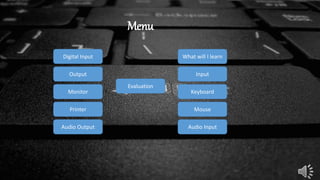
What will I learn
Input
Keyboard
Mouse
Audio Input
Menu
Digital Input
Output
Monitor
Audio Output
Printer
Evaluation
What You Will Learn About
• Input devices used to get audio and digital data into the
computer
• The characteristics of a monitor’s quality and the
various types of monitors
• The two major types of printers
• The difference between memory and storage
Input
• Input is any data entered into the computer’s memory.
• Types of input include:
• Data – Unorganized information (words, numbers, images, or
sounds) that the computer converts to meaningful information
• Software – Programs transferred from storage devices to the
computer’s memory
• Commands – Instructions that tell the computer what to do
• Responses – Prompts requiring user feedback
Input Devices: Giving Commands
Keyboard
Mouse
Other Pointing
Devices
Keyboard
• The keyboard allows the computer user to enter
words, numbers, punctuation, symbols, and special
function commands into the computer’s memory.
Enhanced / Extended Keyboard
Ergonomic Keyboard
Types of Keyboards
• Enhanced or Extended keyboard – Typically 101 keys laid out
in the QWERTY fashion; connected to the computer by a cable
• Cordless keyboard – Uses infrared or radio wave signals
• Ergonomic keyboard – Designed to help prevent cumulative
trauma disorder (CTD) or damage to nerve tissues in the wrist
and hand due to repeated motion
The Mouse
• The mouse is the most widely used pointing device.
• A mouse is palm sized.
• As the mouse is moved, its movements are mirrored by the
on-screen pointer.
Wheel
Mouse
Cordless
Mouse
Types of Mouse
• Wheel mouse – Contains a rotating wheel used to scroll
vertically within a text document; connects to PS/2 port or
USB port
• Cordless mouse – Uses infrared signals to connect to the
computer’s IrDA port; it must be within sight of the receiving
port
Using the Mouse
• Mouse buttons enable the user to initiate actions.
• Clicking (left-, right-, or double-clicking) allows the
user to select an item on the screen or open a
program or dialog box
• Click and drag – Holding down the left mouse button
and moving the mouse enables the user to move
objects on the screen
Joystick
Touch Pad
Touch
ScreenTrackball
Pointing
Stick
Pen
Other Types of Pointing Devices
Audio Input
• Computers can accept input from a microphone.
• An expansion card called a sound card records and
plays back sound files.
• Sound files contain digitized sound data.
• Popular sound file formats include:
• Windows WAV
• Moving Pictures Expert Group (MPEG)
• MP2 and MP3
• Musical Instrument Digital Interface (MIDI)
Audio Input: Speech Recognition
• Speech recognition is a type
of input in which the
computer recognizes words
spoken into a microphone.
• Special software and a
microphone are required.
• Latest technology uses
continuous speech
recognition where the user
does not have to pause
between words.
Digital Cameras
Digital Video
Digital Input: Digital Cameras and
Digital Video
Digital Cameras
• The image’s light falls on a charge-coupled device
(CCD) which transforms the light’s patterns into
pixels (individual dots).
• Images are stored in the camera using flash
memory. The most popular types are CompactFlash
and Smart Media.
• Photo-editing programs enable the user to edit the
images.
Digital Video
• A video capture board transforms analog video into
digital video.
• Digital video cameras use digital technologies to
record video images.
• A Web cam is a low resolution video camera.
Web cam
Digital video
camera
Output Devices: Engaging our Senses
• Output devices are peripheral devices that enable us to view or hear
the computer’s processed data.
• Visual output – Text, graphics, and video
• Audiooutput – Sounds, music, and synthesized speech
Monitors
• A monitor is a peripheral device which displays
computer output on a screen.
• Screen output is referred to as soft copy.
• Types of monitors:
• Cathode-ray tube (CRT)
• Liquid Crystal Display (LCD or flat-panel)
CRT LCD
Cathode-ray tube (CRT)
• Resemble televisions
• Use picture tube technology
• Less expensive than a LCD
monitor
• Take up more desk space and
use more energy than LCD
monitors
Liquid Crystal Display (LCD)
• Cells sandwiched between two transparent layers form images
• Used for notebook computers, PDAs, cellular phones, and
personal computers
• More expensive than a CRT monitor
• Take up less desk space and use less energy than CRT monitors
• Types of LCD monitors:
• Passive-matrix LCD
• Active-matrix LCD
• Gas plasma display
• Field emission display
Printers
• A printer is a peripheral
device that produces a
physical copy or hard
copy of the computer’s
output.
Question 1 Question 2
Question 3 Question 4
Question 5
Questions
In the tutorial there are a number of inputs, select
the type of input that is correct
Data
Softwareprocessing
numbers
What kind of device is the mouse?
Typing Storing
Walking Pointing
Select the type of mouse that is correct?
Drawing mouse Walking mouse
Wheel mouse Ground mouse
What does a computer monitor do?
Output
Input
process
Store
Name one (1) kind of storage device
Keyboard
Mouse
Hard drive
Printer
Your Correct!!!
Sorry wrong answer!!!

odane lindo interactive powerpoint

  • 1.
    Input and Output Input/outputand Storage Odane Lindo ID#20141690 Computer Science
  • 2.
    What will Ilearn Input Keyboard Mouse Audio Input Menu Digital Input Output Monitor Audio Output Printer Evaluation
  • 3.
    What You WillLearn About • Input devices used to get audio and digital data into the computer • The characteristics of a monitor’s quality and the various types of monitors • The two major types of printers • The difference between memory and storage
  • 4.
    Input • Input isany data entered into the computer’s memory. • Types of input include: • Data – Unorganized information (words, numbers, images, or sounds) that the computer converts to meaningful information • Software – Programs transferred from storage devices to the computer’s memory • Commands – Instructions that tell the computer what to do • Responses – Prompts requiring user feedback
  • 5.
    Input Devices: GivingCommands Keyboard Mouse Other Pointing Devices
  • 6.
    Keyboard • The keyboardallows the computer user to enter words, numbers, punctuation, symbols, and special function commands into the computer’s memory.
  • 7.
    Enhanced / ExtendedKeyboard Ergonomic Keyboard Types of Keyboards • Enhanced or Extended keyboard – Typically 101 keys laid out in the QWERTY fashion; connected to the computer by a cable • Cordless keyboard – Uses infrared or radio wave signals • Ergonomic keyboard – Designed to help prevent cumulative trauma disorder (CTD) or damage to nerve tissues in the wrist and hand due to repeated motion
  • 8.
    The Mouse • Themouse is the most widely used pointing device. • A mouse is palm sized. • As the mouse is moved, its movements are mirrored by the on-screen pointer.
  • 9.
    Wheel Mouse Cordless Mouse Types of Mouse •Wheel mouse – Contains a rotating wheel used to scroll vertically within a text document; connects to PS/2 port or USB port • Cordless mouse – Uses infrared signals to connect to the computer’s IrDA port; it must be within sight of the receiving port
  • 10.
    Using the Mouse •Mouse buttons enable the user to initiate actions. • Clicking (left-, right-, or double-clicking) allows the user to select an item on the screen or open a program or dialog box • Click and drag – Holding down the left mouse button and moving the mouse enables the user to move objects on the screen
  • 11.
  • 12.
    Audio Input • Computerscan accept input from a microphone. • An expansion card called a sound card records and plays back sound files. • Sound files contain digitized sound data. • Popular sound file formats include: • Windows WAV • Moving Pictures Expert Group (MPEG) • MP2 and MP3 • Musical Instrument Digital Interface (MIDI)
  • 13.
    Audio Input: SpeechRecognition • Speech recognition is a type of input in which the computer recognizes words spoken into a microphone. • Special software and a microphone are required. • Latest technology uses continuous speech recognition where the user does not have to pause between words.
  • 14.
    Digital Cameras Digital Video DigitalInput: Digital Cameras and Digital Video
  • 15.
    Digital Cameras • Theimage’s light falls on a charge-coupled device (CCD) which transforms the light’s patterns into pixels (individual dots). • Images are stored in the camera using flash memory. The most popular types are CompactFlash and Smart Media. • Photo-editing programs enable the user to edit the images.
  • 16.
    Digital Video • Avideo capture board transforms analog video into digital video. • Digital video cameras use digital technologies to record video images. • A Web cam is a low resolution video camera. Web cam Digital video camera
  • 17.
    Output Devices: Engagingour Senses • Output devices are peripheral devices that enable us to view or hear the computer’s processed data. • Visual output – Text, graphics, and video • Audiooutput – Sounds, music, and synthesized speech
  • 18.
    Monitors • A monitoris a peripheral device which displays computer output on a screen. • Screen output is referred to as soft copy. • Types of monitors: • Cathode-ray tube (CRT) • Liquid Crystal Display (LCD or flat-panel) CRT LCD
  • 19.
    Cathode-ray tube (CRT) •Resemble televisions • Use picture tube technology • Less expensive than a LCD monitor • Take up more desk space and use more energy than LCD monitors
  • 20.
    Liquid Crystal Display(LCD) • Cells sandwiched between two transparent layers form images • Used for notebook computers, PDAs, cellular phones, and personal computers • More expensive than a CRT monitor • Take up less desk space and use less energy than CRT monitors • Types of LCD monitors: • Passive-matrix LCD • Active-matrix LCD • Gas plasma display • Field emission display
  • 21.
    Printers • A printeris a peripheral device that produces a physical copy or hard copy of the computer’s output.
  • 22.
    Question 1 Question2 Question 3 Question 4 Question 5 Questions
  • 23.
    In the tutorialthere are a number of inputs, select the type of input that is correct Data Softwareprocessing numbers
  • 24.
    What kind ofdevice is the mouse? Typing Storing Walking Pointing
  • 25.
    Select the typeof mouse that is correct? Drawing mouse Walking mouse Wheel mouse Ground mouse
  • 26.
    What does acomputer monitor do? Output Input process Store
  • 27.
    Name one (1)kind of storage device Keyboard Mouse Hard drive Printer
  • 28.
  • 29.