









Go for Simple
Ideally,
Avoid using too many words
• Powerpoint slides will be meaningless without the narrator which is YOU.
• The best slides may have no text at all.
• If your audience is reading your presentation instead of listening to you deliver it,
your messaging has lost its effectiveness
• Remember the slides are meant to support the speaker, and not make the
speaker superfluous.
.
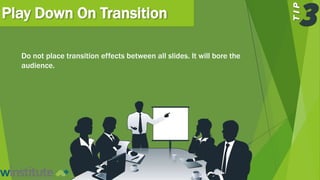
Play Down On Transition
Do not place transition effects between all slides. It will bore the
audience.
Pictures Say More
Use vibrant pictures to
explain your slides
Pictures are Powerful
Pictures Capture Attention
Customise Your Template
Avoid the standard templates
YES, you need a consistent visual theme, but don’t be mediocre.
Be ORIGINAL and CREATIVE.
Choose the colour that works for you
Colours make slides creative
Choose the Right Font
Some experts say it’s
Futura
Others insist on
Garamond
You have Hundreds of Fonts To
Choose FROM.
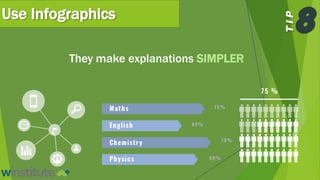
Use Infographics
They make explanations SIMPLER
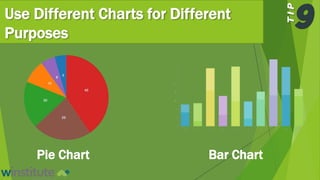
Use Different Charts for Different
Purposes
Pie Chart Bar Chart
These 9 tips could
significantly improve
your next
presentation. Why
don’t you try them?
Register for our Practical PowerPoint
Presentation Design SkillsWorkshop
+2348105571352
theresa.uma@workforcegroup.com
@workforce_group
Want to improve your business presentation
skills?

9 Tips for Creating an Excellent PowerPoint Presentation

  • 2.
  • 3.
    Avoid using toomany words • Powerpoint slides will be meaningless without the narrator which is YOU. • The best slides may have no text at all. • If your audience is reading your presentation instead of listening to you deliver it, your messaging has lost its effectiveness • Remember the slides are meant to support the speaker, and not make the speaker superfluous. .
  • 4.
    Play Down OnTransition Do not place transition effects between all slides. It will bore the audience.
  • 5.
    Pictures Say More Usevibrant pictures to explain your slides
  • 6.
  • 7.
  • 8.
    Customise Your Template Avoidthe standard templates YES, you need a consistent visual theme, but don’t be mediocre. Be ORIGINAL and CREATIVE.
  • 9.
    Choose the colourthat works for you Colours make slides creative
  • 10.
    Choose the RightFont Some experts say it’s Futura Others insist on Garamond You have Hundreds of Fonts To Choose FROM.
  • 11.
    Use Infographics They makeexplanations SIMPLER
  • 12.
    Use Different Chartsfor Different Purposes Pie Chart Bar Chart
  • 13.
    These 9 tipscould significantly improve your next presentation. Why don’t you try them?
  • 15.
    Register for ourPractical PowerPoint Presentation Design SkillsWorkshop +2348105571352 theresa.uma@workforcegroup.com @workforce_group Want to improve your business presentation skills?