Using a variety of software packages.
Software Selection
8.1 Software Uses
Different software packages are used to perform
different tasks on a computer. Sometimes it is
easy to decide which program (applications
software) is the most appropriate for a given
task. At other times some tasks could be
completed using two different pieces of
software. Both will do the job and making the
right choice can be difficult. In order to that,
we need to understand the strengths and
limitations of each type of software.
Common software
types
Here is a list of the most common software types:
Text editor
Word processor
Desktop publisher
Database package
Spreadsheet package
Charting package
Presentation authoring package
Web browser
E-mail editor
Graphics package
Programming languages
Text Editor
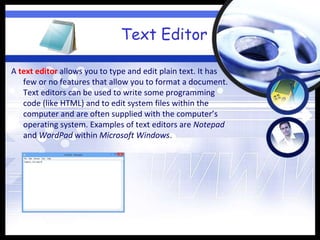
A text editor allows you to type and edit plain text. It has
few or no features that allow you to format a document.
Text editors can be used to write some programming
code (like HTML) and to edit system files within the
computer and are often supplied with the computer’s
operating system. Examples of text editors are Notepad
and WordPad within Microsoft Windows.
Word processor
A word processor allows you to create, edit and format
documents. This can include defining page layout and
document formatting. Many current word processors
have additional features including file management and
the ability to integrate data from a data file into a
document using a mail merge. One example of word
processor is Microsoft Word, which has many additional
features that are not found in all word-processing
software.
Desktop Publisher
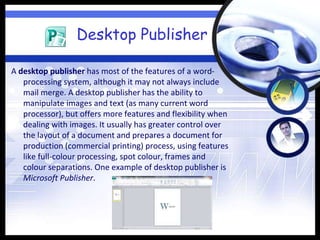
A desktop publisher has most of the features of a word-
processing system, although it may not always include
mail merge. A desktop publisher has the ability to
manipulate images and text (as many current word
processor), but offers more features and flexibility when
dealing with images. It usually has greater control over
the layout of a document and prepares a document for
production (commercial printing) process, using features
like full-colour processing, spot colour, frames and
colour separations. One example of desktop publisher is
Microsoft Publisher.
Database package
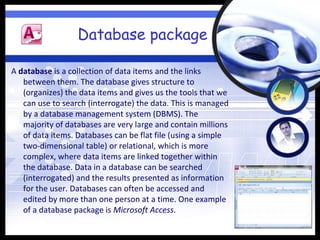
A database is a collection of data items and the links
between them. The database gives structure to
(organizes) the data items and gives us the tools that we
can use to search (interrogate) the data. This is managed
by a database management system (DBMS). The
majority of databases are very large and contain millions
of data items. Databases can be flat file (using a simple
two-dimensional table) or relational, which is more
complex, where data items are linked together within
the database. Data in a database can be searched
(interrogated) and the results presented as information
for the user. Databases can often be accessed and
edited by more than one person at a time. One example
of a database package is Microsoft Access.
Spreadsheet package
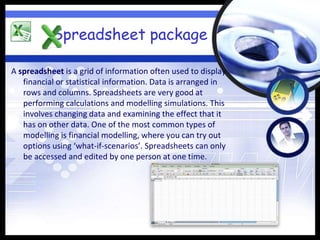
A spreadsheet is a grid of information often used to display
financial or statistical information. Data is arranged in
rows and columns. Spreadsheets are very good at
performing calculations and modelling simulations. This
involves changing data and examining the effect that it
has on other data. One of the most common types of
modelling is financial modelling, where you can try out
options using ‘what-if-scenarios’. Spreadsheets can only
be accessed and edited by one person at one time.
Charting package
A charting package allows you to create a variety of
different graphs and charts. These are sometimes
separate packages or can be included in spreadsheets or
databases.
Presentation authoring
package
A presentation authoring package allows you to create
multimedia presentations and displays. Text, images,
animations, sound and video clips can be included. This
software is often used to support a speech or
presentation of information to an audience. One
example of a presentation authoring package is
Microsoft Powerpoint.
Web Browser
A web browser allows you to display web pages from an
intranet (within an organization or a local area network)
or the Internet (on the worldwide web). Text, images,
animations, sound and video clips can be included on
these web pages. One example of a web browser is
Mozilla Firefox.
E-mail editor
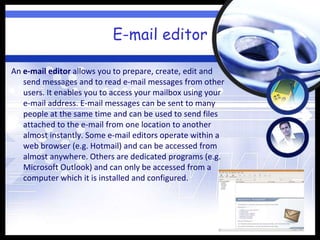
An e-mail editor allows you to prepare, create, edit and
send messages and to read e-mail messages from other
users. It enables you to access your mailbox using your
e-mail address. E-mail messages can be sent to many
people at the same time and can be used to send files
attached to the e-mail from one location to another
almost instantly. Some e-mail editors operate within a
web browser (e.g. Hotmail) and can be accessed from
almost anywhere. Others are dedicated programs (e.g.
Microsoft Outlook) and can only be accessed from a
computer which it is installed and configured.
Graphics package
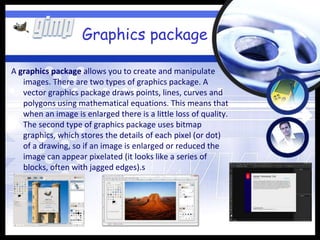
A graphics package allows you to create and manipulate
images. There are two types of graphics package. A
vector graphics package draws points, lines, curves and
polygons using mathematical equations. This means that
when an image is enlarged there is a little loss of quality.
The second type of graphics package uses bitmap
graphics, which stores the details of each pixel (or dot)
of a drawing, so if an image is enlarged or reduced the
image can appear pixelated (it looks like a series of
blocks, often with jagged edges).s
Programming languages
A programming language is used to write code that will
perform a task within the computer. A computer
program follows a sequence of instructions to perform a
pre-defined function.
Small elements of some programming languages can be
used within many of the application packages listed
above (e.g macros within a word processor, spreadsheet
or database package) or as underlying code (e.g. Visual
Basic for Applications within Microsoft Word, Excel or
Access).
Activity
Activity 1
Describe the most appropriate software package for a task
For each of the following tasks, select the most appropriate
application package(s) for the task and justify your choice.
Task 1
Produce a full-colour booklet for a local company using web offset-
printing machines.
Task 2
Present sales figures to the company directors, showing the
changes in sales of a number of products and the profit margins
over the last five years.
Activity 1 (contd.)
Task 3
A local shop sells televisions. It needs to store the information and
search for different makes, models and prices. Using the
information stored about the televisions sold and its customers,
the company wants to automatically write letters to some of
these customers.
Task 4
A local shop sells fridges and freezers. The owner needs to store the
information about each fridge in stock and those they have
recently sold. She also needs to store records of the customers
who have bought the fridges.
Task 5
A new company designs commercial network. It needs to be able to
create, and edit the artwork on a computer, and send copies of
it electronically to clients.
Activity 1 (contd.)

8. software selection

  • 1.
    Using a varietyof software packages. Software Selection
  • 2.
    8.1 Software Uses Differentsoftware packages are used to perform different tasks on a computer. Sometimes it is easy to decide which program (applications software) is the most appropriate for a given task. At other times some tasks could be completed using two different pieces of software. Both will do the job and making the right choice can be difficult. In order to that, we need to understand the strengths and limitations of each type of software.
  • 3.
    Common software types Here isa list of the most common software types: Text editor Word processor Desktop publisher Database package Spreadsheet package Charting package Presentation authoring package Web browser E-mail editor Graphics package Programming languages
  • 4.
    Text Editor A texteditor allows you to type and edit plain text. It has few or no features that allow you to format a document. Text editors can be used to write some programming code (like HTML) and to edit system files within the computer and are often supplied with the computer’s operating system. Examples of text editors are Notepad and WordPad within Microsoft Windows.
  • 5.
    Word processor A wordprocessor allows you to create, edit and format documents. This can include defining page layout and document formatting. Many current word processors have additional features including file management and the ability to integrate data from a data file into a document using a mail merge. One example of word processor is Microsoft Word, which has many additional features that are not found in all word-processing software.
  • 6.
    Desktop Publisher A desktoppublisher has most of the features of a word- processing system, although it may not always include mail merge. A desktop publisher has the ability to manipulate images and text (as many current word processor), but offers more features and flexibility when dealing with images. It usually has greater control over the layout of a document and prepares a document for production (commercial printing) process, using features like full-colour processing, spot colour, frames and colour separations. One example of desktop publisher is Microsoft Publisher.
  • 7.
    Database package A databaseis a collection of data items and the links between them. The database gives structure to (organizes) the data items and gives us the tools that we can use to search (interrogate) the data. This is managed by a database management system (DBMS). The majority of databases are very large and contain millions of data items. Databases can be flat file (using a simple two-dimensional table) or relational, which is more complex, where data items are linked together within the database. Data in a database can be searched (interrogated) and the results presented as information for the user. Databases can often be accessed and edited by more than one person at a time. One example of a database package is Microsoft Access.
  • 8.
    Spreadsheet package A spreadsheetis a grid of information often used to display financial or statistical information. Data is arranged in rows and columns. Spreadsheets are very good at performing calculations and modelling simulations. This involves changing data and examining the effect that it has on other data. One of the most common types of modelling is financial modelling, where you can try out options using ‘what-if-scenarios’. Spreadsheets can only be accessed and edited by one person at one time.
  • 9.
    Charting package A chartingpackage allows you to create a variety of different graphs and charts. These are sometimes separate packages or can be included in spreadsheets or databases.
  • 10.
    Presentation authoring package A presentationauthoring package allows you to create multimedia presentations and displays. Text, images, animations, sound and video clips can be included. This software is often used to support a speech or presentation of information to an audience. One example of a presentation authoring package is Microsoft Powerpoint.
  • 11.
    Web Browser A webbrowser allows you to display web pages from an intranet (within an organization or a local area network) or the Internet (on the worldwide web). Text, images, animations, sound and video clips can be included on these web pages. One example of a web browser is Mozilla Firefox.
  • 12.
    E-mail editor An e-maileditor allows you to prepare, create, edit and send messages and to read e-mail messages from other users. It enables you to access your mailbox using your e-mail address. E-mail messages can be sent to many people at the same time and can be used to send files attached to the e-mail from one location to another almost instantly. Some e-mail editors operate within a web browser (e.g. Hotmail) and can be accessed from almost anywhere. Others are dedicated programs (e.g. Microsoft Outlook) and can only be accessed from a computer which it is installed and configured.
  • 13.
    Graphics package A graphicspackage allows you to create and manipulate images. There are two types of graphics package. A vector graphics package draws points, lines, curves and polygons using mathematical equations. This means that when an image is enlarged there is a little loss of quality. The second type of graphics package uses bitmap graphics, which stores the details of each pixel (or dot) of a drawing, so if an image is enlarged or reduced the image can appear pixelated (it looks like a series of blocks, often with jagged edges).s
  • 14.
    Programming languages A programminglanguage is used to write code that will perform a task within the computer. A computer program follows a sequence of instructions to perform a pre-defined function. Small elements of some programming languages can be used within many of the application packages listed above (e.g macros within a word processor, spreadsheet or database package) or as underlying code (e.g. Visual Basic for Applications within Microsoft Word, Excel or Access).
  • 15.
  • 16.
    Activity 1 Describe themost appropriate software package for a task For each of the following tasks, select the most appropriate application package(s) for the task and justify your choice. Task 1 Produce a full-colour booklet for a local company using web offset- printing machines. Task 2 Present sales figures to the company directors, showing the changes in sales of a number of products and the profit margins over the last five years.
  • 17.
    Activity 1 (contd.) Task3 A local shop sells televisions. It needs to store the information and search for different makes, models and prices. Using the information stored about the televisions sold and its customers, the company wants to automatically write letters to some of these customers. Task 4 A local shop sells fridges and freezers. The owner needs to store the information about each fridge in stock and those they have recently sold. She also needs to store records of the customers who have bought the fridges.
  • 18.
    Task 5 A newcompany designs commercial network. It needs to be able to create, and edit the artwork on a computer, and send copies of it electronically to clients. Activity 1 (contd.)