Application Software
There are two main types of computer
software;
system
software
and
application software .
Application software caries out user-related
tasks and can be classified as generalpurpose,
specialist
or tailor-made
(bespoke).
General purpose packages
A general-purpose application package is a type of
software that can perform many different related tasks.
Word processors, desktop publishing, communication, CAD,
spreadsheets, databases, web page design, graphics and
presentation software are all examples of application
packages.
This type of software is sometimes called generic software.
Advantages of ‘off the shelf’ Software.
It is relatively cheap;
It is readily available and can be installed
quickly and easily;
It will have been thoroughly tested so
there will be very little chance of it having
any serious faults or ‘bugs’;
It will be well supported;
Common types of general purpose software
Database packages are used to store and retrieve
information;
Spreadsheet packages are used for tasks that
involve a lot of calculations or for the production of
graphs and charts;
Word processing packages are used to produce
text based documents such as letters, reports and
memos;
Integrated packages
These combines many different types of application together
in one single package. E.g word processing, spreadsheets,
databases, graphics, presentation and communications.
Integrated packages are much cheaper than buying many
different application packages but their different applications
have a limited number of features compared with individual
application packages.
Microsoft WORKS is an example of an integrated package.
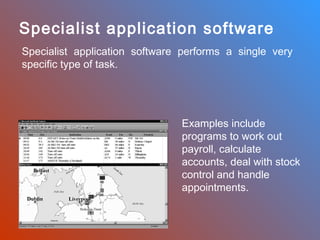
Specialist application software
Specialist application software performs a single very
specific type of task.

Examples include
programs to work out
payroll, calculate
accounts, deal with stock
control and handle
appointments.
Tailor-made software
Tailor-made, or bespoke software specially developed
for a particular company.
The main drawbacks of this approach:
• High cost;
• Time to develop;
• Possible bugs.
Buying new software
What sort of tasks will the software be used for?
How much does the software cost?
What operating system does the software need?
What are the minimum system requirements for the software?
Will the software be used on a single computer or on a network?
How much support is available for users? More popular software will
have more of these resources;
How easy is the software to install.

Application software

  • 1.
    Application Software There aretwo main types of computer software; system software and application software . Application software caries out user-related tasks and can be classified as generalpurpose, specialist or tailor-made (bespoke).
  • 2.
    General purpose packages Ageneral-purpose application package is a type of software that can perform many different related tasks. Word processors, desktop publishing, communication, CAD, spreadsheets, databases, web page design, graphics and presentation software are all examples of application packages. This type of software is sometimes called generic software.
  • 3.
    Advantages of ‘offthe shelf’ Software. It is relatively cheap; It is readily available and can be installed quickly and easily; It will have been thoroughly tested so there will be very little chance of it having any serious faults or ‘bugs’; It will be well supported;
  • 4.
    Common types ofgeneral purpose software Database packages are used to store and retrieve information; Spreadsheet packages are used for tasks that involve a lot of calculations or for the production of graphs and charts; Word processing packages are used to produce text based documents such as letters, reports and memos;
  • 5.
    Integrated packages These combinesmany different types of application together in one single package. E.g word processing, spreadsheets, databases, graphics, presentation and communications. Integrated packages are much cheaper than buying many different application packages but their different applications have a limited number of features compared with individual application packages. Microsoft WORKS is an example of an integrated package.
  • 6.
    Specialist application software Specialistapplication software performs a single very specific type of task. Examples include programs to work out payroll, calculate accounts, deal with stock control and handle appointments.
  • 7.
    Tailor-made software Tailor-made, orbespoke software specially developed for a particular company. The main drawbacks of this approach: • High cost; • Time to develop; • Possible bugs.
  • 8.
    Buying new software Whatsort of tasks will the software be used for? How much does the software cost? What operating system does the software need? What are the minimum system requirements for the software? Will the software be used on a single computer or on a network? How much support is available for users? More popular software will have more of these resources; How easy is the software to install.