General Purpose Packages Revision
Why Use Them GPP’s let the user carry out a wide range of tasks. Packages include: Word Processing, Graphics, Spreadsheets, Databases, Presentations and Multimedia.
Why Use Them They save time Help ensure data is not lost Help keep info accurate and up-to-date Use them to communicate Help reduce costs long term Allows you to be flexible in layout of documents
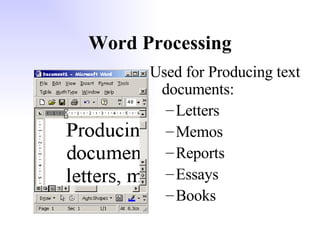
Word Processing Used for Producing text documents: Letters Memos Reports Essays Books
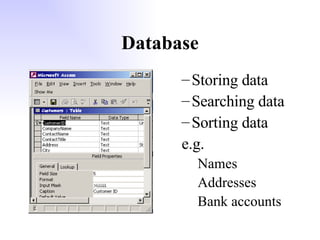
Database Storing data Searching data Sorting data e.g. Names Addresses Bank accounts
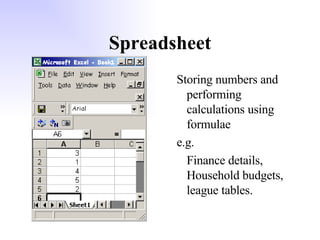
Spreadsheet Storing numbers and performing calculations using formulae e.g. Finance details, Household budgets, league tables.
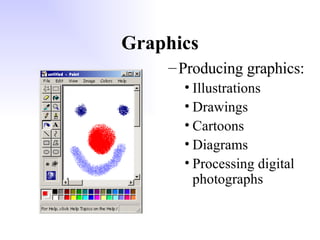
Graphics Producing graphics: Illustrations Drawings Cartoons Diagrams Processing digital photographs
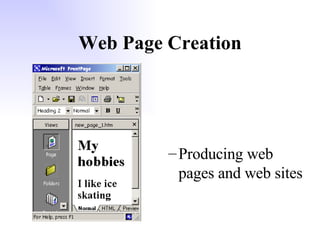
Web Page Creation Producing web pages and web sites
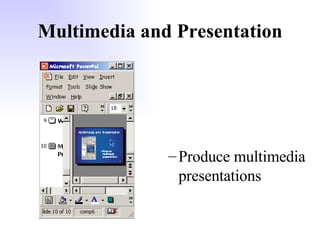
Multimedia and Presentation Produce multimedia presentations
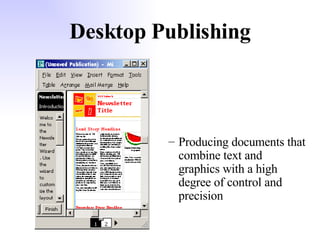
Desktop Publishing Producing documents that combine text and graphics with a high degree of control and precision
Expert Systems Stores and processes the knowledge of an expert. Used to help people make complex decisions.
Combining Functions In some packages, you can use functions from other packages: Word processing packages have drawing tools Spreadsheet allows you to sort data Database packages allow you to use formulae (like spreadsheet) Graphics packages have text
Storing Data in GPP’s A Spreadsheet is designed to handle numbers. It lets you store them and carry out complicated formulas.  Numbers can be stored in other packages e.g. page numbers of documents, label drawings in graphics and also in databases.
Storing Data in GPP’s Text can be stored in a Word Processor. Other packages use text e.g. database for fields such as address, name, etc., and spreadsheets and graphics packages as labels. Text is stored here
Storing Data in GPP’s A graphics package is designed to handle pictures. But they can be found in other packages as well. Graphics and Audio (sound files) are included in multimedia packages such as web creation.
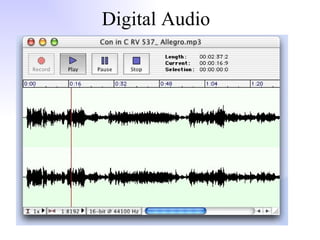
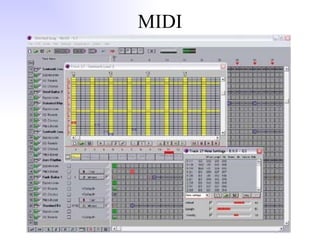
Storing Data in GPP’s Audio Data Audio data can be stored as MIDI or digital. Audio files can be very large. WAV format would let you store 70 mins but using compressed MP3 would give 700 mins on a CD.
Digital Audio
MIDI
Storing Data in GPP’s Photographic Data Graphics files (e.g. from a digital camera) can be very large especially if saved as bitmap (BMP).  Compressed file types include JPEG Animations GIF animation is a common way of creating moving graphics.  The animation is made up of a series of images.
Storing Data in GPP’s Video Images These can require vast amounts of storage space. Most images are now compressed into MPEG-2 files to save memory – this reduces them to 1/50 th  of the size.
File Formats Text can be saved in various formats ASCII – this just contains details about the words and spacing not about the formatting such as font, size, line length, etc Plain text – virtually the same as ASCII but includes code to divide text into paragraphs RTF (Rich Text Format) – this contains all the formatting info as well as the text.
HCI  (Human Computer Interface) WIMP – Windows, Icons, Menu Pointer GUI – Graphical User Interface Both of these are user friendly as you use toolbars, icons, menus, etc. You can  customise  your HCI to suit by changing background, toolbars, size of icons, etc. Sometimes menus can slow you down so keyboard shortcuts are available (CTRL P to print is an example)
Getting Started Help can also be found with  On-line help  and  on-line tutorials . These are parts of the package which help you to use it – Help if you get stuck and tutorial, when you start, to teach you what the package can do.
Getting Started Templates – these are outline documents with a structure already set up such as font sizes and frames for headings, text and graphics Wizards – these are pieces of software which guide you through the setting up such as installing or setting up a template
Integrated Packages An integrated package contains several applications in the one package eg WP, Spreadsheet, Database and Graphics. They have a common HCI You can transfer data between parts of package easily You can set up dynamic (automatic) links between the packages
Integrated Suite MicroSoft Tools in an example of an integrated suite.  Here we have separate packages but with common HCI and common data formats. These have all the advantages of integrated packages but the added advantage that they may have more features.  However they will require more memory on hard disk and in RAM.
Common Features of GPPs Open an application Create, Save, Print Insert data Amend Data Change appearance Move data Headers & Footers Print part of document
Keyboard shortcuts (e.g. Ctrl C, ctrl P, Ctrl S , Ctrl V, Ctrl Z Quicker than using a menu / icon Quicker than using a menu / icon
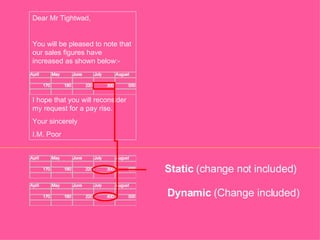
Static & Dynamic Linking Static Data Linkage Data in each part of the package is separate Changing it in one part will not affect any other files using that data Dynamic Data Linkage If data is changed in one part it will change all other documents using that data
Static  (change not included) Dynamic  (Change included) Dear Mr Tightwad, You will be pleased to note that our sales figures have increased as shown below:- I hope that you will reconsider my request for a pay rise. Your sincerely I.M. Poor
Features of a Word Processor Entering text – usually by keyboard but can scan or ‘talk’ (voice recognition). Spellcheckers and Grammar checkers help ensure accuracy. Altering line length & alignment Altering page length Altering page layout Using tabs Search and replace Standard paragraphs text style
Features of a Word Processor Tables – allow you to organise data; highlight comparisons; control position of text and graphics (including in web pages). Standard Letters – used repeatedly and sent to different people. They are personalised using mail merging Mail Merge – uses word processor in combination with database to add personal details from DB to letter in WP.
Features of a Spreadsheet Cells, row, columns Altering width of a column Altering cell attributes – e.g. style of dates, currency, number of decimal places Entering text Formulas – SUM, AVERAGE, MAX, MIN Replication
Features of a Spreadsheet Charting Automatic and Manual Calculations Referencing – Relative and Absolute
Features of a Graphics Package Selecting tool and its attributes (thickness, colour, pattern) Scaling and Rotating Cropping
Effects on People Jobs Training Changes to working environment More or less paper?
Costs Initial Costs – buying hardware and software, furniture, training Replacement Costs – improved software, improved hardware, replacing worn out equipment Running Costs – wages, maintenance, cost of consumables (paper, ink, toner), telephone connections.
Computer Laws Data Protection Act Computer Designs and Patents Act Computer Misuse Act
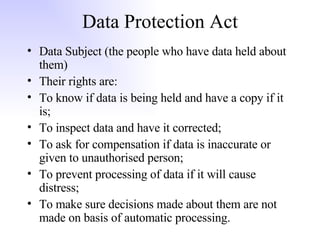
Data Protection Act Data Subject (the people who have data held about them) Their rights are: To know if data is being held and have a copy if it is; To inspect data and have it corrected; To ask for compensation if data is inaccurate or given to unauthorised person; To prevent processing of data if it will cause distress; To make sure decisions made about them are not made on basis of automatic processing.
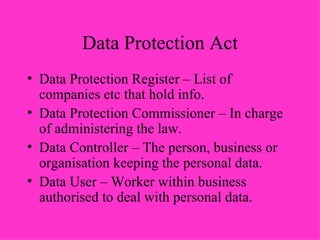
Data Protection Act Data Protection Register – List of companies etc that hold info. Data Protection Commissioner – In charge of administering the law. Data Controller – The person, business or organisation keeping the personal data. Data User – Worker within business authorised to deal with personal data.
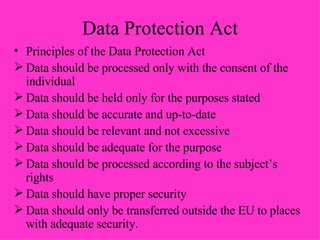
Data Protection Act Principles of the Data Protection Act Data should be processed only with the consent of the individual Data should be held only for the purposes stated Data should be accurate and up-to-date Data should be relevant and not excessive Data should be adequate for the purpose Data should be processed according to the subject’s rights Data should have proper security Data should only be transferred outside the EU to places with adequate security.
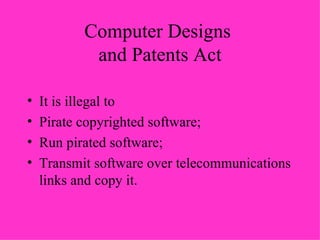
Computer Designs  and Patents Act It is illegal to Pirate copyrighted software; Run pirated software; Transmit software over telecommunications links and copy it.
Computer Misuse Act It is illegal to Gain unauthorised access to a computer system (hacking); Make unauthorised modifications to computer materials (e.g. installing a virus, changing passwords, altering programs, changing contents of data files)

General Purpose Packages

  • 1.
  • 2.
    Why Use ThemGPP’s let the user carry out a wide range of tasks. Packages include: Word Processing, Graphics, Spreadsheets, Databases, Presentations and Multimedia.
  • 3.
    Why Use ThemThey save time Help ensure data is not lost Help keep info accurate and up-to-date Use them to communicate Help reduce costs long term Allows you to be flexible in layout of documents
  • 4.
    Word Processing Usedfor Producing text documents: Letters Memos Reports Essays Books
  • 5.
    Database Storing dataSearching data Sorting data e.g. Names Addresses Bank accounts
  • 6.
    Spreadsheet Storing numbersand performing calculations using formulae e.g. Finance details, Household budgets, league tables.
  • 7.
    Graphics Producing graphics:Illustrations Drawings Cartoons Diagrams Processing digital photographs
  • 8.
    Web Page CreationProducing web pages and web sites
  • 9.
    Multimedia and PresentationProduce multimedia presentations
  • 10.
    Desktop Publishing Producingdocuments that combine text and graphics with a high degree of control and precision
  • 11.
    Expert Systems Storesand processes the knowledge of an expert. Used to help people make complex decisions.
  • 12.
    Combining Functions Insome packages, you can use functions from other packages: Word processing packages have drawing tools Spreadsheet allows you to sort data Database packages allow you to use formulae (like spreadsheet) Graphics packages have text
  • 13.
    Storing Data inGPP’s A Spreadsheet is designed to handle numbers. It lets you store them and carry out complicated formulas. Numbers can be stored in other packages e.g. page numbers of documents, label drawings in graphics and also in databases.
  • 14.
    Storing Data inGPP’s Text can be stored in a Word Processor. Other packages use text e.g. database for fields such as address, name, etc., and spreadsheets and graphics packages as labels. Text is stored here
  • 15.
    Storing Data inGPP’s A graphics package is designed to handle pictures. But they can be found in other packages as well. Graphics and Audio (sound files) are included in multimedia packages such as web creation.
  • 16.
    Storing Data inGPP’s Audio Data Audio data can be stored as MIDI or digital. Audio files can be very large. WAV format would let you store 70 mins but using compressed MP3 would give 700 mins on a CD.
  • 17.
  • 18.
  • 19.
    Storing Data inGPP’s Photographic Data Graphics files (e.g. from a digital camera) can be very large especially if saved as bitmap (BMP). Compressed file types include JPEG Animations GIF animation is a common way of creating moving graphics. The animation is made up of a series of images.
  • 20.
    Storing Data inGPP’s Video Images These can require vast amounts of storage space. Most images are now compressed into MPEG-2 files to save memory – this reduces them to 1/50 th of the size.
  • 21.
    File Formats Textcan be saved in various formats ASCII – this just contains details about the words and spacing not about the formatting such as font, size, line length, etc Plain text – virtually the same as ASCII but includes code to divide text into paragraphs RTF (Rich Text Format) – this contains all the formatting info as well as the text.
  • 22.
    HCI (HumanComputer Interface) WIMP – Windows, Icons, Menu Pointer GUI – Graphical User Interface Both of these are user friendly as you use toolbars, icons, menus, etc. You can customise your HCI to suit by changing background, toolbars, size of icons, etc. Sometimes menus can slow you down so keyboard shortcuts are available (CTRL P to print is an example)
  • 23.
    Getting Started Helpcan also be found with On-line help and on-line tutorials . These are parts of the package which help you to use it – Help if you get stuck and tutorial, when you start, to teach you what the package can do.
  • 24.
    Getting Started Templates– these are outline documents with a structure already set up such as font sizes and frames for headings, text and graphics Wizards – these are pieces of software which guide you through the setting up such as installing or setting up a template
  • 25.
    Integrated Packages Anintegrated package contains several applications in the one package eg WP, Spreadsheet, Database and Graphics. They have a common HCI You can transfer data between parts of package easily You can set up dynamic (automatic) links between the packages
  • 26.
    Integrated Suite MicroSoftTools in an example of an integrated suite. Here we have separate packages but with common HCI and common data formats. These have all the advantages of integrated packages but the added advantage that they may have more features. However they will require more memory on hard disk and in RAM.
  • 27.
    Common Features ofGPPs Open an application Create, Save, Print Insert data Amend Data Change appearance Move data Headers & Footers Print part of document
  • 28.
    Keyboard shortcuts (e.g.Ctrl C, ctrl P, Ctrl S , Ctrl V, Ctrl Z Quicker than using a menu / icon Quicker than using a menu / icon
  • 29.
    Static & DynamicLinking Static Data Linkage Data in each part of the package is separate Changing it in one part will not affect any other files using that data Dynamic Data Linkage If data is changed in one part it will change all other documents using that data
  • 30.
    Static (changenot included) Dynamic (Change included) Dear Mr Tightwad, You will be pleased to note that our sales figures have increased as shown below:- I hope that you will reconsider my request for a pay rise. Your sincerely I.M. Poor
  • 31.
    Features of aWord Processor Entering text – usually by keyboard but can scan or ‘talk’ (voice recognition). Spellcheckers and Grammar checkers help ensure accuracy. Altering line length & alignment Altering page length Altering page layout Using tabs Search and replace Standard paragraphs text style
  • 32.
    Features of aWord Processor Tables – allow you to organise data; highlight comparisons; control position of text and graphics (including in web pages). Standard Letters – used repeatedly and sent to different people. They are personalised using mail merging Mail Merge – uses word processor in combination with database to add personal details from DB to letter in WP.
  • 33.
    Features of aSpreadsheet Cells, row, columns Altering width of a column Altering cell attributes – e.g. style of dates, currency, number of decimal places Entering text Formulas – SUM, AVERAGE, MAX, MIN Replication
  • 34.
    Features of aSpreadsheet Charting Automatic and Manual Calculations Referencing – Relative and Absolute
  • 35.
    Features of aGraphics Package Selecting tool and its attributes (thickness, colour, pattern) Scaling and Rotating Cropping
  • 36.
    Effects on PeopleJobs Training Changes to working environment More or less paper?
  • 37.
    Costs Initial Costs– buying hardware and software, furniture, training Replacement Costs – improved software, improved hardware, replacing worn out equipment Running Costs – wages, maintenance, cost of consumables (paper, ink, toner), telephone connections.
  • 38.
    Computer Laws DataProtection Act Computer Designs and Patents Act Computer Misuse Act
  • 39.
    Data Protection ActData Subject (the people who have data held about them) Their rights are: To know if data is being held and have a copy if it is; To inspect data and have it corrected; To ask for compensation if data is inaccurate or given to unauthorised person; To prevent processing of data if it will cause distress; To make sure decisions made about them are not made on basis of automatic processing.
  • 40.
    Data Protection ActData Protection Register – List of companies etc that hold info. Data Protection Commissioner – In charge of administering the law. Data Controller – The person, business or organisation keeping the personal data. Data User – Worker within business authorised to deal with personal data.
  • 41.
    Data Protection ActPrinciples of the Data Protection Act Data should be processed only with the consent of the individual Data should be held only for the purposes stated Data should be accurate and up-to-date Data should be relevant and not excessive Data should be adequate for the purpose Data should be processed according to the subject’s rights Data should have proper security Data should only be transferred outside the EU to places with adequate security.
  • 42.
    Computer Designs and Patents Act It is illegal to Pirate copyrighted software; Run pirated software; Transmit software over telecommunications links and copy it.
  • 43.
    Computer Misuse ActIt is illegal to Gain unauthorised access to a computer system (hacking); Make unauthorised modifications to computer materials (e.g. installing a virus, changing passwords, altering programs, changing contents of data files)