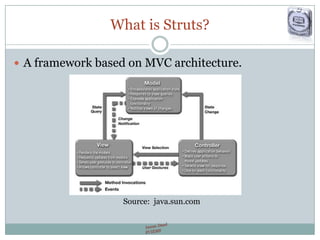
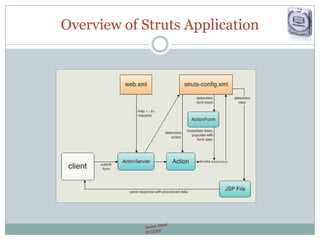
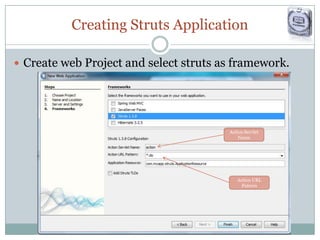
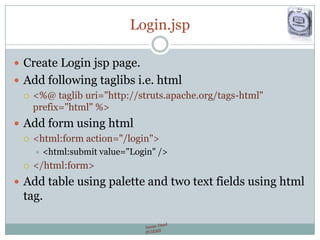
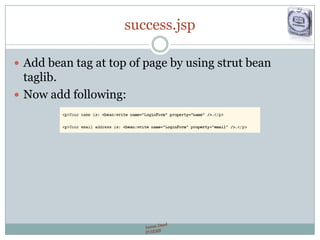
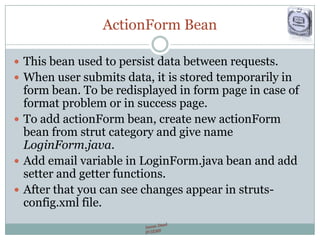
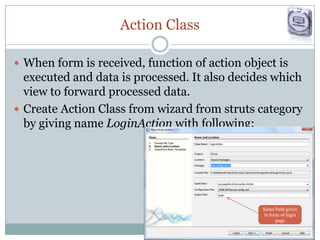
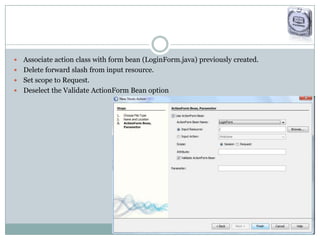
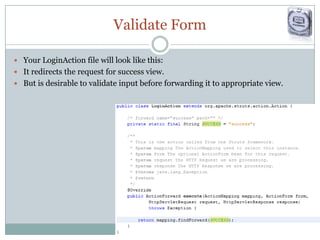
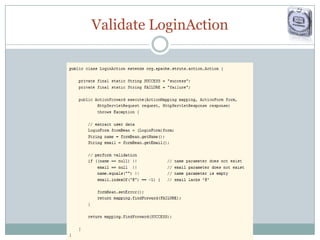
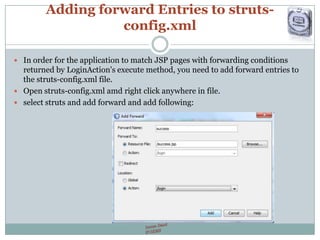
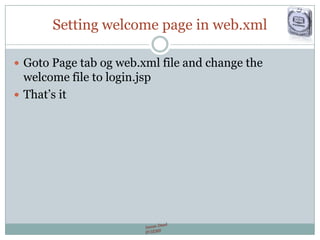
The document is a guide on creating a web application using the Struts framework, which is based on MVC architecture. It outlines steps for setting up a login page, creating action classes, and managing data persistence through ActionForm beans. Additionally, it includes instructions for configuring XML files to match JSP pages and providing forward conditions for user interaction.




![Java Web Programming [7/9] : Struts2 Basics](https://cdn.slidesharecdn.com/ss_thumbnails/javaweb-module7-130106070851-phpapp01-thumbnail.jpg?width=640&height=640&fit=bounds)

![[Www.pkbulk.blogspot.com]file and indexing](https://cdn.slidesharecdn.com/ss_thumbnails/www-pkbul-blogspot-comfileandindexing-130615034648-phpapp01-thumbnail.jpg?width=640&height=640&fit=bounds)
![[Www.pkbulk.blogspot.com]dbms12](https://cdn.slidesharecdn.com/ss_thumbnails/www-pkbul-blogspot-comdbms12-130615034629-phpapp02-thumbnail.jpg?width=640&height=640&fit=bounds)
![[Www.pkbulk.blogspot.com]dbms11](https://cdn.slidesharecdn.com/ss_thumbnails/www-pkbul-blogspot-comdbms11-130615034624-phpapp02-thumbnail.jpg?width=640&height=640&fit=bounds)
![[Www.pkbulk.blogspot.com]dbms10](https://cdn.slidesharecdn.com/ss_thumbnails/www-pkbul-blogspot-comdbms10-130615034621-phpapp01-thumbnail.jpg?width=640&height=640&fit=bounds)
![[Www.pkbulk.blogspot.com]dbms09](https://cdn.slidesharecdn.com/ss_thumbnails/www-pkbul-blogspot-comdbms09-130615034619-phpapp02-thumbnail.jpg?width=640&height=640&fit=bounds)
![[Www.pkbulk.blogspot.com]dbms07](https://cdn.slidesharecdn.com/ss_thumbnails/www-pkbul-blogspot-comdbms07-130615034615-phpapp01-thumbnail.jpg?width=640&height=640&fit=bounds)
![[Www.pkbulk.blogspot.com]dbms06](https://cdn.slidesharecdn.com/ss_thumbnails/www-pkbul-blogspot-comdbms06-130615034613-phpapp01-thumbnail.jpg?width=640&height=640&fit=bounds)
![[Www.pkbulk.blogspot.com]dbms05](https://cdn.slidesharecdn.com/ss_thumbnails/www-pkbul-blogspot-comdbms05-130615034608-phpapp02-thumbnail.jpg?width=640&height=640&fit=bounds)
![[Www.pkbulk.blogspot.com]dbms04](https://cdn.slidesharecdn.com/ss_thumbnails/www-pkbul-blogspot-comdbms04-130615034606-phpapp01-thumbnail.jpg?width=640&height=640&fit=bounds)
![[Www.pkbulk.blogspot.com]dbms03](https://cdn.slidesharecdn.com/ss_thumbnails/www-pkbul-blogspot-comdbms03-130615034558-phpapp02-thumbnail.jpg?width=640&height=640&fit=bounds)
![[Www.pkbulk.blogspot.com]dbms02](https://cdn.slidesharecdn.com/ss_thumbnails/www-pkbul-blogspot-comdbms02-130615034556-phpapp02-thumbnail.jpg?width=640&height=640&fit=bounds)
![[Www.pkbulk.blogspot.com]dbms01](https://cdn.slidesharecdn.com/ss_thumbnails/www-pkbul-blogspot-comdbms01-130615034553-phpapp01-thumbnail.jpg?width=640&height=640&fit=bounds)
![[Www.pkbulk.blogspot.com]dbms13](https://cdn.slidesharecdn.com/ss_thumbnails/www-pkbul-blogspot-comdbms13-130615034551-phpapp01-thumbnail.jpg?width=640&height=640&fit=bounds)


