C# Tutorial
Part 36: Remoting
www.siri-kt.blogspot.com
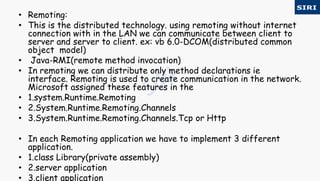
• Remoting:
• This is the distributed technology. using remoting without internet
connection with in the LAN we can communicate between client to
server and server to client. ex: vb 6.0-DCOM(distributed common
object model)
• Java-RMI(remote method invocation)
• In remoting we can distribute only method declarations ie
interface. Remoting is used to create communication in the network.
Microsoft assigned these features in the
• 1.system.Runtime.Remoting
• 2.System.Runtime.Remoting.Channels
• 3.System.Runtime.Remoting.Channels.Tcp or Http
• In each Remoting application we have to implement 3 different
application.
• 1.class Library(private assembly)
• 2.server application
• 3.client application
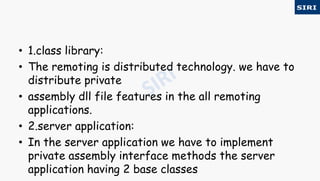
• 1.class library:
• The remoting is distributed technology. we have to
distribute private
• assembly dll file features in the all remoting
applications.
• 2.server application:
• In the server application we have to implement
private assembly interface methods the server
application having 2 base classes
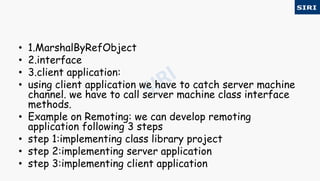
• 1.MarshalByRefObject
• 2.interface
• 3.client application:
• using client application we have to catch server machine
channel. we have to call server machine class interface
methods.
• Example on Remoting: we can develop remoting
application following 3 steps
• step 1:implementing class library project
• step 2:implementing server application
• step 3:implementing client application
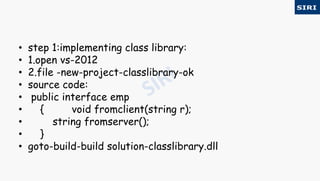
• step 1:implementing class library:
• 1.open vs-2012
• 2.file -new-project-classlibrary-ok
• source code:
• public interface emp
• { void fromclient(string r);
• string fromserver();
• }
• goto-build-build solution-classlibrary.dll
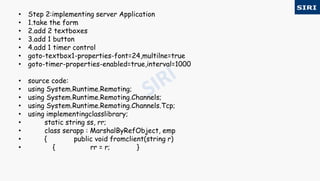
• Step 2:implementing server Application
• 1.take the form
• 2.add 2 textboxes
• 3.add 1 button
• 4.add 1 timer control
• goto-textbox1-properties-font=24,multilne=true
• goto-timer-properties-enabled=true,interval=1000
• source code:
• using System.Runtime.Remoting;
• using System.Runtime.Remoting.Channels;
• using System.Runtime.Remoting.Channels.Tcp;
• using implementingclasslibrary;
• static string ss, rr;
• class serapp : MarshalByRefObject, emp
• { public void fromclient(string r)
• { rr = r; }
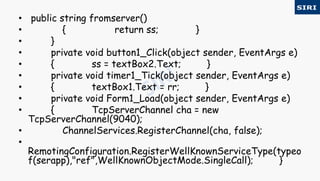
• public string fromserver()
• { return ss; }
• }
• private void button1_Click(object sender, EventArgs e)
• { ss = textBox2.Text; }
• private void timer1_Tick(object sender, EventArgs e)
• { textBox1.Text = rr; }
• private void Form1_Load(object sender, EventArgs e)
• { TcpServerChannel cha = new
TcpServerChannel(9040);
• ChannelServices.RegisterChannel(cha, false);
•
RemotingConfiguration.RegisterWellKnownServiceType(typeo
f(serapp),"ref",WellKnownObjectMode.SingleCall); }
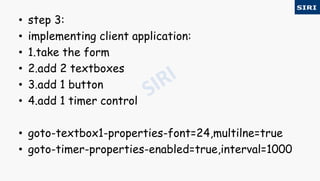
• step 3:
• implementing client application:
• 1.take the form
• 2.add 2 textboxes
• 3.add 1 button
• 4.add 1 timer control
• goto-textbox1-properties-font=24,multilne=true
• goto-timer-properties-enabled=true,interval=1000
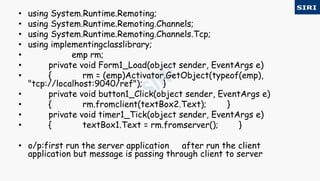
• using System.Runtime.Remoting;
• using System.Runtime.Remoting.Channels;
• using System.Runtime.Remoting.Channels.Tcp;
• using implementingclasslibrary;
• emp rm;
• private void Form1_Load(object sender, EventArgs e)
• { rm = (emp)Activator.GetObject(typeof(emp),
"tcp://localhost:9040/ref"); }
• private void button1_Click(object sender, EventArgs e)
• { rm.fromclient(textBox2.Text); }
• private void timer1_Tick(object sender, EventArgs e)
• { textBox1.Text = rm.fromserver(); }
• o/p:first run the server application after run the client
application but message is passing through client to server
For more visit our website www.siri-kt.blogspot.com
Thanks for
Watching
More Angular JS TutorialsMore C sharp (c#) tutorials

35c

  • 1.
    C# Tutorial Part 36:Remoting www.siri-kt.blogspot.com
  • 2.
    • Remoting: • Thisis the distributed technology. using remoting without internet connection with in the LAN we can communicate between client to server and server to client. ex: vb 6.0-DCOM(distributed common object model) • Java-RMI(remote method invocation) • In remoting we can distribute only method declarations ie interface. Remoting is used to create communication in the network. Microsoft assigned these features in the • 1.system.Runtime.Remoting • 2.System.Runtime.Remoting.Channels • 3.System.Runtime.Remoting.Channels.Tcp or Http • In each Remoting application we have to implement 3 different application. • 1.class Library(private assembly) • 2.server application • 3.client application
  • 3.
    • 1.class library: •The remoting is distributed technology. we have to distribute private • assembly dll file features in the all remoting applications. • 2.server application: • In the server application we have to implement private assembly interface methods the server application having 2 base classes
  • 4.
    • 1.MarshalByRefObject • 2.interface •3.client application: • using client application we have to catch server machine channel. we have to call server machine class interface methods. • Example on Remoting: we can develop remoting application following 3 steps • step 1:implementing class library project • step 2:implementing server application • step 3:implementing client application
  • 5.
    • step 1:implementingclass library: • 1.open vs-2012 • 2.file -new-project-classlibrary-ok • source code: • public interface emp • { void fromclient(string r); • string fromserver(); • } • goto-build-build solution-classlibrary.dll
  • 6.
    • Step 2:implementingserver Application • 1.take the form • 2.add 2 textboxes • 3.add 1 button • 4.add 1 timer control • goto-textbox1-properties-font=24,multilne=true • goto-timer-properties-enabled=true,interval=1000 • source code: • using System.Runtime.Remoting; • using System.Runtime.Remoting.Channels; • using System.Runtime.Remoting.Channels.Tcp; • using implementingclasslibrary; • static string ss, rr; • class serapp : MarshalByRefObject, emp • { public void fromclient(string r) • { rr = r; }
  • 7.
    • public stringfromserver() • { return ss; } • } • private void button1_Click(object sender, EventArgs e) • { ss = textBox2.Text; } • private void timer1_Tick(object sender, EventArgs e) • { textBox1.Text = rr; } • private void Form1_Load(object sender, EventArgs e) • { TcpServerChannel cha = new TcpServerChannel(9040); • ChannelServices.RegisterChannel(cha, false); • RemotingConfiguration.RegisterWellKnownServiceType(typeo f(serapp),"ref",WellKnownObjectMode.SingleCall); }
  • 8.
    • step 3: •implementing client application: • 1.take the form • 2.add 2 textboxes • 3.add 1 button • 4.add 1 timer control • goto-textbox1-properties-font=24,multilne=true • goto-timer-properties-enabled=true,interval=1000
  • 9.
    • using System.Runtime.Remoting; •using System.Runtime.Remoting.Channels; • using System.Runtime.Remoting.Channels.Tcp; • using implementingclasslibrary; • emp rm; • private void Form1_Load(object sender, EventArgs e) • { rm = (emp)Activator.GetObject(typeof(emp), "tcp://localhost:9040/ref"); } • private void button1_Click(object sender, EventArgs e) • { rm.fromclient(textBox2.Text); } • private void timer1_Tick(object sender, EventArgs e) • { textBox1.Text = rm.fromserver(); } • o/p:first run the server application after run the client application but message is passing through client to server
  • 10.
    For more visitour website www.siri-kt.blogspot.com Thanks for Watching More Angular JS TutorialsMore C sharp (c#) tutorials