GITFLOW
#burningkeyboards
@denis_ristic
GITFLOW
INTRO
2
GITFLOW
INTRO
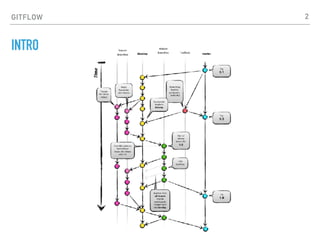
‣The central repo holds two main branches with an infinite lifetime:
‣master
‣develop
‣The different types of branches we may use are:
‣Feature branches
‣Release branches
‣Hotfix branches
‣Each of these branches have a specific purpose and are bound to
strict rules as to which branches may be their originating branch
and which branches must be their merge targets.
3
GITFLOW
FEATURE BRANCHES
‣May branch off from:
‣develop
‣Must merge back into:
‣develop
‣Branch naming convention:
‣anything except master, develop, release-*, or hotfix-*
4
GITFLOW
RELEASE BRANCHES
‣May branch off from:
‣develop
‣Must merge back into:
‣develop and master
‣Branch naming convention:
‣release-*
5
GITFLOW
HOTFIX BRANCHES
‣May branch off from:
‣master
‣Must merge back into:
‣develop and master
‣Branch naming convention:
‣hotfix-*
6
GITFLOW
INSTALL GITFLOW (WINDOWS)
‣Execute command from cygwin:
‣wget -q -O - --no-check-certificate
https://raw.github.com/petervanderdoes/
gitflow-avh/develop/contrib/gitflow-
installer.sh install stable | bash
7
GITFLOW
INITIALIZE
Start using git-flow by initializing it inside an existing git
repository:
git flow init
You'll have to answer a few questions regarding the
naming conventions for your branches.
It's recommended to use the default values.
8
GITFLOW
FEATURES
‣Develop new features for upcoming releases
‣Typically exist in developers repos only
9
GITFLOW
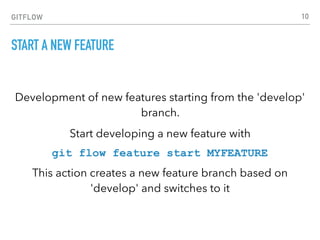
START A NEW FEATURE
Development of new features starting from the 'develop'
branch.
Start developing a new feature with
git flow feature start MYFEATURE
This action creates a new feature branch based on
'develop' and switches to it
10
GITFLOW
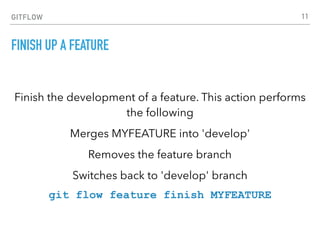
FINISH UP A FEATURE
Finish the development of a feature. This action performs
the following
Merges MYFEATURE into 'develop'
Removes the feature branch
Switches back to 'develop' branch
git flow feature finish MYFEATURE
11
GITFLOW
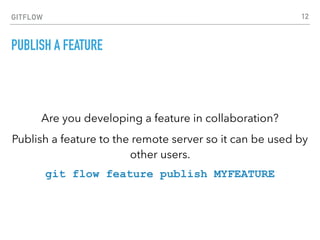
PUBLISH A FEATURE
Are you developing a feature in collaboration?
Publish a feature to the remote server so it can be used by
other users.
git flow feature publish MYFEATURE
12
GITFLOW
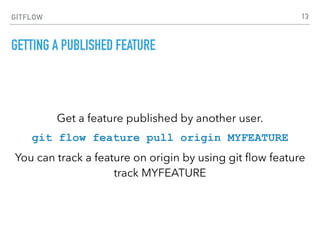
GETTING A PUBLISHED FEATURE
Get a feature published by another user.
git flow feature pull origin MYFEATURE
You can track a feature on origin by using git flow feature
track MYFEATURE
13
GITFLOW
MAKE A RELEASE
‣Support preparation of a new production release
‣Allow for minor bug fixes and preparing meta-data for a
release
14
GITFLOW
START A RELEASE
To start a release, use the git flow release command. It
creates a release branch created from the 'develop'
branch.
git flow release start RELEASE [BASE]
You can optionally supply a [BASE] commit sha-1 hash to
start the release from. The commit must be on the
'develop' branch.
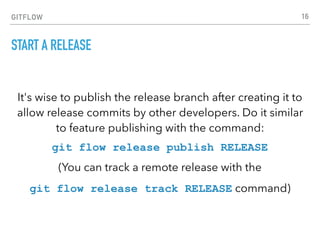
15
GITFLOW
START A RELEASE
It's wise to publish the release branch after creating it to
allow release commits by other developers. Do it similar
to feature publishing with the command:
git flow release publish RELEASE
(You can track a remote release with the
git flow release track RELEASE command)
16
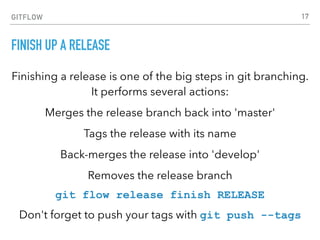
GITFLOW
FINISH UP A RELEASE
Finishing a release is one of the big steps in git branching.
It performs several actions:
Merges the release branch back into 'master'
Tags the release with its name
Back-merges the release into 'develop'
Removes the release branch
git flow release finish RELEASE
Don't forget to push your tags with git push --tags
17
GITFLOW
HOTFIXES
‣Hotfixes arise from the necessity to act immediately upon
an undesired state of a live production version
‣May be branched off from the corresponding tag on the
master branch that marks the production version
18
GITFLOW
CREATE A HOTFIX
Like the other git flow commands, a hotfix is started with
git flow hotfix start VERSION [BASENAME]
The version argument hereby marks the new hotfix
release name. Optionally you can specify a basename to
start from.
19
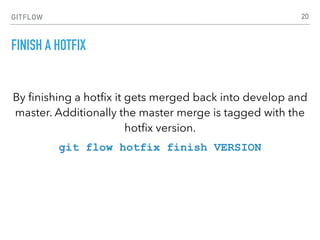
GITFLOW
FINISH A HOTFIX
By finishing a hotfix it gets merged back into develop and
master. Additionally the master merge is tagged with the
hotfix version.
git flow hotfix finish VERSION
20
GITFLOW
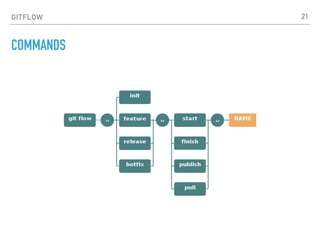
COMMANDS
21
GITFLOW
BACKLOG
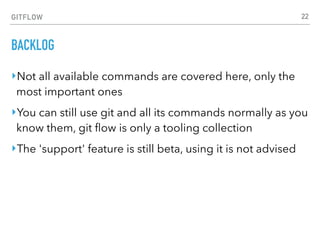
‣Not all available commands are covered here, only the
most important ones
‣You can still use git and all its commands normally as you
know them, git flow is only a tooling collection
‣The 'support' feature is still beta, using it is not advised
22
GITFLOW
GITFLOW RESOURCES
‣Gitflow
‣http://nvie.com/posts/a-successful-git-branching-
model/
‣GitFlow cheat sheet
‣https://danielkummer.github.io/git-flow-cheatsheet/
‣BitBucket Comparing Workflows
‣https://www.atlassian.com/git/tutorials/comparing-
workflows#gitflow-workflow
23

19 GitFlow #burningkeyboards

  • 1.
  • 2.
  • 3.
    GITFLOW INTRO ‣The central repoholds two main branches with an infinite lifetime: ‣master ‣develop ‣The different types of branches we may use are: ‣Feature branches ‣Release branches ‣Hotfix branches ‣Each of these branches have a specific purpose and are bound to strict rules as to which branches may be their originating branch and which branches must be their merge targets. 3
  • 4.
    GITFLOW FEATURE BRANCHES ‣May branchoff from: ‣develop ‣Must merge back into: ‣develop ‣Branch naming convention: ‣anything except master, develop, release-*, or hotfix-* 4
  • 5.
    GITFLOW RELEASE BRANCHES ‣May branchoff from: ‣develop ‣Must merge back into: ‣develop and master ‣Branch naming convention: ‣release-* 5
  • 6.
    GITFLOW HOTFIX BRANCHES ‣May branchoff from: ‣master ‣Must merge back into: ‣develop and master ‣Branch naming convention: ‣hotfix-* 6
  • 7.
    GITFLOW INSTALL GITFLOW (WINDOWS) ‣Executecommand from cygwin: ‣wget -q -O - --no-check-certificate https://raw.github.com/petervanderdoes/ gitflow-avh/develop/contrib/gitflow- installer.sh install stable | bash 7
  • 8.
    GITFLOW INITIALIZE Start using git-flowby initializing it inside an existing git repository: git flow init You'll have to answer a few questions regarding the naming conventions for your branches. It's recommended to use the default values. 8
  • 9.
    GITFLOW FEATURES ‣Develop new featuresfor upcoming releases ‣Typically exist in developers repos only 9
  • 10.
    GITFLOW START A NEWFEATURE Development of new features starting from the 'develop' branch. Start developing a new feature with git flow feature start MYFEATURE This action creates a new feature branch based on 'develop' and switches to it 10
  • 11.
    GITFLOW FINISH UP AFEATURE Finish the development of a feature. This action performs the following Merges MYFEATURE into 'develop' Removes the feature branch Switches back to 'develop' branch git flow feature finish MYFEATURE 11
  • 12.
    GITFLOW PUBLISH A FEATURE Areyou developing a feature in collaboration? Publish a feature to the remote server so it can be used by other users. git flow feature publish MYFEATURE 12
  • 13.
    GITFLOW GETTING A PUBLISHEDFEATURE Get a feature published by another user. git flow feature pull origin MYFEATURE You can track a feature on origin by using git flow feature track MYFEATURE 13
  • 14.
    GITFLOW MAKE A RELEASE ‣Supportpreparation of a new production release ‣Allow for minor bug fixes and preparing meta-data for a release 14
  • 15.
    GITFLOW START A RELEASE Tostart a release, use the git flow release command. It creates a release branch created from the 'develop' branch. git flow release start RELEASE [BASE] You can optionally supply a [BASE] commit sha-1 hash to start the release from. The commit must be on the 'develop' branch. 15
  • 16.
    GITFLOW START A RELEASE It'swise to publish the release branch after creating it to allow release commits by other developers. Do it similar to feature publishing with the command: git flow release publish RELEASE (You can track a remote release with the git flow release track RELEASE command) 16
  • 17.
    GITFLOW FINISH UP ARELEASE Finishing a release is one of the big steps in git branching. It performs several actions: Merges the release branch back into 'master' Tags the release with its name Back-merges the release into 'develop' Removes the release branch git flow release finish RELEASE Don't forget to push your tags with git push --tags 17
  • 18.
    GITFLOW HOTFIXES ‣Hotfixes arise fromthe necessity to act immediately upon an undesired state of a live production version ‣May be branched off from the corresponding tag on the master branch that marks the production version 18
  • 19.
    GITFLOW CREATE A HOTFIX Likethe other git flow commands, a hotfix is started with git flow hotfix start VERSION [BASENAME] The version argument hereby marks the new hotfix release name. Optionally you can specify a basename to start from. 19
  • 20.
    GITFLOW FINISH A HOTFIX Byfinishing a hotfix it gets merged back into develop and master. Additionally the master merge is tagged with the hotfix version. git flow hotfix finish VERSION 20
  • 21.
  • 22.
    GITFLOW BACKLOG ‣Not all availablecommands are covered here, only the most important ones ‣You can still use git and all its commands normally as you know them, git flow is only a tooling collection ‣The 'support' feature is still beta, using it is not advised 22
  • 23.
    GITFLOW GITFLOW RESOURCES ‣Gitflow ‣http://nvie.com/posts/a-successful-git-branching- model/ ‣GitFlow cheatsheet ‣https://danielkummer.github.io/git-flow-cheatsheet/ ‣BitBucket Comparing Workflows ‣https://www.atlassian.com/git/tutorials/comparing- workflows#gitflow-workflow 23