Meet Magento Croatia
Osijek
18.03.2017.
2017
#MM17HR
Magento Continuous	Integration	&	
Continuous	Delivery
Denis	Ristić
Who	am	I?
• Magento developer since 2012
• Software	Architect
• DevOps Engineer
• Team	Lead
• Scrum Master
• Ecommerce	Consultant
• @denisristic
What is Continuous Integration?
• Definition:	CI	is	the	practice	in	software	engineering	of	merging	all	
working	copies	with	a	shared	mainline	several	times	a	day
• a	development	methodology
• of	daily developer	integrations
• verified	by	automated builds
What is Continuous Integration?
CI is	the	practice	in	software	engineering	of	merging	all	working	copies	
with	a	shared	mainline	several	times	a	day
What is Continuous Integration?
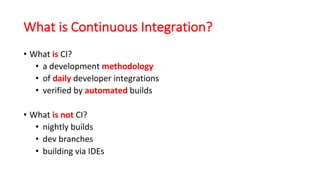
• What	is CI?
• a	development	methodology
• of	daily developer	integrations
• verified	by	automated builds
• What	is	not CI?
• nightly	builds
• dev	branches
• building	via	IDEs
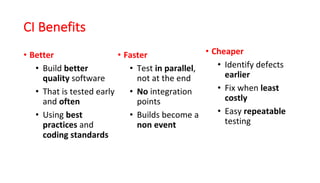
CI	Benefits
• Better
• Build	better
quality software	
• That	is	tested	early	
and	often	
• Using	best	
practices	and	
coding	standards
• Faster	
• Test	in parallel,	
not	at	the	end	
• No integration	
points	
• Builds	become	a	
non	event
• Cheaper	
• Identify	defects	
earlier	
• Fix	when	least
costly	
• Easy	repeatable
testing
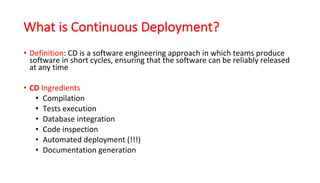
What is Continuous Deployment?
• Definition:	CD	is	a	software	engineering	approach	in	which	teams	produce	
software	in	short	cycles,	ensuring	that	the	software	can	be	reliably	released	
at	any	time
• CD Ingredients
• Compilation	
• Tests	execution	
• Database	integration	
• Code	inspection	
• Automated	deployment	(!!!)	
• Documentation	generation
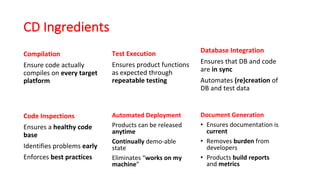
CD	Ingredients
Compilation
Ensure	code	actually	
compiles	on	every	target	
platform
Test	Execution
Ensures	product	functions
as	expected	through
repeatable testing
Database	Integration
Ensures	that	DB	and	code	
are	in	sync	
Automates	(re)creation	of	
DB	and	test	data
Code	Inspections
Ensures	a	healthy code	
base
Identifies	problems	early
Enforces	best practices
Automated	Deployment
Products	can	be	released	
anytime	
Continually demo-able	
state	
Eliminates	“works	on	my	
machine”
Document	Generation
• Ensures	documentation	is	
current	
• Removes	burden from	
developers	
• Products	build	reports	
and metrics
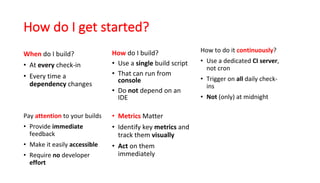
How	do	I	get	started?
When do	I	build?
• At	every check-in
• Every	time	a	
dependency changes
How do	I	build?
• Use	a	single build	script	
• That	can	run	from	
console	
• Do	not depend	on	an	
IDE
How	to	do	it	continuously?
• Use	a	dedicated	CI	server,	
not	cron
• Trigger	on	all daily	check-
ins	
• Not	(only)	at	midnight
Pay	attention to	your	builds
• Provide	immediate
feedback	
• Make	it	easily	accessible	
• Require	no developer	
effort
• Metrics Matter
• Identify	key	metrics	and	
track	them	visually	
• Act on	them	
immediately
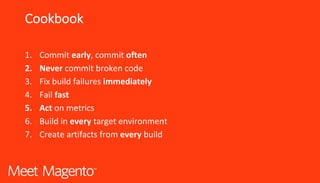
Cookbook
1. Commit	early,	commit	often	
2. Never commit	broken	code	
3. Fix	build	failures	immediately	
4. Fail	fast	
5. Act on	metrics	
6. Build	in	every target	environment	
7. Create	artifacts	from	every build
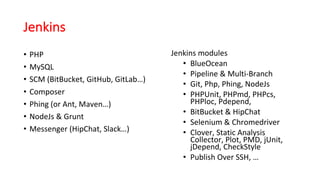
Jenkins
• PHP
• MySQL
• SCM	(BitBucket,	GitHub,	GitLab…)
• Composer
• Phing (or	Ant,	Maven…)
• NodeJs &	Grunt
• Messenger	(HipChat,	Slack…)
Jenkins	modules
• BlueOcean
• Pipeline &	Multi-Branch
• Git,	Php,	Phing,	NodeJs
• PHPUnit,	PHPmd,	PHPcs,	
PHPloc,	Pdepend,
• BitBucket &	HipChat
• Selenium	&	Chromedriver
• Clover,	Static	Analysis	
Collector,	Plot,	PMD,	jUnit,	
jDepend,	CheckStyle
• Publish Over SSH,	…
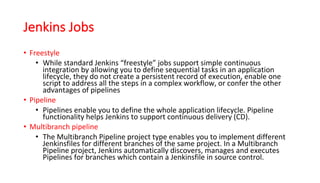
Jenkins Jobs
• Freestyle
• While	standard	Jenkins	“freestyle”	jobs	support	simple	continuous	
integration	by	allowing	you	to	define	sequential	tasks	in	an	application	
lifecycle,	they	do	not	create	a	persistent	record	of	execution,	enable	one	
script	to	address	all	the	steps	in	a	complex	workflow,	or	confer	the	other	
advantages	of	pipelines
• Pipeline
• Pipelines	enable	you	to	define	the	whole	application	lifecycle.	Pipeline	
functionality	helps	Jenkins	to	support	continuous	delivery	(CD).
• Multibranch pipeline
• The	Multibranch Pipeline	project	type	enables	you	to	implement	different	
Jenkinsfiles for	different	branches	of	the	same	project.	In	a	Multibranch
Pipeline	project,	Jenkins	automatically	discovers,	manages	and	executes	
Pipelines	for	branches	which	contain	a	Jenkinsfile in	source	control.
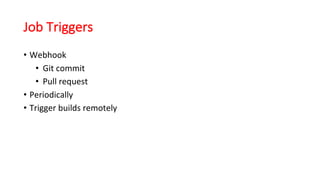
Job Triggers
• Webhook
• Git commit	
• Pull	request
• Periodically
• Trigger	builds	remotely
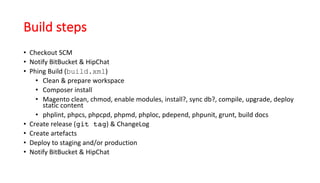
Build steps
• Checkout	SCM
• Notify	BitBucket &	HipChat
• Phing Build	(build.xml)
• Clean	&	prepare	workspace
• Composer	install
• Magento clean,	chmod,	enable	modules,	install?,	sync	db?,	compile,	upgrade,	deploy	
static	content
• phplint,	phpcs,	phpcpd,	phpmd,	phploc,	pdepend,	phpunit,	grunt,	build	docs
• Create	release	(git tag)	&	ChangeLog
• Create	artefacts
• Deploy	to	staging	and/or	production
• Notify	BitBucket &	HipChat
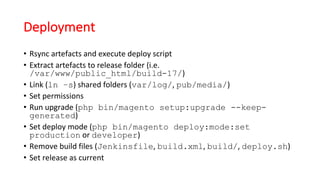
Deployment
• Rsync artefacts	and	execute	deploy	script
• Extract	artefacts	to	release	folder	(i.e.	
/var/www/public_html/build-17/)
• Link	(ln –s)	shared	folders	(var/log/,	pub/media/)
• Set	permissions
• Run	upgrade	(php bin/magento setup:upgrade --keep-
generated)
• Set	deploy	mode	(php bin/magento deploy:mode:set
production or	developer)
• Remove	build	files	(Jenkinsfile,	build.xml,	build/,	deploy.sh)
• Set	release	as	current
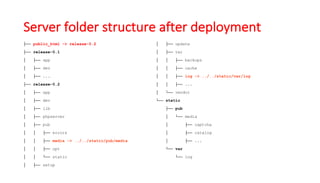
Server	folder	structure after deployment
├── public_html -> release-0.2
├── release-0.1
│ ├── app
│ ├── dev
│ ├── ...
├── release-0.2
│ ├── app
│ ├── dev
│ ├── lib
│ ├── phpserver
│ ├── pub
│ │ ├── errors
│ │ ├── media -> ../../static/pub/media
│ │ ├── opt
│ │ └── static
│ ├── setup
│ ├── update
│ ├── var
│ │ ├── backups
│ │ ├── cache
│ │ ├── log -> ../../static/var/log
│ │ ├── ...
│ └── vendor
└── static
├── pub
│ └── media
│ ├── captcha
│ ├── catalog
│ ├── ...
└── var
└── log
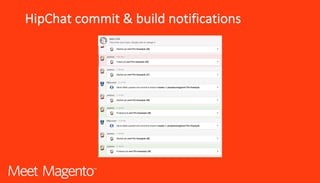
HipChat	commit	&	build	notifications
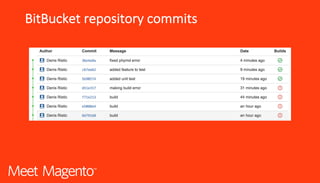
BitBucket repository	commits
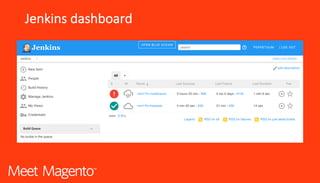
Jenkins	dashboard
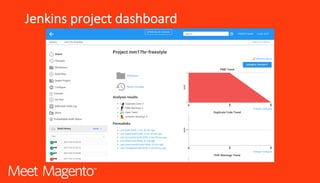
Jenkins	project	dashboard
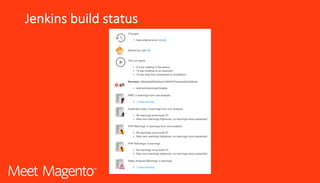
Jenkins	build	status
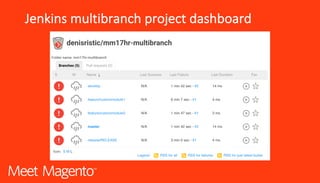
Jenkins	multibranch project	dashboard
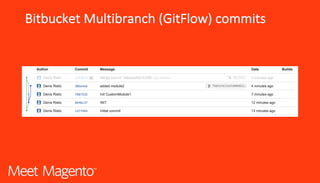
Bitbucket Multibranch (GitFlow)	commits
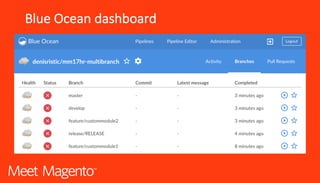
Blue	Ocean	dashboard
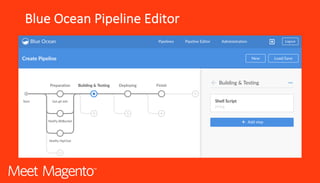
Blue	Ocean	Pipeline	Editor
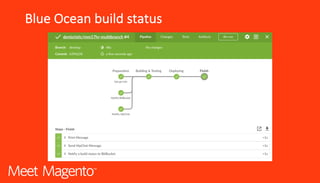
Blue	Ocean	build	status
Tips’n Tricks (1)
• When	building	your	first	build.xml &	Jenkinsfile use	empty	
Magento and	test	locally
• Use	Magento dev	tools	&	rulesets	(phpunit,	phpmd,	phpcs)
• Turn	on	all	outputs	(phing passthru="true”)
• Don’t	put	checkreturn="true” on	all	tasks	(i.e.	pdepend &	
phpcs)
Tips’n Tricks (2)
• Some	CLI	tools	use	arguments	in	format	--agrument=value (i.e.	
phpcs,	phpcpd…)	and	others	--argument value (i.e.	phpmd,	
phpunit…)
• Create	different	Phing build	targets	(e.g.	build,	build-fast,	build-full…)
• Use	ssh keys	for	deployment
• Don’t	test	on	production	J
• Disable	Jenkins	CSRF	protection	(it	strips	webhook payload)	and	add	
Jenkins	oAuth credentials	to	webhook url
Summary
CI	&	CD	
can	help	you	build	better	quality	
software	faster,	with	more	
confidence
Thank you!

Magento Continuous Integration & Continuous Delivery @MM17HR

  • 1.
  • 2.
  • 3.
    Who am I? • Magento developersince 2012 • Software Architect • DevOps Engineer • Team Lead • Scrum Master • Ecommerce Consultant • @denisristic
  • 4.
    What is ContinuousIntegration? • Definition: CI is the practice in software engineering of merging all working copies with a shared mainline several times a day • a development methodology • of daily developer integrations • verified by automated builds
  • 5.
    What is ContinuousIntegration? CI is the practice in software engineering of merging all working copies with a shared mainline several times a day
  • 6.
    What is ContinuousIntegration? • What is CI? • a development methodology • of daily developer integrations • verified by automated builds • What is not CI? • nightly builds • dev branches • building via IDEs
  • 7.
    CI Benefits • Better • Build better qualitysoftware • That is tested early and often • Using best practices and coding standards • Faster • Test in parallel, not at the end • No integration points • Builds become a non event • Cheaper • Identify defects earlier • Fix when least costly • Easy repeatable testing
  • 8.
    What is ContinuousDeployment? • Definition: CD is a software engineering approach in which teams produce software in short cycles, ensuring that the software can be reliably released at any time • CD Ingredients • Compilation • Tests execution • Database integration • Code inspection • Automated deployment (!!!) • Documentation generation
  • 9.
    CD Ingredients Compilation Ensure code actually compiles on every target platform Test Execution Ensures product functions as expected through repeatable testing Database Integration Ensures that DB and code are in sync Automates (re)creation of DB and test data Code Inspections Ensures a healthy code base Identifies problems early Enforces bestpractices Automated Deployment Products can be released anytime Continually demo-able state Eliminates “works on my machine” Document Generation • Ensures documentation is current • Removes burden from developers • Products build reports and metrics
  • 10.
    How do I get started? When do I build? • At everycheck-in • Every time a dependency changes How do I build? • Use a single build script • That can run from console • Do not depend on an IDE How to do it continuously? • Use a dedicated CI server, not cron • Trigger on all daily check- ins • Not (only) at midnight Pay attention to your builds • Provide immediate feedback • Make it easily accessible • Require no developer effort • Metrics Matter • Identify key metrics and track them visually • Act on them immediately
  • 11.
    Cookbook 1. Commit early, commit often 2. Nevercommit broken code 3. Fix build failures immediately 4. Fail fast 5. Act on metrics 6. Build in every target environment 7. Create artifacts from every build
  • 12.
    Jenkins • PHP • MySQL •SCM (BitBucket, GitHub, GitLab…) • Composer • Phing (or Ant, Maven…) • NodeJs & Grunt • Messenger (HipChat, Slack…) Jenkins modules • BlueOcean • Pipeline & Multi-Branch • Git, Php, Phing, NodeJs • PHPUnit, PHPmd, PHPcs, PHPloc, Pdepend, • BitBucket & HipChat • Selenium & Chromedriver • Clover, Static Analysis Collector, Plot, PMD, jUnit, jDepend, CheckStyle • Publish Over SSH, …
  • 13.
    Jenkins Jobs • Freestyle •While standard Jenkins “freestyle” jobs support simple continuous integration by allowing you to define sequential tasks in an application lifecycle, they do not create a persistent record of execution, enable one script to address all the steps in a complex workflow, or confer the other advantages of pipelines • Pipeline • Pipelines enable you to define the whole application lifecycle. Pipeline functionality helps Jenkins to support continuous delivery (CD). • Multibranch pipeline • The Multibranch Pipeline project type enables you to implement different Jenkinsfiles for different branches of the same project. In a Multibranch Pipeline project, Jenkins automatically discovers, manages and executes Pipelines for branches which contain a Jenkinsfile in source control.
  • 14.
    Job Triggers • Webhook •Git commit • Pull request • Periodically • Trigger builds remotely
  • 15.
    Build steps • Checkout SCM •Notify BitBucket & HipChat • Phing Build (build.xml) • Clean & prepare workspace • Composer install • Magento clean, chmod, enable modules, install?, sync db?, compile, upgrade, deploy static content • phplint, phpcs, phpcpd, phpmd, phploc, pdepend, phpunit, grunt, build docs • Create release (git tag) & ChangeLog • Create artefacts • Deploy to staging and/or production • Notify BitBucket & HipChat
  • 16.
    Deployment • Rsync artefacts and execute deploy script •Extract artefacts to release folder (i.e. /var/www/public_html/build-17/) • Link (ln –s) shared folders (var/log/, pub/media/) • Set permissions • Run upgrade (php bin/magento setup:upgrade --keep- generated) • Set deploy mode (php bin/magento deploy:mode:set production or developer) • Remove build files (Jenkinsfile, build.xml, build/, deploy.sh) • Set release as current
  • 17.
    Server folder structure after deployment ├──public_html -> release-0.2 ├── release-0.1 │ ├── app │ ├── dev │ ├── ... ├── release-0.2 │ ├── app │ ├── dev │ ├── lib │ ├── phpserver │ ├── pub │ │ ├── errors │ │ ├── media -> ../../static/pub/media │ │ ├── opt │ │ └── static │ ├── setup │ ├── update │ ├── var │ │ ├── backups │ │ ├── cache │ │ ├── log -> ../../static/var/log │ │ ├── ... │ └── vendor └── static ├── pub │ └── media │ ├── captcha │ ├── catalog │ ├── ... └── var └── log
  • 18.
  • 19.
  • 20.
  • 21.
  • 22.
  • 23.
  • 24.
  • 25.
  • 26.
  • 27.
  • 28.
    Tips’n Tricks (1) •When building your first build.xml & Jenkinsfile use empty Magento and test locally • Use Magento dev tools & rulesets (phpunit, phpmd, phpcs) • Turn on all outputs (phing passthru="true”) • Don’t put checkreturn="true” on all tasks (i.e. pdepend & phpcs)
  • 29.
    Tips’n Tricks (2) •Some CLI tools use arguments in format --agrument=value (i.e. phpcs, phpcpd…) and others --argument value (i.e. phpmd, phpunit…) • Create different Phing build targets (e.g. build, build-fast, build-full…) • Use ssh keys for deployment • Don’t test on production J • Disable Jenkins CSRF protection (it strips webhook payload) and add Jenkins oAuth credentials to webhook url
  • 30.
  • 31.