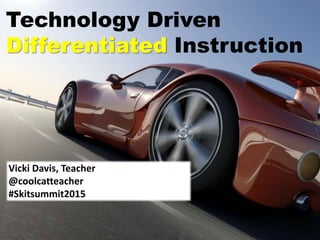








Technology Driven
Differentiated Instruction
Vicki Davis, Teacher
@coolcatteacher
#Skitsummit2015
The
problem with
technology
Transport us
to a better
education
4/28/2015 5Vicki A Davis, Cool Cat Teacher -
coolcatteacher.com
Every student
learns
differently!
Deliver using dual
encoding.
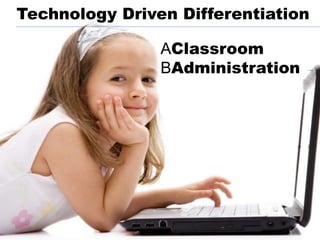
Technology Driven Differentiation
AClassroom
BAdministration
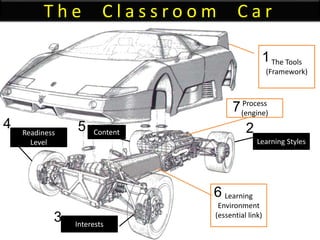
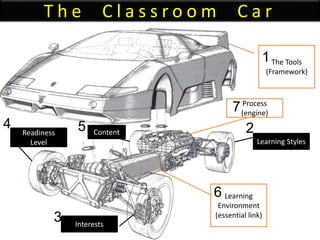
T h e C l a s s r o o m C a r
The Tools
(Framework)
Learning
Environment
(essential link)
Learning Styles
Interests
Readiness
Level
Content
Process
(engine)
1
2
3
4 5
7
6
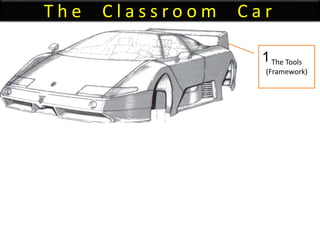
T h e C l a s s r o o m C a r
The Tools
(Framework)
1
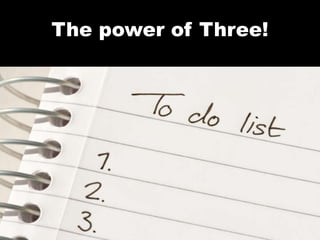
The power of Three!
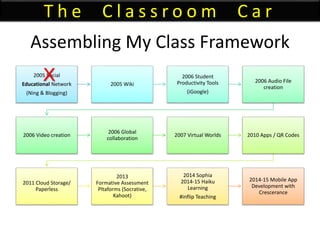
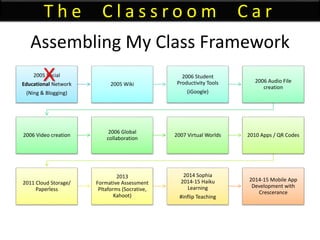
Assembling My Class Framework
2005 Social
Educational Network
(Ning & Blogging)
2005 Wiki
2006 Student
Productivity Tools
(iGoogle)
2006 Audio File
creation
2006 Video creation
2006 Global
collaboration
2007 Virtual Worlds 2010 Apps / QR Codes
2011 Cloud Storage/
Paperless
2013
Formative Assessment
Pltaforms (Socrative,
Kahoot)
2014 Sophia
2014-15 Haiku
Learning
#inflip Teaching
2014-15 Mobile App
Development with
Crescerance
T h e C l a s s r o o m C a r
X
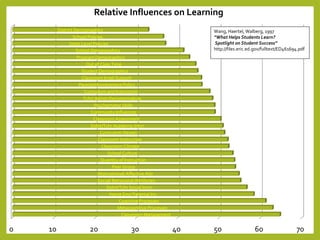
0 10 20 30 40 50 60 70
Classroom Management
Metacognitive Processes
Cognitive Processes
Home Env/ Parental Inv
Stdnt/Tchr Social Intxn
Social/ Behavioral Attributes
Motivational/ Affective Attr
Peer Group
Quantity of Instruction
School Culture
Classroom Climate
Classroom Instruction
Curriculum Design
Stdnt/Tchr Academic Intxn
Classroom Assessment
Community Influences
Psychomotor Skills
Tchr/ Admin Decisionmaking
Curriculum and Instruction
Parental Involvement Policy
Classroom Impl/ Support
Student Demographics
Out of Class Time
Program Demographics
School Demographics
State Level Policies
School Policies
District Demographics
Relative Influences on Learning
Wang, Haertel, Walberg, 1997
“What Helps Students Learn?
Spotlight on Student Success”
http://files.eric.ed.gov/fulltext/ED461694.pdf
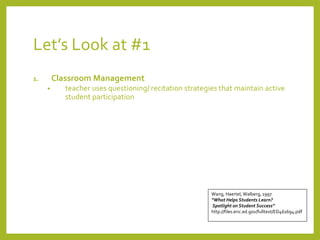
Let’s Look at #1
1. Classroom Management
• teacher uses questioning/ recitation strategies that maintain active
student participation
Wang, Haertel, Walberg, 1997
“What Helps Students Learn?
Spotlight on Student Success”
http://files.eric.ed.gov/fulltext/ED461694.pdf
PRACTICE DOESN’T
MAKE PERFECT… IT
MAKES PERMANENT
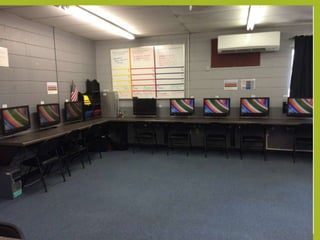
Classroom Management
Essential Procedures
• Entering Room
• Exiting Room
• Paperflow
• Being Excused from the Room
• Essential Positions forTeaching and Interacting
Here’s a Big Secret to Differentiating
Have good classroom
management procedures so you
have the time (and energy) to
differentiate!
4/28/2015 19
Vicki A Davis, Cool Cat Teacher -
coolcatteacher.com
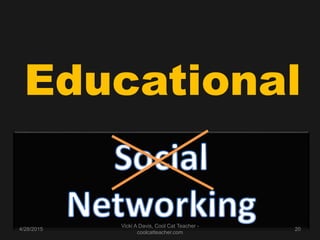
Educational
4/28/2015 20
Vicki A Davis, Cool Cat Teacher -
coolcatteacher.com
4/28/2015
Vicki A Davis, Cool Cat Teacher -
coolcatteacher.com
21
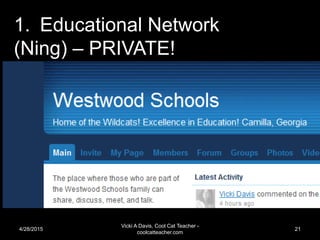
1. Educational Network
(Ning) – PRIVATE!
4/28/2015
Vicki A Davis, Cool Cat Teacher -
coolcatteacher.com
22
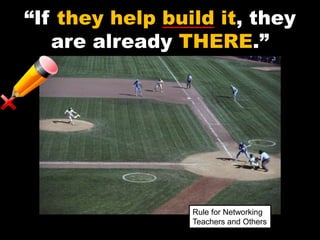
“If they help build it, they
are already THERE.”
Rule for Networking
Teachers and Others
Student educational
networking platforms
• Ning (costs money)
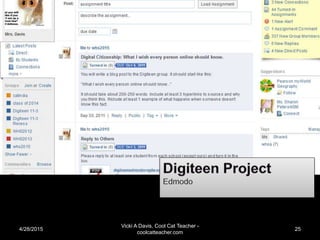
• Edmodo
• Schoolology
• Google Plus
• Hashtag on Twitter
• Sophia.org (#flipclass tool)
• Moodle
4/28/2015
Vicki A Davis, Cool Cat Teacher -
coolcatteacher.com
25
4/28/2015
Vicki A Davis, Cool Cat Teacher -
coolcatteacher.com
26
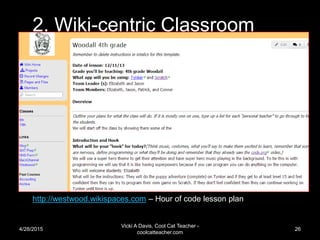
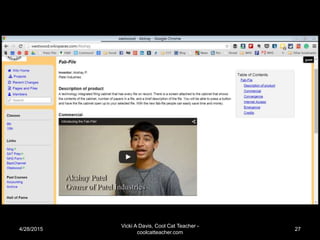
2. Wiki-centric Classroom
http://westwood.wikispaces.com – Hour of code lesson plan
4/28/2015
Vicki A Davis, Cool Cat Teacher -
coolcatteacher.com
27
4/28/2015
Vicki A Davis, Cool Cat Teacher -
coolcatteacher.com
28
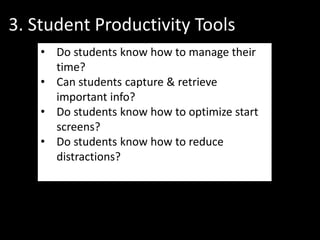
3. Student Productivity Tools
• Do students know how to manage their
time?
• Can students capture & retrieve
important info?
• Do students know how to optimize start
screens?
• Do students know how to reduce
distractions?
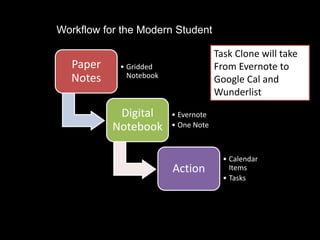
Paper
Notes
• Gridded
Notebook
Digital
Notebook
• Evernote
• One Note
Action
• Calendar
Items
• Tasks
Workflow for the Modern Student
Task Clone will take
From Evernote to
Google Cal and
Wunderlist
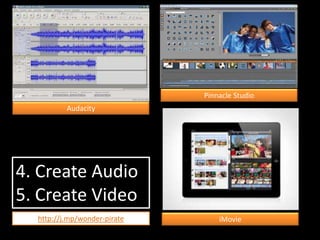
4. Create Audio
5. Create Video
Audacity
Pinnacle Studio
iMoviehttp://j.mp/wonder-pirate
Do they understand visual
grammar?
• Storyboards
• Screen Shots
• Production Schedule
• Editing
• Sound Tracks
• Copyright
• Teleprompter
(Try free ipad Teleprompter apps)
CTI Digital Film Model
http://j.mp/dig-film-curr
AFI Digital Film Curriculum
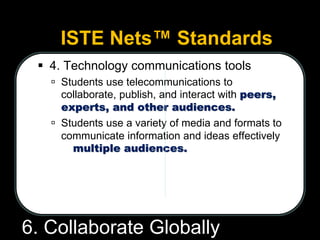
ISTE Nets™ Standards
 4. Technology communications tools
 Students use telecommunications to
collaborate, publish, and interact with peers,
experts, and other audiences.
 Students use a variety of media and formats to
communicate information and ideas effectively
to multiple audiences.
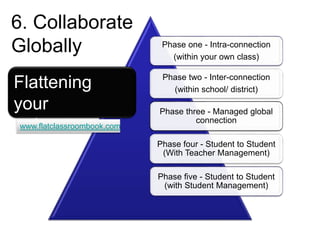
6. Collaborate Globally
Phase one - Intra-connection
(within your own class)
Phase two - Inter-connection
(within school/ district)
Phase three - Managed global
connection
Phase four - Student to Student
(With Teacher Management)
Phase five - Student to Student
(with Student Management)
Flattening
your
classroom
6. Collaborate
Globally
www.flatclassroombook.com
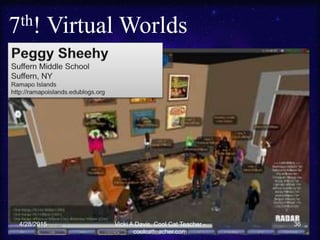
7th! Virtual Worlds
4/28/2015 36Vicki A Davis, Cool Cat Teacher -
coolcatteacher.com
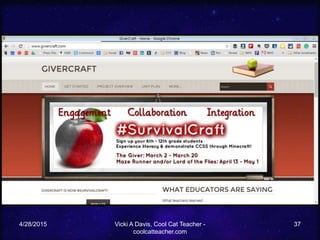
4/28/2015 Vicki A Davis, Cool Cat Teacher -
coolcatteacher.com
37
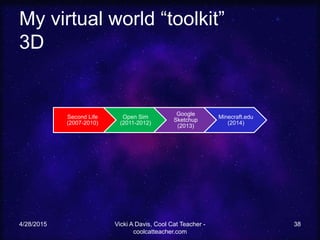
My virtual world “toolkit”
3D
4/28/2015 Vicki A Davis, Cool Cat Teacher -
coolcatteacher.com
38
Second Life
(2007-2010)
Open Sim
(2011-2012)
Google
Sketchup
(2013)
Minecraft.edu
(2014)
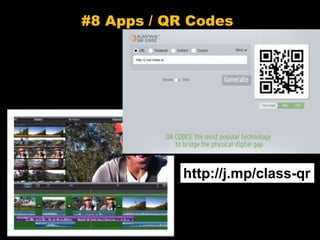
#8 Apps / QR Codes
http://j.mp/class-qr
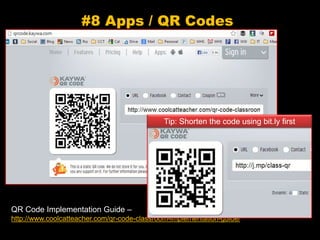
#8 Apps / QR Codes
QR Code Implementation Guide –
http://www.coolcatteacher.com/qr-code-classroom-implementation-guide/
Tip: Shorten the code using bit.ly first
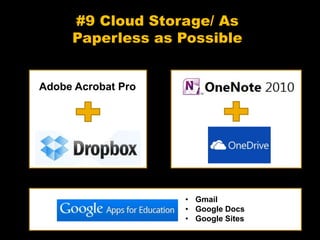
#9 Cloud Storage/ As
Paperless as Possible
Adobe Acrobat Pro
• Gmail
• Google Docs
• Google Sites
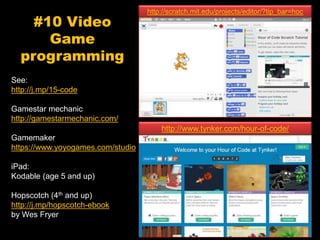
#10 Video
Game
programming
See:
http://j.mp/15-code
Gamestar mechanic
http://gamestarmechanic.com/
Gamemaker
https://www.yoyogames.com/studio
iPad:
Kodable (age 5 and up)
Hopscotch (4th and up)
http://j.mp/hopscotch-ebook
by Wes Fryer
http://www.tynker.com/hour-of-code/
http://scratch.mit.edu/projects/editor/?tip_bar=hoc
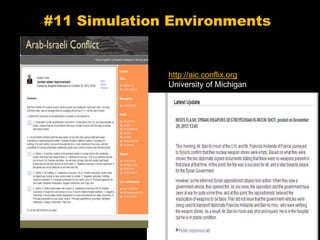
#11 Simulation Environments
http://aic.conflix.org
University of Michigan
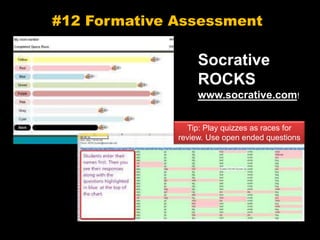
#12 Formative Assessment
Socrative
ROCKS
www.socrative.com!
Tip: Play quizzes as races for
review. Use open ended questions
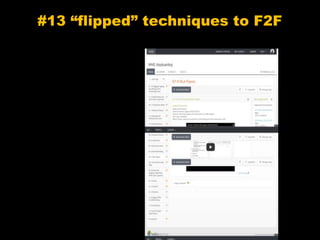
#13 “flipped” techniques to F2F
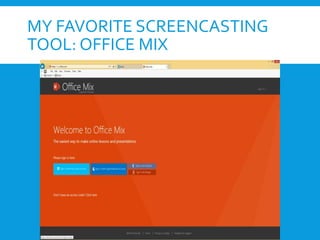
MY FAVORITE SCREENCASTING
TOOL: OFFICE MIX
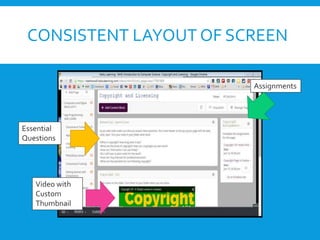
CONSISTENT LAYOUT OF SCREEN
Essential
Questions
Video with
Custom
Thumbnail
Assignments
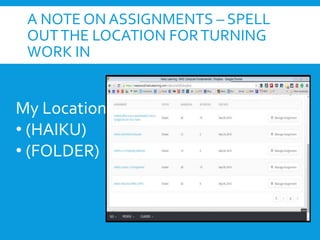
A NOTE ON ASSIGNMENTS – SPELL
OUTTHE LOCATION FORTURNING
WORK IN
My Locations:
• (HAIKU)
• (FOLDER)
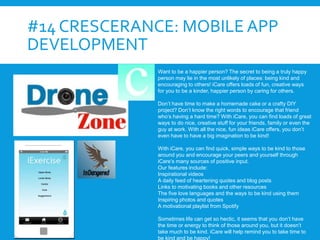
#14 CRESCERANCE: MOBILE APP
DEVELOPMENT
Want to be a happier person? The secret to being a truly happy
person may lie in the most unlikely of places: being kind and
encouraging to others! iCare offers loads of fun, creative ways
for you to be a kinder, happier person by caring for others.
Don’t have time to make a homemade cake or a crafty DIY
project? Don’t know the right words to encourage that friend
who’s having a hard time? With iCare, you can find loads of great
ways to do nice, creative stuff for your friends, family or even the
guy at work. With all the nice, fun ideas iCare offers, you don’t
even have to have a big imagination to be kind!
With iCare, you can find quick, simple ways to be kind to those
around you and encourage your peers and yourself through
iCare’s many sources of positive input.
Our features include:
Inspirational videos
A daily feed of heartening quotes and blog posts
Links to motivating books and other resources
The five love languages and the ways to be kind using them
Inspiring photos and quotes
A motivational playlist from Spotify
Sometimes life can get so hectic, it seems that you don’t have
the time or energy to think of those around you, but it doesn’t
take much to be kind. iCare will help remind you to take time to
be kind and be happy!
Assembling My Class Framework
2005 Social
Educational Network
(Ning & Blogging)
2005 Wiki
2006 Student
Productivity Tools
(iGoogle)
2006 Audio File
creation
2006 Video creation
2006 Global
collaboration
2007 Virtual Worlds 2010 Apps / QR Codes
2011 Cloud Storage/
Paperless
2013
Formative Assessment
Pltaforms (Socrative,
Kahoot)
2014 Sophia
2014-15 Haiku
Learning
#inflip Teaching
2014-15 Mobile App
Development with
Crescerance
T h e C l a s s r o o m C a r
X
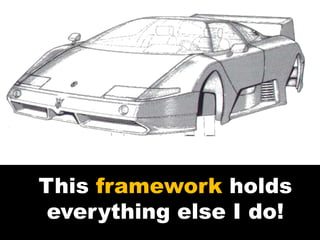
This framework holds
everything else I do!
Assembling the Framework
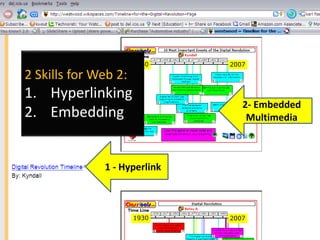
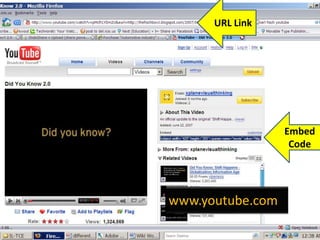
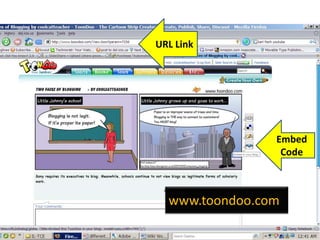
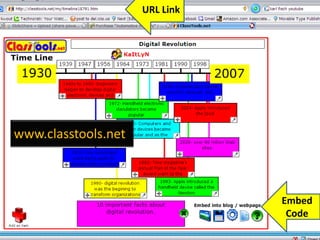
2 Skills for Web 2:
1. Hyperlinking
2. Embedding
1 - Hyperlink
2- Embedded
Multimedia
Embed
Code
URL Link
www.youtube.com
Embed
Code
URL Link
www.toondoo.com
Embed
Code
URL Link
www.classtools.net
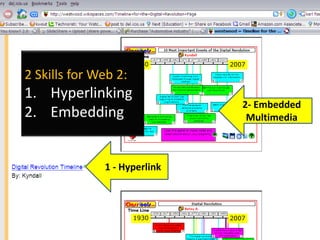
2 Skills for Web 2:
1. Hyperlinking
2. Embedding
1 - Hyperlink
2- Embedded
Multimedia
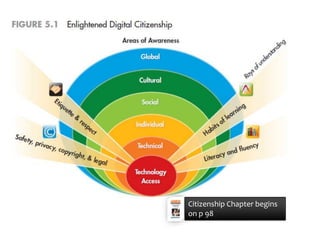
Citizenship Chapter begins
on p 98
Online
behavior has
Offline
consequences!
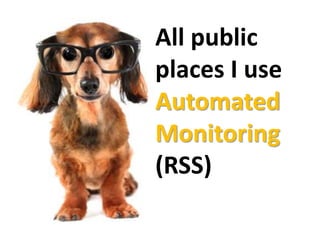
All public
places I use
Automated
Monitoring
(RSS)
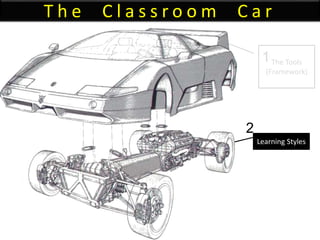
T h e C l a s s r o o m C a r
The Tools
(Framework)
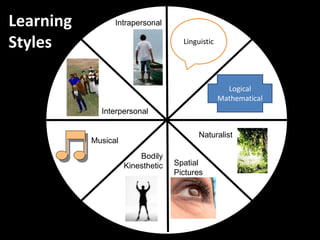
Learning Styles
1
2
Learning
Styles
Logical
Mathematical
Linguistic
Spatial
Pictures
Bodily
Kinesthetic
Musical
Interpersonal
Intrapersonal
Naturalist
Take a Vote!
Which tool should we investigate as it
relates to learning styles?
1. Educational Networking
2. Wikis
3. Digital Storytelling
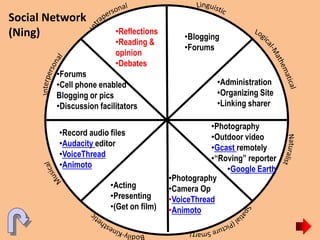
Social Network
(Ning) •Blogging
•Forums
•Administration
•Organizing Site
•Linking sharer
•Acting
•Presenting
•(Get on film)
•Photography
•Camera Op
•VoiceThread
•Animoto
•Record audio files
•Audacity editor
•VoiceThread
•Animoto
•Photography
•Outdoor video
•Gcast remotely
•“Roving” reporter
•Google Earth
•Forums
•Cell phone enabled
Blogging or pics
•Discussion facilitators
•Reflections
•Reading &
opinion
•Debates
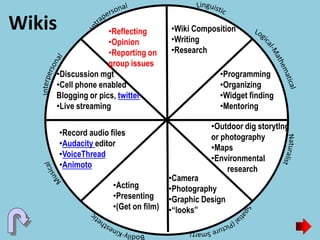
Wikis •Wiki Composition
•Writing
•Research
•Programming
•Organizing
•Widget finding
•Mentoring
•Acting
•Presenting
•(Get on film)
•Camera
•Photography
•Graphic Design
•“looks”
•Record audio files
•Audacity editor
•VoiceThread
•Animoto
•Outdoor dig storytlng
or photography
•Maps
•Environmental
research
•Discussion mgt
•Cell phone enabled
Blogging or pics, twitter
•Live streaming
•Reflecting
•Opinion
•Reporting on
group issues
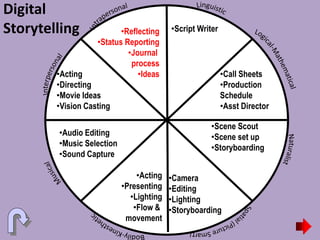
Digital
Storytelling •Script Writer
•Call Sheets
•Production
Schedule
•Asst Director
•Acting
•Presenting
•Lighting
•Flow &
movement
•Camera
•Editing
•Lighting
•Storyboarding
•Audio Editing
•Music Selection
•Sound Capture
•Scene Scout
•Scene set up
•Storyboarding
•Acting
•Directing
•Movie Ideas
•Vision Casting
•Reflecting
•Status Reporting
•Journal
process
•Ideas
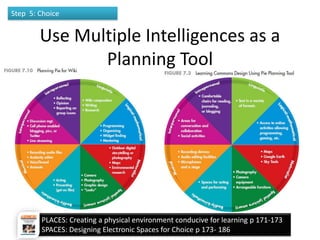
Use Multiple Intelligences as a
Planning Tool
4/28/2015
Vicki A Davis, Cool Cat Teacher -
coolcatteacher.com
67
Step 5: Choice
PLACES: Creating a physical environment conducive for learning p 171-173
SPACES: Designing Electronic Spaces for Choice p 173- 186
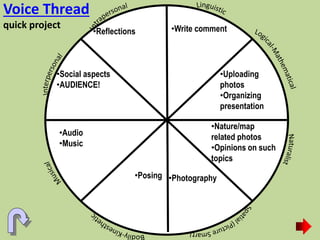
Voice Thread
quick project •Write comment
•Uploading
photos
•Organizing
presentation
•Posing •Photography
•Audio
•Music
•Nature/map
related photos
•Opinions on such
topics
•Social aspects
•AUDIENCE!
•Reflections
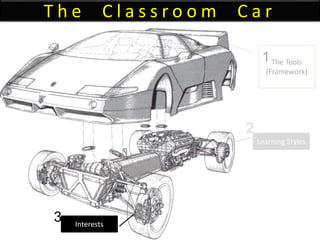
T h e C l a s s r o o m C a r
The Tools
(Framework)
Learning Styles
Interests
1
2
3
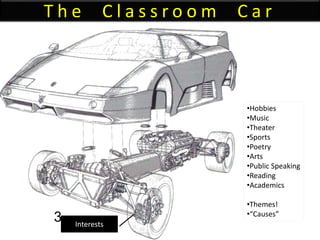
T h e C l a s s r o o m C a r
Interests
3
•Hobbies
•Music
•Theater
•Sports
•Poetry
•Arts
•Public Speaking
•Reading
•Academics
•Themes!
•“Causes”
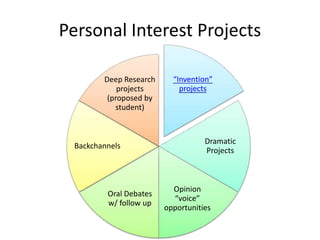
Personal Interest Projects
“Invention”
projects
Dramatic
Projects
Opinion
“voice”
opportunities
Oral Debates
w/ follow up
Backchannels
Deep Research
projects
(proposed by
student)
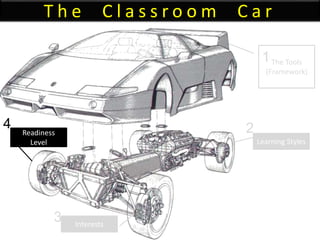
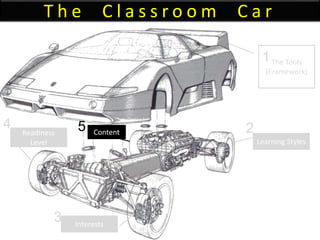
T h e C l a s s r o o m C a r
The Tools
(Framework)
Learning Styles
Interests
Readiness
Level
1
2
3
4
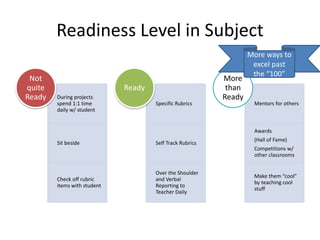
Readiness Level in Subject
During projects
spend 1:1 time
daily w/ student
Sit beside
Check off rubric
items with student
Not
quite
Ready
Specific Rubrics
Self Track Rubrics
Over the Shoulder
and Verbal
Reporting to
Teacher Daily
Ready
Mentors for others
Awards
(Hall of Fame)
Competitions w/
other classrooms
Make them “cool”
by teaching cool
stuff
More
than
Ready
More ways to
excel past
the “100”
T h e C l a s s r o o m C a r
The Tools
(Framework)
Learning Styles
Interests
Readiness
Level
Content
1
2
3
4 5
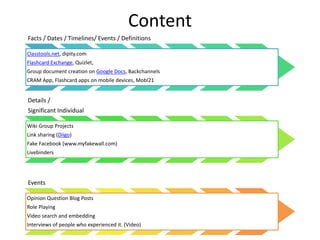
Content
Facts / Dates / Timelines/ Events / Definitions
Classtools.net, dipity.com
Flashcard Exchange, Quizlet,
Group document creation on Google Docs, Backchannels
CRAM App, Flashcard apps on mobile devices, Mobl21
Details /
Significant Individual
Wiki Group Projects
Link sharing (Diigo)
Fake Facebook (www.myfakewall.com)
Livebinders
Events
Opinion Question Blog Posts
Role Playing
Video search and embedding
Interviews of people who experienced it. (Video)
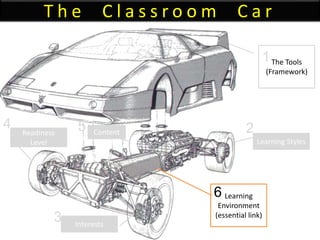
T h e C l a s s r o o m C a r
The Tools
(Framework)
Learning
Environment
(essential link)
Learning Styles
Interests
Readiness
Level
Content
1
2
3
4 5
6
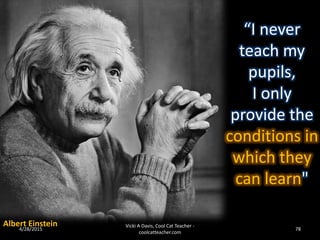
“I never
teach my
pupils,
I only
provide the
conditions in
which they
can learn"
Albert Einstein4/28/2015 78
Vicki A Davis, Cool Cat Teacher -
coolcatteacher.com
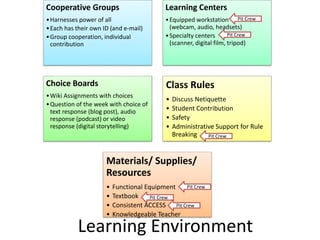
Cooperative Groups
•Harnesses power of all
•Each has their own ID (and e-mail)
•Group cooperation, individual
contribution
Learning Centers
•Equipped workstation
(webcam, audio, headsets)
•Specialty centers
(scanner, digital film, tripod)
Choice Boards
•Wiki Assignments with choices
•Question of the week with choice of
text response (blog post), audio
response (podcast) or video
response (digital storytelling)
Class Rules
• Discuss Netiquette
• Student Contribution
• Safety
• Administrative Support for Rule
Breaking
Materials/ Supplies/
Resources
• Functional Equipment
• Textbook
• Consistent ACCESS
• Knowledgeable Teacher
Learning Environment
Pit Crew
Pit Crew
Pit Crew
Pit Crew
Pit Crew
Pit Crew
Collaboration
with
individual
contribution
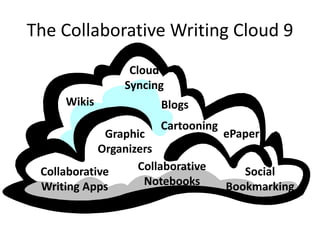
The Collaborative Writing Cloud 9
Wikis
Collaborative
Writing Apps
Blogs
Social
Bookmarking
Graphic
Organizers
Collaborative
Notebooks
ePaper
Cartooning
Cloud
Syncing
Accountability:
Every student
has their own ID!
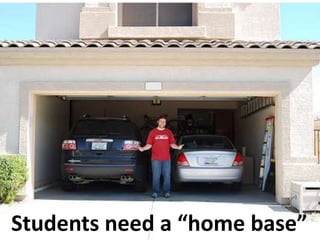
Students need a “home base”
T h e C l a s s r o o m C a r
The Tools
(Framework)
Learning
Environment
(essential link)
Learning Styles
Interests
Readiness
Level
Content
Process
(engine)
1
2
3
4 5
7
6
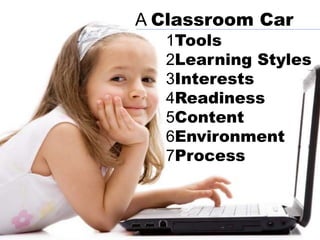
1Tools
2Learning Styles
3Interests
4Readiness
5Content
6Environment
7Process
A Classroom Car
Is the teacher
needed?
AClassroom
BAdministration
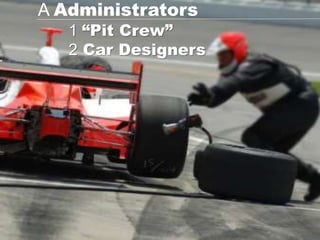
1 “Pit Crew”
2 Car Designers
A Administrators
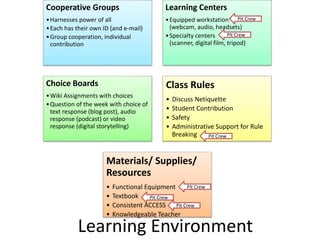
Cooperative Groups
•Harnesses power of all
•Each has their own ID (and e-mail)
•Group cooperation, individual
contribution
Learning Centers
•Equipped workstation
(webcam, audio, headsets)
•Specialty centers
(scanner, digital film, tripod)
Choice Boards
•Wiki Assignments with choices
•Question of the week with choice of
text response (blog post), audio
response (podcast) or video
response (digital storytelling)
Class Rules
• Discuss Netiquette
• Student Contribution
• Safety
• Administrative Support for Rule
Breaking
Materials/ Supplies/
Resources
• Functional Equipment
• Textbook
• Consistent ACCESS
• Knowledgeable Teacher
Learning Environment
Pit Crew
Pit Crew
Pit Crew
Pit Crew
Pit Crew
Pit Crew
Technology is our
vehicle!
But not the ONLY
vehicle!
Secret of Driving Educational
Excellence
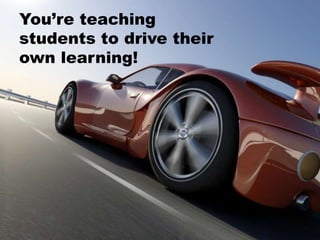
You’re teaching
students to drive their
own learning!
Then…
You’re
worth
the
price!
QUESTIONS?
Vicki
Davis
@coolcatteacher
#Skitsummit2015

Technology Driven Diferentiation

  • 1.
    Technology Driven Differentiated Instruction VickiDavis, Teacher @coolcatteacher #Skitsummit2015
  • 2.
  • 4.
    Transport us to abetter education
  • 5.
    4/28/2015 5Vicki ADavis, Cool Cat Teacher - coolcatteacher.com Every student learns differently!
  • 6.
  • 7.
  • 8.
    T h eC l a s s r o o m C a r The Tools (Framework) Learning Environment (essential link) Learning Styles Interests Readiness Level Content Process (engine) 1 2 3 4 5 7 6
  • 9.
    T h eC l a s s r o o m C a r The Tools (Framework) 1
  • 11.
  • 12.
    Assembling My ClassFramework 2005 Social Educational Network (Ning & Blogging) 2005 Wiki 2006 Student Productivity Tools (iGoogle) 2006 Audio File creation 2006 Video creation 2006 Global collaboration 2007 Virtual Worlds 2010 Apps / QR Codes 2011 Cloud Storage/ Paperless 2013 Formative Assessment Pltaforms (Socrative, Kahoot) 2014 Sophia 2014-15 Haiku Learning #inflip Teaching 2014-15 Mobile App Development with Crescerance T h e C l a s s r o o m C a r X
  • 13.
    0 10 2030 40 50 60 70 Classroom Management Metacognitive Processes Cognitive Processes Home Env/ Parental Inv Stdnt/Tchr Social Intxn Social/ Behavioral Attributes Motivational/ Affective Attr Peer Group Quantity of Instruction School Culture Classroom Climate Classroom Instruction Curriculum Design Stdnt/Tchr Academic Intxn Classroom Assessment Community Influences Psychomotor Skills Tchr/ Admin Decisionmaking Curriculum and Instruction Parental Involvement Policy Classroom Impl/ Support Student Demographics Out of Class Time Program Demographics School Demographics State Level Policies School Policies District Demographics Relative Influences on Learning Wang, Haertel, Walberg, 1997 “What Helps Students Learn? Spotlight on Student Success” http://files.eric.ed.gov/fulltext/ED461694.pdf
  • 14.
    Let’s Look at#1 1. Classroom Management • teacher uses questioning/ recitation strategies that maintain active student participation Wang, Haertel, Walberg, 1997 “What Helps Students Learn? Spotlight on Student Success” http://files.eric.ed.gov/fulltext/ED461694.pdf
  • 15.
    PRACTICE DOESN’T MAKE PERFECT…IT MAKES PERMANENT Classroom Management
  • 16.
    Essential Procedures • EnteringRoom • Exiting Room • Paperflow • Being Excused from the Room • Essential Positions forTeaching and Interacting
  • 18.
    Here’s a BigSecret to Differentiating Have good classroom management procedures so you have the time (and energy) to differentiate!
  • 19.
    4/28/2015 19 Vicki ADavis, Cool Cat Teacher - coolcatteacher.com
  • 20.
    Educational 4/28/2015 20 Vicki ADavis, Cool Cat Teacher - coolcatteacher.com
  • 21.
    4/28/2015 Vicki A Davis,Cool Cat Teacher - coolcatteacher.com 21 1. Educational Network (Ning) – PRIVATE!
  • 22.
    4/28/2015 Vicki A Davis,Cool Cat Teacher - coolcatteacher.com 22
  • 23.
    “If they helpbuild it, they are already THERE.” Rule for Networking Teachers and Others
  • 24.
    Student educational networking platforms •Ning (costs money) • Edmodo • Schoolology • Google Plus • Hashtag on Twitter • Sophia.org (#flipclass tool) • Moodle
  • 25.
    4/28/2015 Vicki A Davis,Cool Cat Teacher - coolcatteacher.com 25
  • 26.
    4/28/2015 Vicki A Davis,Cool Cat Teacher - coolcatteacher.com 26 2. Wiki-centric Classroom http://westwood.wikispaces.com – Hour of code lesson plan
  • 27.
    4/28/2015 Vicki A Davis,Cool Cat Teacher - coolcatteacher.com 27
  • 28.
    4/28/2015 Vicki A Davis,Cool Cat Teacher - coolcatteacher.com 28
  • 29.
    3. Student ProductivityTools • Do students know how to manage their time? • Can students capture & retrieve important info? • Do students know how to optimize start screens? • Do students know how to reduce distractions?
  • 30.
    Paper Notes • Gridded Notebook Digital Notebook • Evernote •One Note Action • Calendar Items • Tasks Workflow for the Modern Student Task Clone will take From Evernote to Google Cal and Wunderlist
  • 31.
    4. Create Audio 5.Create Video Audacity Pinnacle Studio iMoviehttp://j.mp/wonder-pirate
  • 32.
    Do they understandvisual grammar? • Storyboards • Screen Shots • Production Schedule • Editing • Sound Tracks • Copyright • Teleprompter (Try free ipad Teleprompter apps) CTI Digital Film Model http://j.mp/dig-film-curr AFI Digital Film Curriculum
  • 33.
    ISTE Nets™ Standards 4. Technology communications tools  Students use telecommunications to collaborate, publish, and interact with peers, experts, and other audiences.  Students use a variety of media and formats to communicate information and ideas effectively to multiple audiences. 6. Collaborate Globally
  • 34.
    Phase one -Intra-connection (within your own class) Phase two - Inter-connection (within school/ district) Phase three - Managed global connection Phase four - Student to Student (With Teacher Management) Phase five - Student to Student (with Student Management) Flattening your classroom 6. Collaborate Globally www.flatclassroombook.com
  • 35.
    7th! Virtual Worlds 4/28/201536Vicki A Davis, Cool Cat Teacher - coolcatteacher.com
  • 36.
    4/28/2015 Vicki ADavis, Cool Cat Teacher - coolcatteacher.com 37
  • 37.
    My virtual world“toolkit” 3D 4/28/2015 Vicki A Davis, Cool Cat Teacher - coolcatteacher.com 38 Second Life (2007-2010) Open Sim (2011-2012) Google Sketchup (2013) Minecraft.edu (2014)
  • 38.
    #8 Apps /QR Codes http://j.mp/class-qr
  • 39.
    #8 Apps /QR Codes QR Code Implementation Guide – http://www.coolcatteacher.com/qr-code-classroom-implementation-guide/ Tip: Shorten the code using bit.ly first
  • 40.
    #9 Cloud Storage/As Paperless as Possible Adobe Acrobat Pro • Gmail • Google Docs • Google Sites
  • 41.
    #10 Video Game programming See: http://j.mp/15-code Gamestar mechanic http://gamestarmechanic.com/ Gamemaker https://www.yoyogames.com/studio iPad: Kodable(age 5 and up) Hopscotch (4th and up) http://j.mp/hopscotch-ebook by Wes Fryer http://www.tynker.com/hour-of-code/ http://scratch.mit.edu/projects/editor/?tip_bar=hoc
  • 42.
  • 43.
    #12 Formative Assessment Socrative ROCKS www.socrative.com! Tip:Play quizzes as races for review. Use open ended questions
  • 44.
  • 45.
  • 46.
    CONSISTENT LAYOUT OFSCREEN Essential Questions Video with Custom Thumbnail Assignments
  • 47.
    A NOTE ONASSIGNMENTS – SPELL OUTTHE LOCATION FORTURNING WORK IN My Locations: • (HAIKU) • (FOLDER)
  • 48.
    #14 CRESCERANCE: MOBILEAPP DEVELOPMENT Want to be a happier person? The secret to being a truly happy person may lie in the most unlikely of places: being kind and encouraging to others! iCare offers loads of fun, creative ways for you to be a kinder, happier person by caring for others. Don’t have time to make a homemade cake or a crafty DIY project? Don’t know the right words to encourage that friend who’s having a hard time? With iCare, you can find loads of great ways to do nice, creative stuff for your friends, family or even the guy at work. With all the nice, fun ideas iCare offers, you don’t even have to have a big imagination to be kind! With iCare, you can find quick, simple ways to be kind to those around you and encourage your peers and yourself through iCare’s many sources of positive input. Our features include: Inspirational videos A daily feed of heartening quotes and blog posts Links to motivating books and other resources The five love languages and the ways to be kind using them Inspiring photos and quotes A motivational playlist from Spotify Sometimes life can get so hectic, it seems that you don’t have the time or energy to think of those around you, but it doesn’t take much to be kind. iCare will help remind you to take time to be kind and be happy!
  • 49.
    Assembling My ClassFramework 2005 Social Educational Network (Ning & Blogging) 2005 Wiki 2006 Student Productivity Tools (iGoogle) 2006 Audio File creation 2006 Video creation 2006 Global collaboration 2007 Virtual Worlds 2010 Apps / QR Codes 2011 Cloud Storage/ Paperless 2013 Formative Assessment Pltaforms (Socrative, Kahoot) 2014 Sophia 2014-15 Haiku Learning #inflip Teaching 2014-15 Mobile App Development with Crescerance T h e C l a s s r o o m C a r X
  • 50.
  • 51.
  • 52.
    2 Skills forWeb 2: 1. Hyperlinking 2. Embedding 1 - Hyperlink 2- Embedded Multimedia
  • 53.
  • 54.
  • 55.
  • 56.
    2 Skills forWeb 2: 1. Hyperlinking 2. Embedding 1 - Hyperlink 2- Embedded Multimedia
  • 57.
  • 58.
  • 59.
    All public places Iuse Automated Monitoring (RSS)
  • 60.
    T h eC l a s s r o o m C a r The Tools (Framework) Learning Styles 1 2
  • 61.
  • 62.
    Take a Vote! Whichtool should we investigate as it relates to learning styles? 1. Educational Networking 2. Wikis 3. Digital Storytelling
  • 63.
    Social Network (Ning) •Blogging •Forums •Administration •OrganizingSite •Linking sharer •Acting •Presenting •(Get on film) •Photography •Camera Op •VoiceThread •Animoto •Record audio files •Audacity editor •VoiceThread •Animoto •Photography •Outdoor video •Gcast remotely •“Roving” reporter •Google Earth •Forums •Cell phone enabled Blogging or pics •Discussion facilitators •Reflections •Reading & opinion •Debates
  • 64.
    Wikis •Wiki Composition •Writing •Research •Programming •Organizing •Widgetfinding •Mentoring •Acting •Presenting •(Get on film) •Camera •Photography •Graphic Design •“looks” •Record audio files •Audacity editor •VoiceThread •Animoto •Outdoor dig storytlng or photography •Maps •Environmental research •Discussion mgt •Cell phone enabled Blogging or pics, twitter •Live streaming •Reflecting •Opinion •Reporting on group issues
  • 65.
    Digital Storytelling •Script Writer •CallSheets •Production Schedule •Asst Director •Acting •Presenting •Lighting •Flow & movement •Camera •Editing •Lighting •Storyboarding •Audio Editing •Music Selection •Sound Capture •Scene Scout •Scene set up •Storyboarding •Acting •Directing •Movie Ideas •Vision Casting •Reflecting •Status Reporting •Journal process •Ideas
  • 66.
    Use Multiple Intelligencesas a Planning Tool 4/28/2015 Vicki A Davis, Cool Cat Teacher - coolcatteacher.com 67 Step 5: Choice PLACES: Creating a physical environment conducive for learning p 171-173 SPACES: Designing Electronic Spaces for Choice p 173- 186
  • 67.
    Voice Thread quick project•Write comment •Uploading photos •Organizing presentation •Posing •Photography •Audio •Music •Nature/map related photos •Opinions on such topics •Social aspects •AUDIENCE! •Reflections
  • 68.
    T h eC l a s s r o o m C a r The Tools (Framework) Learning Styles Interests 1 2 3
  • 70.
    T h eC l a s s r o o m C a r Interests 3 •Hobbies •Music •Theater •Sports •Poetry •Arts •Public Speaking •Reading •Academics •Themes! •“Causes”
  • 71.
    Personal Interest Projects “Invention” projects Dramatic Projects Opinion “voice” opportunities OralDebates w/ follow up Backchannels Deep Research projects (proposed by student)
  • 72.
    T h eC l a s s r o o m C a r The Tools (Framework) Learning Styles Interests Readiness Level 1 2 3 4
  • 73.
    Readiness Level inSubject During projects spend 1:1 time daily w/ student Sit beside Check off rubric items with student Not quite Ready Specific Rubrics Self Track Rubrics Over the Shoulder and Verbal Reporting to Teacher Daily Ready Mentors for others Awards (Hall of Fame) Competitions w/ other classrooms Make them “cool” by teaching cool stuff More than Ready More ways to excel past the “100”
  • 74.
    T h eC l a s s r o o m C a r The Tools (Framework) Learning Styles Interests Readiness Level Content 1 2 3 4 5
  • 75.
    Content Facts / Dates/ Timelines/ Events / Definitions Classtools.net, dipity.com Flashcard Exchange, Quizlet, Group document creation on Google Docs, Backchannels CRAM App, Flashcard apps on mobile devices, Mobl21 Details / Significant Individual Wiki Group Projects Link sharing (Diigo) Fake Facebook (www.myfakewall.com) Livebinders Events Opinion Question Blog Posts Role Playing Video search and embedding Interviews of people who experienced it. (Video)
  • 76.
    T h eC l a s s r o o m C a r The Tools (Framework) Learning Environment (essential link) Learning Styles Interests Readiness Level Content 1 2 3 4 5 6
  • 77.
    “I never teach my pupils, Ionly provide the conditions in which they can learn" Albert Einstein4/28/2015 78 Vicki A Davis, Cool Cat Teacher - coolcatteacher.com
  • 78.
    Cooperative Groups •Harnesses powerof all •Each has their own ID (and e-mail) •Group cooperation, individual contribution Learning Centers •Equipped workstation (webcam, audio, headsets) •Specialty centers (scanner, digital film, tripod) Choice Boards •Wiki Assignments with choices •Question of the week with choice of text response (blog post), audio response (podcast) or video response (digital storytelling) Class Rules • Discuss Netiquette • Student Contribution • Safety • Administrative Support for Rule Breaking Materials/ Supplies/ Resources • Functional Equipment • Textbook • Consistent ACCESS • Knowledgeable Teacher Learning Environment Pit Crew Pit Crew Pit Crew Pit Crew Pit Crew Pit Crew
  • 79.
  • 80.
    The Collaborative WritingCloud 9 Wikis Collaborative Writing Apps Blogs Social Bookmarking Graphic Organizers Collaborative Notebooks ePaper Cartooning Cloud Syncing
  • 81.
  • 82.
    Students need a“home base”
  • 83.
    T h eC l a s s r o o m C a r The Tools (Framework) Learning Environment (essential link) Learning Styles Interests Readiness Level Content Process (engine) 1 2 3 4 5 7 6
  • 84.
  • 85.
  • 86.
  • 87.
    1 “Pit Crew” 2Car Designers A Administrators
  • 88.
    Cooperative Groups •Harnesses powerof all •Each has their own ID (and e-mail) •Group cooperation, individual contribution Learning Centers •Equipped workstation (webcam, audio, headsets) •Specialty centers (scanner, digital film, tripod) Choice Boards •Wiki Assignments with choices •Question of the week with choice of text response (blog post), audio response (podcast) or video response (digital storytelling) Class Rules • Discuss Netiquette • Student Contribution • Safety • Administrative Support for Rule Breaking Materials/ Supplies/ Resources • Functional Equipment • Textbook • Consistent ACCESS • Knowledgeable Teacher Learning Environment Pit Crew Pit Crew Pit Crew Pit Crew Pit Crew Pit Crew
  • 89.
    Technology is our vehicle! Butnot the ONLY vehicle!
  • 90.
    Secret of DrivingEducational Excellence
  • 91.
    You’re teaching students todrive their own learning!
  • 92.
  • 93.
  • 94.