

Vicki Davis Bio
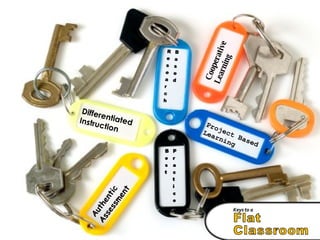
Differentiated  Instruction Authentic  Assessment Project Based Learning Cooperative Learning
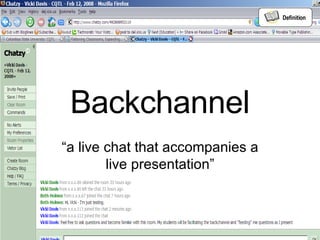
Backchannel “ a live chat that accompanies a live presentation” Definition
Google Jockey A person who watches the backchannel and posts information and hyperlinks in response to questions that are posted. Definition
Backchannel Moderator A person who monitors the backchannel chat and informs the speaker of predominant questions and issues arising from the conversation. Definition
Classroom Uses Group Notetaking Link Sharing Quick Quiz Archivable Record Involvement of quieter students
Websites http://www.chatzy.com Google Presentations  http://docs.google.com Meebo Rooms  http://wwwl.meebo.com/rooms/ Skype Group Chat  http://www.skype.com
Don’t forget netiquette
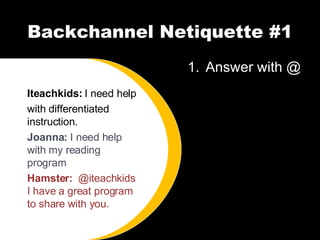
Backchannel Netiquette #1 Answer with @ Iteachkids:  I need help with differentiated instruction. Joanna:  I need help with my reading program Hamster:  @iteachkids I have a great program to share with you.
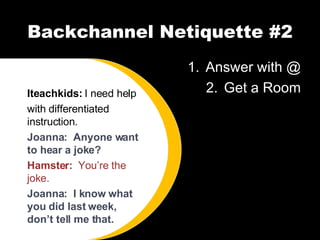
Backchannel Netiquette #2 Answer with @ Get a Room Iteachkids:  I need help with differentiated instruction. Joanna:  Anyone want to hear a joke? Hamster:  You’re the joke. Joanna:  I know what you did last week, don’t tell me that.
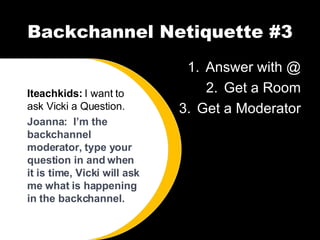
Backchannel Netiquette #3 Answer with @ Get a Room Get a Moderator Iteachkids:  I want to ask Vicki a Question. Joanna:  I’m the backchannel moderator, type your question in and when it is time, Vicki will ask me what is happening in the backchannel.
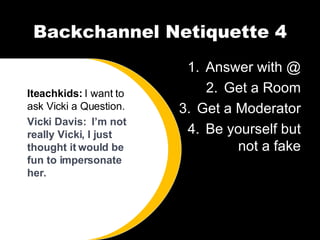
Backchannel Netiquette 4 Answer with @ Get a Room Get a Moderator Be yourself but not a fake Iteachkids:  I want to ask Vicki a Question. Vicki Davis:  I’m not really Vicki, I just thought it would be fun to impersonate her.
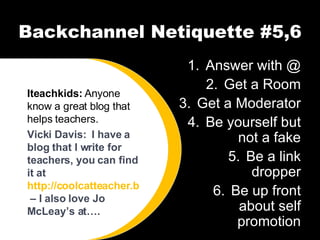
Backchannel Netiquette #5,6 Answer with @ Get a Room Get a Moderator Be yourself but not a fake Be a link dropper Be up front about self promotion Iteachkids:  Anyone know a great blog that helps teachers. Vicki Davis:  I have a blog that I write for teachers, you can find it at  http://coolcatteacher.blogspot.com  – I also love Jo McLeay’s at….
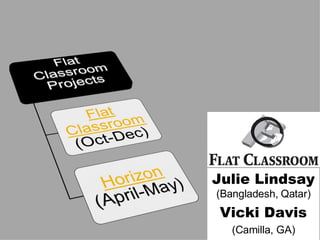
Julie Lindsay  (Bangladesh, Qatar) Vicki Davis (Camilla, GA)
Definition
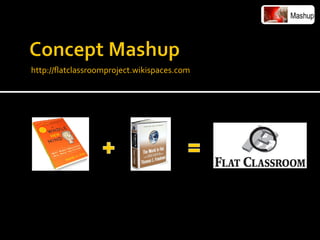
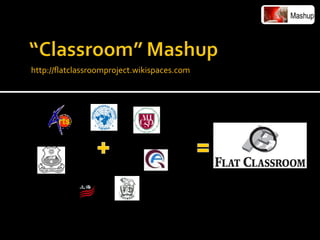
http://flatclassroomproject.wikispaces.com


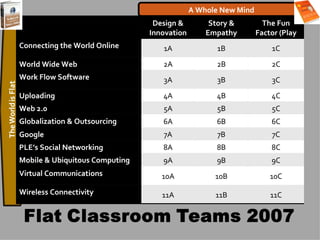
A Whole New Mind Design & Innovation Story & Empathy The Fun Factor (Play Connecting the World Online 1A 1B 1C World Wide Web 2A 2B 2C Work Flow Software 3A 3B 3C Uploading 4A 4B 4C Web 2.0 5A 5B 5C Globalization & Outsourcing 6A 6B 6C Google 7A 7B 7C PLE’s Social Networking 8A 8B 8C Mobile & Ubiquitous Computing 9A 9B 9C Virtual Communications 10A 10B 10C Wireless Connectivity 11A 11B 11C
http://flatclassroomproject.wikispaces.com   Wiki Video
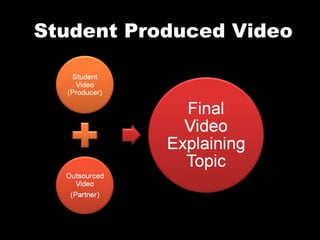
Student Produced Video
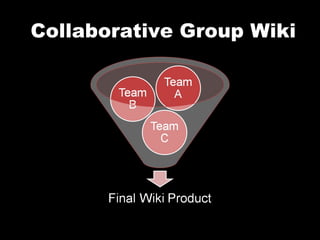
Collaborative Group Wiki
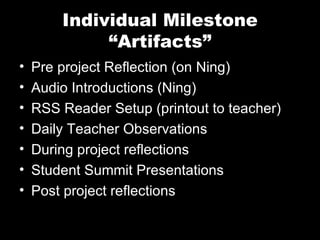
Individual Milestone “Artifacts” Pre project Reflection (on Ning) Audio Introductions (Ning) RSS Reader Setup (printout to teacher) Daily Teacher Observations During project reflections Student Summit Presentations Post project reflections
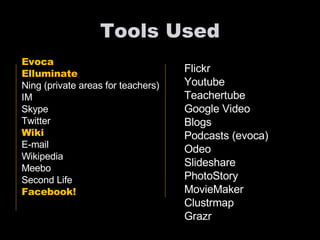
Tools Used Evoca  Elluminate Ning (private areas for teachers) IM Skype Twitter Wiki E-mail Wikipedia Meebo Second Life Facebook! Flickr Youtube Teachertube Google Video Blogs Podcasts (evoca) Odeo Slideshare PhotoStory MovieMaker Clustrmap Grazr
http://flatclassroomproject.wikispaces.com
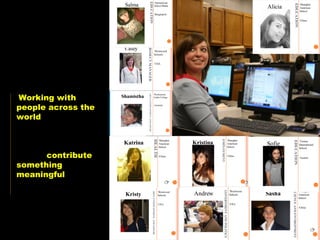
Team Mashup “ Working with people across the world  has challenged me.” “ The majority of my partners wanted to  contribute something meaningful  to the project.” Horizon Project Students http://horizonproject.wikispaces.com
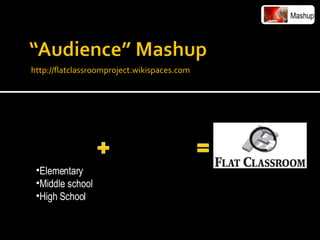
http://flatclassroomproject.wikispaces.com   Students Peer Review: Elementary Middle school High School Preservice  Teachers Teachers Experts Researchers The Press
NETS Standards 4. Technology communications tools  Students use telecommunications to collaborate, publish, and interact with  peers, experts, and other audiences.  Students use a variety of media and formats to communicate information and ideas effectively  to  multiple audiences. Teach  Global
 
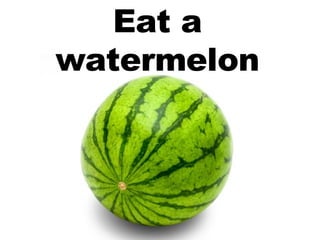
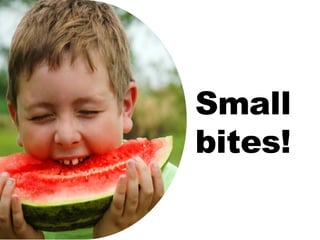
Eat a watermelon
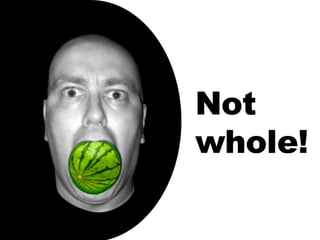
Not whole!
Small bites!
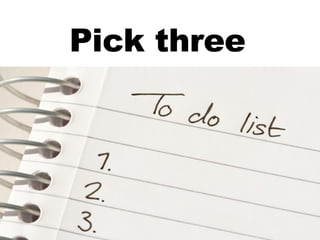
The power of Three! Pick three
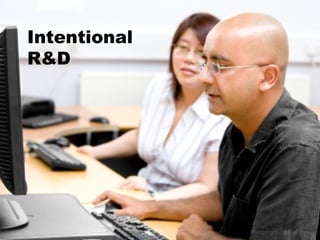
Intentional R&D
Vicki Davis Bio
Step #1
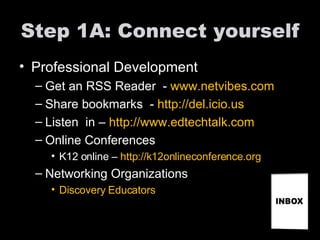
Step 1A: Connect yourself Professional Development Get an RSS Reader  -  www.netvibes.com Share bookmarks  -  http://del.icio.us   Listen  in –  http://www.edtechtalk.com   Online Conferences K12 online –  http://k12onlineconference.org   Networking Organizations Discovery Educators
The Connection Function “ Your Friends are Your Filter.”
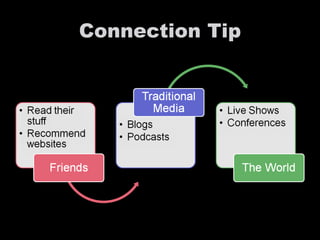
Connection Tip
Step 1B: Connect your students Cooperative Learning the classroom This is not group work! Connect Across the district Across the country Across the World
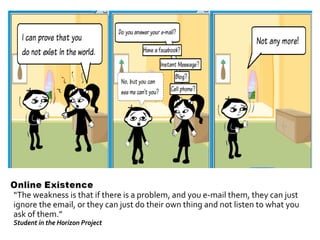
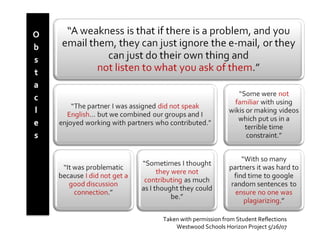
“ The weakness is that if there is a problem, and you e-mail them, they can just ignore the email, or they can just do their own thing and not listen to what you ask of them.” Student in the Horizon Project
Step 1B: Connect your students Join Organized Projects Youth Voices  – middle, elementary University of Michigan  , high school Class Blogmeister  – all ages Technospud projects  - elementary Susan Silverman’s Projects  – elementary Yes I Can Science  – all ages Taking IT Global  – all ages ePals  – all ages Global SchoolNet  – all ages
Step 1B: Connect your students Do It Yourself Private Ning Flat Classroom Project Skype in Guests from around the world Use your network to connect and create projects.
Step #2
Step 2: Create Pro-sumer (producing consumer) Tapscott – Wikinomics Pro-Learners The producing learner becomes the professional learner!
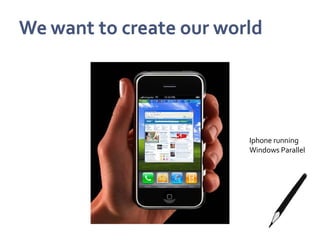
Iphone running Windows Parallel
Start Blogging  Join Educommunities in Second Life Create a podcast Go to a live show and chat Have “invention” projects Teach students to “Brainstorm” Try something new!!!
Step #3
Taken with permission from Student Reflections Westwood Schools Horizon Project 5/26/07
 
 
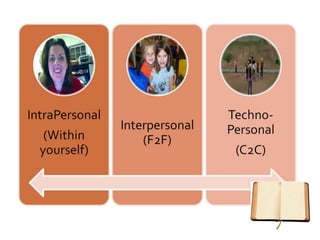
Openness Transparency Your profile is your online identity Effective TechnoPersonal Skills Involve students in educating your school
Step #4 The Desk – The platform of values
Discernment Ethics Empathy Patience The Desk – The platform of values
Step #5 © 2005, Intuitive Learning Model, All Rights Reserved, Vicki A. Davis
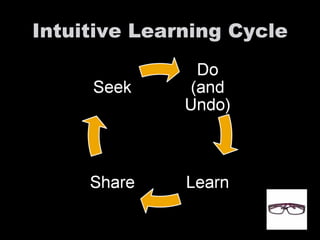
Intuitive Learning Cycle © 2005, Intuitive Learning Model, All Rights Reserved, Vicki A. Davis
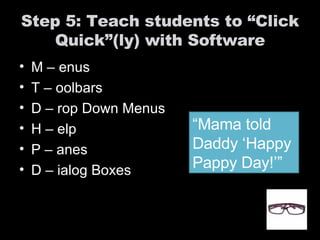
Step 5: Teach students to “Click Quick”(ly) with Software M – enus T – oolbars D – rop Down Menus H – elp  P – anes D – ialog Boxes © 2005, Quick Click Model, All Rights Reserved, Vicki A. Davis “ Mama told Daddy ‘Happy Pappy Day!’”
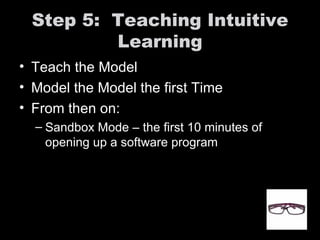
Step 5:  Teaching Intuitive Learning Teach the Model Model the Model the first Time From then on: Sandbox Mode – the first 10 minutes of opening up a software program © 2005, Intuitive Learning Model, All Rights Reserved, Vicki A. Davis
Step #6
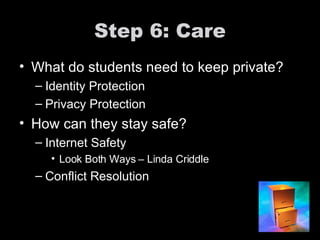
Step 6: Care What do students need to keep private? Identity Protection Privacy Protection How can they stay safe? Internet Safety Look Both Ways – Linda Criddle Conflict Resolution
Step #7
What do you discard? Overchoice – Toefler  Our problem is too many choices. Students need to know how to make choices Uncluttered mind and life
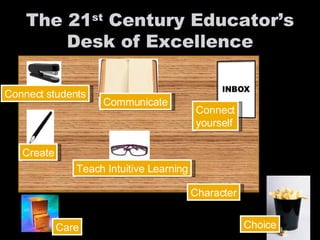
The 21 st  Century Educator’s Desk of Excellence Conneselfct You Choice Connect yourself Communicate Connect students Teach Intuitive Learning Create Care Character
Don’t Forget
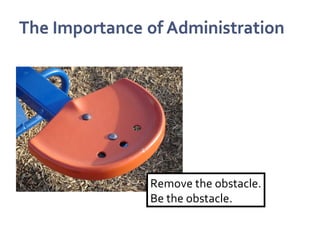
Remove the obstacle. Be the obstacle.
A Poll I think it is most likely that my school will collaborate globally:  Not in the forseeable future Within the next 4-5 years Within the next 2-3 years Within the next year 06/02/09
Questions?
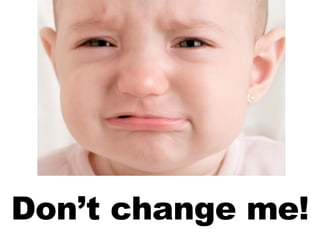
Don’t change me!
Visit me http:/coolcatteacher.blogspot.com  http://coolcatteacher.wikispaces.com

Flatclassroom Presentation Il Tce

  • 1.
  • 2.
    Differentiated InstructionAuthentic Assessment Project Based Learning Cooperative Learning
  • 3.
    Backchannel “ alive chat that accompanies a live presentation” Definition
  • 4.
    Google Jockey Aperson who watches the backchannel and posts information and hyperlinks in response to questions that are posted. Definition
  • 5.
    Backchannel Moderator Aperson who monitors the backchannel chat and informs the speaker of predominant questions and issues arising from the conversation. Definition
  • 6.
    Classroom Uses GroupNotetaking Link Sharing Quick Quiz Archivable Record Involvement of quieter students
  • 7.
    Websites http://www.chatzy.com GooglePresentations http://docs.google.com Meebo Rooms http://wwwl.meebo.com/rooms/ Skype Group Chat http://www.skype.com
  • 8.
  • 9.
    Backchannel Netiquette #1Answer with @ Iteachkids: I need help with differentiated instruction. Joanna: I need help with my reading program Hamster: @iteachkids I have a great program to share with you.
  • 10.
    Backchannel Netiquette #2Answer with @ Get a Room Iteachkids: I need help with differentiated instruction. Joanna: Anyone want to hear a joke? Hamster: You’re the joke. Joanna: I know what you did last week, don’t tell me that.
  • 11.
    Backchannel Netiquette #3Answer with @ Get a Room Get a Moderator Iteachkids: I want to ask Vicki a Question. Joanna: I’m the backchannel moderator, type your question in and when it is time, Vicki will ask me what is happening in the backchannel.
  • 12.
    Backchannel Netiquette 4Answer with @ Get a Room Get a Moderator Be yourself but not a fake Iteachkids: I want to ask Vicki a Question. Vicki Davis: I’m not really Vicki, I just thought it would be fun to impersonate her.
  • 13.
    Backchannel Netiquette #5,6Answer with @ Get a Room Get a Moderator Be yourself but not a fake Be a link dropper Be up front about self promotion Iteachkids: Anyone know a great blog that helps teachers. Vicki Davis: I have a blog that I write for teachers, you can find it at http://coolcatteacher.blogspot.com – I also love Jo McLeay’s at….
  • 14.
    Julie Lindsay (Bangladesh, Qatar) Vicki Davis (Camilla, GA)
  • 15.
  • 16.
  • 17.
  • 18.
  • 19.
  • 20.
  • 21.
    A Whole NewMind Design & Innovation Story & Empathy The Fun Factor (Play Connecting the World Online 1A 1B 1C World Wide Web 2A 2B 2C Work Flow Software 3A 3B 3C Uploading 4A 4B 4C Web 2.0 5A 5B 5C Globalization & Outsourcing 6A 6B 6C Google 7A 7B 7C PLE’s Social Networking 8A 8B 8C Mobile & Ubiquitous Computing 9A 9B 9C Virtual Communications 10A 10B 10C Wireless Connectivity 11A 11B 11C
  • 22.
  • 23.
  • 24.
  • 25.
    Individual Milestone “Artifacts”Pre project Reflection (on Ning) Audio Introductions (Ning) RSS Reader Setup (printout to teacher) Daily Teacher Observations During project reflections Student Summit Presentations Post project reflections
  • 26.
    Tools Used Evoca Elluminate Ning (private areas for teachers) IM Skype Twitter Wiki E-mail Wikipedia Meebo Second Life Facebook! Flickr Youtube Teachertube Google Video Blogs Podcasts (evoca) Odeo Slideshare PhotoStory MovieMaker Clustrmap Grazr
  • 27.
  • 28.
    Team Mashup “Working with people across the world has challenged me.” “ The majority of my partners wanted to contribute something meaningful to the project.” Horizon Project Students http://horizonproject.wikispaces.com
  • 29.
    http://flatclassroomproject.wikispaces.com Students Peer Review: Elementary Middle school High School Preservice Teachers Teachers Experts Researchers The Press
  • 30.
    NETS Standards 4.Technology communications tools Students use telecommunications to collaborate, publish, and interact with peers, experts, and other audiences. Students use a variety of media and formats to communicate information and ideas effectively to multiple audiences. Teach Global
  • 31.
  • 32.
  • 33.
  • 34.
  • 35.
    The power ofThree! Pick three
  • 36.
  • 37.
  • 38.
  • 39.
    Step 1A: Connectyourself Professional Development Get an RSS Reader - www.netvibes.com Share bookmarks - http://del.icio.us Listen in – http://www.edtechtalk.com Online Conferences K12 online – http://k12onlineconference.org Networking Organizations Discovery Educators
  • 40.
    The Connection Function“ Your Friends are Your Filter.”
  • 41.
  • 42.
    Step 1B: Connectyour students Cooperative Learning the classroom This is not group work! Connect Across the district Across the country Across the World
  • 43.
    “ The weaknessis that if there is a problem, and you e-mail them, they can just ignore the email, or they can just do their own thing and not listen to what you ask of them.” Student in the Horizon Project
  • 44.
    Step 1B: Connectyour students Join Organized Projects Youth Voices – middle, elementary University of Michigan , high school Class Blogmeister – all ages Technospud projects - elementary Susan Silverman’s Projects – elementary Yes I Can Science – all ages Taking IT Global – all ages ePals – all ages Global SchoolNet – all ages
  • 45.
    Step 1B: Connectyour students Do It Yourself Private Ning Flat Classroom Project Skype in Guests from around the world Use your network to connect and create projects.
  • 46.
  • 47.
    Step 2: CreatePro-sumer (producing consumer) Tapscott – Wikinomics Pro-Learners The producing learner becomes the professional learner!
  • 48.
  • 49.
    Start Blogging Join Educommunities in Second Life Create a podcast Go to a live show and chat Have “invention” projects Teach students to “Brainstorm” Try something new!!!
  • 50.
  • 51.
    Taken with permissionfrom Student Reflections Westwood Schools Horizon Project 5/26/07
  • 52.
  • 53.
  • 54.
    Openness Transparency Yourprofile is your online identity Effective TechnoPersonal Skills Involve students in educating your school
  • 55.
    Step #4 TheDesk – The platform of values
  • 56.
    Discernment Ethics EmpathyPatience The Desk – The platform of values
  • 57.
    Step #5 ©2005, Intuitive Learning Model, All Rights Reserved, Vicki A. Davis
  • 58.
    Intuitive Learning Cycle© 2005, Intuitive Learning Model, All Rights Reserved, Vicki A. Davis
  • 59.
    Step 5: Teachstudents to “Click Quick”(ly) with Software M – enus T – oolbars D – rop Down Menus H – elp P – anes D – ialog Boxes © 2005, Quick Click Model, All Rights Reserved, Vicki A. Davis “ Mama told Daddy ‘Happy Pappy Day!’”
  • 60.
    Step 5: Teaching Intuitive Learning Teach the Model Model the Model the first Time From then on: Sandbox Mode – the first 10 minutes of opening up a software program © 2005, Intuitive Learning Model, All Rights Reserved, Vicki A. Davis
  • 61.
  • 62.
    Step 6: CareWhat do students need to keep private? Identity Protection Privacy Protection How can they stay safe? Internet Safety Look Both Ways – Linda Criddle Conflict Resolution
  • 63.
  • 64.
    What do youdiscard? Overchoice – Toefler Our problem is too many choices. Students need to know how to make choices Uncluttered mind and life
  • 65.
    The 21 st Century Educator’s Desk of Excellence Conneselfct You Choice Connect yourself Communicate Connect students Teach Intuitive Learning Create Care Character
  • 66.
  • 67.
    Remove the obstacle.Be the obstacle.
  • 68.
    A Poll Ithink it is most likely that my school will collaborate globally: Not in the forseeable future Within the next 4-5 years Within the next 2-3 years Within the next year 06/02/09
  • 69.
  • 70.
  • 71.
    Visit me http:/coolcatteacher.blogspot.com http://coolcatteacher.wikispaces.com

Editor's Notes

  • #2 Feel free to visit some of our websites while you’re entering.