































Technology Driven
Differentiated Instruction
Vicki Davis, Teacher
@coolcatteacher
Coolcatteacher.com/gaetc
TEACHER PAIN POINT:
HOW DO WE REACH
EVERY CHILD?
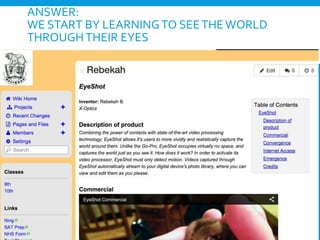
ANSWER:
WE START BY LEARNINGTO SEETHEWORLD
THROUGHTHEIR EYES
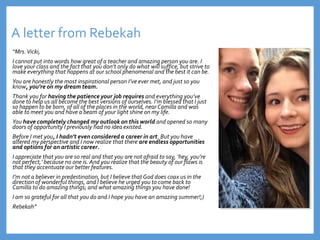
A letter from Rebekah
“Mrs.Vicki,
I cannot put into words how great of a teacher and amazing person you are. I
love your class and the fact that you don’t only do what will suffice, but strive to
make everything that happens at our school phenomenal and the best it can be.
You are honestly the most inspirational person I’ve ever met, and just so you
know, you’re on my dream team.
Thank you for having the patience your job requires and everything you’ve
done to help us all become the best versions of ourselves. I’m blessed that I just
so happen to be born, of all of the places in the world, near Camilla and was
able to meet you and have a beam of your light shine on my life.
You have completely changed my outlook on this world and opened so many
doors of opportunity I previously had no idea existed.
Before I met you, I hadn’t even considered a career in art. But you have
altered my perspective and I now realize that there are endless opportunities
and options for an artistic career.
I appreciate that you are so real and that you are not afraid to say, ‘hey, you’re
not perfect,’ because no one is. And you realize that the beauty of our flaws is
that they accentuate our better features.
I’m not a believer in predestination, but I believe that God does coax us in the
direction of wonderful things, and I believe he urged you to come back to
Camilla to do amazing things; and what amazing things you have done!
I am so grateful for all that you do and I hope you have an amazing summer!;)
Rebekah”
PARENT PAIN POINT:
Do My Child’s
Teachers Care?
Why I fight this fight
Empty Chairs Matter
STUDENT PAIN POINT:
DOES ANYONE CARE
THAT I AM HERE?
Son, what do
you wish your
teacher knew
about you?
I wish she
knew
my name.
ADMIN PAIN POINT:
WILL RELATIONSHIPS
REALLY IMPROVE
LEARNING?
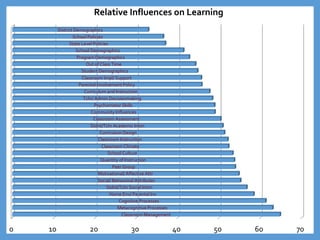
0 10 20 30 40 50 60 70
Classroom Management
Metacognitive Processes
Cognitive Processes
Home Env/ Parental Inv
Stdnt/Tchr Social Intxn
Social/ Behavioral Attributes
Motivational/ Affective Attr
Peer Group
Quantity of Instruction
School Culture
Classroom Climate
Classroom Instruction
Curriculum Design
Stdnt/Tchr Academic Intxn
Classroom Assessment
Community Influences
Psychomotor Skills
Tchr/ Admin Decisionmaking
Curriculum and Instruction
Parental Involvement Policy
Classroom Impl/ Support
Student Demographics
Out of Class Time
Program Demographics
School Demographics
State Level Policies
School Policies
District Demographics
Relative Influences on Learning
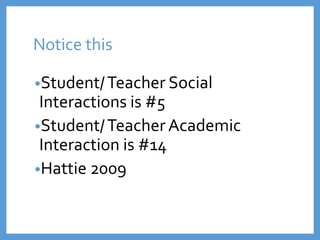
Notice this
•Student/Teacher Social
Interactions is #5
•Student/Teacher Academic
Interaction is #14
•Hattie 2009
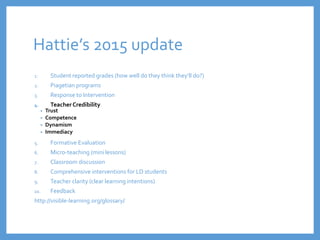
Hattie’s 2015 update
1. Student reported grades (how well do they think they’ll do?)
2. Piagetian programs
3. Response to Intervention
4. TeacherCredibility
• Trust
• Competence
• Dynamism
• Immediacy
5. Formative Evaluation
6. Micro-teaching (mini lessons)
7. Classroom discussion
8. Comprehensive interventions for LD students
9. Teacher clarity (clear learning intentions)
10. Feedback
http://visible-learning.org/glossary/
TEACHER PAIN POINT:
How do I differentiate
without losing my
mind?
CLASSROOM MANAGEMENT:
Let’s Look at #1
1. Classroom Management
• teacher uses questioning/ recitation strategies that maintain active
student participation
Wang, Haertel, Walberg, 1997
“What Helps Students Learn?
Spotlight on Student Success”
http://files.eric.ed.gov/fulltext/ED461694.pdf
PRACTICE DOESN’T
MAKE PERFECT… IT
MAKES PERMANENT
Classroom Management
Essential Procedures
• Entering Room
• Exiting Room
• Paperflow
• Being Excused from the Room
• Essential Positions forTeaching and Interacting
Here’s a Big Secret to Differentiating
Have good classroom
management procedures so you
have the time (and energy) to
differentiate!
The
problem with
technology
Transport us
to a better
education
SCHOOL PAIN POINT:
How can we justify
expensive technology?
11/2/2016 27Vicki A Davis, Cool Cat Teacher -
coolcatteacher.com
Every student
learns
differently!
Deliver using dual
encoding.
Technology Driven Differentiation
AClassroom
BAdministration
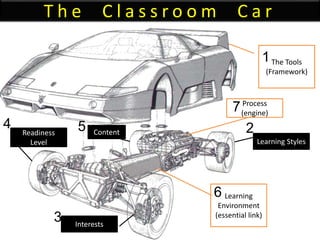
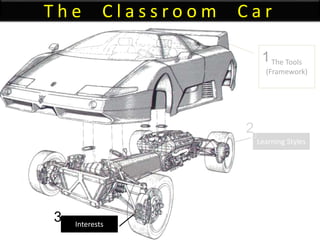
T h e C l a s s r o o m C a r
The Tools
(Framework)
Learning
Environment
(essential link)
Learning Styles
Interests
Readiness
Level
Content
Process
(engine)
1
2
3
4 5
7
6
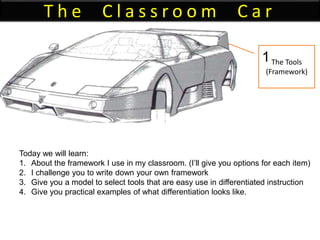
T h e C l a s s r o o m C a r
The Tools
(Framework)
1
Today we will learn:
1. About the framework I use in my classroom. (I’ll give you options for each item)
2. I challenge you to write down your own framework
3. Give you a model to select tools that are easy use in differentiated instruction
4. Give you practical examples of what differentiation looks like.
TEACHER PAIN POINT:
I am so busy, how do I
find time to do new
things with my
students?
The power of Three!
THE ANSWER:
Build AToolkit one or
two new tools a year.
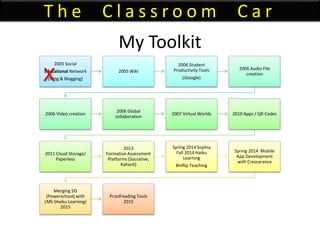
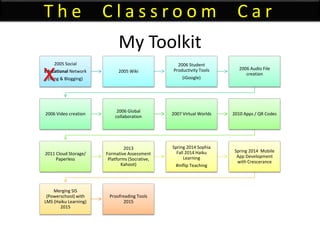
My Toolkit
2005 Social
Educational Network
(Ning & Blogging)
2005 Wiki
2006 Student
Productivity Tools
(iGoogle)
2006 Audio File
creation
2006 Video creation
2006 Global
collaboration
2007 Virtual Worlds 2010 Apps / QR Codes
2011 Cloud Storage/
Paperless
2013
Formative Assessment
Platforms (Socrative,
Kahoot)
Spring 2014 Sophia
Fall 2014 Haiku
Learning
#inflip Teaching
Spring 2014 Mobile
App Development
with Crescerance
Merging SIS
(Powerschool) with
LMS (Haiku Learning)
2015
Proofreading Tools
2015
T h e C l a s s r o o m C a r
X
11/2/2016 37
Vicki A Davis, Cool Cat Teacher -
coolcatteacher.com
Educational
11/2/2016 38
Vicki A Davis, Cool Cat Teacher -
coolcatteacher.com
TEACHER PAIN POINT:
Students type in IM
speak and act like they
do on social networks in
academic spaces.
ANSWER:
1. We are in an
academic, educational
network, not a social
network.
2.You are a professional
student.
11/2/2016
Vicki A Davis, Cool Cat Teacher -
coolcatteacher.com
41
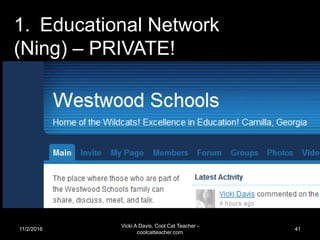
1. Educational Network
(Ning) – PRIVATE!
11/2/2016
Vicki A Davis, Cool Cat Teacher -
coolcatteacher.com
42
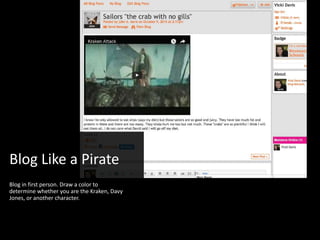
Blog Like a Pirate
Blog in first person. Draw a color to
determine whether you are the Kraken, Davy
Jones, or another character.
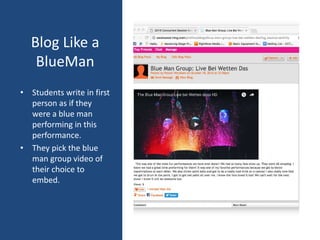
Blog Like a
BlueMan
• Students write in first
person as if they
were a blue man
performing in this
performance.
• They pick the blue
man group video of
their choice to
embed.
11/2/2016
Vicki A Davis, Cool Cat Teacher -
coolcatteacher.com
45
How you can add blogging to your
classroom toolkit?
• Ning (Costs more) education.ning.com
• Wordpress www.wordpress.com
– Edublogs is based on wordpress. www.edublogs.org
– We’re taking part of the school website for school blogging.
• Blogger www.blogger.com
– Kidblogs based on blogger
• Write the World writetheworld.com/
– Writing competitions
• Padlet www.padlet.com
• Seesaw web.seesaw.me
– Some younger classrooms are using Padlet and SeeSaw like a blog
TEACHER PAIN POINT:
How can I proof and give
feedback on all this
online work?
ANSWER:
YOU DON’T!
You use tools that will help students empower themselves to be
better writers.
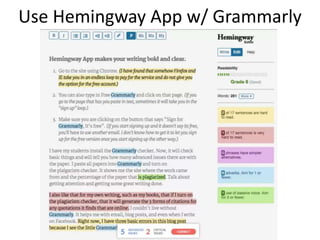
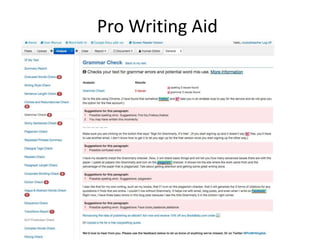
Use Hemingway App w/ Grammarly
Pro Writing Aid
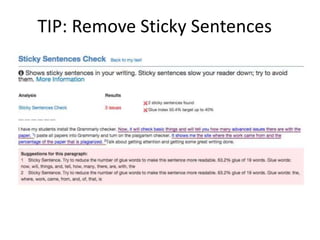
TIP: Remove Sticky Sentences
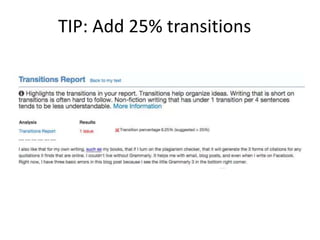
TIP: Add 25% transitions
What are the proofing / editing
tools you can add to your toolkit?
• Grammarly www.grammarly.com
– Sign up for it using Google Chrome to get basic features free
– Pro version gives all kinds of editing, etc.
– Can’t use inside Google Docs
• Hemingway (a web page) www.hemingwayapp.com
– No need to buy the offline version. Use the online version free.
– Use small pieces of text and edit from top to bottom.
• Pro Writing Aid www.prowritingaid.com
– Can use online or add to Google Docs
TEACHER (AND
STUDENT) PAIN POINT:
I’m a slow typist
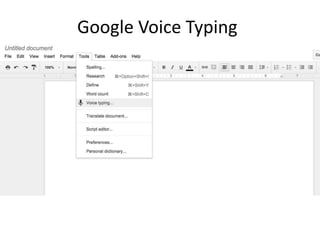
Google Voice Typing
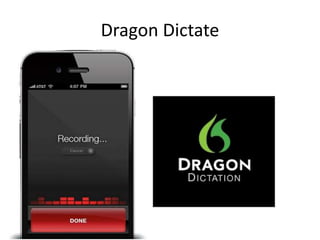
Dragon Dictate
Mac Dication
• Press Fn Fn twice on your Mac
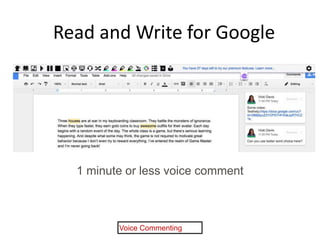
Read and Write for Google
Voice Commenting
1 minute or less voice comment
What are the voice typing tools
you can add to your toolkit?
• Google Voice Typing http://cctea.ch/G-voicetype
• Dragon http://cctea.ch/cct-dragon
– Dragon Anywhere (on mobile app – paid)
– Dragon Software (on computer)
• Dictation on Mac http://cctea.ch/cct-macdictate
• Dictation on Mobile phone (hit mic button)
• Read Write for Google Chrome http://cctea.ch/cct-readwrite
TEACHER PAIN POINT:
How Do I Make Sure
Students Know How to
Behave Online?
(Real Pain Point: How do
I keep from losing my
job over a kid doing
something dumb?)
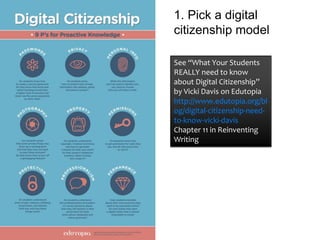
See “What Your Students
REALLY need to know
about Digital Citizenship”
by Vicki Davis on Edutopia
http://www.edutopia.org/bl
og/digital-citizenship-need-
to-know-vicki-davis
Chapter 11 in Reinventing
Writing
1. Pick a digital
citizenship model
2. Let students explore the model by
creating a website and sharing with each
other.
Digital citizenship frameworks you
can add to your toolkit
• 9 Key P’s of Digital Citizenship
– Chapter 13 of my book Reinventing Writing
– See my presentation tomorrow ;-) 11 am in this room.
– What Your Students Really Need to Know About Digital Citizenship by Vicki Davis –
Edutopia - http://cctea.ch/edutopia-digcit
• Netsmartz Free training - http://www.netsmartz.org/Training
• Mike Ribble http://www.digitalcitizenship.net/
• Digital Citizenship Curriculum by Common Sense Media
– https://www.commonsensemedia.org/educators/digital-citizenship
Online
behavior has
Offline
consequences!
3. When something happens, find an offline
equivalent when explaining it to administrators.
TEACHER PAIN POINT:
How CanThe Class Have
A WebsiteThat We All
Maintain?
11/2/2016
Vicki A Davis, Cool Cat Teacher -
coolcatteacher.com
70
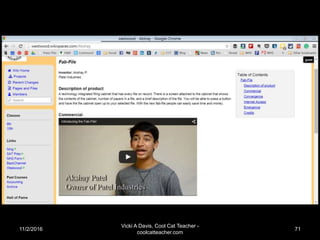
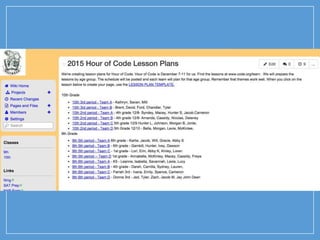
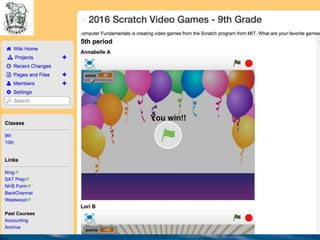
2. Wiki-centric Classroom
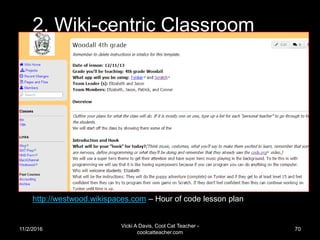
http://westwood.wikispaces.com – Hour of code lesson plan
11/2/2016
Vicki A Davis, Cool Cat Teacher -
coolcatteacher.com
71
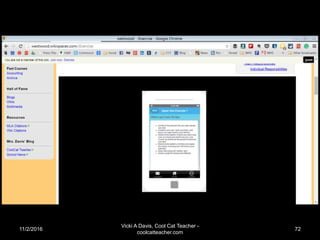
11/2/2016
Vicki A Davis, Cool Cat Teacher -
coolcatteacher.com
72
Website Builders you can add to
your toolkit
• Wikispaces – www.wikispaces.com
• Weebly – www.weebly.com
• Webs – www.webs.com
• Wixx – www.wixx.com
• Google Sites sites.google.com
• Wordpress (see previous) www.wordpress.org
TEACHER & STUDENT
PAIN POINT:
How can students
actually remember what
they need to do?
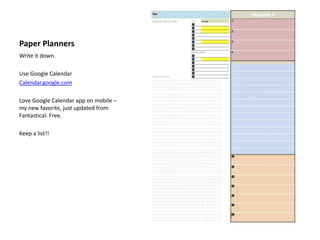
Paper Planners
Write it down.
Use Google Calendar
Calendar.google.com
Love Google Calendar app on mobile –
my new favorite, just updated from
Fantastical. Free.
Keep a list!!
TEACHER PAINPOINT:
How Can I Help My
Students Be
Transliterate In Multiple
Media?
TEACHER PAINPOINT:
How Can I Help My
Students Be
Transliterate In Multiple
Media?
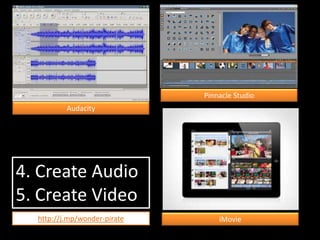
4. Create Audio
5. Create Video
Audacity
Pinnacle Studio
iMoviehttp://j.mp/wonder-pirate
Do they understand visual
grammar?
• Storyboards
• Screen Shots
• Production Schedule
• Editing
• Sound Tracks
• Copyright
• Teleprompter
(Try free ipad Teleprompter apps)
CTI Digital Film Model
http://j.mp/dig-film-curr
AFI Digital Film Curriculum
TEACHER PAINPOINT:
How can I get students
to CARE about writing
well?
Audience is Important
• “Technology creates opportunities for
students to do meaningful work that has value
outside school, receive feedback on their
work, and experience the rewards of
publication or exhibition.”
Peck & Dorricott, 1994
http://caret.iste.org/index.cfm?fuseaction=evi
dence&answerID=9&words=audience
ISTE Nets™ Standards
 4. Technology communications tools
 Students use telecommunications to
collaborate, publish, and interact with peers,
experts, and other audiences.
 Students use a variety of media and formats to
communicate information and ideas effectively
to multiple audiences.
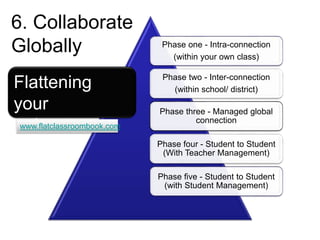
6. Collaborate Globally
TEACHER PAINPOINT:
How can I get teach
students to collaborate
with and understand
kids in other places?
Phase one - Intra-connection
(within your own class)
Phase two - Inter-connection
(within school/ district)
Phase three - Managed global
connection
Phase four - Student to Student
(With Teacher Management)
Phase five - Student to Student
(with Student Management)
Flattening
your
classroom
6. Collaborate
Globally
www.flatclassroombook.com
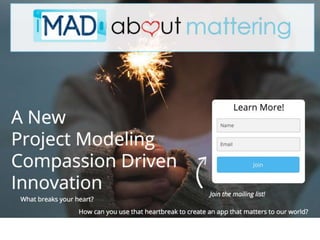
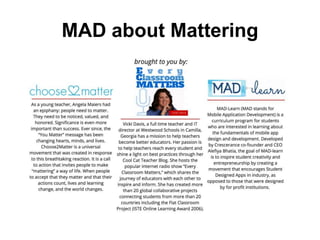
MAD about Mattering
How can we give our students
audience?
• Take a look at the blogging platforms
• Visit my session 7 Steps to Flatten Your
Classroom – 1:30 pm Thursday GAETC here!
TEACHER PAINPOINT:
How can I engage all of
my students (even some
of my gamers who don’t
seem to like anything?)
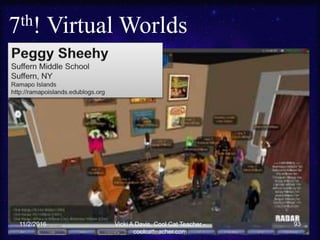
7th! Virtual Worlds
11/2/2016 93Vicki A Davis, Cool Cat Teacher -
coolcatteacher.com
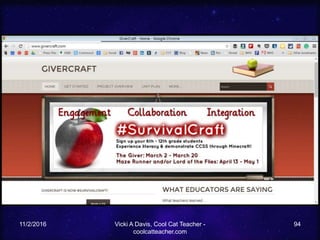
11/2/2016 Vicki A Davis, Cool Cat Teacher -
coolcatteacher.com
94
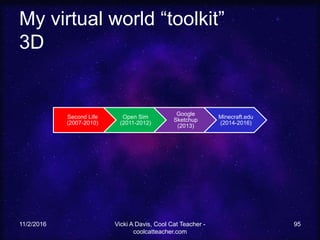
My virtual world “toolkit”
3D
11/2/2016 Vicki A Davis, Cool Cat Teacher -
coolcatteacher.com
95
Second Life
(2007-2010)
Open Sim
(2011-2012)
Google
Sketchup
(2013)
Minecraft.edu
(2014-2016)
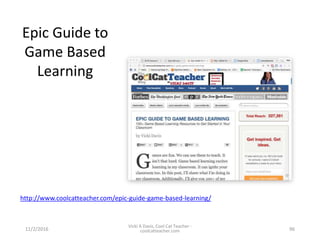
Epic Guide to
Game Based
Learning
11/2/2016
Vicki A Davis, Cool Cat Teacher -
coolcatteacher.com 96
http://www.coolcatteacher.com/epic-guide-game-based-learning/
TEACHER PAINPOINT:
How can I easily send
links or info to student
mobile phones or
tablets?
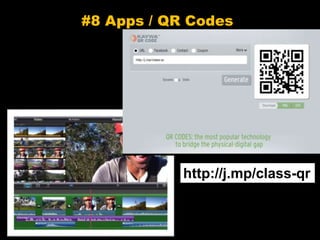
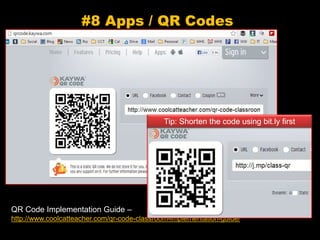
#8 Apps / QR Codes
http://j.mp/class-qr
#8 Apps / QR Codes
QR Code Implementation Guide –
http://www.coolcatteacher.com/qr-code-classroom-implementation-guide/
Tip: Shorten the code using bit.ly first
How to add QR Codes to your
toolkit
• Kaywa - https://qrcode.kaywa.com/
– Just use a static version
• Inigma – my favorite QR code reader
– http://www.i-nigma.com/
• Every student should know how to use QR
codes.
TEACHER PAINPOINT:
How can we easily share
files, movies, and other
things as a class?
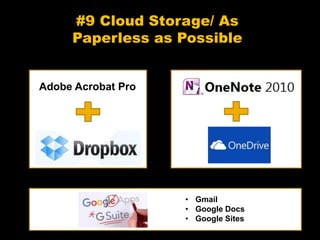
#9 Cloud Storage/ As
Paperless as Possible
Adobe Acrobat Pro
• Gmail
• Google Docs
• Google Sites
TEACHER PAINPOINT:
How can I teach
computer coding
without it being so
hard?
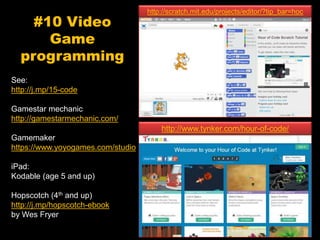
#10 Video
Game
programming
See:
http://j.mp/15-code
Gamestar mechanic
http://gamestarmechanic.com/
Gamemaker
https://www.yoyogames.com/studio
iPad:
Kodable (age 5 and up)
Hopscotch (4th and up)
http://j.mp/hopscotch-ebook
by Wes Fryer
http://www.tynker.com/hour-of-code/
http://scratch.mit.edu/projects/editor/?tip_bar=hoc
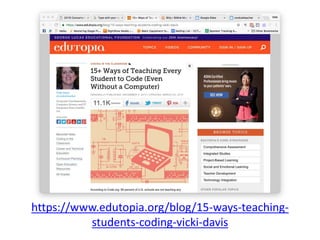
https://www.edutopia.org/blog/15-ways-teaching-
students-coding-vicki-davis
TEACHER PAINPOINT:
How can I help learners
develop empathy for
others in difficult
situations?
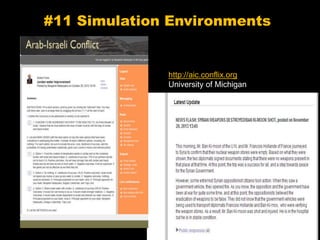
#11 Simulation Environments
http://aic.conflix.org
University of Michigan
How to develop empathy
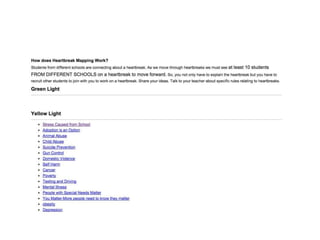
• Choose to Matter
http://www.choose2matter.org/
• Every Classroom Matters Series I did w/
Angela Maiers
– http://www.coolcatteacher.com/choose-to-
matter-with-angela-maiers/
• Do work that matters
– To Be Kind -
http://www.tbktobekind.org/about.html
TEACHER PAINPOINT:
How can I know what
learners know before
they have to take a test?
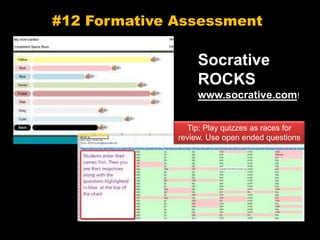
#12 Formative Assessment
Socrative
ROCKS
www.socrative.com!
Tip: Play quizzes as races for
review. Use open ended questions
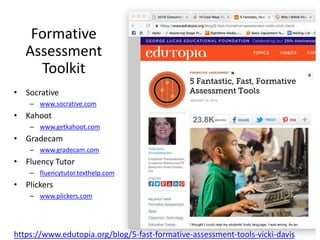
Formative
Assessment
Toolkit
https://www.edutopia.org/blog/5-fast-formative-assessment-tools-vicki-davis
• Socrative
– www.socrative.com
• Kahoot
– www.getkahoot.com
• Gradecam
– www.gradecam.com
• Fluency Tutor
– fluencytutor.texthelp.com
• Plickers
– www.plickers.com
TEACHER PAINPOINTS:
* How can every student
learn at their own pace?
* How can I teach
complex software
without having to
repeat myself?
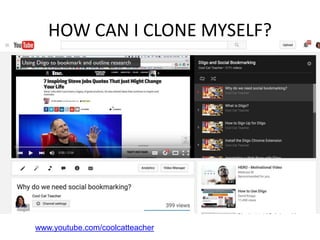
HOW CAN I CLONE MYSELF?
www.youtube.com/coolcatteacher
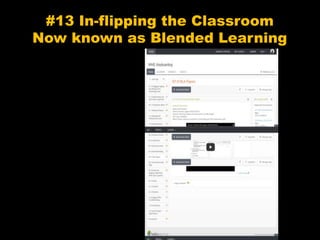
#13 In-flipping the Classroom
Now known as Blended Learning
TEACHER PAINPOINTS:
How can I easily make
videos for students?
How can I quickly
remake a video if just
one small thing has
changed on a slide?
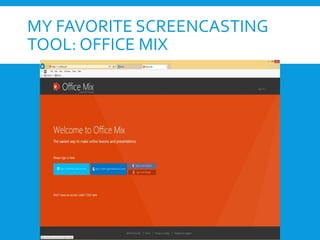
MY FAVORITE SCREENCASTING
TOOL: OFFICE MIX
STUDENT PAINPOINT:
What Am I SupposedTo
Be Doing InThe Online
Classroom?
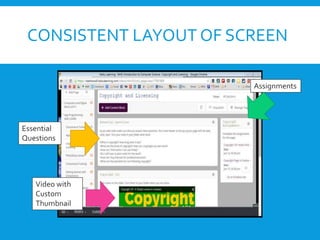
CONSISTENT LAYOUT OF SCREEN
Essential
Questions
Video with
Custom
Thumbnail
Assignments
STUDENT &TEACHER
PAINPOINT:
Where am I supposed to
turn in my work?
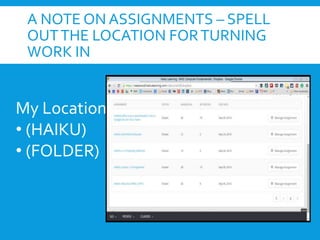
A NOTE ON ASSIGNMENTS – SPELL
OUTTHE LOCATION FORTURNING
WORK IN
My Locations:
• (HAIKU)
• (FOLDER)
How do I add in-flipping or flipped classroom (or
just videos) to my classroom toolkit?
• My LMS: Powerschool Learning (used to be Haiku
Learning)
– https://www.powerschool.com/products/learning/
• My favorite screencasting tools
– Office Mix (on PC) – free for Powerpoint Mix.office.com
– Screencastomatic - http://screencast-o-matic.com/home
– Screenflow – for Mac
– http://www.telestream.net/screenflow/overview.htm
TEACHER PAINPOINT:
How CanWe Make
Mobile Apps As Easily As
Possible?
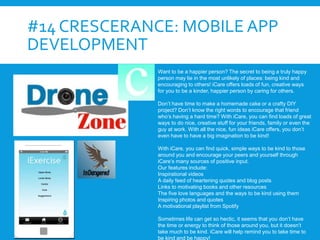
#14 CRESCERANCE: MOBILE APP
DEVELOPMENT
Want to be a happier person? The secret to being a truly happy
person may lie in the most unlikely of places: being kind and
encouraging to others! iCare offers loads of fun, creative ways
for you to be a kinder, happier person by caring for others.
Don’t have time to make a homemade cake or a crafty DIY
project? Don’t know the right words to encourage that friend
who’s having a hard time? With iCare, you can find loads of great
ways to do nice, creative stuff for your friends, family or even the
guy at work. With all the nice, fun ideas iCare offers, you don’t
even have to have a big imagination to be kind!
With iCare, you can find quick, simple ways to be kind to those
around you and encourage your peers and yourself through
iCare’s many sources of positive input.
Our features include:
Inspirational videos
A daily feed of heartening quotes and blog posts
Links to motivating books and other resources
The five love languages and the ways to be kind using them
Inspiring photos and quotes
A motivational playlist from Spotify
Sometimes life can get so hectic, it seems that you don’t have
the time or energy to think of those around you, but it doesn’t
take much to be kind. iCare will help remind you to take time to
be kind and be happy!
TEACHER & STUDENT
PAINPOINT:
How can we feel all this
work is worth it?
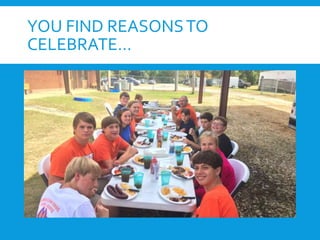
YOU FIND REASONSTO
CELEBRATE…
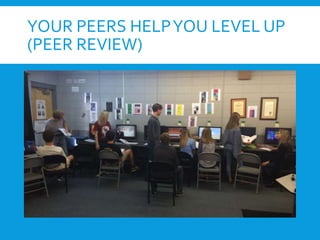
YOUR PEERS HELPYOU LEVEL UP
(PEER REVIEW)
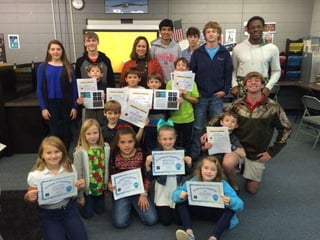
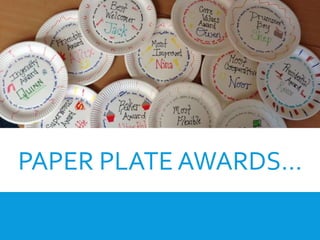
PAPER PLATE AWARDS…
YOUTAKE LOTS OF PICS AND
SHAREWITH PARENTS!
I use Bloomz to share with parents…
TEACHER PAIN POINT:
I am so busy, how do I
find time to do new
things with my
students?
THE ANSWER:
Build AToolkit one or
two new tools a year.
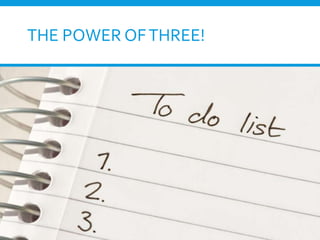
THE POWER OFTHREE!
My Toolkit
2005 Social
Educational Network
(Ning & Blogging)
2005 Wiki
2006 Student
Productivity Tools
(iGoogle)
2006 Audio File
creation
2006 Video creation
2006 Global
collaboration
2007 Virtual Worlds 2010 Apps / QR Codes
2011 Cloud Storage/
Paperless
2013
Formative Assessment
Platforms (Socrative,
Kahoot)
Spring 2014 Sophia
Fall 2014 Haiku
Learning
#inflip Teaching
Spring 2014 Mobile
App Development
with Crescerance
Merging SIS
(Powerschool) with
LMS (Haiku Learning)
2015
Proofreading Tools
2015
T h e C l a s s r o o m C a r
X
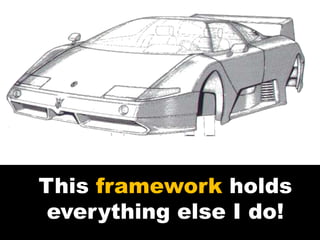
This framework holds
everything else I do!
TEACHER PAINPOINT:
How Do I EvaluateTools
To Reach As Many
Learners As Possible?
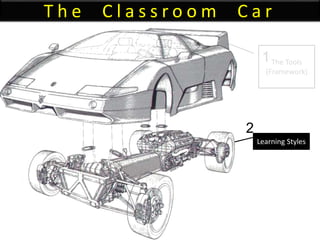
T h e C l a s s r o o m C a r
The Tools
(Framework)
Learning Styles
1
2
Learning
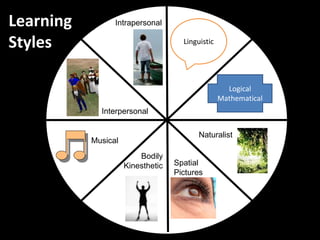
Styles
Logical
Mathematical
Linguistic
Spatial
Pictures
Bodily
Kinesthetic
Musical
Interpersonal
Intrapersonal
Naturalist
Take a Vote!
Which tool should we investigate as it
relates to learning styles?
1. Educational Networking
2. Wikis
3. Digital Storytelling
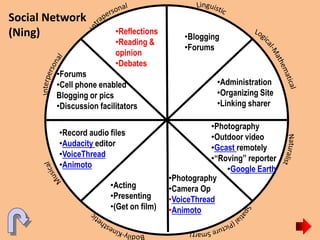
Social Network
(Ning) •Blogging
•Forums
•Administration
•Organizing Site
•Linking sharer
•Acting
•Presenting
•(Get on film)
•Photography
•Camera Op
•VoiceThread
•Animoto
•Record audio files
•Audacity editor
•VoiceThread
•Animoto
•Photography
•Outdoor video
•Gcast remotely
•“Roving” reporter
•Google Earth
•Forums
•Cell phone enabled
Blogging or pics
•Discussion facilitators
•Reflections
•Reading &
opinion
•Debates
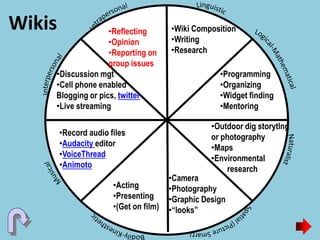
Wikis •Wiki Composition
•Writing
•Research
•Programming
•Organizing
•Widget finding
•Mentoring
•Acting
•Presenting
•(Get on film)
•Camera
•Photography
•Graphic Design
•“looks”
•Record audio files
•Audacity editor
•VoiceThread
•Animoto
•Outdoor dig storytlng
or photography
•Maps
•Environmental
research
•Discussion mgt
•Cell phone enabled
Blogging or pics, twitter
•Live streaming
•Reflecting
•Opinion
•Reporting on
group issues
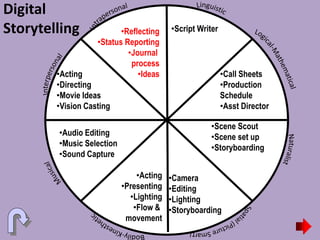
Digital
Storytelling •Script Writer
•Call Sheets
•Production
Schedule
•Asst Director
•Acting
•Presenting
•Lighting
•Flow &
movement
•Camera
•Editing
•Lighting
•Storyboarding
•Audio Editing
•Music Selection
•Sound Capture
•Scene Scout
•Scene set up
•Storyboarding
•Acting
•Directing
•Movie Ideas
•Vision Casting
•Reflecting
•Status Reporting
•Journal
process
•Ideas
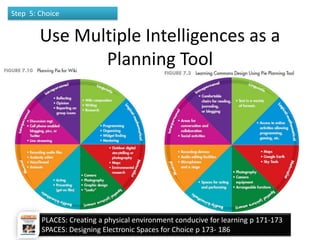
Use Multiple Intelligences as a
Planning Tool
11/2/2016
Vicki A Davis, Cool Cat Teacher -
coolcatteacher.com
152
Step 5: Choice
PLACES: Creating a physical environment conducive for learning p 171-173
SPACES: Designing Electronic Spaces for Choice p 173- 186
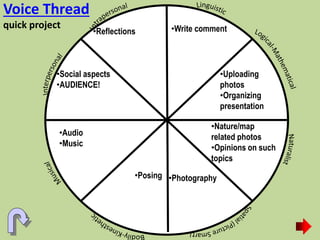
Voice Thread
quick project •Write comment
•Uploading
photos
•Organizing
presentation
•Posing •Photography
•Audio
•Music
•Nature/map
related photos
•Opinions on such
topics
•Social aspects
•AUDIENCE!
•Reflections
TEACHER PAINPOINT:
How do I interest
learners in what we’re
doing?
T h e C l a s s r o o m C a r
The Tools
(Framework)
Learning Styles
Interests
1
2
3
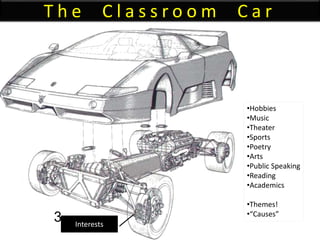
T h e C l a s s r o o m C a r
Interests
3
•Hobbies
•Music
•Theater
•Sports
•Poetry
•Arts
•Public Speaking
•Reading
•Academics
•Themes!
•“Causes”
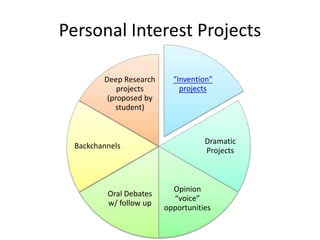
Personal Interest Projects
“Invention”
projects
Dramatic
Projects
Opinion
“voice”
opportunities
Oral Debates
w/ follow up
Backchannels
Deep Research
projects
(proposed by
student)
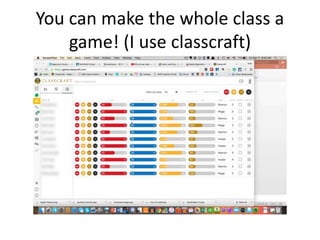
You can make the whole class a
game! (I use classcraft)
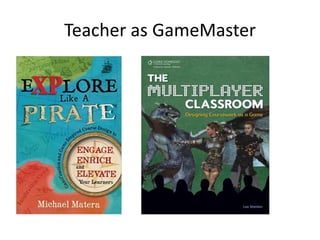
Teacher as GameMaster
TEACHER PAINPOINT:
What do I do when
students are at different
readiness levels?
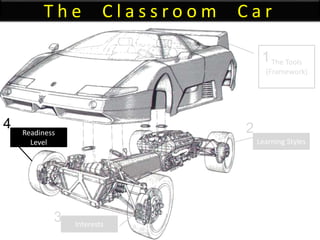
T h e C l a s s r o o m C a r
The Tools
(Framework)
Learning Styles
Interests
Readiness
Level
1
2
3
4
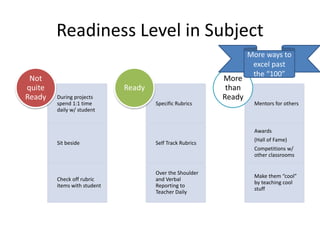
Readiness Level in Subject
During projects
spend 1:1 time
daily w/ student
Sit beside
Check off rubric
items with student
Not
quite
Ready
Specific Rubrics
Self Track Rubrics
Over the Shoulder
and Verbal
Reporting to
Teacher Daily
Ready
Mentors for others
Awards
(Hall of Fame)
Competitions w/
other classrooms
Make them “cool”
by teaching cool
stuff
More
than
Ready
More ways to
excel past
the “100”
TEACHER PAINPOINT:
How do I teach different
kinds of content?
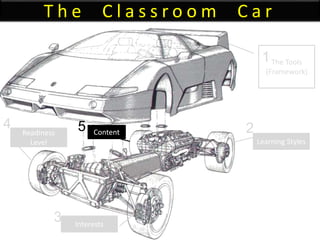
T h e C l a s s r o o m C a r
The Tools
(Framework)
Learning Styles
Interests
Readiness
Level
Content
1
2
3
4 5
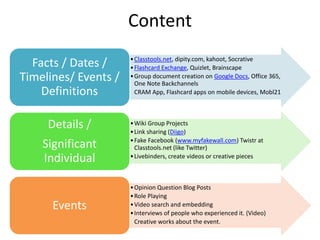
Content
•Classtools.net, dipity.com, kahoot, Socrative
•Flashcard Exchange, Quizlet, Brainscape
•Group document creation on Google Docs, Office 365,
One Note Backchannels
CRAM App, Flashcard apps on mobile devices, Mobl21
Facts / Dates /
Timelines/ Events /
Definitions
•Wiki Group Projects
•Link sharing (Diigo)
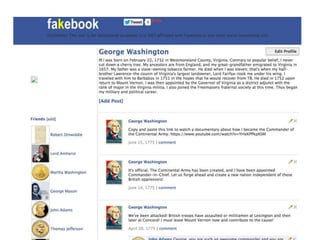
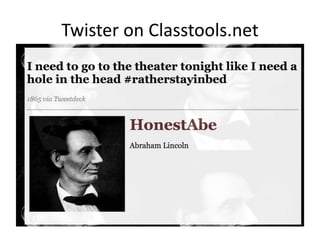
•Fake Facebook (www.myfakewall.com) Twistr at
Classtools.net (like Twitter)
•Livebinders, create videos or creative pieces
Details /
Significant
Individual
•Opinion Question Blog Posts
•Role Playing
•Video search and embedding
•Interviews of people who experienced it. (Video)
Creative works about the event.
Events
Twister on Classtools.net
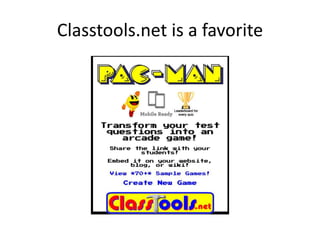
Classtools.net is a favorite
TEACHER PAINPOINT:
How do I get help and
know which app to pick?
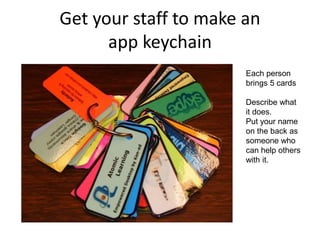
Get your staff to make an
app keychain
Each person
brings 5 cards
Describe what
it does.
Put your name
on the back as
someone who
can help others
with it.
TEACHER PAINPOINT:
How do I bring this all
together and make it
simple?
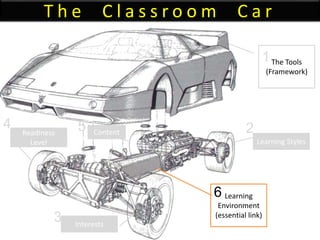
T h e C l a s s r o o m C a r
The Tools
(Framework)
Learning
Environment
(essential link)
Learning Styles
Interests
Readiness
Level
Content
1
2
3
4 5
6
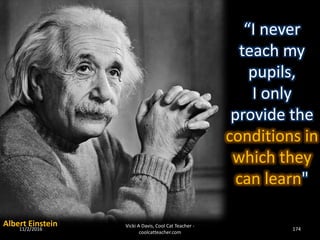
“I never
teach my
pupils,
I only
provide the
conditions in
which they
can learn"
Albert Einstein11/2/2016 174
Vicki A Davis, Cool Cat Teacher -
coolcatteacher.com
Students need a “home base”
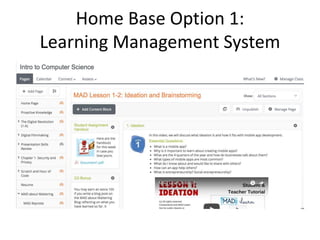
Home Base Option 1:
Learning Management System
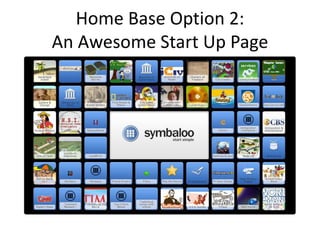
Home Base Option 2:
An Awesome Start Up Page
Accountability:
Every student
has their own ID!
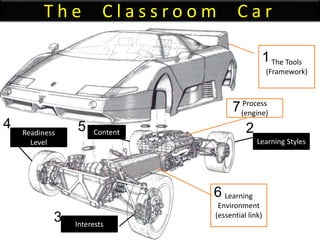
T h e C l a s s r o o m C a r
The Tools
(Framework)
Learning
Environment
(essential link)
Learning Styles
Interests
Readiness
Level
Content
Process
(engine)
1
2
3
4 5
7
6
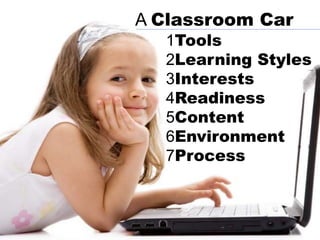
1Tools
2Learning Styles
3Interests
4Readiness
5Content
6Environment
7Process
A Classroom Car
TEACHER PAINPOINT:
What do I do if
technology isn’t
working?
AClassroom
BAdministration
1 “Pit Crew”
2 Car Designers
A Administrators
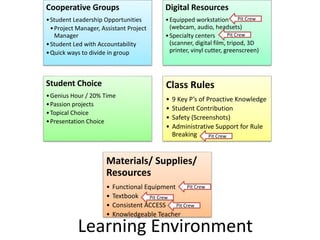
Cooperative Groups
•Student Leadership Opportunities
•Project Manager, Assistant Project
Manager
•Student Led with Accountability
•Quick ways to divide in group
Digital Resources
•Equipped workstation
(webcam, audio, headsets)
•Specialty centers
(scanner, digital film, tripod, 3D
printer, vinyl cutter, greenscreen)
Student Choice
•Genius Hour / 20% Time
•Passion projects
•Topical Choice
•Presentation Choice
Class Rules
• 9 Key P’s of Proactive Knowledge
• Student Contribution
• Safety (Screenshots)
• Administrative Support for Rule
Breaking
Materials/ Supplies/
Resources
• Functional Equipment
• Textbook
• Consistent ACCESS
• Knowledgeable Teacher
Learning Environment
Pit Crew
Pit Crew
Pit Crew
Pit Crew
Pit Crew
Pit Crew
Technology is our
vehicle!
But not the ONLY
vehicle!
Secret of Driving Educational
Excellence
You’re teaching
students to drive their
own learning!
Then…
You’re
worth
the
price!
Thank you!
Vicki
Davis
@coolcatteacher
coolcatteacher.com/gaetc

Differentiating Instruction with Technology v. 6.0 at GAETC

  • 1.
    Technology Driven Differentiated Instruction VickiDavis, Teacher @coolcatteacher Coolcatteacher.com/gaetc
  • 2.
    TEACHER PAIN POINT: HOWDO WE REACH EVERY CHILD?
  • 3.
    ANSWER: WE START BYLEARNINGTO SEETHEWORLD THROUGHTHEIR EYES
  • 4.
    A letter fromRebekah “Mrs.Vicki, I cannot put into words how great of a teacher and amazing person you are. I love your class and the fact that you don’t only do what will suffice, but strive to make everything that happens at our school phenomenal and the best it can be. You are honestly the most inspirational person I’ve ever met, and just so you know, you’re on my dream team. Thank you for having the patience your job requires and everything you’ve done to help us all become the best versions of ourselves. I’m blessed that I just so happen to be born, of all of the places in the world, near Camilla and was able to meet you and have a beam of your light shine on my life. You have completely changed my outlook on this world and opened so many doors of opportunity I previously had no idea existed. Before I met you, I hadn’t even considered a career in art. But you have altered my perspective and I now realize that there are endless opportunities and options for an artistic career. I appreciate that you are so real and that you are not afraid to say, ‘hey, you’re not perfect,’ because no one is. And you realize that the beauty of our flaws is that they accentuate our better features. I’m not a believer in predestination, but I believe that God does coax us in the direction of wonderful things, and I believe he urged you to come back to Camilla to do amazing things; and what amazing things you have done! I am so grateful for all that you do and I hope you have an amazing summer!;) Rebekah”
  • 5.
    PARENT PAIN POINT: DoMy Child’s Teachers Care?
  • 7.
    Why I fightthis fight
  • 8.
  • 9.
    STUDENT PAIN POINT: DOESANYONE CARE THAT I AM HERE?
  • 10.
    Son, what do youwish your teacher knew about you?
  • 11.
  • 13.
    ADMIN PAIN POINT: WILLRELATIONSHIPS REALLY IMPROVE LEARNING?
  • 14.
    0 10 2030 40 50 60 70 Classroom Management Metacognitive Processes Cognitive Processes Home Env/ Parental Inv Stdnt/Tchr Social Intxn Social/ Behavioral Attributes Motivational/ Affective Attr Peer Group Quantity of Instruction School Culture Classroom Climate Classroom Instruction Curriculum Design Stdnt/Tchr Academic Intxn Classroom Assessment Community Influences Psychomotor Skills Tchr/ Admin Decisionmaking Curriculum and Instruction Parental Involvement Policy Classroom Impl/ Support Student Demographics Out of Class Time Program Demographics School Demographics State Level Policies School Policies District Demographics Relative Influences on Learning
  • 15.
    Notice this •Student/Teacher Social Interactionsis #5 •Student/Teacher Academic Interaction is #14 •Hattie 2009
  • 16.
    Hattie’s 2015 update 1.Student reported grades (how well do they think they’ll do?) 2. Piagetian programs 3. Response to Intervention 4. TeacherCredibility • Trust • Competence • Dynamism • Immediacy 5. Formative Evaluation 6. Micro-teaching (mini lessons) 7. Classroom discussion 8. Comprehensive interventions for LD students 9. Teacher clarity (clear learning intentions) 10. Feedback http://visible-learning.org/glossary/
  • 17.
    TEACHER PAIN POINT: Howdo I differentiate without losing my mind?
  • 18.
    CLASSROOM MANAGEMENT: Let’s Lookat #1 1. Classroom Management • teacher uses questioning/ recitation strategies that maintain active student participation Wang, Haertel, Walberg, 1997 “What Helps Students Learn? Spotlight on Student Success” http://files.eric.ed.gov/fulltext/ED461694.pdf
  • 19.
    PRACTICE DOESN’T MAKE PERFECT…IT MAKES PERMANENT Classroom Management
  • 20.
    Essential Procedures • EnteringRoom • Exiting Room • Paperflow • Being Excused from the Room • Essential Positions forTeaching and Interacting
  • 22.
    Here’s a BigSecret to Differentiating Have good classroom management procedures so you have the time (and energy) to differentiate!
  • 23.
  • 25.
    Transport us to abetter education
  • 26.
    SCHOOL PAIN POINT: Howcan we justify expensive technology?
  • 27.
    11/2/2016 27Vicki ADavis, Cool Cat Teacher - coolcatteacher.com Every student learns differently!
  • 28.
  • 29.
  • 30.
    T h eC l a s s r o o m C a r The Tools (Framework) Learning Environment (essential link) Learning Styles Interests Readiness Level Content Process (engine) 1 2 3 4 5 7 6
  • 31.
    T h eC l a s s r o o m C a r The Tools (Framework) 1 Today we will learn: 1. About the framework I use in my classroom. (I’ll give you options for each item) 2. I challenge you to write down your own framework 3. Give you a model to select tools that are easy use in differentiated instruction 4. Give you practical examples of what differentiation looks like.
  • 32.
    TEACHER PAIN POINT: Iam so busy, how do I find time to do new things with my students?
  • 34.
  • 35.
    THE ANSWER: Build AToolkitone or two new tools a year.
  • 36.
    My Toolkit 2005 Social EducationalNetwork (Ning & Blogging) 2005 Wiki 2006 Student Productivity Tools (iGoogle) 2006 Audio File creation 2006 Video creation 2006 Global collaboration 2007 Virtual Worlds 2010 Apps / QR Codes 2011 Cloud Storage/ Paperless 2013 Formative Assessment Platforms (Socrative, Kahoot) Spring 2014 Sophia Fall 2014 Haiku Learning #inflip Teaching Spring 2014 Mobile App Development with Crescerance Merging SIS (Powerschool) with LMS (Haiku Learning) 2015 Proofreading Tools 2015 T h e C l a s s r o o m C a r X
  • 37.
    11/2/2016 37 Vicki ADavis, Cool Cat Teacher - coolcatteacher.com
  • 38.
    Educational 11/2/2016 38 Vicki ADavis, Cool Cat Teacher - coolcatteacher.com
  • 39.
    TEACHER PAIN POINT: Studentstype in IM speak and act like they do on social networks in academic spaces.
  • 40.
    ANSWER: 1. We arein an academic, educational network, not a social network. 2.You are a professional student.
  • 41.
    11/2/2016 Vicki A Davis,Cool Cat Teacher - coolcatteacher.com 41 1. Educational Network (Ning) – PRIVATE!
  • 42.
    11/2/2016 Vicki A Davis,Cool Cat Teacher - coolcatteacher.com 42
  • 43.
    Blog Like aPirate Blog in first person. Draw a color to determine whether you are the Kraken, Davy Jones, or another character.
  • 44.
    Blog Like a BlueMan •Students write in first person as if they were a blue man performing in this performance. • They pick the blue man group video of their choice to embed.
  • 45.
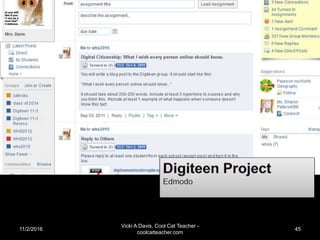
    11/2/2016 Vicki A Davis,Cool Cat Teacher - coolcatteacher.com 45
  • 46.
    How you canadd blogging to your classroom toolkit? • Ning (Costs more) education.ning.com • Wordpress www.wordpress.com – Edublogs is based on wordpress. www.edublogs.org – We’re taking part of the school website for school blogging. • Blogger www.blogger.com – Kidblogs based on blogger • Write the World writetheworld.com/ – Writing competitions • Padlet www.padlet.com • Seesaw web.seesaw.me – Some younger classrooms are using Padlet and SeeSaw like a blog
  • 47.
    TEACHER PAIN POINT: Howcan I proof and give feedback on all this online work?
  • 48.
    ANSWER: YOU DON’T! You usetools that will help students empower themselves to be better writers.
  • 50.
    Use Hemingway Appw/ Grammarly
  • 51.
  • 52.
  • 53.
    TIP: Add 25%transitions
  • 54.
    What are theproofing / editing tools you can add to your toolkit? • Grammarly www.grammarly.com – Sign up for it using Google Chrome to get basic features free – Pro version gives all kinds of editing, etc. – Can’t use inside Google Docs • Hemingway (a web page) www.hemingwayapp.com – No need to buy the offline version. Use the online version free. – Use small pieces of text and edit from top to bottom. • Pro Writing Aid www.prowritingaid.com – Can use online or add to Google Docs
  • 55.
    TEACHER (AND STUDENT) PAINPOINT: I’m a slow typist
  • 56.
  • 57.
  • 58.
    Mac Dication • PressFn Fn twice on your Mac
  • 59.
    Read and Writefor Google Voice Commenting 1 minute or less voice comment
  • 60.
    What are thevoice typing tools you can add to your toolkit? • Google Voice Typing http://cctea.ch/G-voicetype • Dragon http://cctea.ch/cct-dragon – Dragon Anywhere (on mobile app – paid) – Dragon Software (on computer) • Dictation on Mac http://cctea.ch/cct-macdictate • Dictation on Mobile phone (hit mic button) • Read Write for Google Chrome http://cctea.ch/cct-readwrite
  • 61.
    TEACHER PAIN POINT: HowDo I Make Sure Students Know How to Behave Online? (Real Pain Point: How do I keep from losing my job over a kid doing something dumb?)
  • 62.
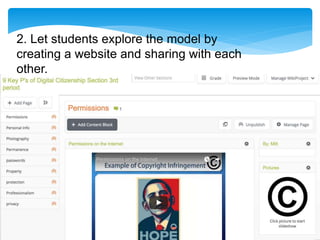
    See “What YourStudents REALLY need to know about Digital Citizenship” by Vicki Davis on Edutopia http://www.edutopia.org/bl og/digital-citizenship-need- to-know-vicki-davis Chapter 11 in Reinventing Writing 1. Pick a digital citizenship model
  • 63.
    2. Let studentsexplore the model by creating a website and sharing with each other.
  • 64.
    Digital citizenship frameworksyou can add to your toolkit • 9 Key P’s of Digital Citizenship – Chapter 13 of my book Reinventing Writing – See my presentation tomorrow ;-) 11 am in this room. – What Your Students Really Need to Know About Digital Citizenship by Vicki Davis – Edutopia - http://cctea.ch/edutopia-digcit • Netsmartz Free training - http://www.netsmartz.org/Training • Mike Ribble http://www.digitalcitizenship.net/ • Digital Citizenship Curriculum by Common Sense Media – https://www.commonsensemedia.org/educators/digital-citizenship
  • 65.
    Online behavior has Offline consequences! 3. Whensomething happens, find an offline equivalent when explaining it to administrators.
  • 66.
    TEACHER PAIN POINT: HowCanThe Class Have A WebsiteThat We All Maintain?
  • 67.
    11/2/2016 Vicki A Davis,Cool Cat Teacher - coolcatteacher.com 70 2. Wiki-centric Classroom http://westwood.wikispaces.com – Hour of code lesson plan
  • 68.
    11/2/2016 Vicki A Davis,Cool Cat Teacher - coolcatteacher.com 71
  • 69.
    11/2/2016 Vicki A Davis,Cool Cat Teacher - coolcatteacher.com 72
  • 70.
    Website Builders youcan add to your toolkit • Wikispaces – www.wikispaces.com • Weebly – www.weebly.com • Webs – www.webs.com • Wixx – www.wixx.com • Google Sites sites.google.com • Wordpress (see previous) www.wordpress.org
  • 71.
    TEACHER & STUDENT PAINPOINT: How can students actually remember what they need to do?
  • 72.
    Paper Planners Write itdown. Use Google Calendar Calendar.google.com Love Google Calendar app on mobile – my new favorite, just updated from Fantastical. Free. Keep a list!!
  • 73.
    TEACHER PAINPOINT: How CanI Help My Students Be Transliterate In Multiple Media?
  • 74.
    TEACHER PAINPOINT: How CanI Help My Students Be Transliterate In Multiple Media?
  • 75.
    4. Create Audio 5.Create Video Audacity Pinnacle Studio iMoviehttp://j.mp/wonder-pirate
  • 76.
    Do they understandvisual grammar? • Storyboards • Screen Shots • Production Schedule • Editing • Sound Tracks • Copyright • Teleprompter (Try free ipad Teleprompter apps) CTI Digital Film Model http://j.mp/dig-film-curr AFI Digital Film Curriculum
  • 78.
    TEACHER PAINPOINT: How canI get students to CARE about writing well?
  • 79.
    Audience is Important •“Technology creates opportunities for students to do meaningful work that has value outside school, receive feedback on their work, and experience the rewards of publication or exhibition.” Peck & Dorricott, 1994 http://caret.iste.org/index.cfm?fuseaction=evi dence&answerID=9&words=audience
  • 80.
    ISTE Nets™ Standards 4. Technology communications tools  Students use telecommunications to collaborate, publish, and interact with peers, experts, and other audiences.  Students use a variety of media and formats to communicate information and ideas effectively to multiple audiences. 6. Collaborate Globally
  • 81.
    TEACHER PAINPOINT: How canI get teach students to collaborate with and understand kids in other places?
  • 82.
    Phase one -Intra-connection (within your own class) Phase two - Inter-connection (within school/ district) Phase three - Managed global connection Phase four - Student to Student (With Teacher Management) Phase five - Student to Student (with Student Management) Flattening your classroom 6. Collaborate Globally www.flatclassroombook.com
  • 84.
  • 86.
    How can wegive our students audience? • Take a look at the blogging platforms • Visit my session 7 Steps to Flatten Your Classroom – 1:30 pm Thursday GAETC here!
  • 87.
    TEACHER PAINPOINT: How canI engage all of my students (even some of my gamers who don’t seem to like anything?)
  • 88.
    7th! Virtual Worlds 11/2/201693Vicki A Davis, Cool Cat Teacher - coolcatteacher.com
  • 89.
    11/2/2016 Vicki ADavis, Cool Cat Teacher - coolcatteacher.com 94
  • 90.
    My virtual world“toolkit” 3D 11/2/2016 Vicki A Davis, Cool Cat Teacher - coolcatteacher.com 95 Second Life (2007-2010) Open Sim (2011-2012) Google Sketchup (2013) Minecraft.edu (2014-2016)
  • 91.
    Epic Guide to GameBased Learning 11/2/2016 Vicki A Davis, Cool Cat Teacher - coolcatteacher.com 96 http://www.coolcatteacher.com/epic-guide-game-based-learning/
  • 92.
    TEACHER PAINPOINT: How canI easily send links or info to student mobile phones or tablets?
  • 93.
    #8 Apps /QR Codes http://j.mp/class-qr
  • 94.
    #8 Apps /QR Codes QR Code Implementation Guide – http://www.coolcatteacher.com/qr-code-classroom-implementation-guide/ Tip: Shorten the code using bit.ly first
  • 96.
    How to addQR Codes to your toolkit • Kaywa - https://qrcode.kaywa.com/ – Just use a static version • Inigma – my favorite QR code reader – http://www.i-nigma.com/ • Every student should know how to use QR codes.
  • 97.
    TEACHER PAINPOINT: How canwe easily share files, movies, and other things as a class?
  • 98.
    #9 Cloud Storage/As Paperless as Possible Adobe Acrobat Pro • Gmail • Google Docs • Google Sites
  • 99.
    TEACHER PAINPOINT: How canI teach computer coding without it being so hard?
  • 102.
    #10 Video Game programming See: http://j.mp/15-code Gamestar mechanic http://gamestarmechanic.com/ Gamemaker https://www.yoyogames.com/studio iPad: Kodable(age 5 and up) Hopscotch (4th and up) http://j.mp/hopscotch-ebook by Wes Fryer http://www.tynker.com/hour-of-code/ http://scratch.mit.edu/projects/editor/?tip_bar=hoc
  • 104.
  • 105.
    TEACHER PAINPOINT: How canI help learners develop empathy for others in difficult situations?
  • 106.
  • 107.
    How to developempathy • Choose to Matter http://www.choose2matter.org/ • Every Classroom Matters Series I did w/ Angela Maiers – http://www.coolcatteacher.com/choose-to- matter-with-angela-maiers/ • Do work that matters – To Be Kind - http://www.tbktobekind.org/about.html
  • 108.
    TEACHER PAINPOINT: How canI know what learners know before they have to take a test?
  • 109.
    #12 Formative Assessment Socrative ROCKS www.socrative.com! Tip:Play quizzes as races for review. Use open ended questions
  • 110.
    Formative Assessment Toolkit https://www.edutopia.org/blog/5-fast-formative-assessment-tools-vicki-davis • Socrative – www.socrative.com •Kahoot – www.getkahoot.com • Gradecam – www.gradecam.com • Fluency Tutor – fluencytutor.texthelp.com • Plickers – www.plickers.com
  • 111.
    TEACHER PAINPOINTS: * Howcan every student learn at their own pace? * How can I teach complex software without having to repeat myself?
  • 112.
    HOW CAN ICLONE MYSELF? www.youtube.com/coolcatteacher
  • 113.
    #13 In-flipping theClassroom Now known as Blended Learning
  • 114.
    TEACHER PAINPOINTS: How canI easily make videos for students? How can I quickly remake a video if just one small thing has changed on a slide?
  • 115.
  • 116.
    STUDENT PAINPOINT: What AmI SupposedTo Be Doing InThe Online Classroom?
  • 117.
    CONSISTENT LAYOUT OFSCREEN Essential Questions Video with Custom Thumbnail Assignments
  • 118.
    STUDENT &TEACHER PAINPOINT: Where amI supposed to turn in my work?
  • 119.
    A NOTE ONASSIGNMENTS – SPELL OUTTHE LOCATION FORTURNING WORK IN My Locations: • (HAIKU) • (FOLDER)
  • 120.
    How do Iadd in-flipping or flipped classroom (or just videos) to my classroom toolkit? • My LMS: Powerschool Learning (used to be Haiku Learning) – https://www.powerschool.com/products/learning/ • My favorite screencasting tools – Office Mix (on PC) – free for Powerpoint Mix.office.com – Screencastomatic - http://screencast-o-matic.com/home – Screenflow – for Mac – http://www.telestream.net/screenflow/overview.htm
  • 121.
    TEACHER PAINPOINT: How CanWeMake Mobile Apps As Easily As Possible?
  • 122.
    #14 CRESCERANCE: MOBILEAPP DEVELOPMENT Want to be a happier person? The secret to being a truly happy person may lie in the most unlikely of places: being kind and encouraging to others! iCare offers loads of fun, creative ways for you to be a kinder, happier person by caring for others. Don’t have time to make a homemade cake or a crafty DIY project? Don’t know the right words to encourage that friend who’s having a hard time? With iCare, you can find loads of great ways to do nice, creative stuff for your friends, family or even the guy at work. With all the nice, fun ideas iCare offers, you don’t even have to have a big imagination to be kind! With iCare, you can find quick, simple ways to be kind to those around you and encourage your peers and yourself through iCare’s many sources of positive input. Our features include: Inspirational videos A daily feed of heartening quotes and blog posts Links to motivating books and other resources The five love languages and the ways to be kind using them Inspiring photos and quotes A motivational playlist from Spotify Sometimes life can get so hectic, it seems that you don’t have the time or energy to think of those around you, but it doesn’t take much to be kind. iCare will help remind you to take time to be kind and be happy!
  • 123.
    TEACHER & STUDENT PAINPOINT: Howcan we feel all this work is worth it?
  • 124.
  • 125.
    YOUR PEERS HELPYOULEVEL UP (PEER REVIEW)
  • 126.
  • 127.
    YOUTAKE LOTS OFPICS AND SHAREWITH PARENTS! I use Bloomz to share with parents…
  • 128.
    TEACHER PAIN POINT: Iam so busy, how do I find time to do new things with my students?
  • 129.
    THE ANSWER: Build AToolkitone or two new tools a year.
  • 131.
  • 132.
    My Toolkit 2005 Social EducationalNetwork (Ning & Blogging) 2005 Wiki 2006 Student Productivity Tools (iGoogle) 2006 Audio File creation 2006 Video creation 2006 Global collaboration 2007 Virtual Worlds 2010 Apps / QR Codes 2011 Cloud Storage/ Paperless 2013 Formative Assessment Platforms (Socrative, Kahoot) Spring 2014 Sophia Fall 2014 Haiku Learning #inflip Teaching Spring 2014 Mobile App Development with Crescerance Merging SIS (Powerschool) with LMS (Haiku Learning) 2015 Proofreading Tools 2015 T h e C l a s s r o o m C a r X
  • 133.
  • 134.
    TEACHER PAINPOINT: How DoI EvaluateTools To Reach As Many Learners As Possible?
  • 135.
    T h eC l a s s r o o m C a r The Tools (Framework) Learning Styles 1 2
  • 136.
  • 137.
    Take a Vote! Whichtool should we investigate as it relates to learning styles? 1. Educational Networking 2. Wikis 3. Digital Storytelling
  • 138.
    Social Network (Ning) •Blogging •Forums •Administration •OrganizingSite •Linking sharer •Acting •Presenting •(Get on film) •Photography •Camera Op •VoiceThread •Animoto •Record audio files •Audacity editor •VoiceThread •Animoto •Photography •Outdoor video •Gcast remotely •“Roving” reporter •Google Earth •Forums •Cell phone enabled Blogging or pics •Discussion facilitators •Reflections •Reading & opinion •Debates
  • 139.
    Wikis •Wiki Composition •Writing •Research •Programming •Organizing •Widgetfinding •Mentoring •Acting •Presenting •(Get on film) •Camera •Photography •Graphic Design •“looks” •Record audio files •Audacity editor •VoiceThread •Animoto •Outdoor dig storytlng or photography •Maps •Environmental research •Discussion mgt •Cell phone enabled Blogging or pics, twitter •Live streaming •Reflecting •Opinion •Reporting on group issues
  • 140.
    Digital Storytelling •Script Writer •CallSheets •Production Schedule •Asst Director •Acting •Presenting •Lighting •Flow & movement •Camera •Editing •Lighting •Storyboarding •Audio Editing •Music Selection •Sound Capture •Scene Scout •Scene set up •Storyboarding •Acting •Directing •Movie Ideas •Vision Casting •Reflecting •Status Reporting •Journal process •Ideas
  • 141.
    Use Multiple Intelligencesas a Planning Tool 11/2/2016 Vicki A Davis, Cool Cat Teacher - coolcatteacher.com 152 Step 5: Choice PLACES: Creating a physical environment conducive for learning p 171-173 SPACES: Designing Electronic Spaces for Choice p 173- 186
  • 142.
    Voice Thread quick project•Write comment •Uploading photos •Organizing presentation •Posing •Photography •Audio •Music •Nature/map related photos •Opinions on such topics •Social aspects •AUDIENCE! •Reflections
  • 143.
    TEACHER PAINPOINT: How doI interest learners in what we’re doing?
  • 144.
    T h eC l a s s r o o m C a r The Tools (Framework) Learning Styles Interests 1 2 3
  • 146.
    T h eC l a s s r o o m C a r Interests 3 •Hobbies •Music •Theater •Sports •Poetry •Arts •Public Speaking •Reading •Academics •Themes! •“Causes”
  • 147.
    Personal Interest Projects “Invention” projects Dramatic Projects Opinion “voice” opportunities OralDebates w/ follow up Backchannels Deep Research projects (proposed by student)
  • 148.
    You can makethe whole class a game! (I use classcraft)
  • 149.
  • 150.
    TEACHER PAINPOINT: What doI do when students are at different readiness levels?
  • 151.
    T h eC l a s s r o o m C a r The Tools (Framework) Learning Styles Interests Readiness Level 1 2 3 4
  • 152.
    Readiness Level inSubject During projects spend 1:1 time daily w/ student Sit beside Check off rubric items with student Not quite Ready Specific Rubrics Self Track Rubrics Over the Shoulder and Verbal Reporting to Teacher Daily Ready Mentors for others Awards (Hall of Fame) Competitions w/ other classrooms Make them “cool” by teaching cool stuff More than Ready More ways to excel past the “100”
  • 153.
    TEACHER PAINPOINT: How doI teach different kinds of content?
  • 154.
    T h eC l a s s r o o m C a r The Tools (Framework) Learning Styles Interests Readiness Level Content 1 2 3 4 5
  • 155.
    Content •Classtools.net, dipity.com, kahoot,Socrative •Flashcard Exchange, Quizlet, Brainscape •Group document creation on Google Docs, Office 365, One Note Backchannels CRAM App, Flashcard apps on mobile devices, Mobl21 Facts / Dates / Timelines/ Events / Definitions •Wiki Group Projects •Link sharing (Diigo) •Fake Facebook (www.myfakewall.com) Twistr at Classtools.net (like Twitter) •Livebinders, create videos or creative pieces Details / Significant Individual •Opinion Question Blog Posts •Role Playing •Video search and embedding •Interviews of people who experienced it. (Video) Creative works about the event. Events
  • 157.
  • 158.
  • 159.
    TEACHER PAINPOINT: How doI get help and know which app to pick?
  • 160.
    Get your staffto make an app keychain Each person brings 5 cards Describe what it does. Put your name on the back as someone who can help others with it.
  • 161.
    TEACHER PAINPOINT: How doI bring this all together and make it simple?
  • 162.
    T h eC l a s s r o o m C a r The Tools (Framework) Learning Environment (essential link) Learning Styles Interests Readiness Level Content 1 2 3 4 5 6
  • 163.
    “I never teach my pupils, Ionly provide the conditions in which they can learn" Albert Einstein11/2/2016 174 Vicki A Davis, Cool Cat Teacher - coolcatteacher.com
  • 164.
    Students need a“home base”
  • 165.
    Home Base Option1: Learning Management System
  • 166.
    Home Base Option2: An Awesome Start Up Page
  • 167.
  • 168.
    T h eC l a s s r o o m C a r The Tools (Framework) Learning Environment (essential link) Learning Styles Interests Readiness Level Content Process (engine) 1 2 3 4 5 7 6
  • 169.
  • 170.
    TEACHER PAINPOINT: What doI do if technology isn’t working?
  • 171.
  • 172.
    1 “Pit Crew” 2Car Designers A Administrators
  • 173.
    Cooperative Groups •Student LeadershipOpportunities •Project Manager, Assistant Project Manager •Student Led with Accountability •Quick ways to divide in group Digital Resources •Equipped workstation (webcam, audio, headsets) •Specialty centers (scanner, digital film, tripod, 3D printer, vinyl cutter, greenscreen) Student Choice •Genius Hour / 20% Time •Passion projects •Topical Choice •Presentation Choice Class Rules • 9 Key P’s of Proactive Knowledge • Student Contribution • Safety (Screenshots) • Administrative Support for Rule Breaking Materials/ Supplies/ Resources • Functional Equipment • Textbook • Consistent ACCESS • Knowledgeable Teacher Learning Environment Pit Crew Pit Crew Pit Crew Pit Crew Pit Crew Pit Crew
  • 174.
    Technology is our vehicle! Butnot the ONLY vehicle!
  • 175.
    Secret of DrivingEducational Excellence
  • 176.
    You’re teaching students todrive their own learning!
  • 177.
  • 178.
  • 179.