#C15LV
REMINDER
Check in on the COLLABORATE
mobile app
How Unifier Affects PCM
Customization
Prepared by:
Daniel Williams
Director of Integration and Development
Calance
What we have been forced to do in
the past, and what we will need to do
in the future
Session ID#: 200150
@dlwiii
#C15LV
2
Outline:
● The Two Products
● Business Needs
○ Cost Worksheet
○ Payment Requests
○ Master Contracts
● Unifier Customization
Configuration
Overview
#C15LV
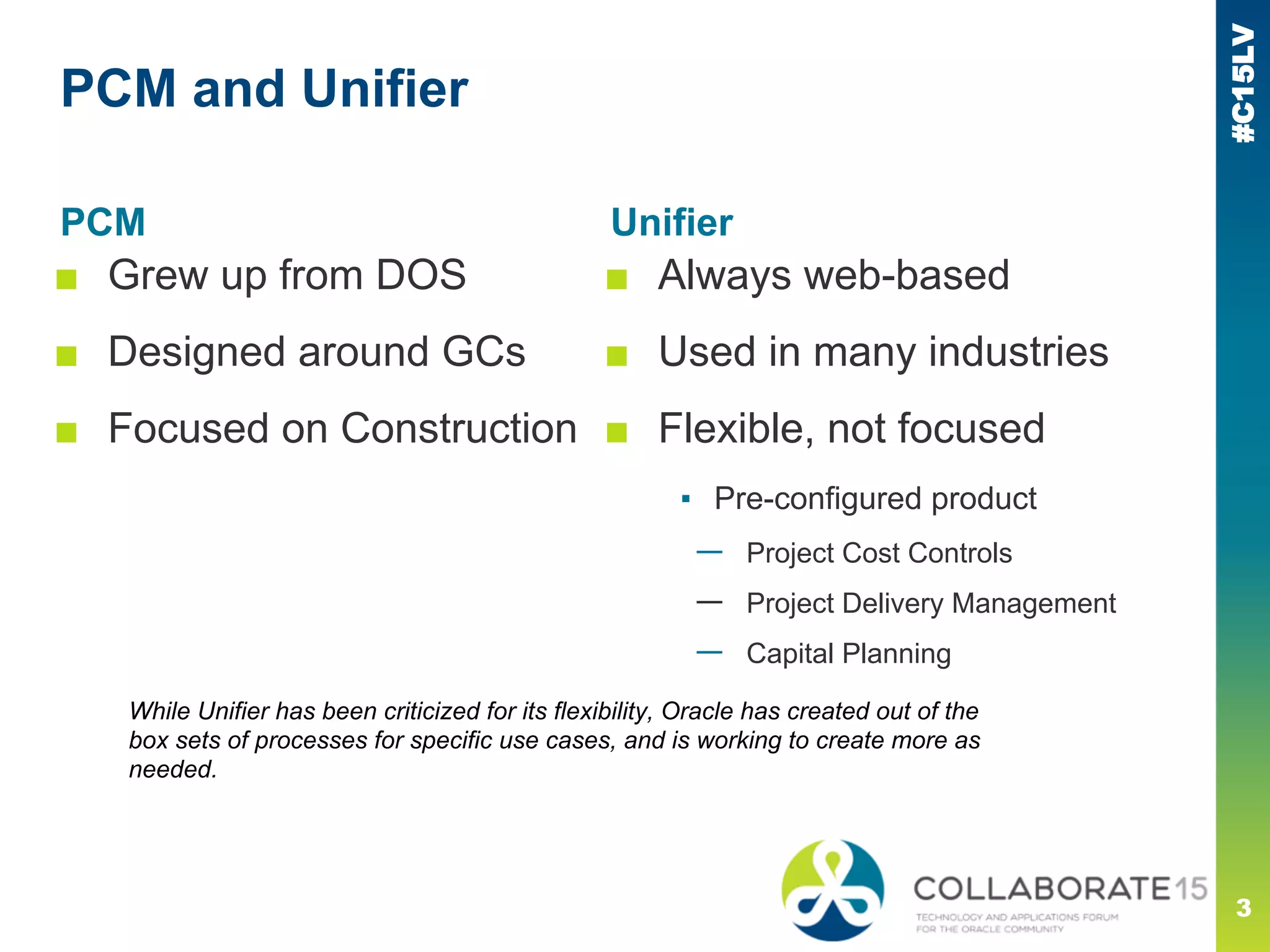
PCM and Unifier
PCM
■ Grew up from DOS
■ Designed around GCs
■ Focused on Construction
3
Unifier
■ Always web-based
■ Used in many industries
■ Flexible, not focused
▪ Pre-configured product
— Project Cost Controls
— Project Delivery Management
— Capital Planning
While Unifier has been criticized for its flexibility, Oracle has created out of the
box sets of processes for specific use cases, and is working to create more as
needed.
#C15LV
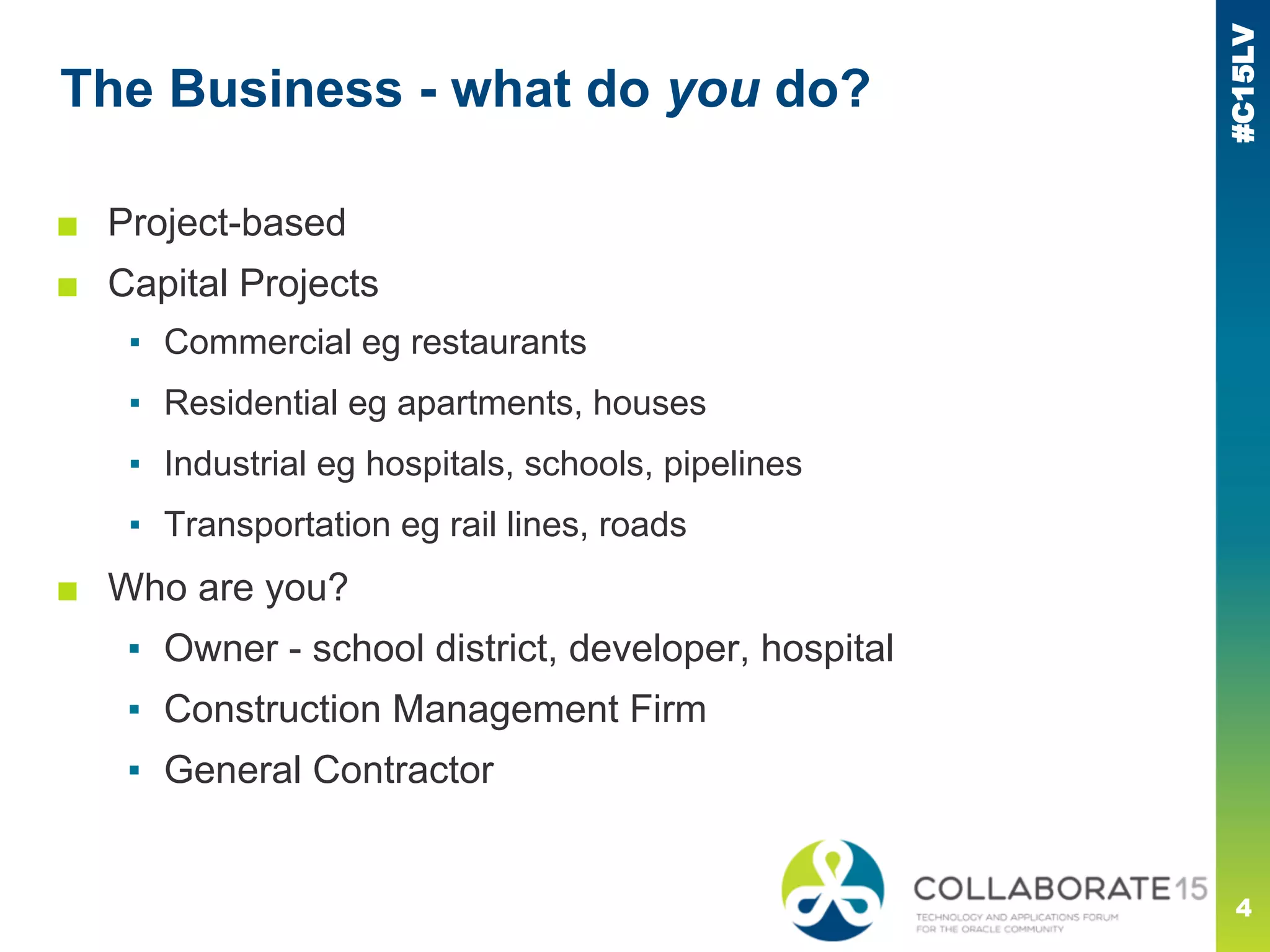
The Business - what do you do?
■ Project-based
■ Capital Projects
▪ Commercial eg restaurants
▪ Residential eg apartments, houses
▪ Industrial eg hospitals, schools, pipelines
▪ Transportation eg rail lines, roads
■ Who are you?
▪ Owner - school district, developer, hospital
▪ Construction Management Firm
▪ General Contractor
4
#C15LV
■ Scope - what will you do?
■ Schedule - when will it be done?
■ Cost
▪ Where does the money come from?
▪ How is it spent?
▪ Do we need more?
▪ Will we make a profit or a loss?
The Business - what matters to you?
5
#C15LV
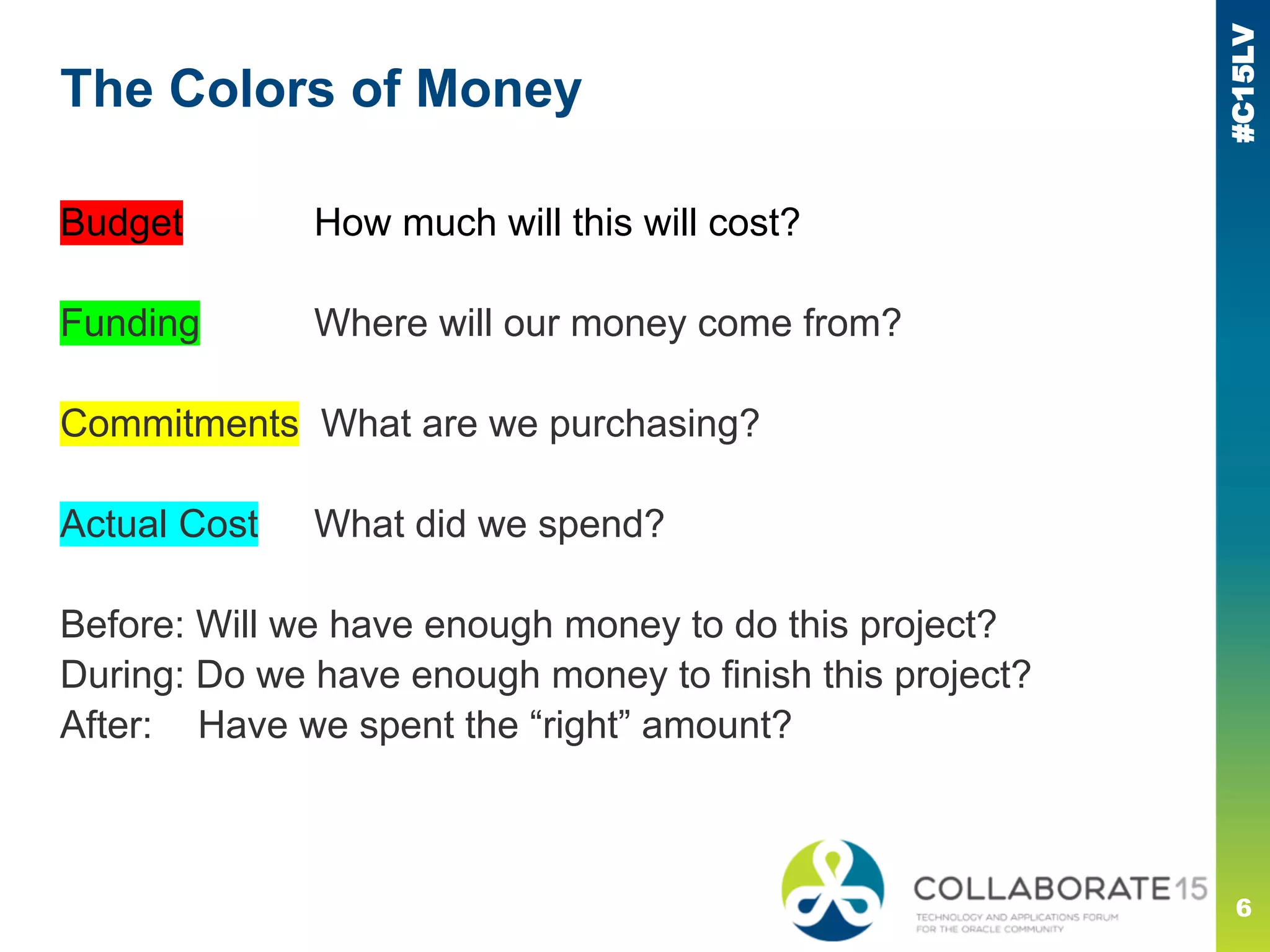
Budget How much will this will cost?
Funding Where will our money come from?
Commitments What are we purchasing?
Actual Cost What did we spend?
Before: Will we have enough money to do this project?
During: Do we have enough money to finish this project?
After: Have we spent the “right” amount?
The Colors of Money
6
#C15LV
Colors of Money - Budgets
7
PCM
■ Budget Contracts behave similarly to all other
contract types
■ Change Management does not allow different
workflows for different Change types
■ Time component / cash flow does not exist
▪ Need workarounds such a one line per year, different budget
contracts
#C15LV
Colors of Money - Budgets
Unifier (Project Cost Controls)
■ Budget Changes and Transfers are distinct
▪ Workflows for each can be modified as needed
■ Linked to Fund Appropriations
■ Cash flow built into Capital Planning
8
#C15LV
Colors of Money - Funding
PCM
■ Virtually identical to Budget or Contract
■ Fund dollars not tracked to other costs except by
cost code
■ No cash flow, workarounds similar to Budget
Linking Funding Codes to CSI-type cost codes often makes the cost codes long and
difficult to use.
9
#C15LV
Colors of Money - Funding
Unifier (Project Cost Controls)
■ First-class citizen, not modified type
▪ Workflows for each can be modified as needed
■ Fund Appropriations link to other costs
■ Track multiple fund sources - do not need to
“mangle” cost codes
10
#C15LV
Colors of Money - Commitments
PCM
■ Subcontracts and POs very similar
■ No concept of Master Contracts, Blanket POs,
Long & Short POs &c.
■ Only entity* which can hold Actual costs
■ Not tied to Vendor Qualifications
▪ Cannot put payments on hold
* Trends do not count!
11
#C15LV
Unifier (Project Cost Controls)
■ Unified under “Procurement”
■ Many types allowed, many out of the box
■ Blanket PO/Master Contract allocates work
authorizations across multiple projects
■ New! RFIs can generate Commitment Change
■ New! RFBs can award contracts
Colors of Money - Commitments
12
#C15LV
Colors of Money - Actuals
PCM
■ Only exist within Committed Contracts
■ Split into Invoices and Requisitions
▪ Checks not strongly tied, not on cost worksheet
■ Only entity* which can hold Actual costs
■ Not tied to Vendor Qualifications
■ New! Mention of a new cost worksheet column...
* Trends do not count!
13
#C15LV
Unifier (Project Cost Controls)
■ Has Invoices, Pay Requests, and Journals
▪ Pay Requests can be customized and secured
■ Timesheets built in
■ Payments/Checks are first-class citizens
Colors of Money - Actuals
14
#C15LV
15
Work Arounds
● Estimate to Complete
● Payment Requests
● Master Contracts
Bolt-ons to PCM to get it to work “right”
#C15LV
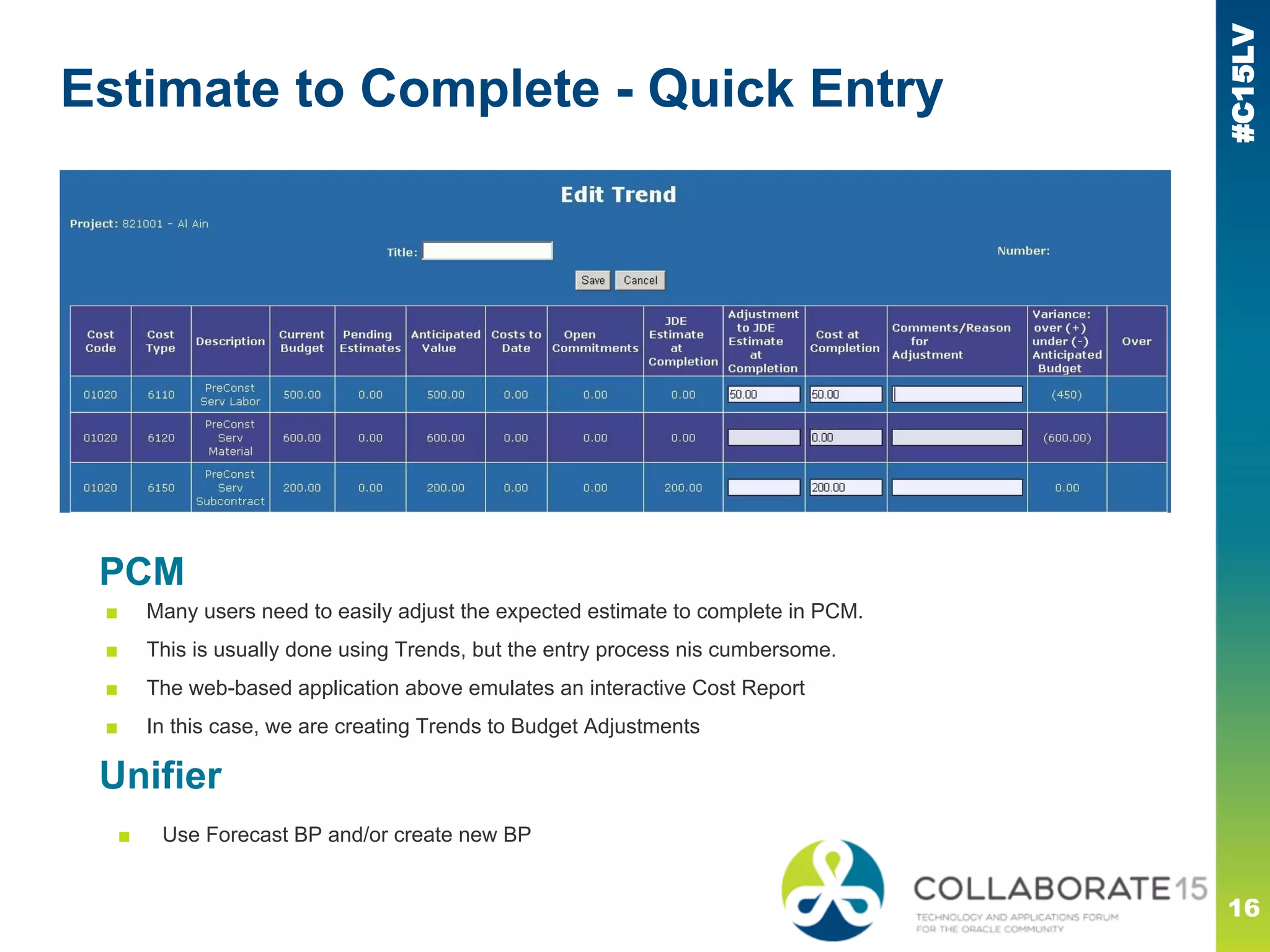
Estimate to Complete - Quick Entry
16
PCM
■ Many users need to easily adjust the expected estimate to complete in PCM.
■ This is usually done using Trends, but the entry process nis cumbersome.
■ The web-based application above emulates an interactive Cost Report
■ In this case, we are creating Trends to Budget Adjustments
Unifier
■ Use Forecast BP and/or create new BP
#C15LV
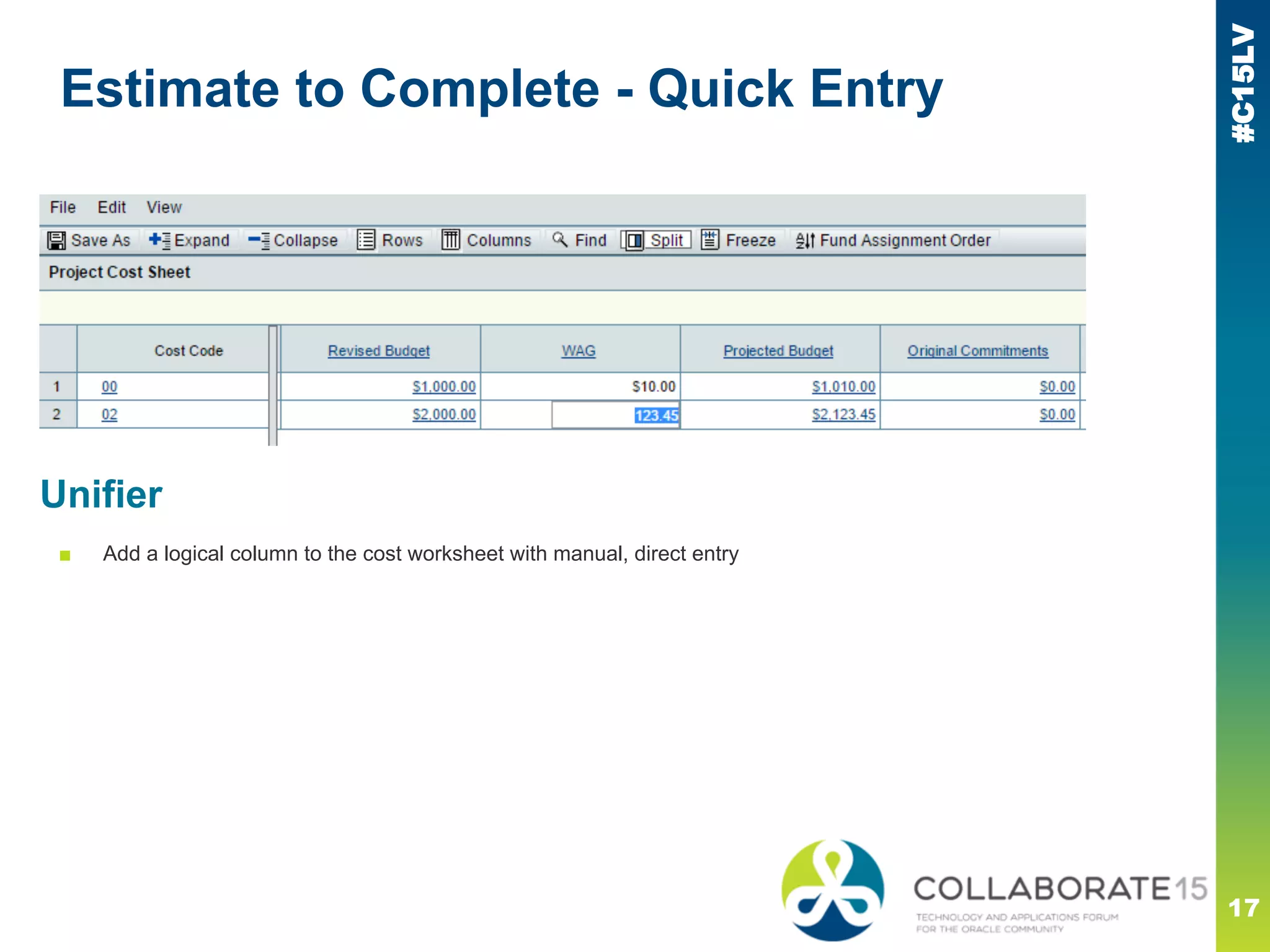
Estimate to Complete - Quick Entry
17
Unifier
■ Add a logical column to the cost worksheet with manual, direct entry
#C15LV
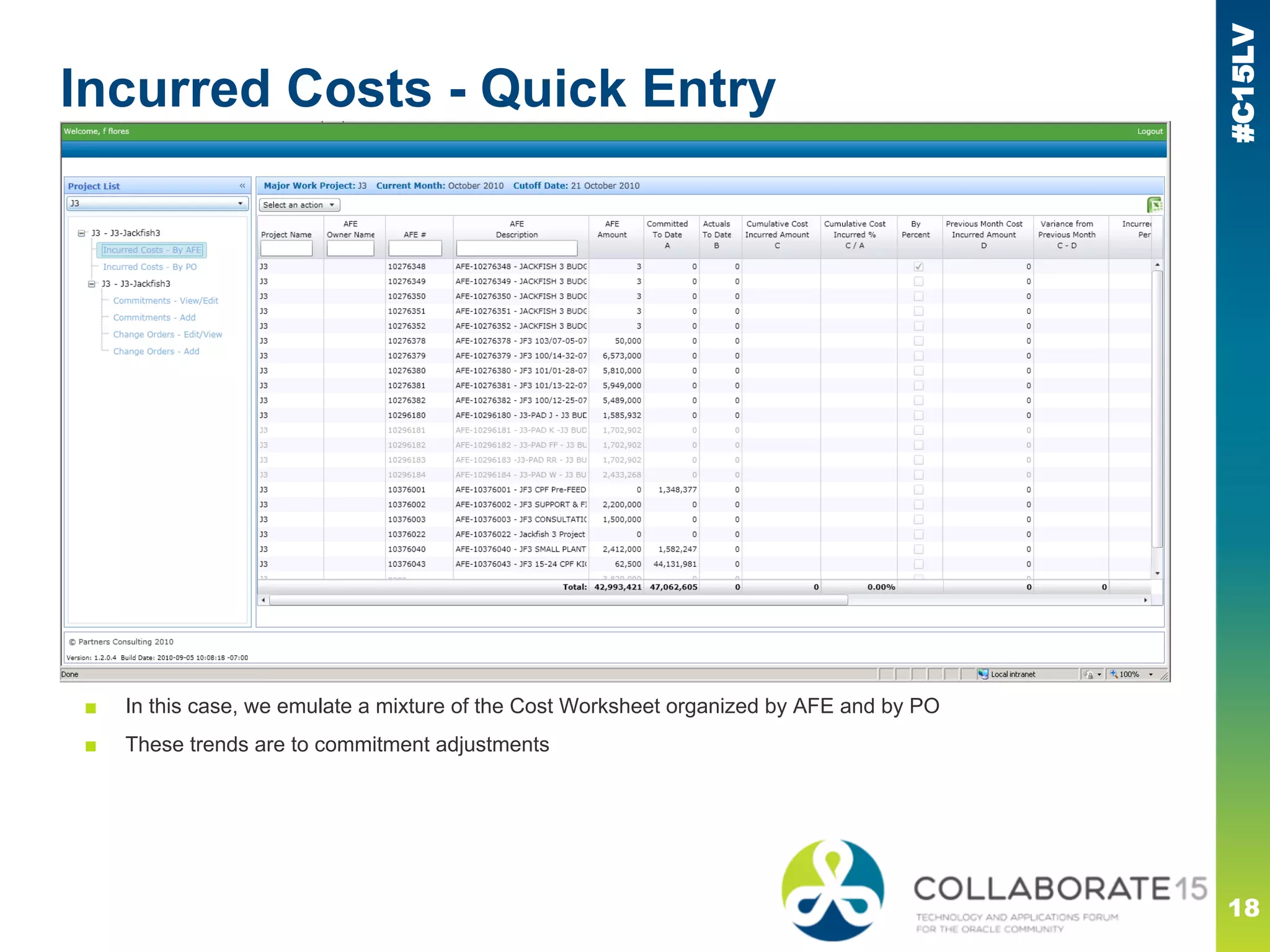
Incurred Costs - Quick Entry
18
PCM
■ Many users need to easily adjust the expected estimate to complete in PCM.
■ In this case, we emulate a mixture of the Cost Worksheet organized by AFE and by PO
■ These trends are to commitment adjustments
#C15LV
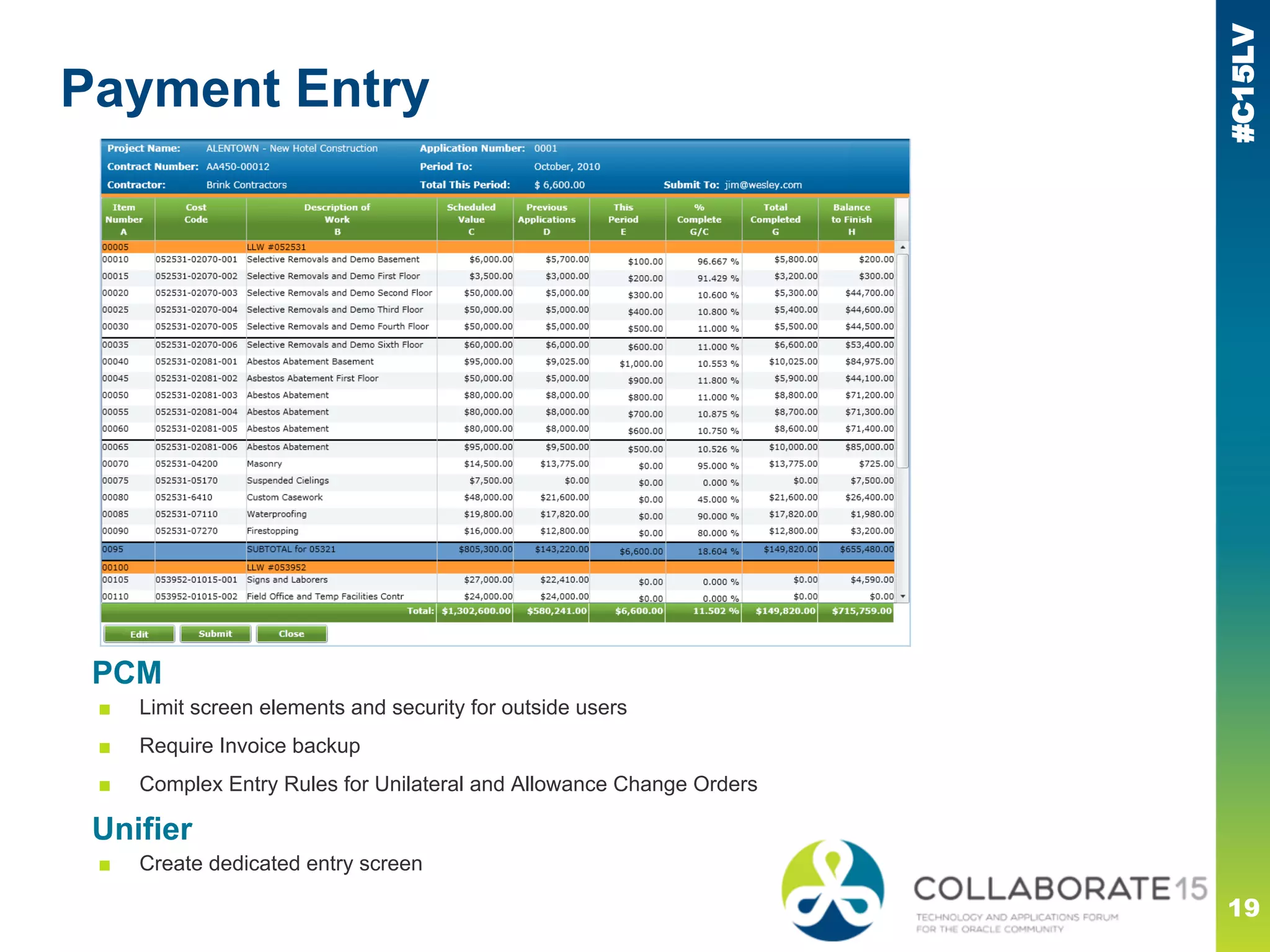
Payment Entry
19
PCM
■ Limit screen elements and security for outside users
■ Require Invoice backup
■ Complex Entry Rules for Unilateral and Allowance Change Orders
Unifier
■ Create dedicated entry screen
#C15LV
Master Contracts
20
PCM
■ A number of strategies have been used over the years
■ Special Project to hold Master Contracts
▪ Use non-standard links to “work orders” in real projects
■ Special Contract Numbering to relate Master and Work Orders
▪ eg A123-C1 ties to A123-C1-WO1
▪ Muddies the cost worksheet and reports
■ Behind the scenes database links
■ Funding Contracts
▪ Does not tie well across projects
Unifier
■ Vendor-level Blanket POs plus Work Authorizations
#C15LV
21
Unifier Solutions
● Customize Views
● Modified Workflows
Built-in functionality to get what you need
#C15LV
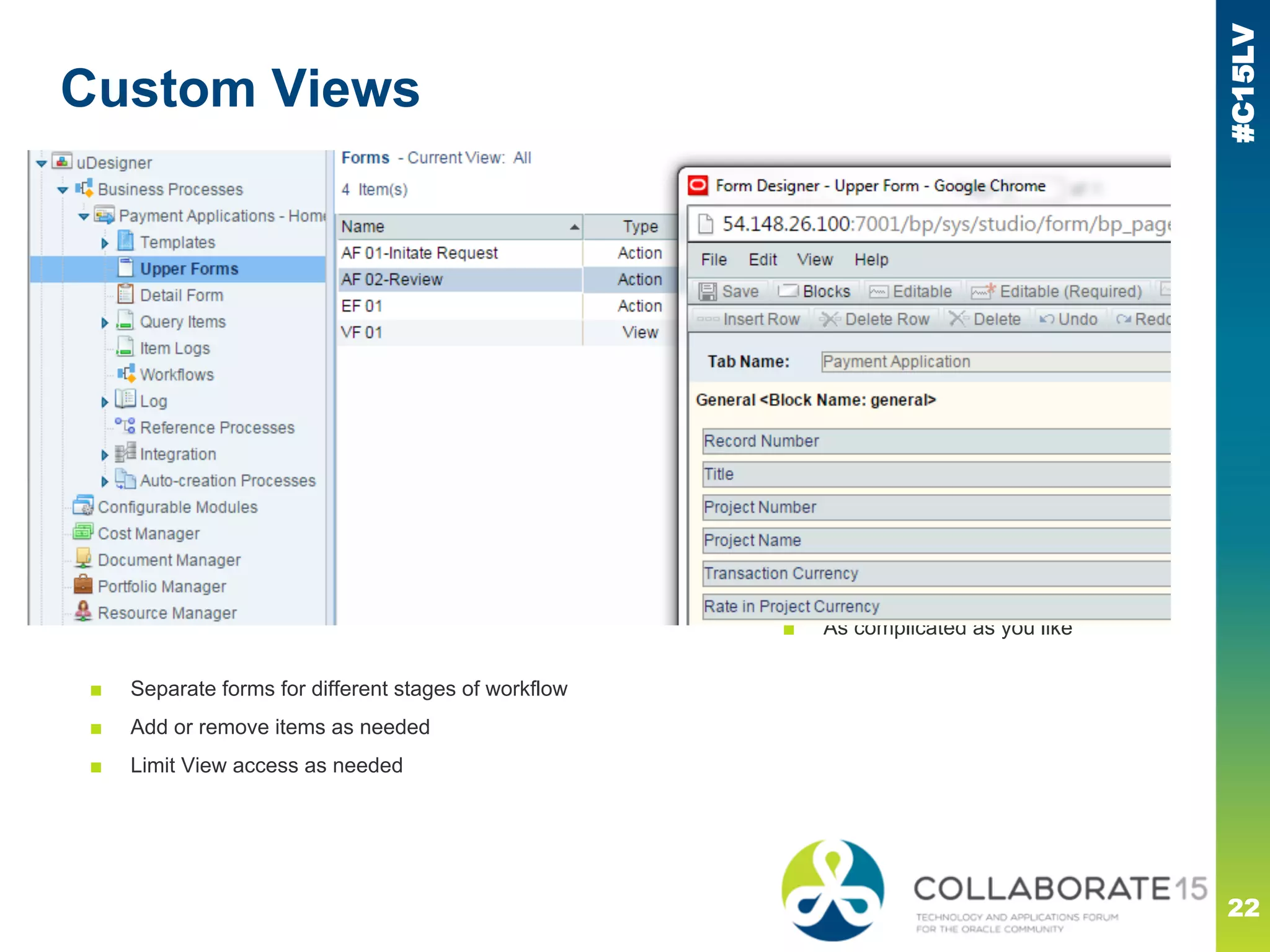
Custom Views
22
Unifier
■ OOTB workflows similar
■ Conditionals can be added
■ As complicated as you like
■ Separate forms for different stages of workflow
■ Add or remove items as needed
■ Limit View access as needed
#C15LV
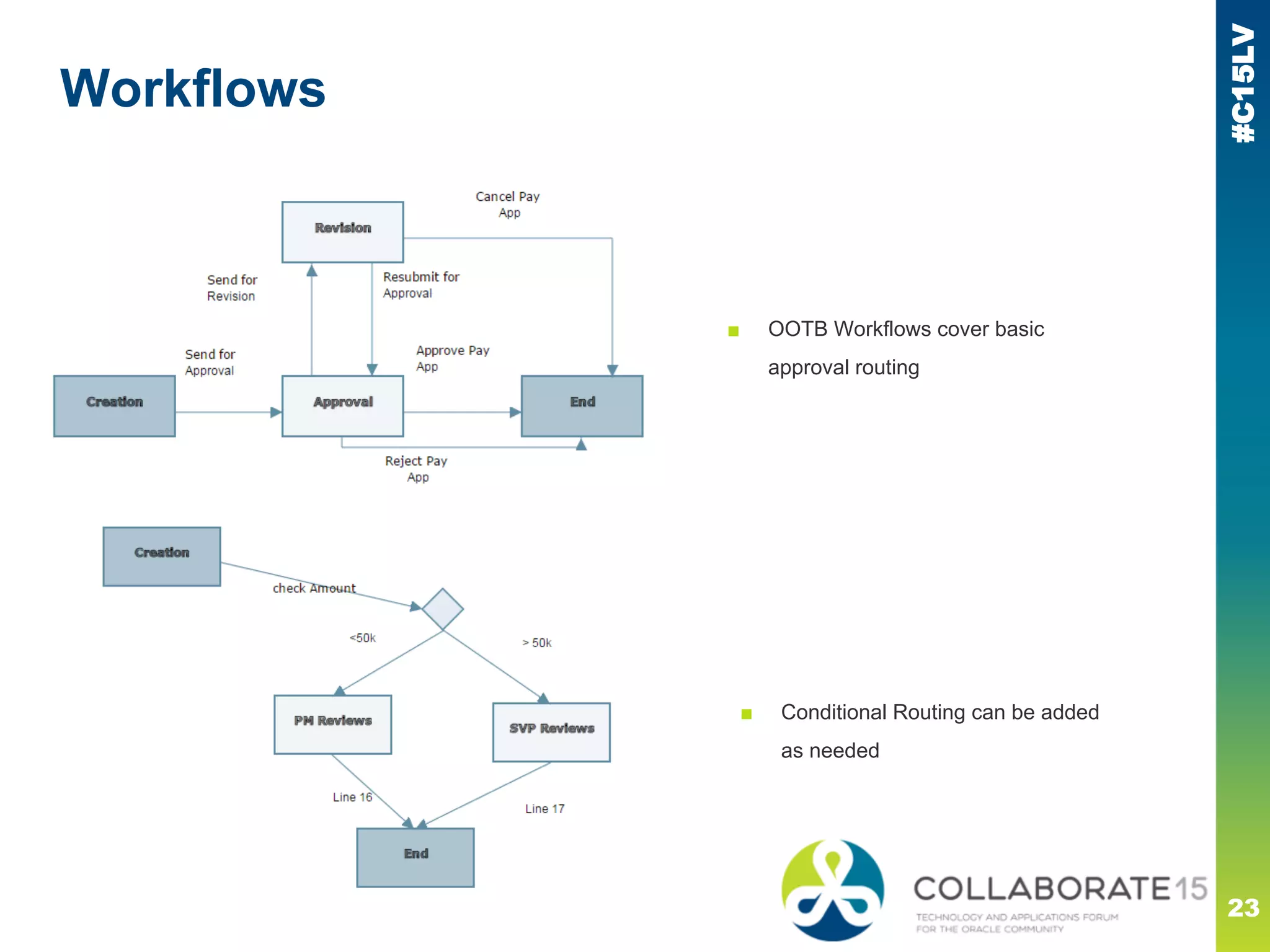
Workflows
23
■ OOTB Workflows cover basic
approval routing
■ Conditional Routing can be added
as needed
#C15LV
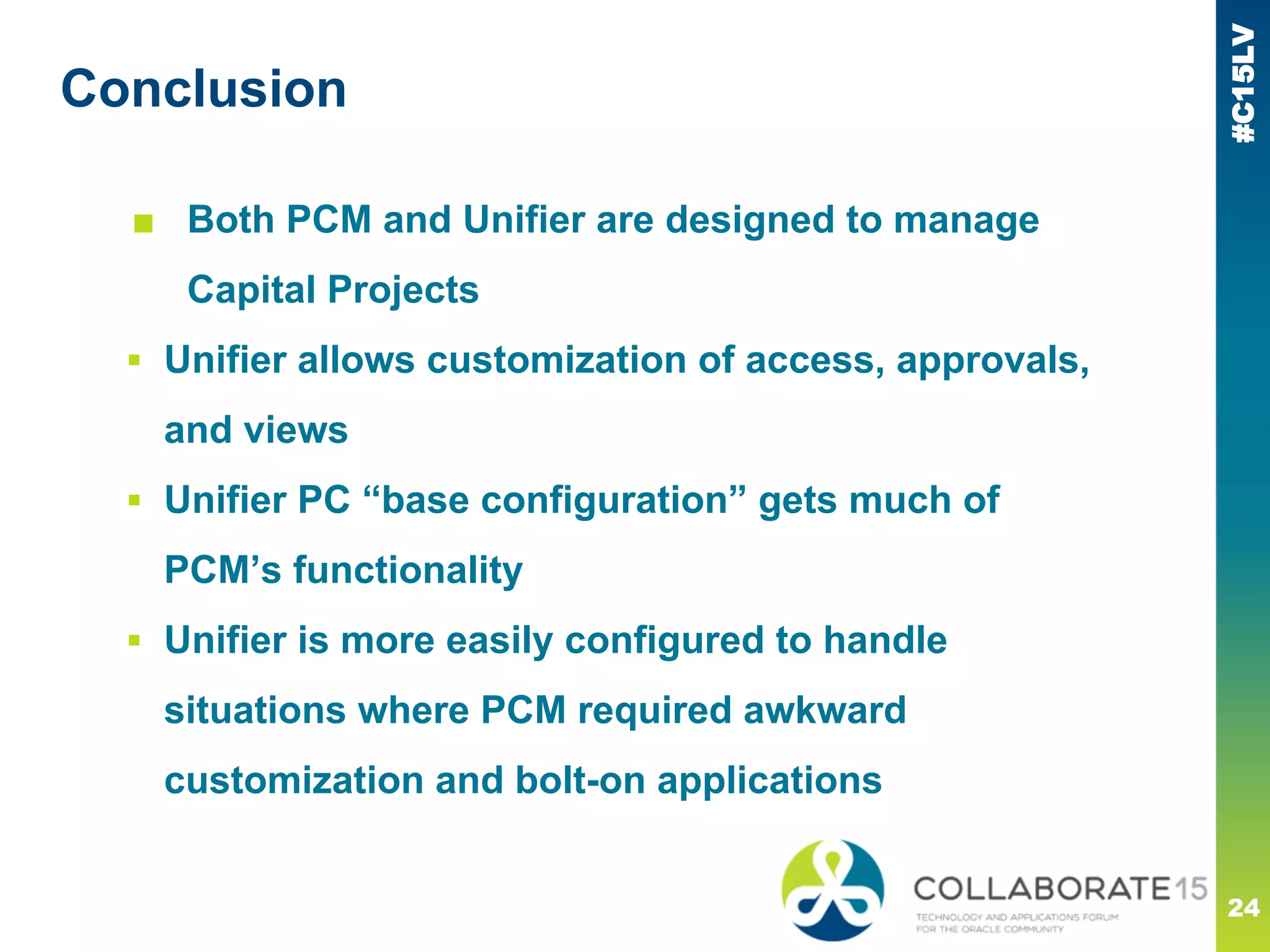
Conclusion
■ Both PCM and Unifier are designed to manage
Capital Projects
▪ Unifier allows customization of access, approvals,
and views
▪ Unifier PC “base configuration” gets much of
PCM’s functionality
▪ Unifier is more easily configured to handle
situations where PCM required awkward
customization and bolt-on applications
24
#C15LV
Please complete the session
evaluation
We appreciate your feedback and insight
You may complete the session evaluation either
on paper or online via the mobile app

How Primavera Unifier Impacts Contract Manager Customizations

  • 1.
    #C15LV REMINDER Check in onthe COLLABORATE mobile app How Unifier Affects PCM Customization Prepared by: Daniel Williams Director of Integration and Development Calance What we have been forced to do in the past, and what we will need to do in the future Session ID#: 200150 @dlwiii
  • 2.
    #C15LV 2 Outline: ● The TwoProducts ● Business Needs ○ Cost Worksheet ○ Payment Requests ○ Master Contracts ● Unifier Customization Configuration Overview
  • 3.
    #C15LV PCM and Unifier PCM ■Grew up from DOS ■ Designed around GCs ■ Focused on Construction 3 Unifier ■ Always web-based ■ Used in many industries ■ Flexible, not focused ▪ Pre-configured product — Project Cost Controls — Project Delivery Management — Capital Planning While Unifier has been criticized for its flexibility, Oracle has created out of the box sets of processes for specific use cases, and is working to create more as needed.
  • 4.
    #C15LV The Business -what do you do? ■ Project-based ■ Capital Projects ▪ Commercial eg restaurants ▪ Residential eg apartments, houses ▪ Industrial eg hospitals, schools, pipelines ▪ Transportation eg rail lines, roads ■ Who are you? ▪ Owner - school district, developer, hospital ▪ Construction Management Firm ▪ General Contractor 4
  • 5.
    #C15LV ■ Scope -what will you do? ■ Schedule - when will it be done? ■ Cost ▪ Where does the money come from? ▪ How is it spent? ▪ Do we need more? ▪ Will we make a profit or a loss? The Business - what matters to you? 5
  • 6.
    #C15LV Budget How muchwill this will cost? Funding Where will our money come from? Commitments What are we purchasing? Actual Cost What did we spend? Before: Will we have enough money to do this project? During: Do we have enough money to finish this project? After: Have we spent the “right” amount? The Colors of Money 6
  • 7.
    #C15LV Colors of Money- Budgets 7 PCM ■ Budget Contracts behave similarly to all other contract types ■ Change Management does not allow different workflows for different Change types ■ Time component / cash flow does not exist ▪ Need workarounds such a one line per year, different budget contracts
  • 8.
    #C15LV Colors of Money- Budgets Unifier (Project Cost Controls) ■ Budget Changes and Transfers are distinct ▪ Workflows for each can be modified as needed ■ Linked to Fund Appropriations ■ Cash flow built into Capital Planning 8
  • 9.
    #C15LV Colors of Money- Funding PCM ■ Virtually identical to Budget or Contract ■ Fund dollars not tracked to other costs except by cost code ■ No cash flow, workarounds similar to Budget Linking Funding Codes to CSI-type cost codes often makes the cost codes long and difficult to use. 9
  • 10.
    #C15LV Colors of Money- Funding Unifier (Project Cost Controls) ■ First-class citizen, not modified type ▪ Workflows for each can be modified as needed ■ Fund Appropriations link to other costs ■ Track multiple fund sources - do not need to “mangle” cost codes 10
  • 11.
    #C15LV Colors of Money- Commitments PCM ■ Subcontracts and POs very similar ■ No concept of Master Contracts, Blanket POs, Long & Short POs &c. ■ Only entity* which can hold Actual costs ■ Not tied to Vendor Qualifications ▪ Cannot put payments on hold * Trends do not count! 11
  • 12.
    #C15LV Unifier (Project CostControls) ■ Unified under “Procurement” ■ Many types allowed, many out of the box ■ Blanket PO/Master Contract allocates work authorizations across multiple projects ■ New! RFIs can generate Commitment Change ■ New! RFBs can award contracts Colors of Money - Commitments 12
  • 13.
    #C15LV Colors of Money- Actuals PCM ■ Only exist within Committed Contracts ■ Split into Invoices and Requisitions ▪ Checks not strongly tied, not on cost worksheet ■ Only entity* which can hold Actual costs ■ Not tied to Vendor Qualifications ■ New! Mention of a new cost worksheet column... * Trends do not count! 13
  • 14.
    #C15LV Unifier (Project CostControls) ■ Has Invoices, Pay Requests, and Journals ▪ Pay Requests can be customized and secured ■ Timesheets built in ■ Payments/Checks are first-class citizens Colors of Money - Actuals 14
  • 15.
    #C15LV 15 Work Arounds ● Estimateto Complete ● Payment Requests ● Master Contracts Bolt-ons to PCM to get it to work “right”
  • 16.
    #C15LV Estimate to Complete- Quick Entry 16 PCM ■ Many users need to easily adjust the expected estimate to complete in PCM. ■ This is usually done using Trends, but the entry process nis cumbersome. ■ The web-based application above emulates an interactive Cost Report ■ In this case, we are creating Trends to Budget Adjustments Unifier ■ Use Forecast BP and/or create new BP
  • 17.
    #C15LV Estimate to Complete- Quick Entry 17 Unifier ■ Add a logical column to the cost worksheet with manual, direct entry
  • 18.
    #C15LV Incurred Costs -Quick Entry 18 PCM ■ Many users need to easily adjust the expected estimate to complete in PCM. ■ In this case, we emulate a mixture of the Cost Worksheet organized by AFE and by PO ■ These trends are to commitment adjustments
  • 19.
    #C15LV Payment Entry 19 PCM ■ Limitscreen elements and security for outside users ■ Require Invoice backup ■ Complex Entry Rules for Unilateral and Allowance Change Orders Unifier ■ Create dedicated entry screen
  • 20.
    #C15LV Master Contracts 20 PCM ■ Anumber of strategies have been used over the years ■ Special Project to hold Master Contracts ▪ Use non-standard links to “work orders” in real projects ■ Special Contract Numbering to relate Master and Work Orders ▪ eg A123-C1 ties to A123-C1-WO1 ▪ Muddies the cost worksheet and reports ■ Behind the scenes database links ■ Funding Contracts ▪ Does not tie well across projects Unifier ■ Vendor-level Blanket POs plus Work Authorizations
  • 21.
    #C15LV 21 Unifier Solutions ● CustomizeViews ● Modified Workflows Built-in functionality to get what you need
  • 22.
    #C15LV Custom Views 22 Unifier ■ OOTBworkflows similar ■ Conditionals can be added ■ As complicated as you like ■ Separate forms for different stages of workflow ■ Add or remove items as needed ■ Limit View access as needed
  • 23.
    #C15LV Workflows 23 ■ OOTB Workflowscover basic approval routing ■ Conditional Routing can be added as needed
  • 24.
    #C15LV Conclusion ■ Both PCMand Unifier are designed to manage Capital Projects ▪ Unifier allows customization of access, approvals, and views ▪ Unifier PC “base configuration” gets much of PCM’s functionality ▪ Unifier is more easily configured to handle situations where PCM required awkward customization and bolt-on applications 24
  • 25.
    #C15LV Please complete thesession evaluation We appreciate your feedback and insight You may complete the session evaluation either on paper or online via the mobile app