



Deltek Vision User Group
Baton Rouge, LA | Houston, TX | Honolulu, HI
November, 2017
Agenda
• Introduction
• Project Setup Best Practices
• Year-End Considerations
• Tips & Tricks
• Cloud & Deltek for Professional Services
• Q&A / Round Table and Open Discussion
• Adjournment
© BCS ProSoft, Inc. All Rights Reserved. 2
Introductions
© BCS ProSoft, Inc. All Rights Reserved. 3
Project Setup Best Practices
© BCS ProSoft, Inc. All Rights Reserved. 4
DO THESE SOUND FAMILIAR? 
• Why does it matter how a project is setup?
• How does this benefit my firm?
• “It’s too much work!”
• Project Managers tell Accounting to setup a project and they
will send the details later or never provides them.
• “We don’t have time to chase contracts!”
• Project managers have an excel spreadsheet to track
budgets; they seem happy.
• If we had this information up front, we wouldn’t be redoing
this now.
Project Info Center
© BCS ProSoft, Inc. All Rights Reserved. 5
Maximize the Value of the System
Your Already Own
A small amount of communication and
collaboration can be an invaluable timesaver for
your firm:
 Provide PM’s with real-time, accurate data
 Eliminate manual errors on spreadsheet
 Eliminate duplication of entry
 Make sure the invoice matches the contract.
 Ensure the Customer is Satisfied!!
© BCS ProSoft, Inc. All Rights Reserved.
6
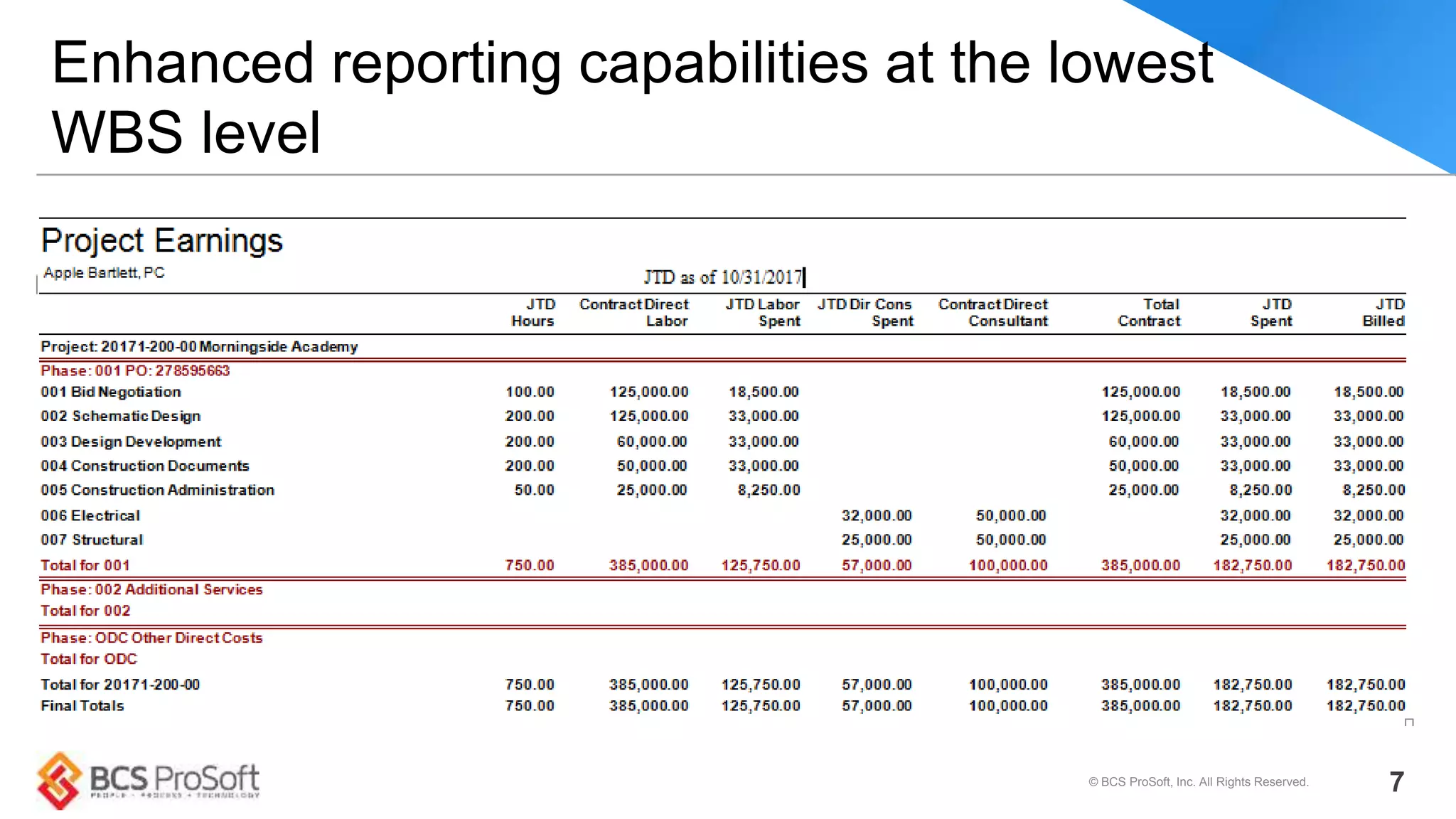
Enhanced reporting capabilities at the lowest
WBS level
© BCS ProSoft, Inc. All Rights Reserved. 7
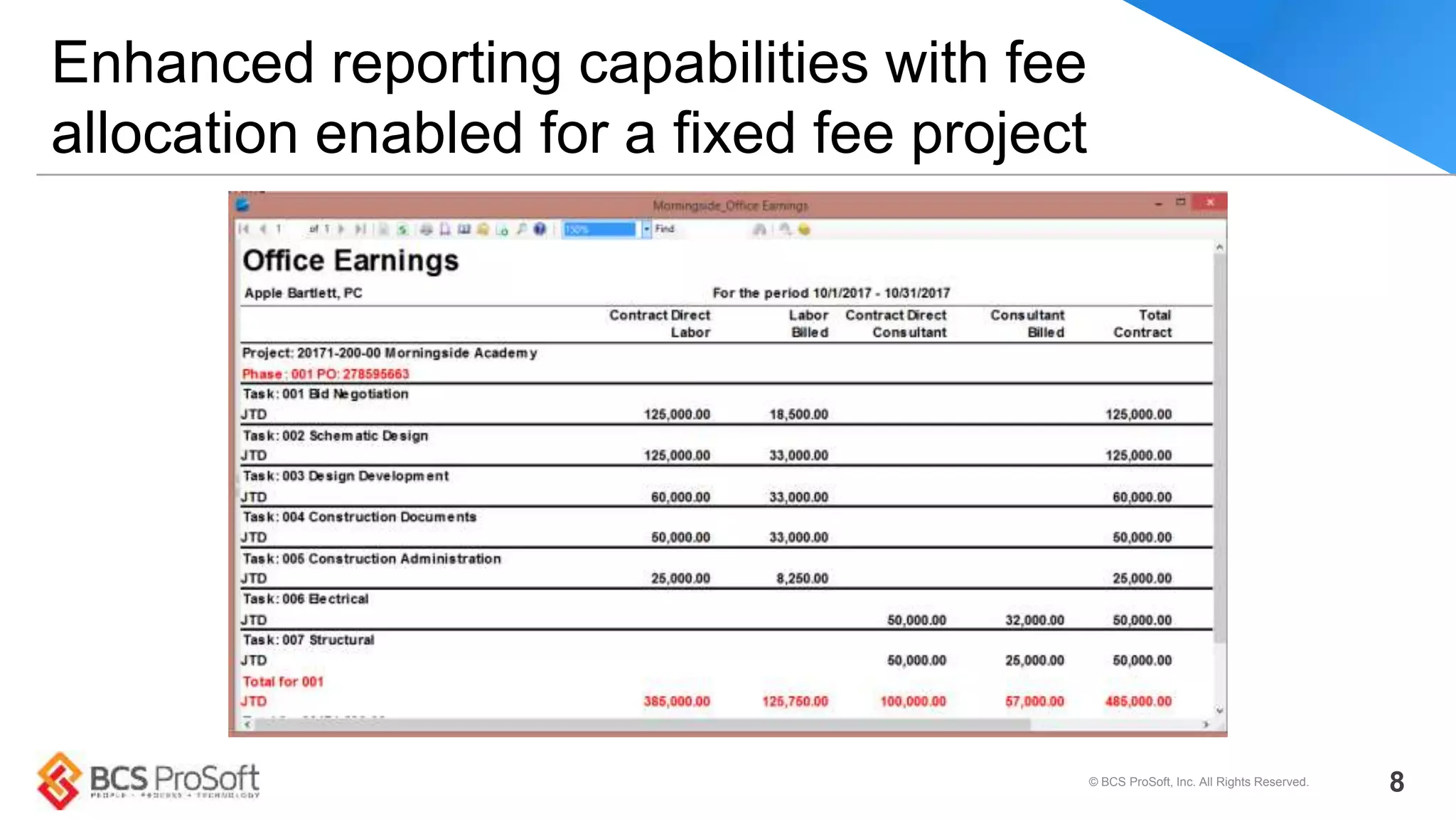
Enhanced reporting capabilities with fee
allocation enabled for a fixed fee project
© BCS ProSoft, Inc. All Rights Reserved. 8
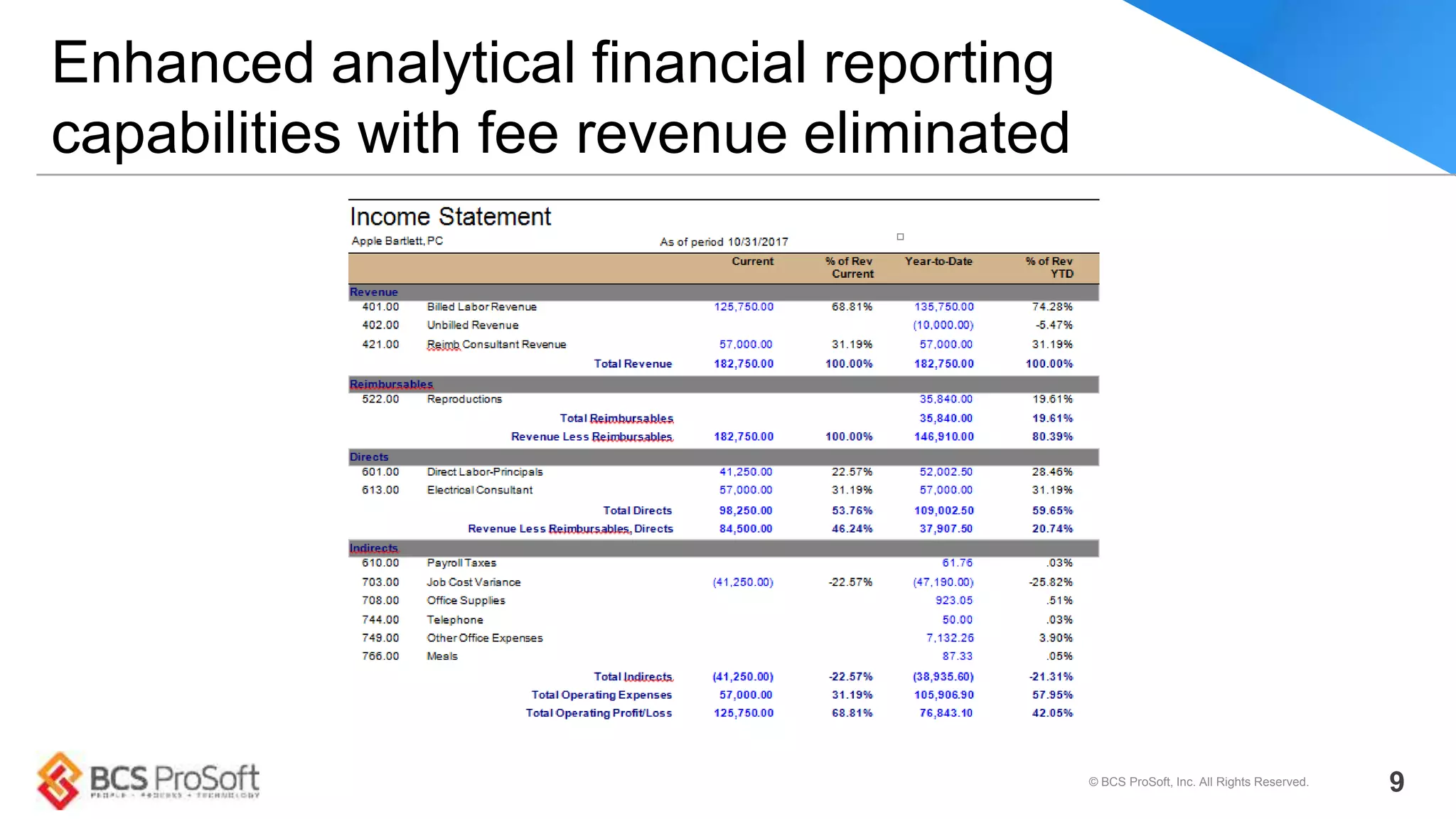
Enhanced analytical financial reporting
capabilities with fee revenue eliminated
© BCS ProSoft, Inc. All Rights Reserved. 9
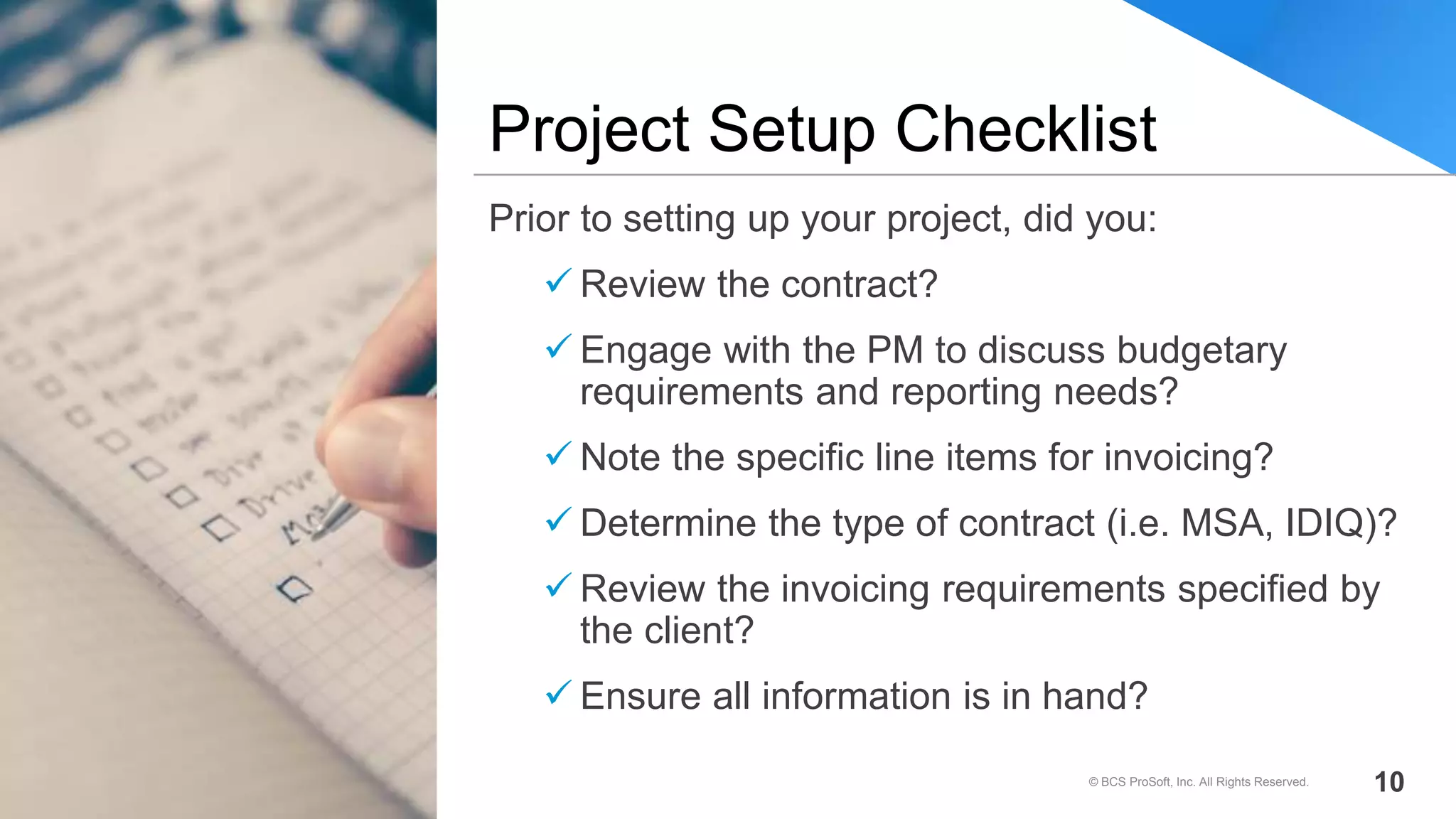
Prior to setting up your project, did you:
 Review the contract?
 Engage with the PM to discuss budgetary
requirements and reporting needs?
 Note the specific line items for invoicing?
 Determine the type of contract (i.e. MSA, IDIQ)?
 Review the invoicing requirements specified by
the client?
 Ensure all information is in hand?
Project Setup Checklist
© BCS ProSoft, Inc. All Rights Reserved. 10
Very often we receive requests for reporting assistance. In most cases,
there is nothing inaccurate about the report data but the structure of the
project setup that results in inaccurate reports. Setting up projects properly
will facilitate accurate billing, budgeting and reporting.
tl;dr: How you set up your projects determines billing, budgeting and report accuracy
Project Reporting Accuracy
© BCS ProSoft, Inc. All Rights Reserved. 11
• Incorporate contractual line items into your structure
• Ensure additional WBS levels or labor codes are utilized if needed to accommodate
project budgeting and reporting
– Notes: if you are using Resource Planning, and need or want to plan to the labor
code level, each projects’ WBS needs to be consistent (i.e. If a project has phases
and tasks…ALL phases must have tasks if budgeting by labor code).
• Associate billing terms to the appropriate WBS level
• Take advantage of the Contract Management tab to monitor and provide visibility of
contract/scope activities
• Setup user defined fields to track additional information for querying and reporting
• Utilize Workflows for project maintenance (automatically updating fields, alerts for
important dates, milestones, etc).
• Upload business critical documents such as contracts such as contracts, change orders,
consultant contracts, certificate of insurance, etc.
Project Info Center Best Practices
© BCS ProSoft, Inc. All Rights Reserved. 12
Work Breakdown Structure
Considerations
• Although you have flexibility in your structure, there is
value in maintaining consistency
• Evaluate the type of contract, take into consideration your
Organizational structure as org reporting can be impacted
• Align your project WBS to your billing phases, project
management reporting, budgeting and billing needs.
Projects can have a variable WBS or none at all
• Benefits: more accurate reporting for analytical purposes
for Spent, billed budget reporting by labor, consultant and
expenses as well as revenue allocation
© BCS ProSoft, Inc. All Rights Reserved. 13
• Inability to report earned and billed at
Phase/Task level
• Inability to budget at Phase/Task level
• Labor codes not enabled; inability to budget
down to that level
• Inability to allocate revenue if Phase/Task is Org
centric
Cons of a Flat WBS
© BCS ProSoft, Inc. All Rights Reserved. 14
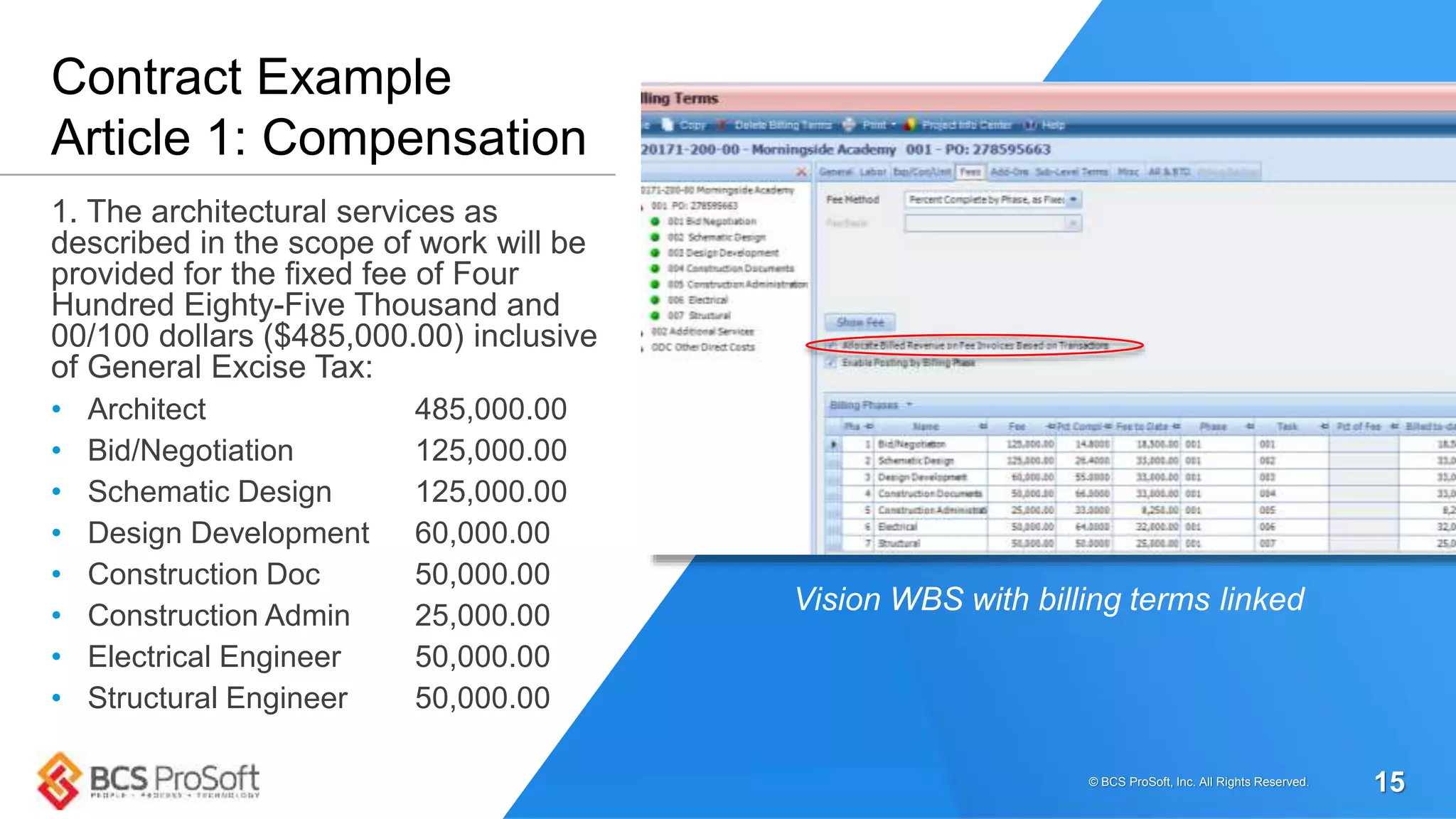
1. The architectural services as
described in the scope of work will be
provided for the fixed fee of Four
Hundred Eighty-Five Thousand and
00/100 dollars ($485,000.00) inclusive
of General Excise Tax:
• Architect 485,000.00
• Bid/Negotiation 125,000.00
• Schematic Design 125,000.00
• Design Development 60,000.00
• Construction Doc 50,000.00
• Construction Admin 25,000.00
• Electrical Engineer 50,000.00
• Structural Engineer 50,000.00
Contract Example
Article 1: Compensation
Vision WBS with billing terms linked
© BCS ProSoft, Inc. All Rights Reserved. 15
Allocating Billed Revenue on Fee
Invoices Based on Transactions
• Resolves a common issue regarding fee split
between “us and our sub-consultants”
• Enabling this feature allocates billed fee for the
period based on AP vouchers posted and labor
posted for the period
• AP generally takes precedent for allocation /
Labor takes what’s left based on configuration
© BCS ProSoft, Inc. All Rights Reserved.
16
03
Year-End Considerations
© BCS ProSoft, Inc. All Rights Reserved. 17
YEAR END TASKS
• Payroll/W-2s/Tax Tables (V 7.5, 7.6 and DPS)
• Benefit Accruals / Open New Benefit Year
• 1099 Initialization
• Update Billing Rate Tables
• Year end update will be out in Mid-December
Year End Considerations
© BCS ProSoft, Inc. All Rights Reserved. 18
04
Tips & Tricks
© BCS ProSoft, Inc. All Rights Reserved. 19
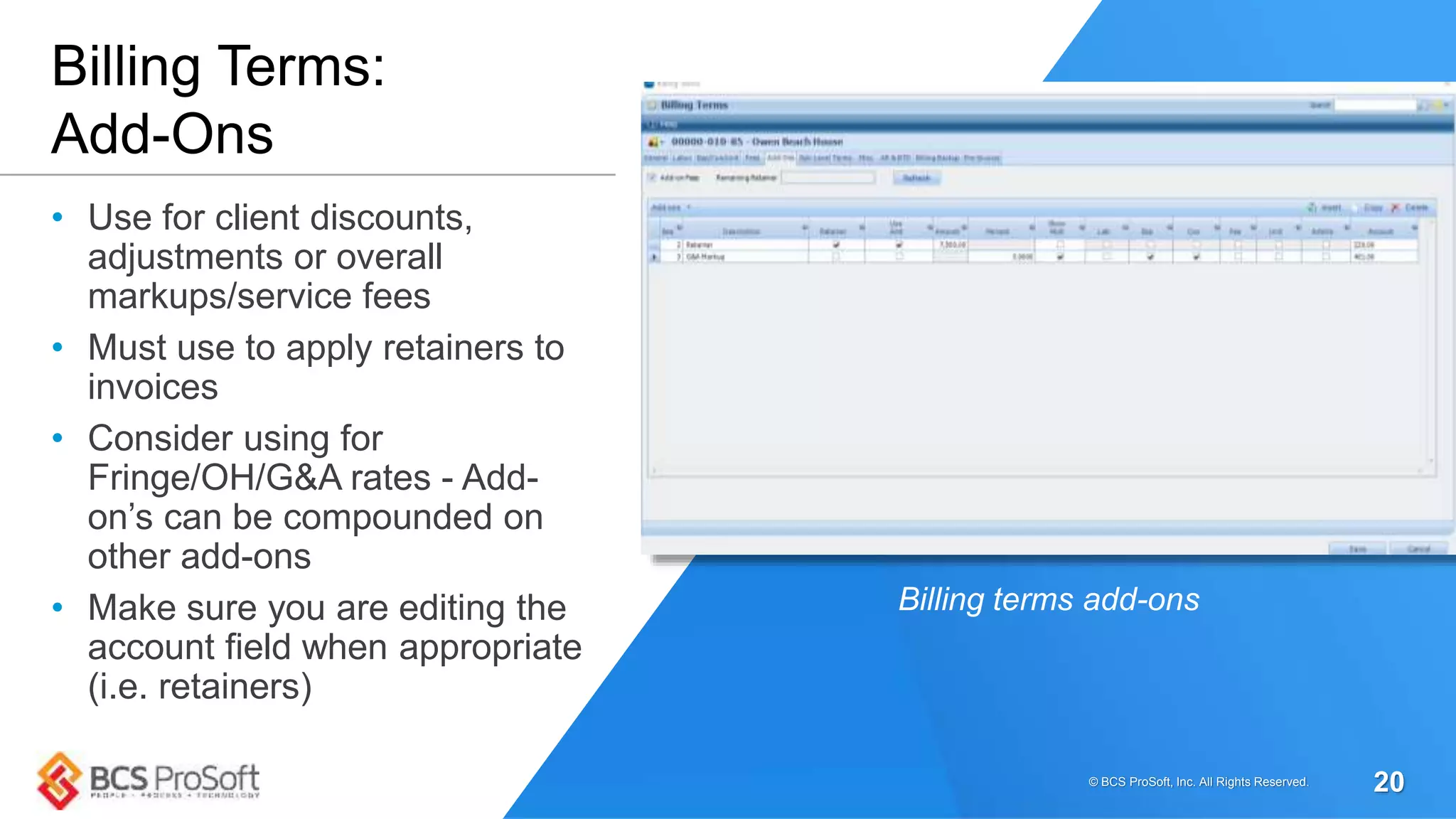
• Use for client discounts,
adjustments or overall
markups/service fees
• Must use to apply retainers to
invoices
• Consider using for
Fringe/OH/G&A rates - Add-
on’s can be compounded on
other add-ons
• Make sure you are editing the
account field when appropriate
(i.e. retainers)
Billing Terms:
Add-Ons
Billing terms add-ons
© BCS ProSoft, Inc. All Rights Reserved. 20
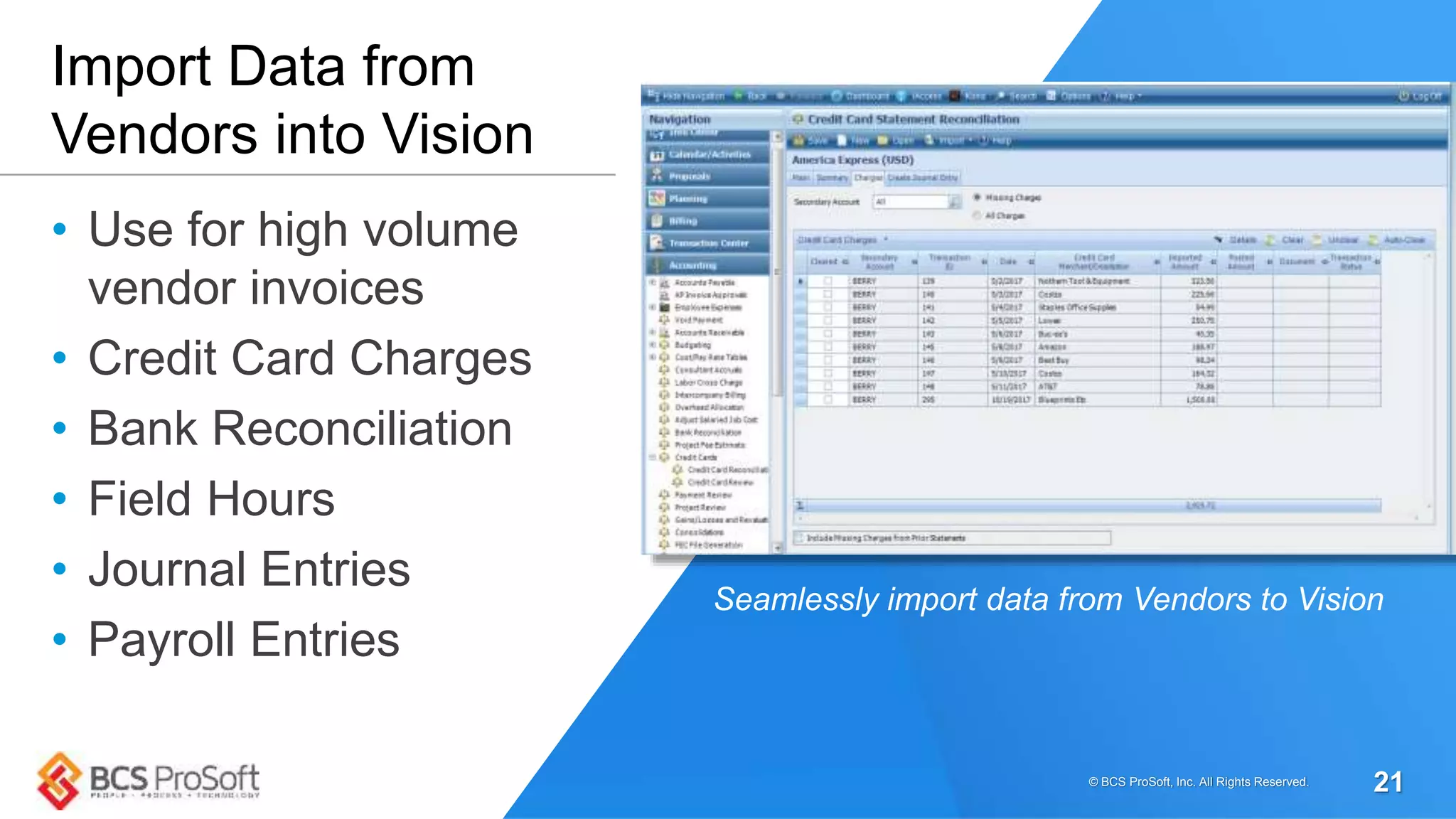
• Use for high volume
vendor invoices
• Credit Card Charges
• Bank Reconciliation
• Field Hours
• Journal Entries
• Payroll Entries
Import Data from
Vendors into Vision
Seamlessly import data from Vendors to Vision
© BCS ProSoft, Inc. All Rights Reserved. 21
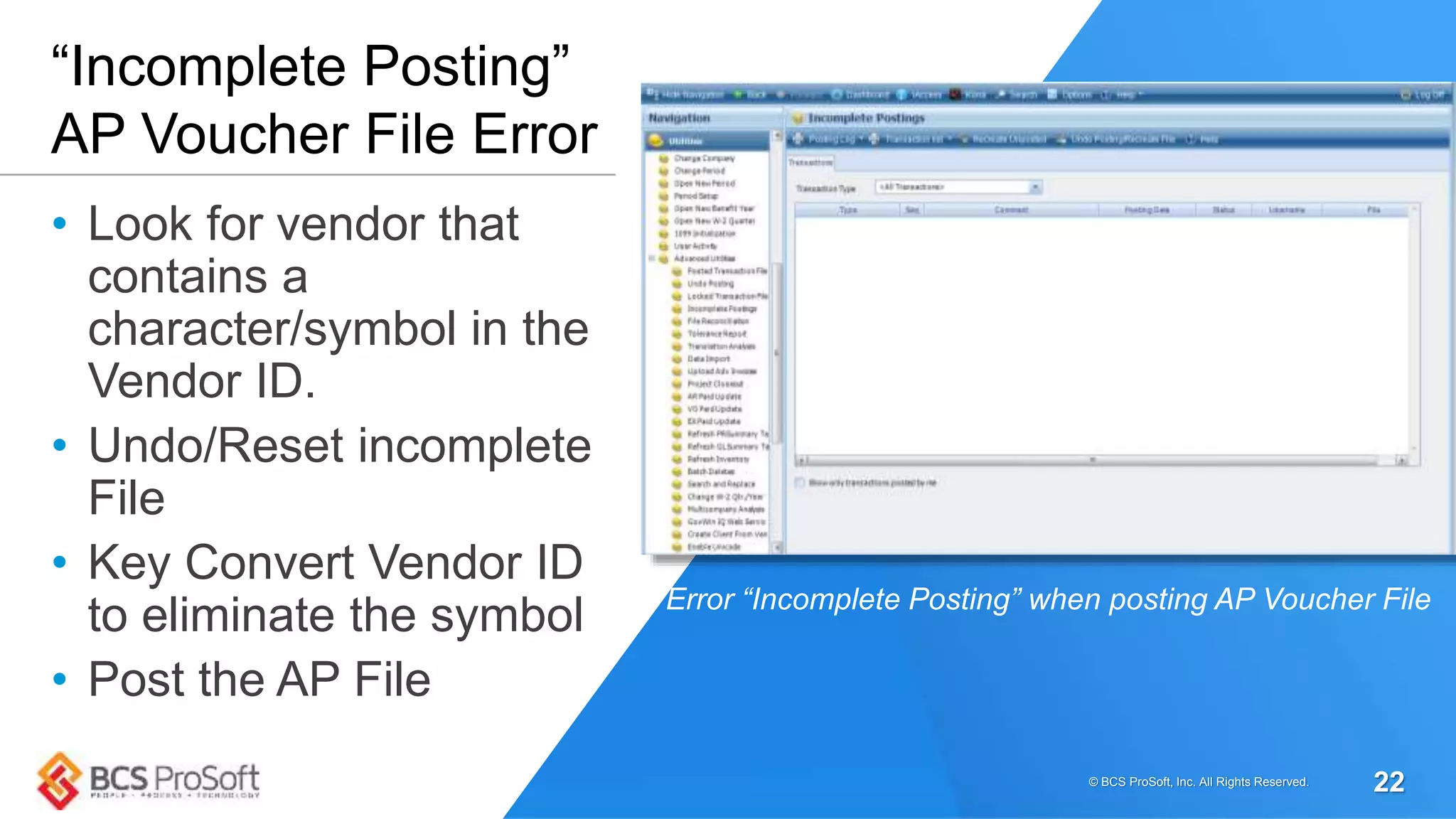
• Look for vendor that
contains a
character/symbol in the
Vendor ID.
• Undo/Reset incomplete
File
• Key Convert Vendor ID
to eliminate the symbol
• Post the AP File
“Incomplete Posting”
AP Voucher File Error
Error “Incomplete Posting” when posting AP Voucher File
© BCS ProSoft, Inc. All Rights Reserved. 22
Q&A/Discussion
But first…
© BCS ProSoft, Inc. All Rights Reserved. 23
Thoughts On the Cloud
• Less time on upgrades, equipment, maintenance
and monitoring
• No more hardware costs or unexpected expenses.
Consistent fees ease budgeting
• Put your best IT resources where you need them
most – not monitoring infrastructure
• Secure data off site, constantly monitored and
available to you anywhere
• Deltek is a “Cloud First Company”
– 80% of revenue comes from SaaS
© BCS ProSoft, Inc. All Rights Reserved.
24
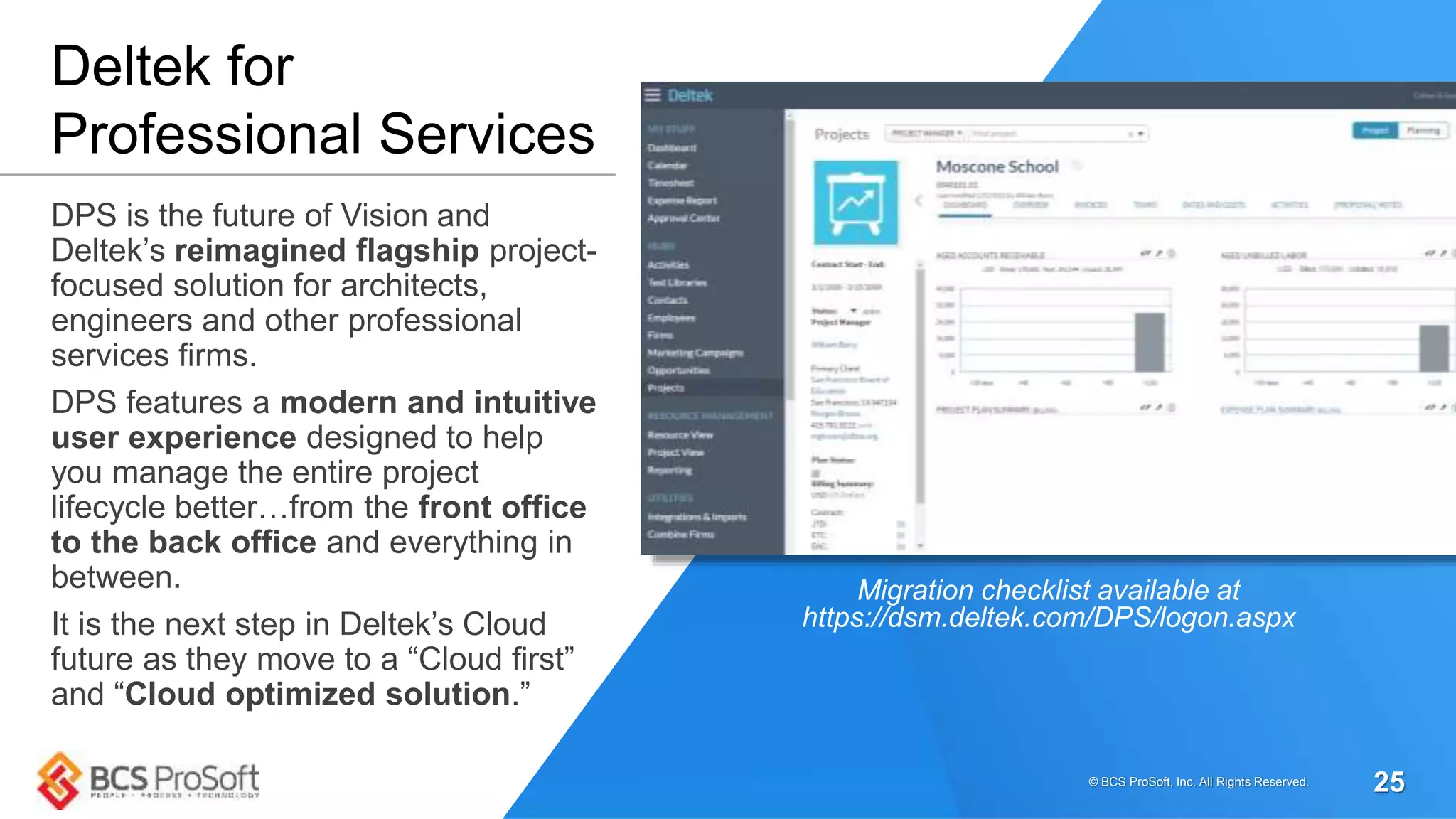
DPS is the future of Vision and
Deltek’s reimagined flagship project-
focused solution for architects,
engineers and other professional
services firms.
DPS features a modern and intuitive
user experience designed to help
you manage the entire project
lifecycle better…from the front office
to the back office and everything in
between.
It is the next step in Deltek’s Cloud
future as they move to a “Cloud first”
and “Cloud optimized solution.”
Deltek for
Professional Services
Migration checklist available at
https://dsm.deltek.com/DPS/logon.aspx
© BCS ProSoft, Inc. All Rights Reserved. 25
• DPS is the next version of Vision
• Currently only available to Cloud customers
• When and how you migrate will be up to you
and there are factors you need to consider
• All Vision customers will get DPS as a part
of their maintenance or annual subscription
DPS: Key Points
© BCS ProSoft, Inc. All Rights Reserved. 26
• We are currently on Vision 7.5. Do we need to update our software to the
latest version? Does that mean we have to move to Cloud?
• What are the general system, hardware and other requirements for Vision
Cloud and how do you prepare for it?
• Any advice on Deltek for Professional Services (DPS)? Should we consider
moving to it?
• Invoices (how to attach excel or word docs & save)
• How do you transfer posted overhead labor to a regular project?
• How do you export a project rpt to an excel doc and edit?
Submitted Questions
© BCS ProSoft, Inc. All Rights Reserved. 27
04
Q&A and Round Table Discussions
© BCS ProSoft, Inc. All Rights Reserved. 28
• Operational excellence
Improve efficiency & effectiveness, improve processes, reduce
overhead and improve cashflow
• Customer experience
– Understand customer needs and optimize customer interactions
across multiple touchpoints
• Business transformation
– Manage team dynamics to implement structural, process and
technology changes
• Cloud solutions & IT excellence
– Increase the value of technology investments, align IT processes
and investments with business strategies
Business Process Optimization
© BCS ProSoft, Inc. All Rights Reserved. 29
Remember to complete the
survey to request CPE
credits and let us know
what you thought.
Your feedback is greatly appreciated.
https://www.surveymonkey.com/r/JCNWX62
© BCS ProSoft, Inc. All Rights Reserved. 30
Questions?
© BCS ProSoft, Inc. All Rights Reserved. 31
If you have any questions or need further
assistance with your Deltek Vision system
please contact your Account Manager or
the BCS Deltek Services Team.
 shawna.dillard@bcsprosoft.com
 john.owen@bcsprosoft.com
 russell.keller@bcsprosoft.com

Deltek Vision User Group – Nv 2017

  • 1.
    Deltek Vision UserGroup Baton Rouge, LA | Houston, TX | Honolulu, HI November, 2017
  • 2.
    Agenda • Introduction • ProjectSetup Best Practices • Year-End Considerations • Tips & Tricks • Cloud & Deltek for Professional Services • Q&A / Round Table and Open Discussion • Adjournment © BCS ProSoft, Inc. All Rights Reserved. 2
  • 3.
    Introductions © BCS ProSoft,Inc. All Rights Reserved. 3
  • 4.
    Project Setup BestPractices © BCS ProSoft, Inc. All Rights Reserved. 4
  • 5.
    DO THESE SOUNDFAMILIAR?  • Why does it matter how a project is setup? • How does this benefit my firm? • “It’s too much work!” • Project Managers tell Accounting to setup a project and they will send the details later or never provides them. • “We don’t have time to chase contracts!” • Project managers have an excel spreadsheet to track budgets; they seem happy. • If we had this information up front, we wouldn’t be redoing this now. Project Info Center © BCS ProSoft, Inc. All Rights Reserved. 5
  • 6.
    Maximize the Valueof the System Your Already Own A small amount of communication and collaboration can be an invaluable timesaver for your firm:  Provide PM’s with real-time, accurate data  Eliminate manual errors on spreadsheet  Eliminate duplication of entry  Make sure the invoice matches the contract.  Ensure the Customer is Satisfied!! © BCS ProSoft, Inc. All Rights Reserved. 6
  • 7.
    Enhanced reporting capabilitiesat the lowest WBS level © BCS ProSoft, Inc. All Rights Reserved. 7
  • 8.
    Enhanced reporting capabilitieswith fee allocation enabled for a fixed fee project © BCS ProSoft, Inc. All Rights Reserved. 8
  • 9.
    Enhanced analytical financialreporting capabilities with fee revenue eliminated © BCS ProSoft, Inc. All Rights Reserved. 9
  • 10.
    Prior to settingup your project, did you:  Review the contract?  Engage with the PM to discuss budgetary requirements and reporting needs?  Note the specific line items for invoicing?  Determine the type of contract (i.e. MSA, IDIQ)?  Review the invoicing requirements specified by the client?  Ensure all information is in hand? Project Setup Checklist © BCS ProSoft, Inc. All Rights Reserved. 10
  • 11.
    Very often wereceive requests for reporting assistance. In most cases, there is nothing inaccurate about the report data but the structure of the project setup that results in inaccurate reports. Setting up projects properly will facilitate accurate billing, budgeting and reporting. tl;dr: How you set up your projects determines billing, budgeting and report accuracy Project Reporting Accuracy © BCS ProSoft, Inc. All Rights Reserved. 11
  • 12.
    • Incorporate contractualline items into your structure • Ensure additional WBS levels or labor codes are utilized if needed to accommodate project budgeting and reporting – Notes: if you are using Resource Planning, and need or want to plan to the labor code level, each projects’ WBS needs to be consistent (i.e. If a project has phases and tasks…ALL phases must have tasks if budgeting by labor code). • Associate billing terms to the appropriate WBS level • Take advantage of the Contract Management tab to monitor and provide visibility of contract/scope activities • Setup user defined fields to track additional information for querying and reporting • Utilize Workflows for project maintenance (automatically updating fields, alerts for important dates, milestones, etc). • Upload business critical documents such as contracts such as contracts, change orders, consultant contracts, certificate of insurance, etc. Project Info Center Best Practices © BCS ProSoft, Inc. All Rights Reserved. 12
  • 13.
    Work Breakdown Structure Considerations •Although you have flexibility in your structure, there is value in maintaining consistency • Evaluate the type of contract, take into consideration your Organizational structure as org reporting can be impacted • Align your project WBS to your billing phases, project management reporting, budgeting and billing needs. Projects can have a variable WBS or none at all • Benefits: more accurate reporting for analytical purposes for Spent, billed budget reporting by labor, consultant and expenses as well as revenue allocation © BCS ProSoft, Inc. All Rights Reserved. 13
  • 14.
    • Inability toreport earned and billed at Phase/Task level • Inability to budget at Phase/Task level • Labor codes not enabled; inability to budget down to that level • Inability to allocate revenue if Phase/Task is Org centric Cons of a Flat WBS © BCS ProSoft, Inc. All Rights Reserved. 14
  • 15.
    1. The architecturalservices as described in the scope of work will be provided for the fixed fee of Four Hundred Eighty-Five Thousand and 00/100 dollars ($485,000.00) inclusive of General Excise Tax: • Architect 485,000.00 • Bid/Negotiation 125,000.00 • Schematic Design 125,000.00 • Design Development 60,000.00 • Construction Doc 50,000.00 • Construction Admin 25,000.00 • Electrical Engineer 50,000.00 • Structural Engineer 50,000.00 Contract Example Article 1: Compensation Vision WBS with billing terms linked © BCS ProSoft, Inc. All Rights Reserved. 15
  • 16.
    Allocating Billed Revenueon Fee Invoices Based on Transactions • Resolves a common issue regarding fee split between “us and our sub-consultants” • Enabling this feature allocates billed fee for the period based on AP vouchers posted and labor posted for the period • AP generally takes precedent for allocation / Labor takes what’s left based on configuration © BCS ProSoft, Inc. All Rights Reserved. 16
  • 17.
    03 Year-End Considerations © BCSProSoft, Inc. All Rights Reserved. 17
  • 18.
    YEAR END TASKS •Payroll/W-2s/Tax Tables (V 7.5, 7.6 and DPS) • Benefit Accruals / Open New Benefit Year • 1099 Initialization • Update Billing Rate Tables • Year end update will be out in Mid-December Year End Considerations © BCS ProSoft, Inc. All Rights Reserved. 18
  • 19.
    04 Tips & Tricks ©BCS ProSoft, Inc. All Rights Reserved. 19
  • 20.
    • Use forclient discounts, adjustments or overall markups/service fees • Must use to apply retainers to invoices • Consider using for Fringe/OH/G&A rates - Add- on’s can be compounded on other add-ons • Make sure you are editing the account field when appropriate (i.e. retainers) Billing Terms: Add-Ons Billing terms add-ons © BCS ProSoft, Inc. All Rights Reserved. 20
  • 21.
    • Use forhigh volume vendor invoices • Credit Card Charges • Bank Reconciliation • Field Hours • Journal Entries • Payroll Entries Import Data from Vendors into Vision Seamlessly import data from Vendors to Vision © BCS ProSoft, Inc. All Rights Reserved. 21
  • 22.
    • Look forvendor that contains a character/symbol in the Vendor ID. • Undo/Reset incomplete File • Key Convert Vendor ID to eliminate the symbol • Post the AP File “Incomplete Posting” AP Voucher File Error Error “Incomplete Posting” when posting AP Voucher File © BCS ProSoft, Inc. All Rights Reserved. 22
  • 23.
    Q&A/Discussion But first… © BCSProSoft, Inc. All Rights Reserved. 23
  • 24.
    Thoughts On theCloud • Less time on upgrades, equipment, maintenance and monitoring • No more hardware costs or unexpected expenses. Consistent fees ease budgeting • Put your best IT resources where you need them most – not monitoring infrastructure • Secure data off site, constantly monitored and available to you anywhere • Deltek is a “Cloud First Company” – 80% of revenue comes from SaaS © BCS ProSoft, Inc. All Rights Reserved. 24
  • 25.
    DPS is thefuture of Vision and Deltek’s reimagined flagship project- focused solution for architects, engineers and other professional services firms. DPS features a modern and intuitive user experience designed to help you manage the entire project lifecycle better…from the front office to the back office and everything in between. It is the next step in Deltek’s Cloud future as they move to a “Cloud first” and “Cloud optimized solution.” Deltek for Professional Services Migration checklist available at https://dsm.deltek.com/DPS/logon.aspx © BCS ProSoft, Inc. All Rights Reserved. 25
  • 26.
    • DPS isthe next version of Vision • Currently only available to Cloud customers • When and how you migrate will be up to you and there are factors you need to consider • All Vision customers will get DPS as a part of their maintenance or annual subscription DPS: Key Points © BCS ProSoft, Inc. All Rights Reserved. 26
  • 27.
    • We arecurrently on Vision 7.5. Do we need to update our software to the latest version? Does that mean we have to move to Cloud? • What are the general system, hardware and other requirements for Vision Cloud and how do you prepare for it? • Any advice on Deltek for Professional Services (DPS)? Should we consider moving to it? • Invoices (how to attach excel or word docs & save) • How do you transfer posted overhead labor to a regular project? • How do you export a project rpt to an excel doc and edit? Submitted Questions © BCS ProSoft, Inc. All Rights Reserved. 27
  • 28.
    04 Q&A and RoundTable Discussions © BCS ProSoft, Inc. All Rights Reserved. 28
  • 29.
    • Operational excellence Improveefficiency & effectiveness, improve processes, reduce overhead and improve cashflow • Customer experience – Understand customer needs and optimize customer interactions across multiple touchpoints • Business transformation – Manage team dynamics to implement structural, process and technology changes • Cloud solutions & IT excellence – Increase the value of technology investments, align IT processes and investments with business strategies Business Process Optimization © BCS ProSoft, Inc. All Rights Reserved. 29
  • 30.
    Remember to completethe survey to request CPE credits and let us know what you thought. Your feedback is greatly appreciated. https://www.surveymonkey.com/r/JCNWX62 © BCS ProSoft, Inc. All Rights Reserved. 30
  • 31.
    Questions? © BCS ProSoft,Inc. All Rights Reserved. 31 If you have any questions or need further assistance with your Deltek Vision system please contact your Account Manager or the BCS Deltek Services Team.  shawna.dillard@bcsprosoft.com  john.owen@bcsprosoft.com  russell.keller@bcsprosoft.com

Editor's Notes

  • #2 White Logo Custom pic (themed if company meeting)
  • #3 Go over housekeeping items before starting (bathrooms, phone calls, email, CPE credit, survey, Q&A)
  • #27 7.6 will remain in maintenance support at least until the end of 2019.
  • #30 We offer so much more than technical support. Let’s start talking about how we can make 2018 a game-changing year for your organization. Schedule a System Review of Business Process Review with your Account Manager. Our senior consultants offer deep industry and functional expertise to help our clients identify opportunities for optimization. We plan and deliver performance improvement initiatives through practical methodologies and intimate customer relationships. At BCS ProSoft, we work alongside your team to understand your current capabilities and roadmap a path to transform your business in these four vital areas. Operational Excellence Increase profits by optimizing business process efficiency & effectiveness. Design improved operating processes to streamline product and information flow, reduce overhead and improve cash flow. Our solutions align end-to-end processes, rationalize vendor relationships and deploy automation and information systems to increase product and cash velocity and improve management information and controls. Customer Experience Increase customer satisfaction and retention. Design improved customer experiences by understanding customer needs and optimizing customer interactions across touchpoints. Our solutions align business processes, employee experience as well as technology and user experience with the desired customer experience. Business Transformation Create and execute plans to accomplish complex organizational change and reduce risk. We work with your team to manage team dynamics while implementing structural, process and technology changes to achieve your transformation goals. Cloud Solutions & IT Excellence Reduce risk. Define strategic initiatives that increase the value of technology investments. Align IT processes and investments with business strategies. Streamline and focus IT operations. Whether your organization has fully embraced a hosted model or is just beginning to evaluate deployment options, BCS ProSoft can help you cut through the clutter and develop a practical, customized strategy that connects the cloud to your business.