20 EXCELLENT FREE
TOOLS FOR INTERACTIVE
COLLABORATION
EXPERIENCES INTHE
CLASSROOM
1.TWIDDLA.COM
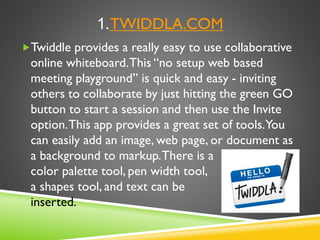
Twiddle provides a really easy to use collaborative
online whiteboard.This “no setup web based
meeting playground” is quick and easy - inviting
others to collaborate by just hitting the green GO
button to start a session and then use the Invite
option.This app provides a great set of tools.You
can easily add an image, web page, or document as
a background to markup.There is a
color palette tool, pen width tool,
a shapes tool, and text can be
inserted.
2. GOOGLE
DRIVE
Most of you are probably
already familiar with Google
Drive, which lets you share and
collaboratively edit Google
Docs with anyone else who has
a Google account, for free.
Sweet. Being able to
collaboratively edit documents
and worksheets opens up a
world of possibilities for
interactive classroom activities
and projects.
drive.google.com
3. Bubble.us
This free tool* allows users to easily create bubble
maps, that can be exported in various formats, saved
(by exporting and re-importing them in an appropriate
format), and yes … edited collaboratively.The use of
bubble maps as a teaching tool has been a good
practice for decades, but bringing it to a new level by
enabling collaborative editing through an online tool is
totally 21st century!
*The Basic plan lets you create, share, and collaboratively edit 3 Bubble
Maps.
This multi-platform, device agnostic, kid-safe
platform is perfect for active learning – share
content, have a dialogue (in or out of the
classroom), and even get parents involved! A rich
set of features including collaboration-enabling
functions like Learning Communities and
Discussions have encouraged over 34 million
teachers and students to adopt Edmodo, making
it one of the most popular free education tools
on the Web.
4. Edmodo.com
5. YAMMER.COM
Yammer is a private social network.
Work in groups, share files, co-edit
content and more with their free Basic
plan. Explore “5 WaysYammer is
Improving Communication, Connections,
and Learning in our Schools” to learn
more.
6. SKYPE
This popular, widely known platform provides for
group meetings tools that can be particularly effective
for remote participants to come together. For
example, if you’re thinking about collaborating with a
remote classroom, Skype can be huge asset in doing
so. Skype is also great from bringing students who
might be stuck at home due to illness or other
situations into the classroom to join the class for a
collaborative dialogue or other activity.
7. VYEW.COM
Vyew is a collaborative interactive white board. It’s
come a long way since we first covered it on
EmergingEdTech years ago. Not only can you create
a collaborative whiteboard on line, you can upload
images and document and write over them, have a
discussion around them, and more. Check out the
“What isVyew” video on their home page to learn
more.The free version only allows for a small set
of users (10 real time participants), but that can
work well if you set up a few separate groups.
8.WIKISPACES.COM
Wikis provide an easy place to create a
members-only web site where users can
have discussions, share documents and so
on.Wikispaces was built for education.They
even have a special “classroom” tool that is
focused on Collaborative Writing:
Wikispaces Classroom.
9. FACEBOOK
Yeah, that’s right - Facebook. If you put up a
group page specifically for your class, you get a
place of you own to collaborate. Of course, this
is only for kids over 13.There are a lot of
teachers using Facebook. Check out Facebook
Summit 2011, an Excellent Academic Use of the
Popular Internet App to learn about one
teacher’s fun project using Facebook.
10. GOOGLE HANGOUTS
Google Hangouts in becoming an increasingly popular
alternative to Skype for bringing remote groups of
people to together to communicate and collaborate.A
couple advantages Google Hangouts has is the potential
to have a Hangout recorded, and the fact that you are
less likely to have the occasional availability issue that
the free version of Skype can have. Combine Google
Hangouts and Google Drive (or many of the other tools
in this list) and you can collaboratively edit content
while you’re “hanging out”!
11. CACOO.COM
Create flowcharts and diagrams online with
real time collaboration.This a very useful
tool in a wide variety of academic disciplines,
and being able to collaboratively edit them
makes Cacoo a powerful application. Here’s
a link to learn about and access their free
Academic plan:
https://cacoo.com/lang/en/academic.
12.Titanpad.com
specifically towards the
iPad.TitanPad lets
people work on one
document
simultaneously, and
you can get a space for
your team on your
own private
subdomain for free.
What about
collaboration on the
iPad?Well, a number
of the tools in this
listing will work fine
on many platforms,
but Titanpad is geared
Haiku is a popular education site, and it’s free
for teachers – the solo plan includes 5 classes
with up to 2GB of storage (with the ability to
upgrade for a fee if you need more).This
cloud-based app provides content sharing,
assignments, feedback, grading, and more.
Somewhat along the lines of Edmodo, Haiku
is a basic Learning Management System that
provides rich tools for the classroom.
13. HaikuLearning.com
14.Twitter
Just search out a unique hashtag and you’re in
business. Using a hashtag and a tool like Tweetdeck
(also free), where you can dedicate a column to
specific search and bam, you’ve got a live stream of
all content posted with that hashtag. Collect and
share research or news, create a class poem or
story (one student posts to the hashtag at a time, to
build out the content), search out subject matter
experts and link to them, and so on. Here’s 100
Ways to Teach With Twitter.
15.
Multiplayer games can be a great way to
provide an interactive, collaborative
experience in the classroom.With a little
know-how, Minecraft players can interact.
Read this article to learn more about
teaching using Minecraft: Gamifying the
Classroom with Minecraft – the
Possibilities are Powerful and Endless!
16. ECONOMICS-GAMES.COM
Here we have a purpose-built multiplayer game for
the classroom. Economics-games.com is a free
educational games site for teaching microeconomics,
industrial organization and game theory.“Choose
the game you want to run, enter the number of
players and that's it:You just have to communicate
their logins to your students and have them connect
to the site with their phones, tablets or laptops.You
can then observe and debrief the game through your
interface.”
17.WORLD OF WARCRAFT
(WOWINSCHOOL.PBWORKS.COM)
Check this site out to learn all about using
World ofWarcraft and other “MMPORGs”
(massively multiplayer online role-playing
games) in the classroom.Through this site, all
project materials, including a fully-developed
language arts course, aligned to middle grades
standards, are now available under a creative
commons license.
Review, notate, share, and discuss any web page
with Bounceapp. Bounceapp makes it really easy
to grab a web page screen shot and make notes
on it.This can then be sent to others. User can
share ideas on the same site by each grabbing,
notating, and then sharing their work. For a more
collaborative experience, Bounce will work with
Notableapp.com to let a workgroup collaborate
(Notableapp is not free, but there is a free 30 day
trial).
18. Bounceapp.com
19.WIGGIO.COM
Wiggio is a free workgroup application that
provides meetings, to-do lists, messaging,
calendars, polls, and file sharing.This is a fully
blown collaboration environment, and it’s free
(there is a premium service, but this is really
only for organizations looking for a branded
workspace and priority support – the primary
functionality of Wiggio is totally free).
20. SOCIALFOLDERS.ME
This is a bit of a stretch as a collaborative tool, but it’s a
cool app and it could provide for a unique twist on the
idea of collaboration. If you are using any of the apps
supported by SocialFolders, say, Facebook and Instagram,
for group work in a course, Social Folders can provide
the ability to allow members of the workgroup to synch
selected shared content, making it a sort of collection or
gathering place for group content. Besides that, it’s a cool
app that anyone who uses more than one social media
application may find pretty darn useful (coordinate your
content across multiple social media apps and back it up
at the same time)!
THIS RICH SET OF FREETOOLS CAN
PROVIDE AN ENDLESS ARRAY OF
COLLABORATIVE, INTERACTIVE CLASS
WORK FORYEARS TO COME. HAPPY
COLLABORATING EVERYONE!
Click over to emergingedtech.com today for more
great instructional technology tools, tips, & insights!

20 Excellent Free Tools for Interactive Collaboration Experiences in the Classroom

  • 1.
    20 EXCELLENT FREE TOOLSFOR INTERACTIVE COLLABORATION EXPERIENCES INTHE CLASSROOM
  • 2.
    1.TWIDDLA.COM Twiddle provides areally easy to use collaborative online whiteboard.This “no setup web based meeting playground” is quick and easy - inviting others to collaborate by just hitting the green GO button to start a session and then use the Invite option.This app provides a great set of tools.You can easily add an image, web page, or document as a background to markup.There is a color palette tool, pen width tool, a shapes tool, and text can be inserted.
  • 3.
    2. GOOGLE DRIVE Most ofyou are probably already familiar with Google Drive, which lets you share and collaboratively edit Google Docs with anyone else who has a Google account, for free. Sweet. Being able to collaboratively edit documents and worksheets opens up a world of possibilities for interactive classroom activities and projects. drive.google.com
  • 4.
    3. Bubble.us This freetool* allows users to easily create bubble maps, that can be exported in various formats, saved (by exporting and re-importing them in an appropriate format), and yes … edited collaboratively.The use of bubble maps as a teaching tool has been a good practice for decades, but bringing it to a new level by enabling collaborative editing through an online tool is totally 21st century! *The Basic plan lets you create, share, and collaboratively edit 3 Bubble Maps.
  • 5.
    This multi-platform, deviceagnostic, kid-safe platform is perfect for active learning – share content, have a dialogue (in or out of the classroom), and even get parents involved! A rich set of features including collaboration-enabling functions like Learning Communities and Discussions have encouraged over 34 million teachers and students to adopt Edmodo, making it one of the most popular free education tools on the Web. 4. Edmodo.com
  • 6.
    5. YAMMER.COM Yammer isa private social network. Work in groups, share files, co-edit content and more with their free Basic plan. Explore “5 WaysYammer is Improving Communication, Connections, and Learning in our Schools” to learn more.
  • 7.
    6. SKYPE This popular,widely known platform provides for group meetings tools that can be particularly effective for remote participants to come together. For example, if you’re thinking about collaborating with a remote classroom, Skype can be huge asset in doing so. Skype is also great from bringing students who might be stuck at home due to illness or other situations into the classroom to join the class for a collaborative dialogue or other activity.
  • 8.
    7. VYEW.COM Vyew isa collaborative interactive white board. It’s come a long way since we first covered it on EmergingEdTech years ago. Not only can you create a collaborative whiteboard on line, you can upload images and document and write over them, have a discussion around them, and more. Check out the “What isVyew” video on their home page to learn more.The free version only allows for a small set of users (10 real time participants), but that can work well if you set up a few separate groups.
  • 9.
    8.WIKISPACES.COM Wikis provide aneasy place to create a members-only web site where users can have discussions, share documents and so on.Wikispaces was built for education.They even have a special “classroom” tool that is focused on Collaborative Writing: Wikispaces Classroom.
  • 10.
    9. FACEBOOK Yeah, that’sright - Facebook. If you put up a group page specifically for your class, you get a place of you own to collaborate. Of course, this is only for kids over 13.There are a lot of teachers using Facebook. Check out Facebook Summit 2011, an Excellent Academic Use of the Popular Internet App to learn about one teacher’s fun project using Facebook.
  • 11.
    10. GOOGLE HANGOUTS GoogleHangouts in becoming an increasingly popular alternative to Skype for bringing remote groups of people to together to communicate and collaborate.A couple advantages Google Hangouts has is the potential to have a Hangout recorded, and the fact that you are less likely to have the occasional availability issue that the free version of Skype can have. Combine Google Hangouts and Google Drive (or many of the other tools in this list) and you can collaboratively edit content while you’re “hanging out”!
  • 12.
    11. CACOO.COM Create flowchartsand diagrams online with real time collaboration.This a very useful tool in a wide variety of academic disciplines, and being able to collaboratively edit them makes Cacoo a powerful application. Here’s a link to learn about and access their free Academic plan: https://cacoo.com/lang/en/academic.
  • 13.
    12.Titanpad.com specifically towards the iPad.TitanPadlets people work on one document simultaneously, and you can get a space for your team on your own private subdomain for free. What about collaboration on the iPad?Well, a number of the tools in this listing will work fine on many platforms, but Titanpad is geared
  • 14.
    Haiku is apopular education site, and it’s free for teachers – the solo plan includes 5 classes with up to 2GB of storage (with the ability to upgrade for a fee if you need more).This cloud-based app provides content sharing, assignments, feedback, grading, and more. Somewhat along the lines of Edmodo, Haiku is a basic Learning Management System that provides rich tools for the classroom. 13. HaikuLearning.com
  • 15.
    14.Twitter Just search outa unique hashtag and you’re in business. Using a hashtag and a tool like Tweetdeck (also free), where you can dedicate a column to specific search and bam, you’ve got a live stream of all content posted with that hashtag. Collect and share research or news, create a class poem or story (one student posts to the hashtag at a time, to build out the content), search out subject matter experts and link to them, and so on. Here’s 100 Ways to Teach With Twitter.
  • 16.
    15. Multiplayer games canbe a great way to provide an interactive, collaborative experience in the classroom.With a little know-how, Minecraft players can interact. Read this article to learn more about teaching using Minecraft: Gamifying the Classroom with Minecraft – the Possibilities are Powerful and Endless!
  • 17.
    16. ECONOMICS-GAMES.COM Here wehave a purpose-built multiplayer game for the classroom. Economics-games.com is a free educational games site for teaching microeconomics, industrial organization and game theory.“Choose the game you want to run, enter the number of players and that's it:You just have to communicate their logins to your students and have them connect to the site with their phones, tablets or laptops.You can then observe and debrief the game through your interface.”
  • 18.
    17.WORLD OF WARCRAFT (WOWINSCHOOL.PBWORKS.COM) Checkthis site out to learn all about using World ofWarcraft and other “MMPORGs” (massively multiplayer online role-playing games) in the classroom.Through this site, all project materials, including a fully-developed language arts course, aligned to middle grades standards, are now available under a creative commons license.
  • 19.
    Review, notate, share,and discuss any web page with Bounceapp. Bounceapp makes it really easy to grab a web page screen shot and make notes on it.This can then be sent to others. User can share ideas on the same site by each grabbing, notating, and then sharing their work. For a more collaborative experience, Bounce will work with Notableapp.com to let a workgroup collaborate (Notableapp is not free, but there is a free 30 day trial). 18. Bounceapp.com
  • 20.
    19.WIGGIO.COM Wiggio is afree workgroup application that provides meetings, to-do lists, messaging, calendars, polls, and file sharing.This is a fully blown collaboration environment, and it’s free (there is a premium service, but this is really only for organizations looking for a branded workspace and priority support – the primary functionality of Wiggio is totally free).
  • 21.
    20. SOCIALFOLDERS.ME This isa bit of a stretch as a collaborative tool, but it’s a cool app and it could provide for a unique twist on the idea of collaboration. If you are using any of the apps supported by SocialFolders, say, Facebook and Instagram, for group work in a course, Social Folders can provide the ability to allow members of the workgroup to synch selected shared content, making it a sort of collection or gathering place for group content. Besides that, it’s a cool app that anyone who uses more than one social media application may find pretty darn useful (coordinate your content across multiple social media apps and back it up at the same time)!
  • 22.
    THIS RICH SETOF FREETOOLS CAN PROVIDE AN ENDLESS ARRAY OF COLLABORATIVE, INTERACTIVE CLASS WORK FORYEARS TO COME. HAPPY COLLABORATING EVERYONE! Click over to emergingedtech.com today for more great instructional technology tools, tips, & insights!