funded by:associated partner:project partner:
ViPaD-Webinar No.1
„collaboration tools“
25.06.2014 / 16:00
Petra Newrly & Ines Kreitlein
MFG Innovation Agency for ICT and Media, Stuttgart
Virtual Partnerships between local
authorities in the Danube region
objectives: To strengthen and deepen existing partnerships
between municipalities of Baden-Württemberg and the rest of the
Danube Region by means of web 2.0 tools. Ideally, initiating new
projects through the use of web 2.0.
previous and ongoing measures:
• Two trainings in Stuttgart and Ulm
• Online-coaching
• Webinars
2
FINAL EVENT:
13.11.2014
Hungarian Cultural Institute,
Stuttgart
www.vipad2punkt0.blogspot.de
AGENDA – collaboration tools
3
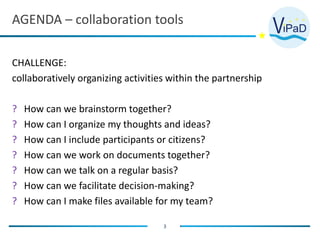
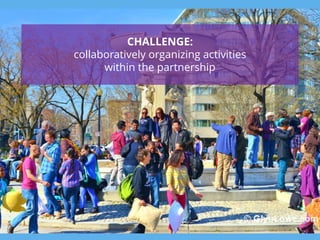
CHALLENGE:
collaboratively organizing activities within the partnership
? How can we brainstorm together?
? How can I organize my thoughts and ideas?
? How can I include participants or citizens?
? How can we work on documents together?
? How can we talk on a regular basis?
? How can we facilitate decision-making?
? How can I make files available for my team?
4
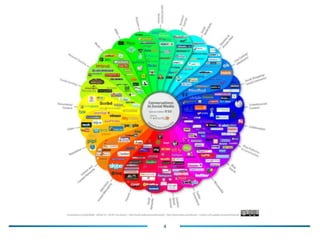
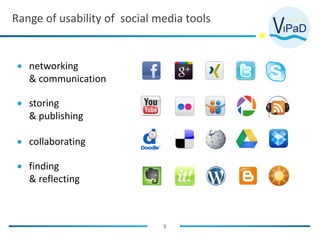
Range of usability of social media tools
5
 networking
& communication
 storing
& publishing
 collaborating
 finding
& reflecting
6
what social media tools are you currently using in
your city partnership?
7
CHALLENGE:
collaboratively organizing activities
within the partnership
1
8
I want to include all
partners and colleagues in
the process of thinking
about topics for new
activities, the agenda of a
new event, the seating
plan for a meeting, etc. ..
How can we
brainstorm
together?
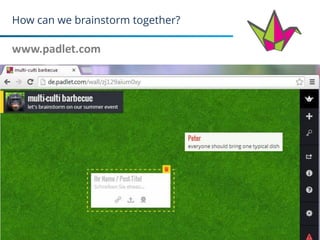
How can we brainstorm together?
www.padlet.com
9
How can we brainstorm together?
www.padlet.com
10
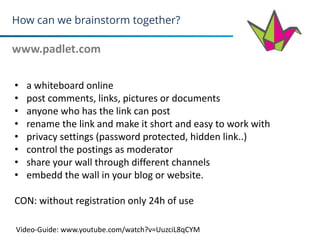
• a whiteboard online
• post comments, links, pictures or documents
• anyone who has the link can post
• rename the link and make it short and easy to work with
• privacy settings (password protected, hidden link..)
• control the postings as moderator
• share your wall through different channels
• embedd the wall in your blog or website.
CON: without registration only 24h of use
Video-Guide: www.youtube.com/watch?v=UuzciL8qCYM
How can we brainstorm together?
www.xmind.com
11
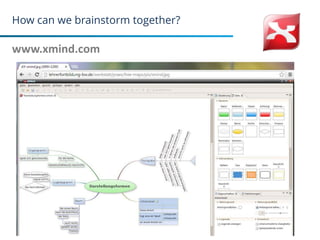
How can we brainstorm together?
www.xmind.com
12
• create mind maps to visualize information
• it supports mind maps, fishbone diagrams, tree diagrams…
• Xmind free only exports to image and text files
(Xmind plus, for example, exports to word, pdf, word, excel, etc.)
2
13
Sometimes I stumble
across ideas for future
activities.
But when it comes to
actually brainstorming on
new topics, these ideas are
gone.
How can I organize and
store my thoughts and
share them with others?
How can I organize my thoughts and ideas?
www.diigo.com
14
How can I organize my thoughts and ideas?
www.diigo.com
15
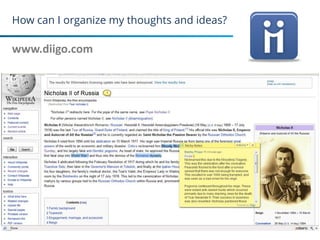
• your personal library of websites
• collect and organize links
• highlight important parts
• add comments through sticky notes
• keep your library private, or share it with a group
(within Diigo or a special link forwarded to someone else)
Video-Guide: www.youtube.com/watch?v=VHWapAF1Txw&feature=youtu.be
How can I organize my thoughts and ideas?
www.evernote.com
16
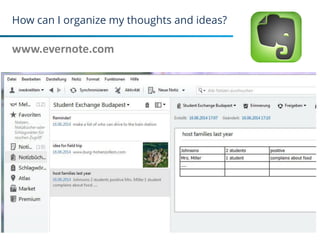
How can I organize my thoughts and ideas?
www.evernote.com
17
• your personal library of notes (websites, pictures, thoughts..)
• keep your library private, or share it with a group
(within evernote or a special link forwarded to someone else)
Video-Guide: http://evernote.com/intl/de/video/
3
18
it would be helpful to
collect feedback from
participants, in order to
integrate their needs, and
expectations, and to profit
from their ideas.
How can I include
participants or
citizens?
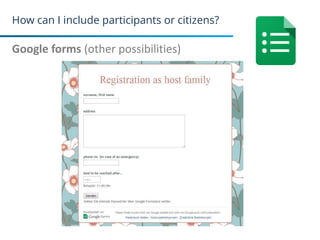
How can I include participants or citizens?
surveymonkey.com
19
Google forms
• create online surveys
• different question types available (multiple choice, texts, dates..)
• different survey design templates available
• graphic summary of results available
• send survey via link, email, on facebook, or as part of the website
• free basic version:
not all analysis features
10 questions per survey
• google account required
How can I include participants or citizens?
Google forms (other possibilities)
20
4
21
Different texts or documents
have to be created and agreed
on in the team
How can we work on
documents together?
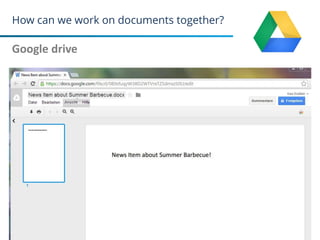
How can we work on documents together?
Google drive
22
How can we work on documents together?
Google drive
23
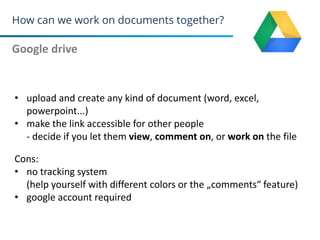
• upload and create any kind of document (word, excel,
powerpoint...)
• make the link accessible for other people
- decide if you let them view, comment on, or work on the file
Cons:
• no tracking system
(help yourself with different colors or the „comments“ feature)
• google account required
How can we work on documents together?
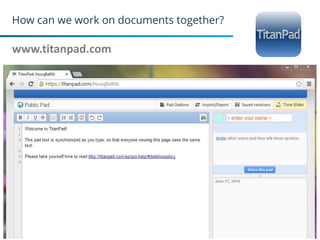
www.titanpad.com
24
How can we work on documents together?
www.titanpad.com
25
• working on documents simultaniously
• create a public space (without registration)
• create your private space,
• or create a team site in order to keep track of pads and share
them privately within your team
• Pads will be deleted after a certain period
(after two weeks, if there is no activity)
PROs:
• based on the open licence software of etherpad
• small Austrian company
5
26
In addition to our rare face-to-
face meetings and emails in
between, it would be helpful to
talk in person with the option
to include more than one
person in the conversation
How can we talk
on a regular basis?
How can we talk on a regular basis?
skype
27
google+ hangouts
• telephone calls or video conferences via internet
• chats with text only is also possible
• Skype: including landlines is possible but liable to costs
• Google+ hangouts: Screensharing, sharing documents etc is
possible
• tips for a reliable connection
- use of headsets
- no more than 5 participants
6
28
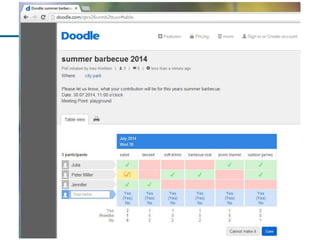
Decisions about when, how,
and where have to be made!
But we are often struggeling
to agree on dates for events
or meetings, on who brings
what, etc. ..
How can we facilitate
Decision-making?
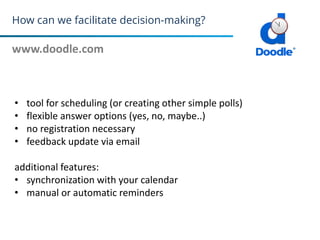
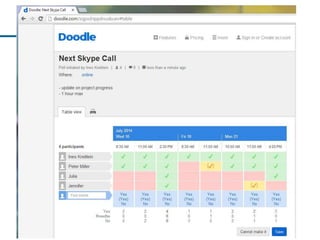
How can we facilitate decision-making?
www.doodle.com
29
• tool for scheduling (or creating other simple polls)
• flexible answer options (yes, no, maybe..)
• no registration necessary
• feedback update via email
additional features:
• synchronization with your calendar
• manual or automatic reminders
30
31
7
32
Pictures, documents,
presentations, etc. plans
of events need to be
shared within the team
and are a often a helpful
source for the
organization of future
events
How can I make
files available
for my team?
How can I make files available for my team?
www.dropbox.com
33
• you have to be registered
• any kind of files can be stored
• and accessed from your computer, smartphone, or tablet
• share files with your team (uninvited people have no access)
• people can read files, even if they are not registered
• Dropbox free: 2 GB store
• Dropbox pro: 100 GB store = 9,99$ /user/month
How can I make files available for my team?
Google drive
34
REMEMBER!
• experiment with tools and chose the ones that you find most
intuitive to use (between 2-3 tools)
• include your partners/colleagues in the process of integrating
new tools (explain its functions and decide on how you want
to use them)
• don‘t share any confidential data, documents or information
35
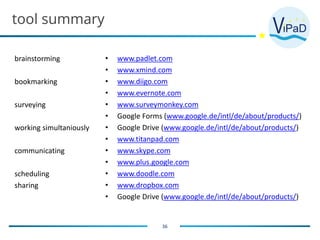
tool summary
brainstorming
bookmarking
surveying
working simultaniously
communicating
scheduling
sharing
36
• www.padlet.com
• www.xmind.com
• www.diigo.com
• www.evernote.com
• www.surveymonkey.com
• Google Forms (www.google.de/intl/de/about/products/)
• Google Drive (www.google.de/intl/de/about/products/)
• www.titanpad.com
• www.skype.com
• www.plus.google.com
• www.doodle.com
• www.dropbox.com
• Google Drive (www.google.de/intl/de/about/products/)
37
THANK YOU!
ENJOY COLLABORATING
QUESTIONS?
38
funded by:
project partner:
CONTACT
Ines Kreitlein
Project Manager Innovative
Further Education Projects
kreitlein@mfg.de
Phone: +49 0711 90715-346
Petra Newrly
Head of Project Team
Technology Enhanced Learning/
Digital Culture
newrly@mfg.de
Phone: +49 0711 90715-357
www.vipad2punkt0.blogspot.de

140625 vi pad webinar_collaboration tools

  • 1.
    funded by:associated partner:projectpartner: ViPaD-Webinar No.1 „collaboration tools“ 25.06.2014 / 16:00 Petra Newrly & Ines Kreitlein MFG Innovation Agency for ICT and Media, Stuttgart
  • 2.
    Virtual Partnerships betweenlocal authorities in the Danube region objectives: To strengthen and deepen existing partnerships between municipalities of Baden-Württemberg and the rest of the Danube Region by means of web 2.0 tools. Ideally, initiating new projects through the use of web 2.0. previous and ongoing measures: • Two trainings in Stuttgart and Ulm • Online-coaching • Webinars 2 FINAL EVENT: 13.11.2014 Hungarian Cultural Institute, Stuttgart www.vipad2punkt0.blogspot.de
  • 3.
    AGENDA – collaborationtools 3 CHALLENGE: collaboratively organizing activities within the partnership ? How can we brainstorm together? ? How can I organize my thoughts and ideas? ? How can I include participants or citizens? ? How can we work on documents together? ? How can we talk on a regular basis? ? How can we facilitate decision-making? ? How can I make files available for my team?
  • 4.
  • 5.
    Range of usabilityof social media tools 5  networking & communication  storing & publishing  collaborating  finding & reflecting
  • 6.
    6 what social mediatools are you currently using in your city partnership?
  • 7.
  • 8.
    1 8 I want toinclude all partners and colleagues in the process of thinking about topics for new activities, the agenda of a new event, the seating plan for a meeting, etc. .. How can we brainstorm together?
  • 9.
    How can webrainstorm together? www.padlet.com 9
  • 10.
    How can webrainstorm together? www.padlet.com 10 • a whiteboard online • post comments, links, pictures or documents • anyone who has the link can post • rename the link and make it short and easy to work with • privacy settings (password protected, hidden link..) • control the postings as moderator • share your wall through different channels • embedd the wall in your blog or website. CON: without registration only 24h of use Video-Guide: www.youtube.com/watch?v=UuzciL8qCYM
  • 11.
    How can webrainstorm together? www.xmind.com 11
  • 12.
    How can webrainstorm together? www.xmind.com 12 • create mind maps to visualize information • it supports mind maps, fishbone diagrams, tree diagrams… • Xmind free only exports to image and text files (Xmind plus, for example, exports to word, pdf, word, excel, etc.)
  • 13.
    2 13 Sometimes I stumble acrossideas for future activities. But when it comes to actually brainstorming on new topics, these ideas are gone. How can I organize and store my thoughts and share them with others?
  • 14.
    How can Iorganize my thoughts and ideas? www.diigo.com 14
  • 15.
    How can Iorganize my thoughts and ideas? www.diigo.com 15 • your personal library of websites • collect and organize links • highlight important parts • add comments through sticky notes • keep your library private, or share it with a group (within Diigo or a special link forwarded to someone else) Video-Guide: www.youtube.com/watch?v=VHWapAF1Txw&feature=youtu.be
  • 16.
    How can Iorganize my thoughts and ideas? www.evernote.com 16
  • 17.
    How can Iorganize my thoughts and ideas? www.evernote.com 17 • your personal library of notes (websites, pictures, thoughts..) • keep your library private, or share it with a group (within evernote or a special link forwarded to someone else) Video-Guide: http://evernote.com/intl/de/video/
  • 18.
    3 18 it would behelpful to collect feedback from participants, in order to integrate their needs, and expectations, and to profit from their ideas. How can I include participants or citizens?
  • 19.
    How can Iinclude participants or citizens? surveymonkey.com 19 Google forms • create online surveys • different question types available (multiple choice, texts, dates..) • different survey design templates available • graphic summary of results available • send survey via link, email, on facebook, or as part of the website • free basic version: not all analysis features 10 questions per survey • google account required
  • 20.
    How can Iinclude participants or citizens? Google forms (other possibilities) 20
  • 21.
    4 21 Different texts ordocuments have to be created and agreed on in the team How can we work on documents together?
  • 22.
    How can wework on documents together? Google drive 22
  • 23.
    How can wework on documents together? Google drive 23 • upload and create any kind of document (word, excel, powerpoint...) • make the link accessible for other people - decide if you let them view, comment on, or work on the file Cons: • no tracking system (help yourself with different colors or the „comments“ feature) • google account required
  • 24.
    How can wework on documents together? www.titanpad.com 24
  • 25.
    How can wework on documents together? www.titanpad.com 25 • working on documents simultaniously • create a public space (without registration) • create your private space, • or create a team site in order to keep track of pads and share them privately within your team • Pads will be deleted after a certain period (after two weeks, if there is no activity) PROs: • based on the open licence software of etherpad • small Austrian company
  • 26.
    5 26 In addition toour rare face-to- face meetings and emails in between, it would be helpful to talk in person with the option to include more than one person in the conversation How can we talk on a regular basis?
  • 27.
    How can wetalk on a regular basis? skype 27 google+ hangouts • telephone calls or video conferences via internet • chats with text only is also possible • Skype: including landlines is possible but liable to costs • Google+ hangouts: Screensharing, sharing documents etc is possible • tips for a reliable connection - use of headsets - no more than 5 participants
  • 28.
    6 28 Decisions about when,how, and where have to be made! But we are often struggeling to agree on dates for events or meetings, on who brings what, etc. .. How can we facilitate Decision-making?
  • 29.
    How can wefacilitate decision-making? www.doodle.com 29 • tool for scheduling (or creating other simple polls) • flexible answer options (yes, no, maybe..) • no registration necessary • feedback update via email additional features: • synchronization with your calendar • manual or automatic reminders
  • 30.
  • 31.
  • 32.
    7 32 Pictures, documents, presentations, etc.plans of events need to be shared within the team and are a often a helpful source for the organization of future events How can I make files available for my team?
  • 33.
    How can Imake files available for my team? www.dropbox.com 33 • you have to be registered • any kind of files can be stored • and accessed from your computer, smartphone, or tablet • share files with your team (uninvited people have no access) • people can read files, even if they are not registered • Dropbox free: 2 GB store • Dropbox pro: 100 GB store = 9,99$ /user/month
  • 34.
    How can Imake files available for my team? Google drive 34
  • 35.
    REMEMBER! • experiment withtools and chose the ones that you find most intuitive to use (between 2-3 tools) • include your partners/colleagues in the process of integrating new tools (explain its functions and decide on how you want to use them) • don‘t share any confidential data, documents or information 35
  • 36.
    tool summary brainstorming bookmarking surveying working simultaniously communicating scheduling sharing 36 •www.padlet.com • www.xmind.com • www.diigo.com • www.evernote.com • www.surveymonkey.com • Google Forms (www.google.de/intl/de/about/products/) • Google Drive (www.google.de/intl/de/about/products/) • www.titanpad.com • www.skype.com • www.plus.google.com • www.doodle.com • www.dropbox.com • Google Drive (www.google.de/intl/de/about/products/)
  • 37.
  • 38.
    38 funded by: project partner: CONTACT InesKreitlein Project Manager Innovative Further Education Projects kreitlein@mfg.de Phone: +49 0711 90715-346 Petra Newrly Head of Project Team Technology Enhanced Learning/ Digital Culture newrly@mfg.de Phone: +49 0711 90715-357 www.vipad2punkt0.blogspot.de