






10 Worst practices for
Intranets
Sam Marshall
sam@clearboxconsulting.co.uk
Twitter:
@sammarshall
www.clearboxconsulting.co.uk
www.clearboxconsulting.co.uk © ClearBox Consulting 2012
Sam Marshall
—  Director of ClearBox
Consulting
—  Former Global Intranet
Manager at Unilever
—  Associate benchmarking
lead for Intranet
Benchmarking Forum
Strategy, governance &
implementation:
• Intranets
• SharePoint
• Collaboration
• Digital Workplace
ClearBox Consulting
www.clearboxconsulting.co.uk © ClearBox Consulting 2012
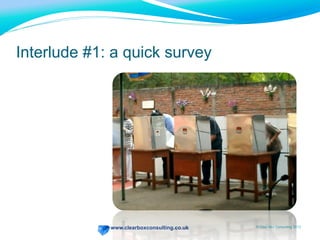
Interlude #1: a quick survey
www.clearboxconsulting.co.uk © ClearBox Consulting 2012
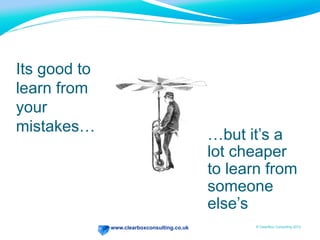
Its good to
learn from
your
mistakes…
…but it’s a
lot cheaper
to learn from
someone
else’s
www.clearboxconsulting.co.uk
10 Worst Practices
www.clearboxconsulting.co.uk © ClearBox Consulting 2012
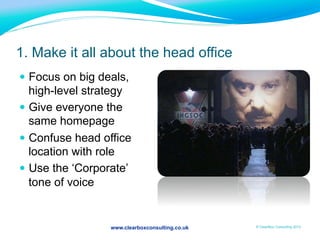
1. Make it all about the head office
—  Focus on big deals,
high-level strategy
—  Give everyone the
same homepage
—  Confuse head office
location with role
—  Use the ‘Corporate’
tone of voice
www.clearboxconsulting.co.uk
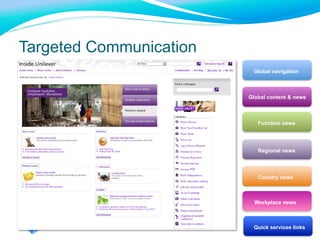
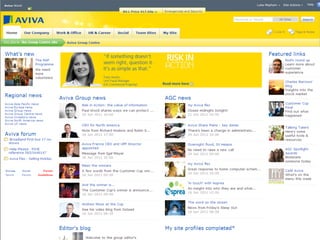
Targeted Communication
Global navigation
Function news
Regional news
Country news
Workplace news
Quick services links
Global content & news
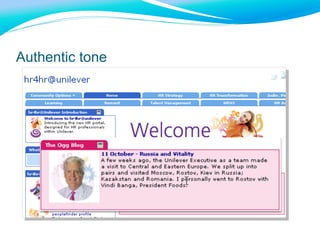
Authentic tone
www.clearboxconsulting.co.uk © ClearBox Consulting 2012
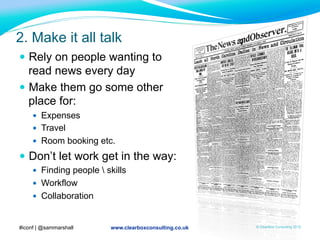
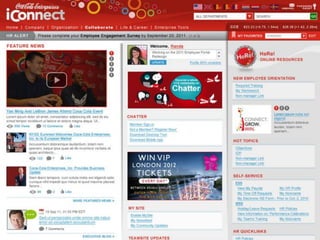
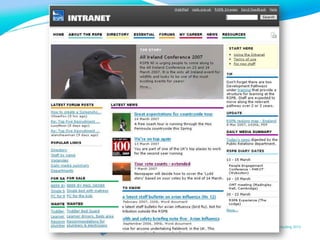
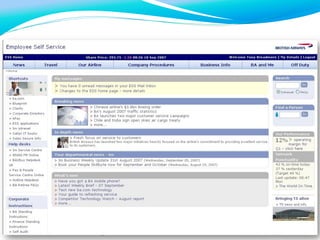
2. Make it all talk
—  Rely on people wanting to
read news every day
—  Make them go some other
place for:
—  Expenses
—  Travel
—  Room booking etc.
—  Don’t let work get in the way:
—  Finding people  skills
—  Workflow
—  Collaboration
#iconf | @sammarshall
www.clearboxconsulting.co.uk © ClearBox Consulting 2012
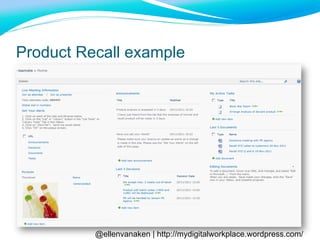
@ellenvanaken | http://mydigitalworkplace.wordpress.com/
Product Recall example
www.clearboxconsulting.co.uk © ClearBox Consulting 2012
3.
www.clearboxconsulting.co.uk © ClearBox Consulting 2012
3. Make it unreliable
— Unstable
— Slow
—  0.1s / 1.0s / 10s still applies
— Unreliable content
—  No creation  expiry dates
—  No owner
—  Which policy version?
www.clearboxconsulting.co.uk © ClearBox Consulting 2012
4. Hide all the good stuff
—  Structure content by
who provides it
—  Put a big “search all”
box on the main page
—  But only index a few sites
—  Keep the best bits on
your C: drive
—  Email the whole company if
a document ever changes
www.clearboxconsulting.co.uk © ClearBox Consulting 2012
Why finding stuff is hard…
—  Poorly structured sites & page layout
—  Poor search engine
—  Doesn’t search everything
—  Results badly presented
—  Search is much harder than on the Web
—  Fewer providers – more gaps
—  People don’t think about Search Engine Optimization
—  Content in documents, not web pages
www.clearboxconsulting.co.uk © ClearBox Consulting 2012
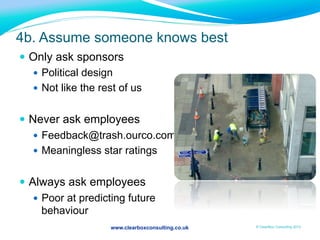
4b. Assume someone knows best
—  Only ask sponsors
—  Political design
—  Not like the rest of us
—  Never ask employees
—  Feedback@trash.ourco.com
—  Meaningless star ratings
—  Always ask employees
—  Poor at predicting future
behaviour
www.clearboxconsulting.co.uk © ClearBox Consulting 2012
Understanding needs
1.  Sponsors
—  Top-down priorities
2.  Employees
—  Bottom-up priorities - frustrations
—  Aesthetics
3.  Hard data
—  Usability testing
—  Analytics
—  Pilots
www.clearboxconsulting.co.uk © ClearBox Consulting 2012
Interlude #2: a quick quiz
www.clearboxconsulting.co.uk © ClearBox Consulting 2012
How social are you?
—  1 point for each account you have on Facebook / LinkedIn / Google+ / Pinterest
—  -1 point if you went “what’s Pinterest?” just then
—  2 points if you own your own blog on the web
—  2 points if you blog inside your organization
—  1 point if you commented on someone else’s blog or video post in the last 3
months
—  2 points if you’ve ever put a video on You Tube
—  1 point if you have ever used a wiki
—  1 bonus point if you can name a wiki that isn’t Wikipedia or WikiLeaks
—  1 point if you’ve done a tweet this week
—  1 bonus point if you used a #hashtag
—  1 bonus point if you’ve tweeted since the start of this presentation
—  2 points if you’ve used a location app to check in at this event
—  Add up your points!
www.clearboxconsulting.co.uk © ClearBox Consulting 2012
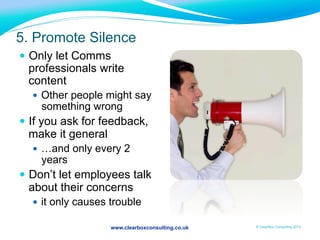
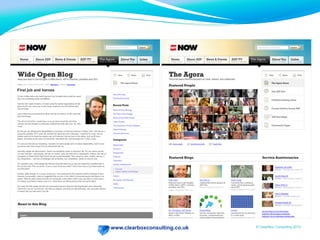
5. Promote Silence
—  Only let Comms
professionals write
content
—  Other people might say
something wrong
—  If you ask for feedback,
make it general
—  …and only every 2
years
—  Don’t let employees talk
about their concerns
—  it only causes trouble
www.clearboxconsulting.co.uk © ClearBox Consulting 2012
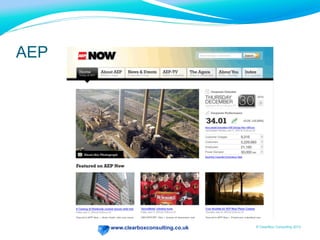
AEP
www.clearboxconsulting.co.uk © ClearBox Consulting 2012
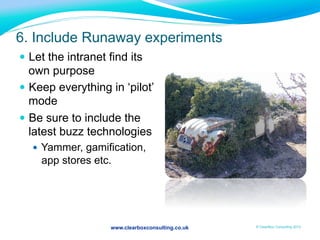
6. Include Runaway experiments
—  Let the intranet find its
own purpose
—  Keep everything in ‘pilot’
mode
—  Be sure to include the
latest buzz technologies
—  Yammer, gamification,
app stores etc.
www.clearboxconsulting.co.uk © ClearBox Consulting 2012
A good intranet strategy…
—  Sets out how the intranet supports the
organisation’s strategy
—  Is responsive to changes in business need
—  Has clear, time-bound milestones
—  Drives the technology choices, not the other way
round
www.clearboxconsulting.co.uk © ClearBox Consulting 2012
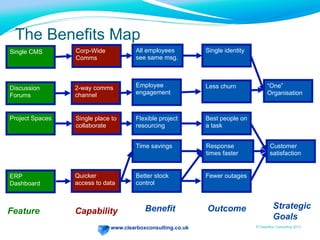
The Benefits Map
Capability Benefit Outcome Strategic
Goals
Feature
Customer
satisfaction
Corp-Wide
Comms
Single identity
“One”
Organisation
All employees
see same msg.
2-way comms
channel
Employee
engagement
Less churn
Time savings Response
times faster
Fewer outagesBetter stock
control
Discussion
Forums
Single CMS
ERP
Dashboard
Quicker
access to data
Single place to
collaborate
Flexible project
resourcing
Best people on
a task
Project Spaces
www.clearboxconsulting.co.uk © ClearBox Consulting 2012
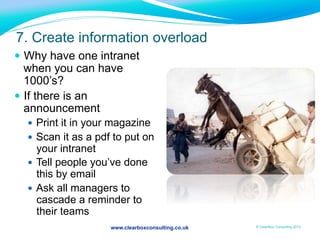
7. Create information overload
—  Why have one intranet
when you can have
1000’s?
—  If there is an
announcement
—  Print it in your magazine
—  Scan it as a pdf to put on
your intranet
—  Tell people you’ve done
this by email
—  Ask all managers to
cascade a reminder to
their teams
www.clearboxconsulting.co.uk © ClearBox Consulting 2012
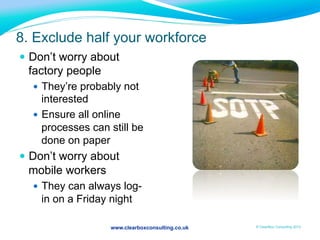
8. Exclude half your workforce
—  Don’t worry about
factory people
—  They’re probably not
interested
—  Ensure all online
processes can still be
done on paper
—  Don’t worry about
mobile workers
—  They can always log-
in on a Friday night
www.clearboxconsulting.co.uk © ClearBox Consulting 2012
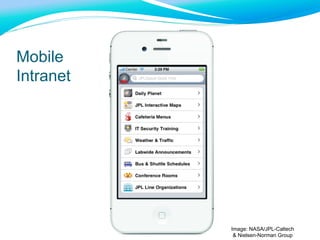
Image: NASA/JPL-Caltech
& Nielsen-Norman Group
Mobile
Intranet
www.clearboxconsulting.co.uk © ClearBox Consulting 2012
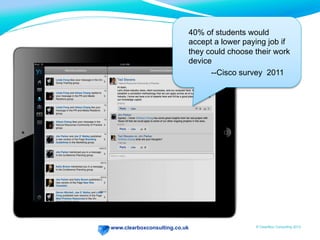
40% of students would
accept a lower paying job if
they could choose their work
device
--Cisco survey 2011
www.clearboxconsulting.co.uk © ClearBox Consulting 2012
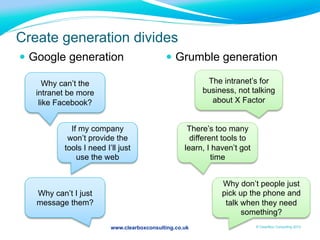
Create generation divides
—  Google generation —  Grumble generation
Why can’t the
intranet be more
like Facebook?
If my company
won’t provide the
tools I need I’ll just
use the web
Why can’t I just
message them?
The intranet’s for
business, not talking
about X Factor
There’s too many
different tools to
learn, I haven’t got
time
Why don’t people just
pick up the phone and
talk when they need
something?
www.clearboxconsulting.co.uk © ClearBox Consulting 2012
intranet team IT
9. Don’t plan the adoption part
www.clearboxconsulting.co.uk © ClearBox Consulting 2012
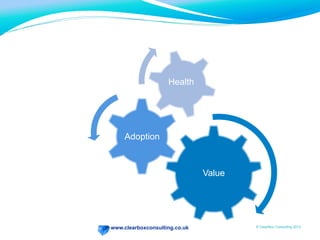
Adoption
Health
Value
Health
www.clearboxconsulting.co.uk © ClearBox Consulting 2012
What would get you to cross?
www.clearboxconsulting.co.uk © ClearBox Consulting 2012
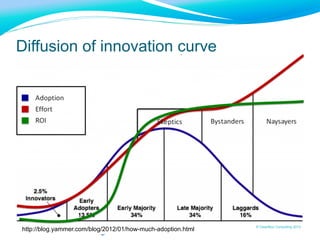
Diffusion of innovation curve
http://blog.yammer.com/blog/2012/01/how-much-adoption.html
www.clearboxconsulting.co.uk
and finally….
www.clearboxconsulting.co.uk © ClearBox Consulting 2012
10. Go for gizmo interfaces
—  Use bright colours to make
important things stand out
—  And bold
—  AND CAPS
—  AND FLASH animations
—  add ticker tapes
—  tagclouds
www.clearboxconsulting.co.uk © ClearBox Consulting 2012
If people miss things
—  Put it in the magazine…
—  Send an email….
—  Tell managers to cascade….
www.clearboxconsulting.co.uk
Thank You
Questions?
Sam Marshall
Director
sam@clearboxconsulting.co.uk
+44 1244 458746
@sammarshall on twitter
www.clearboxconsulting.co.uk
ClearBox Consulting
Talk to us about strategy, governance and implementation:
• Intranets
• SharePoint
• Collaboration
• Digital Workplace

10 Worst practices for intranets

  • 1.
    10 Worst practicesfor Intranets Sam Marshall sam@clearboxconsulting.co.uk Twitter: @sammarshall www.clearboxconsulting.co.uk
  • 2.
    www.clearboxconsulting.co.uk © ClearBoxConsulting 2012 Sam Marshall —  Director of ClearBox Consulting —  Former Global Intranet Manager at Unilever —  Associate benchmarking lead for Intranet Benchmarking Forum Strategy, governance & implementation: • Intranets • SharePoint • Collaboration • Digital Workplace ClearBox Consulting
  • 3.
    www.clearboxconsulting.co.uk © ClearBoxConsulting 2012 Interlude #1: a quick survey
  • 4.
    www.clearboxconsulting.co.uk © ClearBoxConsulting 2012 Its good to learn from your mistakes… …but it’s a lot cheaper to learn from someone else’s
  • 5.
  • 6.
    www.clearboxconsulting.co.uk © ClearBoxConsulting 2012 1. Make it all about the head office —  Focus on big deals, high-level strategy —  Give everyone the same homepage —  Confuse head office location with role —  Use the ‘Corporate’ tone of voice
  • 7.
    www.clearboxconsulting.co.uk Targeted Communication Global navigation Functionnews Regional news Country news Workplace news Quick services links Global content & news
  • 8.
  • 9.
    www.clearboxconsulting.co.uk © ClearBoxConsulting 2012 2. Make it all talk —  Rely on people wanting to read news every day —  Make them go some other place for: —  Expenses —  Travel —  Room booking etc. —  Don’t let work get in the way: —  Finding people skills —  Workflow —  Collaboration #iconf | @sammarshall
  • 10.
  • 11.
  • 12.
  • 13.
    www.clearboxconsulting.co.uk © ClearBoxConsulting 2012 @ellenvanaken | http://mydigitalworkplace.wordpress.com/ Product Recall example
  • 14.
  • 15.
    www.clearboxconsulting.co.uk © ClearBoxConsulting 2012 3. Make it unreliable — Unstable — Slow —  0.1s / 1.0s / 10s still applies — Unreliable content —  No creation expiry dates —  No owner —  Which policy version?
  • 16.
    www.clearboxconsulting.co.uk © ClearBoxConsulting 2012 4. Hide all the good stuff —  Structure content by who provides it —  Put a big “search all” box on the main page —  But only index a few sites —  Keep the best bits on your C: drive —  Email the whole company if a document ever changes
  • 17.
    www.clearboxconsulting.co.uk © ClearBoxConsulting 2012 Why finding stuff is hard… —  Poorly structured sites & page layout —  Poor search engine —  Doesn’t search everything —  Results badly presented —  Search is much harder than on the Web —  Fewer providers – more gaps —  People don’t think about Search Engine Optimization —  Content in documents, not web pages
  • 18.
    www.clearboxconsulting.co.uk © ClearBoxConsulting 2012 4b. Assume someone knows best —  Only ask sponsors —  Political design —  Not like the rest of us —  Never ask employees —  Feedback@trash.ourco.com —  Meaningless star ratings —  Always ask employees —  Poor at predicting future behaviour
  • 19.
    www.clearboxconsulting.co.uk © ClearBoxConsulting 2012 Understanding needs 1.  Sponsors —  Top-down priorities 2.  Employees —  Bottom-up priorities - frustrations —  Aesthetics 3.  Hard data —  Usability testing —  Analytics —  Pilots
  • 20.
    www.clearboxconsulting.co.uk © ClearBoxConsulting 2012 Interlude #2: a quick quiz
  • 21.
    www.clearboxconsulting.co.uk © ClearBoxConsulting 2012 How social are you? —  1 point for each account you have on Facebook / LinkedIn / Google+ / Pinterest —  -1 point if you went “what’s Pinterest?” just then —  2 points if you own your own blog on the web —  2 points if you blog inside your organization —  1 point if you commented on someone else’s blog or video post in the last 3 months —  2 points if you’ve ever put a video on You Tube —  1 point if you have ever used a wiki —  1 bonus point if you can name a wiki that isn’t Wikipedia or WikiLeaks —  1 point if you’ve done a tweet this week —  1 bonus point if you used a #hashtag —  1 bonus point if you’ve tweeted since the start of this presentation —  2 points if you’ve used a location app to check in at this event —  Add up your points!
  • 22.
    www.clearboxconsulting.co.uk © ClearBoxConsulting 2012 5. Promote Silence —  Only let Comms professionals write content —  Other people might say something wrong —  If you ask for feedback, make it general —  …and only every 2 years —  Don’t let employees talk about their concerns —  it only causes trouble
  • 23.
  • 24.
  • 25.
  • 26.
    www.clearboxconsulting.co.uk © ClearBoxConsulting 2012 6. Include Runaway experiments —  Let the intranet find its own purpose —  Keep everything in ‘pilot’ mode —  Be sure to include the latest buzz technologies —  Yammer, gamification, app stores etc.
  • 27.
    www.clearboxconsulting.co.uk © ClearBoxConsulting 2012 A good intranet strategy… —  Sets out how the intranet supports the organisation’s strategy —  Is responsive to changes in business need —  Has clear, time-bound milestones —  Drives the technology choices, not the other way round
  • 28.
    www.clearboxconsulting.co.uk © ClearBoxConsulting 2012 The Benefits Map Capability Benefit Outcome Strategic Goals Feature Customer satisfaction Corp-Wide Comms Single identity “One” Organisation All employees see same msg. 2-way comms channel Employee engagement Less churn Time savings Response times faster Fewer outagesBetter stock control Discussion Forums Single CMS ERP Dashboard Quicker access to data Single place to collaborate Flexible project resourcing Best people on a task Project Spaces
  • 29.
    www.clearboxconsulting.co.uk © ClearBoxConsulting 2012 7. Create information overload —  Why have one intranet when you can have 1000’s? —  If there is an announcement —  Print it in your magazine —  Scan it as a pdf to put on your intranet —  Tell people you’ve done this by email —  Ask all managers to cascade a reminder to their teams
  • 30.
    www.clearboxconsulting.co.uk © ClearBoxConsulting 2012 8. Exclude half your workforce —  Don’t worry about factory people —  They’re probably not interested —  Ensure all online processes can still be done on paper —  Don’t worry about mobile workers —  They can always log- in on a Friday night
  • 31.
    www.clearboxconsulting.co.uk © ClearBoxConsulting 2012 Image: NASA/JPL-Caltech & Nielsen-Norman Group Mobile Intranet
  • 32.
    www.clearboxconsulting.co.uk © ClearBoxConsulting 2012 40% of students would accept a lower paying job if they could choose their work device --Cisco survey 2011
  • 33.
  • 34.
    www.clearboxconsulting.co.uk © ClearBoxConsulting 2012 Create generation divides —  Google generation —  Grumble generation Why can’t the intranet be more like Facebook? If my company won’t provide the tools I need I’ll just use the web Why can’t I just message them? The intranet’s for business, not talking about X Factor There’s too many different tools to learn, I haven’t got time Why don’t people just pick up the phone and talk when they need something?
  • 35.
    www.clearboxconsulting.co.uk © ClearBoxConsulting 2012 intranet team IT 9. Don’t plan the adoption part
  • 36.
    www.clearboxconsulting.co.uk © ClearBoxConsulting 2012 Adoption Health Value Health
  • 37.
    www.clearboxconsulting.co.uk © ClearBoxConsulting 2012 What would get you to cross?
  • 38.
    www.clearboxconsulting.co.uk © ClearBoxConsulting 2012 Diffusion of innovation curve http://blog.yammer.com/blog/2012/01/how-much-adoption.html
  • 39.
  • 40.
    www.clearboxconsulting.co.uk © ClearBoxConsulting 2012 10. Go for gizmo interfaces —  Use bright colours to make important things stand out —  And bold —  AND CAPS —  AND FLASH animations —  add ticker tapes —  tagclouds
  • 41.
    www.clearboxconsulting.co.uk © ClearBoxConsulting 2012 If people miss things —  Put it in the magazine… —  Send an email…. —  Tell managers to cascade….
  • 42.
  • 43.
    Sam Marshall Director sam@clearboxconsulting.co.uk +44 1244458746 @sammarshall on twitter www.clearboxconsulting.co.uk ClearBox Consulting Talk to us about strategy, governance and implementation: • Intranets • SharePoint • Collaboration • Digital Workplace