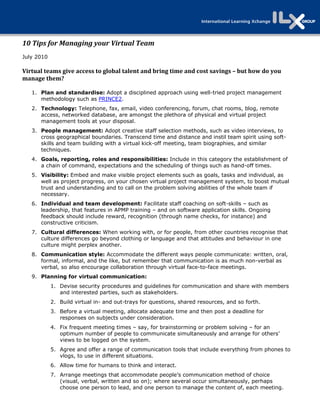

10 Tips for Managing your Virtual Team 
July 2010

Virtual teams give access to global talent and bring time and cost savings – but how do you 
manage them? 

   1. Plan and standardise: Adopt a disciplined approach using well-tried project management
      methodology such as PRINCE2.
   2. Technology: Telephone, fax, email, video conferencing, forum, chat rooms, blog, remote
      access, networked database, are amongst the plethora of physical and virtual project
      management tools at your disposal.
   3. People management: Adopt creative staff selection methods, such as video interviews, to
      cross geographical boundaries. Transcend time and distance and instil team spirit using soft-
      skills and team building with a virtual kick-off meeting, team biographies, and similar
      techniques.
   4. Goals, reporting, roles and responsibilities: Include in this category the establishment of
      a chain of command, expectations and the scheduling of things such as hand-off times.
   5. Visibility: Embed and make visible project elements such as goals, tasks and individual, as
      well as project progress, on your chosen virtual project management system, to boost mutual
      trust and understanding and to call on the problem solving abilities of the whole team if
      necessary.
   6. Individual and team development: Facilitate staff coaching on soft-skills – such as
      leadership, that features in APMP training – and on software application skills. Ongoing
      feedback should include reward, recognition (through name checks, for instance) and
      constructive criticism.
   7. Cultural differences: When working with, or for people, from other countries recognise that
      culture differences go beyond clothing or language and that attitudes and behaviour in one
      culture might perplex another.
   8. Communication style: Accommodate the different ways people communicate: written, oral,
      formal, informal, and the like, but remember that communication is as much non-verbal as
      verbal, so also encourage collaboration through virtual face-to-face meetings.
   9. Planning for virtual communication:
            1. Devise security procedures and guidelines for communication and share with members
               and interested parties, such as stakeholders.
            2. Build virtual in- and out-trays for questions, shared resources, and so forth.
            3. Before a virtual meeting, allocate adequate time and then post a deadline for
               responses on subjects under consideration.
            4. Fix frequent meeting times – say, for brainstorming or problem solving – for an
               optimum number of people to communicate simultaneously and arrange for others’
               views to be logged on the system.
            5. Agree and offer a range of communication tools that include everything from phones to
               vlogs, to use in different situations.
            6. Allow time for humans to think and interact.
            7. Arrange meetings that accommodate people’s communication method of choice
               (visual, verbal, written and so on); where several occur simultaneously, perhaps
               choose one person to lead, and one person to manage the content of, each meeting.
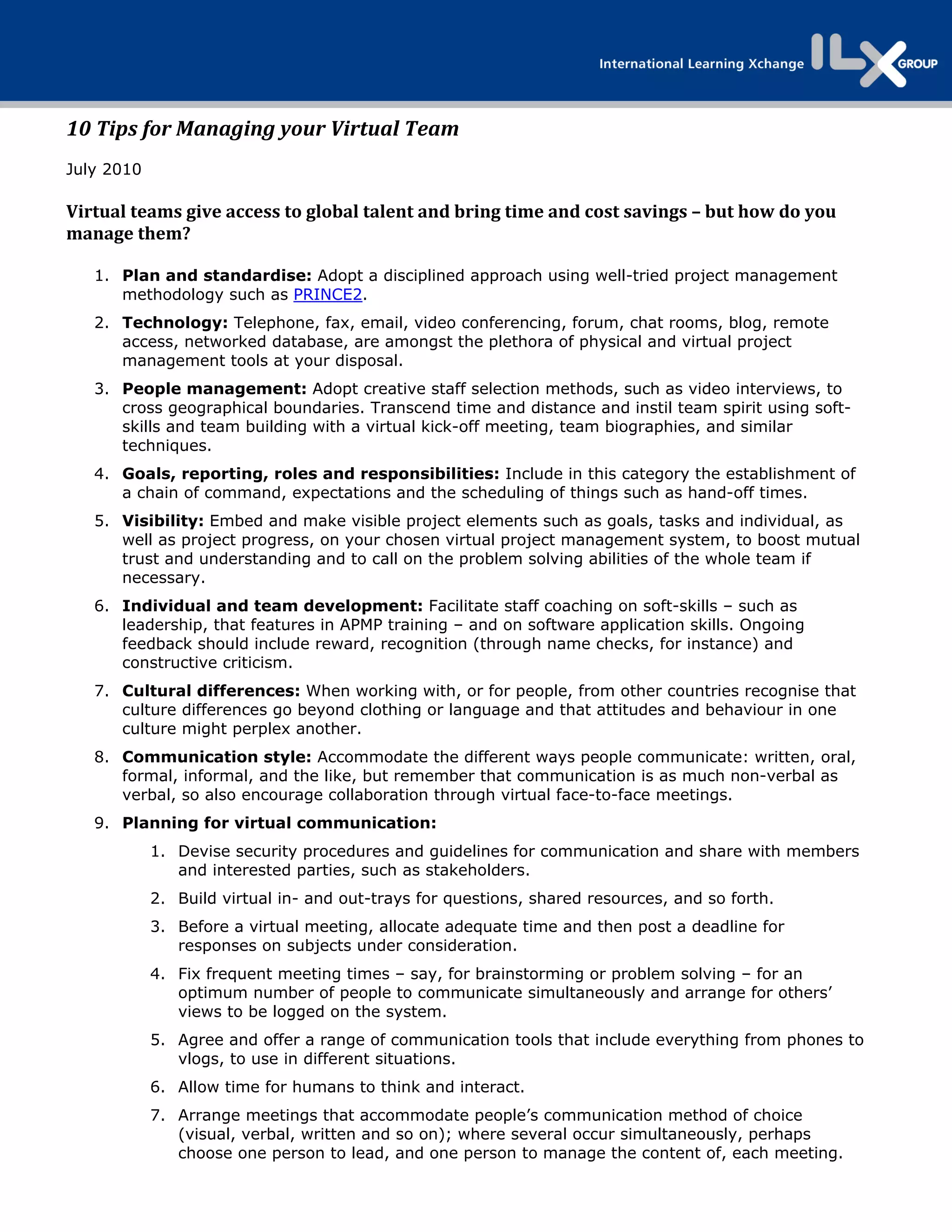
8. Recognize the advantages and disadvantages of synchronous and asynchronous
             communication in terms of technology and the attending humans.
    2. Desired deliverables of communication software: These include the ability to manage
       the project, facilitate vlogs, forums, blogs, and techniques that allow private communication.


NB: For an uplifting example of virtual team management click on this Eric Whiteacre.


10 tips-manage-virtual-team

  • 1.
    10 Tips for Managing your Virtual Team  July 2010 Virtual teams give access to global talent and bring time and cost savings – but how do you  manage them?  1. Plan and standardise: Adopt a disciplined approach using well-tried project management methodology such as PRINCE2. 2. Technology: Telephone, fax, email, video conferencing, forum, chat rooms, blog, remote access, networked database, are amongst the plethora of physical and virtual project management tools at your disposal. 3. People management: Adopt creative staff selection methods, such as video interviews, to cross geographical boundaries. Transcend time and distance and instil team spirit using soft- skills and team building with a virtual kick-off meeting, team biographies, and similar techniques. 4. Goals, reporting, roles and responsibilities: Include in this category the establishment of a chain of command, expectations and the scheduling of things such as hand-off times. 5. Visibility: Embed and make visible project elements such as goals, tasks and individual, as well as project progress, on your chosen virtual project management system, to boost mutual trust and understanding and to call on the problem solving abilities of the whole team if necessary. 6. Individual and team development: Facilitate staff coaching on soft-skills – such as leadership, that features in APMP training – and on software application skills. Ongoing feedback should include reward, recognition (through name checks, for instance) and constructive criticism. 7. Cultural differences: When working with, or for people, from other countries recognise that culture differences go beyond clothing or language and that attitudes and behaviour in one culture might perplex another. 8. Communication style: Accommodate the different ways people communicate: written, oral, formal, informal, and the like, but remember that communication is as much non-verbal as verbal, so also encourage collaboration through virtual face-to-face meetings. 9. Planning for virtual communication: 1. Devise security procedures and guidelines for communication and share with members and interested parties, such as stakeholders. 2. Build virtual in- and out-trays for questions, shared resources, and so forth. 3. Before a virtual meeting, allocate adequate time and then post a deadline for responses on subjects under consideration. 4. Fix frequent meeting times – say, for brainstorming or problem solving – for an optimum number of people to communicate simultaneously and arrange for others’ views to be logged on the system. 5. Agree and offer a range of communication tools that include everything from phones to vlogs, to use in different situations. 6. Allow time for humans to think and interact. 7. Arrange meetings that accommodate people’s communication method of choice (visual, verbal, written and so on); where several occur simultaneously, perhaps choose one person to lead, and one person to manage the content of, each meeting.
  • 2.
    8. Recognize theadvantages and disadvantages of synchronous and asynchronous communication in terms of technology and the attending humans. 2. Desired deliverables of communication software: These include the ability to manage the project, facilitate vlogs, forums, blogs, and techniques that allow private communication. NB: For an uplifting example of virtual team management click on this Eric Whiteacre.