How to understand the
concept of 1:1pedagogy
and its benefits?
INSET
2015
John Abbot
What is pedagogy?
Workshop:
• Access iLearn
• Enter the room
Pedagogy of
Tablets INSET
2015
• Click on the link
linoit.com to
contribute
collaboratively.
• Time 15 mins
What is pedagogy?
• Creating an educational process that will lead to
knowledge transfer to a new learner
• A process that helps the learner to take a task he
is given and learn it successfully
• It is not about uploading videos, inserting links or
assigning assessments.
What is this process?
Pedagogy
• starts from the content
• how the content is presented
• connects with the tools you need to present that
content
• how all the tools are used together to create a
cognitive learning process
• at the end there may be an evaluation
(assessment) to make sure the learning process was
successful
Why 1:1?
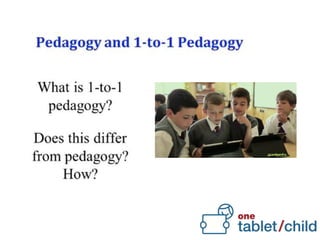
1:1 teaching and learning
• provides opportunities and possibilities that were
previously not possible
• information is at the pupils’ immediate reach
• pupils can take a more active role in their learning
• Teacher’s role is more crucial – guiding his pupils’ learning
• ‘flipped classroom’ environment
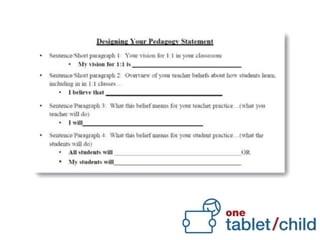
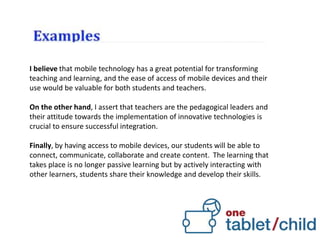
I believe that mobile technology has a great potential for transforming
teaching and learning, and the ease of access of mobile devices and their
use would be valuable for both students and teachers.
On the other hand, I assert that teachers are the pedagogical leaders and
their attitude towards the implementation of innovative technologies is
crucial to ensure successful integration.
Finally, by having access to mobile devices, our students will be able to
connect, communicate, collaborate and create content. The learning that
takes place is no longer passive learning but by actively interacting with
other learners, students share their knowledge and develop their skills.
I believe that as tablets are becoming part of students’ daily lives in and
out of school, then we as educators must nurture this resource and
develop its educational potential. I envision tablets as altering the
classroom dynamics, enabling other forms of teaching and learning.
Accordingly it is the most appropriate tool to engage with the content and
the curriculum. Students become motivated and learn to collaborate with
others in their learning. It will also help provide insights into the individual
learning process, through formative feedback in real time for both teacher
and students themselves.
Students will use tablet technology to develop critical thinking and be
active participants in the knowledge construction of their own learning
experiences bringing about a transformative education.
If a child can’t
learn the way
we teach,
maybe we
should teach
the way they
learn.
Ignacio Estrada

1 1 pedagogy (educ venue)

  • 1.
    How to understandthe concept of 1:1pedagogy and its benefits? INSET 2015
  • 2.
  • 3.
    What is pedagogy? Workshop: •Access iLearn • Enter the room Pedagogy of Tablets INSET 2015 • Click on the link linoit.com to contribute collaboratively. • Time 15 mins
  • 4.
    What is pedagogy? •Creating an educational process that will lead to knowledge transfer to a new learner • A process that helps the learner to take a task he is given and learn it successfully • It is not about uploading videos, inserting links or assigning assessments.
  • 5.
    What is thisprocess? Pedagogy • starts from the content • how the content is presented • connects with the tools you need to present that content • how all the tools are used together to create a cognitive learning process • at the end there may be an evaluation (assessment) to make sure the learning process was successful
  • 9.
    Why 1:1? 1:1 teachingand learning • provides opportunities and possibilities that were previously not possible • information is at the pupils’ immediate reach • pupils can take a more active role in their learning • Teacher’s role is more crucial – guiding his pupils’ learning • ‘flipped classroom’ environment
  • 12.
    I believe thatmobile technology has a great potential for transforming teaching and learning, and the ease of access of mobile devices and their use would be valuable for both students and teachers. On the other hand, I assert that teachers are the pedagogical leaders and their attitude towards the implementation of innovative technologies is crucial to ensure successful integration. Finally, by having access to mobile devices, our students will be able to connect, communicate, collaborate and create content. The learning that takes place is no longer passive learning but by actively interacting with other learners, students share their knowledge and develop their skills.
  • 13.
    I believe thatas tablets are becoming part of students’ daily lives in and out of school, then we as educators must nurture this resource and develop its educational potential. I envision tablets as altering the classroom dynamics, enabling other forms of teaching and learning. Accordingly it is the most appropriate tool to engage with the content and the curriculum. Students become motivated and learn to collaborate with others in their learning. It will also help provide insights into the individual learning process, through formative feedback in real time for both teacher and students themselves. Students will use tablet technology to develop critical thinking and be active participants in the knowledge construction of their own learning experiences bringing about a transformative education.
  • 15.
    If a childcan’t learn the way we teach, maybe we should teach the way they learn. Ignacio Estrada

Editor's Notes

  • #4 Start off by telling the audience that we are departing from what we know and are confident in and hopefully by the end of this INSET you will start to reshape our pedagogy to fit 21st century skills that children need in their future world. Stress that we are doing this for the children who are our future society and we are responsible for it. Titan Pad: User: ilearn email (I used my iLearn account) Password: inset2015 (I used this password so I will be able to share it with my colleagues) Url: inset2015smartcity (I suggest you put the name of your centre) How to use Titan Pad: Access the following URL : https://titanpad.com/ Click on Sign In and choose: create an account instantly In the field : Your team site will live at: give the link a name, I suggest that the link is named inset2015smartcity so that every centre is identified. Fill in the details where you have the Administrator Account : in this case use the iLearn account email and click Create team site now. You will receive an email with a link to continue the registration. At one point you have to create a password, do not use the same iLearn password just in case you need to share the password with your colleagues. Make sure the account is public. Now share the link in iLearn so that the teachers can access it to collaborate. NB When the workshop is finished, copy and paste all the responses in Wordle. It is important that you open Wordle with IE because Chrome has Java issues with Wordle.  SEE NEXT SLIDE