ia Systems
520251: Multimed


            Êส‹‹Çว¹น»ปÃรÐะ¡กÍอºบÁมÑัÅลµตÔิÁมÕีàเ´ดÕีÂย
                                   [ÇวÔิ´ดÕีâโÍอ]
                              3 ¡กÑั¹นÂยÒาÂย¹น 2555
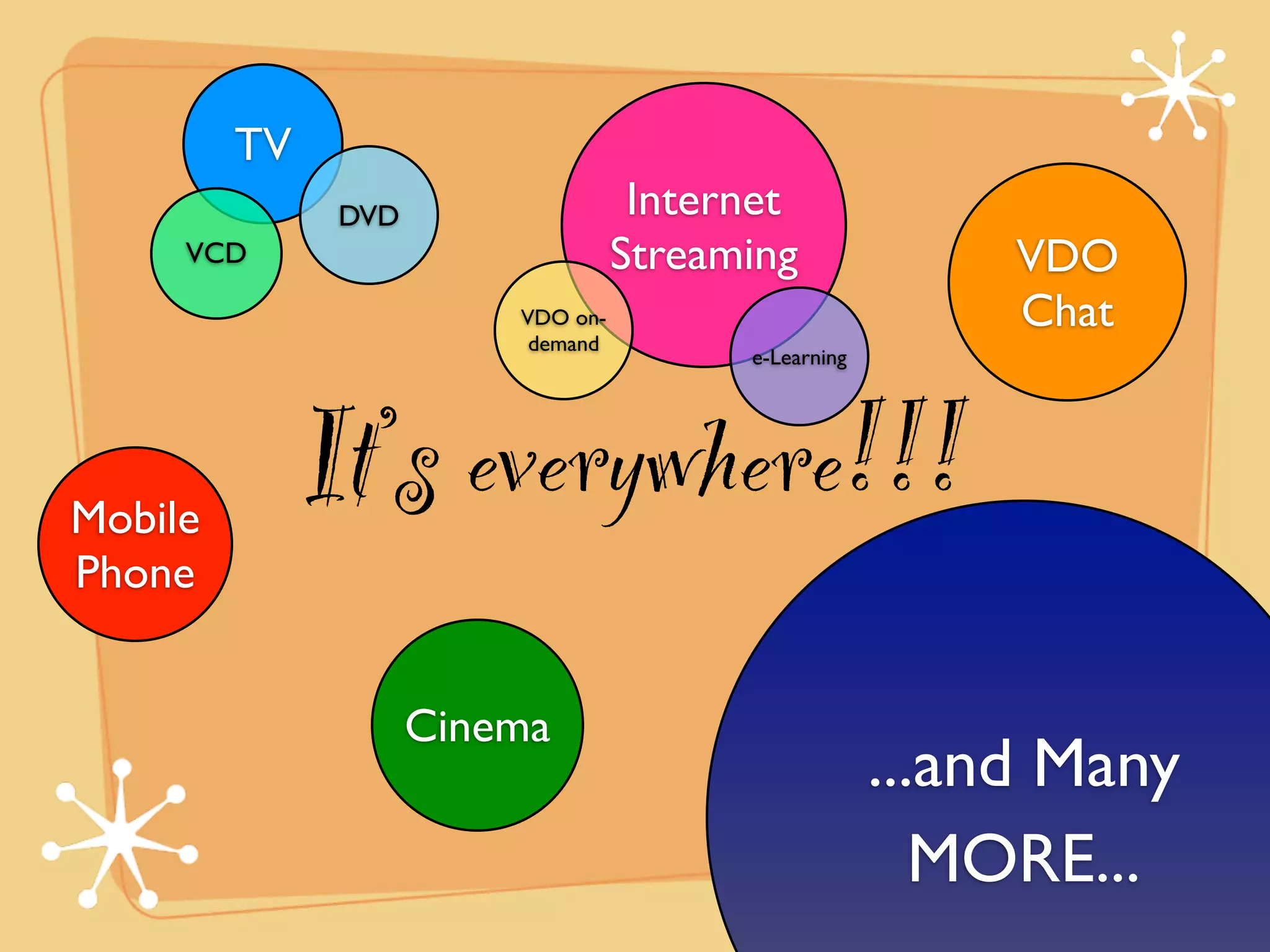
TV
               DVD                  Internet
     VCD                           Streaming               VDO
                         VDO on-                           Chat
                          demand
                                         e-Learning


Mobile
              It’s everywhere!!!
Phone


                     Cinema
                                                      ...and Many
                                                         MORE...
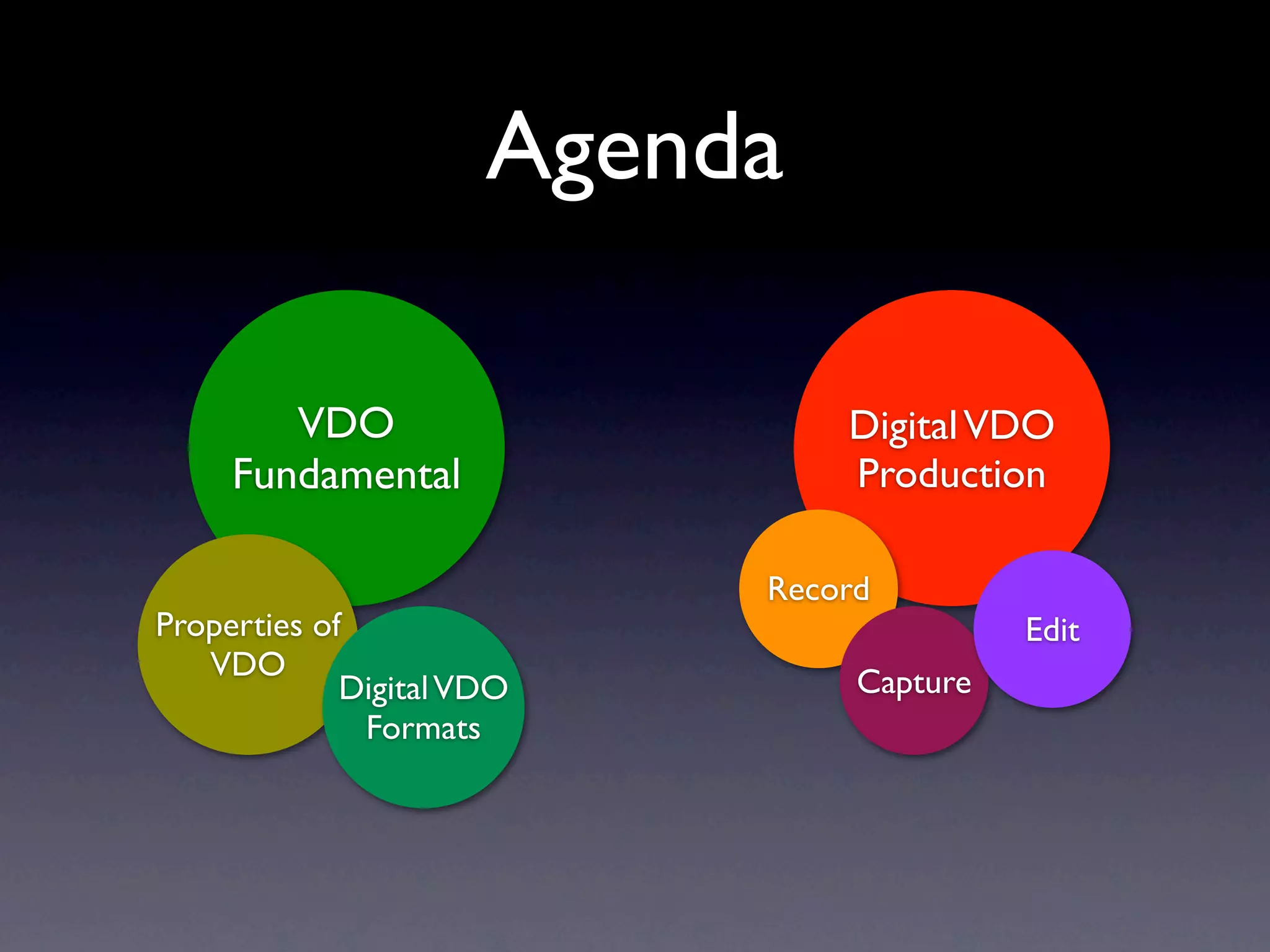
Agenda

        VDO                    Digital VDO
     Fundamental               Production

                           Record
Properties of                             Edit
   VDO
             Digital VDO        Capture
              Formats
Properties of VDO
Analog VDO

• Motion VDO was originally created and
 stored in analog form.
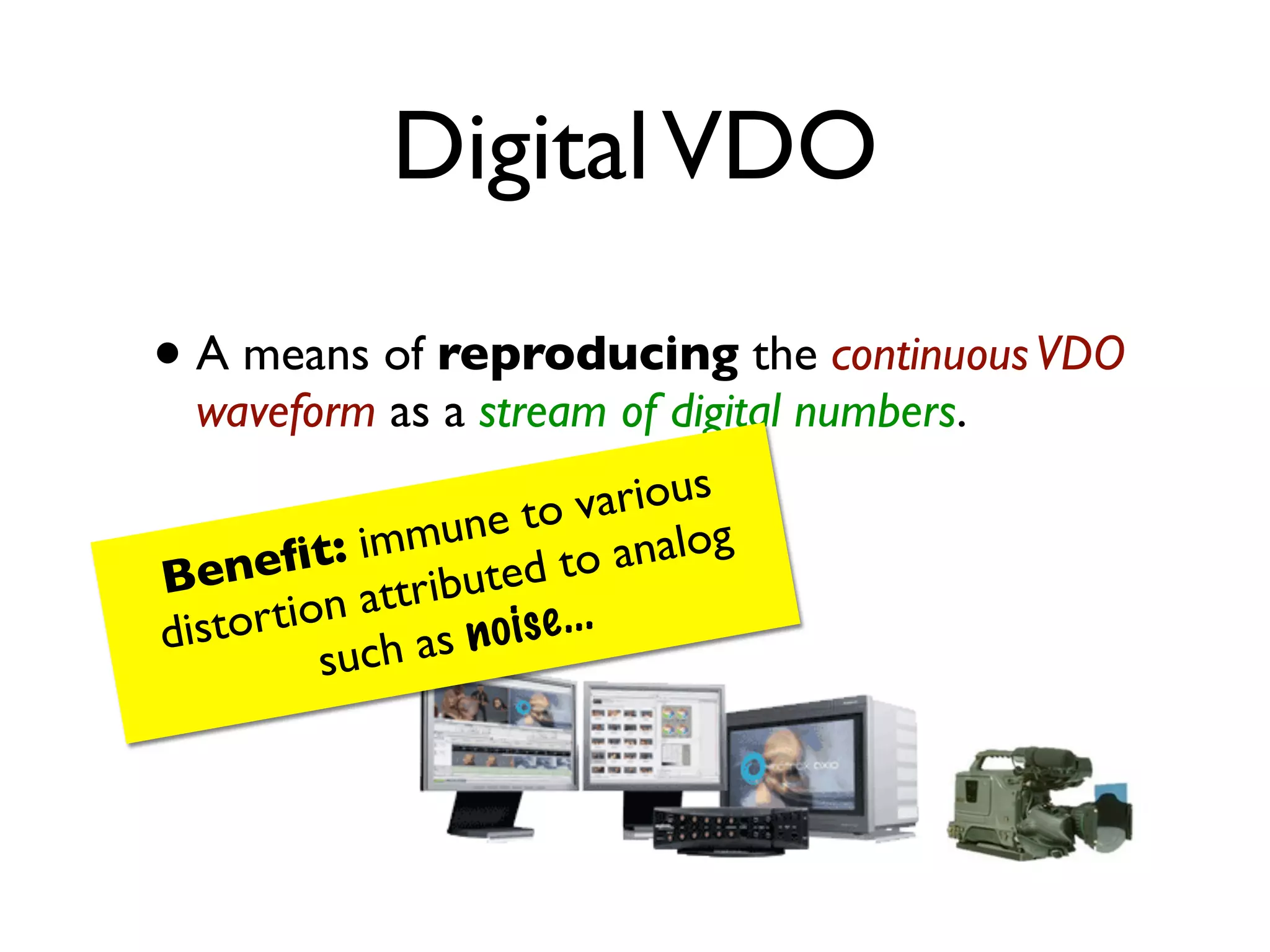
Digital VDO

• A means of reproducing the continuous VDO
  waveform as a stream of digital numbers.

                         to va  rious
           t: im mune           analog
B  enefi ttributed to
di stor tion a          ise ...
           such  as n o
open wiki to


              Interlacing                    embrace the
                                             explanation!!


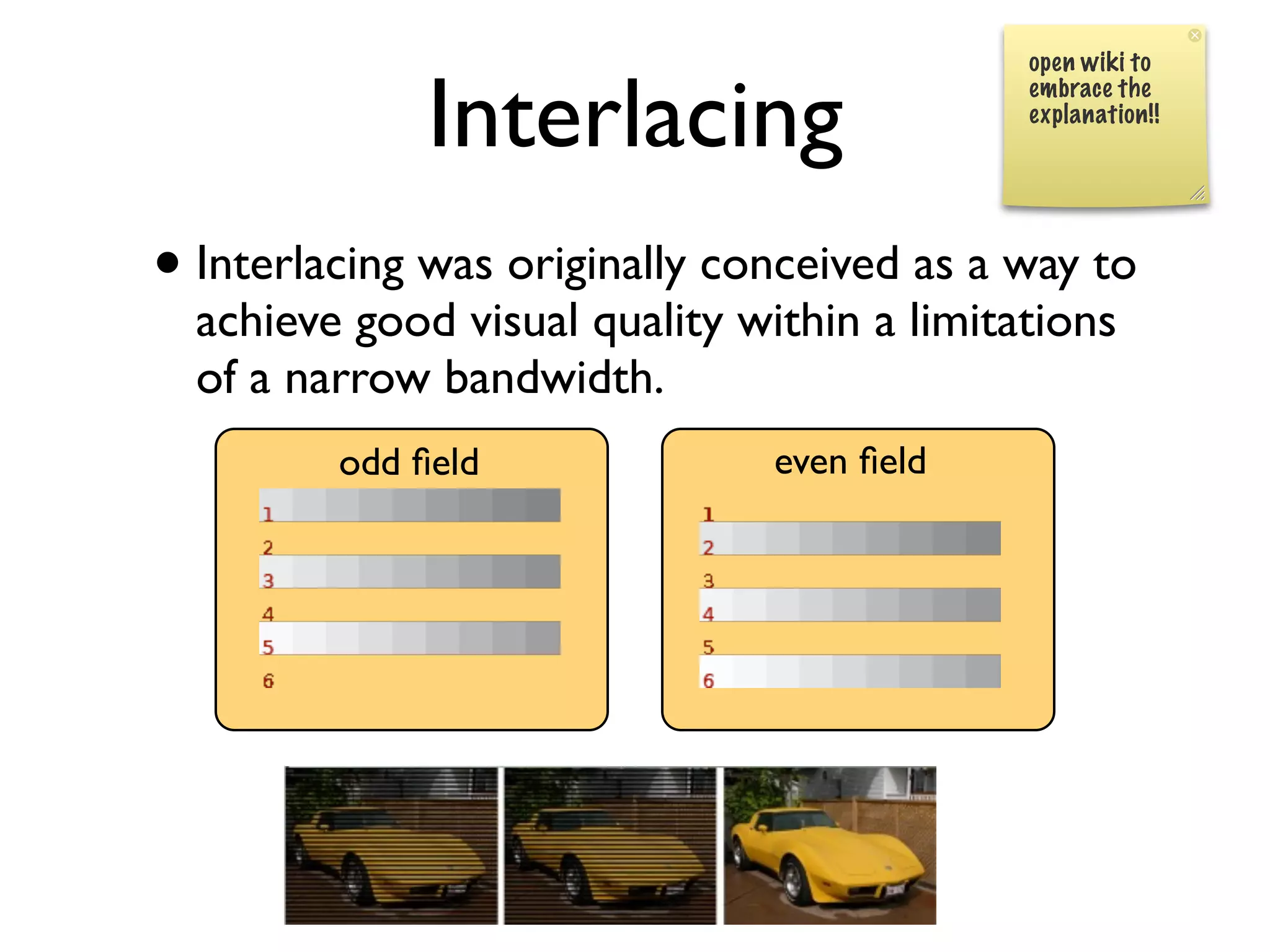
• Interlacing was originally conceived as a way to
  achieve good visual quality within a limitations
  of a narrow bandwidth.
         odd field               even field
Progressive Scanning
       (non-interlaced scanning)
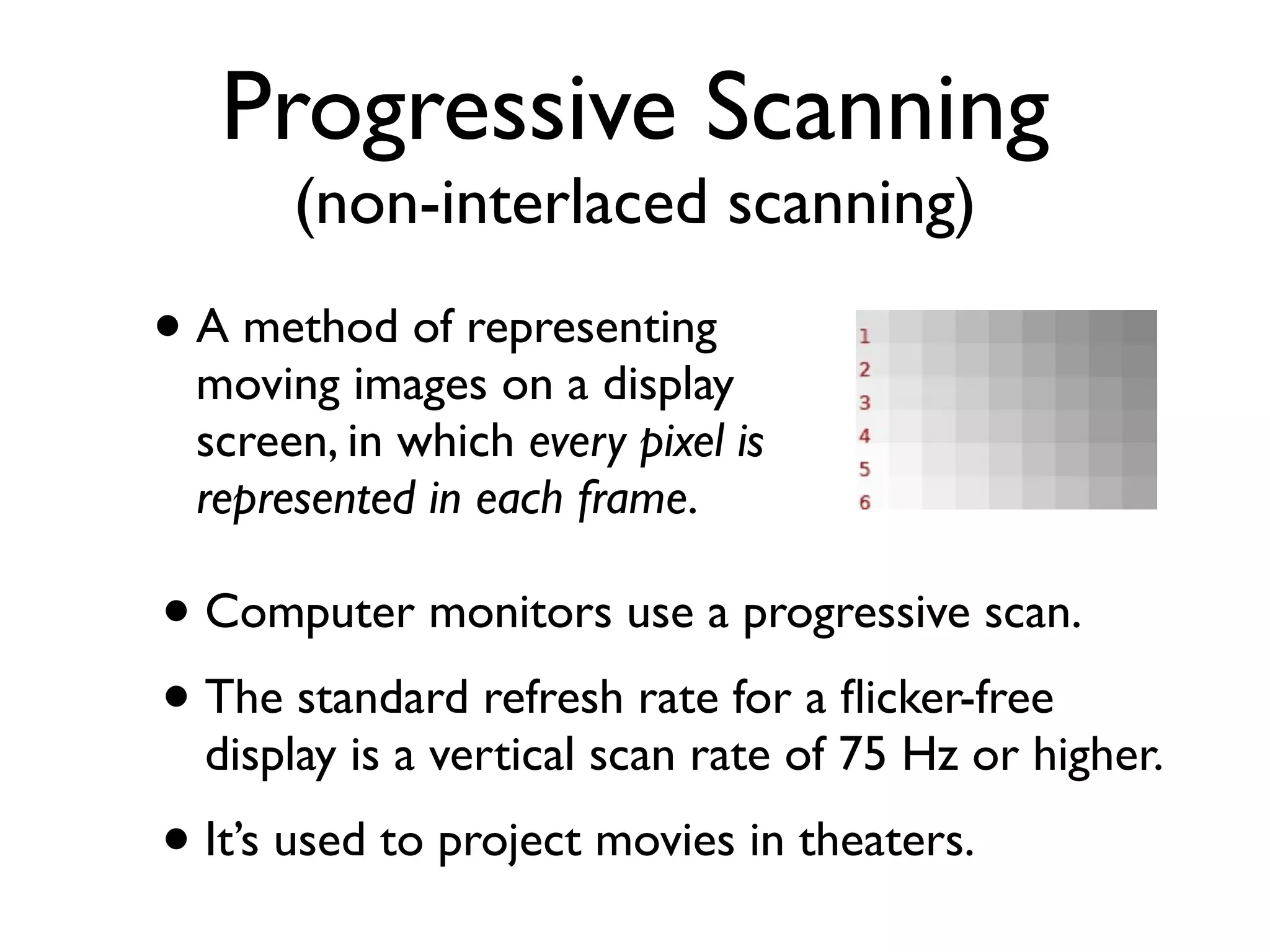
• A method of representing
  moving images on a display
  screen, in which every pixel is
  represented in each frame.

• Computer monitors use a progressive scan.
• The standard refresh rate for a flicker-free
  display is a vertical scan rate of 75 Hz or higher.
• It’s used to project movies in theaters.
Note
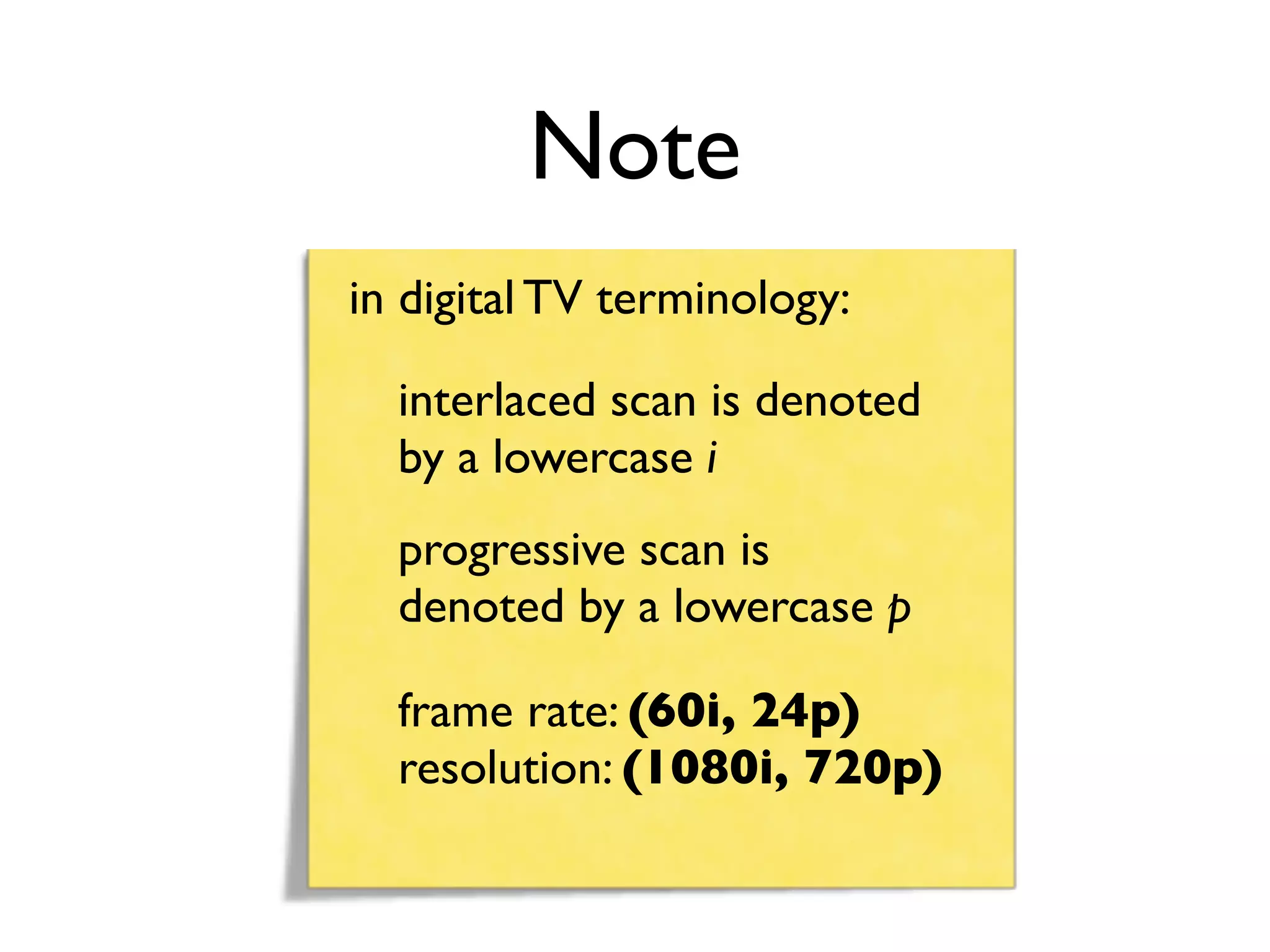
in digital TV terminology:

  interlaced scan is denoted
  by a lowercase i
  progressive scan is
  denoted by a lowercase p

  frame rate: (60i, 24p)
  resolution: (1080i, 720p)
Frame Rate
• Frame frequency is a measure of how quickly
  an image device can produce unique
  consecutive images called frames.
  (expressed in frames per second - fps)

• Typically, the human eye can interpret motion at
  10 fps, but this rate causes a flicker effect that’s
  distract.

• Increasing the frame rate reduces flickering.
Frame Rate
• Movies - 14 fps
• Television:
 • NTSC - 29.97 fps
 • HDTV - 60 fps
• VDO games (frame rate is very important):
 • action-oriented games - 20-30 fps
 • 3D-heavy games - 90-100 fps
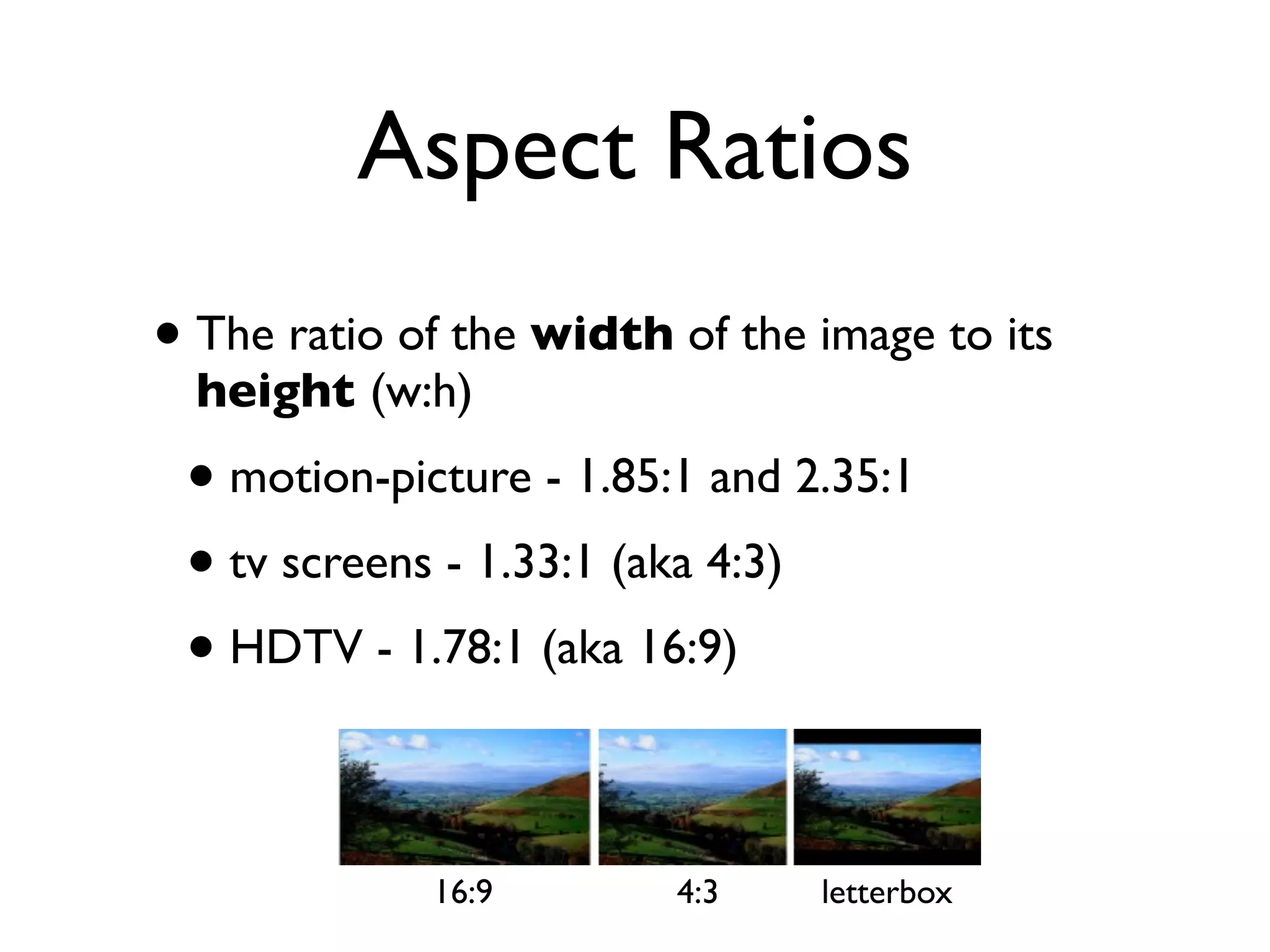
Aspect Ratios
• The ratio of the width of the image to its
  height (w:h)
 • motion-picture - 1.85:1 and 2.35:1
 • tv screens - 1.33:1 (aka 4:3)
 • HDTV - 1.78:1 (aka 16:9)

             16:9        4:3    letterbox
Compression
• VDO is huge - one sec of analog VDO stored
  in an uncompressed digital format takes up 1
  MB of disk space
 • thus, 5-min VDO ~ 300 MB
 • not practical
• VDO compression is a MUST
 • VDO contains many spatial and temporal
   redundancies
 • Codecs are needed for creating and viewing
VDO Compression

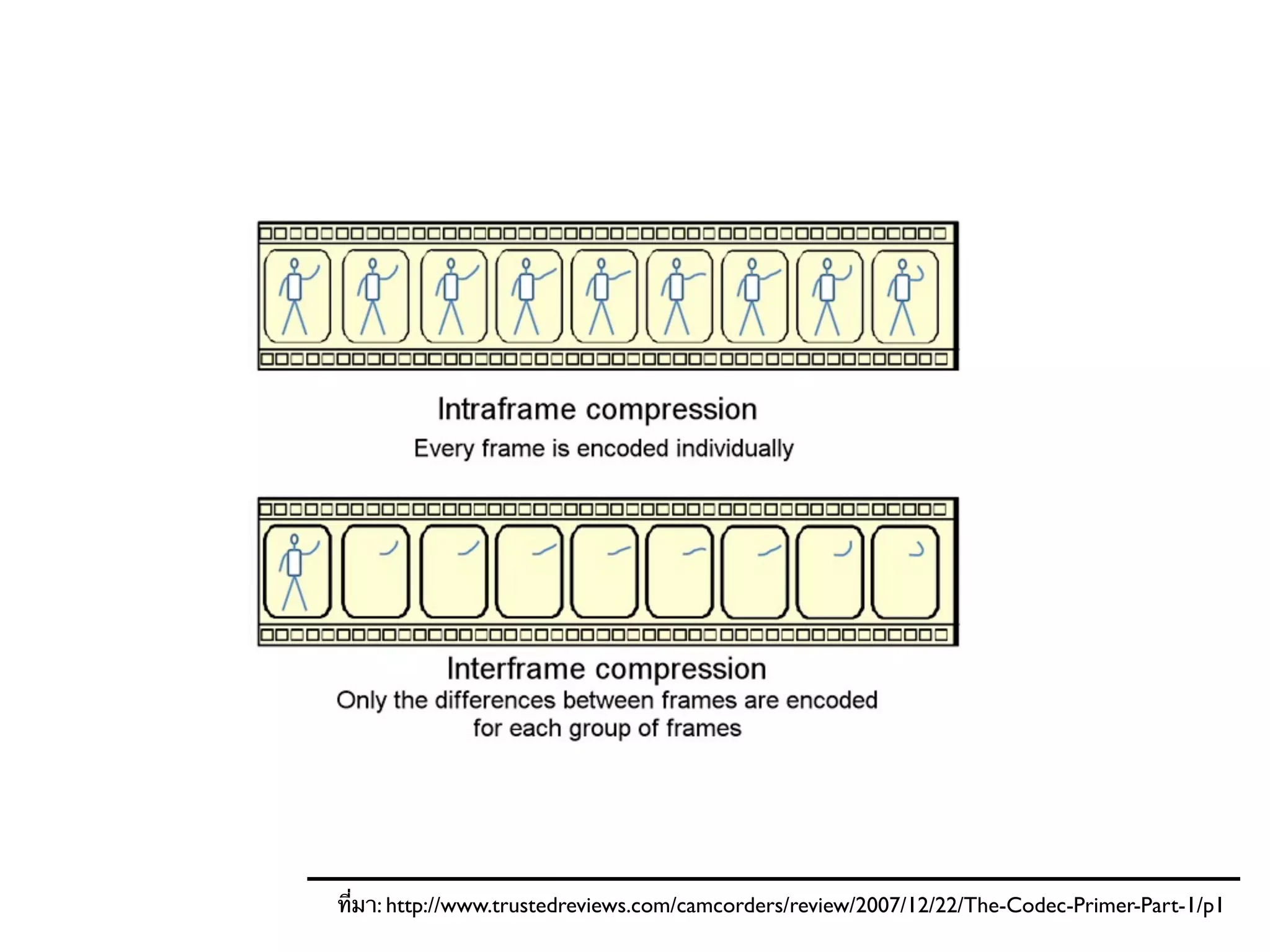
• Spatial compression (intra-frame)
• Temporal compression (inter-frame)
• Video compression is a tradeoff between disk
  space, video quality, and the cost of hardware
  required to decompress the video in a
  reasonable time.
Spatial Compression


• Just image compression applied to a sequence
  of images.
Temporal Compression


• Make key frames, say every 6 frames and do the
  spatial compression on these frames.
• Between key frames, each one of them will be
  replaced by a difference frame.
ที่มา: http://www.trustedreviews.com/camcorders/review/2007/12/22/The-Codec-Primer-Part-1/p1
Digital VDO File Formats
AVI


• Most common AV data on Windows
• Can be saved in a variety of compression
  schemes - full frames (uncompressed), Radius’s
  Cinepak, Intel Video, and Indeo.
MOV

• Quicktime Movie was developed by Apple
  Computer
• MPEG-4
• Qt 7 (and later) use H.264
MPG

• The compressed VDO file format for standard
  DVD using the MPEG-2 encoding standard
• A large file can be transferred to MPEG with
  little loss of quality while dropping the bit rate
  a great deal
• The MPEG group develops the standards for
 encoding VDO and audio

• MPEG standards:
 • MPEG-1: used as VCD standard (MP3 is the
   popular compression)

 • MPEG-2: use in many things such as DVD,
   digital satellite TV and so on

 • MPEG-4: support 3D content, low bit-rate
   encoding, support for Digital Right
   Management
Others
• WMV
 • a part of Windows Media framework
 • used for streaming VDO over the internet
 • uses MPEG-4 standard
• RM
 • a multimedia container with RealVideo and
   RealAudio codecs in a single file
 • is used to stream AV over the internet
VDO Production
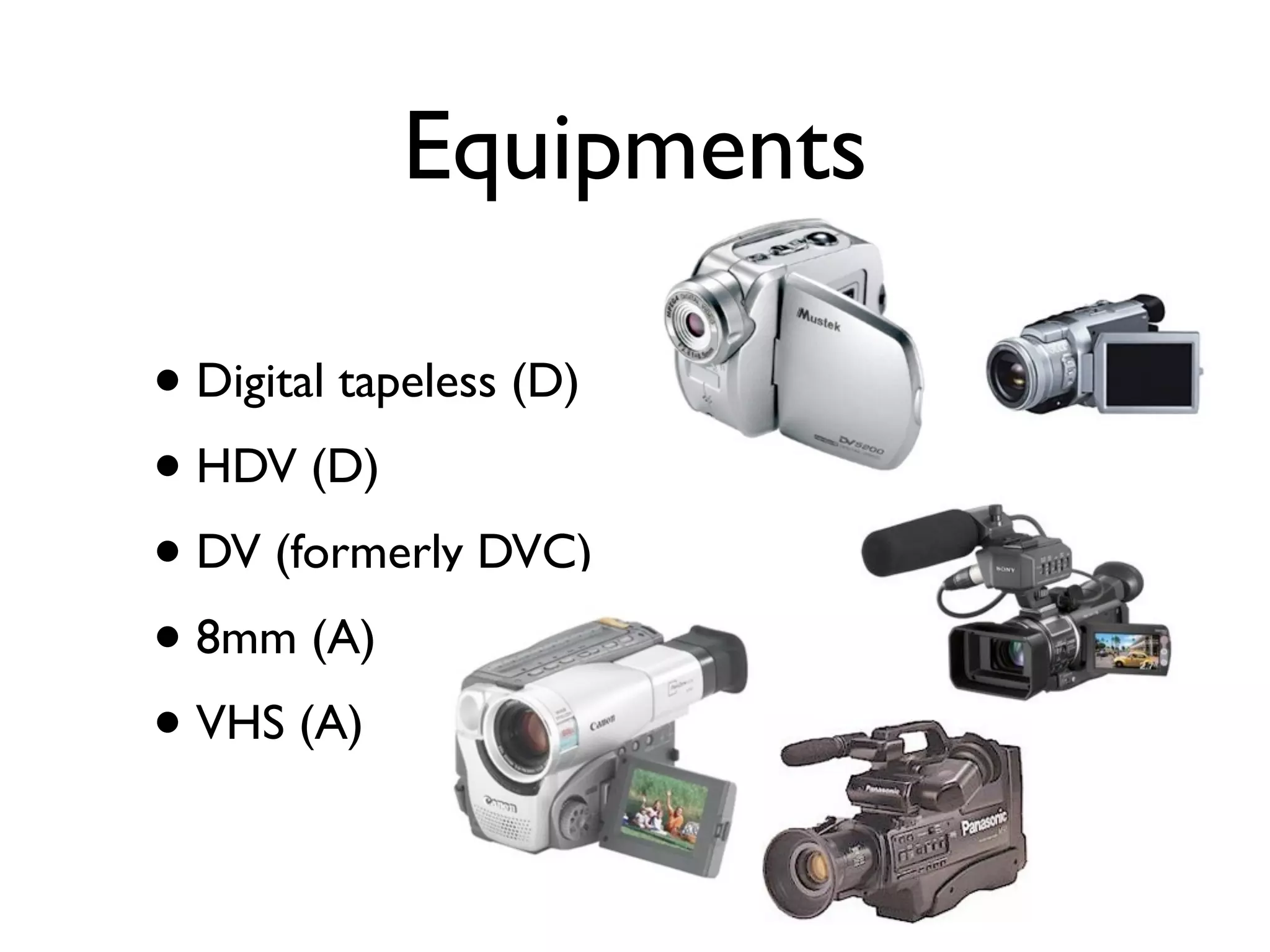
Equipments

• Digital tapeless (D)
• HDV (D)
• DV (formerly DVC)
• 8mm (A)
• VHS (A)
Connecting Recorder to
     Computer
Analog Camcorder
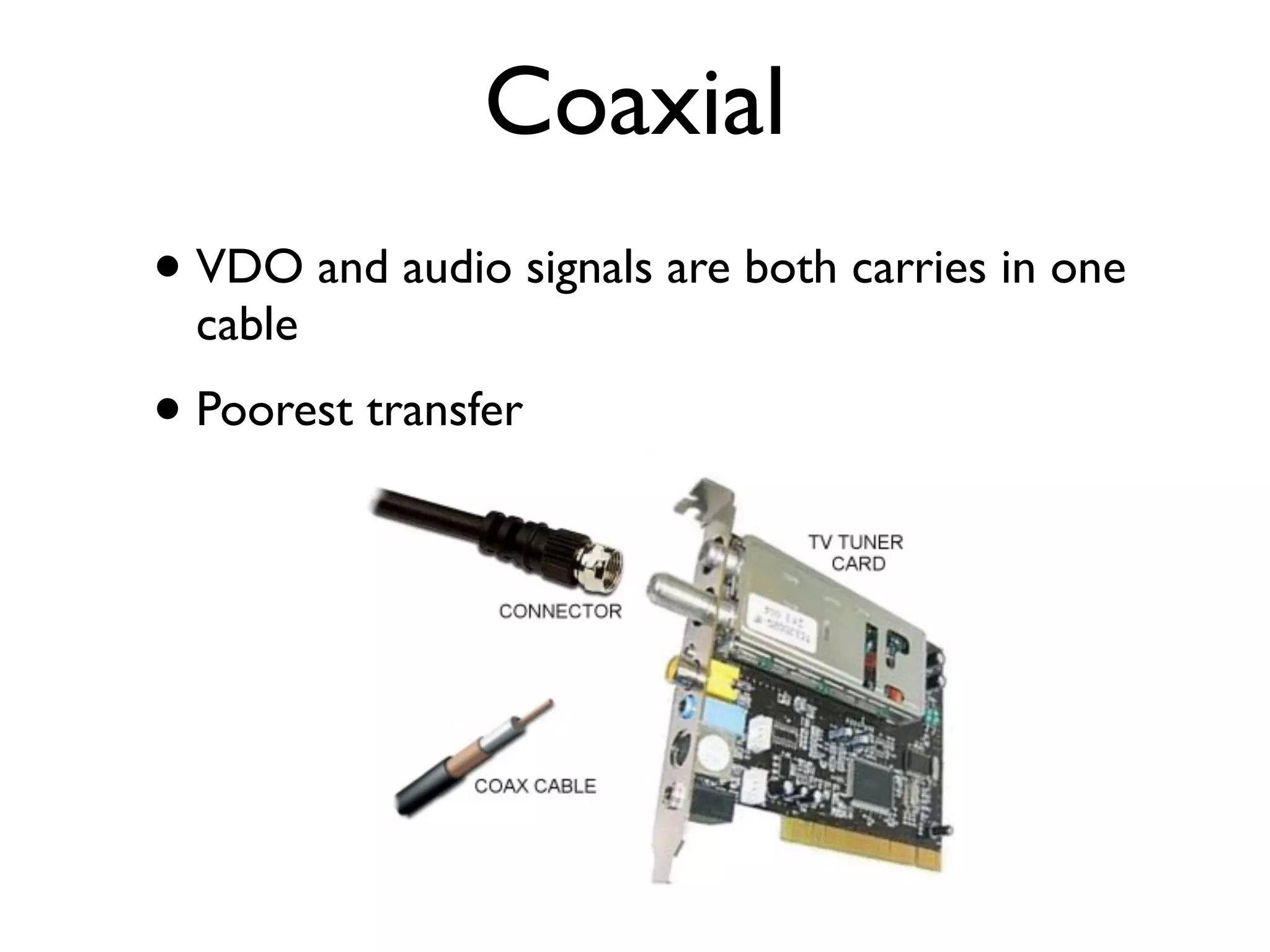
Coaxial
• VDO and audio signals are both carries in one
  cable
• Poorest transfer
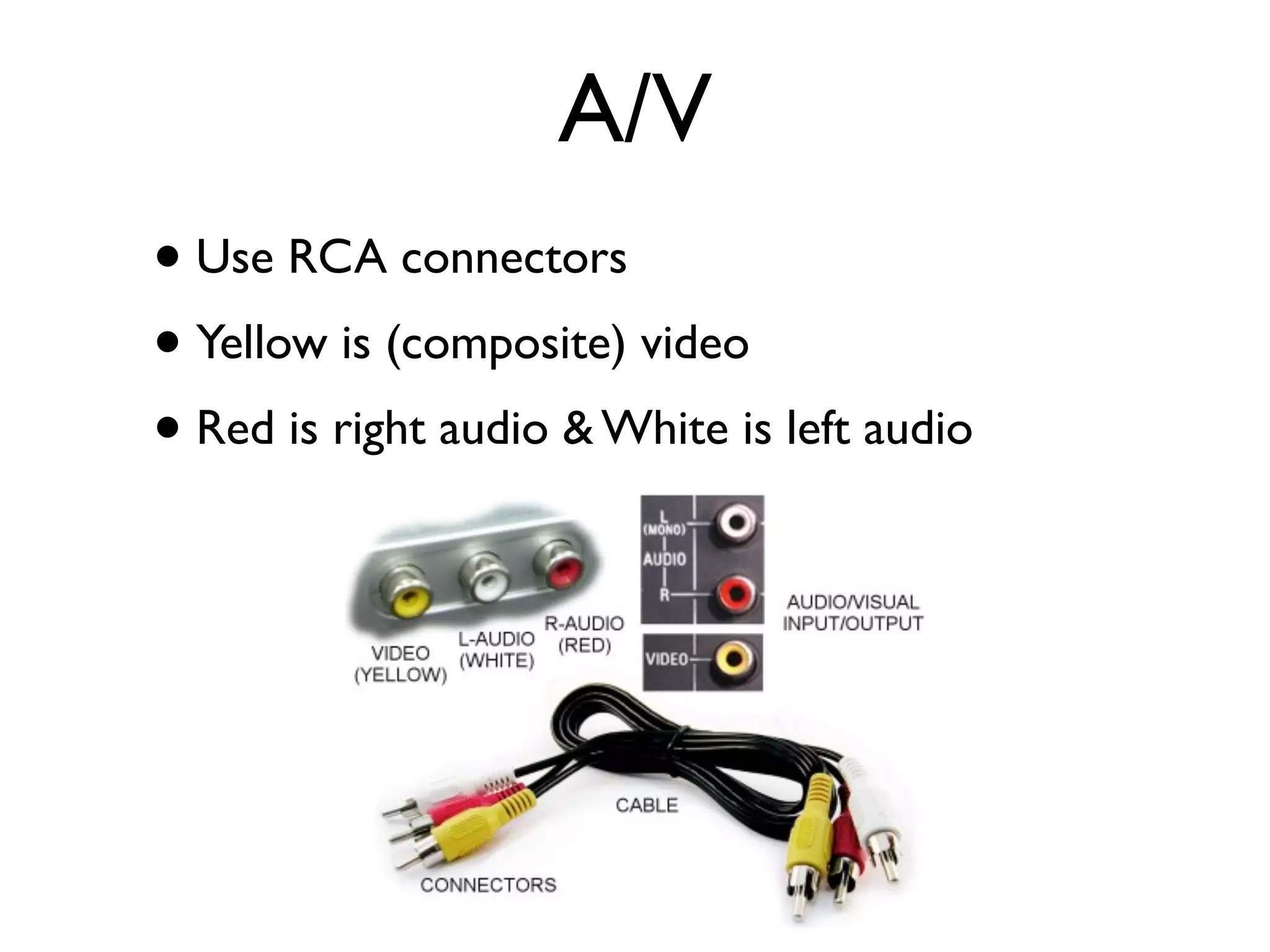
A/V
• Use RCA connectors
• Yellow is (composite) video
• Red is right audio & White is left audio
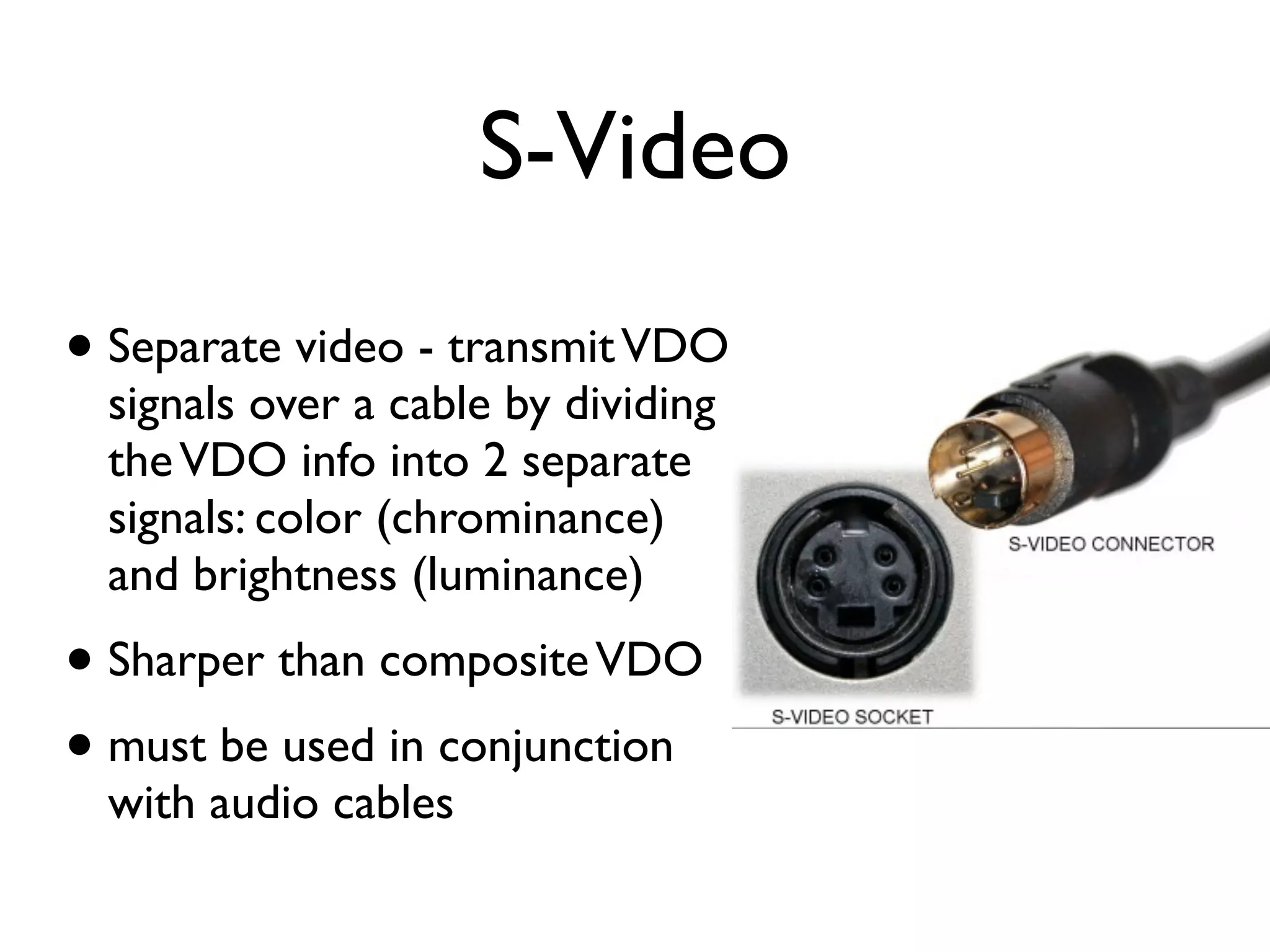
S-Video
• Separate video - transmit VDO
  signals over a cable by dividing
  the VDO info into 2 separate
  signals: color (chrominance)
  and brightness (luminance)
• Sharper than composite VDO
• must be used in conjunction
  with audio cables
Digital Camcorder
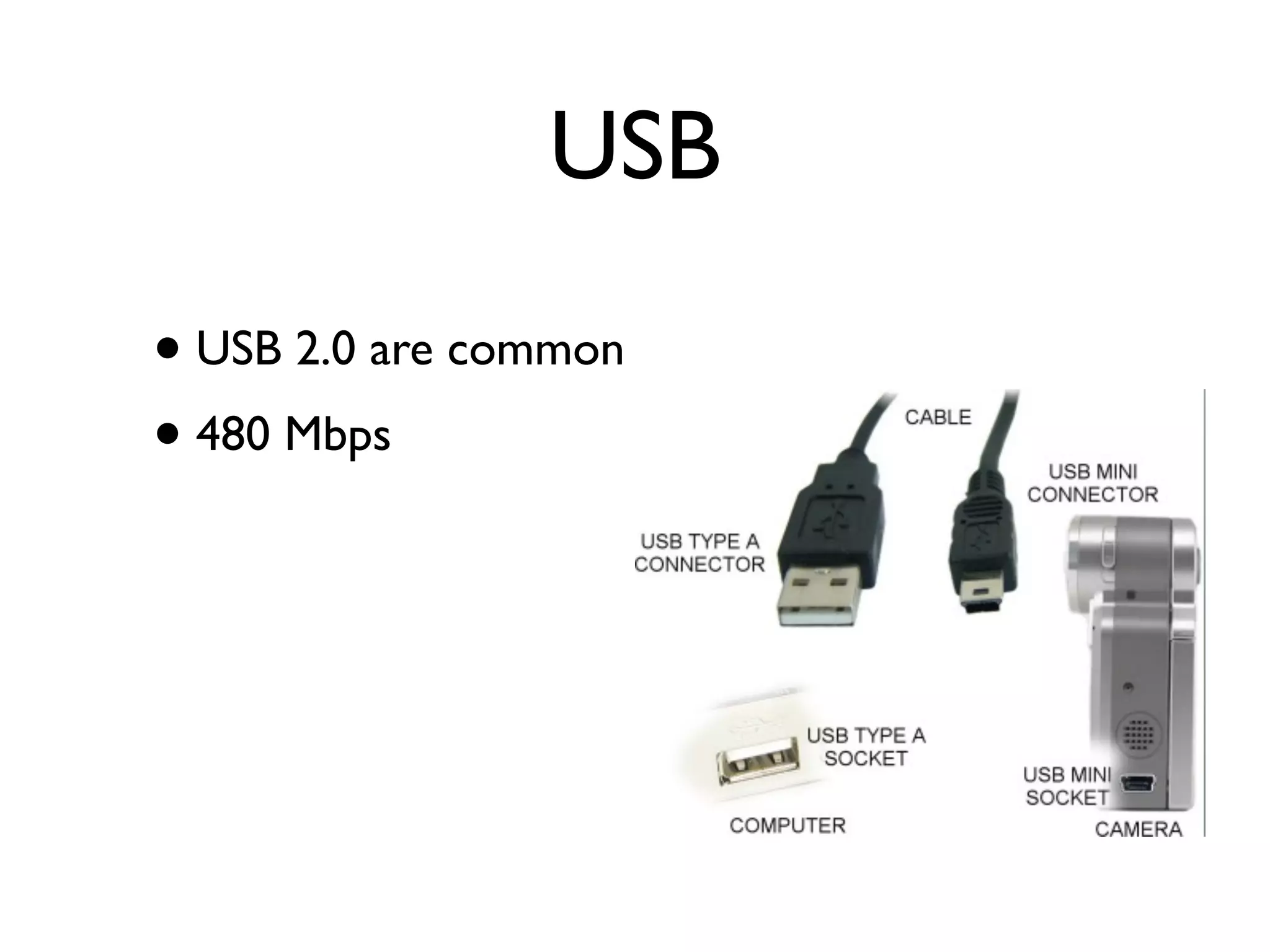
USB
• USB 2.0 are common
• 480 Mbps
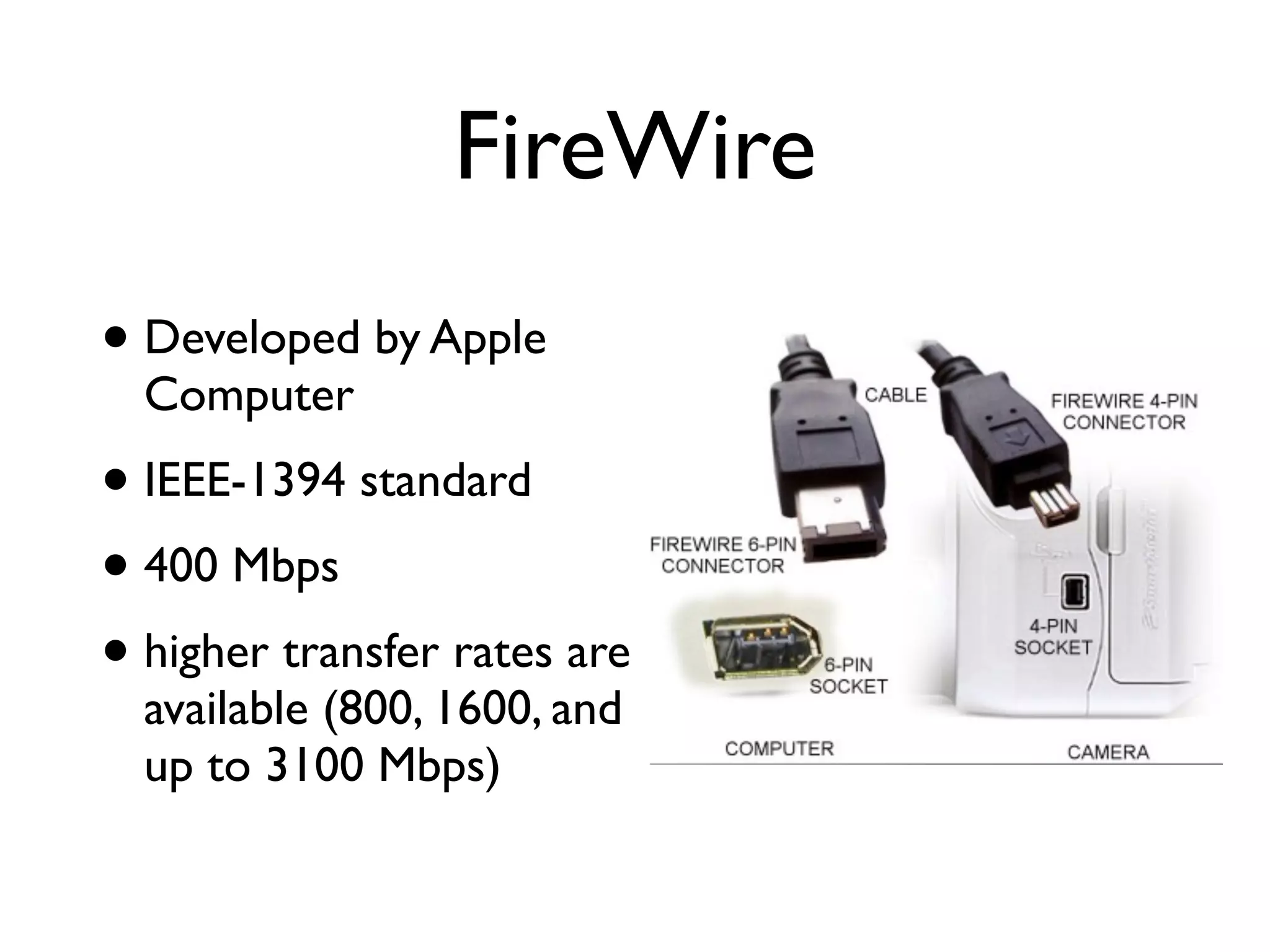
FireWire
• Developed by Apple
  Computer
• IEEE-1394 standard
• 400 Mbps
• higher transfer rates are
  available (800, 1600, and
  up to 3100 Mbps)
Transferring from
Recorder to Computer
• Calculate disk space (uncompressed):
 • (pixel width) x (pixel height) x (color bit
   depth) x (fps) x (duration in secs) / 8,000,000
• say, 3-min VDO @ 15 fps, 24-bit depth,
  320x240 pixels will take:
 • (320) x (240) x (24) x (15) x (180) /
   8,000,000 = 622 MB
VDO Editing

• Editing:
 • cut and paste sections
 • add special effects
 • add transitions
 • add titles

06 vdo

  • 1.
    ia Systems 520251: Multimed Êส‹‹Çว¹น»ปÃรÐะ¡กÍอºบÁมÑัÅลµตÔิÁมÕีàเ´ดÕีÂย [ÇวÔิ´ดÕีâโÍอ] 3 ¡กÑั¹นÂยÒาÂย¹น 2555
  • 2.
    TV DVD Internet VCD Streaming VDO VDO on- Chat demand e-Learning Mobile It’s everywhere!!! Phone Cinema ...and Many MORE...
  • 3.
    Agenda VDO Digital VDO Fundamental Production Record Properties of Edit VDO Digital VDO Capture Formats
  • 4.
  • 5.
    Analog VDO • MotionVDO was originally created and stored in analog form.
  • 6.
    Digital VDO • Ameans of reproducing the continuous VDO waveform as a stream of digital numbers. to va rious t: im mune analog B enefi ttributed to di stor tion a ise ... such as n o
  • 7.
    open wiki to Interlacing embrace the explanation!! • Interlacing was originally conceived as a way to achieve good visual quality within a limitations of a narrow bandwidth. odd field even field
  • 8.
    Progressive Scanning (non-interlaced scanning) • A method of representing moving images on a display screen, in which every pixel is represented in each frame. • Computer monitors use a progressive scan. • The standard refresh rate for a flicker-free display is a vertical scan rate of 75 Hz or higher. • It’s used to project movies in theaters.
  • 9.
    Note in digital TVterminology: interlaced scan is denoted by a lowercase i progressive scan is denoted by a lowercase p frame rate: (60i, 24p) resolution: (1080i, 720p)
  • 10.
    Frame Rate • Framefrequency is a measure of how quickly an image device can produce unique consecutive images called frames. (expressed in frames per second - fps) • Typically, the human eye can interpret motion at 10 fps, but this rate causes a flicker effect that’s distract. • Increasing the frame rate reduces flickering.
  • 11.
    Frame Rate • Movies- 14 fps • Television: • NTSC - 29.97 fps • HDTV - 60 fps • VDO games (frame rate is very important): • action-oriented games - 20-30 fps • 3D-heavy games - 90-100 fps
  • 12.
    Aspect Ratios • Theratio of the width of the image to its height (w:h) • motion-picture - 1.85:1 and 2.35:1 • tv screens - 1.33:1 (aka 4:3) • HDTV - 1.78:1 (aka 16:9) 16:9 4:3 letterbox
  • 13.
    Compression • VDO ishuge - one sec of analog VDO stored in an uncompressed digital format takes up 1 MB of disk space • thus, 5-min VDO ~ 300 MB • not practical • VDO compression is a MUST • VDO contains many spatial and temporal redundancies • Codecs are needed for creating and viewing
  • 14.
    VDO Compression • Spatialcompression (intra-frame) • Temporal compression (inter-frame) • Video compression is a tradeoff between disk space, video quality, and the cost of hardware required to decompress the video in a reasonable time.
  • 15.
    Spatial Compression • Justimage compression applied to a sequence of images.
  • 16.
    Temporal Compression • Makekey frames, say every 6 frames and do the spatial compression on these frames. • Between key frames, each one of them will be replaced by a difference frame.
  • 17.
  • 18.
  • 19.
    AVI • Most commonAV data on Windows • Can be saved in a variety of compression schemes - full frames (uncompressed), Radius’s Cinepak, Intel Video, and Indeo.
  • 20.
    MOV • Quicktime Moviewas developed by Apple Computer • MPEG-4 • Qt 7 (and later) use H.264
  • 21.
    MPG • The compressedVDO file format for standard DVD using the MPEG-2 encoding standard • A large file can be transferred to MPEG with little loss of quality while dropping the bit rate a great deal
  • 22.
    • The MPEGgroup develops the standards for encoding VDO and audio • MPEG standards: • MPEG-1: used as VCD standard (MP3 is the popular compression) • MPEG-2: use in many things such as DVD, digital satellite TV and so on • MPEG-4: support 3D content, low bit-rate encoding, support for Digital Right Management
  • 23.
    Others • WMV •a part of Windows Media framework • used for streaming VDO over the internet • uses MPEG-4 standard • RM • a multimedia container with RealVideo and RealAudio codecs in a single file • is used to stream AV over the internet
  • 24.
  • 25.
    Equipments • Digital tapeless(D) • HDV (D) • DV (formerly DVC) • 8mm (A) • VHS (A)
  • 26.
  • 27.
  • 28.
    Coaxial • VDO andaudio signals are both carries in one cable • Poorest transfer
  • 29.
    A/V • Use RCAconnectors • Yellow is (composite) video • Red is right audio & White is left audio
  • 30.
    S-Video • Separate video- transmit VDO signals over a cable by dividing the VDO info into 2 separate signals: color (chrominance) and brightness (luminance) • Sharper than composite VDO • must be used in conjunction with audio cables
  • 31.
  • 32.
    USB • USB 2.0are common • 480 Mbps
  • 33.
    FireWire • Developed byApple Computer • IEEE-1394 standard • 400 Mbps • higher transfer rates are available (800, 1600, and up to 3100 Mbps)
  • 34.
    Transferring from Recorder toComputer • Calculate disk space (uncompressed): • (pixel width) x (pixel height) x (color bit depth) x (fps) x (duration in secs) / 8,000,000 • say, 3-min VDO @ 15 fps, 24-bit depth, 320x240 pixels will take: • (320) x (240) x (24) x (15) x (180) / 8,000,000 = 622 MB
  • 35.
    VDO Editing • Editing: • cut and paste sections • add special effects • add transitions • add titles