3D Animation with Blender
Recapping Lamp types in Blender
Adding Lamps to a scene
The function of the lighting
Common Lighting setups
Point
Is a light that goes in all directions from a single point
Sun
Acts like Sunlight, with all the light travelling in the same
direction
Spot
Acts like a spot light, with the spot size limiting how big it
is.
Hemi
Is a 180 degree constant light source.
Area
Creates an area of multiple lights in an area
Key light
A key light is the main light of a composition. It usually
lights the main focus of the scene, by illuminating the
detail of the objects.
Fill light
The fill light works with the key light, lighting some of the
darker areas of the image created by the key light.
Back light
The backlight or Rim light helps distinguishing the
foreground from the background.
It creates a rim of light on the edges of objects, giving
them another level of dimensionality.
1-Point light rig
The simplest rig, using a single key light.
It gives a high contrast between the light & shadow
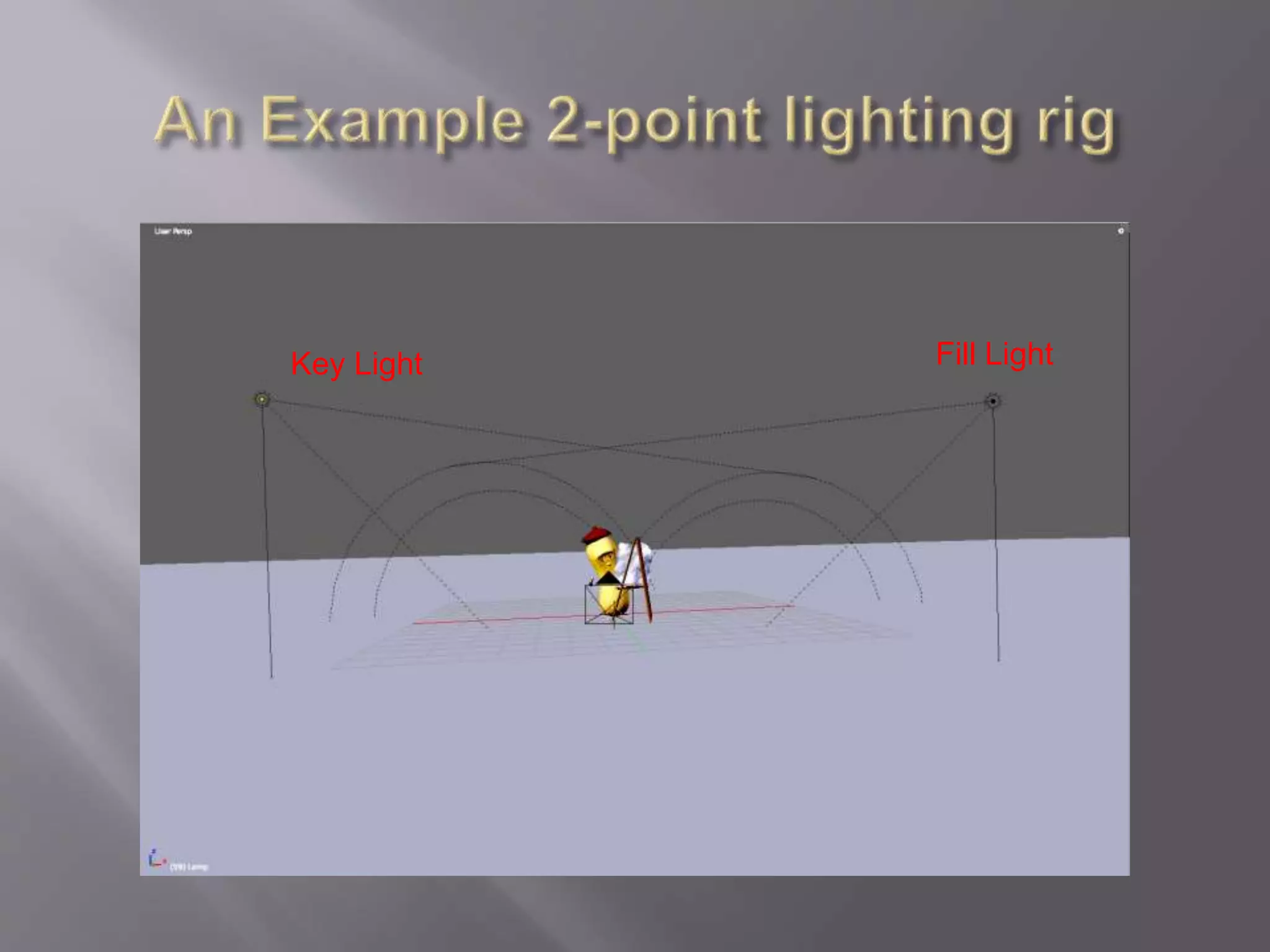
2-Point light rig
Consisting of a key and fill light.
It is typically used for even illumination a scene or for product
lighting for a company.
3-Point light rig
The most commonly used rig can be either in a Studio or
Standard rig setups
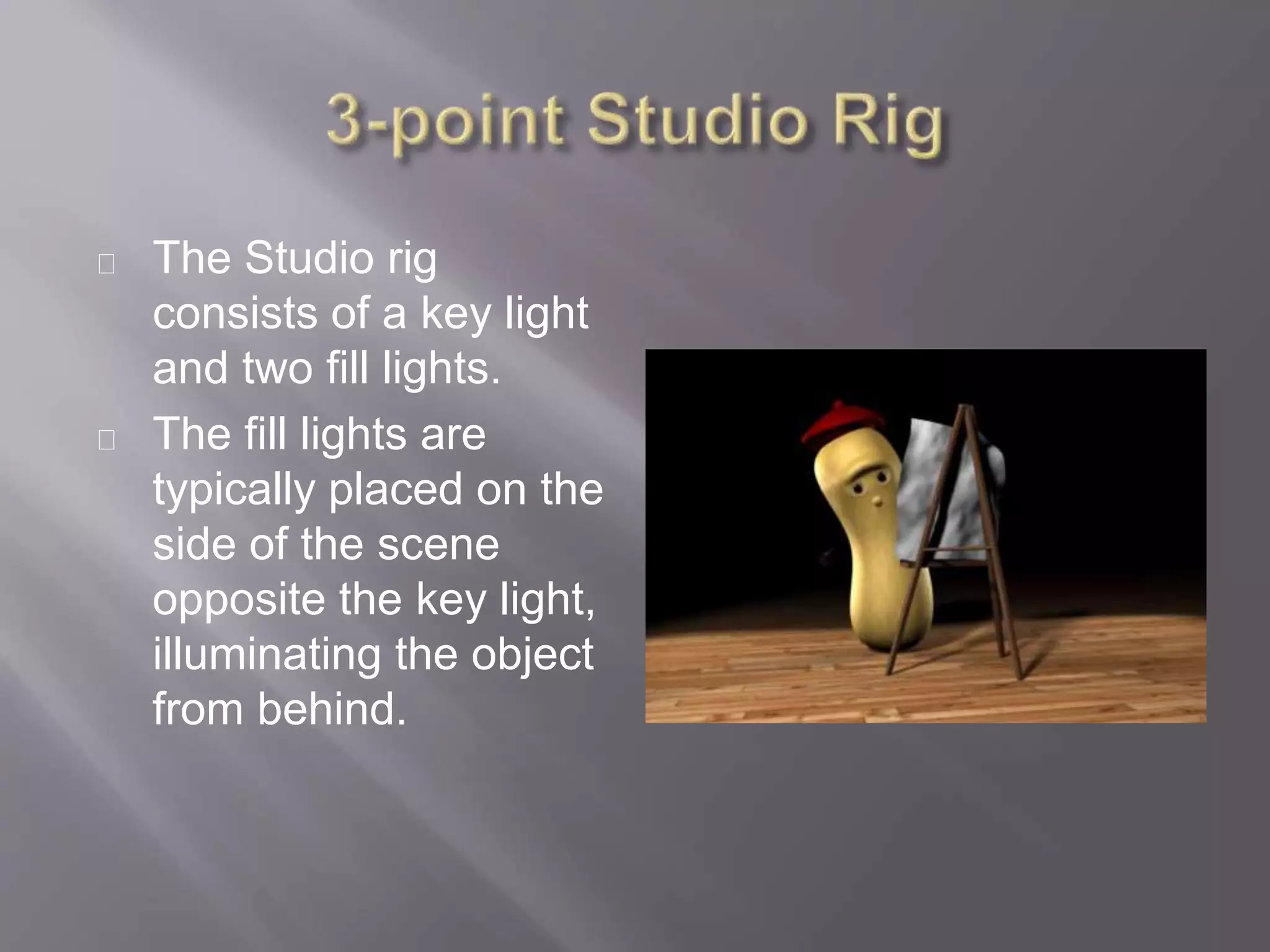
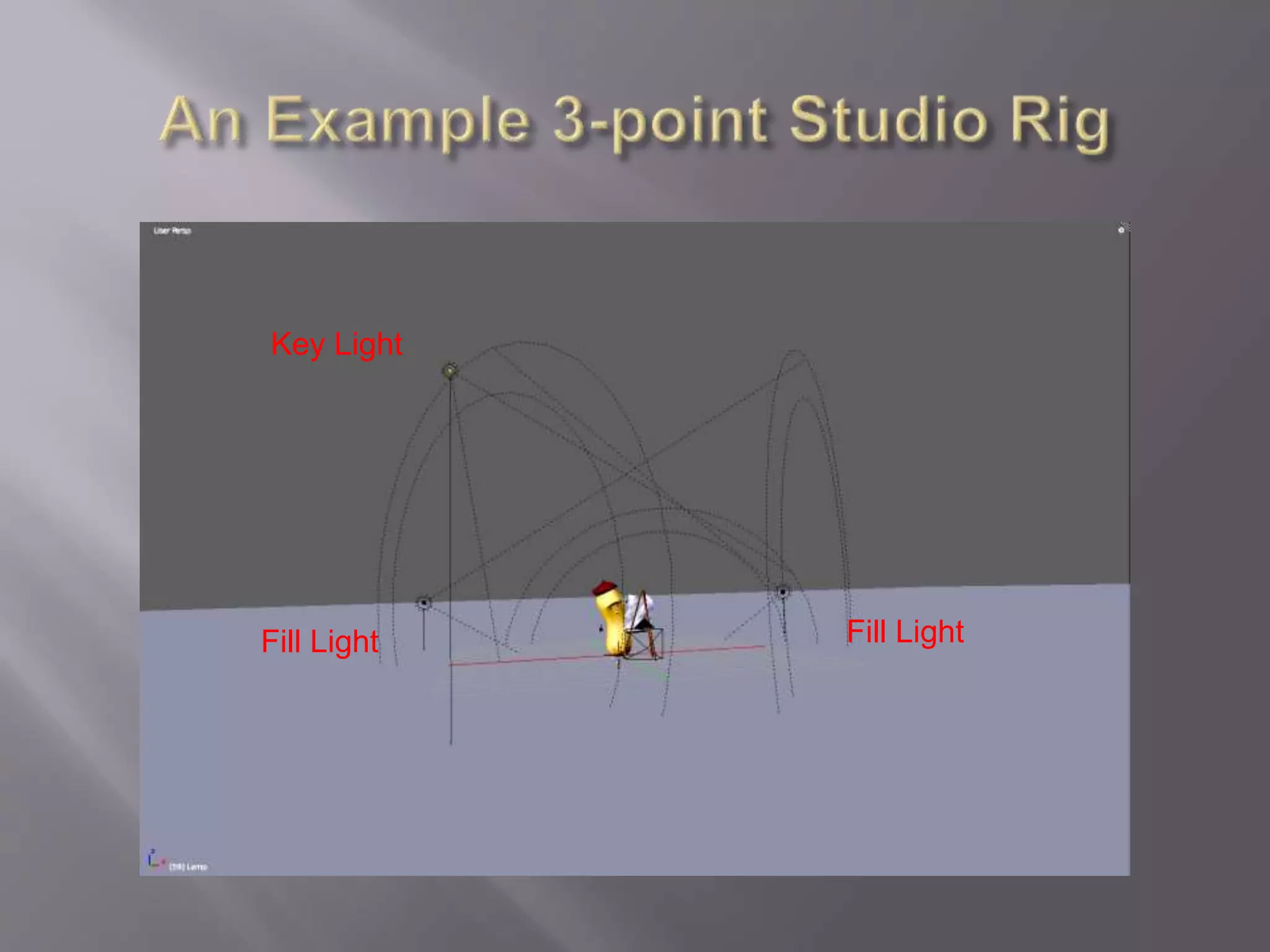
 The Studio rig consists of a key light and two fill lights.
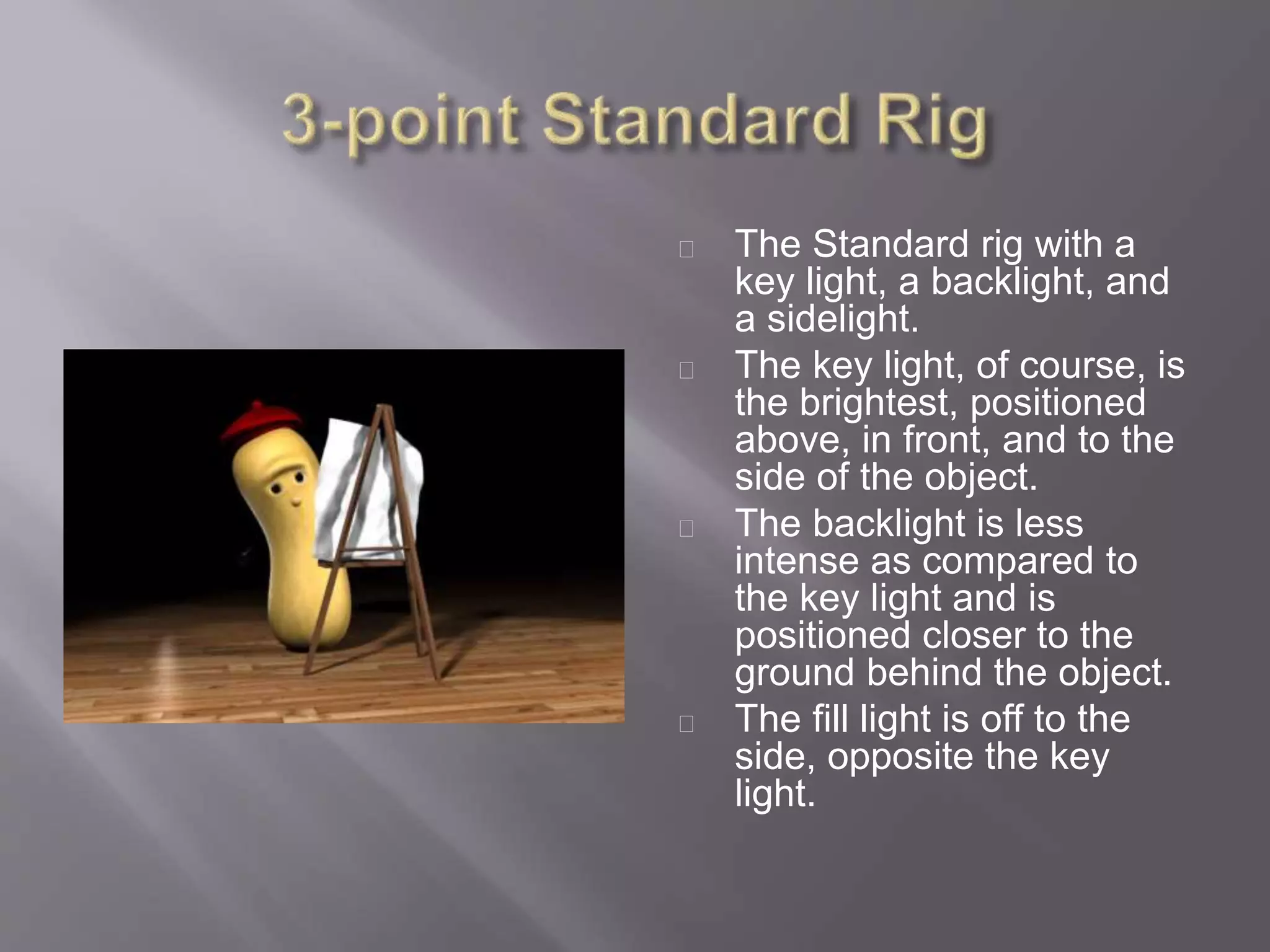
 The Standard rig has a key light, a backlight, and a sidelight.
4-Point light rig
It is a combination of the Standard and Studio rigs.
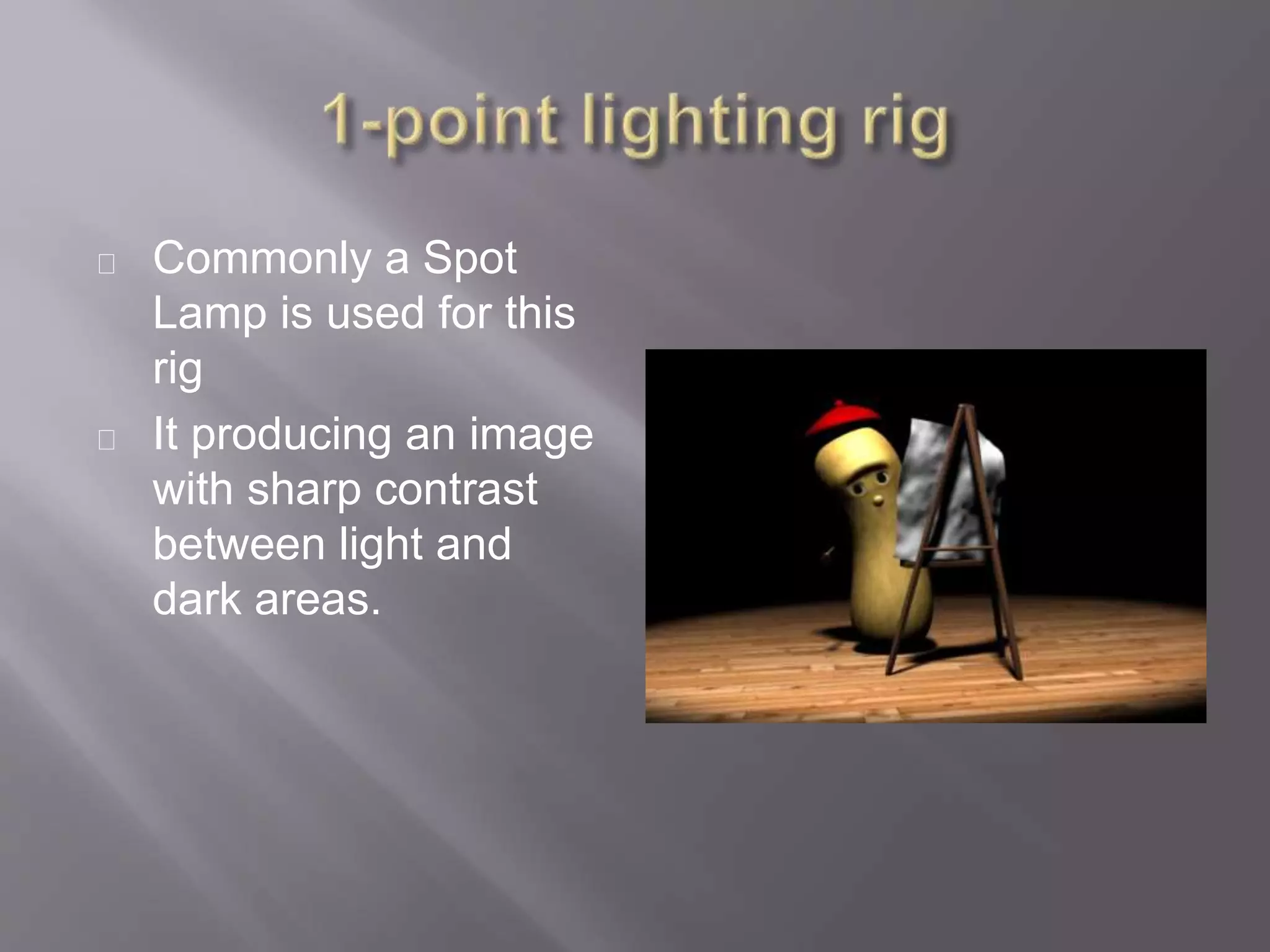
Commonly a Spot
Lamp is used for this
rig
It producing an image
with sharp contrast
between light and
dark areas.
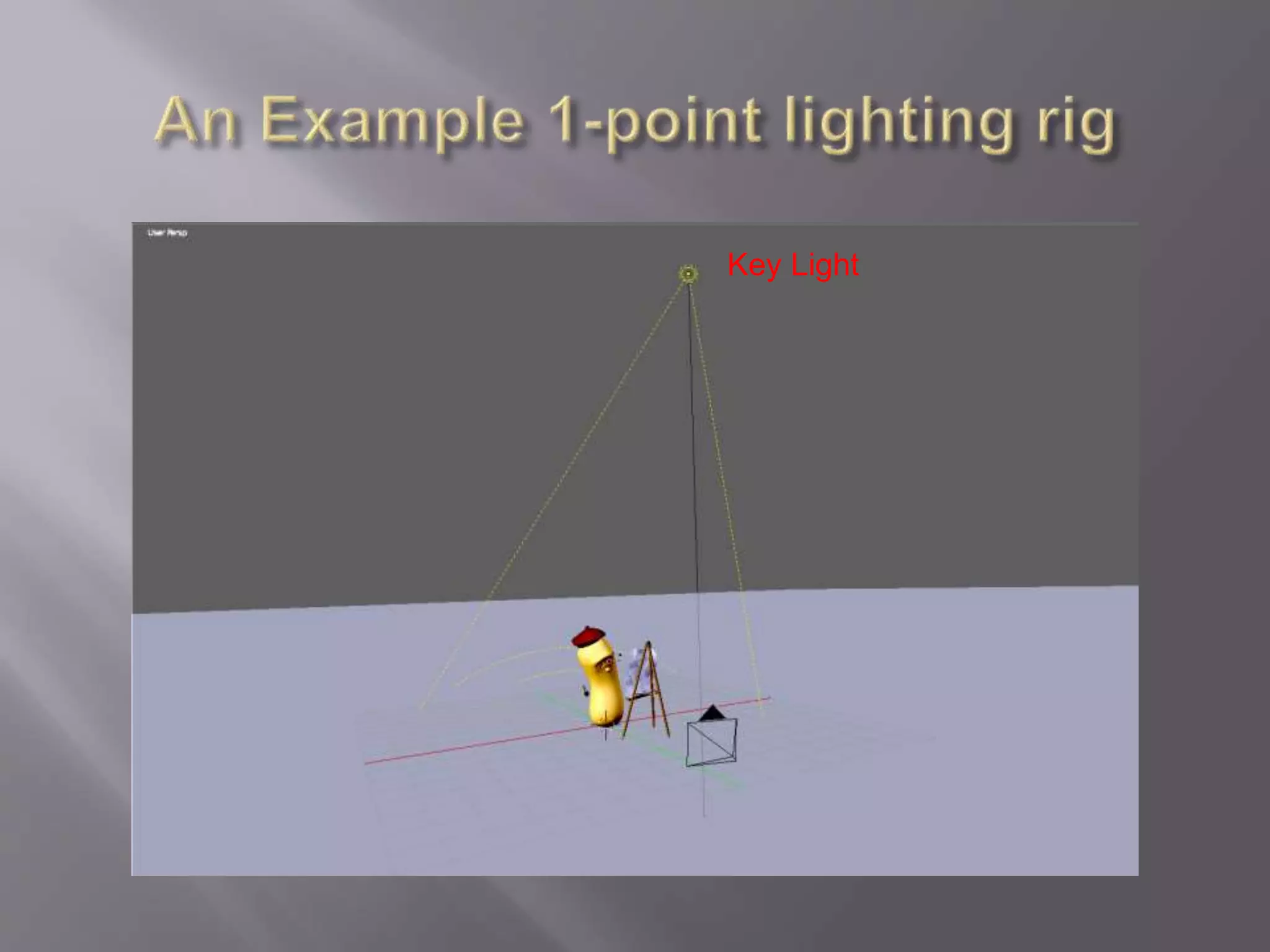
Key Light
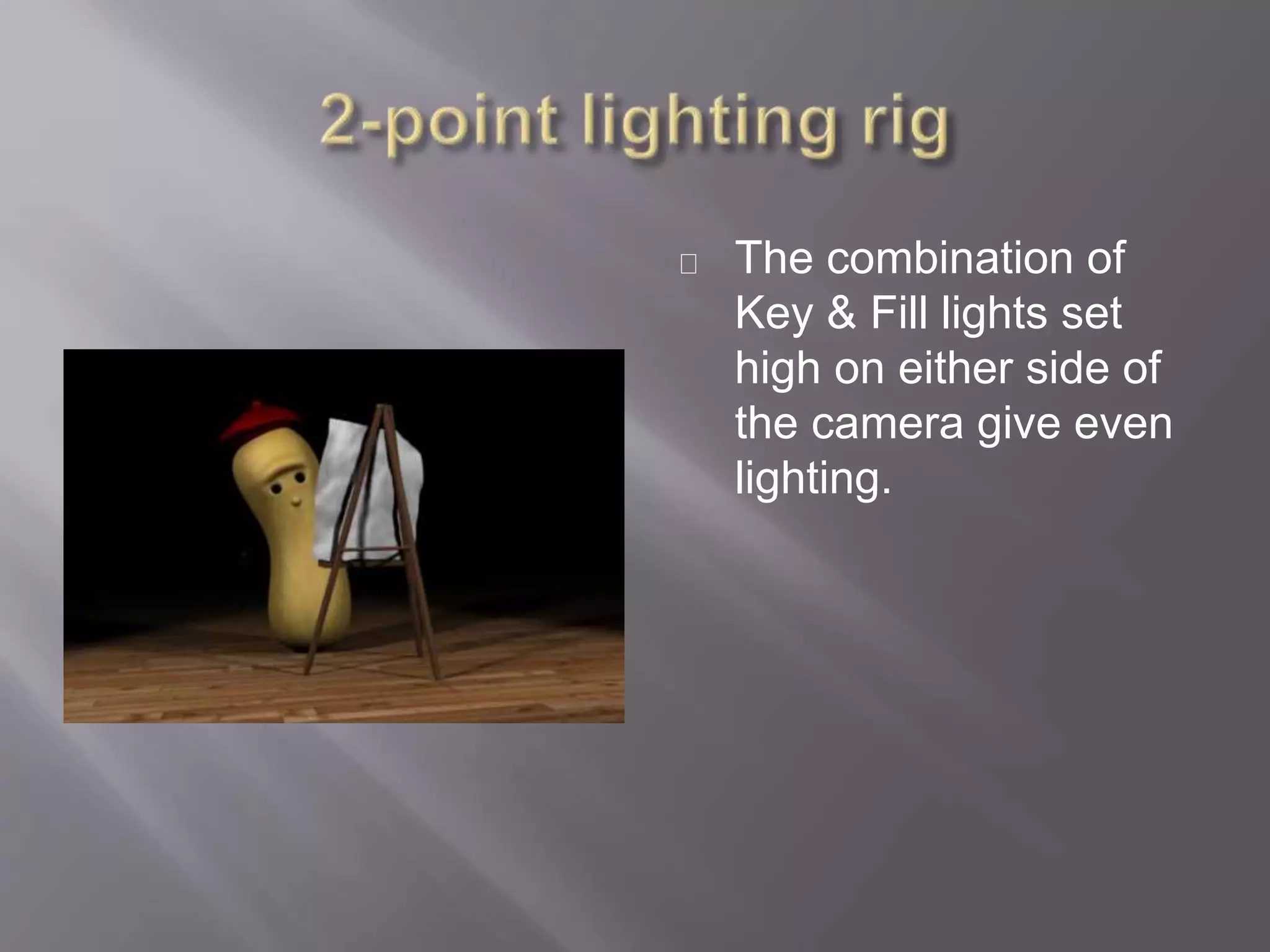
The combination of
Key & Fill lights set
high on either side of
the camera give even
lighting.
Key Light Fill Light
The Studio rig
consists of a key light
and two fill lights.
The fill lights are
typically placed on the
side of the scene
opposite the key light,
illuminating the object
from behind.
Key Light
Fill LightFill Light
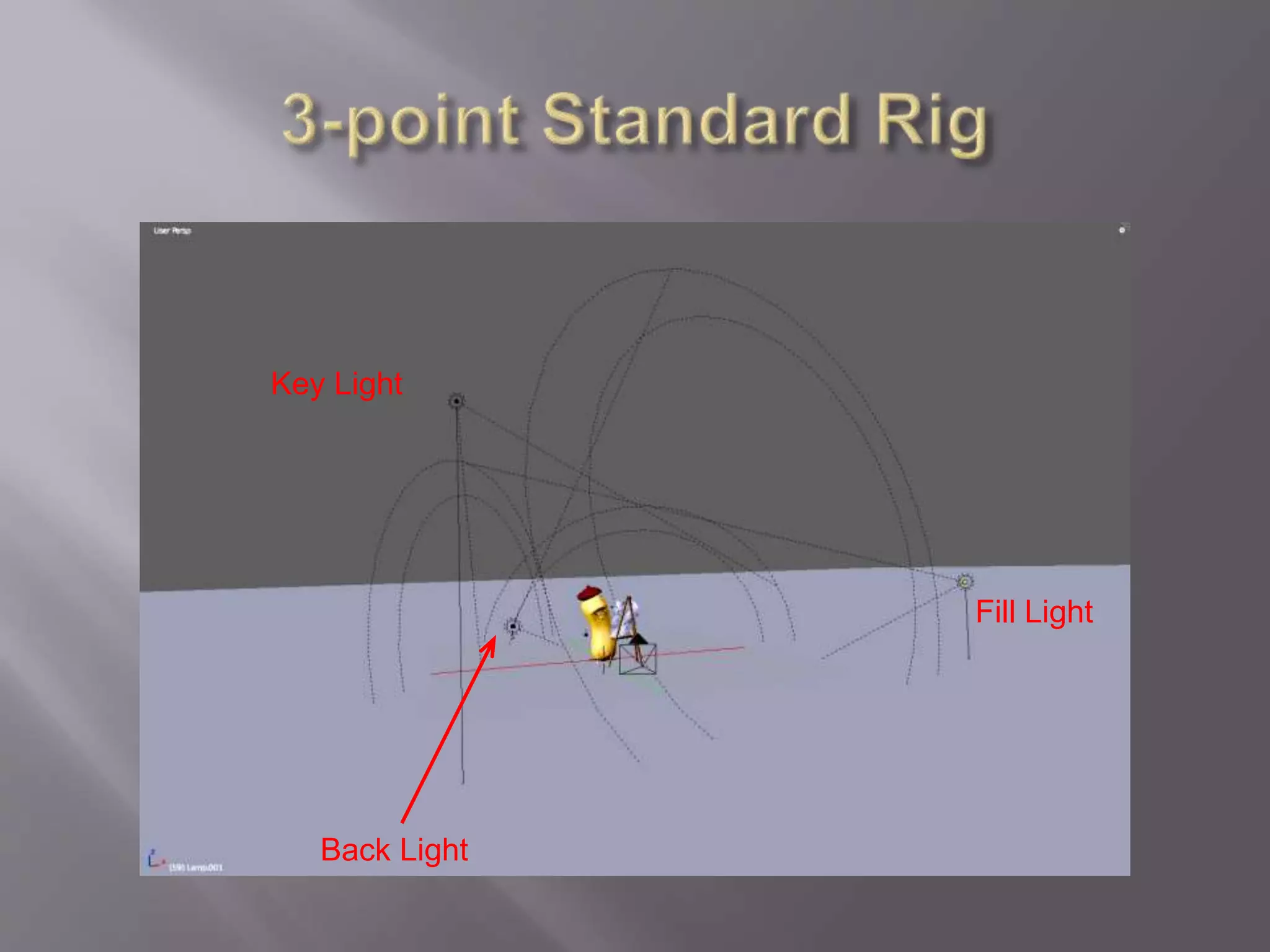
The Standard rig with a
key light, a backlight, and
a sidelight.
The key light, of course, is
the brightest, positioned
above, in front, and to the
side of the object.
The backlight is less
intense as compared to
the key light and is
positioned closer to the
ground behind the object.
The fill light is off to the
side, opposite the key
light.
Key Light
Fill Light
Back Light
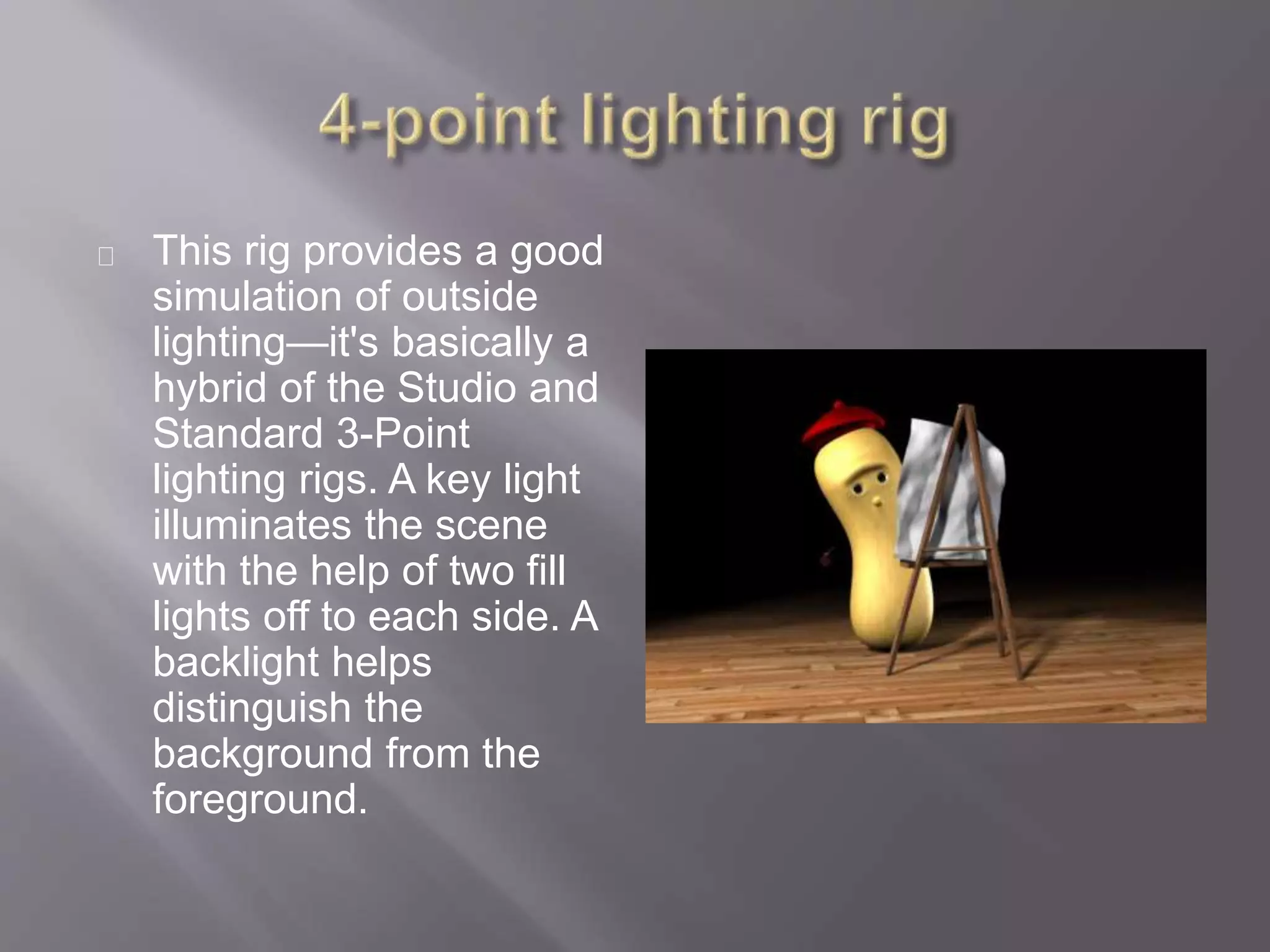
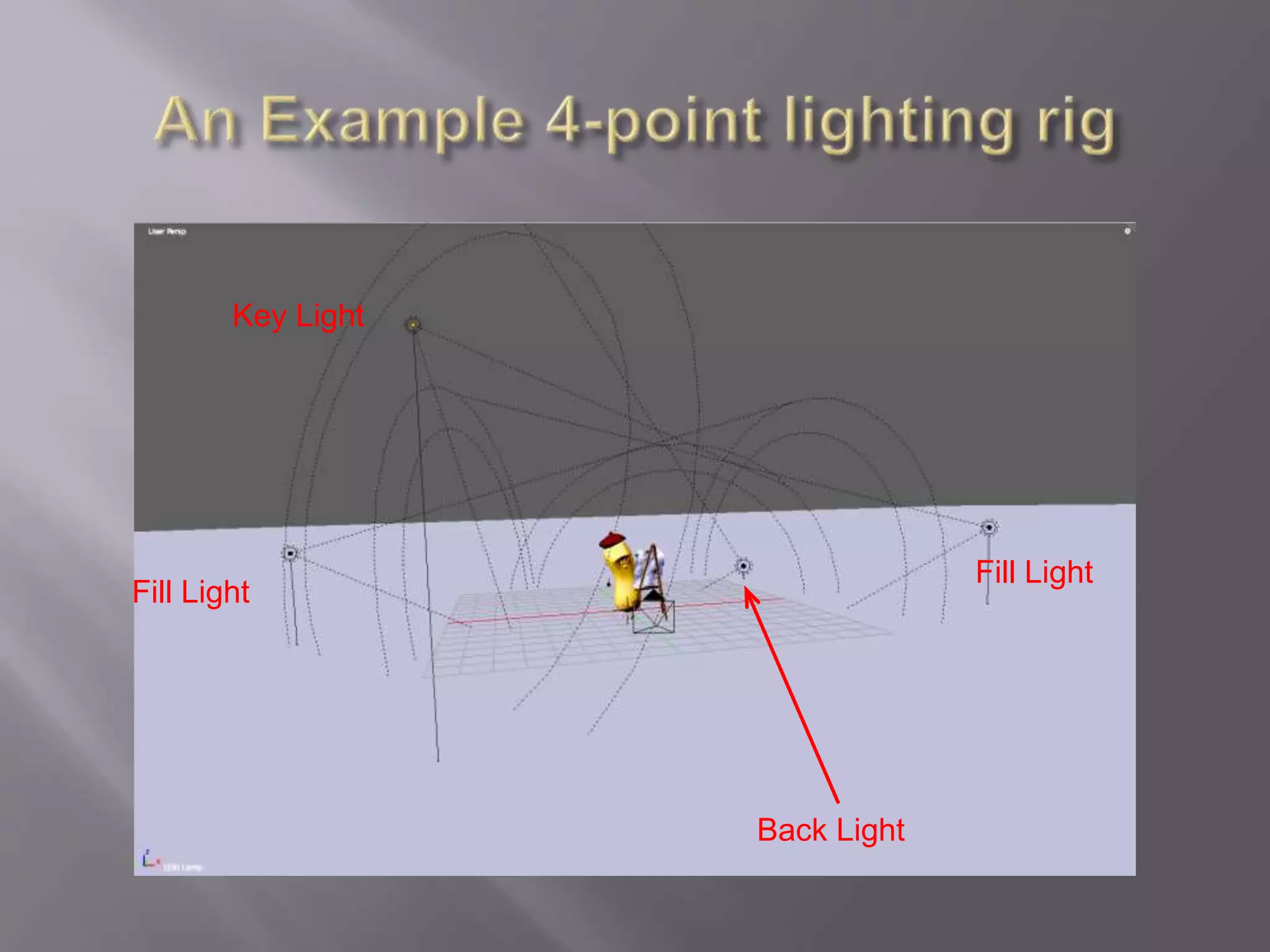
This rig provides a good
simulation of outside
lighting—it's basically a
hybrid of the Studio and
Standard 3-Point
lighting rigs. A key light
illuminates the scene
with the help of two fill
lights off to each side. A
backlight helps
distinguish the
background from the
foreground.
Fill Light
Fill Light
Key Light
Back Light

Setting up lighting rigs in Blender

  • 1.
  • 2.
    Recapping Lamp typesin Blender Adding Lamps to a scene The function of the lighting Common Lighting setups
  • 3.
    Point Is a lightthat goes in all directions from a single point Sun Acts like Sunlight, with all the light travelling in the same direction Spot Acts like a spot light, with the spot size limiting how big it is. Hemi Is a 180 degree constant light source. Area Creates an area of multiple lights in an area
  • 4.
    Key light A keylight is the main light of a composition. It usually lights the main focus of the scene, by illuminating the detail of the objects. Fill light The fill light works with the key light, lighting some of the darker areas of the image created by the key light. Back light The backlight or Rim light helps distinguishing the foreground from the background. It creates a rim of light on the edges of objects, giving them another level of dimensionality.
  • 5.
    1-Point light rig Thesimplest rig, using a single key light. It gives a high contrast between the light & shadow 2-Point light rig Consisting of a key and fill light. It is typically used for even illumination a scene or for product lighting for a company. 3-Point light rig The most commonly used rig can be either in a Studio or Standard rig setups  The Studio rig consists of a key light and two fill lights.  The Standard rig has a key light, a backlight, and a sidelight. 4-Point light rig It is a combination of the Standard and Studio rigs.
  • 6.
    Commonly a Spot Lampis used for this rig It producing an image with sharp contrast between light and dark areas.
  • 7.
  • 8.
    The combination of Key& Fill lights set high on either side of the camera give even lighting.
  • 9.
  • 10.
    The Studio rig consistsof a key light and two fill lights. The fill lights are typically placed on the side of the scene opposite the key light, illuminating the object from behind.
  • 11.
  • 12.
    The Standard rigwith a key light, a backlight, and a sidelight. The key light, of course, is the brightest, positioned above, in front, and to the side of the object. The backlight is less intense as compared to the key light and is positioned closer to the ground behind the object. The fill light is off to the side, opposite the key light.
  • 13.
  • 14.
    This rig providesa good simulation of outside lighting—it's basically a hybrid of the Studio and Standard 3-Point lighting rigs. A key light illuminates the scene with the help of two fill lights off to each side. A backlight helps distinguish the background from the foreground.
  • 15.
    Fill Light Fill Light KeyLight Back Light