From last time…
•

Introduced the Project Proposal – due in 1 week!

•

Talked about Design Thinking!

•

Office Hours will be before class: MW 4th Period
Libraries

CAP
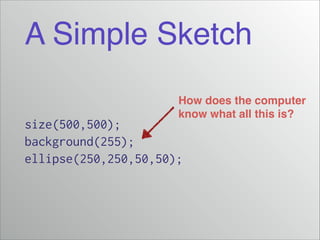
A Simple Sketch
How does the computer!
know what all this is?

size(500,500);
background(255);
ellipse(250,250,50,50);
The Core Library
•

The IDE automatically imports the Core Library!

•

What is in the Core Library?!

•

http://processing.org/reference!

•

http://processing.org/reference/libraries/!

•

Why not import all libraries, all the time?
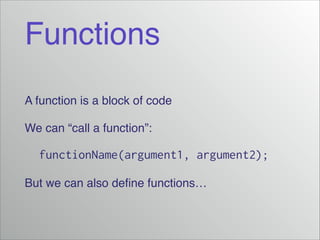
Functions
A function is a block of code!
We can “call a function”:!

functionName(argument1, argument2);
But we can also define functions…
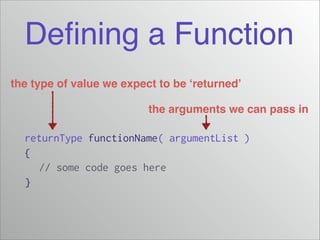
Defining a Function
the type of value we expect to be ‘returned’
the arguments we can pass in

returnType functionName( argumentList )
{
// some code goes here
}
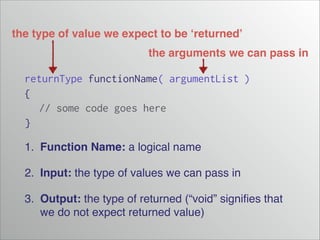
the type of value we expect to be ‘returned’
the arguments we can pass in

returnType functionName( argumentList )
{
// some code goes here
}
1. Function Name: a logical name!
2. Input: the type of values we can pass in!
3. Output: the type of returned (“void” signifies that
we do not expect returned value)
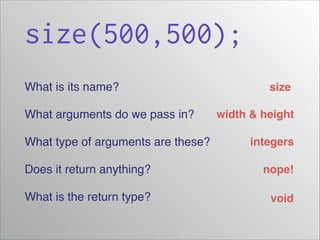
size(500,500);
What is its name?!
What arguments do we pass in?!
What type of arguments are these?!

size
width & height
integers

Does it return anything?!

nope!

What is the return type?

void
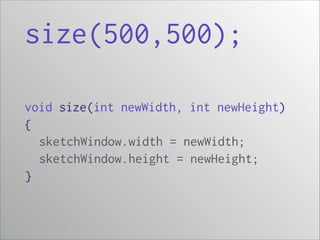
size(500,500);
void size(int newWidth, int newHeight)
{
sketchWindow.width = newWidth;
sketchWindow.height = newHeight;
}
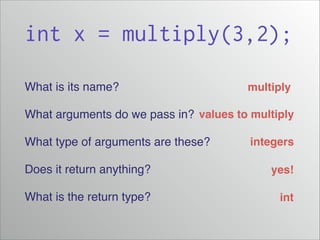
int x = multiply(3,2);
What is its name?!

multiply

What arguments do we pass in?! values to multiply
What type of arguments are these?!

integers

Does it return anything?!

yes!

What is the return type?

int
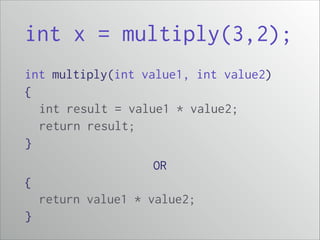
int x = multiply(3,2);
int multiply(int value1, int value2)
{
int result = value1 * value2;
return result;
}
OR
{
return value1 * value2;
}
Dynamic
Sketches

CAP
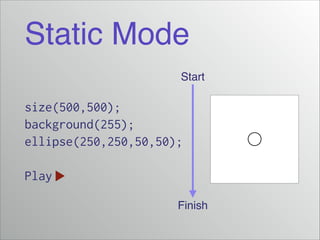
Static Mode
Start

size(500,500);
background(255);
ellipse(250,250,50,50);
!

Play
Finish
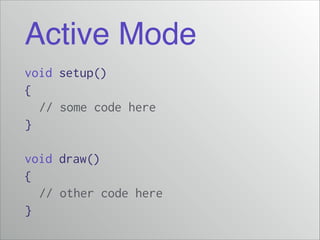
Active Mode
void setup()
{
// some code here
}
!

void draw()
{
// other code here
}
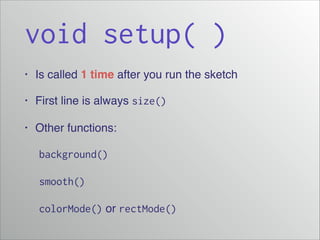
void setup( )
•

Is called 1 time after you run the sketch!

•

First line is always size()

•

Other functions:!

! background()
! smooth()
! colorMode() or rectMode()
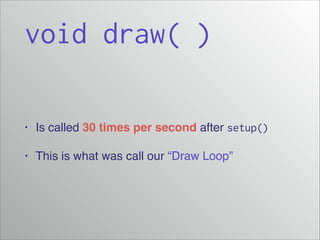
void draw( )
•

Is called 30 times per second after setup()

•

This is what was call our “Draw Loop”
The Sketch
“Flow”

CAP
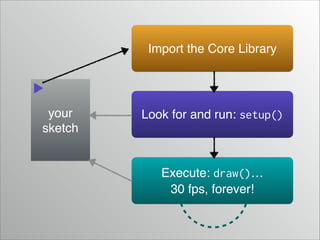
Import the Core Library

your
sketch

Look for and run: setup()

Execute: draw()…!
30 fps, forever!
Interaction!
!

Mouse Position!
& Event Listeners

CAP
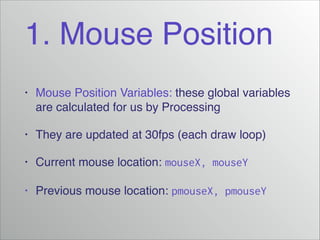
1. Mouse Position
•

Mouse Position Variables: these global variables
are calculated for us by Processing!

•

They are updated at 30fps (each draw loop)!

•

Current mouse location: mouseX, mouseY!

•

Previous mouse location: pmouseX, pmouseY
Demo!
Mouse Position
mousePressed()
•

Define the event listener function mousePressed()

•

Anytime the mouse is clicked, it will run the body
of code you defined
keyPressed()
•

Define the event listener function keyPressed()

•

Anytime a key is clicked, it will run the body of
code you defined
Demo!
Event Listeners
Active Template
A generic active sketch template would define each
of the following functions:!

void
void
void
void

setup() {}
draw() {}
mousePressed() {}
keyPressed() {}
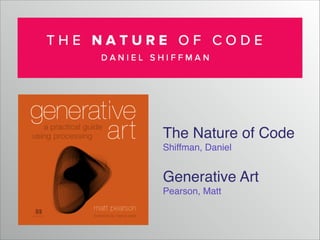
The Nature of Code!
Shiffman, Daniel!
!

Generative Art!
Pearson, Matt
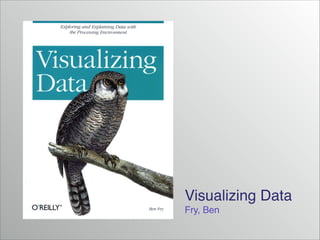
Visualizing Data!
Fry, Ben
For next time…
•

Read Shiffman, p. 45–58 (Variables)!

•

Quiz on Friday!

! - Last 20 minutes of class!
! - Shiffman, p. 3–42 (Pixels, Processing, & Interaction)!
•

Continue developing your Project Proposals

4. Interaction

  • 1.
    From last time… • Introducedthe Project Proposal – due in 1 week! • Talked about Design Thinking! • Office Hours will be before class: MW 4th Period
  • 2.
  • 3.
    A Simple Sketch Howdoes the computer! know what all this is? size(500,500); background(255); ellipse(250,250,50,50);
  • 4.
    The Core Library • TheIDE automatically imports the Core Library! • What is in the Core Library?! • http://processing.org/reference! • http://processing.org/reference/libraries/! • Why not import all libraries, all the time?
  • 5.
    Functions A function isa block of code! We can “call a function”:! functionName(argument1, argument2); But we can also define functions…
  • 6.
    Defining a Function thetype of value we expect to be ‘returned’ the arguments we can pass in returnType functionName( argumentList ) { // some code goes here }
  • 7.
    the type ofvalue we expect to be ‘returned’ the arguments we can pass in returnType functionName( argumentList ) { // some code goes here } 1. Function Name: a logical name! 2. Input: the type of values we can pass in! 3. Output: the type of returned (“void” signifies that we do not expect returned value)
  • 8.
    size(500,500); What is itsname?! What arguments do we pass in?! What type of arguments are these?! size width & height integers Does it return anything?! nope! What is the return type? void
  • 9.
    size(500,500); void size(int newWidth,int newHeight) { sketchWindow.width = newWidth; sketchWindow.height = newHeight; }
  • 10.
    int x =multiply(3,2); What is its name?! multiply What arguments do we pass in?! values to multiply What type of arguments are these?! integers Does it return anything?! yes! What is the return type? int
  • 11.
    int x =multiply(3,2); int multiply(int value1, int value2) { int result = value1 * value2; return result; } OR { return value1 * value2; }
  • 12.
  • 13.
  • 14.
    Active Mode void setup() { //some code here } ! void draw() { // other code here }
  • 15.
    void setup( ) • Iscalled 1 time after you run the sketch! • First line is always size() • Other functions:! ! background() ! smooth() ! colorMode() or rectMode()
  • 16.
    void draw( ) • Iscalled 30 times per second after setup() • This is what was call our “Draw Loop”
  • 17.
  • 18.
    Import the CoreLibrary your sketch Look for and run: setup() Execute: draw()…! 30 fps, forever!
  • 19.
  • 20.
    1. Mouse Position • MousePosition Variables: these global variables are calculated for us by Processing! • They are updated at 30fps (each draw loop)! • Current mouse location: mouseX, mouseY! • Previous mouse location: pmouseX, pmouseY
  • 21.
  • 22.
    mousePressed() • Define the eventlistener function mousePressed() • Anytime the mouse is clicked, it will run the body of code you defined
  • 23.
    keyPressed() • Define the eventlistener function keyPressed() • Anytime a key is clicked, it will run the body of code you defined
  • 24.
  • 25.
    Active Template A genericactive sketch template would define each of the following functions:! void void void void setup() {} draw() {} mousePressed() {} keyPressed() {}
  • 26.
    The Nature ofCode! Shiffman, Daniel! ! Generative Art! Pearson, Matt
  • 27.
  • 28.
    For next time… • ReadShiffman, p. 45–58 (Variables)! • Quiz on Friday! ! - Last 20 minutes of class! ! - Shiffman, p. 3–42 (Pixels, Processing, & Interaction)! • Continue developing your Project Proposals