Intro to Event-driven Programming
and Forms with Delphi
L01 - Introduction

Mohammad Shaker
mohammadshakergtr.wordpress.com
Intro to Event-driven Programming and Forms with Delphi
@ZGTRShaker
2010, 2011, 2012
About the Course
•
•
•
•

Delphi 2007-2009
How to think like a programmer
Test Questions
You need to try your self, otherwise it won’t work out with
you (practice, practice, practice)
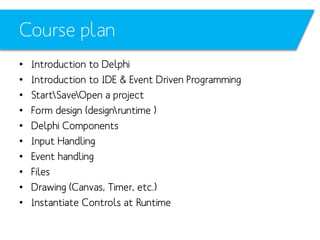
Course plan
•
•
•
•
•
•
•
•
•
•

Introduction to Delphi
Introduction to IDE & Event Driven Programming
StartSaveOpen a project
Form design (designruntime )
Delphi Components
Input Handling
Event handling
Files
Drawing (Canvas, Timer, etc.)
Instantiate Controls at Runtime
Delphi History
•
•
•
•
•
•

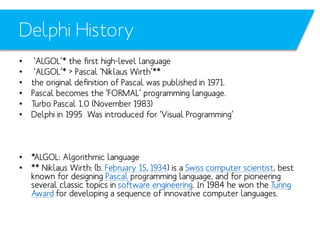
‘ALGOL’* the first high-level language
‘ALGOL’* > Pascal ‘Niklaus Wirth’**
the original definition of Pascal was published in 1971.
Pascal becomes the ‘FORMAL’ programming language.
Turbo Pascal 1.0 (November 1983)
Delphi in 1995 Was introduced for ‘Visual Programming’

• *ALGOL: Algorithmic language
• ** Niklaus Wirth: (b. February 15, 1934) is a Swiss computer scientist, best
known for designing Pascal programming language, and for pioneering
several classic topics in software engineering. In 1984 he won the Turing
Award for developing a sequence of innovative computer languages.
Delphi History
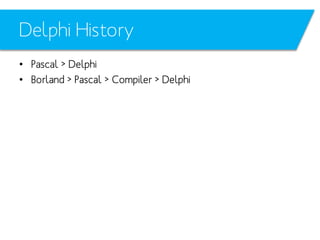
• Pascal > Delphi
• Borland > Pascal > Compiler > Delphi
Differences
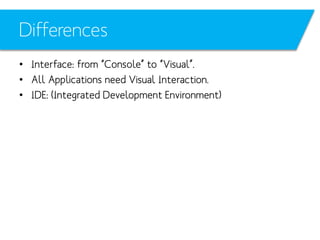
• Interface: from “Console” to “Visual”.
• All Applications need Visual Interaction.
• IDE: (Integrated Development Environment)
Delphi Preferences & features
•
•
•
•
•

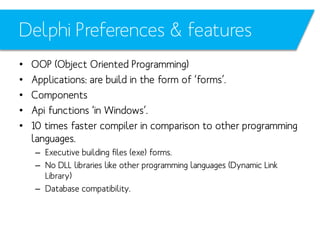
OOP (Object Oriented Programming)
Applications: are build in the form of ‘forms’.
Components
Api functions ‘in Windows’.
10 times faster compiler in comparison to other programming
languages.
– Executive building files (exe) forms.
– No DLL libraries like other programming languages (Dynamic Link
Library)
– Database compatibility.
Now, let’s sneak peek
Install
CodeGear Delphi
What’s for today?
•
•
•
•
•

Design timeExecution time (runtime)
Event-Driven Programming
Your first Project
Forms, Buttons
ShowMessage
Design timeExecuting time
Programs executing
• Procedural Programming:
– Sequential

• “Event-Driven” Programming:
– Event
File Menu
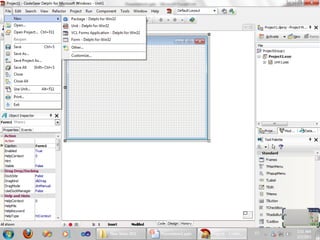
• New > VCL forms Applications
• open
• Save
OpenSave a Project
• When saved.
– first, “UNIT” is being saved
– Then, the “PROJECT”

• File > Save as
(Pas file is saved)
• File > Save project as
(dpr is saved)
• “exe.” file is formed in running time.
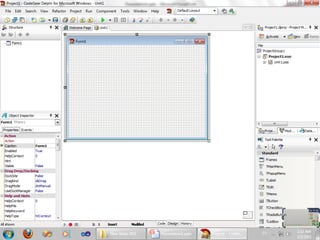
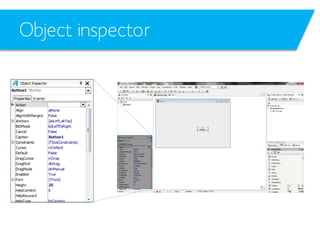
Object inspector
Object inspector
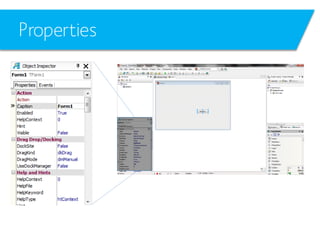
• Properties: like width, color, etc.
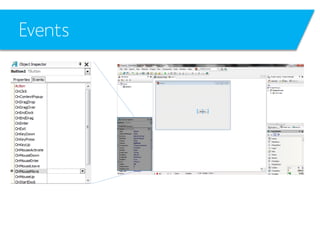
• Events: like pressing buttons, moving mouse, etc.
Properties
Events
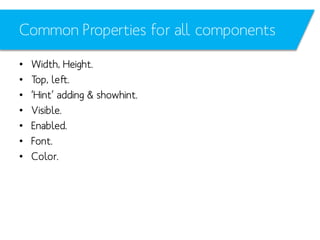
Common Properties for all components
•
•
•
•
•
•
•

Width, Height.
Top, left.
‘Hint’ adding & showhint.
Visible.
Enabled.
Font.
Color.
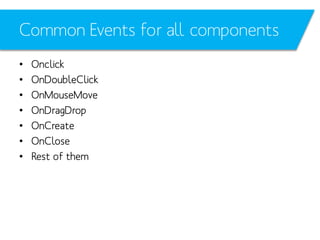
Common Events for all components
•
•
•
•
•
•
•

Onclick
OnDoubleClick
OnMouseMove
OnDragDrop
OnCreate
OnClose
Rest of them
Note that
• All the above properties & events can be modified at design
time or runtime.
Event Handling
Live Example
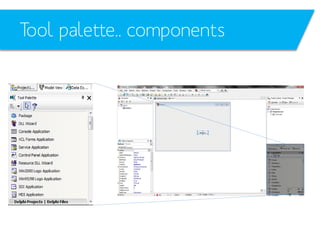
Tool palette.. components
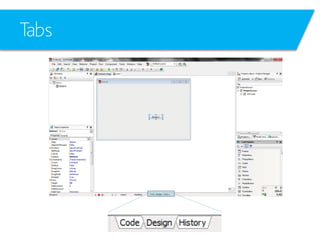
Tabs
Forms
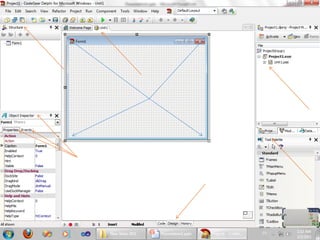
Windows Applications  forms
Every “form” has a corresponding “unit”
Forms properties
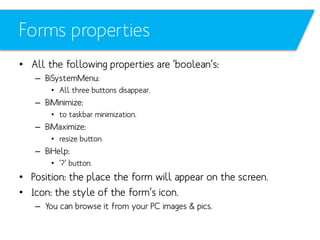
• All the following properties are ‘boolean’s:
– BiSystemMenu:
• All three buttons disappear.

– BiMinimize:
• to taskbar minimization.

– BiMaximize:
• resize button.

– BiHelp:
• ’?’ button.

• Position: the place the form will appear on the screen.
• Icon: the style of the form’s icon.
– You can browse it from your PC images & pics.
Forms events
•
•
•
•
•
•

OnClose
OnMouseClick
OnHold
OnCreate
OnResize
OnMouseWheelUp
Buttons
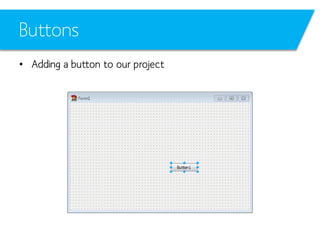
• Adding a button to our project
Button properties
• Name: the one we use in code (we can’t write in Arabic here.)
• Caption: the “Visual” name that will appear to the client. (we can
write in Arabic here) *
• Topleft: parametric variables indicate the position of the
component in the form.
• Fonts: colorvolume & type of the written “Caption” design.
• Hint: showing a ‘hint’ when the cursor (mouse) stop on the ‘button’.
• Show Hint: shows the written hint above.
• Visible  Enabled
• Tab Order
• etc.
_________________________________
*Delphi is Arabic compatible
Button Events
•
•
•
•

OnClick
OnMouseMove
OnKeyPress
etc.
Button Events
•
•
•
•
•
•

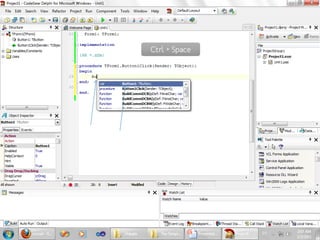
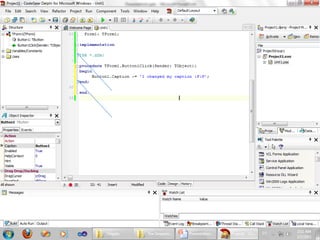
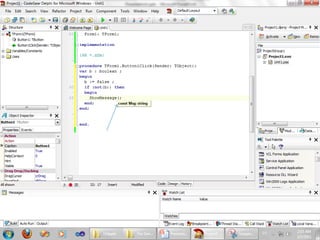
Let’s have a quick sneak on the code
Create a new form
Place a “Button” named “KeKe” in it.:D
Double click on the button
See where you are now
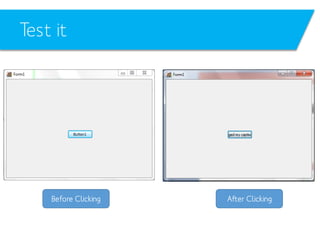
Test it
ShowMessage
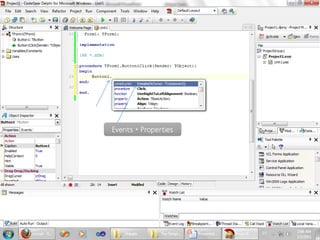
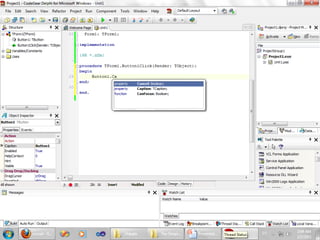
Ctrl + Space
Button Events

Events + Properties
Test it

Before Clicking

After Clicking
ShowMessage
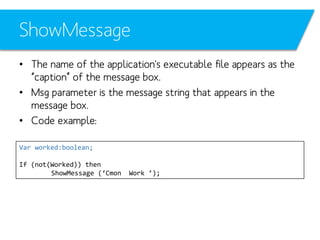
• The name of the application's executable file appears as the
“caption” of the message box.
• Msg parameter is the message string that appears in the
message box.
• Code example:
Var worked:boolean;
If (not(Worked)) then
ShowMessage (‘Cmon

Work ’);
ShowMessage
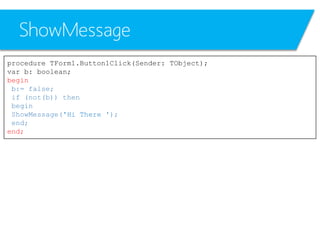
procedure TForm1.Button1Click(Sender: TObject);
var b: boolean;
begin
b:= false;
if (not(b)) then
begin
ShowMessage('Hi There ');
end;
end;
ShowMessage

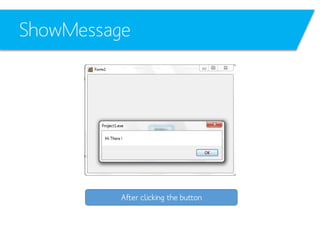
After clicking the button
References
• ‘Delphi’ Help
• Delphibasics.co.uk
• Delphi Books
See you!

Delphi L01 Intro