How to START using


                     Ngoc Dao
This talk is not about Scala syntax

(You can learn 80% of it in 2 days, Sat & Sun)
Source code:
https://github.com/ngocdaothanh/sclart
Why I use Scala
●   Syntax is similar to Ruby (human oriented)
●   Faster than Ruby (= Java, ~C)
●   Can reuse all Java libs (Java has lots of libs!)
●   Easy to program for multicores (like Erlang)
Agenda
1. “scala” and “scalac” commands
2. SBT (Scala Build Tool)
3. Some useful frameworks
Part 1: scala & scalac
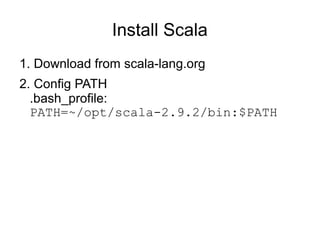
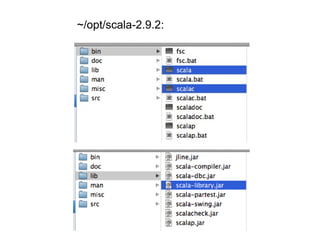
Install Scala
1. Download from scala-lang.org
2. Config PATH
  .bash_profile:
  PATH=~/opt/scala-2.9.2/bin:$PATH
~/opt/scala-2.9.2:
Interactive console
●   For trying out code snippets
●   Like “irb” of Ruby
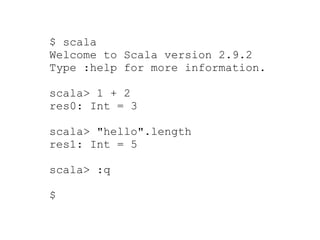
$ scala
Welcome to Scala version 2.9.2
Type :help for more information.

scala> 1 + 2
res0: Int = 3

scala> "hello".length
res1: Int = 5

scala> :q

$
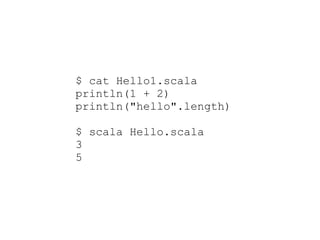
Scripting Scala
●   Can run a script right away, no compile step is
    needed
●   To run, “scala” command is needed; it will
    compile on the fly then run
●   For simple one-file programs
$ cat Hello1.scala
println(1 + 2)
println("hello".length)

$ scala Hello.scala
3
5
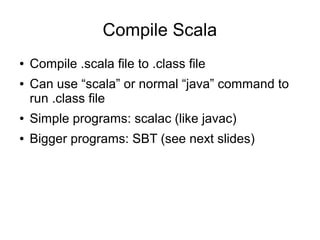
Compile Scala
●   Compile .scala file to .class file
●   Can use “scala” or normal “java” command to
    run .class file
●   Simple programs: scalac (like javac)
●   Bigger programs: SBT (see next slides)
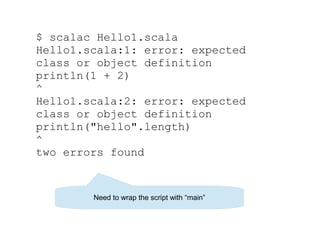
$ scalac Hello1.scala
Hello1.scala:1: error: expected
class or object definition
println(1 + 2)
^
Hello1.scala:2: error: expected
class or object definition
println("hello".length)
^
two errors found


        Need to wrap the script with “main”
$ cat Hello2.scala
object Hello2 {
  // Similar to normal Java/C programs
  def main(args: Array[String]) {
    println(1 + 2)
    println("hello".length)
  }
}
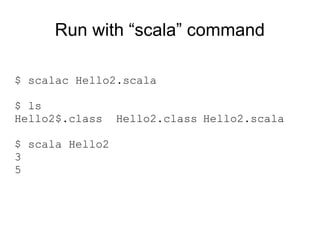
Run with “scala” command

$ scalac Hello2.scala

$ ls
Hello2$.class    Hello2.class Hello2.scala

$ scala Hello2
3
5
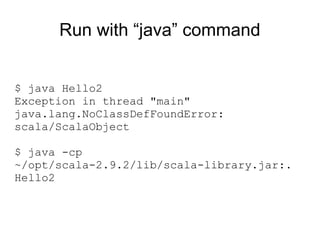
Run with “java” command


$ java Hello2
Exception in thread "main"
java.lang.NoClassDefFoundError:
scala/ScalaObject

$ java -cp
~/opt/scala-2.9.2/lib/scala-library.jar:.
Hello2
Part 2: SBT
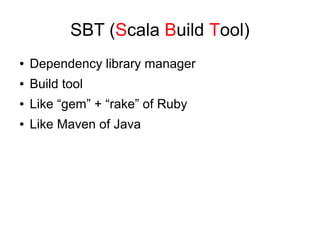
SBT (Scala Build Tool)
●   Dependency library manager
●   Build tool
●   Like “gem” + “rake” of Ruby
●   Like Maven of Java
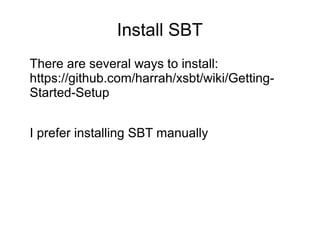
Install SBT
There are several ways to install:
https://github.com/harrah/xsbt/wiki/Getting-
Started-Setup


I prefer installing SBT manually
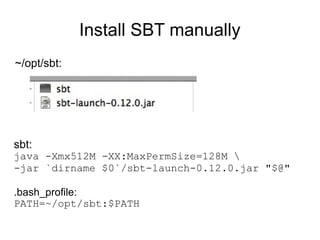
Install SBT manually
~/opt/sbt:


sbt:
java -Xmx512M -XX:MaxPermSize=128M 
-jar `dirname $0`/sbt-launch-0.12.0.jar "$@"

.bash_profile:
PATH=~/opt/sbt:$PATH
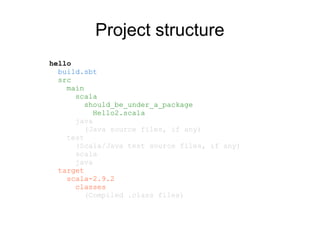
Project structure
hello
  build.sbt
  src
    main
      scala
        should_be_under_a_package
          Hello2.scala
      java
        (Java source files, if any)
    test
      (Scala/Java test source files, if any)
      scala
      java
  target
    scala-2.9.2
      classes
        (Compiled .class files)
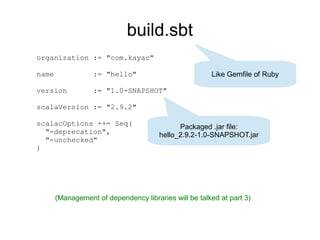
build.sbt
organization := "com.kayac"

name              := "hello"                           Like Gemfile of Ruby

version           := "1.0-SNAPSHOT"

scalaVersion := "2.9.2"

scalacOptions ++= Seq(                       Packaged .jar file:
  "-deprecation",                      hello_2.9.2-1.0-SNAPSHOT.jar
  "-unchecked"
)


       (Management of dependency libraries will be talked at part 3)
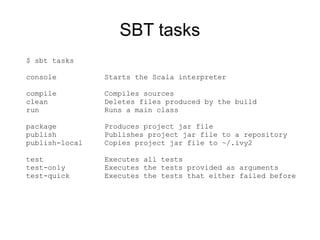
SBT tasks
$ sbt tasks

console         Starts the Scala interpreter

compile         Compiles sources
clean           Deletes files produced by the build
run             Runs a main class

package         Produces project jar file
publish         Publishes project jar file to a repository
publish-local   Copies project jar file to ~/.ivy2

test            Executes all tests
test-only       Executes the tests provided as arguments
test-quick      Executes the tests that either failed before
Demo
●   https://github.com/ngocdaothanh/sclart/tree/master/sbt/hello
●   sbt console, run, package etc.
SBT plugins

https://github.com/harrah/xsbt/wiki/sbt-0.10-plugins-list

Some useful plugins:

* Create Eclipse project file (with library paths):
https://github.com/typesafehub/sbteclipse

* One jar plugins
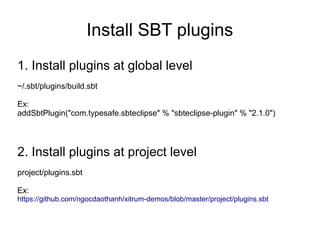
Install SBT plugins
1. Install plugins at global level
~/.sbt/plugins/build.sbt

Ex:
addSbtPlugin("com.typesafe.sbteclipse" % "sbteclipse-plugin" % "2.1.0")


2. Install plugins at project level
project/plugins.sbt

Ex:
https://github.com/ngocdaothanh/xitrum-demos/blob/master/project/plugins.sbt
Demo
●   Use sbt eclipse to create Eclipse project and
    see lib paths
Part3: Some useful frameworks


https://wiki.scala-lang.org/display/SW/Tools+and+Libraries
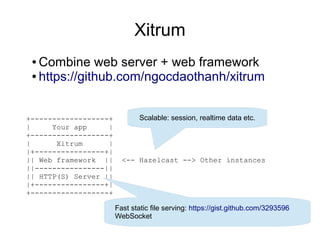
Xitrum
 ● Combine web server + web framework
 ● https://github.com/ngocdaothanh/xitrum


+------------------+          Scalable: session, realtime data etc.
|     Your app     |
+------------------+
|      Xitrum      |
|+----------------+|
|| Web framework ||      <-- Hazelcast --> Other instances
||----------------||
|| HTTP(S) Server ||
|+----------------+|
+------------------+

                       Fast static file serving: https://gist.github.com/3293596
                       WebSocket
Demo
●   https://github.com/ngocdaothanh/xitrum-demos
●   Routes
●   WebSocket
●   xitrum-package
Akka
●   http://akka.io/
●   Better than Scala's default actor library
●   Has power of Erlang:
    concurrency
    distribution
    failure supervisor
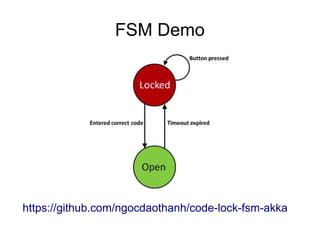
    FSM (Finite State Machine, very good for
    realtime multiplayer games, to manage states
    of game sessions and inter-player interactions)
FSM Demo


https://github.com/ngocdaothanh/code-lock-fsm-akka

How to start using Scala

  • 1.
    How to STARTusing Ngoc Dao
  • 2.
    This talk isnot about Scala syntax (You can learn 80% of it in 2 days, Sat & Sun)
  • 3.
  • 4.
    Why I useScala ● Syntax is similar to Ruby (human oriented) ● Faster than Ruby (= Java, ~C) ● Can reuse all Java libs (Java has lots of libs!) ● Easy to program for multicores (like Erlang)
  • 5.
    Agenda 1. “scala” and“scalac” commands 2. SBT (Scala Build Tool) 3. Some useful frameworks
  • 6.
    Part 1: scala& scalac
  • 7.
    Install Scala 1. Downloadfrom scala-lang.org 2. Config PATH .bash_profile: PATH=~/opt/scala-2.9.2/bin:$PATH
  • 8.
  • 9.
    Interactive console ● For trying out code snippets ● Like “irb” of Ruby
  • 10.
    $ scala Welcome toScala version 2.9.2 Type :help for more information. scala> 1 + 2 res0: Int = 3 scala> "hello".length res1: Int = 5 scala> :q $
  • 11.
    Scripting Scala ● Can run a script right away, no compile step is needed ● To run, “scala” command is needed; it will compile on the fly then run ● For simple one-file programs
  • 12.
    $ cat Hello1.scala println(1+ 2) println("hello".length) $ scala Hello.scala 3 5
  • 13.
    Compile Scala ● Compile .scala file to .class file ● Can use “scala” or normal “java” command to run .class file ● Simple programs: scalac (like javac) ● Bigger programs: SBT (see next slides)
  • 14.
    $ scalac Hello1.scala Hello1.scala:1:error: expected class or object definition println(1 + 2) ^ Hello1.scala:2: error: expected class or object definition println("hello".length) ^ two errors found Need to wrap the script with “main”
  • 15.
    $ cat Hello2.scala objectHello2 { // Similar to normal Java/C programs def main(args: Array[String]) { println(1 + 2) println("hello".length) } }
  • 16.
    Run with “scala”command $ scalac Hello2.scala $ ls Hello2$.class Hello2.class Hello2.scala $ scala Hello2 3 5
  • 17.
    Run with “java”command $ java Hello2 Exception in thread "main" java.lang.NoClassDefFoundError: scala/ScalaObject $ java -cp ~/opt/scala-2.9.2/lib/scala-library.jar:. Hello2
  • 18.
  • 19.
    SBT (Scala BuildTool) ● Dependency library manager ● Build tool ● Like “gem” + “rake” of Ruby ● Like Maven of Java
  • 20.
    Install SBT There areseveral ways to install: https://github.com/harrah/xsbt/wiki/Getting- Started-Setup I prefer installing SBT manually
  • 21.
    Install SBT manually ~/opt/sbt: sbt: java-Xmx512M -XX:MaxPermSize=128M -jar `dirname $0`/sbt-launch-0.12.0.jar "$@" .bash_profile: PATH=~/opt/sbt:$PATH
  • 22.
    Project structure hello build.sbt src main scala should_be_under_a_package Hello2.scala java (Java source files, if any) test (Scala/Java test source files, if any) scala java target scala-2.9.2 classes (Compiled .class files)
  • 23.
    build.sbt organization := "com.kayac" name := "hello" Like Gemfile of Ruby version := "1.0-SNAPSHOT" scalaVersion := "2.9.2" scalacOptions ++= Seq( Packaged .jar file: "-deprecation", hello_2.9.2-1.0-SNAPSHOT.jar "-unchecked" ) (Management of dependency libraries will be talked at part 3)
  • 24.
    SBT tasks $ sbttasks console Starts the Scala interpreter compile Compiles sources clean Deletes files produced by the build run Runs a main class package Produces project jar file publish Publishes project jar file to a repository publish-local Copies project jar file to ~/.ivy2 test Executes all tests test-only Executes the tests provided as arguments test-quick Executes the tests that either failed before
  • 25.
    Demo ● https://github.com/ngocdaothanh/sclart/tree/master/sbt/hello ● sbt console, run, package etc.
  • 26.
    SBT plugins https://github.com/harrah/xsbt/wiki/sbt-0.10-plugins-list Some usefulplugins: * Create Eclipse project file (with library paths): https://github.com/typesafehub/sbteclipse * One jar plugins
  • 27.
    Install SBT plugins 1.Install plugins at global level ~/.sbt/plugins/build.sbt Ex: addSbtPlugin("com.typesafe.sbteclipse" % "sbteclipse-plugin" % "2.1.0") 2. Install plugins at project level project/plugins.sbt Ex: https://github.com/ngocdaothanh/xitrum-demos/blob/master/project/plugins.sbt
  • 28.
    Demo ● Use sbt eclipse to create Eclipse project and see lib paths
  • 29.
    Part3: Some usefulframeworks https://wiki.scala-lang.org/display/SW/Tools+and+Libraries
  • 30.
    Xitrum ● Combineweb server + web framework ● https://github.com/ngocdaothanh/xitrum +------------------+ Scalable: session, realtime data etc. | Your app | +------------------+ | Xitrum | |+----------------+| || Web framework || <-- Hazelcast --> Other instances ||----------------|| || HTTP(S) Server || |+----------------+| +------------------+ Fast static file serving: https://gist.github.com/3293596 WebSocket
  • 31.
    Demo ● https://github.com/ngocdaothanh/xitrum-demos ● Routes ● WebSocket ● xitrum-package
  • 32.
    Akka ● http://akka.io/ ● Better than Scala's default actor library ● Has power of Erlang: concurrency distribution failure supervisor FSM (Finite State Machine, very good for realtime multiplayer games, to manage states of game sessions and inter-player interactions)
  • 33.