
The Power Of PowerShell: Advanced
   Kurt Roggen, Technical Consultant,
   Devoteam


kurt.roggen@devoteam.be
Agenda

 • PowerShell Basics
  •   PS Syntax
  •   Pipeline
  •   3 cmdlets to know/remember
 • PowerShell Advanced
  •   Functions
  •   Modules
  •   Comment Based Help
  •   Accepting PS Objects from the pipeline
  •   Creating PS Objects
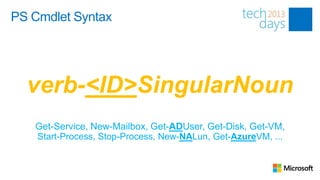
PS Cmdlet Syntax


  verb-<ID>SingularNoun
   Get-Service, New-Mailbox, Get-ADUser, Get-Disk, Get-VM,
   Start-Process, Stop-Process, New-NALun, Get-AzureVM, ...
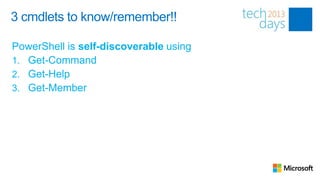
3 cmdlets to know/remember!!

PowerShell is self-discoverable using
1. Get-Command
2. Get-Help
3. Get-Member
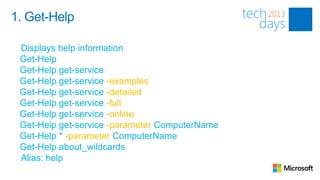
1. Get-Help

 Displays help information
 Get-Help
 Get-Help get-service
 Get-Help get-service -examples
 Get-Help get-service -detailed
 Get-Help get-service -full
 Get-Help get-service -online
 Get-Help get-service -parameter ComputerName
 Get-Help * -parameter ComputerName
 Get-Help about_wildcards
 Alias: help
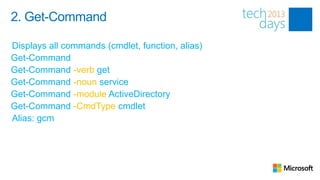
2. Get-Command

Displays all commands (cmdlet, function, alias)
Get-Command
Get-Command -verb get
Get-Command -noun service
Get-Command -module ActiveDirectory
Get-Command -CmdType cmdlet
Alias: gcm
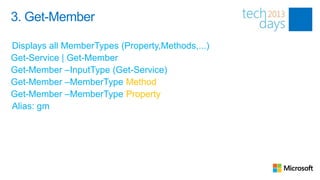
3. Get-Member

Displays all MemberTypes (Property,Methods,...)
Get-Service | Get-Member
Get-Member –InputType (Get-Service)
Get-Member –MemberType Method
Get-Member –MemberType Property
Alias: gm
Modules
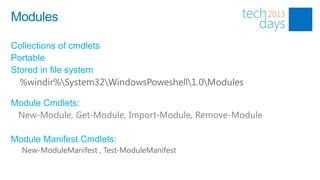
Modules

Collections of cmdlets
Portable
Stored in file system
  %windir%System32WindowsPoweshell1.0Modules

Module Cmdlets:
 New-Module, Get-Module, Import-Module, Remove-Module

Module Manifest Cmdlets:
  New-ModuleManifest , Test-ModuleManifest
Functions
Creating Functions

 function Get-OS
{
    param(
     [string[]]$ComputerName = $env:COMPUTERNAME
    )

      gwmi Win32_OperatingSystem -ComputerName $ComputerName
}


    PS C:> Get-OS -ComputerName “MyClient1”, ”MyClient2”
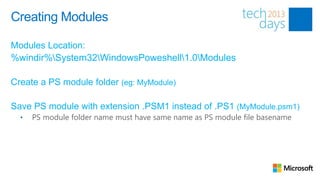
Creating Modules

Modules Location:
%windir%System32WindowsPoweshell1.0Modules

Create a PS module folder (eg: MyModule)

Save PS module with extension .PSM1 instead of .PS1 (MyModule.psm1)
  •   PS module folder name must have same name as PS module file basename
Comment Based Help
Comment Based Help
 Function Get-OS
 {
  <#
 .SYNOPSIS
           <toktok>
 .DESCRIPTION
       <toktok>
 .PARAMETER ComputerName
       <toktok>
 .EXAMPLE
       Get-OS
 .LINK
       http://mysite.com/get-os/
 #>
     Param (
            [string]$ComputerName,
            [switch]$Details
     )
 }
Accepting Pipeline Input

 function Get-OS
 {
     param(
       [Parameter(ValueFromPipeLine=$true)]
       [string[]]$ComputerName = $env:COMPUTERNAME
     )
   PROCESS
   {
       <blabla>
   }
 }
Creating PS Objects
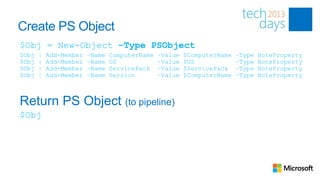
Create PS Object
$Obj = New-Object –Type PSObject
$Obj   |   Add-Member   –Name   ComputerName   –Value   $ComputerName   –Type   NoteProperty
$Obj   |   Add-Member   –Name   OS             –Value   $OS             –Type   NoteProperty
$Obj   |   Add-Member   –Name   ServicePack    –Value   $ServicePack    –Type   NoteProperty
$Obj   |   Add-Member   –Name   Version        –Value   $ComputerName   –Type   NoteProperty


Return PS Object (to pipeline)
$Obj
Conclusion

PowerShell is the future present
PowerShell is Self-discoverable
 Remember 3 basic commands
Reuse code using functions in modules


It’s easy - Try it, you’ll see!
The Power of PowerShell: Advanced

The Power of PowerShell: Advanced

  • 1.
    The Power OfPowerShell: Advanced Kurt Roggen, Technical Consultant, Devoteam kurt.roggen@devoteam.be
  • 2.
    Agenda • PowerShellBasics • PS Syntax • Pipeline • 3 cmdlets to know/remember • PowerShell Advanced • Functions • Modules • Comment Based Help • Accepting PS Objects from the pipeline • Creating PS Objects
  • 4.
    PS Cmdlet Syntax verb-<ID>SingularNoun Get-Service, New-Mailbox, Get-ADUser, Get-Disk, Get-VM, Start-Process, Stop-Process, New-NALun, Get-AzureVM, ...
  • 5.
    3 cmdlets toknow/remember!! PowerShell is self-discoverable using 1. Get-Command 2. Get-Help 3. Get-Member
  • 6.
    1. Get-Help Displayshelp information Get-Help Get-Help get-service Get-Help get-service -examples Get-Help get-service -detailed Get-Help get-service -full Get-Help get-service -online Get-Help get-service -parameter ComputerName Get-Help * -parameter ComputerName Get-Help about_wildcards Alias: help
  • 7.
    2. Get-Command Displays allcommands (cmdlet, function, alias) Get-Command Get-Command -verb get Get-Command -noun service Get-Command -module ActiveDirectory Get-Command -CmdType cmdlet Alias: gcm
  • 8.
    3. Get-Member Displays allMemberTypes (Property,Methods,...) Get-Service | Get-Member Get-Member –InputType (Get-Service) Get-Member –MemberType Method Get-Member –MemberType Property Alias: gm
  • 9.
  • 10.
    Modules Collections of cmdlets Portable Storedin file system %windir%System32WindowsPoweshell1.0Modules Module Cmdlets: New-Module, Get-Module, Import-Module, Remove-Module Module Manifest Cmdlets: New-ModuleManifest , Test-ModuleManifest
  • 11.
  • 12.
    Creating Functions functionGet-OS { param( [string[]]$ComputerName = $env:COMPUTERNAME ) gwmi Win32_OperatingSystem -ComputerName $ComputerName } PS C:> Get-OS -ComputerName “MyClient1”, ”MyClient2”
  • 13.
    Creating Modules Modules Location: %windir%System32WindowsPoweshell1.0Modules Createa PS module folder (eg: MyModule) Save PS module with extension .PSM1 instead of .PS1 (MyModule.psm1) • PS module folder name must have same name as PS module file basename
  • 14.
  • 15.
    Comment Based Help Function Get-OS { <# .SYNOPSIS <toktok> .DESCRIPTION <toktok> .PARAMETER ComputerName <toktok> .EXAMPLE Get-OS .LINK http://mysite.com/get-os/ #> Param ( [string]$ComputerName, [switch]$Details ) }
  • 16.
  • 17.
    Accepting Pipeline Input function Get-OS { param( [Parameter(ValueFromPipeLine=$true)] [string[]]$ComputerName = $env:COMPUTERNAME ) PROCESS { <blabla> } }
  • 18.
  • 19.
    Create PS Object $Obj= New-Object –Type PSObject $Obj | Add-Member –Name ComputerName –Value $ComputerName –Type NoteProperty $Obj | Add-Member –Name OS –Value $OS –Type NoteProperty $Obj | Add-Member –Name ServicePack –Value $ServicePack –Type NoteProperty $Obj | Add-Member –Name Version –Value $ComputerName –Type NoteProperty Return PS Object (to pipeline) $Obj
  • 20.
    Conclusion PowerShell is thefuture present PowerShell is Self-discoverable  Remember 3 basic commands Reuse code using functions in modules It’s easy - Try it, you’ll see!

Editor's Notes

  • #7 Check out about_Regular_Expressions