Powershell - Alias
JASON
Cmdlet


(Get-Command –type Cmdlet).Length
Get-Command


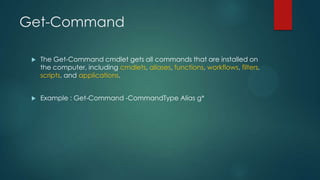
The Get-Command cmdlet gets all commands that are installed on
the computer, including cmdlets, aliases, functions, workflows, filters,
scripts, and applications.



Example : Get-Command -CommandType Alias g*
Powershell Alias - Abbreviation


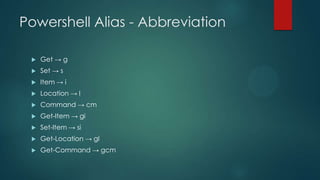
Get → g



Set → s



Item → i



Location → l



Command → cm



Get-Item → gi



Set-Item → si



Get-Location → gl



Get-Command → gcm
New-Alias


New-Alias [-Name] <string> [-Value] <string>


Example : New-Alias log Write-Host



Aliases created by using New-Alias are not saved after you exit the session
or close Windows PowerShell



You can use the Export-Alias cmdlet to save your alias information to a file



You can later use Import-Alias to retrieve that saved alias information.
Get-Alias


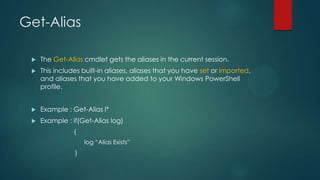
The Get-Alias cmdlet gets the aliases in the current session.



This includes built-in aliases, aliases that you have set or imported,
and aliases that you have added to your Windows PowerShell
profile.



Example : Get-Alias l*



Example : if(Get-Alias log)
{
log “Alias Exists”
}
Modify Alias


Example 1:




Example 2:




New-Alias log Write-Verbose –Force

Set-Alias log Write-Verbose

Example 3:





cd Alias:
Set-Item log Write-Verbose

Example 4:


cd Alias:



Set-Content log Write-Verbose
Getting to the Alias: Drive


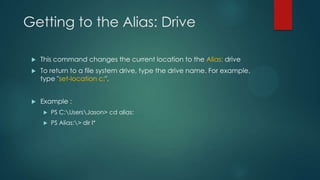
This command changes the current location to the Alias: drive



To return to a file system drive, type the drive name. For example,
type "set-location c:".



Example :


PS C:UsersJason> cd alias:



PS Alias:> dir l*
PowerShell Drive


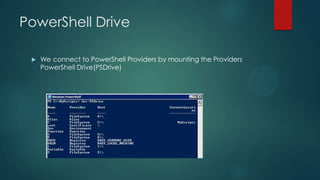
We connect to PowerShell Providers by mounting the Providers
PowerShell Drive(PSDrive)
Delete Alias


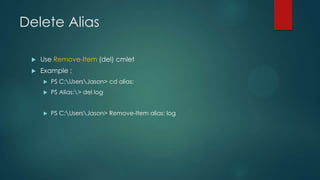
Use Remove-Item (del) cmlet



Example :


PS C:UsersJason> cd alias:



PS Alias:> del log



PS C:UsersJason> Remove-Item alias: log
Export-Alias


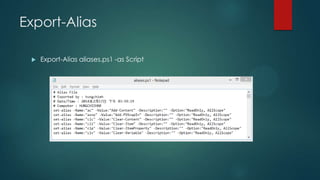
The Export-Alias cmdlet exports the aliases in the current session to a
file.



Example 1: Export-Alias aliases.txt



Example 2 : Export-Alias aliases.txt log*



Example 3 : Export-Alias aliases.txt trace* -append



Example 4 : Export-Alias aliases.ps1 trace* -as Script
Export-Alias


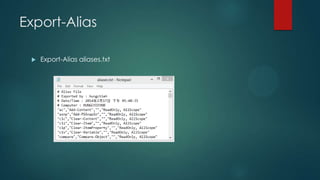
Export-Alias aliases.txt
Export-Alias


Export-Alias aliases.ps1 -as Script
Import-Alias


The Import-Alias cmdlet imports an alias list from a file.



Beginning in Windows PowerShell 3.0, as a security feature, ImportAlias does not overwrite existing aliases by default.



To overwrite an existing alias, after assuring that the contents of the
alias file is safe, use the Force parameter.



Example : Import-Alias aliases.txt
Q1


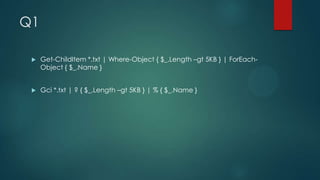
Get-ChildItem *.txt | Where-Object { $_.Length –gt 5KB } | ForEachObject { $_.Name }



Gci *.txt | ? { $_.Length –gt 5KB } | % { $_.Name }
Q2


是否可以建立一個為 「Get-Command」的別名??



Example:


New-Alias Get-Command dir
Reference


TechNet


http://technet.microsoft.com/en-us/library/ee176913.aspx

Powershell alias

Editor's Notes

  • #7 wildcard 
  • #16 Gci *.txt | ? { $_.Length –gt 5KB } | % { $_.Name }